



التحديثات الأخيرة
- RSIF8
Roll NO:11
Task post no : 5
Task topic How to Create an Instagram
Account?
How to Create an Instagram Account (Step-by-Step Guide)
Want to join the world of reels, photos, and creativity? Let’s make your Instagram account in just a few minutes!
Step 1: Download the App
Open Play Store (Android) or App Store (iPhone)
Search for Instagram
Tap Install / Get
Step 2: Open & Sign Up
Open the app
Tap Sign Up
Choose one option:
Sign up with Email
Sign up with Phone Number
Step 3: Create Login Details
Enter your name
Create a username (your unique ID)
Create a strong password
Tip: Pick a cool username like:
anam_creates
life.with.anam
official.anam
Step 4: Add Profile Info
Now make your profile attractive
Add a Profile Photo
Write a Bio (short intro)
Example bio ideas:
Dream big | Work hard | Stay kind
Student | Creator | Learner
Living my story one post at a time
Step 5: Find Friends
Instagram will ask to connect contacts
Tap Follow to start building your community
Step 6: Your Account is Ready!
Congratulations You are now on Instagram!
Post your first photo:
Tap + icon → Upload → Write caption → Post
Something Different (Fun First Post Idea)
Instead of a normal photo, make a “Hello Instagram” intro post
Caption idea:
Hello world!
This is my new space to share my journey, creativity and daily life
Follow me for positivity, learning & fun
#NewOnInstagram #FirstPost #HelloWorld #InstaJourney #DreamBigRSIF8RSIF8RSIF8 Roll NO:11 Task post no : 5 Task topic How to Create an Instagram Account? 📸✨ How to Create an Instagram Account (Step-by-Step Guide) 🚀🔥 Want to join the world of reels, photos, and creativity? Let’s make your Instagram account in just a few minutes! 💥💬 📲 Step 1: Download the App 👉 Open Play Store (Android) or App Store (iPhone) 🔍 Search for Instagram ⬇️ Tap Install / Get 📝 Step 2: Open & Sign Up 1️⃣ Open the app 2️⃣ Tap Sign Up 3️⃣ Choose one option: 📧 Sign up with Email 📱 Sign up with Phone Number 🔐 Step 3: Create Login Details ✔️ Enter your name ✔️ Create a username (your unique ID) 😎 ✔️ Create a strong password 🔑 Tip: Pick a cool username like: ✨ anam_creates ✨ life.with.anam ✨ official.anam 👤 Step 4: Add Profile Info Now make your profile attractive 💖 📷 Add a Profile Photo 📝 Write a Bio (short intro) Example bio ideas: 🌸 Dream big | Work hard | Stay kind 🎓 Student | 📸 Creator | 💫 Learner ✨ Living my story one post at a time 👥 Step 5: Find Friends Instagram will ask to connect contacts 📱 Tap Follow to start building your community 🤝💬 🎉 Step 6: Your Account is Ready! Congratulations 🥳 You are now on Instagram! Post your first photo: 📸 Tap + icon → Upload → Write caption → Post 🚀 💡 Something Different (Fun First Post Idea) 🌈 Instead of a normal photo, make a “Hello Instagram” intro post 👋 Caption idea: ✨ Hello world! This is my new space to share my journey, creativity and daily life 💫 Follow me for positivity, learning & fun 🌸💖 #NewOnInstagram #FirstPost #HelloWorld #InstaJourney #DreamBigRSIF8RSIF8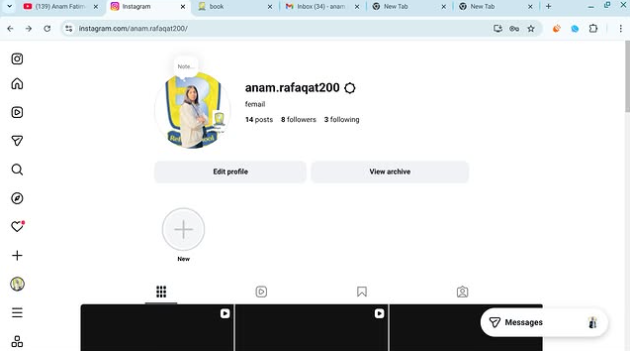 0 التعليقات 0 المشاركات 104 مشاهدة
 - RSIF8
Roll NO:11
Task post no : 4
Task topic How to Create a YouTube
Account?
Start Your YouTube Journey Today!
Ready to become a YouTuber? Your voice, your ideas, your talent — the world is waiting! Creating a YouTube account takes just a few minutes
Follow these quick steps:
Open YouTube app or website
Tap Sign In
Login with your Gmail account
Click your profile icon
Choose Create a Channel
Enter your channel name
Add profile photo & description
Hit Create and you’re LIVE!
Boom! You’re officially a YouTube Creator
Now start uploading videos
Grow your audience
Share knowledge & fun
Turn your passion into success
Remember: Every big YouTuber started with their first video
#NewYouTuber #StartYourChannel #YouTubeTips #ContentCreation #BeCreative #DigitalCreator #SocialMediaGrowth #DreamBig #CreatorLifeRSIF8 Roll NO:11 Task post no : 4 Task topic How to Create a YouTube Account? 🚀 Start Your YouTube Journey Today! Ready to become a YouTuber? 🌟 Your voice, your ideas, your talent — the world is waiting! 🌍 Creating a YouTube account takes just a few minutes ⏰ 👉 Follow these quick steps: 1️⃣ Open YouTube app or website 📱💻 2️⃣ Tap Sign In 🔑 3️⃣ Login with your Gmail account 📧 4️⃣ Click your profile icon 👤 5️⃣ Choose Create a Channel 🎥 6️⃣ Enter your channel name ✍️ 7️⃣ Add profile photo & description 🖼️ 8️⃣ Hit Create and you’re LIVE! 🔴 🎉 Boom! You’re officially a YouTube Creator 🎉 Now start uploading videos 📹 Grow your audience 👥 Share knowledge & fun 🤩 Turn your passion into success 💰✨ 💡 Remember: Every big YouTuber started with their first video 💪 #NewYouTuber #StartYourChannel #YouTubeTips #ContentCreation #BeCreative #DigitalCreator #SocialMediaGrowth #DreamBig #CreatorLife 🌟🎥🔥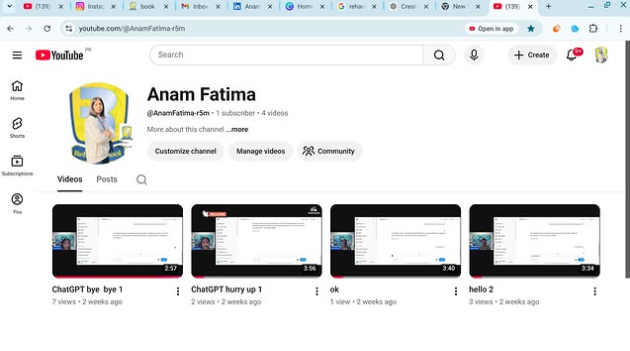 0 التعليقات 0 المشاركات 128 مشاهدة
 - RSIF8
Roll NO:11
Task post no : 1
Task topic How to Create a Gmail
Account?
How to Create a Gmail Account – Step by Step Guide
Want your own email for school, work, or social media? Creating a Gmail account is super easy and FREE! Follow these simple steps and get started in minutes
Step 1: Go to the Gmail sign-up page
Step 2: Enter your First & Last Name
Step 3: Choose a unique Username
Step 4: Create a strong Password
Step 5: Add your Phone Number for security
Step 6: Verify with the code sent to your phone
Step 7: Add recovery email (optional)
Step 8: Enter your birthday & gender
Step 9: Agree to Google’s terms
Done! Your Gmail is ready to use!
Now you can send emails , join YouTube , download apps , and use Google Drive
Tip: Keep your password safe and never share it
#Gmail #EmailAccount #GoogleAccount #TechTips #DigitalSkills #LearnOnline #Students #Beginners #HowTo #EasyStepsRSIF8 Roll NO:11 Task post no : 1 Task topic How to Create a Gmail Account? ✨ How to Create a Gmail Account – Step by Step Guide ✨ Want your own email for school, work, or social media? 📱💻 Creating a Gmail account is super easy and FREE! 💯 Follow these simple steps and get started in minutes 🚀 🔹 Step 1: Go to the Gmail sign-up page 🌐 🔹 Step 2: Enter your First & Last Name 👤 🔹 Step 3: Choose a unique Username ✍️ 🔹 Step 4: Create a strong Password 🔐 🔹 Step 5: Add your Phone Number for security 📞 🔹 Step 6: Verify with the code sent to your phone ✔️ 🔹 Step 7: Add recovery email (optional) 📩 🔹 Step 8: Enter your birthday & gender 🎂 🔹 Step 9: Agree to Google’s terms 👍 🎉 Done! Your Gmail is ready to use! 🎉 Now you can send emails 📧, join YouTube ▶️, download apps 📲, and use Google Drive ☁️ 💡 Tip: Keep your password safe and never share it 🔒 #Gmail #EmailAccount #GoogleAccount #TechTips #DigitalSkills #LearnOnline #Students #Beginners #HowTo #EasySteps 🚀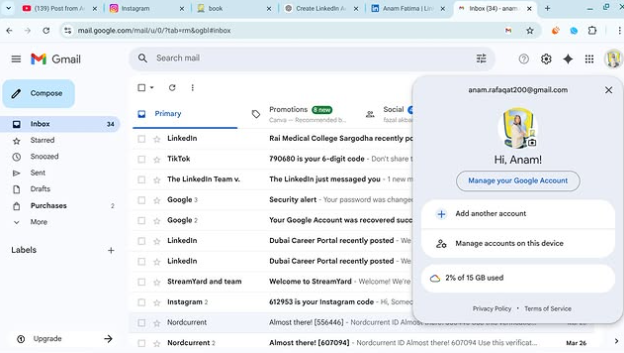 0 التعليقات 0 المشاركات 98 مشاهدة

المزيد من المنشورات