


#rsisb
Roll no.239
Foundation Level
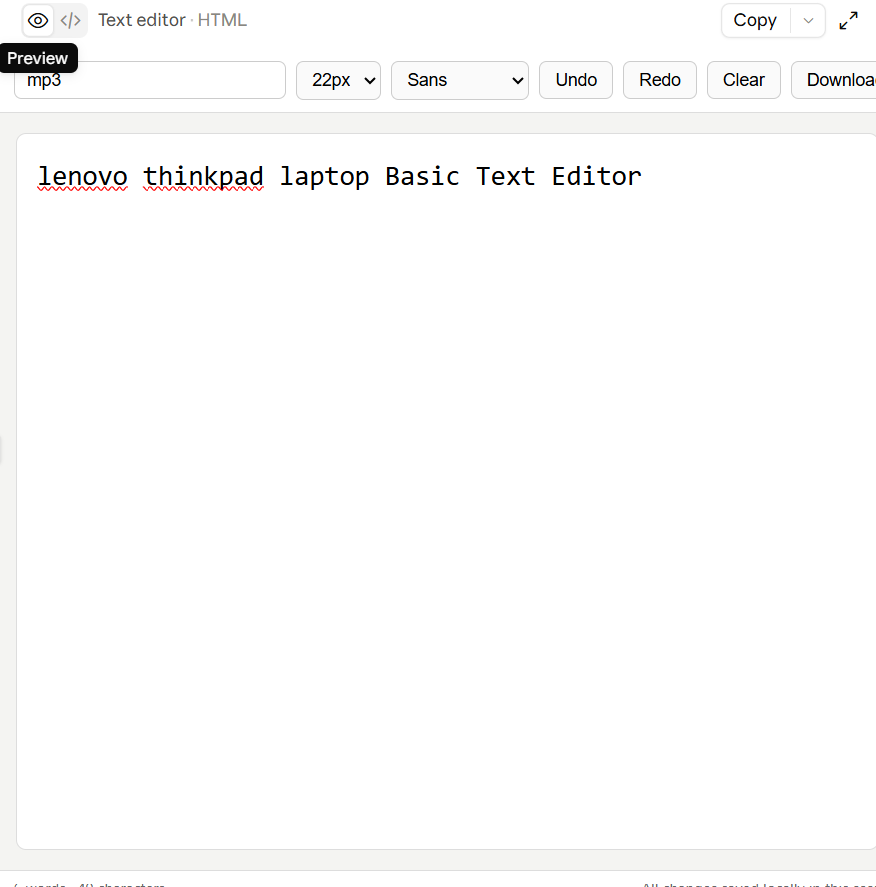
A **Basic Text Editor** is a simple computer application that allows users to **create, edit, save, and open text files**. It is a great beginner programming project for learning how graphical user interfaces (GUIs) work.
* Create and edit text
* Open existing text files
* Save files
* Save As with a new filename
* Create a new document
* Undo and redo changes
* Cut, copy, and paste
* Find and replace text
* Basic font and text-size options
### How It Works
The editor provides a large text area where users can type. A menu or toolbar provides commands such as **New, Open, Save, Cut, Copy, Paste, and Exit**. When the user chooses **Save**, the application stores the written content in a text file.
Building a Basic Text Editor helps beginners understand **file handling, GUI design, buttons, menus, text widgets, and user input**. It is a practical project that can later be expanded with features such as syntax highlighting, word counting, and dark mode.
Roll no.239
Foundation Level
A **Basic Text Editor** is a simple computer application that allows users to **create, edit, save, and open text files**. It is a great beginner programming project for learning how graphical user interfaces (GUIs) work.
* Create and edit text
* Open existing text files
* Save files
* Save As with a new filename
* Create a new document
* Undo and redo changes
* Cut, copy, and paste
* Find and replace text
* Basic font and text-size options
### How It Works
The editor provides a large text area where users can type. A menu or toolbar provides commands such as **New, Open, Save, Cut, Copy, Paste, and Exit**. When the user chooses **Save**, the application stores the written content in a text file.
Building a Basic Text Editor helps beginners understand **file handling, GUI design, buttons, menus, text widgets, and user input**. It is a practical project that can later be expanded with features such as syntax highlighting, word counting, and dark mode.
#rsisb
Roll no.239
Foundation Level
A **Basic Text Editor** is a simple computer application that allows users to **create, edit, save, and open text files**. It is a great beginner programming project for learning how graphical user interfaces (GUIs) work.
* 📝 Create and edit text
* 📂 Open existing text files
* 💾 Save files
* 💾 Save As with a new filename
* 🆕 Create a new document
* ↩️ Undo and redo changes
* 📋 Cut, copy, and paste
* 🔍 Find and replace text
* 🔤 Basic font and text-size options
### How It Works
The editor provides a large text area where users can type. A menu or toolbar provides commands such as **New, Open, Save, Cut, Copy, Paste, and Exit**. When the user chooses **Save**, the application stores the written content in a text file.
Building a Basic Text Editor helps beginners understand **file handling, GUI design, buttons, menus, text widgets, and user input**. It is a practical project that can later be expanded with features such as syntax highlighting, word counting, and dark mode.
0 Commenti
0 condivisioni
873 Views