


RSLC#ROLL NO 85#
FOUNDATION LEVEL Batch 06#
task: 8
DAY: 8
How to Download and Use Sesame?
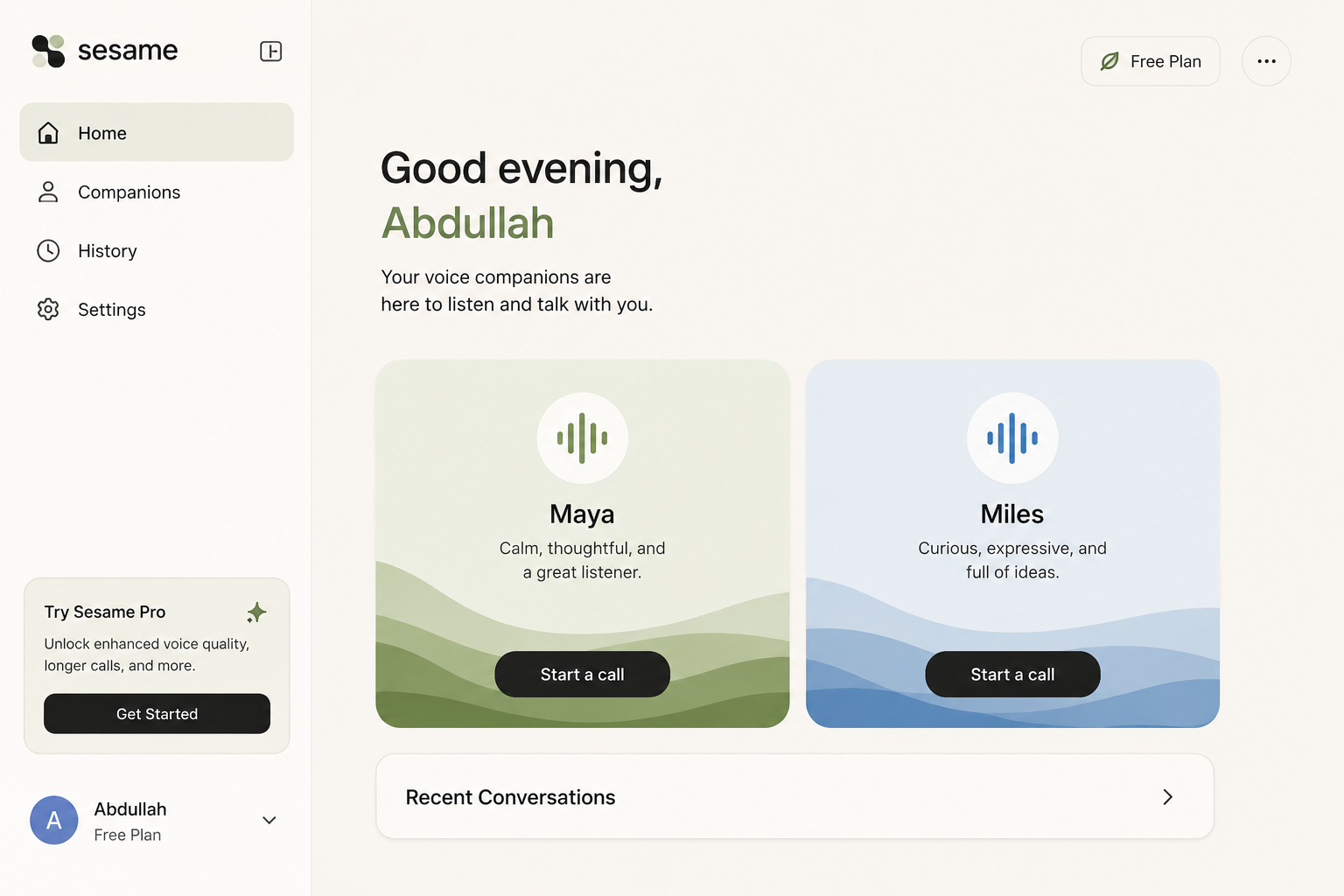
Downloading and using Sesame is simple and easy. First, visit the Sesame platform and sign up or log in to your account. Once you are inside, choose your preferred voice companion, such as Maya or Miles, and click “Start a call” to begin. You can then talk, ask questions, share ideas, and enjoy a natural conversation with your AI companion. Explore the different features and settings to make your Sesame experience even better!
DONE, now you can ask questions and discuss with Maya or Miles
THANK YOU!!
#Sesame #AI #VoiceAI #AIAssistant #Technology
FOUNDATION LEVEL Batch 06#
task: 8
DAY: 8
How to Download and Use Sesame?
Downloading and using Sesame is simple and easy. First, visit the Sesame platform and sign up or log in to your account. Once you are inside, choose your preferred voice companion, such as Maya or Miles, and click “Start a call” to begin. You can then talk, ask questions, share ideas, and enjoy a natural conversation with your AI companion. Explore the different features and settings to make your Sesame experience even better!
DONE, now you can ask questions and discuss with Maya or Miles
THANK YOU!!
#Sesame #AI #VoiceAI #AIAssistant #Technology
RSLC#ROLL NO 85#
FOUNDATION LEVEL Batch 06#
task: 8
DAY: 8
How to Download and Use Sesame?
Downloading and using Sesame is simple and easy. First, visit the Sesame platform and sign up or log in to your account. Once you are inside, choose your preferred voice companion, such as Maya or Miles, and click “Start a call” to begin. You can then talk, ask questions, share ideas, and enjoy a natural conversation with your AI companion. Explore the different features and settings to make your Sesame experience even better!
DONE, now you can ask questions and discuss with Maya or Miles
THANK YOU!!
#Sesame #AI #VoiceAI #AIAssistant #Technology
0 Kommentare
0 Anteile
1379 Ansichten