


RSIF8
Roll No: 113
Post No: 9
Post Topic: How to Use StreamYard for Interviews?
How to Use StreamYard for Interviews?
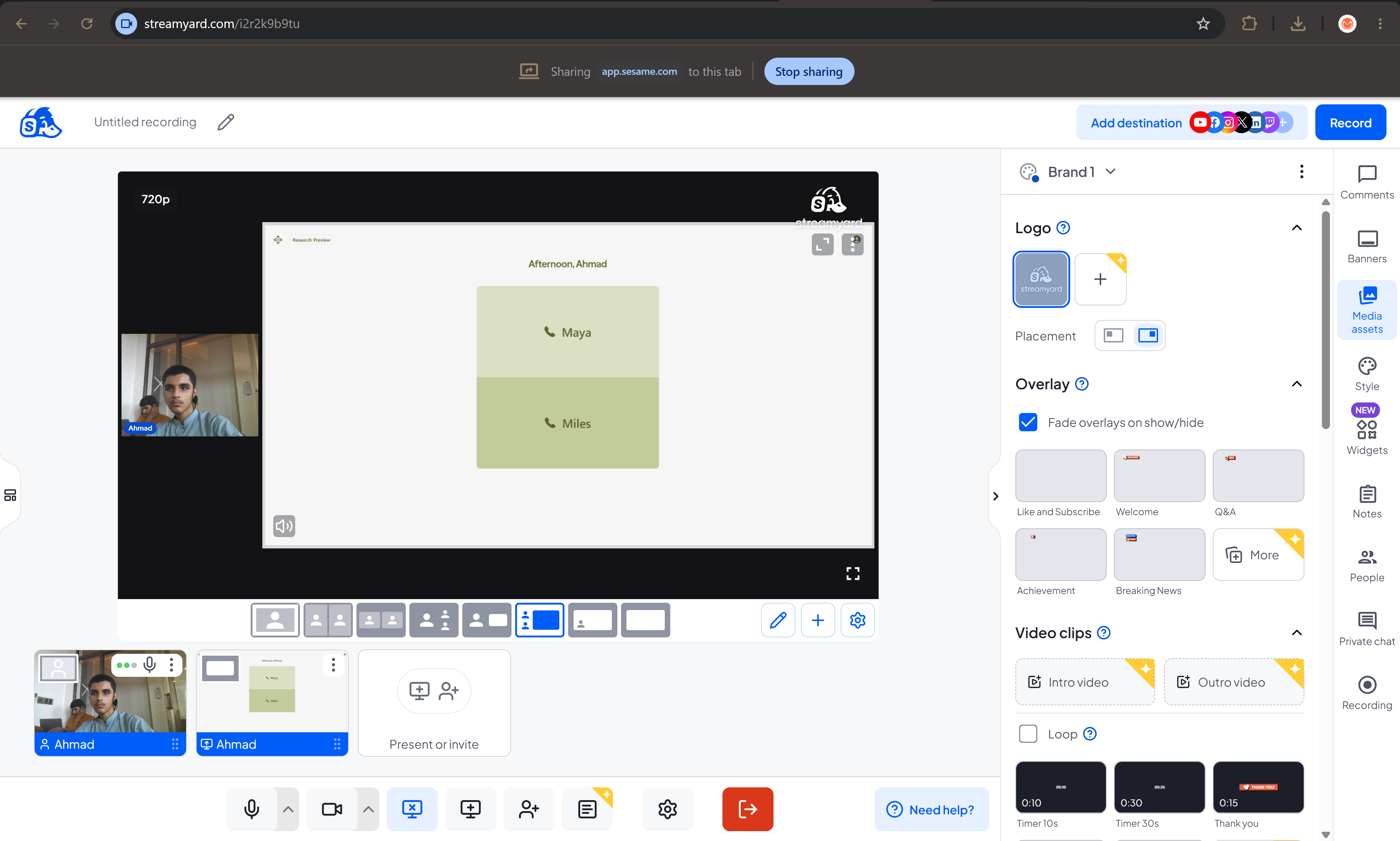
In this video, I explain how to use StreamYard to conduct professional and engaging online interviews.
StreamYard is a useful platform for hosting live streams, interviews, podcasts, and online conversations. It makes it easy to invite guests, manage the interview, and share the conversation with an audience.
In this tutorial, you will learn how to:
Open and set up StreamYard
Create a broadcast or interview
Invite a guest using a link
Set up your camera and microphone
Manage the interview screen
Share your interview with an audience
Use StreamYard's features for a professional interview
This activity helped me improve my **digital communication, online interview, and content creation skills**.
Tip: Before starting an interview, check your internet connection, microphone, camera, and background to make sure everything is ready.
Watch the video and follow the steps!
Learn • Connect • Interview • Create
#RSIF8 #RollNo113 #PostNo9 #StreamYard #StreamYardTutorial #OnlineInterview #InterviewSkills #LiveStreaming #ContentCreation #DigitalSkills #DigitalLiteracy #Technology #CommunicationSkills #OnlineLearning #ComputerSkills #LearningJourney #StudentLife #TechSkills #DigitalWorld #Podcast #VirtualInterview #LiveInterview #KeepLearning #LearnAndGrow #StepByStep
Roll No: 113
Post No: 9
Post Topic: How to Use StreamYard for Interviews?
How to Use StreamYard for Interviews?
In this video, I explain how to use StreamYard to conduct professional and engaging online interviews.
StreamYard is a useful platform for hosting live streams, interviews, podcasts, and online conversations. It makes it easy to invite guests, manage the interview, and share the conversation with an audience.
In this tutorial, you will learn how to:
Open and set up StreamYard
Create a broadcast or interview
Invite a guest using a link
Set up your camera and microphone
Manage the interview screen
Share your interview with an audience
Use StreamYard's features for a professional interview
This activity helped me improve my **digital communication, online interview, and content creation skills**.
Tip: Before starting an interview, check your internet connection, microphone, camera, and background to make sure everything is ready.
Watch the video and follow the steps!
Learn • Connect • Interview • Create
#RSIF8 #RollNo113 #PostNo9 #StreamYard #StreamYardTutorial #OnlineInterview #InterviewSkills #LiveStreaming #ContentCreation #DigitalSkills #DigitalLiteracy #Technology #CommunicationSkills #OnlineLearning #ComputerSkills #LearningJourney #StudentLife #TechSkills #DigitalWorld #Podcast #VirtualInterview #LiveInterview #KeepLearning #LearnAndGrow #StepByStep
RSIF8 🎓✨
Roll No: 113 🎯
Post No: 9 📝
Post Topic: How to Use StreamYard for Interviews? 🎥🎙️
🎥✨ How to Use StreamYard for Interviews?
In this video, I explain how to use StreamYard to conduct professional and engaging online interviews. 💻🎙️
StreamYard is a useful platform for hosting live streams, interviews, podcasts, and online conversations. It makes it easy to invite guests, manage the interview, and share the conversation with an audience. 🌐🚀
In this tutorial, you will learn how to:
🔹 Open and set up StreamYard 💻
🔹 Create a broadcast or interview 🎥
🔹 Invite a guest using a link 🔗
🔹 Set up your camera and microphone 🎙️
🔹 Manage the interview screen 👥
🔹 Share your interview with an audience 🌍
🔹 Use StreamYard's features for a professional interview ✨
This activity helped me improve my **digital communication, online interview, and content creation skills**. 📚💻🎤
💡 Tip: Before starting an interview, check your internet connection, microphone, camera, and background to make sure everything is ready.
🎬 Watch the video and follow the steps! 👇
Learn • Connect • Interview • Create 🚀✨
#RSIF8 #RollNo113 #PostNo9 #StreamYard #StreamYardTutorial #OnlineInterview #InterviewSkills #LiveStreaming #ContentCreation #DigitalSkills #DigitalLiteracy #Technology #CommunicationSkills #OnlineLearning #ComputerSkills #LearningJourney #StudentLife #TechSkills #DigitalWorld #Podcast #VirtualInterview #LiveInterview #KeepLearning #LearnAndGrow #StepByStep
0 Reacties
0 aandelen
53 Views