


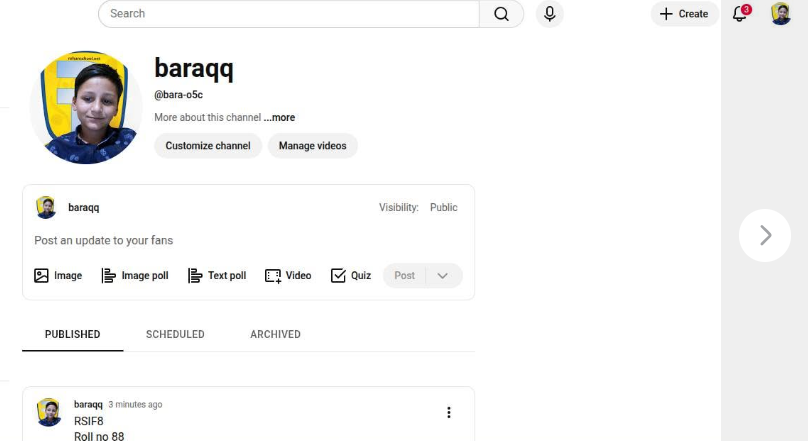
RSIF8
Roll no 88
Task no 4
Task topic How to Create a YouTube
Account?
Creating a YouTube account is simple, easy, and very useful for watching videos, uploading content, and connecting with people around the world. YouTube is one of the most popular platforms for entertainment, education, and creativity.
To create a YouTube account, first sign in with your Gmail account on YouTube. If you don’t have a Gmail account, you can create one through Google Accounts. After signing in, click on your profile picture and select “Create a Channel.”
Next, choose your channel name, upload a profile picture, and add a channel description to make your account attractive and professional. Once your setup is complete, you can upload videos, subscribe to channels, like videos, and start sharing your creativity with the world.
YouTube is a great platform for learning new skills, growing your audience, and exploring amazing content online.
#YouTube #CreateYouTubeAccount #YouTubeChannel #DigitalSkills #ContentCreator #OnlineLearning #SocialMedia #Technology #VideoCreation #LearningJourney See less
Roll no 88
Task no 4
Task topic How to Create a YouTube
Account?
Creating a YouTube account is simple, easy, and very useful for watching videos, uploading content, and connecting with people around the world. YouTube is one of the most popular platforms for entertainment, education, and creativity.
To create a YouTube account, first sign in with your Gmail account on YouTube. If you don’t have a Gmail account, you can create one through Google Accounts. After signing in, click on your profile picture and select “Create a Channel.”
Next, choose your channel name, upload a profile picture, and add a channel description to make your account attractive and professional. Once your setup is complete, you can upload videos, subscribe to channels, like videos, and start sharing your creativity with the world.
YouTube is a great platform for learning new skills, growing your audience, and exploring amazing content online.
#YouTube #CreateYouTubeAccount #YouTubeChannel #DigitalSkills #ContentCreator #OnlineLearning #SocialMedia #Technology #VideoCreation #LearningJourney See less
RSIF8
Roll no 88
Task no 4
Task topic How to Create a YouTube
Account?
Creating a YouTube account is simple, easy, and very useful for watching videos, uploading content, and connecting with people around the world. 🌍📱 YouTube is one of the most popular platforms for entertainment, education, and creativity. 🚀🎥
To create a YouTube account, first sign in with your Gmail account on YouTube. 📧🔐 If you don’t have a Gmail account, you can create one through Google Accounts. After signing in, click on your profile picture and select “Create a Channel.” 🖱️✨
Next, choose your channel name, upload a profile picture, and add a channel description to make your account attractive and professional. 📸🎨 Once your setup is complete, you can upload videos, subscribe to channels, like videos, and start sharing your creativity with the world. 🌟📹
YouTube is a great platform for learning new skills, growing your audience, and exploring amazing content online. 💡🌐
#YouTube #CreateYouTubeAccount #YouTubeChannel #DigitalSkills #ContentCreator #OnlineLearning #SocialMedia #Technology #VideoCreation #LearningJourney 🎬📱✨ See less
0 Reacties
0 aandelen
3080 Views