


RSIF8
Roll NO:11
Task post no : 1
Task topic How to Create a Gmail
Account?
How to Create a Gmail Account – Step by Step Guide
Want your own email for school, work, or social media? Creating a Gmail account is super easy and FREE! Follow these simple steps and get started in minutes
Step 1: Go to the Gmail sign-up page
Step 2: Enter your First & Last Name
Step 3: Choose a unique Username
Step 4: Create a strong Password
Step 5: Add your Phone Number for security
Step 6: Verify with the code sent to your phone
Step 7: Add recovery email (optional)
Step 8: Enter your birthday & gender
Step 9: Agree to Google’s terms
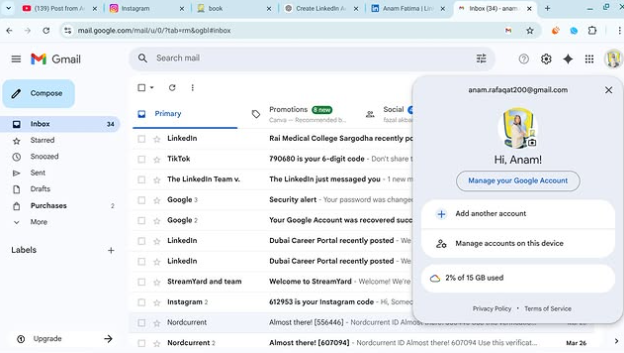
Done! Your Gmail is ready to use!
Now you can send emails , join YouTube , download apps , and use Google Drive
Tip: Keep your password safe and never share it
#Gmail #EmailAccount #GoogleAccount #TechTips #DigitalSkills #LearnOnline #Students #Beginners #HowTo #EasySteps
Roll NO:11
Task post no : 1
Task topic How to Create a Gmail
Account?
How to Create a Gmail Account – Step by Step Guide
Want your own email for school, work, or social media? Creating a Gmail account is super easy and FREE! Follow these simple steps and get started in minutes
Step 1: Go to the Gmail sign-up page
Step 2: Enter your First & Last Name
Step 3: Choose a unique Username
Step 4: Create a strong Password
Step 5: Add your Phone Number for security
Step 6: Verify with the code sent to your phone
Step 7: Add recovery email (optional)
Step 8: Enter your birthday & gender
Step 9: Agree to Google’s terms
Done! Your Gmail is ready to use!
Now you can send emails , join YouTube , download apps , and use Google Drive
Tip: Keep your password safe and never share it
#Gmail #EmailAccount #GoogleAccount #TechTips #DigitalSkills #LearnOnline #Students #Beginners #HowTo #EasySteps
RSIF8
Roll NO:11
Task post no : 1
Task topic How to Create a Gmail
Account?
✨ How to Create a Gmail Account – Step by Step Guide ✨
Want your own email for school, work, or social media? 📱💻 Creating a Gmail account is super easy and FREE! 💯 Follow these simple steps and get started in minutes 🚀
🔹 Step 1: Go to the Gmail sign-up page 🌐
🔹 Step 2: Enter your First & Last Name 👤
🔹 Step 3: Choose a unique Username ✍️
🔹 Step 4: Create a strong Password 🔐
🔹 Step 5: Add your Phone Number for security 📞
🔹 Step 6: Verify with the code sent to your phone ✔️
🔹 Step 7: Add recovery email (optional) 📩
🔹 Step 8: Enter your birthday & gender 🎂
🔹 Step 9: Agree to Google’s terms 👍
🎉 Done! Your Gmail is ready to use! 🎉
Now you can send emails 📧, join YouTube ▶️, download apps 📲, and use Google Drive ☁️
💡 Tip: Keep your password safe and never share it 🔒
#Gmail #EmailAccount #GoogleAccount #TechTips #DigitalSkills #LearnOnline #Students #Beginners #HowTo #EasySteps 🚀
0 Commenti
0 condivisioni
3311 Views