


RSIF8
Roll No:64
Task No 5
Task topic How to Create an Instagram
Account?
Creating an Instagram account is very easy and quick. First, download the Instagram app from the Play Store or App Store. Open the app and tap on “Create New Account.” You can sign up using your email or phone number. Then enter your full name, choose a unique username, and set a strong password. Add a profile picture and optional bio. After that, verify your account with the code sent to your email or phone. Once completed, your account is ready to use!
Now you can follow friends, post photos , watch reels , and explore amazing content
hashtag#Hashtags
hashtag#Instagram hashtag#InstagramAccount hashtag#SocialMedia hashtag#CreateAccount hashtag#HowToGuide hashtag#InstagramTips hashtag#TechGuide hashtag#OnlineLearning hashtag#DigitalWorld hashtag#BeginnerGuide
Roll No:64
Task No 5
Task topic How to Create an Instagram
Account?
Creating an Instagram account is very easy and quick. First, download the Instagram app from the Play Store or App Store. Open the app and tap on “Create New Account.” You can sign up using your email or phone number. Then enter your full name, choose a unique username, and set a strong password. Add a profile picture and optional bio. After that, verify your account with the code sent to your email or phone. Once completed, your account is ready to use!
Now you can follow friends, post photos , watch reels , and explore amazing content
hashtag#Hashtags
hashtag#Instagram hashtag#InstagramAccount hashtag#SocialMedia hashtag#CreateAccount hashtag#HowToGuide hashtag#InstagramTips hashtag#TechGuide hashtag#OnlineLearning hashtag#DigitalWorld hashtag#BeginnerGuide
RSIF8
Roll No:64
Task No 5
Task topic How to Create an Instagram
Account?
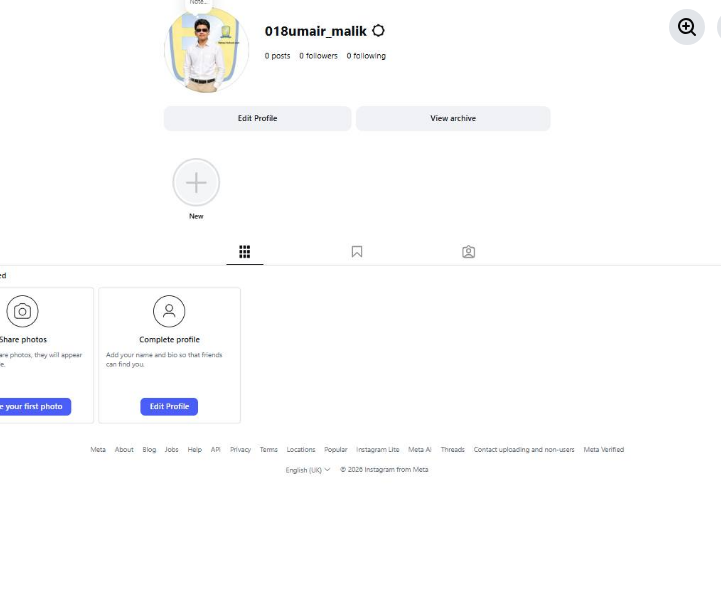
Creating an Instagram account is very easy and quick. First, download the Instagram app from the Play Store or App Store. Open the app and tap on “Create New Account.” You can sign up using your email or phone number. Then enter your full name, choose a unique username, and set a strong password. Add a profile picture and optional bio. After that, verify your account with the code sent to your email or phone. Once completed, your account is ready to use! 🎉
Now you can follow friends, post photos 📸, watch reels 🎥, and explore amazing content 🌍✨
hashtag#Hashtags
hashtag#Instagram hashtag#InstagramAccount hashtag#SocialMedia hashtag#CreateAccount hashtag#HowToGuide hashtag#InstagramTips hashtag#TechGuide hashtag#OnlineLearning hashtag#DigitalWorld hashtag#BeginnerGuide 📱✨
0 Yorumlar
0 hisse senetleri
2902 Views