


RSIF8
Roll no 94
Task no 9
Task topic How to use streamyard for interviews
How to Use StreamYard for Interviews?
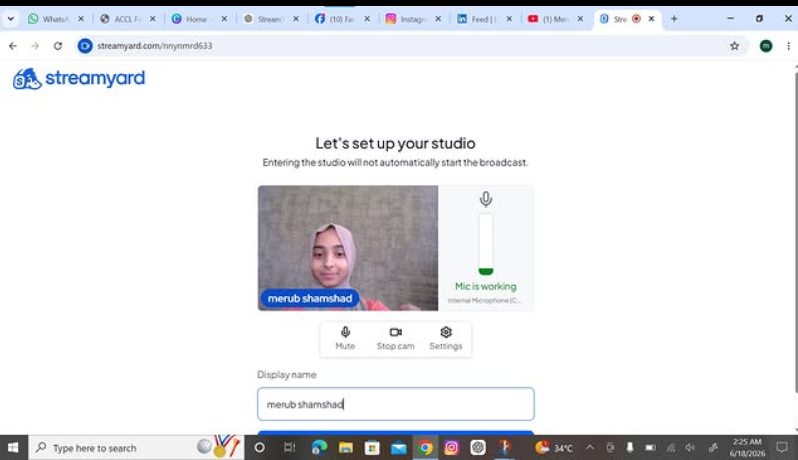
StreamYard makes online interviews simple and professional! First, sign up and create a broadcast or recording studio. Invite your guest by sharing the interview link —they can join directly from their browser without downloading anything. Customize your layout, add your logo, banners, and branding , then go live on platforms like YouTube, Facebook, or LinkedIn. You can also record interviews, display comments on screen , and create engaging conversations with ease.
Perfect for podcasts, business interviews, webinars, and content creation!
#StreamYard #OnlineInterview #Podcasting #LiveStreaming #ContentCreator #DigitalMarketing #VideoInterview #YouTubeLive #FacebookLive #LinkedInLive #RemoteInterview #StreamingTips
Roll no 94
Task no 9
Task topic How to use streamyard for interviews
How to Use StreamYard for Interviews?
StreamYard makes online interviews simple and professional! First, sign up and create a broadcast or recording studio. Invite your guest by sharing the interview link —they can join directly from their browser without downloading anything. Customize your layout, add your logo, banners, and branding , then go live on platforms like YouTube, Facebook, or LinkedIn. You can also record interviews, display comments on screen , and create engaging conversations with ease.
Perfect for podcasts, business interviews, webinars, and content creation!
#StreamYard #OnlineInterview #Podcasting #LiveStreaming #ContentCreator #DigitalMarketing #VideoInterview #YouTubeLive #FacebookLive #LinkedInLive #RemoteInterview #StreamingTips
RSIF8
Roll no 94
Task no 9
Task topic How to use streamyard for interviews
📹🎤 How to Use StreamYard for Interviews?
StreamYard makes online interviews simple and professional! 🌟 First, sign up and create a broadcast or recording studio. 🎬 Invite your guest by sharing the interview link 🔗—they can join directly from their browser without downloading anything. 💻🎙️ Customize your layout, add your logo, banners, and branding 🎨, then go live on platforms like YouTube, Facebook, or LinkedIn. 📺✨ You can also record interviews, display comments on screen 💬, and create engaging conversations with ease. 🚀
Perfect for podcasts, business interviews, webinars, and content creation! 🎧🎥
#StreamYard #OnlineInterview #Podcasting #LiveStreaming #ContentCreator #DigitalMarketing #VideoInterview #YouTubeLive #FacebookLive #LinkedInLive #RemoteInterview #StreamingTips 🚀🎤📹✨
0 Comments
0 Shares
57 Views