


RSIF8
ROLL NO:13
TASK NO:138
# BMI Calculator – A Smart Tool for Understanding Health and Fitness
The **BMI Calculator** is an interesting and useful coding project that helps people understand the relationship between their height and weight. BMI stands for **Body Mass Index**. It is a simple measurement calculated using a person's weight and height. This project combines technology, mathematics, health awareness, and programming to create a helpful digital tool.
The main purpose of this project is to develop a simple, user-friendly, and professional BMI Calculator that allows users to enter their height and weight and calculate their BMI. The application takes the user's information, performs the required mathematical calculation, and displays the result on the screen. By creating this project, I learned how technology can be used to solve everyday problems and make useful information easier to understand.
The BMI formula is:
**BMI = Weight (kg) ÷ Height (m)²**
For example, if a person enters their weight in kilograms and height in meters, the calculator uses the formula to calculate their BMI. The result can then be compared with general adult BMI categories, such as underweight, healthy weight range, overweight, and obesity. These categories are general screening guidelines and do not provide a complete picture of a person's health.
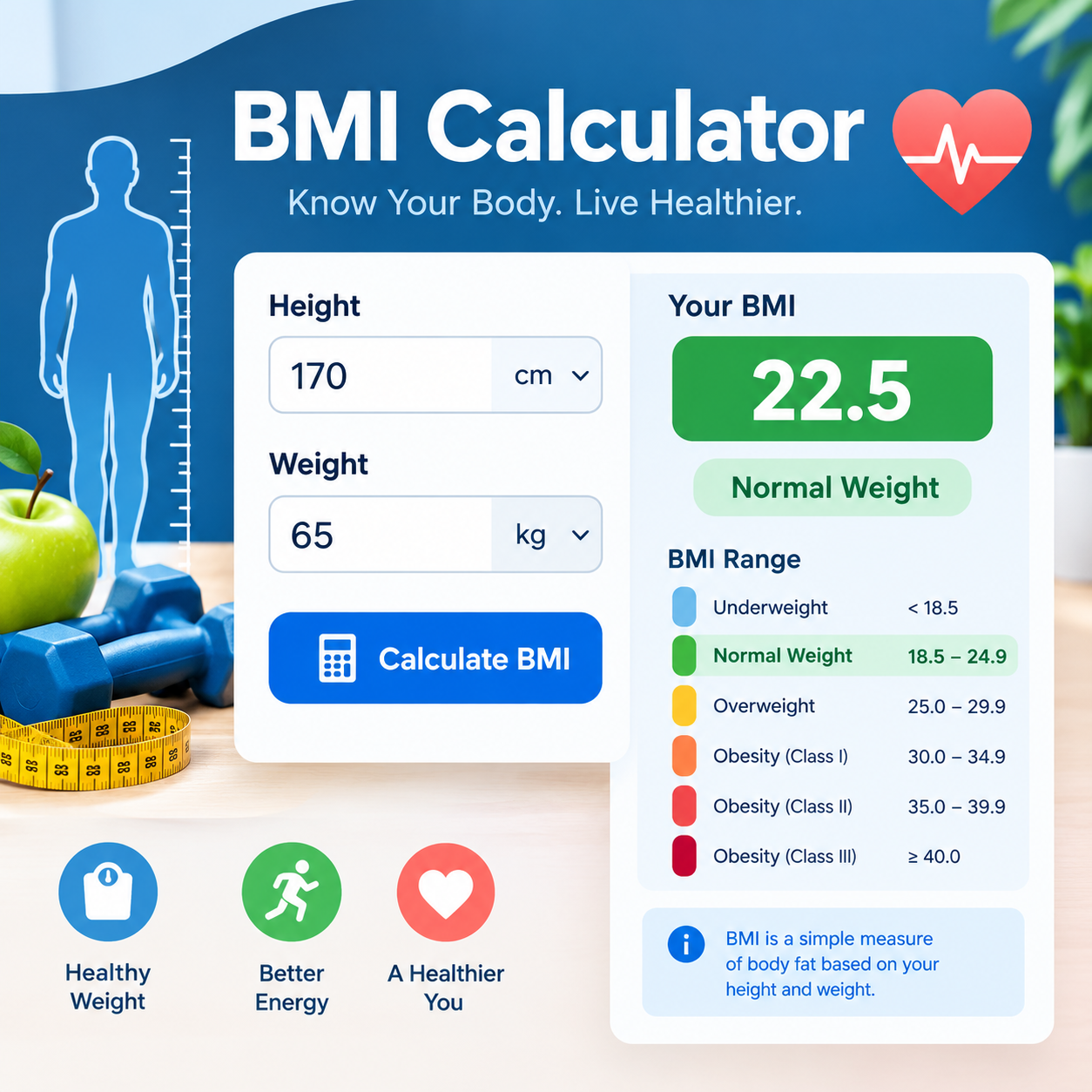
The BMI Calculator project can include a modern and attractive user interface with input fields for height and weight, a Calculate BMI button, a clear results section, and a Reset button. Different colors and simple icons can make the application easier to use. The design should be clean, responsive, and suitable for computers, tablets, and mobile devices.
One of the most important parts of this project is learning how to use programming logic. The calculator must receive the user's input, check that the entered values are valid, perform the calculation correctly, and display the result. If a user leaves a field empty or enters an invalid value, the application should display a helpful message instead of producing an incorrect result. These features make the project more reliable and user-friendly.
RSIF8
ROLL NO:13
TASK NO:138
# BMI Calculator – A Smart Tool for Understanding Health and Fitness 💻💙
The **BMI Calculator** is an interesting and useful coding project that helps people understand the relationship between their height and weight. BMI stands for **Body Mass Index**. It is a simple measurement calculated using a person's weight and height. This project combines technology, mathematics, health awareness, and programming to create a helpful digital tool.
The main purpose of this project is to develop a simple, user-friendly, and professional BMI Calculator that allows users to enter their height and weight and calculate their BMI. The application takes the user's information, performs the required mathematical calculation, and displays the result on the screen. By creating this project, I learned how technology can be used to solve everyday problems and make useful information easier to understand.
The BMI formula is:
**BMI = Weight (kg) ÷ Height (m)²**
For example, if a person enters their weight in kilograms and height in meters, the calculator uses the formula to calculate their BMI. The result can then be compared with general adult BMI categories, such as underweight, healthy weight range, overweight, and obesity. These categories are general screening guidelines and do not provide a complete picture of a person's health.
The BMI Calculator project can include a modern and attractive user interface with input fields for height and weight, a Calculate BMI button, a clear results section, and a Reset button. Different colors and simple icons can make the application easier to use. The design should be clean, responsive, and suitable for computers, tablets, and mobile devices.
One of the most important parts of this project is learning how to use programming logic. The calculator must receive the user's input, check that the entered values are valid, perform the calculation correctly, and display the result. If a user leaves a field empty or enters an invalid value, the application should display a helpful message instead of producing an incorrect result. These features make the project more reliable and user-friendly.
0 Comentários
0 Compartilhamentos
107 Visualizações