


The Story of Little Dot and the Internet City
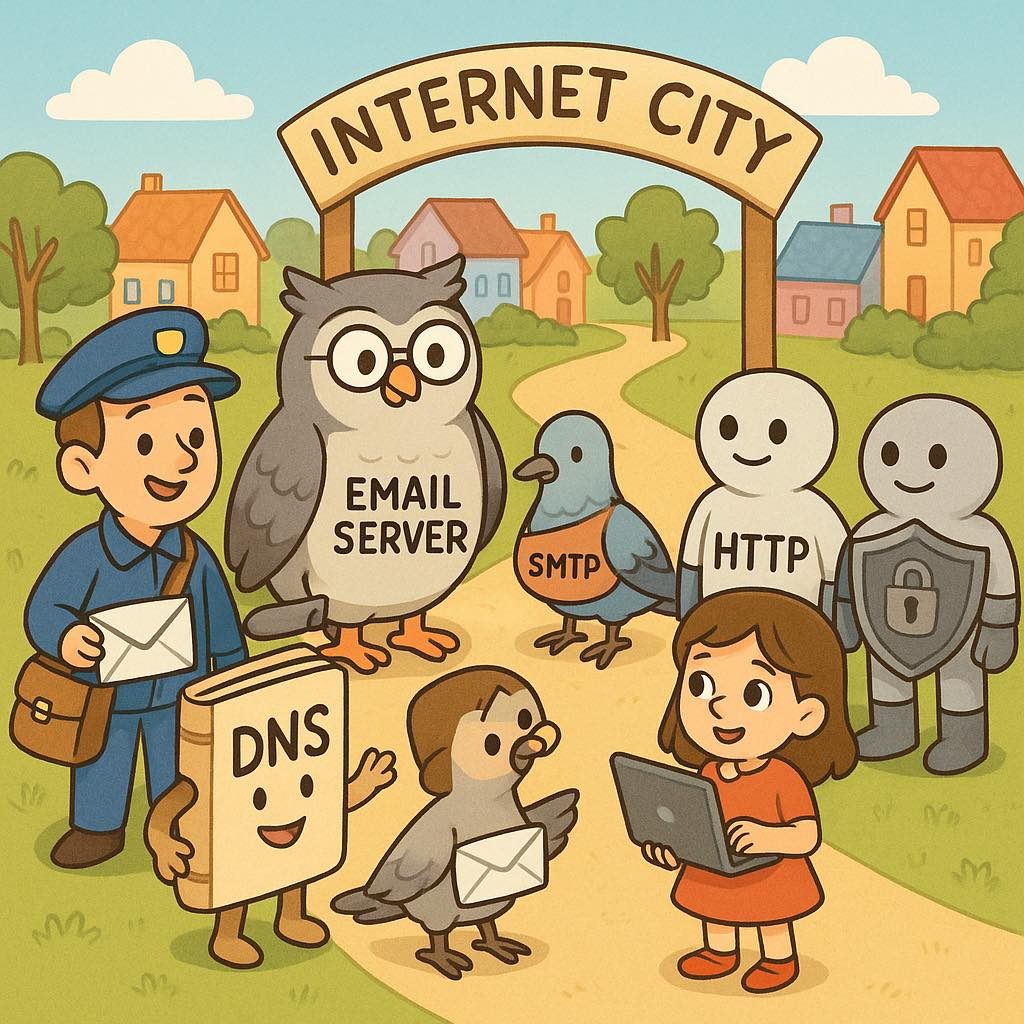
Once upon a time, in a land called Internet City, lived a curious little girl named Dot. She had a magic computer that could talk. One day, Dot asked,
“Computer, how do you find websites and send emails?”
The computer smiled, “Let me introduce you to my friends.”
⸻
Domain – The Name of Every House
First came Domain, a cheerful postman with a big book of names.
“I give names to every house in Internet City,” he explained.
“Instead of saying 123.45.67.89 Street, you just say rehan.com or google.com. Easy to remember, right?”
Dot clapped her hands. “So a domain is just the house name!”
⸻
DNS – The Phonebook of the Internet
Next, DNS arrived carrying a huge magical phonebook.
“Domains tell you names, but I tell you the exact address. If you ask me for rehan.com, I look in my book and say, ‘Oh, its number is 123.45.67.89!’”
Dot giggled, “So you’re like the phonebook that finds the real number behind the name!”
⸻
Email Server & SMTP – The Letter Deliverers
Dot then met Email Server, a big friendly owl.
“I live in special mail houses. When you write a letter, I keep it safe and send it to the right person.”
Flying beside him was SMTP, a speedy pigeon.
“I am Simple Mail Transfer Protocol,” he said proudly.
“I take letters from one owl’s house and fly them safely to another owl’s house. Without me, your emails would never leave!”
Dot asked, “And how do you receive?”
Email Server hooted, “I use IMAP or POP3—they bring letters into your mailbox when you open it!”
⸻
FTP – The File Mover
Suddenly a strong robot came with a big backpack.
“I am FTP — File Transfer Protocol. I help you move big boxes of files from your computer to a web server, or back to your computer. If you want to upload photos to your website, I carry them for you!”
⸻
HTTP & 🛡 HTTPS – The Web Messengers
Two twins walked in next.
“I am HTTP — HyperText Transfer Protocol,” said the first.
“I bring you web pages. When you type a website, I carry the text, pictures, and videos from the server to your screen.”
The second twin wore shining armor.
“I am HTTPS. I do the same job as HTTP, but with extra safety. I wear armor called encryption. Hackers cannot read the secret messages I deliver!”
Dot whispered, “So HTTPS keeps me safe online?”
“Exactly!” the armored twin nodded.
⸻
✉ How Email Travels Between Many Servers
Dot was still curious. “But how can I receive emails from different places?”
The owl (Email Server) explained,
“When people send you letters, SMTP pigeons carry them across many owl houses (servers). Some letters may pass through New York, some through London, some through Karachi. But in the end, all letters find your mailbox because DNS tells them exactly where your mailbox lives.”
⸻
The Lesson
Dot looked around at all her new friends — Domain, DNS, Email Server, SMTP, FTP, HTTP, and HTTPS.
She said,
“So the internet is like a city full of helpers.
• Domains are house names.
• DNS is the phonebook.
• Email servers and SMTP send letters.
• FTP carries big boxes.
• HTTP and HTTPS bring me websites.”
Her computer smiled,
“Yes, Dot! The internet may seem magical, but it works because all these helpers follow rules called protocols. That’s why we can chat, play, and learn together every day.”
Dot hugged her computer. “Now I understand — and I’ll never forget my new friends!”
And with that, Dot’s magical adventure in Internet City continued…
Once upon a time, in a land called Internet City, lived a curious little girl named Dot. She had a magic computer that could talk. One day, Dot asked,
“Computer, how do you find websites and send emails?”
The computer smiled, “Let me introduce you to my friends.”
⸻
Domain – The Name of Every House
First came Domain, a cheerful postman with a big book of names.
“I give names to every house in Internet City,” he explained.
“Instead of saying 123.45.67.89 Street, you just say rehan.com or google.com. Easy to remember, right?”
Dot clapped her hands. “So a domain is just the house name!”
⸻
DNS – The Phonebook of the Internet
Next, DNS arrived carrying a huge magical phonebook.
“Domains tell you names, but I tell you the exact address. If you ask me for rehan.com, I look in my book and say, ‘Oh, its number is 123.45.67.89!’”
Dot giggled, “So you’re like the phonebook that finds the real number behind the name!”
⸻
Email Server & SMTP – The Letter Deliverers
Dot then met Email Server, a big friendly owl.
“I live in special mail houses. When you write a letter, I keep it safe and send it to the right person.”
Flying beside him was SMTP, a speedy pigeon.
“I am Simple Mail Transfer Protocol,” he said proudly.
“I take letters from one owl’s house and fly them safely to another owl’s house. Without me, your emails would never leave!”
Dot asked, “And how do you receive?”
Email Server hooted, “I use IMAP or POP3—they bring letters into your mailbox when you open it!”
⸻
FTP – The File Mover
Suddenly a strong robot came with a big backpack.
“I am FTP — File Transfer Protocol. I help you move big boxes of files from your computer to a web server, or back to your computer. If you want to upload photos to your website, I carry them for you!”
⸻
HTTP & 🛡 HTTPS – The Web Messengers
Two twins walked in next.
“I am HTTP — HyperText Transfer Protocol,” said the first.
“I bring you web pages. When you type a website, I carry the text, pictures, and videos from the server to your screen.”
The second twin wore shining armor.
“I am HTTPS. I do the same job as HTTP, but with extra safety. I wear armor called encryption. Hackers cannot read the secret messages I deliver!”
Dot whispered, “So HTTPS keeps me safe online?”
“Exactly!” the armored twin nodded.
⸻
✉ How Email Travels Between Many Servers
Dot was still curious. “But how can I receive emails from different places?”
The owl (Email Server) explained,
“When people send you letters, SMTP pigeons carry them across many owl houses (servers). Some letters may pass through New York, some through London, some through Karachi. But in the end, all letters find your mailbox because DNS tells them exactly where your mailbox lives.”
⸻
The Lesson
Dot looked around at all her new friends — Domain, DNS, Email Server, SMTP, FTP, HTTP, and HTTPS.
She said,
“So the internet is like a city full of helpers.
• Domains are house names.
• DNS is the phonebook.
• Email servers and SMTP send letters.
• FTP carries big boxes.
• HTTP and HTTPS bring me websites.”
Her computer smiled,
“Yes, Dot! The internet may seem magical, but it works because all these helpers follow rules called protocols. That’s why we can chat, play, and learn together every day.”
Dot hugged her computer. “Now I understand — and I’ll never forget my new friends!”
And with that, Dot’s magical adventure in Internet City continued…
🌍 The Story of Little Dot and the Internet City
Once upon a time, in a land called Internet City, lived a curious little girl named Dot. She had a magic computer that could talk. One day, Dot asked,
“Computer, how do you find websites and send emails?”
The computer smiled, “Let me introduce you to my friends.”
⸻
🏰 Domain – The Name of Every House
First came Domain, a cheerful postman with a big book of names.
“I give names to every house in Internet City,” he explained.
“Instead of saying 123.45.67.89 Street, you just say rehan.com or google.com. Easy to remember, right?”
Dot clapped her hands. “So a domain is just the house name!”
⸻
📖 DNS – The Phonebook of the Internet
Next, DNS arrived carrying a huge magical phonebook.
“Domains tell you names, but I tell you the exact address. If you ask me for rehan.com, I look in my book and say, ‘Oh, its number is 123.45.67.89!’”
Dot giggled, “So you’re like the phonebook that finds the real number behind the name!”
⸻
📬 Email Server & 📤 SMTP – The Letter Deliverers
Dot then met Email Server, a big friendly owl.
“I live in special mail houses. When you write a letter, I keep it safe and send it to the right person.”
Flying beside him was SMTP, a speedy pigeon.
“I am Simple Mail Transfer Protocol,” he said proudly.
“I take letters from one owl’s house and fly them safely to another owl’s house. Without me, your emails would never leave!”
Dot asked, “And how do you receive?”
Email Server hooted, “I use IMAP or POP3—they bring letters into your mailbox when you open it!”
⸻
📂 FTP – The File Mover
Suddenly a strong robot came with a big backpack.
“I am FTP — File Transfer Protocol. I help you move big boxes of files from your computer to a web server, or back to your computer. If you want to upload photos to your website, I carry them for you!”
⸻
🌐 HTTP & 🛡 HTTPS – The Web Messengers
Two twins walked in next.
“I am HTTP — HyperText Transfer Protocol,” said the first.
“I bring you web pages. When you type a website, I carry the text, pictures, and videos from the server to your screen.”
The second twin wore shining armor.
“I am HTTPS. I do the same job as HTTP, but with extra safety. I wear armor called encryption. Hackers cannot read the secret messages I deliver!”
Dot whispered, “So HTTPS keeps me safe online?”
“Exactly!” the armored twin nodded.
⸻
✉ How Email Travels Between Many Servers
Dot was still curious. “But how can I receive emails from different places?”
The owl (Email Server) explained,
“When people send you letters, SMTP pigeons carry them across many owl houses (servers). Some letters may pass through New York, some through London, some through Karachi. But in the end, all letters find your mailbox because DNS tells them exactly where your mailbox lives.”
⸻
🌟 The Lesson
Dot looked around at all her new friends — Domain, DNS, Email Server, SMTP, FTP, HTTP, and HTTPS.
She said,
“So the internet is like a city full of helpers.
• Domains are house names.
• DNS is the phonebook.
• Email servers and SMTP send letters.
• FTP carries big boxes.
• HTTP and HTTPS bring me websites.”
Her computer smiled,
“Yes, Dot! The internet may seem magical, but it works because all these helpers follow rules called protocols. That’s why we can chat, play, and learn together every day.”
Dot hugged her computer. “Now I understand — and I’ll never forget my new friends!”
And with that, Dot’s magical adventure in Internet City continued…
0 Commentarios
0 Acciones
1464 Views