



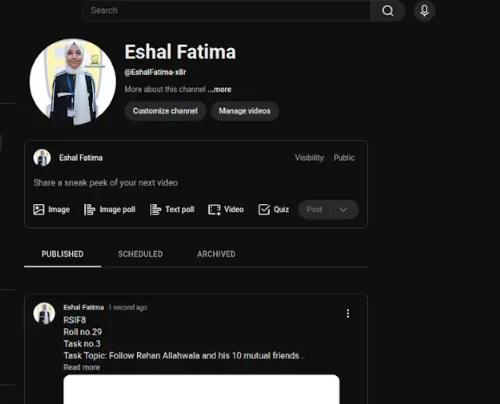
RSIF8
Roll no.29
Task no.4
Task Topic: How to create a YouTube account
Starting your journey on YouTube is incredibly easy! Because YouTube is owned by Google, your passport to the platform is simply a Google Account. Whether you want to subscribe to your favorite creators, save playlists, or start uploading your own videos, here is exactly how to set up your account in just a few minutes.
**Step 1: Sign In with Google**
First, open your web browser and head over to YouTube.com, or simply open the YouTube app on your mobile device. Click the "Sign In" button located in the top right-hand corner of the screen. Enter your existing Google or Gmail credentials to log in. If you do not have a Google account yet, click "Create account" and follow the quick prompts to set one up.
**Step 2: Access the Channel Creation Menu**
Once you are logged in, look at the top right corner of the page where your profile icon is located. Click on your profile picture, and a dropdown menu will appear. From this menu, click on the option that says "Create a channel."
**Step 3: Choose Your Account Type**
You will now see a prompt asking how you want to create your channel. You have two choices:
* **Personal Channel:** Choose this if you want to use your own name and profile picture.
* **Brand/Business Channel:** Choose this if you want to use a custom name, a business name, or if you plan to have multiple people manage the account with you in the future.
**Step 4: Customize and Launch**
Name your channel, upload a profile picture, and add a brief bio to your "About" section telling viewers what your channel is all about. Once you click "Create," your brand new YouTube account is fully active and ready for action!
---
#YouTube #HowTo #YouTubeTutorial #CreateAccount #TechTips ContentCreator #NewChannel #TechGuide #YouTubeCommunity
Roll no.29
Task no.4
Task Topic: How to create a YouTube account
Starting your journey on YouTube is incredibly easy! Because YouTube is owned by Google, your passport to the platform is simply a Google Account. Whether you want to subscribe to your favorite creators, save playlists, or start uploading your own videos, here is exactly how to set up your account in just a few minutes.
**Step 1: Sign In with Google**
First, open your web browser and head over to YouTube.com, or simply open the YouTube app on your mobile device. Click the "Sign In" button located in the top right-hand corner of the screen. Enter your existing Google or Gmail credentials to log in. If you do not have a Google account yet, click "Create account" and follow the quick prompts to set one up.
**Step 2: Access the Channel Creation Menu**
Once you are logged in, look at the top right corner of the page where your profile icon is located. Click on your profile picture, and a dropdown menu will appear. From this menu, click on the option that says "Create a channel."
**Step 3: Choose Your Account Type**
You will now see a prompt asking how you want to create your channel. You have two choices:
* **Personal Channel:** Choose this if you want to use your own name and profile picture.
* **Brand/Business Channel:** Choose this if you want to use a custom name, a business name, or if you plan to have multiple people manage the account with you in the future.
**Step 4: Customize and Launch**
Name your channel, upload a profile picture, and add a brief bio to your "About" section telling viewers what your channel is all about. Once you click "Create," your brand new YouTube account is fully active and ready for action!
---
#YouTube #HowTo #YouTubeTutorial #CreateAccount #TechTips ContentCreator #NewChannel #TechGuide #YouTubeCommunity
RSIF8
Roll no.29
Task no.4
Task Topic: How to create a YouTube account
Starting your journey on YouTube is incredibly easy! Because YouTube is owned by Google, your passport to the platform is simply a Google Account. Whether you want to subscribe to your favorite creators, save playlists, or start uploading your own videos, here is exactly how to set up your account in just a few minutes.
**Step 1: Sign In with Google**
First, open your web browser and head over to YouTube.com, or simply open the YouTube app on your mobile device. Click the "Sign In" button located in the top right-hand corner of the screen. Enter your existing Google or Gmail credentials to log in. If you do not have a Google account yet, click "Create account" and follow the quick prompts to set one up.
**Step 2: Access the Channel Creation Menu**
Once you are logged in, look at the top right corner of the page where your profile icon is located. Click on your profile picture, and a dropdown menu will appear. From this menu, click on the option that says "Create a channel."
**Step 3: Choose Your Account Type**
You will now see a prompt asking how you want to create your channel. You have two choices:
* **Personal Channel:** Choose this if you want to use your own name and profile picture.
* **Brand/Business Channel:** Choose this if you want to use a custom name, a business name, or if you plan to have multiple people manage the account with you in the future.
**Step 4: Customize and Launch**
Name your channel, upload a profile picture, and add a brief bio to your "About" section telling viewers what your channel is all about. Once you click "Create," your brand new YouTube account is fully active and ready for action!
---
#YouTube ✨#HowTo #YouTubeTutorial #CreateAccount #TechTips 🚀ContentCreator #NewChannel 🎥 #TechGuide #YouTubeCommunity📱
0 Comentários
0 Compartilhamentos
317 Visualizações