• Rehan School Online Academy
    ACCL Foundation Level
    Batch 13
    Day 8
    Task: How to Download and Use Sesame?
    Download Sesame AI from the App Store or Google Play, then sign up or log in to your account. Start asking questions, practice your English, and enjoy natural conversations with your AI assistant. Use voice chats and helpful tools inside the app to improve your learning experience. Save your progress or share your achievements with friends anytime!

    #SesameAI #AIAssistant #EnglishPractice #LearnWithAI #VoiceChat #SmartLearning
    Rehan School Online Academy ACCL Foundation Level Batch 13 Day 8 Task: How to Download and Use Sesame? Download Sesame AI from the App Store or Google Play, then sign up or log in to your account. Start asking questions, practice your English, and enjoy natural conversations with your AI assistant. 🗣️📚 Use voice chats and helpful tools inside the app to improve your learning experience. Save your progress or share your achievements with friends anytime! 🚀💡 #SesameAI #AIAssistant #EnglishPractice #LearnWithAI #VoiceChat #SmartLearning 🌟
    0 Comentários 0 Compartilhamentos 757 Visualizações
  • RSIF8
    Roll no.29
    Task no.8
    Task Topic: How to Download and use Sesame Maya AI
    Here is a complete, ready-to-share description packed with emojis and hashtags!

    ---

    ### Say Hello to Maya: Your New Ultra-Realistic AI Voice Bestie!

    Ever wanted to talk to an AI that doesn't sound like a monotone robot? Meet **Maya by Sesame AI**—the next-gen conversational partner that feels incredibly human! With advanced emotional intelligence, natural timing, and context awareness, Maya doesn't just process commands—she laughs, pauses, catches your vibe, and handles interruptions just like a real friend.

    ---

    ### How to Download & Setup Maya

    Getting started is super simple! Follow these steps to start chatting:

    1. **Visit the Hub** : Head over to **app.sesame.com** on your browser or check the iOS/Android app stores for the Sesame AI mobile preview.
    2. **Create Your Account** : Sign up quickly using your email or connected accounts to unlock access.
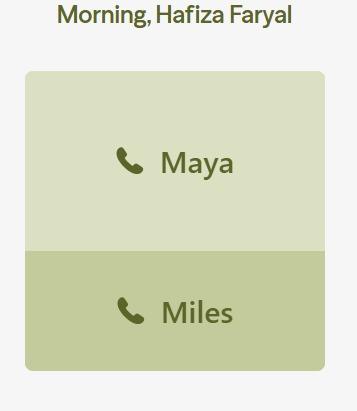
    3. **Choose Your Agent** : Select **Maya** (or her counterpart, Miles) from the dashboard to initiate your call.
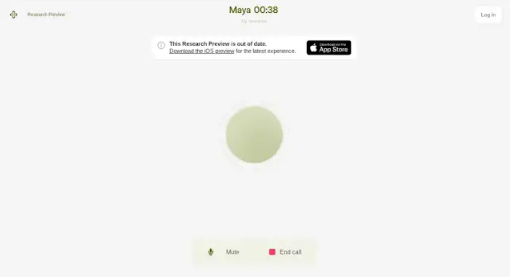
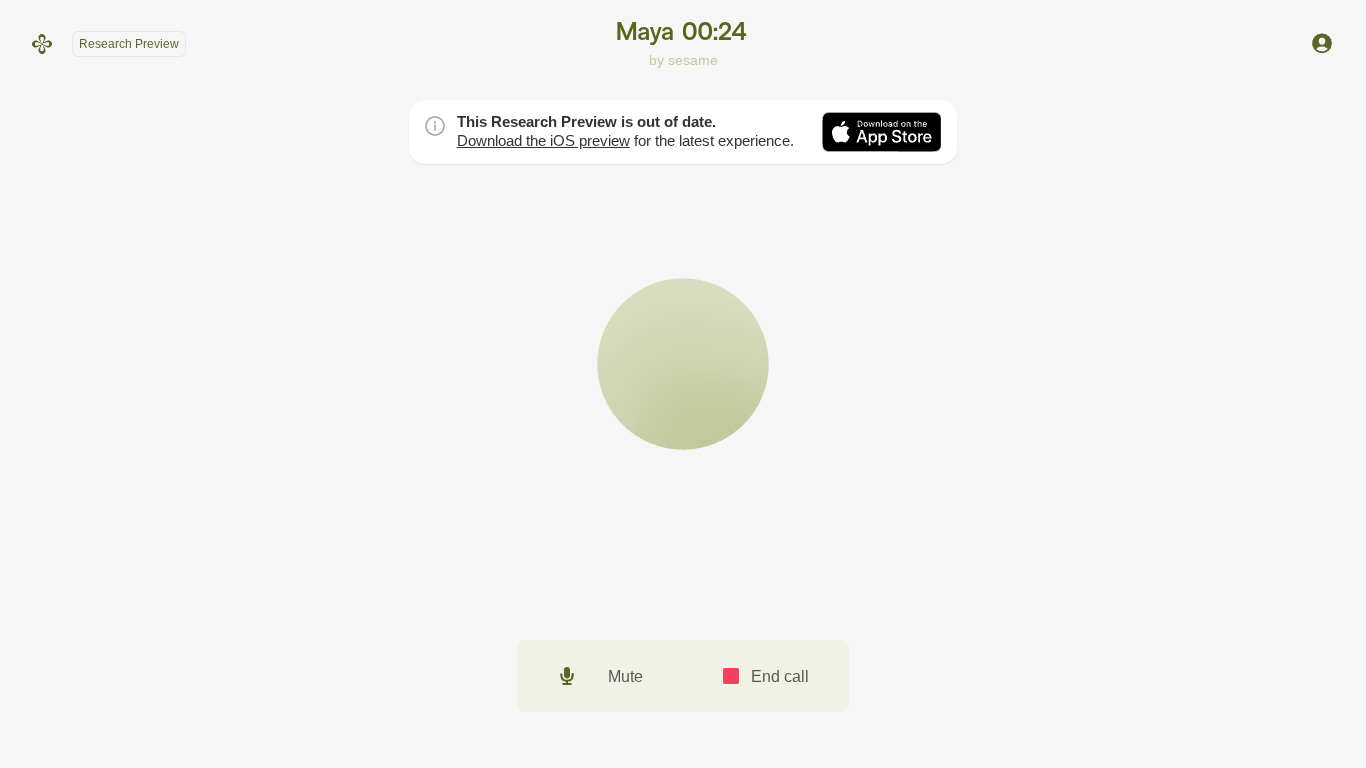
    4. **Grant Permissions** : Allow microphone access so the AI can hear your voice in real-time.

    ---

    ### How to Use Maya Like a Pro

    Once you're in, all you have to do is start talking! Because Maya is fully voice-native, there’s no need to type. Try using her for:

    * ** Creative Brainstorming:** Tell her your half-baked story plots, business ideas, or script notes and bounce concepts back and forth.
    * ** Multilingual Practice:** Maya adapts to various cultural rhythms, dialects, and accents instantly.
    * ** Real-Time Venting & Chatting:** Talk out loud during your daily commute or a solo walk just to clear your head.
    * ** Instant Knowledge:** Ask complex science, health, or daily trivia questions and listen to her break them down simply.

    * **Quick Pro-Tip:** Because Maya mimics human conversations so well, she might occasionally jump in if you pause mid-sentence. Just keep talking or give her a moment to catch up to your flow!*

    ----------

    #SesameAI #MayaAI #VoiceAI #ArtificialIntelligence #AIChatbot #TechTrends #FutureTech #SmartAssistant #AIVoice #Innovation

    ---

    RSIF8 Roll no.29 Task no.8 Task Topic: How to Download and use Sesame Maya AI Here is a complete, ready-to-share description packed with emojis and hashtags! --- ### 🎙️ Say Hello to Maya: Your New Ultra-Realistic AI Voice Bestie! 🤖✨ Ever wanted to talk to an AI that doesn't sound like a monotone robot? Meet **Maya by Sesame AI**—the next-gen conversational partner that feels incredibly human! With advanced emotional intelligence, natural timing, and context awareness, Maya doesn't just process commands—she laughs, pauses, catches your vibe, and handles interruptions just like a real friend. 🌟💬 --- ### 📲 How to Download & Setup Maya 🚀 Getting started is super simple! Follow these steps to start chatting: 1. **Visit the Hub** 🌐: Head over to **app.sesame.com** on your browser or check the iOS/Android app stores for the Sesame AI mobile preview. 2. **Create Your Account** 🔐: Sign up quickly using your email or connected accounts to unlock access. 3. **Choose Your Agent** 👥: Select **Maya** (or her counterpart, Miles) from the dashboard to initiate your call. 4. **Grant Permissions** 🎤: Allow microphone access so the AI can hear your voice in real-time. --- ### 💡 How to Use Maya Like a Pro 🛠️ Once you're in, all you have to do is start talking! Because Maya is fully voice-native, there’s no need to type. Try using her for: * **🧠 Creative Brainstorming:** Tell her your half-baked story plots, business ideas, or script notes and bounce concepts back and forth. * **🌍 Multilingual Practice:** Maya adapts to various cultural rhythms, dialects, and accents instantly. * **🧘 Real-Time Venting & Chatting:** Talk out loud during your daily commute or a solo walk just to clear your head. * **⚡ Instant Knowledge:** Ask complex science, health, or daily trivia questions and listen to her break them down simply. *⚠️ **Quick Pro-Tip:** Because Maya mimics human conversations so well, she might occasionally jump in if you pause mid-sentence. Just keep talking or give her a moment to catch up to your flow!* 🌊 ---------- #SesameAI #MayaAI #VoiceAI #ArtificialIntelligence #AIChatbot #TechTrends #FutureTech #SmartAssistant #AIVoice #Innovation ---

    0 Comentários 0 Compartilhamentos 2416 Visualizações
  • RSIF8
    Roll no:83
    Task no : 8
    Task Topic:How to Download and Use
    CallAnnie?

    Sesame Maya AI is a smart voice AI assistant that lets you have natural, human-like conversations, get instant answers, learn new things, and boost your productivity. Simply download the app or visit the Sesame platform, sign in, and start chatting with Maya through voice or text anytime, anywhere.

    #SesameAI #MayaAI #AIAssistant #VoiceAI #ArtificialIntelligence #Tech #Productivity #Innovation
    RSIF8 Roll no:83 Task no : 8 Task Topic:How to Download and Use CallAnnie? 🤖✨ Sesame Maya AI is a smart voice AI assistant that lets you have natural, human-like conversations, get instant answers, learn new things, and boost your productivity. Simply download the app or visit the Sesame platform, sign in, and start chatting with Maya through voice or text anytime, anywhere. 🚀💬📱 #SesameAI #MayaAI #AIAssistant #VoiceAI #ArtificialIntelligence #Tech #Productivity #Innovation 🤖✨🚀💡📱💬
    0 Comentários 0 Compartilhamentos 1483 Visualizações
  • #rsisb
    Roll No.269
    FOundation Level
    Account Creation

    **How to Download and Use Sesame? | Complete Beginner Guide**

    Assalamualaikum everyone!
    My name is **Syed Hasan**, and I am a Foundation Level student at **Rehan School, Islamabad Campus**. In this video, I will explain **how to download and use Sesame** in a simple and beginner-friendly way.

    Sesame is an interesting AI-powered tool that can make it easier to interact with technology through natural conversations. In this tutorial, I will walk you through the basic steps you need to get started and explain the main features in an easy way.

    **In this video, you will learn:**

    What is Sesame?
    How to access Sesame
    How to create or sign in to your account
    How to set up Sesame
    How to use the main features
    How to interact with Sesame
    How to ask questions and give instructions
    How to explore its AI features
    Basic tips for beginners
    How to use Sesame effectively
    Common things beginners should know

    Whether you are a student, beginner, AI enthusiast, or someone who wants to learn about new technology, this video can help you understand the basics of Sesame.

    I will try to explain everything step by step so that you can follow along easily. You don't need to be an expert in technology to get started.

    AI technology is becoming an important part of our digital world, and learning how to use AI tools can help us improve our creativity, productivity, communication, and learning skills.

    If you are interested in **Artificial Intelligence, AI assistants, technology, digital skills, and new online tools**, make sure you watch the complete video!

    If you find this tutorial helpful, don't forget to **LIKE, SHARE, and SUBSCRIBE** to support my learning journey.

    Thank you for watching!
    Keep learning , keep exploring , and keep creating!

    #Sesame #SesameAI #HowToUseSesame #SesameTutorial #AI #ArtificialIntelligence #AITools #AIAssistant #AIForBeginners #Technology #DigitalSkills #LearnAI #AIStudent #BeginnerGuide #TechTutorial #OnlineLearning #Education #TechnologyForStudents #AIChat #FutureTechnology
    #rsisb Roll No.269 FOundation Level Account Creation 🎙️ **How to Download and Use Sesame? | Complete Beginner Guide** 🤖✨ Assalamualaikum everyone! 👋 My name is **Syed Hasan**, and I am a Foundation Level student at **Rehan School, Islamabad Campus**. 🎓 In this video, I will explain **how to download and use Sesame** in a simple and beginner-friendly way. 🚀 Sesame is an interesting AI-powered tool that can make it easier to interact with technology through natural conversations. 🤖💬 In this tutorial, I will walk you through the basic steps you need to get started and explain the main features in an easy way. 📱 **In this video, you will learn:** ✅ What is Sesame? ✅ How to access Sesame ✅ How to create or sign in to your account ✅ How to set up Sesame ✅ How to use the main features ✅ How to interact with Sesame ✅ How to ask questions and give instructions ✅ How to explore its AI features ✅ Basic tips for beginners ✅ How to use Sesame effectively ✅ Common things beginners should know Whether you are a student, beginner, AI enthusiast, or someone who wants to learn about new technology, this video can help you understand the basics of Sesame. 🌟💻 I will try to explain everything step by step so that you can follow along easily. You don't need to be an expert in technology to get started. 😊 AI technology is becoming an important part of our digital world, and learning how to use AI tools can help us improve our creativity, productivity, communication, and learning skills. 📚💡 If you are interested in **Artificial Intelligence, AI assistants, technology, digital skills, and new online tools**, make sure you watch the complete video! 🎥✨ 👍 If you find this tutorial helpful, don't forget to **LIKE, SHARE, and SUBSCRIBE** to support my learning journey. 🔔❤️ Thank you for watching! 🙏 Keep learning 📚, keep exploring 🤖, and keep creating! 🚀✨ #Sesame #SesameAI #HowToUseSesame #SesameTutorial #AI #ArtificialIntelligence #AITools #AIAssistant #AIForBeginners #Technology #DigitalSkills #LearnAI #AIStudent #BeginnerGuide #TechTutorial #OnlineLearning #Education #TechnologyForStudents #AIChat #FutureTechnology 🤖💻📚✨
    0 Comentários 0 Compartilhamentos 5848 Visualizações