

• Accl Foundation Level (Rehan School Urdu Bazar Campus )
    Day : 61 Coding Task
    Roll No : 17
    Accl Task
    Countdown Timer
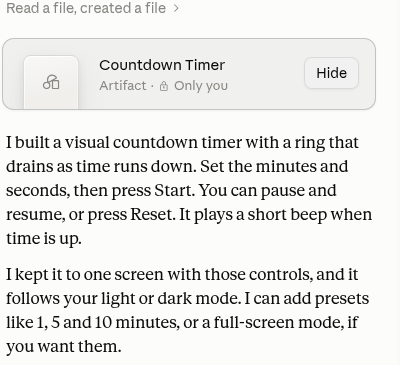
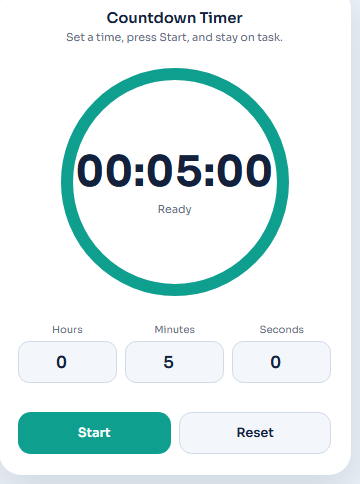
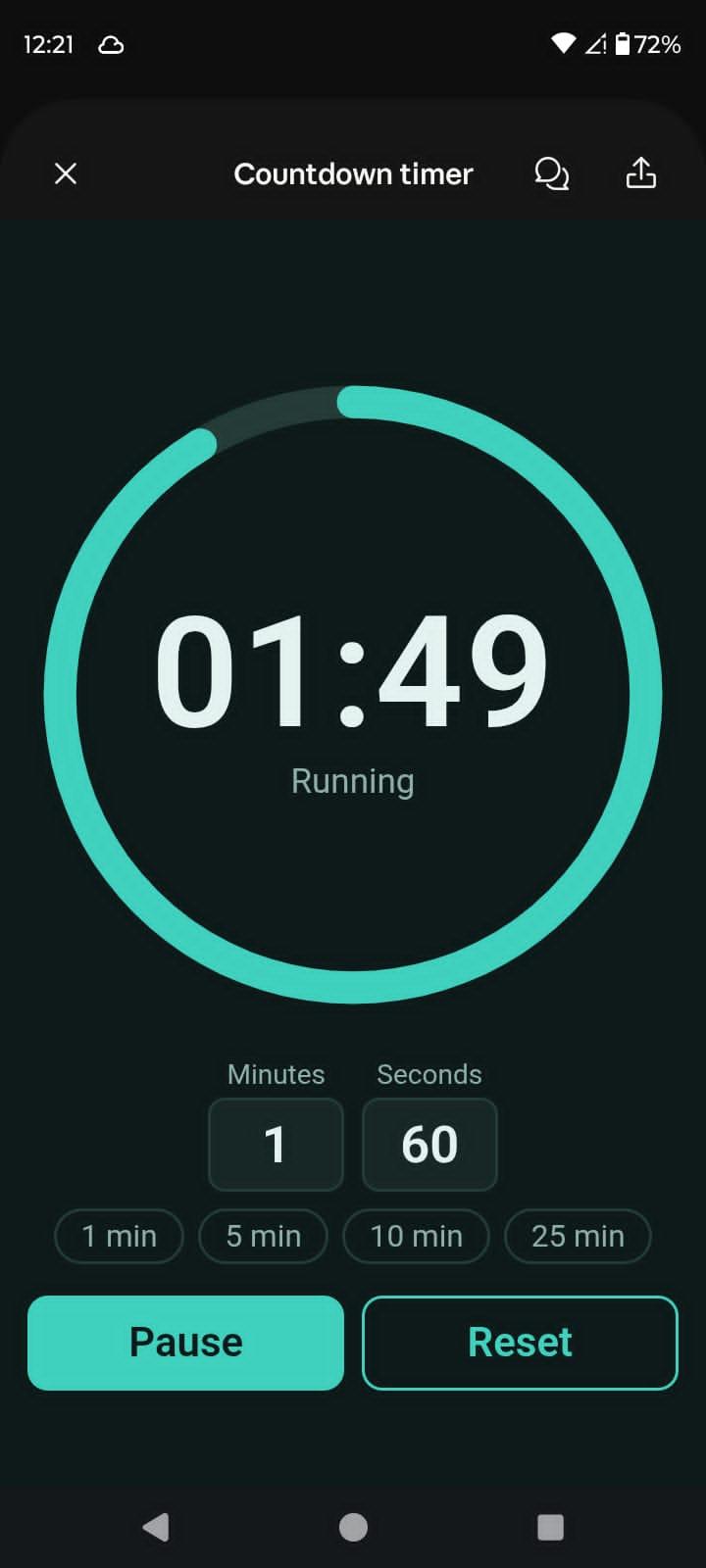
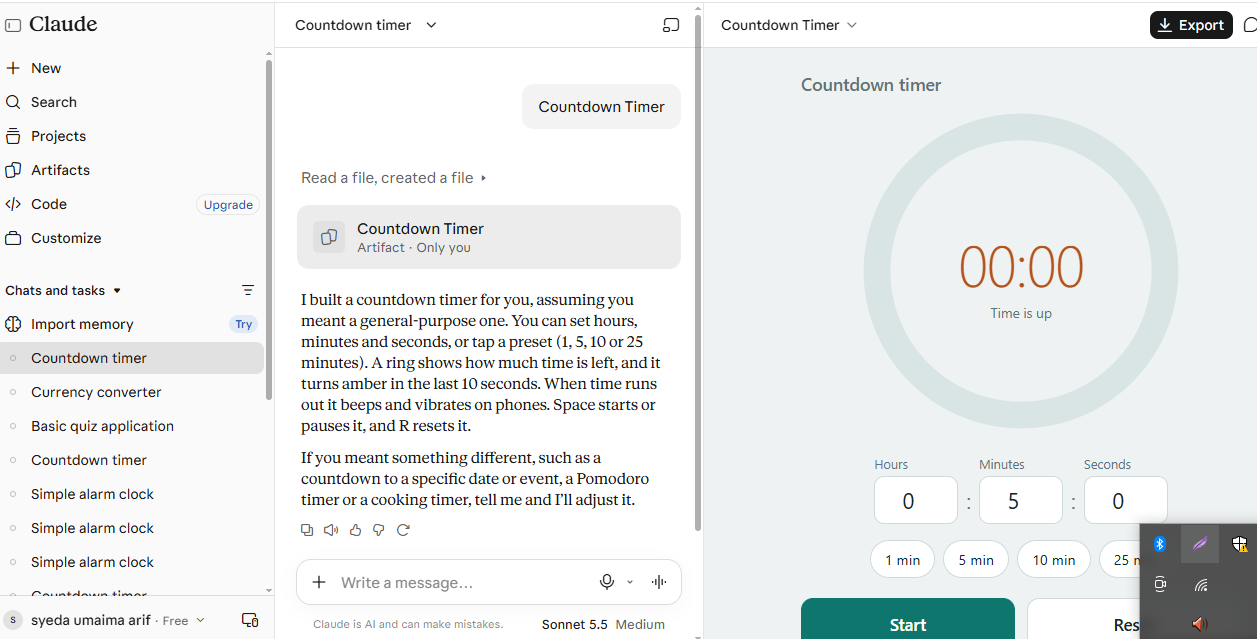
    The Countdown Timer is a simple and useful time management tool designed to help people keep track of time. It allows users to set hours, minutes, and seconds according to their needs. Users can easily start , pause , and reset the timer.
    It also provides preset options such as 1 minute, 5 minutes, 10 minutes, and 25 minutes.
    The circular design makes the remaining time easy to understand. When the countdown reaches zero, it displays "Time is up!"
    This tool is helpful for studying, completing tasks, cooking, and managing daily activities.
    A simple way to manage time, stay focused, and be productive!
    Link : https://claude.ai/artifact/CSfEKB7UkaDwYnsNk5BaWw
    Accl Foundation Level (Rehan School Urdu Bazar Campus ) Day : 61 Coding Task Roll No : 17 Accl Task ⏳✨ Countdown Timer ⏰ The Countdown Timer is a simple and useful time management tool designed to help people keep track of time. 🕒 It allows users to set hours, minutes, and seconds according to their needs. Users can easily start ▶️, pause ⏸️, and reset 🔄 the timer. ⏱️ It also provides preset options such as 1 minute, 5 minutes, 10 minutes, and 25 minutes. ⭕ The circular design makes the remaining time easy to understand. When the countdown reaches zero, it displays "Time is up!" 🔔 📚 This tool is helpful for studying, completing tasks, cooking, and managing daily activities. 🌟 A simple way to manage time, stay focused, and be productive! 💯 Link : https://claude.ai/artifact/CSfEKB7UkaDwYnsNk5BaWw
    0 Yorumlar 0 hisse senetleri 308 Views
  • ACCL foundation level
    roll no11
    rehan school urdu bazar
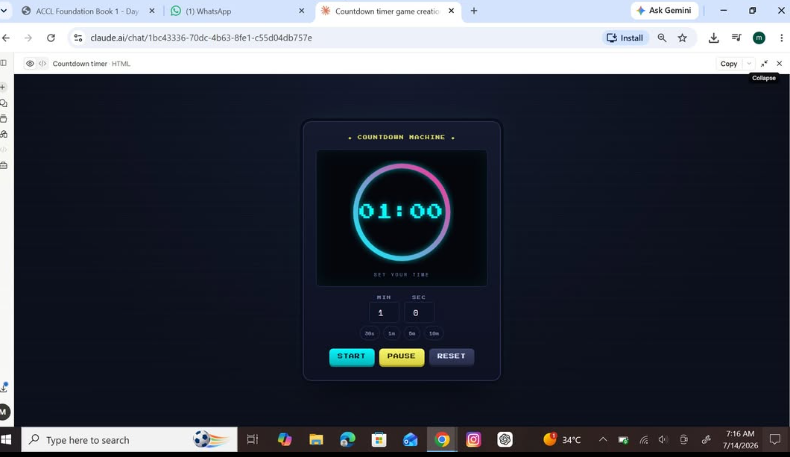
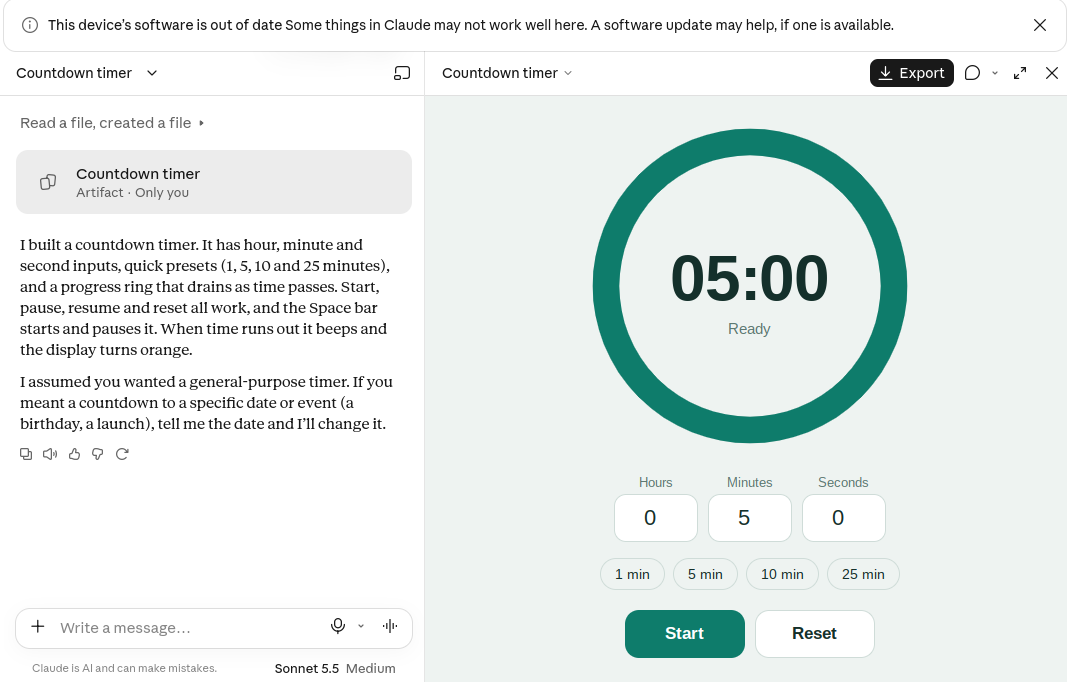
    I created a Countdown Timer App! This project includes hours, minutes, and seconds, quick time presets, a progress ring, and Start, Pause, and Reset features. When the countdown ends, it gives a beep and the display changes color.
    This project helped me explore interactive web development and create a useful timer!
    link
    https://claude.ai/artifact/CwV7xoatFMgKH5kBWgqCeY
    #CountdownTimer #TimerApp #MyProject #WebDevelopment #HTML #CSS #JavaScript #Coding #ClaudeAI #RehanSchool See less
    ACCL foundation level roll no11 rehan school urdu bazar ⏳✨ I created a Countdown Timer App! 🚀 This project includes hours, minutes, and seconds, quick time presets, a progress ring, and Start, Pause, and Reset features. 🔔 When the countdown ends, it gives a beep and the display changes color. 💻🎯 This project helped me explore interactive web development and create a useful timer! 🌟 link https://claude.ai/artifact/CwV7xoatFMgKH5kBWgqCeY #CountdownTimer #TimerApp #MyProject #WebDevelopment #HTML #CSS #JavaScript #Coding #ClaudeAI #RehanSchool 🚀💚 See less
    0 Yorumlar 0 hisse senetleri 440 Views
  • #RSFI8
    Roll No: 64
    Class: Foundation Level
    Muhammad ibrahim Acctounting wala
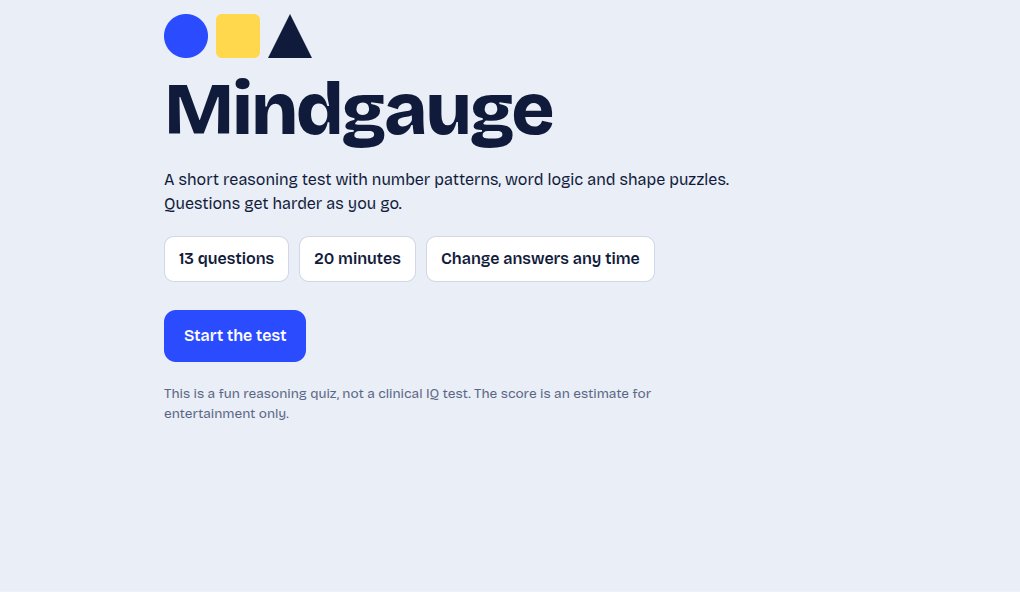
    Coding Task topicIQ Test (Functional, Web-Based, 2 days).
    Excited to work on my new coding project: Q Test Web Application!
    The goal of this 2-day coding challenge is to create a functional, interactive, and user-friendly IQ Test website.
    Project Features:
    - Logical Reasoning Questions
    - Number Pattern Challenges
    - Interactive Quiz Interface
    - Timer-Based Test
    - Automatic Score Calculation
    - Instant Results and Feedback
    - Clean and Responsive Web Design
    2 Days of Coding, Creativity, Learning, and Problem-Solving!
    Every project helps me improve my coding skills and become a better developer.
    Think Smart. Code Better. Build More!
    Made by Me!
    #CodingTask #IQTest #WebDevelopment #FunctionalWebsite #JavaScript #HTML #CSS #Programming #CodingChallenge #LogicalReasoning #BrainTeaser #TechSkills #2DayChallenge #LearnToCode #MadeByMe #RSFI8
    #RSFI8 Roll No: 64📝 Class: Foundation Level Muhammad ibrahim Acctounting wala Coding Task topicIQ Test (Functional, Web-Based, 2 days). Excited to work on my new coding project: Q Test Web Application! The goal of this 2-day coding challenge is to create a functional, interactive, and user-friendly IQ Test website. 🧩⚡ ✨ Project Features: - 🧠 Logical Reasoning Questions - 🔢 Number Pattern Challenges - 🧩 Interactive Quiz Interface - ⏳ Timer-Based Test - 📊 Automatic Score Calculation - 🎯 Instant Results and Feedback - 💻 Clean and Responsive Web Design 🔥 2 Days of Coding, Creativity, Learning, and Problem-Solving! Every project helps me improve my coding skills and become a better developer. 🚀 🎯 Think Smart. Code Better. Build More! 📌 Made by Me! 💻❤️ #CodingTask #IQTest #WebDevelopment #FunctionalWebsite #JavaScript #HTML #CSS #Programming #CodingChallenge #LogicalReasoning #BrainTeaser #TechSkills #2DayChallenge #LearnToCode #MadeByMe #RSFI8 🤖🚀
    0 Yorumlar 0 hisse senetleri 1444 Views
  • RSIF8
    Roll no:81
    Task no:63
    Task topic Countdown Timer – Every Second Counts!
    Welcome to the Countdown Timer project! This simple and useful tool helps you track time by counting down from a selected time to zero. Whether you are studying, completing a task, playing a game, or taking a short break, a countdown timer helps you stay focused and manage your time effectively.
    Features:
    Set a countdown for your desired time.
    Start and watch the timer count down.
    Pause and resume the timer.
    Get notified when the countdown reaches zero.
    Improve time management and productivity.
    This project is a great way for students to learn basic programming and create a useful digital tool.
    Like, Share, and Follow for more creative projects and exciting learning activities!
    #CountdownTimer #TimeManagement #Coding #Programming #StudentProjects #Productivity #LearnToCode #DigitalTools #Technology #WebDevelopment
    RSIF8 Roll no:81 Task no:63 Task topic⏳ Countdown Timer – Every Second Counts! ⏰✨ Welcome to the Countdown Timer project! 🚀 This simple and useful tool helps you track time by counting down from a selected time to zero. Whether you are studying, completing a task, playing a game, or taking a short break, a countdown timer helps you stay focused and manage your time effectively. 🎯📚 🌟 Features: ⏱️ Set a countdown for your desired time. ▶️ Start and watch the timer count down. ⏸️ Pause and resume the timer. 🔔 Get notified when the countdown reaches zero. 💡 Improve time management and productivity. This project is a great way for students to learn basic programming and create a useful digital tool. 💻🎓 ❤️ Like, Share, and Follow for more creative projects and exciting learning activities! #CountdownTimer #TimeManagement #Coding #Programming #StudentProjects #Productivity #LearnToCode #DigitalTools #Technology #WebDevelopment ⏳💻
    0 Yorumlar 0 hisse senetleri 895 Views
  • RSIF8
    ROLL NO 100
    CODING TASK NO 4
    CODING TOPIC **Countdown Timer App**

    Get ready to manage your time like a pro! In this project, I created a simple and user-friendly Countdown Timer App that helps you track time, stay focused, and complete tasks on time. With Start, Pause, Resume, and Reset features, managing your time has never been easier!

    Every second counts! Keep learning, keep building, and keep improving your skills!

    \#CountdownTimer #TimerApp #TimeManagement #Coding #Programming #WebDevelopment #HTML #CSS #JavaScript #LearnToCode #TechSkills #StudentProject #KeepLearning #DigitalSkills

    Add a clear call to actionMake the caption more concise
    RSIF8 ROLL NO 100 CODING TASK NO 4 CODING TOPIC ⏳⏰ **Countdown Timer App** 🚀 Get ready to manage your time like a pro! ⌚✨ In this project, I created a simple and user-friendly Countdown Timer App that helps you track time, stay focused, and complete tasks on time. 🎯💻 With Start, Pause, Resume, and Reset features, managing your time has never been easier! 🔥📚 Every second counts! ⏱️💪 Keep learning, keep building, and keep improving your skills! 🌟🚀 \#CountdownTimer #TimerApp #TimeManagement #Coding #Programming #WebDevelopment #HTML #CSS #JavaScript #LearnToCode #TechSkills #StudentProject #KeepLearning #DigitalSkills 🎯⏰💻 Add a clear call to actionMake the caption more concise
    0 Yorumlar 0 hisse senetleri 932 Views
  • RSIF8
    CLASS: FOUNDATION LEVEL
    CODING TASK NO:8

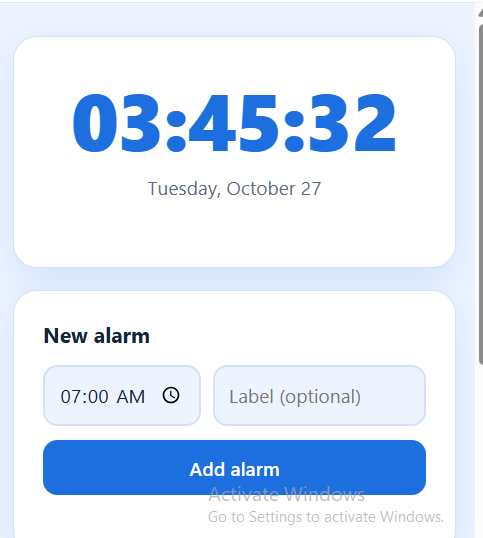
    Day 8 – AI Game: Create an Alarm Clock App Using Claude.ai

    Today, I worked on the Day 8 AI Game task, which was to create an Alarm Clock App using Claude.ai. The main objective of this task was to build a simple and useful application that allows users to set an alarm for their desired time. This project helped me explore how artificial intelligence can assist in creating applications and make everyday activities easier and more convenient.

    An alarm clock is a useful tool that helps people manage their daily routines and stay organized. People use alarms to wake up in the morning, remember important tasks, prepare for school, attend meetings, and follow their schedules. By creating an alarm clock application, I explored how technology can help users manage their time more effectively.

    During this task, I focused on designing an easy-to-use interface where users can select a specific time and set an alarm. A good alarm clock app should display the current time clearly and provide simple controls for setting, activating, and canceling an alarm. The interface should be organized, attractive, and user-friendly so that people can use it without difficulty.

    I used Claude.ai as an AI assistant to help me develop the application. AI tools can make coding easier by helping users generate code, understand programming concepts, identify errors, and improve their designs. This experience helped me understand how artificial intelligence can support the software development process and turn an idea into a working project.

    While working on this application, I learned about important programming concepts such as time handling, user input, event handling, and application logic. These concepts are useful for developing many other applications, including digital clocks, timers, reminders, and scheduling tools. I also learned that testing an application is important to make sure its features work correctly.

    One of the most important parts of this project was thinking about the user's experience.
    RSIF8 CLASS: FOUNDATION LEVEL CODING TASK NO:8 ⏰ Day 8 – AI Game: Create an Alarm Clock App Using Claude.ai Today, I worked on the Day 8 AI Game task, which was to create an Alarm Clock App using Claude.ai. The main objective of this task was to build a simple and useful application that allows users to set an alarm for their desired time. This project helped me explore how artificial intelligence can assist in creating applications and make everyday activities easier and more convenient. An alarm clock is a useful tool that helps people manage their daily routines and stay organized. People use alarms to wake up in the morning, remember important tasks, prepare for school, attend meetings, and follow their schedules. By creating an alarm clock application, I explored how technology can help users manage their time more effectively. During this task, I focused on designing an easy-to-use interface where users can select a specific time and set an alarm. A good alarm clock app should display the current time clearly and provide simple controls for setting, activating, and canceling an alarm. The interface should be organized, attractive, and user-friendly so that people can use it without difficulty. I used Claude.ai as an AI assistant to help me develop the application. AI tools can make coding easier by helping users generate code, understand programming concepts, identify errors, and improve their designs. This experience helped me understand how artificial intelligence can support the software development process and turn an idea into a working project. While working on this application, I learned about important programming concepts such as time handling, user input, event handling, and application logic. These concepts are useful for developing many other applications, including digital clocks, timers, reminders, and scheduling tools. I also learned that testing an application is important to make sure its features work correctly. One of the most important parts of this project was thinking about the user's experience.
    0 Yorumlar 0 hisse senetleri 970 Views
  • day;61
    task create a Countdown Timer
    https://claude.ai/share/35968152-f6b3-4d0d-a30e-ea65f96e4cc8
    day;61 task create a Countdown Timer https://claude.ai/share/35968152-f6b3-4d0d-a30e-ea65f96e4cc8
    0 Yorumlar 0 hisse senetleri 538 Views
  • RSI F8
    Coding TAsk NO:7
    Roll No:13 Create a Stopwatch App Using Claude.ai
    Introduction
    Today, technology plays an important role in our daily lives. We use digital applications for learning, working, communication, entertainment, and many other activities. One of the simplest but most useful digital tools is a stopwatch. A stopwatch helps us measure the amount of time spent on a particular activity. It is useful for students, teachers, athletes, programmers, and anyone who wants to manage time effectively.
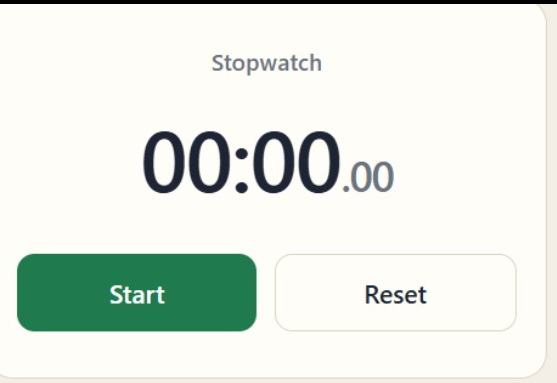
    For this coding task, I created a Stopwatch App using Claude.ai. The main purpose of this project is to develop a simple, interactive, and user-friendly application that allows users to start, stop, and reset a timer. This project also helps me understand the basics of web development and learn how artificial intelligence can assist us in creating useful digital products.
    What Is a Stopwatch App?
    A stopwatch is a time-measuring application that records the duration of an activity. Unlike a regular clock, which displays the current time, a stopwatch measures how much time has passed since it was started. Users can pause the timer whenever necessary and reset it to zero when they want to begin a new session.
    The Stopwatch App is designed to make time measurement simple and convenient. Instead of using a physical stopwatch, users can open the application on their computer, tablet, or mobile phone. With just a few clicks, they can measure the time required to complete different tasks.
    This application demonstrates how a simple idea can be transformed into a useful digital tool with the help of programming and AI technology.
    Main Objective of This Project
    The main objective of this coding task is to create a working stopwatch application with three essential functions: Start, Stop, and Reset. These functions allow users to control the timer easily and measure elapsed time according to their needs.
    Another important objective is to improve my coding skills by working with HTML, CSS, and JavaScript. I want to understand how a website is structured, how its design is created, and how interactive features are implemented.
    By completing this project with Claude.ai,
    RSI F8 Coding TAsk NO:7 Roll No:13⏱️ Create a Stopwatch App Using Claude.ai Introduction Today, technology plays an important role in our daily lives. We use digital applications for learning, working, communication, entertainment, and many other activities. One of the simplest but most useful digital tools is a stopwatch. A stopwatch helps us measure the amount of time spent on a particular activity. It is useful for students, teachers, athletes, programmers, and anyone who wants to manage time effectively. For this coding task, I created a Stopwatch App using Claude.ai. The main purpose of this project is to develop a simple, interactive, and user-friendly application that allows users to start, stop, and reset a timer. This project also helps me understand the basics of web development and learn how artificial intelligence can assist us in creating useful digital products. What Is a Stopwatch App? A stopwatch is a time-measuring application that records the duration of an activity. Unlike a regular clock, which displays the current time, a stopwatch measures how much time has passed since it was started. Users can pause the timer whenever necessary and reset it to zero when they want to begin a new session. The Stopwatch App is designed to make time measurement simple and convenient. Instead of using a physical stopwatch, users can open the application on their computer, tablet, or mobile phone. With just a few clicks, they can measure the time required to complete different tasks. This application demonstrates how a simple idea can be transformed into a useful digital tool with the help of programming and AI technology. Main Objective of This Project The main objective of this coding task is to create a working stopwatch application with three essential functions: Start, Stop, and Reset. These functions allow users to control the timer easily and measure elapsed time according to their needs. Another important objective is to improve my coding skills by working with HTML, CSS, and JavaScript. I want to understand how a website is structured, how its design is created, and how interactive features are implemented. By completing this project with Claude.ai,
    0 Yorumlar 0 hisse senetleri 1944 Views
  • RSIF8
    Roll no 94
    Coding task no 5
    Coding task topic
    Countdown Timer Project – Time Management Made Easy!
    I successfully created a Countdown Timer that allows users to set their own time and watch it count down second by second until it reaches zero. This project helped me understand important programming concepts such as user input, loops, conditions, and time management within an application.
    The Countdown Timer can be used in many real-life situations, including study sessions , exam preparation , workouts ‍, presentations , cooking , meetings , and daily productivity tasks . It provides a simple and effective way to stay focused and organized while completing activities within a specific time limit.
    In the screenshot, you can see the timer running after the user sets a custom countdown duration. The timer updates continuously, displaying the remaining time until it reaches zero and notifies the user when the countdown is complete.
    Through this project, I learned how technology can help us manage our time more efficiently and improve productivity. Building this timer was both fun and educational, and it strengthened my programming and problem-solving skills.
    Every second counts! Small steps taken consistently can lead to big achievements. Keep learning, keep building, and keep growing!
    #CountdownTimer #CodingProject #Programming #Technology #StudentDeveloper #TimeManagement #ComputerScience #CodingJourney #LearningToCode #Innovation #FutureProgrammer #STEMEducation #Productivity #DigitalSkills #TechLearning #SoftwareDevelopment #ProjectBasedLearning #RehanSchool #YoungInnovators
    RSIF8 Roll no 94 Coding task no 5 Coding task topic ⏳✨ Countdown Timer Project – Time Management Made Easy! ✨⏳ I successfully created a Countdown Timer that allows users to set their own time and watch it count down second by second until it reaches zero. 🕒💻 This project helped me understand important programming concepts such as user input, loops, conditions, and time management within an application. The Countdown Timer can be used in many real-life situations, including study sessions 📚, exam preparation 📝, workouts 🏃‍♀️, presentations 🎤, cooking 🍳, meetings 🤝, and daily productivity tasks ✅. It provides a simple and effective way to stay focused and organized while completing activities within a specific time limit. 📸 In the screenshot, you can see the timer running after the user sets a custom countdown duration. The timer updates continuously, displaying the remaining time until it reaches zero and notifies the user when the countdown is complete. 🎉 Through this project, I learned how technology can help us manage our time more efficiently and improve productivity. Building this timer was both fun and educational, and it strengthened my programming and problem-solving skills. 🚀 🌟 Every second counts! Small steps taken consistently can lead to big achievements. Keep learning, keep building, and keep growing! 💡✨ #CountdownTimer #CodingProject #Programming #Technology #StudentDeveloper #TimeManagement #ComputerScience #CodingJourney #LearningToCode #Innovation #FutureProgrammer #STEMEducation #Productivity #DigitalSkills #TechLearning #SoftwareDevelopment #ProjectBasedLearning #RehanSchool #YoungInnovators ⏳💻🚀📚✨🎉
    0 Yorumlar 0 hisse senetleri 3161 Views
  • RSI F8
    Coding Book Task NO:7
    Roll No:13
    Create a Stopwatch App Using Claude.ai
    Introduction
    Today, technology plays an important role in our daily lives. We use digital applications for learning, working, communication, entertainment, and many other activities. One of the simplest but most useful digital tools is a stopwatch. A stopwatch helps us measure the amount of time spent on a particular activity. It is useful for students, teachers, athletes, programmers, and anyone who wants to manage time effectively.
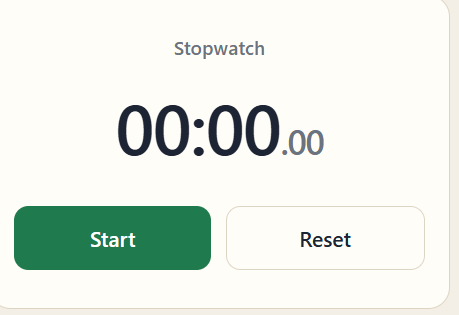
    For this coding task, I created a Stopwatch App using Claude.ai. The main purpose of this project is to develop a simple, interactive, and user-friendly application that allows users to start, stop, and reset a timer. This project also helps me understand the basics of web development and learn how artificial intelligence can assist us in creating useful digital products.
    What Is a Stopwatch App?
    A stopwatch is a time-measuring application that records the duration of an activity. Unlike a regular clock, which displays the current time, a stopwatch measures how much time has passed since it was started. Users can pause the timer whenever necessary and reset it to zero when they want to begin a new session.
    The Stopwatch App is designed to make time measurement simple and convenient. Instead of using a physical stopwatch, users can open the application on their computer, tablet, or mobile phone. With just a few clicks, they can measure the time required to complete different tasks.
    This application demonstrates how a simple idea can be transformed into a useful digital tool with the help of programming and AI technology.
    Main Objective of This Project
    The main objective of this coding task is to create a working stopwatch application with three essential functions: Start, Stop, and Reset. These functions allow users to control the timer easily and measure elapsed time according to their needs.
    Another important objective is to improve my coding skills by working with HTML, CSS, and JavaScript. I want to understand how a website is structured, how its design is created, and how interactive features are implemented.
    By completing this project with Claude.ai,
    RSI F8 Coding Book Task NO:7 Roll No:13 ⏱️ Create a Stopwatch App Using Claude.ai Introduction Today, technology plays an important role in our daily lives. We use digital applications for learning, working, communication, entertainment, and many other activities. One of the simplest but most useful digital tools is a stopwatch. A stopwatch helps us measure the amount of time spent on a particular activity. It is useful for students, teachers, athletes, programmers, and anyone who wants to manage time effectively. For this coding task, I created a Stopwatch App using Claude.ai. The main purpose of this project is to develop a simple, interactive, and user-friendly application that allows users to start, stop, and reset a timer. This project also helps me understand the basics of web development and learn how artificial intelligence can assist us in creating useful digital products. What Is a Stopwatch App? A stopwatch is a time-measuring application that records the duration of an activity. Unlike a regular clock, which displays the current time, a stopwatch measures how much time has passed since it was started. Users can pause the timer whenever necessary and reset it to zero when they want to begin a new session. The Stopwatch App is designed to make time measurement simple and convenient. Instead of using a physical stopwatch, users can open the application on their computer, tablet, or mobile phone. With just a few clicks, they can measure the time required to complete different tasks. This application demonstrates how a simple idea can be transformed into a useful digital tool with the help of programming and AI technology. Main Objective of This Project The main objective of this coding task is to create a working stopwatch application with three essential functions: Start, Stop, and Reset. These functions allow users to control the timer easily and measure elapsed time according to their needs. Another important objective is to improve my coding skills by working with HTML, CSS, and JavaScript. I want to understand how a website is structured, how its design is created, and how interactive features are implemented. By completing this project with Claude.ai,
    0 Yorumlar 0 hisse senetleri 1602 Views
Arama Sonuçları