• RSIF8
    Roll no:100
    Task no:8
    Task topic:How to Download and Use CallAnnie?
    **How to Download & Use CallAnnie**
    Want your own AI assistant on the go? Here's how to get started with **CallAnnie**:
    Download **CallAnnie** from the App Store or Google Play.
    Open the app and sign up or log in.
    Grant the necessary permissions (microphone & notifications).
    Start chatting with Annie using voice or text.
    Ask questions, practice languages, brainstorm ideas, or get everyday assistance anytime!
    **Pro Tip:** Use voice mode for a more natural, real-time conversation experience!
    #CallAnnie #AIAssistant #ArtificialIntelligence #VoiceAI #TechTips #Productivity #AIApps #SmartTechnology #DigitalLife #Innovation
    RSIF8 Roll no:100 Task no:8 Task topic:How to Download and Use CallAnnie? 📲🤖 **How to Download & Use CallAnnie** Want your own AI assistant on the go? 🌟 Here's how to get started with **CallAnnie**: 1️⃣ Download **CallAnnie** from the App Store or Google Play. 📥 2️⃣ Open the app and sign up or log in. 🔐 3️⃣ Grant the necessary permissions (microphone & notifications). 🎤 4️⃣ Start chatting with Annie using voice or text. 💬🎙️ 5️⃣ Ask questions, practice languages, brainstorm ideas, or get everyday assistance anytime! 🚀✨ 💡 **Pro Tip:** Use voice mode for a more natural, real-time conversation experience! #CallAnnie #AIAssistant #ArtificialIntelligence #VoiceAI #TechTips #Productivity #AIApps #SmartTechnology #DigitalLife #Innovation 🚀
    0 Yorumlar 0 hisse senetleri 741 Views
  • RSIF8
    Roll No: 99
    Task No: 8
    Task Topic: How to Download and Use CallAnnie?

    Want to learn how to use CallAnnie?

    In this simple step-by-step guide, you’ll learn how to download and use CallAnnie, an AI-powered assistant that can help you interact, learn, ask questions, and explore different topics through conversation.

    Whether you’re new to AI or simply want to try a new AI assistant, this guide will help you get started easily and confidently.

    Save this post for later and share it with someone who wants to explore AI!

    #CallAnnie #AI #ArtificialIntelligence #AIAssistant #AITools #AIForBeginners #TechTips #DigitalSkills #LearnAI #Technology #OnlineTools #DigitalLiteracy #AIApps #TechTutorial #HowTo #StepByStep #BeginnerGuide #LearnTechnology #SmartTechnology #AICommunity
    RSIF8 Roll No: 99 Task No: 8 Task Topic: How to Download and Use CallAnnie? 🤖 Want to learn how to use CallAnnie? In this simple step-by-step guide, you’ll learn how to download and use CallAnnie, an AI-powered assistant that can help you interact, learn, ask questions, and explore different topics through conversation. 📱💬 Whether you’re new to AI or simply want to try a new AI assistant, this guide will help you get started easily and confidently. 📌 Save this post for later and share it with someone who wants to explore AI! #CallAnnie #AI #ArtificialIntelligence #AIAssistant #AITools #AIForBeginners #TechTips #DigitalSkills #LearnAI #Technology #OnlineTools #DigitalLiteracy #AIApps #TechTutorial #HowTo #StepByStep #BeginnerGuide #LearnTechnology #SmartTechnology #AICommunity
    0 Yorumlar 0 hisse senetleri 1878 Views
  • #rsisb
    Roll No.269
    FOundation Level
    Account Creation

    **How to Download and Use Sesame? | Complete Beginner Guide**

    Assalamualaikum everyone!
    My name is **Syed Hasan**, and I am a Foundation Level student at **Rehan School, Islamabad Campus**. In this video, I will explain **how to download and use Sesame** in a simple and beginner-friendly way.

    Sesame is an interesting AI-powered tool that can make it easier to interact with technology through natural conversations. In this tutorial, I will walk you through the basic steps you need to get started and explain the main features in an easy way.

    **In this video, you will learn:**

    What is Sesame?
    How to access Sesame
    How to create or sign in to your account
    How to set up Sesame
    How to use the main features
    How to interact with Sesame
    How to ask questions and give instructions
    How to explore its AI features
    Basic tips for beginners
    How to use Sesame effectively
    Common things beginners should know

    Whether you are a student, beginner, AI enthusiast, or someone who wants to learn about new technology, this video can help you understand the basics of Sesame.

    I will try to explain everything step by step so that you can follow along easily. You don't need to be an expert in technology to get started.

    AI technology is becoming an important part of our digital world, and learning how to use AI tools can help us improve our creativity, productivity, communication, and learning skills.

    If you are interested in **Artificial Intelligence, AI assistants, technology, digital skills, and new online tools**, make sure you watch the complete video!

    If you find this tutorial helpful, don't forget to **LIKE, SHARE, and SUBSCRIBE** to support my learning journey.

    Thank you for watching!
    Keep learning , keep exploring , and keep creating!

    #Sesame #SesameAI #HowToUseSesame #SesameTutorial #AI #ArtificialIntelligence #AITools #AIAssistant #AIForBeginners #Technology #DigitalSkills #LearnAI #AIStudent #BeginnerGuide #TechTutorial #OnlineLearning #Education #TechnologyForStudents #AIChat #FutureTechnology
    #rsisb Roll No.269 FOundation Level Account Creation 🎙️ **How to Download and Use Sesame? | Complete Beginner Guide** 🤖✨ Assalamualaikum everyone! 👋 My name is **Syed Hasan**, and I am a Foundation Level student at **Rehan School, Islamabad Campus**. 🎓 In this video, I will explain **how to download and use Sesame** in a simple and beginner-friendly way. 🚀 Sesame is an interesting AI-powered tool that can make it easier to interact with technology through natural conversations. 🤖💬 In this tutorial, I will walk you through the basic steps you need to get started and explain the main features in an easy way. 📱 **In this video, you will learn:** ✅ What is Sesame? ✅ How to access Sesame ✅ How to create or sign in to your account ✅ How to set up Sesame ✅ How to use the main features ✅ How to interact with Sesame ✅ How to ask questions and give instructions ✅ How to explore its AI features ✅ Basic tips for beginners ✅ How to use Sesame effectively ✅ Common things beginners should know Whether you are a student, beginner, AI enthusiast, or someone who wants to learn about new technology, this video can help you understand the basics of Sesame. 🌟💻 I will try to explain everything step by step so that you can follow along easily. You don't need to be an expert in technology to get started. 😊 AI technology is becoming an important part of our digital world, and learning how to use AI tools can help us improve our creativity, productivity, communication, and learning skills. 📚💡 If you are interested in **Artificial Intelligence, AI assistants, technology, digital skills, and new online tools**, make sure you watch the complete video! 🎥✨ 👍 If you find this tutorial helpful, don't forget to **LIKE, SHARE, and SUBSCRIBE** to support my learning journey. 🔔❤️ Thank you for watching! 🙏 Keep learning 📚, keep exploring 🤖, and keep creating! 🚀✨ #Sesame #SesameAI #HowToUseSesame #SesameTutorial #AI #ArtificialIntelligence #AITools #AIAssistant #AIForBeginners #Technology #DigitalSkills #LearnAI #AIStudent #BeginnerGuide #TechTutorial #OnlineLearning #Education #TechnologyForStudents #AIChat #FutureTechnology 🤖💻📚✨
    0 Yorumlar 0 hisse senetleri 4174 Views
  • RSLC#ROLL NO 85#
    FOUNDATION LEVEL Batch 06#
    task: 8
    DAY: 8

    How to Download and Use Sesame?

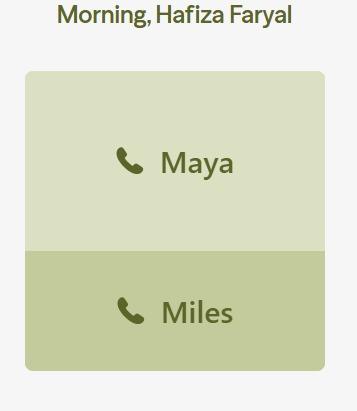
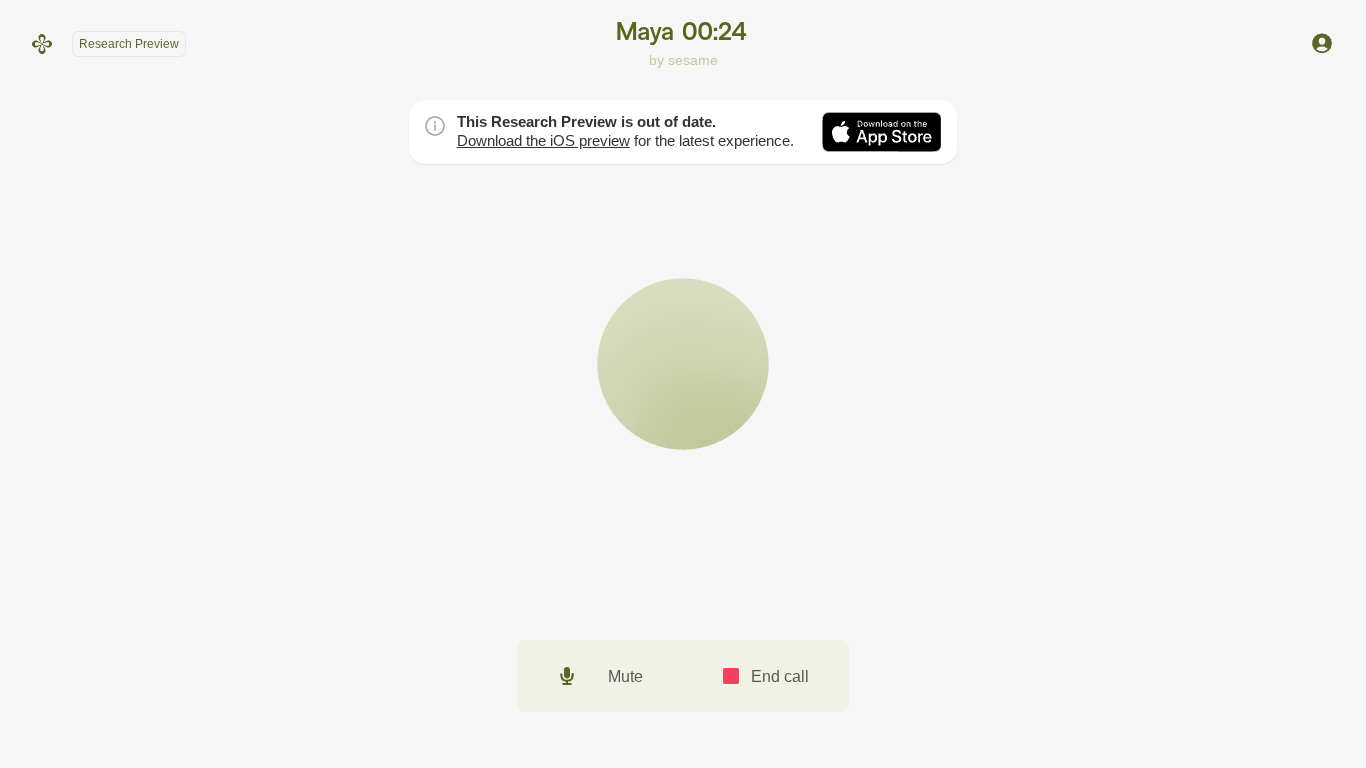
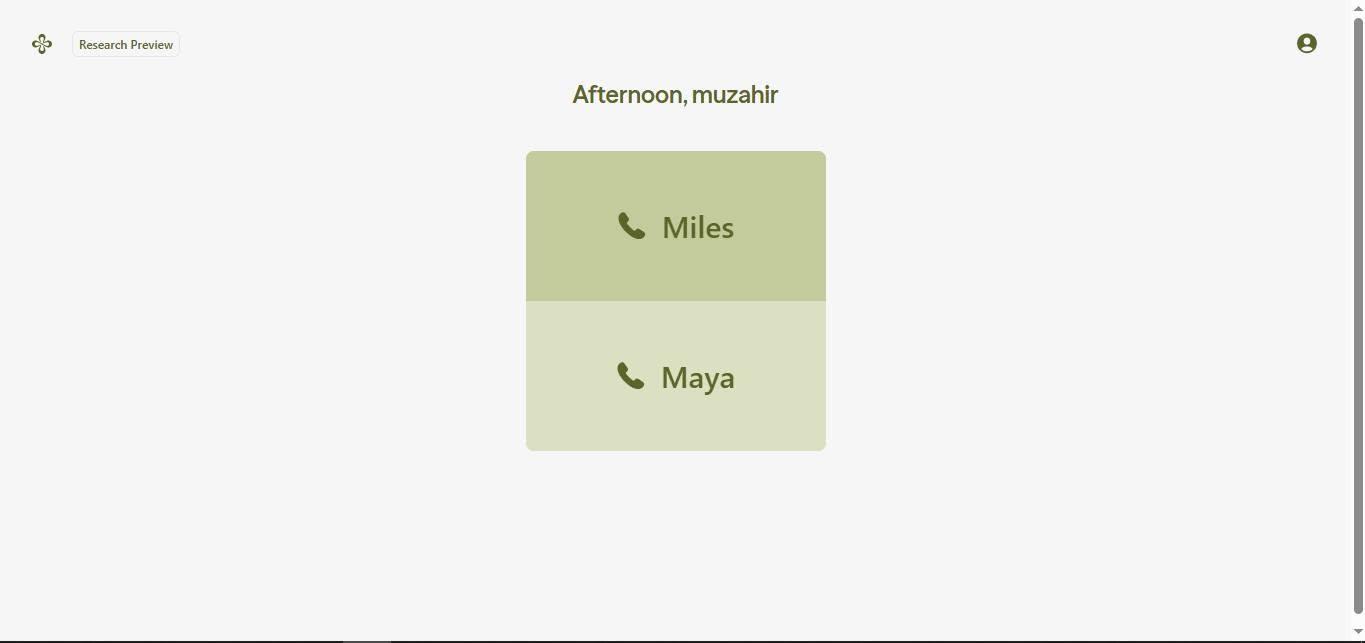
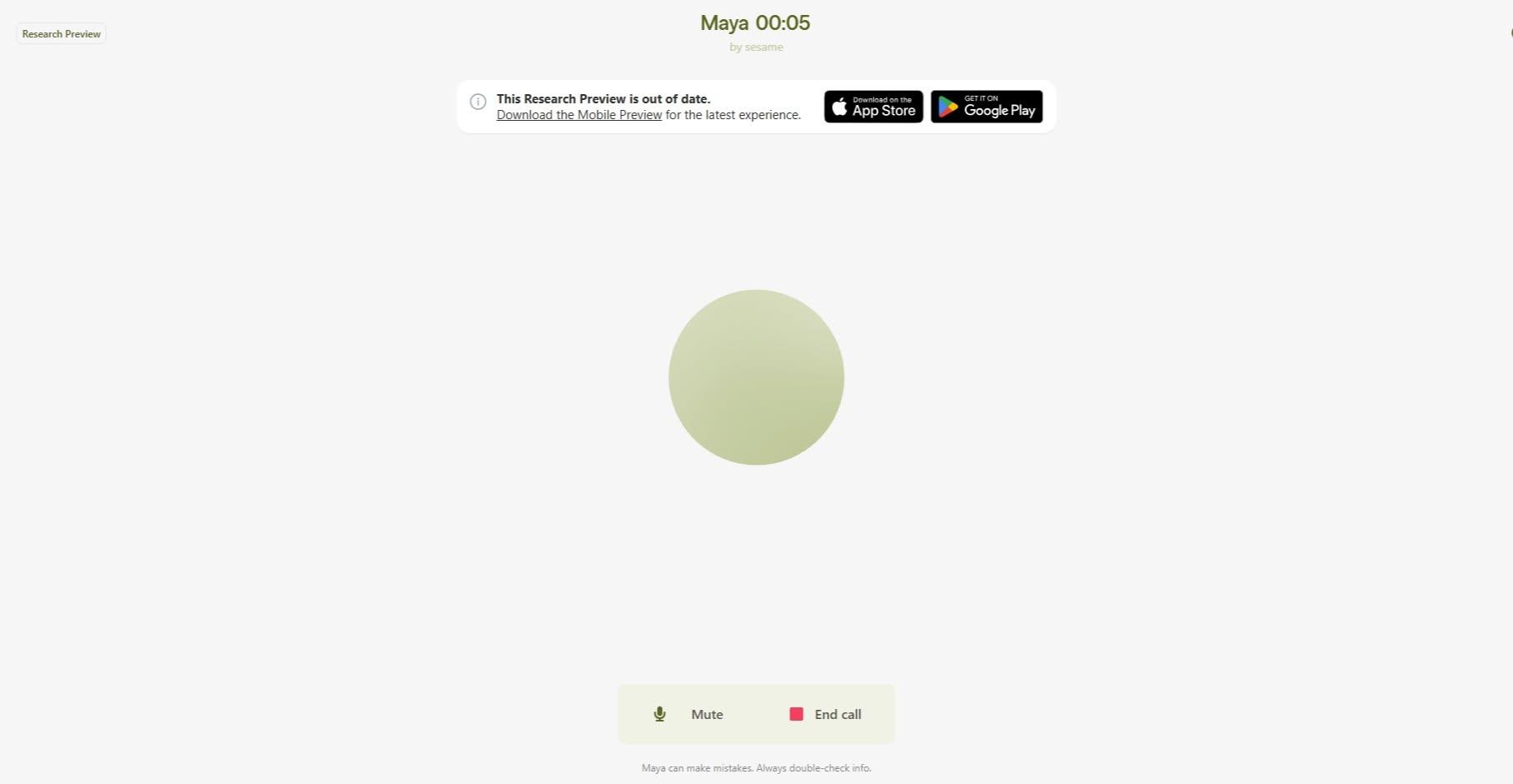
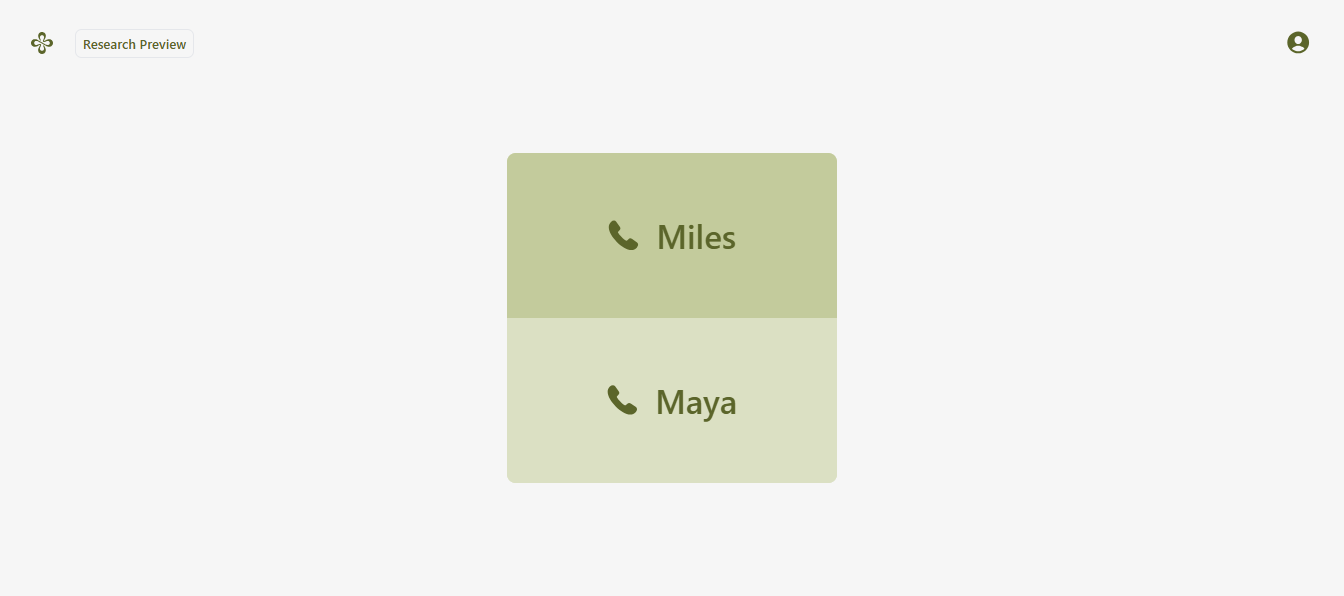
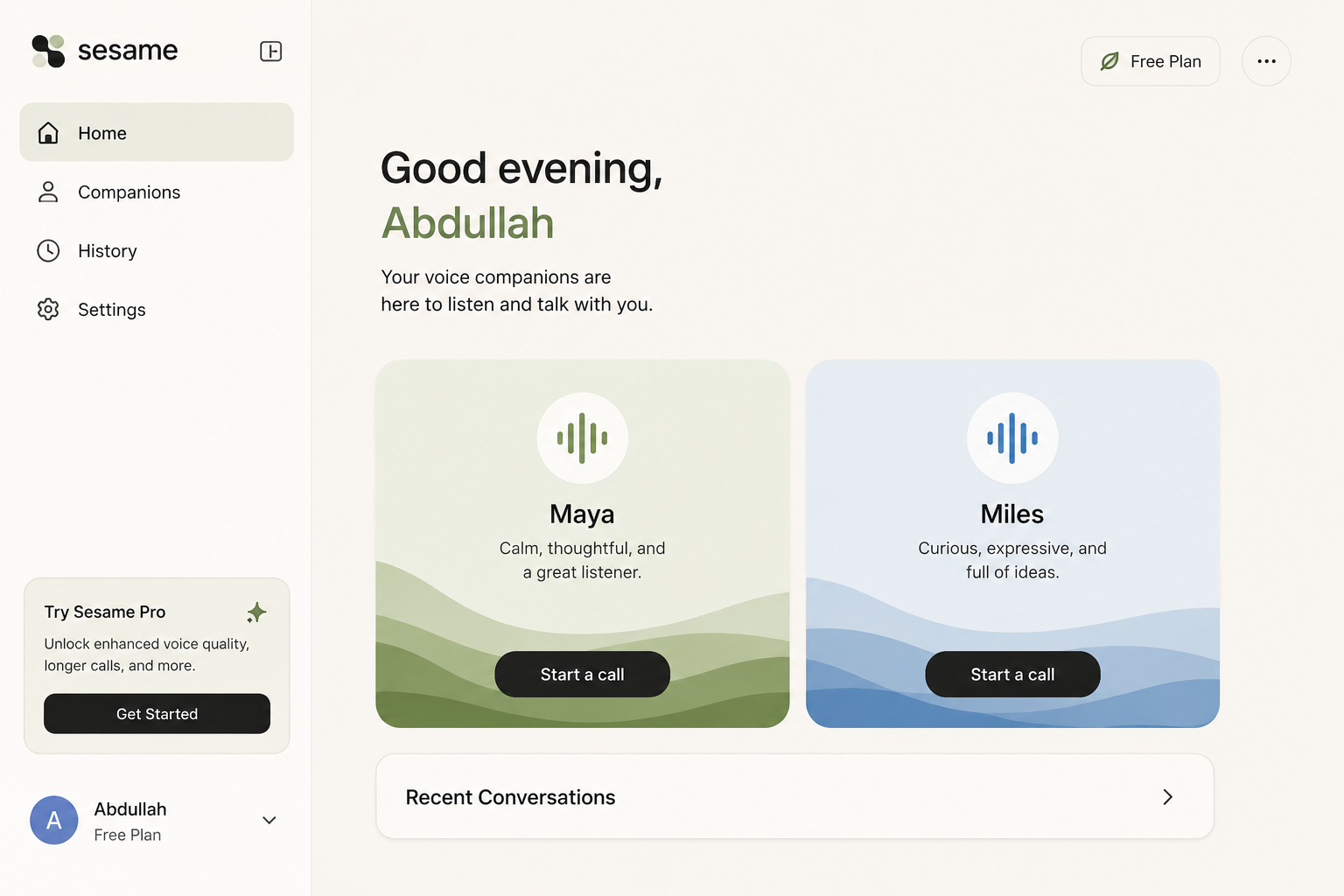
    Downloading and using Sesame is simple and easy. First, visit the Sesame platform and sign up or log in to your account. Once you are inside, choose your preferred voice companion, such as Maya or Miles, and click “Start a call” to begin. You can then talk, ask questions, share ideas, and enjoy a natural conversation with your AI companion. Explore the different features and settings to make your Sesame experience even better!
    DONE, now you can ask questions and discuss with Maya or Miles


    THANK YOU!!
    #Sesame #AI #VoiceAI #AIAssistant #Technology
    RSLC#ROLL NO 85# FOUNDATION LEVEL Batch 06# task: 8 DAY: 8 How to Download and Use Sesame? Downloading and using Sesame is simple and easy. First, visit the Sesame platform and sign up or log in to your account. Once you are inside, choose your preferred voice companion, such as Maya or Miles, and click “Start a call” to begin. You can then talk, ask questions, share ideas, and enjoy a natural conversation with your AI companion. Explore the different features and settings to make your Sesame experience even better! DONE, now you can ask questions and discuss with Maya or Miles THANK YOU!! #Sesame #AI #VoiceAI #AIAssistant #Technology
    0 Yorumlar 0 hisse senetleri 926 Views
  • Microsoft Copilot Clone – Student Information Book 3 | Task 5 | Roll No. 71

    I'm excited to share my latest project—Microsoft Copilot Clone, a modern and fully responsive AI assistant inspired by Microsoft Copilot. This project delivers a professional AI workspace with a clean interface, seamless navigation, and an intuitive chat experience designed using modern web technologies.

    Key Features:
    AI Chat Assistant Interface
    Real-Time Conversation Experience
    Multiple AI Model Selection
    Chat History Management
    Smart Search Functionality
    Workspace Dashboard
    User Profile & Settings
    Dark Mode UI
    Fully Responsive Design
    Fast Performance & Smooth User Experience
    Modern Premium UI with Interactive Animations

    This project was developed as part of Student Information Book 3 – Task 5 (Roll No. 71) to demonstrate modern AI application development, responsive UI/UX design, and advanced frontend development skills.

    Web Link: https://rsmc71.rehanschool.us/microsoft%20copilot-clone/]

    #MicrosoftCopilot #CopilotClone #AIAssistant #ArtificialIntelligence #WebDevelopment #Frontend #ReactJS #NextJS #TailwindCSS #JavaScript #ResponsiveDesign #UIUX #StudentProject #Portfolio #Coding #Programming #Developer #Tech #AISaaS #safullahcanvawala
    🤖 Microsoft Copilot Clone – Student Information Book 3 | Task 5 | Roll No. 71 I'm excited to share my latest project—Microsoft Copilot Clone, a modern and fully responsive AI assistant inspired by Microsoft Copilot. This project delivers a professional AI workspace with a clean interface, seamless navigation, and an intuitive chat experience designed using modern web technologies. 🔹 Key Features: 🤖 AI Chat Assistant Interface 💬 Real-Time Conversation Experience 🧠 Multiple AI Model Selection 📂 Chat History Management 🔍 Smart Search Functionality 📁 Workspace Dashboard 👤 User Profile & Settings 🌙 Dark Mode UI 📱 Fully Responsive Design ⚡ Fast Performance & Smooth User Experience 🎨 Modern Premium UI with Interactive Animations This project was developed as part of Student Information Book 3 – Task 5 (Roll No. 71) to demonstrate modern AI application development, responsive UI/UX design, and advanced frontend development skills. 🔗 Web Link: https://rsmc71.rehanschool.us/microsoft%20copilot-clone/] #MicrosoftCopilot #CopilotClone #AIAssistant #ArtificialIntelligence #WebDevelopment #Frontend #ReactJS #NextJS #TailwindCSS #JavaScript #ResponsiveDesign #UIUX #StudentProject #Portfolio #Coding #Programming #Developer #Tech #AISaaS #safullahcanvawala
    0 Yorumlar 0 hisse senetleri 4171 Views
  • Microsoft Copilot Clone – Student Information Book 3 | Task 5 | Roll No. 71

    I'm excited to share my latest project—Microsoft Copilot Clone, a modern and fully responsive AI assistant inspired by Microsoft Copilot. This project delivers a professional AI workspace with a clean interface, seamless navigation, and an intuitive chat experience designed using modern web technologies.

    Key Features:
    AI Chat Assistant Interface
    Real-Time Conversation Experience
    Multiple AI Model Selection
    Chat History Management
    Smart Search Functionality
    Workspace Dashboard
    User Profile & Settings
    Dark Mode UI
    Fully Responsive Design
    Fast Performance & Smooth User Experience
    Modern Premium UI with Interactive Animations

    This project was developed as part of Student Information Book 3 – Task 5 (Roll No. 71) to demonstrate modern AI application development, responsive UI/UX design, and advanced frontend development skills.

    Web Link: https://rsmc71.rehanschool.us/microsoft%20copilot-clone/]

    #MicrosoftCopilot #CopilotClone #AIAssistant #ArtificialIntelligence #WebDevelopment #Frontend #ReactJS #NextJS #TailwindCSS #JavaScript #ResponsiveDesign #UIUX #StudentProject #Portfolio #Coding #Programming #Developer #Tech #AISaaS #safullahcanvawala
    🤖 Microsoft Copilot Clone – Student Information Book 3 | Task 5 | Roll No. 71 I'm excited to share my latest project—Microsoft Copilot Clone, a modern and fully responsive AI assistant inspired by Microsoft Copilot. This project delivers a professional AI workspace with a clean interface, seamless navigation, and an intuitive chat experience designed using modern web technologies. 🔹 Key Features: 🤖 AI Chat Assistant Interface 💬 Real-Time Conversation Experience 🧠 Multiple AI Model Selection 📂 Chat History Management 🔍 Smart Search Functionality 📁 Workspace Dashboard 👤 User Profile & Settings 🌙 Dark Mode UI 📱 Fully Responsive Design ⚡ Fast Performance & Smooth User Experience 🎨 Modern Premium UI with Interactive Animations This project was developed as part of Student Information Book 3 – Task 5 (Roll No. 71) to demonstrate modern AI application development, responsive UI/UX design, and advanced frontend development skills. 🔗 Web Link: https://rsmc71.rehanschool.us/microsoft%20copilot-clone/] #MicrosoftCopilot #CopilotClone #AIAssistant #ArtificialIntelligence #WebDevelopment #Frontend #ReactJS #NextJS #TailwindCSS #JavaScript #ResponsiveDesign #UIUX #StudentProject #Portfolio #Coding #Programming #Developer #Tech #AISaaS #safullahcanvawala
    0 Yorumlar 0 hisse senetleri 3162 Views
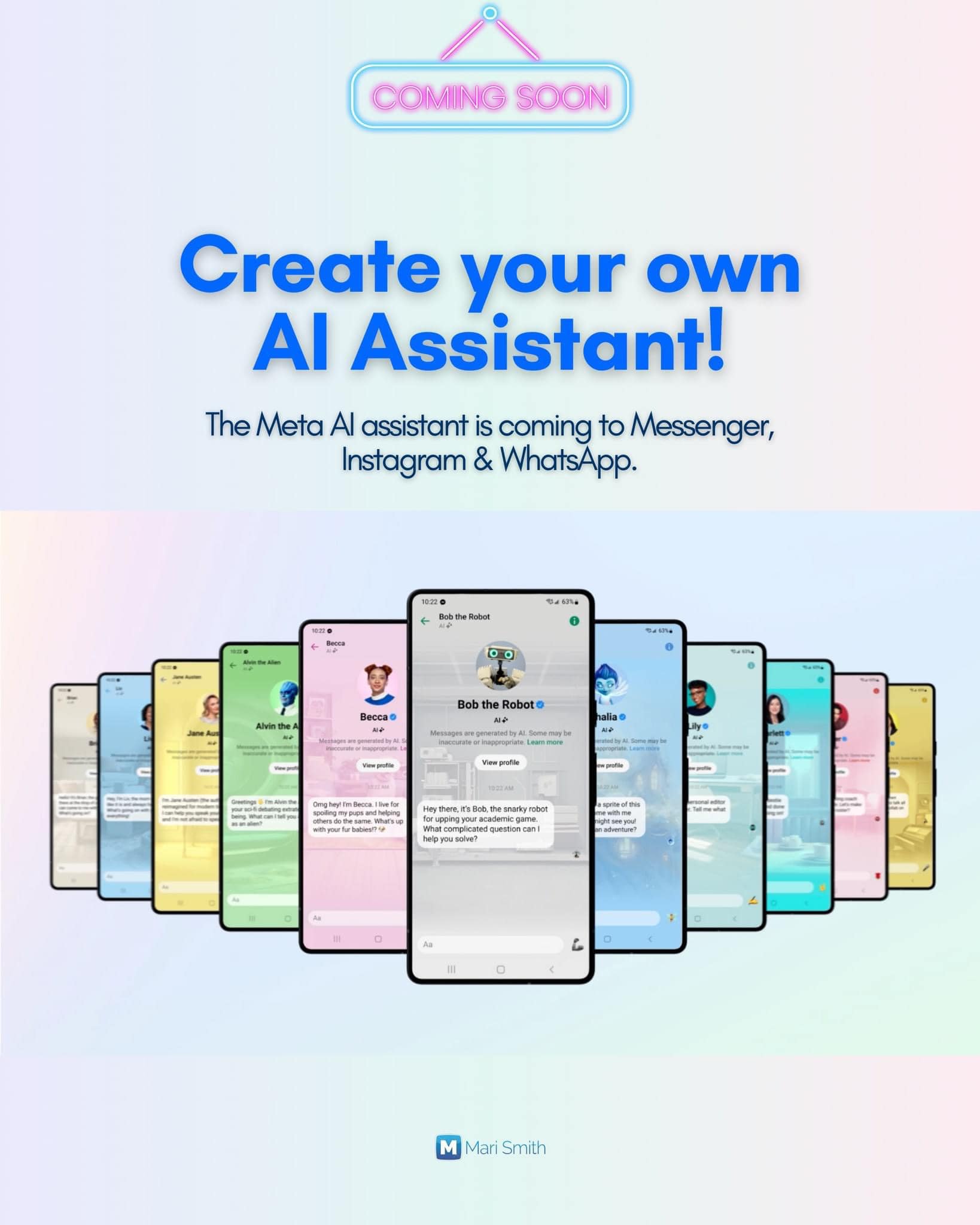
  • Imagine having an AI Assistant version of yourself to better support your customers and prospects. Would this be something youre interested in?

    Meta just announced a number of AI tools. Some are just for fun. Some could definitely help businesses of all sizes.

    The ability to make your own AI Assistant isnt that far away, my friends. Personally, Im VERY excited about the potentials here. Yes, there can and will be downsides. But surely we can help lead the way in best practices. Meta is certainly trying to. Well see.

    For the most part, AI chatbots such as ChatGPT are very *impersonal.* You type in a prompt and it spits out content.

    Now, with Metas AI Assistants, that very much look and act like a virtual person, you can create a more human-like interaction and experience for your audience. Of course, being clear and transparent who people are talking to is very important.

    Meta has had a TURBOCHARGED focus on AI this past year and theyve been talking about the development of these AI Assistants. Now you know why theres been such a push for creating and using your avatar across all Meta properties!! Well, I suppose in avatar-land, Ill never age. haha!

    Zuckerberg stated in a recent interview with The Verge, "...you get to this point where there’s going to be 100 million AIs just helping businesses sell things. Then you get the creator version of that, where, like every creator is going to want an AI assistant, something that can help them build their community. People are going to really want to interact with it; there’s just way more demand to interact with creators."

    ~ ~ ~

    Meta introduced AI studio today, the platform that supports the creation of AIs. Developers will be able to build third-party AIs for Metas messaging services with their APIs in the coming weeks, starting on Messenger then expanding to WhatsApp.

    ❝Businesses will also be able to create AIs that reflect their brand’s values and improve customer service experiences. From small businesses looking to scale to large brands wanting to enhance communications, AIs can help businesses engage with their customers across our apps. We’re launching this in alpha and will scale it further next year.❞

    Heres the rundown of Mark Zuckerbergs announcements at the Meta Connect event earlier today:

    Meta AI - a new conversational chatbot assistant. Available in Messenger, Instagram, and WhatsApp starting today in the U.S. Includes access to the *live* internet via Metas partnership with Microsofts Bing. So this will better assist the chatbot to answer your questions. (Lets hope!)

    AI Personalities - Meta has partnered with numerous celebrities — such as Snoop Dog, Tom Brady, Paris Hilton, Mr. Beast, and more — to create unique AI-powered chat experiences that you can interact with. Interests cover travel, fitness, fashion, crafting and many more. For now, there are 28 in total and each one has their own Facebook and Instagram account, managed by Meta.

    Image Generation & Editing - using the Meta AI chatbot, you can create unique custom stickers with and for your friends, as well as create new images, and edit images by adding different FX and backgrounds. [Meta is experimenting with forms of visible and invisible markers to make it more transparent when an image is created by AI.]

    Plus, new Meta Ray-Ban smart glasses that can take calls, play music, and livestream your view from your face. Includes access to the Meta AI chatbot. [A decade after Google Glass famously flopped, Meta is betting that consumers are now ready for smart glasses]. And, the biggest news for some folks, is Meta Quest 3 - Metas new mixed reality headset.

    ~ ~ ~

    Your thoughts?

    If youd like to watch the Meta Connect conference, just go to Metas Facebook Page where you an also access the instant replay of Zuckerbergs keynote.
    .
    .
    .
    .
    .
    #AI #Metanews #AIAssistant #MarkZuckerberg #artificialintelligence #Socialmedia #marismith

    Via Mari Smith

    Imagine having an AI Assistant version of yourself to better support your customers and prospects. Would this be something you're interested in? 🤔 📢 Meta just announced a number of AI tools. Some are just for fun. Some could definitely help businesses of all sizes. The ability to make your own AI Assistant isn't that far away, my friends. Personally, I'm VERY excited about the potentials here. Yes, there can and will be downsides. But surely we can help lead the way in best practices. Meta is certainly trying to. We'll see. For the most part, AI chatbots such as ChatGPT are very *impersonal.* You type in a prompt and it spits out content. Now, with Meta's AI Assistants, that very much look and act like a virtual person, you can create a more human-like interaction and experience for your audience. Of course, being clear and transparent who people are talking to is very important. Meta has had a TURBOCHARGED focus on AI this past year and they've been talking about the development of these AI Assistants. Now you know why there's been such a push for creating and using your avatar across all Meta properties!! Well, I suppose in avatar-land, I'll never age. haha! 🤪 Zuckerberg stated in a recent interview with The Verge, "...you get to this point where there’s going to be 100 million AIs just helping businesses sell things. Then you get the creator version of that, where, like every creator is going to want an AI assistant, something that can help them build their community. People are going to really want to interact with it; there’s just way more demand to interact with creators." 🧐 ~ ~ ~ Meta introduced AI studio today, the platform that supports the creation of AIs. Developers will be able to build third-party AIs for Meta's messaging services with their APIs in the coming weeks, starting on Messenger then expanding to WhatsApp. ❝Businesses will also be able to create AIs that reflect their brand’s values and improve customer service experiences. From small businesses looking to scale to large brands wanting to enhance communications, AIs can help businesses engage with their customers across our apps. We’re launching this in alpha and will scale it further next year.❞ Here's the rundown of Mark Zuckerberg's announcements at the Meta Connect event earlier today: ❇️ Meta AI - a new conversational chatbot assistant. Available in Messenger, Instagram, and WhatsApp starting today in the U.S. Includes access to the *live* internet via Meta's partnership with Microsoft's Bing. So this will better assist the chatbot to answer your questions. (Let's hope!) ❇️ AI Personalities - Meta has partnered with numerous celebrities — such as Snoop Dog, Tom Brady, Paris Hilton, Mr. Beast, and more — to create unique AI-powered chat experiences that you can interact with. Interests cover travel, fitness, fashion, crafting and many more. For now, there are 28 in total and each one has their own Facebook and Instagram account, managed by Meta. ❇️ Image Generation & Editing - using the Meta AI chatbot, you can create unique custom stickers with and for your friends, as well as create new images, and edit images by adding different FX and backgrounds. [Meta is experimenting with forms of visible and invisible markers to make it more transparent when an image is created by AI.] ❇️ Plus, new Meta Ray-Ban smart glasses that can take calls, play music, and livestream your view from your face. 🤪 Includes access to the Meta AI chatbot. [A decade after Google Glass famously flopped, Meta is betting that consumers are now ready for smart glasses]. And, the biggest news for some folks, is Meta Quest 3 - Meta's new mixed reality headset. ~ ~ ~ Your thoughts? If you'd like to watch the Meta Connect conference, just go to Meta's Facebook Page where you an also access the instant replay of Zuckerberg's keynote. . . . . . #AI #Metanews #AIAssistant #MarkZuckerberg #artificialintelligence #Socialmedia #marismith Via Mari Smith

    0 Yorumlar 0 hisse senetleri 2793 Views