• RSIF8
    Roll No: 113
    Post No: 5
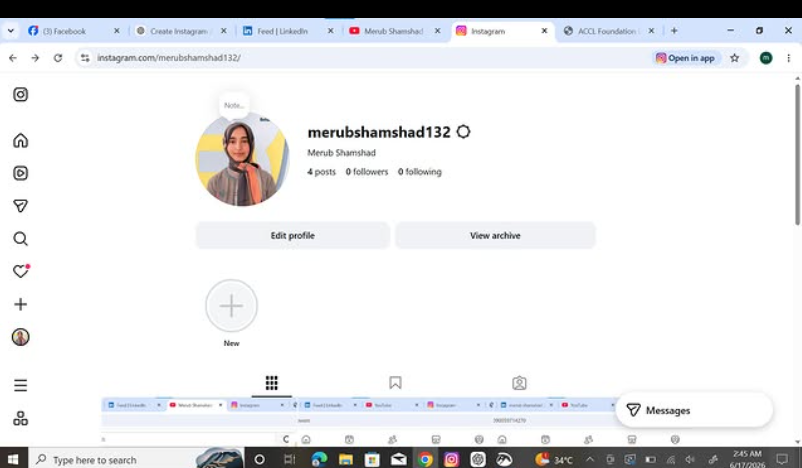
    Post Topic: How to Create an Instagram Account?

    How to Create an Instagram Account?

    In this video, I explain the simple steps to create an Instagram account and get started with one of the most popular social media platforms.

    Instagram allows us to connect with friends, share photos and videos, discover new content, follow creators, and express our creativity.

    In this tutorial, you will learn how to:

    Open Instagram and start the sign-up process
    Enter your basic information
    Create a username and password
    Add and customize your profile
    Follow people and explore content
    Start using Instagram confidently

    This activity helped me improve my digital skills and understanding of social media platforms.

    Tip: Always use a strong password and protect your personal information when using social media.

    Watch the video and follow the steps!

    Learn • Explore • Connect • Create

    #RSIF8 #RollNo113 #PostNo5 #Instagram #InstagramAccount #HowToCreateInstagramAccount #InstagramTutorial #DigitalSkills #DigitalLiteracy #Technology #SocialMedia #SocialMediaSkills #OnlineLearning #ComputerSkills #InternetSkills #LearningJourney #StudentLife #TechSkills #DigitalWorld #InstagramTips #OnlineSafety #KeepLearning #LearnAndGrow #StepByStep
    RSIF8 πŸŽ“βœ¨ Roll No: 113 🎯 Post No: 5 πŸ“ Post Topic: How to Create an Instagram Account? πŸ“ΈπŸ“± πŸ“Έβœ¨ How to Create an Instagram Account? In this video, I explain the simple steps to create an Instagram account and get started with one of the most popular social media platforms. πŸŒπŸ“± Instagram allows us to connect with friends, share photos and videos, discover new content, follow creators, and express our creativity. πŸ’―βœ¨ In this tutorial, you will learn how to: πŸ”Ή Open Instagram and start the sign-up process πŸ”Ή Enter your basic information πŸ”Ή Create a username and password πŸ” πŸ”Ή Add and customize your profile πŸ‘€ πŸ”Ή Follow people and explore content 🌎 πŸ”Ή Start using Instagram confidently πŸš€ This activity helped me improve my digital skills and understanding of social media platforms. πŸ“šπŸ’» πŸ” Tip: Always use a strong password and protect your personal information when using social media. 🎬 Watch the video and follow the steps! πŸ‘‡ Learn • Explore • Connect • Create πŸš€βœ¨ #RSIF8 #RollNo113 #PostNo5 #Instagram #InstagramAccount #HowToCreateInstagramAccount #InstagramTutorial #DigitalSkills #DigitalLiteracy #Technology #SocialMedia #SocialMediaSkills #OnlineLearning #ComputerSkills #InternetSkills #LearningJourney #StudentLife #TechSkills #DigitalWorld #InstagramTips #OnlineSafety #KeepLearning #LearnAndGrow #StepByStep πŸ“ΈπŸ“±πŸ’»πŸš€
    0 Reacties 0 aandelen 1049 Views
  • RSIF8
    Roll No: 113
    Post No: 4
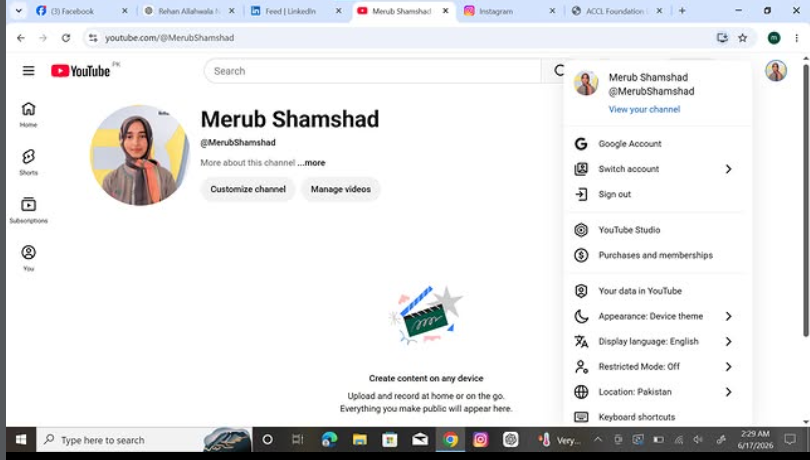
    Post Topic: How to Create a YouTube Account?

    **How to Create a YouTube Account?**

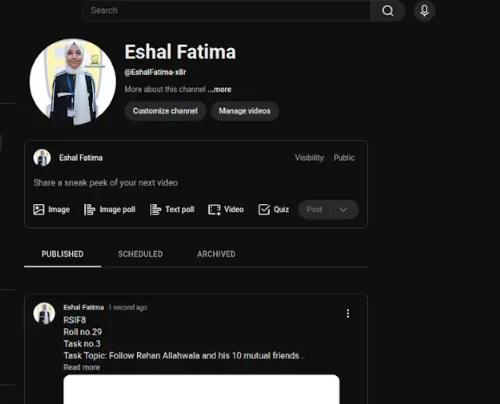
    In this video, I explain the simple and easy steps to create a **YouTube account** and get started with the platform.

    YouTube is one of the world's most popular platforms for watching videos, discovering new content, following creators, learning new skills, and sharing your own videos.

    In this tutorial, you will learn how to:

    Sign in to YouTube
    Use a Google Account to access YouTube
    Set up your YouTube profile
    Customize your account
    Subscribe to channels
    Start exploring YouTube

    This activity helped me improve my **digital skills and knowledge of online platforms**.

    **Tip:** Always keep your Google/YouTube account secure by using a strong password and protecting your account information.

    **Watch the video and follow the steps!**

    **Learn • Explore • Create • Share **

    #RSIF8 #RollNo113 #PostNo4 #YouTube #YouTubeAccount #HowToCreateYouTubeAccount #YouTubeTutorial #DigitalSkills #DigitalLiteracy #Technology #ComputerSkills #InternetSkills #OnlineLearning #TechTips #LearningJourney #StudentLife #DigitalWorld #SocialMedia #YouTubeChannel #ContentCreation #KeepLearning #StepByStep #LearnAndGrow
    RSIF8 Roll No: 113 Post No: 4 Post Topic: How to Create a YouTube Account? πŸŽ₯✨ **How to Create a YouTube Account?** In this video, I explain the simple and easy steps to create a **YouTube account** and get started with the platform. πŸ“±πŸ’» YouTube is one of the world's most popular platforms for watching videos, discovering new content, following creators, learning new skills, and sharing your own videos. 🌍🎬 In this tutorial, you will learn how to: πŸ”Ή Sign in to YouTube πŸ”Ή Use a Google Account to access YouTube πŸ”Ή Set up your YouTube profile πŸ”Ή Customize your account πŸ”Ή Subscribe to channels πŸ”Ή Start exploring YouTube πŸŽ‰ This activity helped me improve my **digital skills and knowledge of online platforms**. πŸš€πŸ“š πŸ” **Tip:** Always keep your Google/YouTube account secure by using a strong password and protecting your account information. 🎬 **Watch the video and follow the steps!** πŸ‘‡ **Learn • Explore • Create • Share πŸš€βœ¨** #RSIF8 #RollNo113 #PostNo4 #YouTube #YouTubeAccount #HowToCreateYouTubeAccount #YouTubeTutorial #DigitalSkills #DigitalLiteracy #Technology #ComputerSkills #InternetSkills #OnlineLearning #TechTips #LearningJourney #StudentLife #DigitalWorld #SocialMedia #YouTubeChannel #ContentCreation #KeepLearning #StepByStep #LearnAndGrow πŸŽ₯πŸ’»πŸ“±πŸš€
    0 Reacties 0 aandelen 916 Views
  • #rsisb
    Roll No.269
    Foundation Level
    Account Creation


    **How to Download and Use Canva? | Complete Canva Tutorial for Beginners**
    Assalamualaikum everyone!
    My name is **Syed Hasan**, and I am a Foundation Level student at **Rehan School, Islamabad Campus**. In this video, I am going to explain **How to Download and Use Canva** in a simple, easy, and beginner-friendly way.
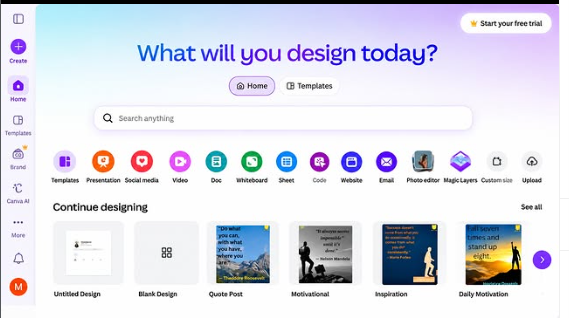
    Canva is one of the most useful and easy-to-learn design platforms for students, teachers, content creators, and anyone who wants to create beautiful digital designs without needing advanced graphic-design skills. With Canva, you can create presentations, posters, YouTube thumbnails, social media posts, invitations, certificates, videos, logos, school projects, and many other creative designs.
    In this video, I will guide you through the basic steps of getting started with Canva. First, we will learn **what Canva is and why it is useful**. Then, I will explain how to open Canva and how to create or log into your Canva account.
    After that, we will explore the Canva home screen and learn how to find different design templates. Templates can make designing much easier because you can start with an existing layout and customize it according to your own needs.
    You will also learn how to **choose a template, add and edit text, change fonts, change colors, add pictures, use shapes and elements, upload your own images, and arrange different objects on the page**. Canva gives you many creative tools that allow you to make your designs look attractive and professional.
    I will also explain how you can create designs for different purposes. For example, students can use Canva for **school presentations, project covers, posters, educational charts, certificates, and assignments**. Content creators can use Canva for **YouTube thumbnails, video graphics, social media posts, banners, and other online content**.
    Another important part of Canva is learning how to save and download your work. In this tutorial, I will show you how to use the **Share and Download** options and how to select a suitable file format, such as PNG, JPG, or PDF, depending on the type of design you are creating.
    **What You Will Learn in This Video:**
    What is Canva?
    Why Canva is useful
    How to open Canva
    How to create a Canva account
    How to log in to Canva
    How to understand the Canva homepage
    How to search for templates
    How to select a design template
    How to add and edit text
    How to change fonts and text size
    How to change colors
    How to add pictures and images
    How to upload your own pictures
    How to add shapes and design elements
    How to create presentations
    How to make posters
    How to create YouTube thumbnails
    How to create social media designs
    How to edit your designs
    How to save your Canva project
    How to download your finished design
    Basic Canva tips for beginners
    Canva is a great platform for developing **creativity, digital skills, communication skills, and design skills**. Learning Canva can also help students create better presentations and make their school projects more interesting and visually appealing.
    If you are completely new to Canva, don't worry! This video is designed to explain the basic features step by step so that beginners can follow along easily. By the end of the video, you should have a better understanding of how Canva works and how you can start creating your own designs.
    I hope you enjoy this tutorial and learn something useful from it! If you find this video helpful, please **LIKE , SHARE , and SUBSCRIBE ** to support me and my learning journey.
    Thank you so much for watching!
    Keep learning , keep creating , and keep improving every day!
    #Canva #CanvaTutorial #HowToUseCanva #CanvaForBeginners #HowToDownloadCanva #LearnCanva #CanvaDesign #GraphicDesign #DesignTutorial #DigitalSkills #GraphicDesignForBeginners #CanvaTips #CanvaTemplates #YouTubeThumbnail #ThumbnailDesign #PresentationDesign #PosterDesign #SchoolProjects #StudentProjects #CreativeDesign #ContentCreation #SocialMediaDesign #DigitalDesign #Education #Technology #Learning #BeginnersGuide #OnlineLearning #CreativeSkills
    #rsisb Roll No.269 Foundation Level Account Creation 🎨 **How to Download and Use Canva? | Complete Canva Tutorial for Beginners** πŸ’»βœ¨ Assalamualaikum everyone! πŸ‘‹ My name is **Syed Hasan**, and I am a Foundation Level student at **Rehan School, Islamabad Campus**. πŸŽ“ In this video, I am going to explain **How to Download and Use Canva** in a simple, easy, and beginner-friendly way. πŸš€ Canva is one of the most useful and easy-to-learn design platforms for students, teachers, content creators, and anyone who wants to create beautiful digital designs without needing advanced graphic-design skills. πŸŽ¨πŸ’» With Canva, you can create presentations, posters, YouTube thumbnails, social media posts, invitations, certificates, videos, logos, school projects, and many other creative designs. πŸŒŸπŸ“š In this video, I will guide you through the basic steps of getting started with Canva. First, we will learn **what Canva is and why it is useful**. Then, I will explain how to open Canva and how to create or log into your Canva account. πŸ” After that, we will explore the Canva home screen and learn how to find different design templates. πŸ–₯️✨ Templates can make designing much easier because you can start with an existing layout and customize it according to your own needs. You will also learn how to **choose a template, add and edit text, change fonts, change colors, add pictures, use shapes and elements, upload your own images, and arrange different objects on the page**. πŸ“πŸ–ΌοΈπŸ”€ Canva gives you many creative tools that allow you to make your designs look attractive and professional. I will also explain how you can create designs for different purposes. For example, students can use Canva for **school presentations, project covers, posters, educational charts, certificates, and assignments**. πŸŽ“πŸ“– Content creators can use Canva for **YouTube thumbnails, video graphics, social media posts, banners, and other online content**. πŸŽ₯πŸ“± Another important part of Canva is learning how to save and download your work. πŸ“₯ In this tutorial, I will show you how to use the **Share and Download** options and how to select a suitable file format, such as PNG, JPG, or PDF, depending on the type of design you are creating. πŸ’‘ **What You Will Learn in This Video:** βœ… What is Canva? βœ… Why Canva is useful βœ… How to open Canva βœ… How to create a Canva account βœ… How to log in to Canva βœ… How to understand the Canva homepage βœ… How to search for templates βœ… How to select a design template βœ… How to add and edit text βœ… How to change fonts and text size βœ… How to change colors βœ… How to add pictures and images βœ… How to upload your own pictures βœ… How to add shapes and design elements βœ… How to create presentations βœ… How to make posters βœ… How to create YouTube thumbnails βœ… How to create social media designs βœ… How to edit your designs βœ… How to save your Canva project βœ… How to download your finished design βœ… Basic Canva tips for beginners 🎨✨ Canva is a great platform for developing **creativity, digital skills, communication skills, and design skills**. 🌟 Learning Canva can also help students create better presentations and make their school projects more interesting and visually appealing. If you are completely new to Canva, don't worry! 😊 This video is designed to explain the basic features step by step so that beginners can follow along easily. By the end of the video, you should have a better understanding of how Canva works and how you can start creating your own designs. I hope you enjoy this tutorial and learn something useful from it! ❀️ If you find this video helpful, please **LIKE πŸ‘, SHARE πŸ“€, and SUBSCRIBE πŸ””** to support me and my learning journey. Thank you so much for watching! πŸ™βœ¨ Keep learning πŸ“š, keep creating 🎨, and keep improving every day! πŸš€πŸ’» #Canva #CanvaTutorial #HowToUseCanva #CanvaForBeginners #HowToDownloadCanva #LearnCanva #CanvaDesign #GraphicDesign #DesignTutorial #DigitalSkills #GraphicDesignForBeginners #CanvaTips #CanvaTemplates #YouTubeThumbnail #ThumbnailDesign #PresentationDesign #PosterDesign #SchoolProjects #StudentProjects #CreativeDesign #ContentCreation #SocialMediaDesign #DigitalDesign #Education #Technology #Learning #BeginnersGuide #OnlineLearning #CreativeSkills πŸŽ¨πŸ’»πŸ“šβœ¨
    0 Reacties 0 aandelen 7847 Views
  • Level 01 Book 01
    Day 01
    Task Canva post 04
    Topic : Talk with Call Annie: Telling the Truth live on social media.

    #CallAnnie #TellTheTruth #TruthMatters #LiveStreaming #SocialMediaLive #HonestConversations #SpeakTheTruth #Authenticity #DigitalCommunication #ContentCreators #MeaningfulTalks #TruthWins #OnlineCommunity #AICompanion #inspiration

    Tania Khan Mentorship Wali
    Mohsin Rathore Seo Wala
    Imran Khan Street Wala
    Shazia EducationWali
    Hafsa Noor
    Rehan School Korangi Campus
    Level 01 Book 01 Day 01 Task Canva post 04 Topic : Talk with Call Annie: Telling the Truth live on social media. #CallAnnie #TellTheTruth #TruthMatters #LiveStreaming #SocialMediaLive #HonestConversations #SpeakTheTruth #Authenticity #DigitalCommunication #ContentCreators #MeaningfulTalks #TruthWins #OnlineCommunity #AICompanion #inspiration Tania Khan Mentorship Wali Mohsin Rathore Seo Wala Imran Khan Street Wala Shazia EducationWali Hafsa Noor Rehan School Korangi Campus
    0 Reacties 0 aandelen 4787 Views
  • #rsisb
    Roll no.239
    Account Creation no.8
    Foundation Level


    **Restream** is a useful online platform for hosting and broadcasting interviews, live conversations, webinars, and other types of video content. It can help you connect with a guest remotely and, depending on your setup and account features, broadcast your interview to multiple platforms at the same time.

    In this topic, **“How to Use Restream for Interviews?”**, we explore the basic process of preparing, hosting, and managing an online interview through Restream.

    The first step is to **create or sign in to your Restream account** and prepare your live-streaming setup. Before starting the interview, you should make sure that your **camera, microphone, internet connection, and computer** are working properly. Good audio is especially important because viewers can tolerate average video quality more easily than unclear or interrupted sound.

    Next, you can prepare your interview space and invite your guest. Depending on the Restream features available to you, your guest may be able to join remotely without needing a complicated setup. Before going live, it is a good idea to send your guest the necessary joining information and explain how the interview will work.

    You should also decide **where you want to broadcast your interview**. Restream can be used to manage streaming destinations, allowing creators to reach audiences across supported social platforms. Connecting your preferred channels ahead of time can make the live-streaming process smoother.

    Preparation is one of the most important parts of a successful interview. Create a list of **questions, discussion topics, introductions, and closing remarks** before going live. You can begin by welcoming viewers, introducing yourself and your guest, and briefly explaining the topic of the interview.

    During the interview, communicate clearly with your guest and give them enough time to answer. Avoid interrupting unnecessarily, listen carefully, and use follow-up questions when an interesting point comes up.

    Restream can also make online interviews more engaging by supporting features such as **on-screen elements, chat interaction, branding, and other streaming tools**, depending on the current plan and features available. These tools can help make your broadcast look more organized and professional.

    Before going live, always perform a **test run**. Check the microphone volume, camera framing, lighting, internet connection, guest audio, and stream destinations. A short test can prevent many technical problems during the actual interview.

    After the interview begins, keep an eye on the stream and watch for technical issues. If your guest's audio becomes unclear or the connection drops, calmly troubleshoot the problem rather than rushing through the conversation.

    A successful Restream interview is not only about technology—it is also about **good communication, preparation, confidence, and audience engagement**. With practice, you can create interviews that are informative, interesting, and enjoyable for your viewers.

    Whether you are interviewing a **student, teacher, professional, entrepreneur, creator, or community member**, learning how to use Restream can help you conduct online interviews and share meaningful conversations with a wider audience.

    **Prepare well, test your equipment, ask thoughtful questions, communicate clearly, and focus on your guest and audience.** With the right preparation, your Restream interview can become a professional and engaging live experience.

    ### Hashtags

    #Restream #RestreamInterview #OnlineInterview #LiveInterview #LiveStreaming #InterviewTips #StreamingTips #VideoInterview #OnlineStreaming #DigitalSkills #ContentCreation #LiveBroadcast #YouTubeLive #SocialMedia #StreamingSetup #InterviewSkills #CommunicationSkills #Technology #DigitalEducation #OnlineLearning #CreatorTips #LiveContent #ProfessionalInterview #StreamOnline #VirtualInterview #InterviewPreparation #TechSkills #LearnRestream #DigitalContent #LiveEvent
    #rsisb Roll no.239 Account Creation no.8 Foundation Level **Restream** is a useful online platform for hosting and broadcasting interviews, live conversations, webinars, and other types of video content. It can help you connect with a guest remotely and, depending on your setup and account features, broadcast your interview to multiple platforms at the same time. In this topic, **“How to Use Restream for Interviews?”**, we explore the basic process of preparing, hosting, and managing an online interview through Restream. πŸŽ™οΈβœ¨ The first step is to **create or sign in to your Restream account** and prepare your live-streaming setup. Before starting the interview, you should make sure that your **camera, microphone, internet connection, and computer** are working properly. Good audio is especially important because viewers can tolerate average video quality more easily than unclear or interrupted sound. Next, you can prepare your interview space and invite your guest. Depending on the Restream features available to you, your guest may be able to join remotely without needing a complicated setup. Before going live, it is a good idea to send your guest the necessary joining information and explain how the interview will work. πŸ‘₯πŸŽ₯ You should also decide **where you want to broadcast your interview**. Restream can be used to manage streaming destinations, allowing creators to reach audiences across supported social platforms. Connecting your preferred channels ahead of time can make the live-streaming process smoother. Preparation is one of the most important parts of a successful interview. Create a list of **questions, discussion topics, introductions, and closing remarks** before going live. You can begin by welcoming viewers, introducing yourself and your guest, and briefly explaining the topic of the interview. During the interview, communicate clearly with your guest and give them enough time to answer. Avoid interrupting unnecessarily, listen carefully, and use follow-up questions when an interesting point comes up. πŸŽ€πŸ—£οΈ Restream can also make online interviews more engaging by supporting features such as **on-screen elements, chat interaction, branding, and other streaming tools**, depending on the current plan and features available. These tools can help make your broadcast look more organized and professional. Before going live, always perform a **test run**. Check the microphone volume, camera framing, lighting, internet connection, guest audio, and stream destinations. A short test can prevent many technical problems during the actual interview. πŸ”ŠπŸ’‘ After the interview begins, keep an eye on the stream and watch for technical issues. If your guest's audio becomes unclear or the connection drops, calmly troubleshoot the problem rather than rushing through the conversation. A successful Restream interview is not only about technology—it is also about **good communication, preparation, confidence, and audience engagement**. With practice, you can create interviews that are informative, interesting, and enjoyable for your viewers. Whether you are interviewing a **student, teacher, professional, entrepreneur, creator, or community member**, learning how to use Restream can help you conduct online interviews and share meaningful conversations with a wider audience. πŸŒπŸŽ™οΈ **Prepare well, test your equipment, ask thoughtful questions, communicate clearly, and focus on your guest and audience.** With the right preparation, your Restream interview can become a professional and engaging live experience. πŸš€πŸŽ₯ ### πŸ”– Hashtags #Restream #RestreamInterview #OnlineInterview #LiveInterview #LiveStreaming #InterviewTips #StreamingTips #VideoInterview #OnlineStreaming #DigitalSkills #ContentCreation #LiveBroadcast #YouTubeLive #SocialMedia #StreamingSetup #InterviewSkills #CommunicationSkills #Technology #DigitalEducation #OnlineLearning #CreatorTips #LiveContent #ProfessionalInterview #StreamOnline #VirtualInterview #InterviewPreparation #TechSkills #LearnRestream #DigitalContent #LiveEvent πŸŽ€πŸ’»πŸŒβœ¨
    0 Reacties 0 aandelen 7235 Views
  • #rsisb
    Roll no.239
    Account Creation no.6


    Instagram is one of the world’s most popular social media platforms, allowing people to **share photos and videos, create Stories and Reels, follow friends and creators, discover new content, and communicate with others**. Creating an Instagram account is a simple process, but understanding the setup and privacy options can help beginners use the platform more confidently and safely.

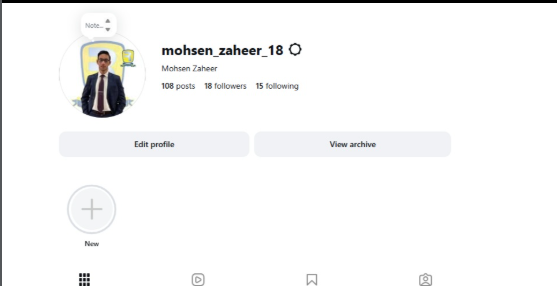
    In this topic, **“How to Create an Instagram Account?”**, we explore the basic steps involved in joining Instagram and setting up a new profile. The process generally begins by installing the Instagram app or visiting Instagram through a web browser. New users can sign up using an **email address or phone number**, and they may also be offered other sign-up options depending on their device and location.

    After creating an account, the next step is choosing a **username**. Your username is an important part of your Instagram identity because people can use it to find your profile. A good username should be easy to remember, simple to type, and appropriate for the type of content you plan to share.

    You can then personalize your profile by adding a **profile picture, name, biography, and other optional information**. Your bio gives visitors a quick idea about who you are, what you do, or what kind of content they can expect from your account. If you are creating an account for a project, business, educational purpose, or creative work, your profile can be designed to clearly communicate that purpose.

    Instagram also provides different ways to **connect with people and discover content**. You can search for friends, creators, organizations, and topics that interest you. Following relevant accounts can help personalize the content that appears in your feed and recommendations. You can also interact with content through likes, comments, shares, and messages.

    Another important part of creating an Instagram account is **privacy and security**. Before sharing personal information, it is useful to review your account's privacy settings. Depending on your needs, you may choose whether your account is public or private and manage who can interact with you or see your content.

    Security is equally important. Use a **strong and unique password**, protect your email address or phone number, and enable available security features such as **two-factor authentication**. Be careful with suspicious messages, unfamiliar links, fake accounts, and requests for personal information. Remember that protecting your account is just as important as creating it.

    Once your account is ready, you can begin exploring Instagram's features, including **Posts, Stories, Reels, direct messages, and other creative tools**. However, responsible social media use means thinking carefully before posting and remembering that anything shared online can potentially reach a wider audience.

    This topic is especially useful for beginners who want to understand **how to create an Instagram account, personalize a profile, connect with others, manage privacy, and stay secure online**. With the right settings and responsible habits, Instagram can be a useful platform for communication, creativity, learning, and sharing ideas.

    ### Hashtags

    #Instagram #InstagramAccount #CreateInstagramAccount #InstagramTutorial #HowToInstagram #InstagramForBeginners #SocialMedia #SocialMediaTips #InstagramTips #DigitalSkills #DigitalLiteracy #Technology #TechTips #OnlineSafety #InternetSafety #Privacy #AccountSecurity #TwoFactorAuthentication #SocialMediaLearning #LearnInstagram #DigitalEducation #OnlineCommunication #ContentCreation #InstagramReels #InstagramStories #SocialNetworking #ComputerSkills #Education #Learning #TechEducation
    #rsisb Roll no.239 Account Creation no.6 Instagram is one of the world’s most popular social media platforms, allowing people to **share photos and videos, create Stories and Reels, follow friends and creators, discover new content, and communicate with others**. Creating an Instagram account is a simple process, but understanding the setup and privacy options can help beginners use the platform more confidently and safely. In this topic, **“How to Create an Instagram Account?”**, we explore the basic steps involved in joining Instagram and setting up a new profile. The process generally begins by installing the Instagram app or visiting Instagram through a web browser. New users can sign up using an **email address or phone number**, and they may also be offered other sign-up options depending on their device and location. After creating an account, the next step is choosing a **username**. Your username is an important part of your Instagram identity because people can use it to find your profile. A good username should be easy to remember, simple to type, and appropriate for the type of content you plan to share. πŸ‘€βœ¨ You can then personalize your profile by adding a **profile picture, name, biography, and other optional information**. Your bio gives visitors a quick idea about who you are, what you do, or what kind of content they can expect from your account. If you are creating an account for a project, business, educational purpose, or creative work, your profile can be designed to clearly communicate that purpose. Instagram also provides different ways to **connect with people and discover content**. You can search for friends, creators, organizations, and topics that interest you. Following relevant accounts can help personalize the content that appears in your feed and recommendations. You can also interact with content through likes, comments, shares, and messages. β€οΈπŸ’¬ Another important part of creating an Instagram account is **privacy and security**. Before sharing personal information, it is useful to review your account's privacy settings. Depending on your needs, you may choose whether your account is public or private and manage who can interact with you or see your content. πŸ”πŸ›‘οΈ Security is equally important. Use a **strong and unique password**, protect your email address or phone number, and enable available security features such as **two-factor authentication**. Be careful with suspicious messages, unfamiliar links, fake accounts, and requests for personal information. Remember that protecting your account is just as important as creating it. Once your account is ready, you can begin exploring Instagram's features, including **Posts, Stories, Reels, direct messages, and other creative tools**. However, responsible social media use means thinking carefully before posting and remembering that anything shared online can potentially reach a wider audience. This topic is especially useful for beginners who want to understand **how to create an Instagram account, personalize a profile, connect with others, manage privacy, and stay secure online**. With the right settings and responsible habits, Instagram can be a useful platform for communication, creativity, learning, and sharing ideas. πŸŒπŸ“š ### πŸ”– Hashtags #Instagram #InstagramAccount #CreateInstagramAccount #InstagramTutorial #HowToInstagram #InstagramForBeginners #SocialMedia #SocialMediaTips #InstagramTips #DigitalSkills #DigitalLiteracy #Technology #TechTips #OnlineSafety #InternetSafety #Privacy #AccountSecurity #TwoFactorAuthentication #SocialMediaLearning #LearnInstagram #DigitalEducation #OnlineCommunication #ContentCreation #InstagramReels #InstagramStories #SocialNetworking #ComputerSkills #Education #Learning #TechEducation πŸ“±πŸ“Έβœ¨
    0 Reacties 0 aandelen 6332 Views
  • #rsisb
    Roll no.247
    Foundation level

    **“Do What You Can, With What You Have, Where You Are.” — Theodore Roosevelt**

    This powerful quote by **Theodore Roosevelt** reminds us that we don’t need perfect conditions, unlimited resources, or endless opportunities to start making progress. Sometimes, the most important step is simply to begin with what is already in our hands and make the best use of the opportunities available to us.

    Life often teaches us that we may not have everything we want right now. We may face challenges, limited resources, uncertainty, or difficult circumstances. But instead of waiting for the “perfect moment,” this quote encourages us to take action today. Every small effort can become the beginning of something meaningful.

    The message is simple but deeply inspiring: **focus on what you can control.** If you can learn something, learn it. If you can help someone, help them. If you can take one step toward your goal, take that step. You don't have to accomplish everything at once. Consistent effort, patience, courage, and determination can create incredible results over time.

    This quote is especially meaningful for students, dreamers, creators, entrepreneurs, and anyone working toward a better future. It reminds us not to compare our starting point with someone else's achievements. Instead, we should focus on our own journey and keep moving forward.

    **Start where you are.**
    **Use what you have.**
    **Do what you can.**
    **Keep moving forward.**

    Remember, progress doesn't always have to be big. Sometimes, one small action today can bring you closer to your dreams tomorrow.

    #TheodoreRoosevelt #MotivationalQuote #InspirationalQuote #DoWhatYouCan #KeepGoing #NeverGiveUp #StayMotivated #PositiveThinking #SuccessMindset #GrowthMindset #Motivation #Inspiration #DreamBig #TakeAction #BelieveInYourself #PersonalGrowth #LifeLessons #DailyMotivation #StudentMotivation #Success #HardWork #Determination #Courage #PositiveMindset #NeverStopLearning
    #rsisb Roll no.247 Foundation level 🌟 **“Do What You Can, With What You Have, Where You Are.” — Theodore Roosevelt** 🌟 This powerful quote by **Theodore Roosevelt** reminds us that we don’t need perfect conditions, unlimited resources, or endless opportunities to start making progress. πŸ’ͺ✨ Sometimes, the most important step is simply to begin with what is already in our hands and make the best use of the opportunities available to us. πŸŒ±πŸš€ Life often teaches us that we may not have everything we want right now. We may face challenges, limited resources, uncertainty, or difficult circumstances. But instead of waiting for the “perfect moment,” this quote encourages us to take action today. β³πŸ’‘ Every small effort can become the beginning of something meaningful. The message is simple but deeply inspiring: **focus on what you can control.** 🎯 If you can learn something, learn it. πŸ“š If you can help someone, help them. 🀝 If you can take one step toward your goal, take that step. πŸ‘£ You don't have to accomplish everything at once. Consistent effort, patience, courage, and determination can create incredible results over time. 🌟πŸ”₯ This quote is especially meaningful for students, dreamers, creators, entrepreneurs, and anyone working toward a better future. πŸŽ“πŸ’­ It reminds us not to compare our starting point with someone else's achievements. Instead, we should focus on our own journey and keep moving forward. πŸ›€οΈπŸŒˆ ✨ **Start where you are.** πŸ’ͺ **Use what you have.** πŸš€ **Do what you can.** 🌟 **Keep moving forward.** Remember, progress doesn't always have to be big. Sometimes, one small action today can bring you closer to your dreams tomorrow. πŸŒ…πŸ’« #TheodoreRoosevelt #MotivationalQuote #InspirationalQuote #DoWhatYouCan #KeepGoing #NeverGiveUp #StayMotivated #PositiveThinking #SuccessMindset #GrowthMindset #Motivation #Inspiration #DreamBig #TakeAction #BelieveInYourself #PersonalGrowth #LifeLessons #DailyMotivation #StudentMotivation #Success #HardWork #Determination #Courage #PositiveMindset #NeverStopLearning
    0 Reacties 0 aandelen 1716 Views
  • Title of Documentary/Song: Faceless: Lunch
    Video Number: Episode #208

    Faceless: Lunch takes us on a journey into the simple yet powerful world of meals . This episode explores the unseen traditions, flavors, and stories behind the food we eat . It reflects on the importance of nourishment, sharing, and the balance between taste and health . A timeless look at how lunch connects us to culture, community, and the rhythms of daily life .

    #facelesscreators #FacelessJourney #lunchtime #foodstory #HiddenFlavors #epiode208
    Title of Documentary/Song: Faceless: Lunch 🍴 Video Number: Episode #208 🎬 Faceless: Lunch takes us on a journey into the simple yet powerful world of meals 🌱🍲. This episode explores the unseen traditions, flavors, and stories behind the food we eat πŸ”₯πŸ’§. It reflects on the importance of nourishment, sharing, and the balance between taste and health 🌊✨. A timeless look at how lunch connects us to culture, community, and the rhythms of daily life πŸŒ€. #facelesscreators🌍 #FacelessJourney πŸŒ€ #lunchtime🍴 #foodstory🌊 #HiddenFlavors✨ #epiode208
    0 Reacties 0 aandelen 2684 Views 0
  • Title of Documentary/Song: Faceless: Lunch
    Video Number: Episode #208

    Faceless: Lunch takes us on a journey into the simple yet powerful world of meals . This episode explores the unseen traditions, flavors, and stories behind the food we eat . It reflects on the importance of nourishment, sharing, and the balance between taste and health . A timeless look at how lunch connects us to culture, community, and the rhythms of daily life .

    #facelesscreators #FacelessJourney #lunchtime #foodstory #HiddenFlavors #epiode208
    Title of Documentary/Song: Faceless: Lunch 🍴 Video Number: Episode #208 🎬 Faceless: Lunch takes us on a journey into the simple yet powerful world of meals 🌱🍲. This episode explores the unseen traditions, flavors, and stories behind the food we eat πŸ”₯πŸ’§. It reflects on the importance of nourishment, sharing, and the balance between taste and health 🌊✨. A timeless look at how lunch connects us to culture, community, and the rhythms of daily life πŸŒ€. #facelesscreators🌍 #FacelessJourney πŸŒ€ #lunchtime🍴 #foodstory🌊 #HiddenFlavors✨ #epiode208
    0 Reacties 0 aandelen 2666 Views 0
  • Title of Documentary/Song:** Faceless: Thank You
    **Video Number:** Episode #209

    Faceless: Thank You is a gentle reflection on gratitude and appreciation . This episode explores the unseen kindness, silent support, and small moments that shape our daily lives . It reminds us that saying thank you is not just words, but a feeling of respect, balance, and awareness . A timeless message honoring gratitude in its purest form .

    #thankyou #facelesscreators #FacelessJourney
    #gratitude #silentappreciation #episode208
    Title of Documentary/Song:** Faceless: Thank You πŸ™ **Video Number:** Episode #209 🎬 Faceless: Thank You is a gentle reflection on gratitude and appreciation 🌱✨. This episode explores the unseen kindness, silent support, and small moments that shape our daily lives πŸ’§πŸŒŠ. It reminds us that saying thank you is not just words, but a feeling of respect, balance, and awareness πŸŒ€πŸ€. A timeless message honoring gratitude in its purest form βœ¨πŸ™. #thankyou πŸ™ #facelesscreators🌍 #FacelessJourney πŸŒ€ #gratitude ✨ #silentappreciation 🌊 #episode208
    0 Reacties 0 aandelen 3033 Views 0
Zoekresultaten