



RSIF8
Roll no:14
canva post: 9
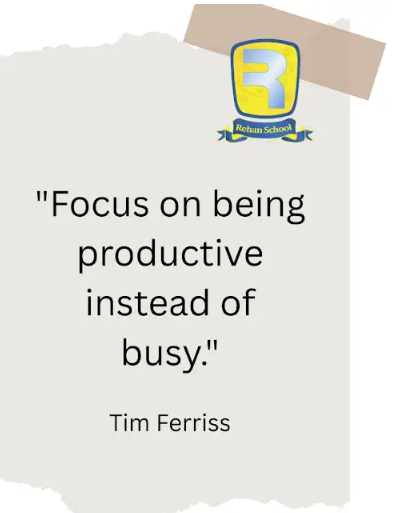
canva post topic:Focus on being productive instead of busy — Tim Ferriss
**Canva Post – Productivity Quote Task Completed!**
I successfully completed my Canva design task by creating an inspiring motivational post with the quote:
**“Focus on being productive instead of busy.”**
Through this task, I learned how to create an attractive and meaningful social media post using **Canva**. I focused on choosing a suitable layout, typography, colors, and visual elements to make the quote clear, eye-catching, and professional.
This activity helped me improve my **graphic designing skills, creativity, visual communication, and Canva editing skills**. It also taught me the importance of presenting a simple message in a creative and engaging way.
**Task Status: Successfully Completed**
**Level: Foundation Level**
**Tool Used: Canva**
**Theme: Productivity & Motivation**
#Canva #CanvaDesign #Productivity #Motivation #MotivationalQuote #GraphicDesign #Creativity #DesignSkills #FoundationLevel #TaskCompleted #Learning #DigitalSkills #PositiveMindset #StayProductive #Success See less
Roll no:14
canva post: 9
canva post topic:Focus on being productive instead of busy — Tim Ferriss
**Canva Post – Productivity Quote Task Completed!**
I successfully completed my Canva design task by creating an inspiring motivational post with the quote:
**“Focus on being productive instead of busy.”**
Through this task, I learned how to create an attractive and meaningful social media post using **Canva**. I focused on choosing a suitable layout, typography, colors, and visual elements to make the quote clear, eye-catching, and professional.
This activity helped me improve my **graphic designing skills, creativity, visual communication, and Canva editing skills**. It also taught me the importance of presenting a simple message in a creative and engaging way.
**Task Status: Successfully Completed**
**Level: Foundation Level**
**Tool Used: Canva**
**Theme: Productivity & Motivation**
#Canva #CanvaDesign #Productivity #Motivation #MotivationalQuote #GraphicDesign #Creativity #DesignSkills #FoundationLevel #TaskCompleted #Learning #DigitalSkills #PositiveMindset #StayProductive #Success See less
RSIF8
Roll no:14
canva post: 9
canva post topic:Focus on being productive instead of busy — Tim Ferriss
🎨✨ **Canva Post – Productivity Quote Task Completed!** ✨🎨
I successfully completed my Canva design task by creating an inspiring motivational post with the quote:
💡 **“Focus on being productive instead of busy.”** 💡
Through this task, I learned how to create an attractive and meaningful social media post using **Canva**. I focused on choosing a suitable layout, typography, colors, and visual elements to make the quote clear, eye-catching, and professional. 🖥️🎯
🚀 This activity helped me improve my **graphic designing skills, creativity, visual communication, and Canva editing skills**. It also taught me the importance of presenting a simple message in a creative and engaging way. 🌟📚
✅ **Task Status: Successfully Completed**
🎯 **Level: Foundation Level**
🎨 **Tool Used: Canva**
💭 **Theme: Productivity & Motivation**
#Canva #CanvaDesign #Productivity #Motivation #MotivationalQuote #GraphicDesign #Creativity #DesignSkills #FoundationLevel #TaskCompleted #Learning #DigitalSkills #PositiveMindset #StayProductive #Success 🚀✨🎨 See less
0 Commentaires
0 Parts
1495 Vue