• #rsisb
    Roll NO:232
    Foundation level student.
    Story post:15

    ### Description

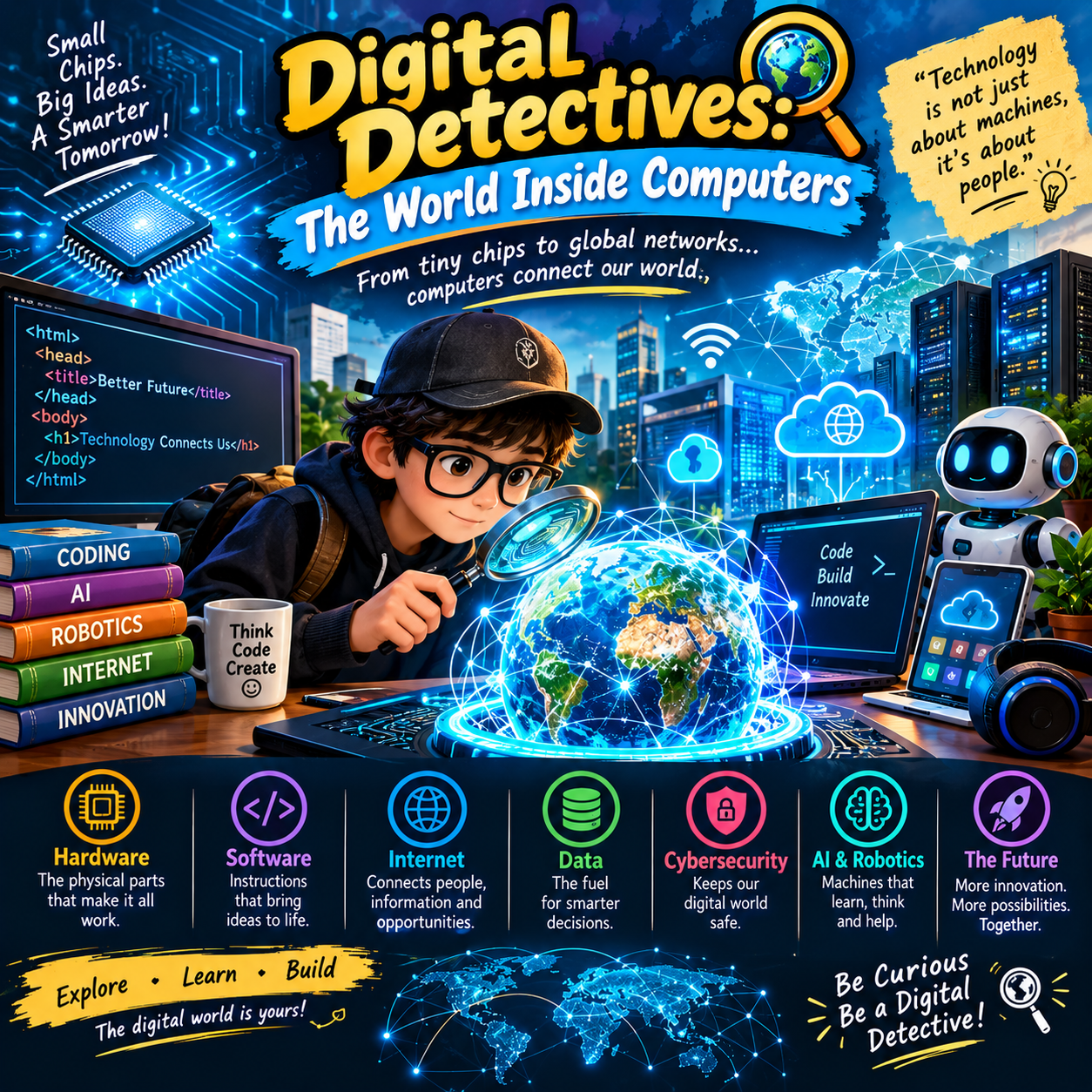
    **Digital Detectives: The World Inside Computers** ‍
    Ever wondered what happens inside a computer when you click a button, open an app, or play a game? Join our **Digital Detectives** on an exciting journey inside the world of computers!

    Discover how **CPU, RAM, storage, software, operating systems, and code** work together to make computers powerful and useful. Learn how information is processed, stored, and transformed into the digital experiences we use every day.

    Get ready to explore the hidden technology behind computers and unlock the secrets of the digital world!

    ### Hashtags

    #DigitalDetectives #Computers #ComputerScience #Technology #Coding #Programming #AI #DigitalWorld #TechEducation #LearnTechnology #ComputerBasics #CPU #RAM #Software #Hardware #Innovation #FutureTechnology #Education #Learning #TechLovers

    ### Emojis

    ‍
    #rsisb Roll NO:232 Foundation level student. Story post:15 ### 💻 Description **Digital Detectives: The World Inside Computers** 🕵️‍♂️💻🔍 Ever wondered what happens inside a computer when you click a button, open an app, or play a game? 🤔🖱️🎮 Join our **Digital Detectives** on an exciting journey inside the world of computers! Discover how **CPU, RAM, storage, software, operating systems, and code** work together to make computers powerful and useful. ⚙️🧠💾 Learn how information is processed, stored, and transformed into the digital experiences we use every day. 🌐✨ Get ready to explore the hidden technology behind computers and unlock the secrets of the digital world! 🚀💡 ### 🔖 Hashtags #DigitalDetectives #Computers #ComputerScience #Technology #Coding #Programming #AI #DigitalWorld #TechEducation #LearnTechnology #ComputerBasics #CPU #RAM #Software #Hardware #Innovation #FutureTechnology #Education #Learning #TechLovers ### 🤖 Emojis 💻🕵️‍♂️🔍⚙️🧠💾🖱️⌨️📱🌐🤖🔢💡🚀🔧📚✨🔬🛠️🌟
    0 Σχόλια 0 Μοιράστηκε 987 Views
  • #rsisb
    Roll no.239
    Story post no.11
    Foundation Level

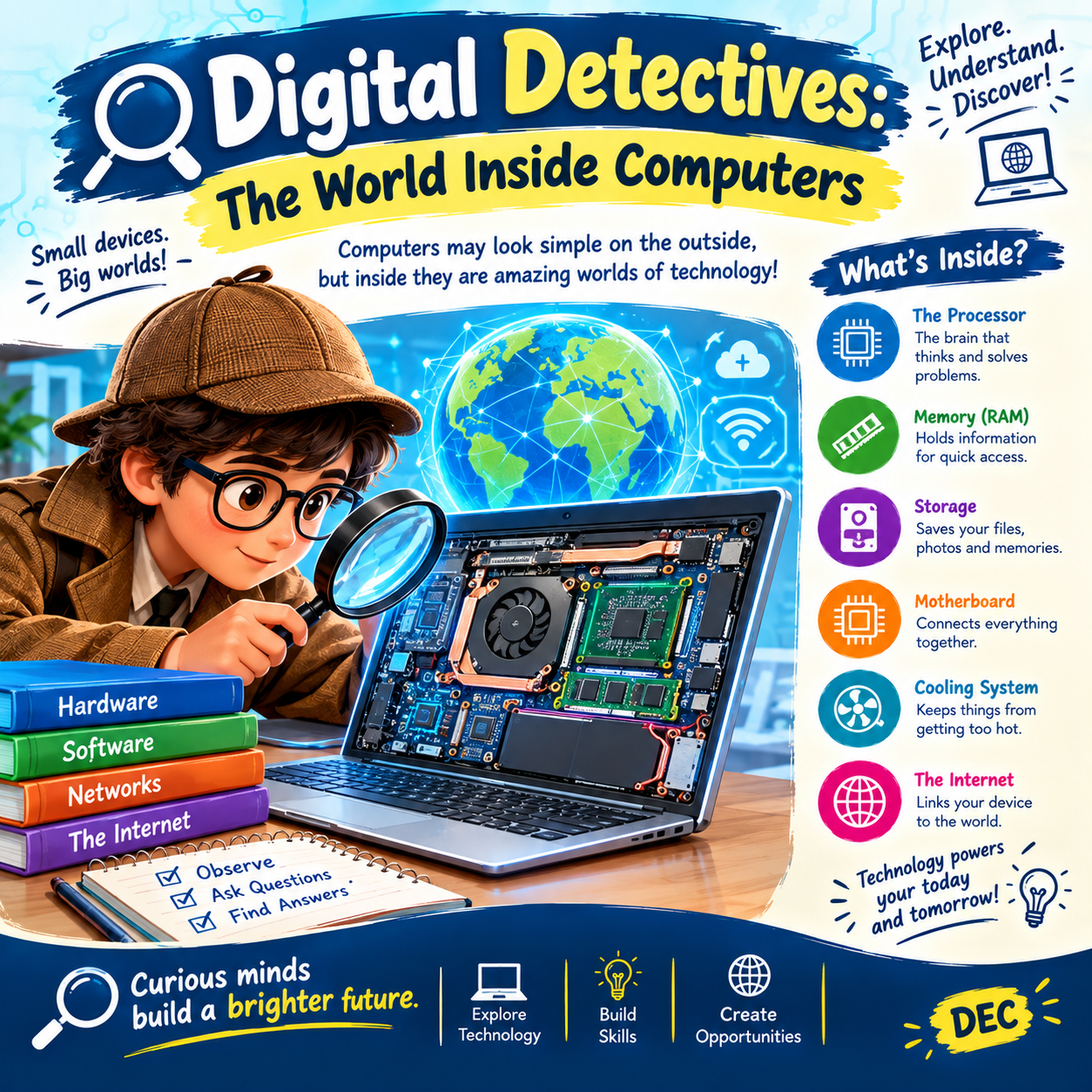
    Have you ever wondered what happens **inside a computer** when you open an app, play a game, watch a video, or search for something online? Behind the screen is a fascinating world of hardware, software, data, and networks working together!

    **The Processor (CPU)** — Often called the “brain” of the computer, the processor carries out instructions and performs calculations that help programs run.

    **Memory (RAM)** — RAM temporarily holds information that the computer needs quick access to while you are working or running applications.

    **Storage** — Storage keeps your files, photos, videos, programs, and other information so they can be accessed later.

    **The Motherboard** — This important circuit board connects many of the computer’s major components and allows them to communicate with one another.

    **The Cooling System** — Computers produce heat while operating, so cooling components help keep important hardware within a suitable temperature range.

    **The Internet** — Networks allow computers and other devices to communicate and exchange information across the world.

    **Be a Digital Detective!**

    You don’t need to be a computer expert to start exploring technology. Ask questions, learn how different components work, discover how software communicates with hardware, and explore how information travels through networks.

    **Observe. Ask questions. Find answers. Build skills.**

    Technology is all around us, and understanding how it works can help us become smarter and more confident digital learners. From a tiny processor to a worldwide network, every part plays a role in the digital world we use every day.

    **Curious minds build a brighter future!**

    #DigitalDetectives #Computers #ComputerScience #Technology #DigitalWorld #HowComputersWork #ComputerHardware #CPU #RAM #Storage #Motherboard #Internet #Coding #STEM #TechEducation #DigitalLearning #LearnTechnology #ScienceAndTechnology #Education #FutureSkills #DEC
    #rsisb Roll no.239 Story post no.11 Foundation Level Have you ever wondered what happens **inside a computer** when you open an app, play a game, watch a video, or search for something online? Behind the screen is a fascinating world of hardware, software, data, and networks working together! 🧠⚙️ 🖥️ **The Processor (CPU)** — Often called the “brain” of the computer, the processor carries out instructions and performs calculations that help programs run. 🧠 **Memory (RAM)** — RAM temporarily holds information that the computer needs quick access to while you are working or running applications. 💾 **Storage** — Storage keeps your files, photos, videos, programs, and other information so they can be accessed later. 🔌 **The Motherboard** — This important circuit board connects many of the computer’s major components and allows them to communicate with one another. ❄️ **The Cooling System** — Computers produce heat while operating, so cooling components help keep important hardware within a suitable temperature range. 🌐 **The Internet** — Networks allow computers and other devices to communicate and exchange information across the world. 🔍 **Be a Digital Detective!** You don’t need to be a computer expert to start exploring technology. Ask questions, learn how different components work, discover how software communicates with hardware, and explore how information travels through networks. 📚 **Observe. Ask questions. Find answers. Build skills.** Technology is all around us, and understanding how it works can help us become smarter and more confident digital learners. From a tiny processor to a worldwide network, every part plays a role in the digital world we use every day. 🌍💡 ✨ **Curious minds build a brighter future!** #DigitalDetectives #Computers #ComputerScience #Technology #DigitalWorld #HowComputersWork #ComputerHardware #CPU #RAM #Storage #Motherboard #Internet #Coding #STEM #TechEducation #DigitalLearning #LearnTechnology #ScienceAndTechnology #Education #FutureSkills #DEC
    0 Σχόλια 0 Μοιράστηκε 1638 Views