• RSIF8
    Roll no.29
    Task no.2
    Task Topic: How To make A Facebook account and set it up

    1. Go to Facebook 1-2 minutes.
    Open the Facebook app on your phone, or visit *facebook.com* on a computer web browser. Click on *"Create new account"* or *"Sign Up"*.


    2. *Enter your basic info:* 2 minutes.
    Type in your *first and last name*, your *mobile number or email address*, a *strong password*, your *date of birth*, and your *gender*.

    > *Note:* Facebook requires your real name to help keep the community safe, though you can adjust your display privacy later.


    3. *Confirm your account:* 1 minute.
    Facebook will send a verification code to your email or phone number via SMS. *Enter that code* into the box on your screen to officially activate your account.


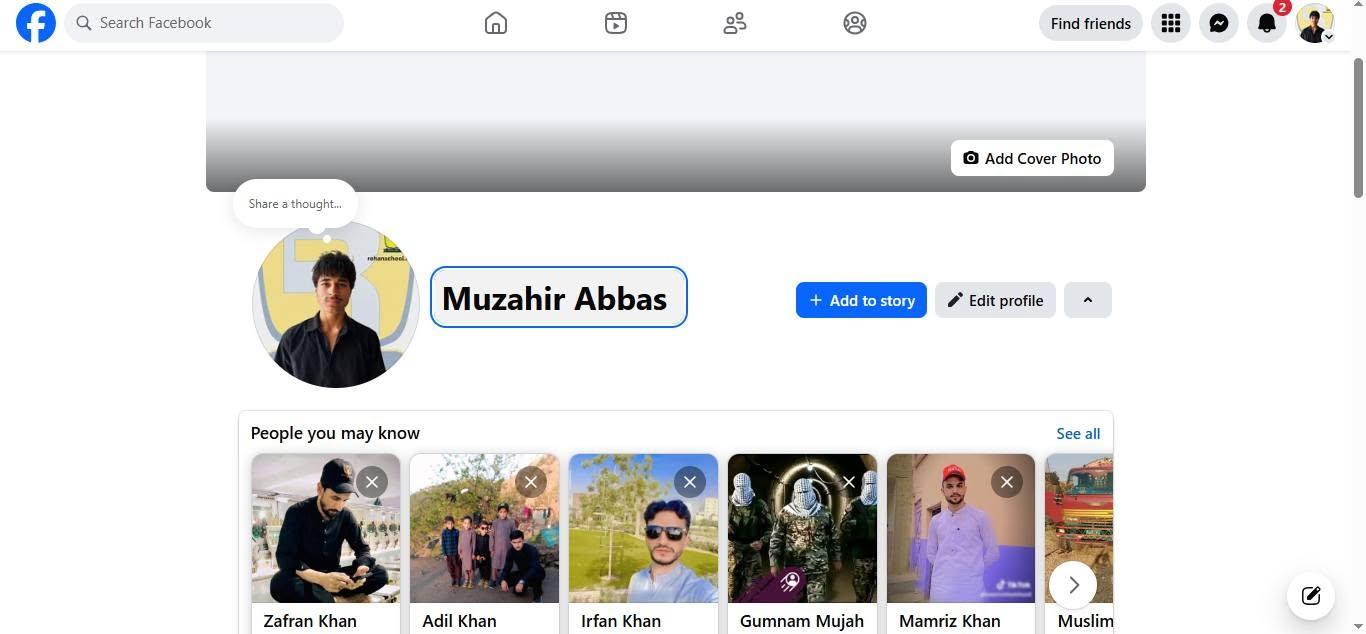
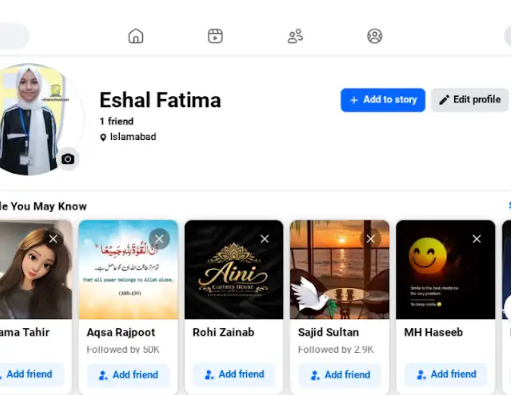
    4. *Upload a profile picture:* 2 minutes.
    Choose a clear photo of yourself so friends and family can recognize you. You can upload a photo directly from your device or take a new one.


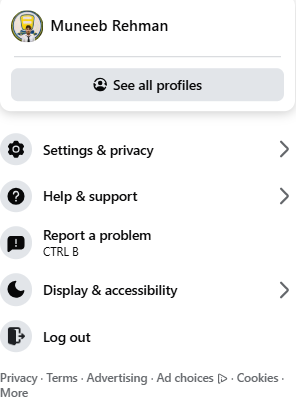
    5. *Adjust your privacy settings:* 5 minutes.
    Go to *Settings & Privacy* > *Privacy Checkup*. Here, you can change your default post sharing from "Public" to *"Friends"* so only people you approve can see what you post.


    Enjoy Your Facebook Journey

    #Facebook #SocialMedia #ConnectWithFriends #TechTips #FacebookSetup #StayConnected #fyp
    RSIF8 Roll no.29 Task no.2 Task Topic: How To make A Facebook account and set it up 1. Go to Facebook 1-2 minutes. Open the Facebook app on your phone, or visit *facebook.com* on a computer web browser. Click on *"Create new account"* or *"Sign Up"*. 2. *Enter your basic info:* 2 minutes. Type in your *first and last name*, your *mobile number or email address*, a *strong password*, your *date of birth*, and your *gender*. > *Note:* Facebook requires your real name to help keep the community safe, though you can adjust your display privacy later. 3. *Confirm your account:* 1 minute. Facebook will send a verification code to your email or phone number via SMS. *Enter that code* into the box on your screen to officially activate your account. 4. *Upload a profile picture:* 2 minutes. Choose a clear photo of yourself so friends and family can recognize you. You can upload a photo directly from your device or take a new one. 5. *Adjust your privacy settings:* 5 minutes. Go to *Settings & Privacy* > *Privacy Checkup*. Here, you can change your default post sharing from "Public" to *"Friends"* so only people you approve can see what you post. Enjoy Your Facebook Journey #Facebook #SocialMedia #ConnectWithFriends #TechTips #FacebookSetup #StayConnected #fyp
    0 Комментарии 0 Поделились 1747 Просмотры

  • RSIF8
    roll no 94
    task no 2
    task topic How to create a facebook account
    How to Make a Facebook Account and Set It Up
    Creating a Facebook account is quick and easy! Simply download the Facebook app or visit the Facebook website , sign up with your name, email or phone number, create a secure password , and follow the setup steps. Add a profile picture , update your bio , connect with friends , and customize your privacy settings to make your account safe and personal.
    Stay connected, share your favorite moments , join communities , and explore everything Facebook has to offer!
    #Facebook #FacebookAccount #SocialMedia #OnlineCommunity #TechTips #DigitalLife #CreateAccount #StayConnected #FacebookSetup #EasyGuide
    RSIF8 roll no 94 task no 2 task topic How to create a facebook account ✨ How to Make a Facebook Account and Set It Up ✨📘 Creating a Facebook account is quick and easy! 🚀 Simply download the Facebook app 📱 or visit the Facebook website 🌐, sign up with your name, email or phone number, create a secure password 🔒, and follow the setup steps. Add a profile picture 📸, update your bio 📝, connect with friends 👥, and customize your privacy settings ⚙️ to make your account safe and personal. Stay connected, share your favorite moments ❤️, join communities 🌍, and explore everything Facebook has to offer! 🎉 #Facebook #FacebookAccount #SocialMedia #OnlineCommunity #TechTips #DigitalLife #CreateAccount #StayConnected #FacebookSetup #EasyGuide
    0 Комментарии 0 Поделились 1974 Просмотры
  • RSIF8
    Roll no 88
    Task no 2
    Task topic How to Make a Facebook
    Account and Set It Up?
    Creating a Facebook account is simple and helps you connect with friends, family, and people around the world. Facebook
    allows users to share photos, videos, posts, and communicate online easily.

    To create a Facebook account, visit the Facebook Sign Up Page
    and enter your name, email or phone number, password, date of birth, and gender. After that, click on the Sign Up button and verify your account using the confirmation code.

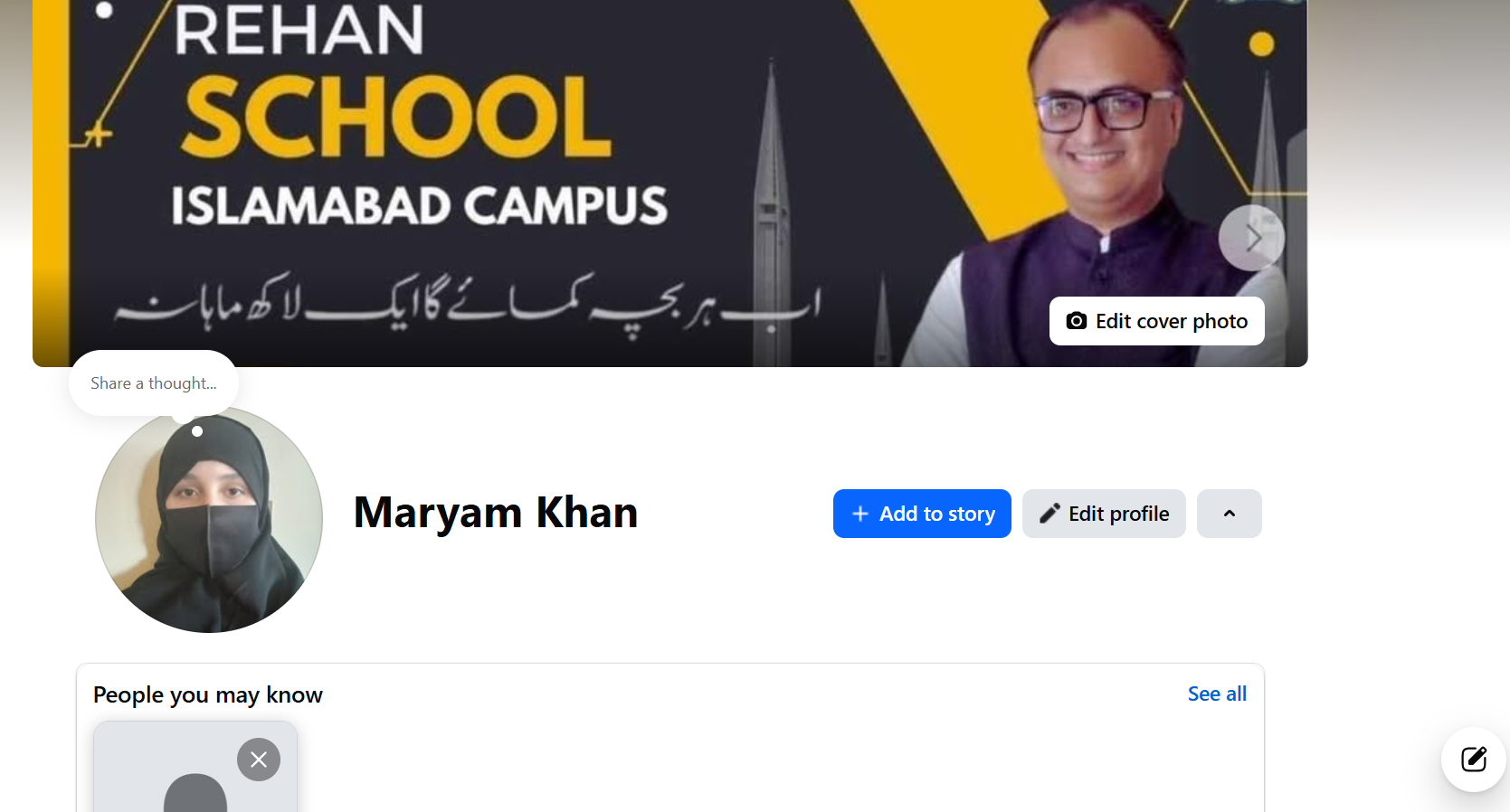
    Once your account is created, you can set up your profile by adding a profile picture, cover photo, bio, and personal details. You can also add friends, follow pages, join groups, and start sharing your posts online.

    Facebook is a great platform for communication, learning, entertainment, and staying connected with the world.

    #Facebook #CreateFacebookAccount #SocialMedia #FacebookSetup #DigitalSkills OnlineLearning Technology FacebookTips LearningJourney St
    16w
    RSIF8 Roll no 88 Task no 2 Task topic How to Make a Facebook Account and Set It Up? Creating a Facebook account is simple and helps you connect with friends, family, and people around the world. 🌍📱 Facebook allows users to share photos, videos, posts, and communicate online easily. 💬📸 To create a Facebook account, visit the Facebook Sign Up Page and enter your name, email or phone number, password, date of birth, and gender. 📝🔐 After that, click on the Sign Up button and verify your account using the confirmation code. ✅📩 Once your account is created, you can set up your profile by adding a profile picture, cover photo, bio, and personal details. 🎨📷 You can also add friends, follow pages, join groups, and start sharing your posts online. 🚀✨ Facebook is a great platform for communication, learning, entertainment, and staying connected with the world. 🌐💙 #Facebook #CreateFacebookAccount #SocialMedia #FacebookSetup #DigitalSkills OnlineLearning Technology FacebookTips LearningJourney St 📘✨ 16w
    0 Комментарии 0 Поделились 2702 Просмотры
  • RSIF8
    Roll no:100
    Task no:2
    Task topic:How to Make a Facebook Account and Set It Up
    **How to Make a Facebook Account and Set It Up**

    Ready to join Facebook? Creating your account is simple and only takes a few minutes! Learn how to sign up, verify your account, customize your profile, adjust your privacy settings , and start connecting with friends and family around the world. Whether you're new to social media or creating a fresh account, this step-by-step guide has you covered!

    #Facebook #FacebookAccount #FacebookSetup #CreateAccount #SocialMedia #TechTips #BeginnerGuide #OnlineSafety #DigitalSkills #StayConnected #FacebookTips #EasyTutorial
    RSIF8 Roll no:100 Task no:2 Task topic:How to Make a Facebook Account and Set It Up 📘✨ **How to Make a Facebook Account and Set It Up** ✨📱 Ready to join Facebook? 🚀 Creating your account is simple and only takes a few minutes! Learn how to sign up, verify your account, customize your profile, adjust your privacy settings 🔒, and start connecting with friends and family around the world. 🌍💙 Whether you're new to social media or creating a fresh account, this step-by-step guide has you covered! 📸👥 #Facebook #FacebookAccount #FacebookSetup #CreateAccount #SocialMedia #TechTips #BeginnerGuide #OnlineSafety #DigitalSkills #StayConnected #FacebookTips #EasyTutorial
    0 Комментарии 0 Поделились 2864 Просмотры
  • RSIF8
    Roll no: 112
    Task no: 2
    Topic :How to Make a Facebook Account & Set It Up!
    Want to join Facebook but don’t know where to start? No worries! Follow these simple steps to create your account, verify your details, add a profile picture, find friends, and start connecting with people around the world.
    Create your Facebook account
    Add your email or phone number
    Verify your account
    Set up your profile
    Find and connect with friends
    Start enjoying Facebook!
    **Tip:** Use a strong password and keep your account information secure.
    #Facebook #FacebookAccount #CreateFacebookAccount #FacebookTips #FacebookGuide #SocialMedia #SocialMediaTips #FacebookSetup #NewAccount #TechTips #OnlineSafety #StayConnected #HowTo #BeginnerGuide
    RSIF8 Roll no: 112 Task no: 2 Topic :How to Make a Facebook Account & Set It Up! Want to join Facebook but don’t know where to start? No worries! 😊 Follow these simple steps to create your account, verify your details, add a profile picture, find friends, and start connecting with people around the world. 🌍👥 ✅ Create your Facebook account 📧 Add your email or phone number 🔐 Verify your account 🖼️ Set up your profile 👫 Find and connect with friends 🎉 Start enjoying Facebook! 💡 **Tip:** Use a strong password and keep your account information secure. 🔒 #Facebook #FacebookAccount #CreateFacebookAccount #FacebookTips #FacebookGuide #SocialMedia #SocialMediaTips #FacebookSetup #NewAccount #TechTips #OnlineSafety #StayConnected #HowTo #BeginnerGuide
    0 Комментарии 0 Поделились 3059 Просмотры

  • #rsisb
    RollNo.247
    Foundation Level
    Task No.2
    Set It Up
    Creating a Facebook account is one of the easiest ways to connect with friends, family, classmates, and communities from all over the world. Whether you want to share photos , watch videos , join groups , or promote your business , Facebook provides everything in one place.
    Step 1: Visit Facebook
    Open your web browser and go to facebook.com, or download the Facebook app from your device's app store.
    Step 2: Sign Up
    Click "Create New Account" and fill in your details:
    First and Last Name
    Email Address or Mobile Number
    Create a Strong Password
    Date of Birth
    Select Your Gender
    Step 3: Verify Your Account
    Facebook will send a verification code to your email or phone number. Enter the code to confirm your account.
    Step 4: Add Your Profile Picture
    Upload a clear and friendly profile photo so people can recognize you easily.
    Step 5: Complete Your Profile
    Add information such as:
    City
    School or College
    Workplace
    Hobbies & Interests
    Cover Photo
    A complete profile helps you connect with others more effectively.
    Step 6: Find Friends
    Search for friends by name, email, or phone number. You can also send friend requests and grow your network.
    Step 7: Adjust Privacy Settings
    Protect your personal information by choosing who can see your posts, photos, and profile details. Privacy settings help keep your account safe.
    Step 8: Start Posting
    Share your thoughts , photos , videos , achievements , and memorable moments with your friends and followers.
    Why Use Facebook?
    Stay connected with family and friends.
    Join educational and interest-based groups.
    Promote your business or personal brand.
    Watch entertaining and educational videos.
    Discover events and communities.
    Chat instantly using Messenger.
    Learning how to create and set up a Facebook account is a valuable digital skill. Once your profile is complete, you can safely explore Facebook's features, communicate with people worldwide, and become part of a global online community. Keep your account secure by using a strong password, enabling two-factor authentication, and avoiding suspicious links. Happy connecting!
    #Facebook #FacebookAccount #SocialMedia #DigitalSkills #OnlineLearning #TechTips #BeginnerGuide #CreateAccount #FacebookSetup #LearnTechnology #InternetBasics #AILearning #StudentLife #RehanSchool #DigitalEducation #SocialNetworking #TechEducation #OnlineCommunity #LearningJourney #StayConnected See less
    #rsisb RollNo.247 Foundation Level Task No.2 Set It Up 🌍📱 Creating a Facebook account is one of the easiest ways to connect with friends, family, classmates, and communities from all over the world. 🌐 Whether you want to share photos 📸, watch videos 🎥, join groups 👥, or promote your business 💼, Facebook provides everything in one place. 🚀 Step 1: Visit Facebook Open your web browser and go to facebook.com, or download the Facebook app from your device's app store. 📱💻 📝 Step 2: Sign Up Click "Create New Account" and fill in your details: 👤 First and Last Name 📧 Email Address or 📱 Mobile Number 🔒 Create a Strong Password 🎂 Date of Birth 🚻 Select Your Gender ✅ Step 3: Verify Your Account Facebook will send a verification code to your email or phone number. Enter the code to confirm your account. ✔️ 🖼️ Step 4: Add Your Profile Picture Upload a clear and friendly profile photo so people can recognize you easily. 😊 📖 Step 5: Complete Your Profile Add information such as: 🏠 City 🎓 School or College 💼 Workplace ❤️ Hobbies & Interests 📸 Cover Photo A complete profile helps you connect with others more effectively. 👥 Step 6: Find Friends Search for friends by name, email, or phone number. You can also send friend requests and grow your network. 🤝 🔒 Step 7: Adjust Privacy Settings Protect your personal information by choosing who can see your posts, photos, and profile details. Privacy settings help keep your account safe. 🛡️ 📢 Step 8: Start Posting Share your thoughts 💭, photos 📸, videos 🎥, achievements 🏆, and memorable moments with your friends and followers. 🌟 Why Use Facebook? 🌍 Stay connected with family and friends. 📚 Join educational and interest-based groups. 💼 Promote your business or personal brand. 🎥 Watch entertaining and educational videos. 📅 Discover events and communities. 💬 Chat instantly using Messenger. Learning how to create and set up a Facebook account is a valuable digital skill. Once your profile is complete, you can safely explore Facebook's features, communicate with people worldwide, and become part of a global online community. Keep your account secure by using a strong password, enabling two-factor authentication, and avoiding suspicious links. Happy connecting! 🚀🌟 #Facebook #FacebookAccount #SocialMedia #DigitalSkills #OnlineLearning #TechTips #BeginnerGuide #CreateAccount #FacebookSetup #LearnTechnology #InternetBasics #AILearning #StudentLife #RehanSchool #DigitalEducation #SocialNetworking #TechEducation #OnlineCommunity #LearningJourney #StayConnected See less
    0 Комментарии 0 Поделились 13792 Просмотры