• ACCL Portal
    Day1
    Task:
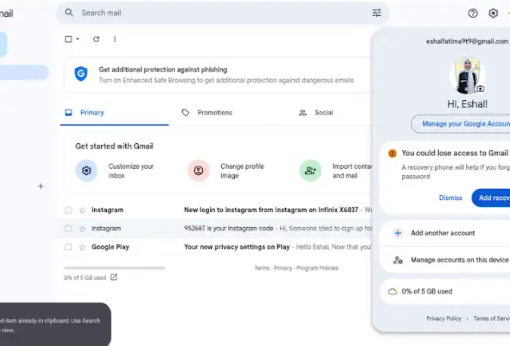
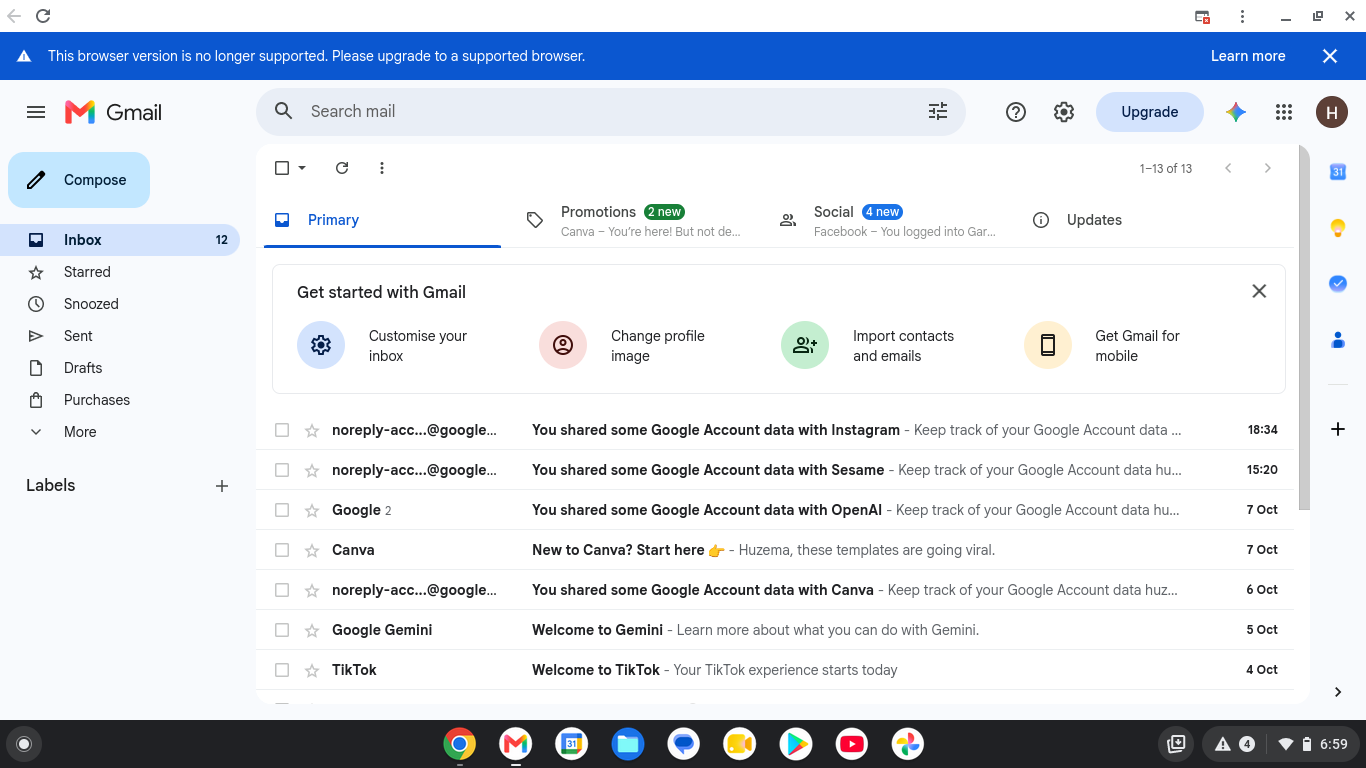
    how to make a Gmail Acount
    ACCL Portal Day1 Task: how to make a Gmail Acount
    1
    0 Commenti 0 condivisioni 219 Views
  • foundation level
    day 1
    task email account
    topic: how to create a gmail accout ]
    foundation level day 1 task email account topic: how to create a gmail accout ]
    0 Commenti 0 condivisioni 434 Views
  • Accl
    task 1
    how to make a gmail account
    Accl task 1 how to make a gmail account
    0 Commenti 0 condivisioni 377 Views
  • Rehan School Online Academy
    Batch 13
    Task: Day 1
    About Gmail
    Gmail is a free email service developed by Google. It allows users to send and receive emails over the internet. Gmail provides useful features such as email organization, spam protection, cloud storage integration, and secure communication. People use Gmail for personal, educational, and professional purposes. A Gmail account can also be used to access other Google services such as Google Drive, Google Docs, and YouTube.
    **My Task**
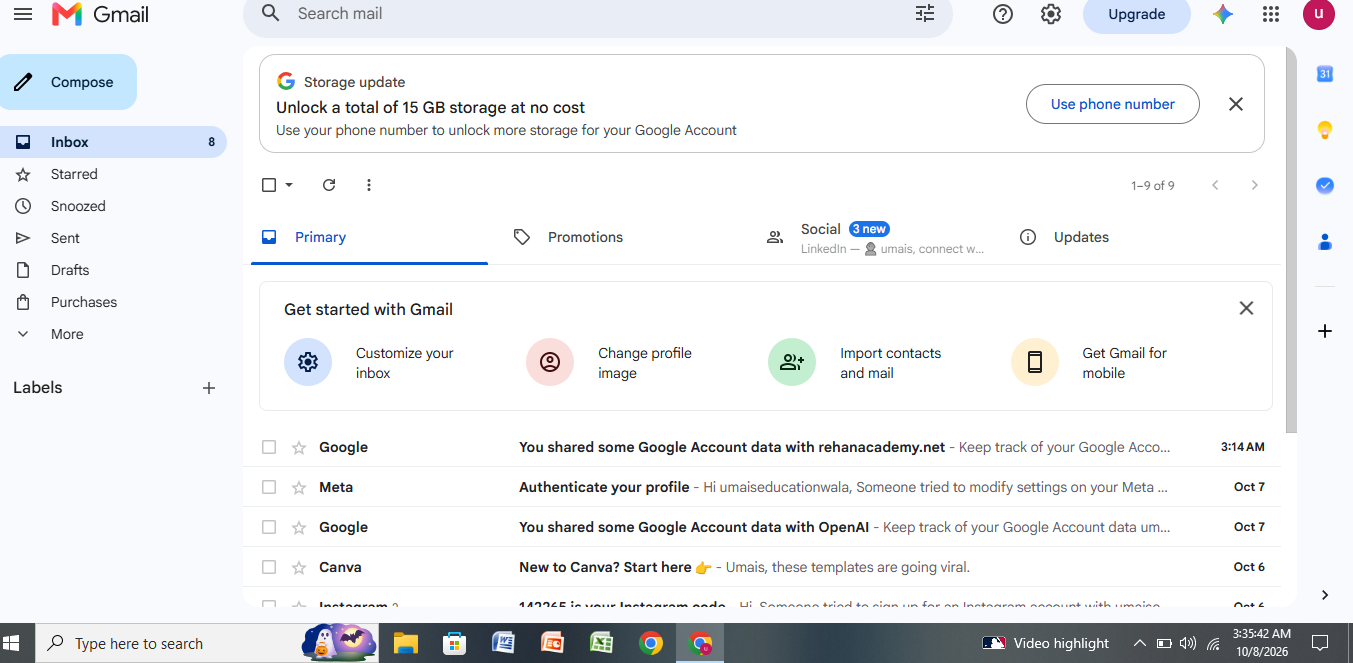
    Today, I created a Gmail account. This account will help me send and receive emails, communicate with my teachers and classmates, and use online learning tools. I will also use it to access Google services for my studies and complete my assignments more efficiently.
    Rehan School Online Academy Batch 13 Task: Day 1 About Gmail Gmail is a free email service developed by Google. It allows users to send and receive emails over the internet. Gmail provides useful features such as email organization, spam protection, cloud storage integration, and secure communication. People use Gmail for personal, educational, and professional purposes. A Gmail account can also be used to access other Google services such as Google Drive, Google Docs, and YouTube. **My Task** Today, I created a Gmail account. This account will help me send and receive emails, communicate with my teachers and classmates, and use online learning tools. I will also use it to access Google services for my studies and complete my assignments more efficiently.
    1
    0 Commenti 0 condivisioni 1158 Views
  • Create a new Gmail

    Welcome to My Official Gmail Account!

    Hello and welcome!
    This is my official Gmail account, created to stay connected with friends, clients, classmates, and professional opportunities. I am an AI student who is passionate about technology, creativity, and continuous learning.

    Through this email, I manage my personal and professional communication, receive important updates, collaborate on exciting projects, and explore new opportunities in the world of Artificial Intelligence and digital innovation.

    I believe in learning something new every day, improving my skills, and using technology to create a better future. Thank you for visiting, and I look forward to connecting with amazing people from around the world.

    Feel free to reach out for collaboration, learning, networking, or any positive discussion.

    "Dream Big • Learn More • Create More • Never Stop Growing."

    Thank you for your support and best wishes!

    #Gmail #OfficialAccount #AI #ArtificialIntelligence #AIStudent #Technology #Innovation #DigitalWorld #Google #Email #Learning #Education #FutureTech #ComputerScience #Productivity #Success #Motivation #Networking #Professional #StayConnected
    Create a new Gmail πŸ“§ Welcome to My Official Gmail Account! ✨ Hello and welcome! 😊 This is my official Gmail account, created to stay connected with friends, clients, classmates, and professional opportunities. I am an AI student who is passionate about technology, creativity, and continuous learning. πŸš€πŸ€– Through this email, I manage my personal and professional communication, receive important updates, collaborate on exciting projects, and explore new opportunities in the world of Artificial Intelligence and digital innovation. πŸ’»πŸ“š I believe in learning something new every day, improving my skills, and using technology to create a better future. Thank you for visiting, and I look forward to connecting with amazing people from around the world. 🌍✨ πŸ“© Feel free to reach out for collaboration, learning, networking, or any positive discussion. "Dream Big • Learn More • Create More • Never Stop Growing." 🌟 πŸ™ Thank you for your support and best wishes! #Gmail #OfficialAccount #AI #ArtificialIntelligence #AIStudent #Technology #Innovation #DigitalWorld #Google #Email #Learning #Education #FutureTech #ComputerScience #Productivity #Success #Motivation #Networking #Professional #StayConnected πŸš€πŸ“§βœ¨
    0 Commenti 0 condivisioni 3284 Views
  • Pakistani have 50 million Gmail users, if all of us make 1 video about Kashmir what we think, and upload on our YouTube and Facebook & hashtag #Iamkashmir it will shake world media !

    I can?t reach to all, but those who read can you do so ?
    Pakistani have 50 million Gmail users, if all of us make 1 video about Kashmir what we think, and upload on our YouTube and Facebook & hashtag #Iamkashmir it will shake world media ! I can?t reach to all, but those who read can you do so ?
    0 Commenti 0 condivisioni 938 Views
  • *How to Create a Gmail Account – My First Task!**

    Today was my first day, and I learned how to create a Gmail account step by step. I learned how to choose a username, create a strong password, add basic information, and complete the account setup.

    This task helped me understand the basics of using Gmail and creating an online account. It was a great learning experience and an exciting start to my journey!

    #Gmail #CreateGmailAccount #FirstTask #MyFirstDay #Learning #DigitalSkills #Technology #Google #ComputerSkills #NewJourney
    *How to Create a Gmail Account – My First Task!** πŸŽ‰ Today was my first day, and I learned how to create a Gmail account step by step. I learned how to choose a username, create a strong password, add basic information, and complete the account setup. πŸ’»βœ¨ This task helped me understand the basics of using Gmail and creating an online account. It was a great learning experience and an exciting start to my journey! πŸš€πŸ“š #Gmail #CreateGmailAccount #FirstTask #MyFirstDay #Learning #DigitalSkills #Technology #Google #ComputerSkills #NewJourney πŸ’»πŸ“§πŸŒŸ
    0 Commenti 0 condivisioni 2584 Views
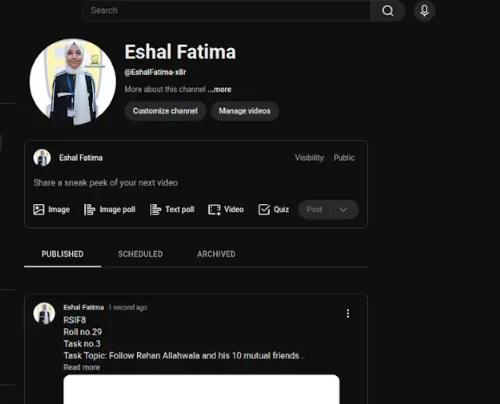
  • RSIF8
    Roll no.29
    Task no.4
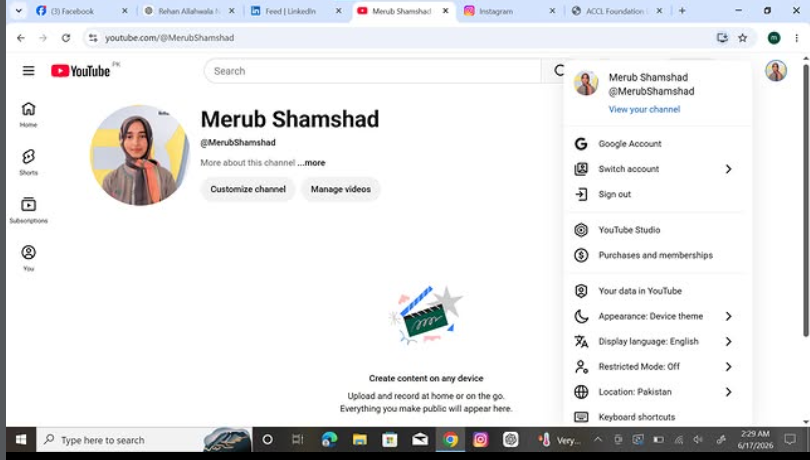
    Task Topic: How to create a YouTube account

    Starting your journey on YouTube is incredibly easy! Because YouTube is owned by Google, your passport to the platform is simply a Google Account. Whether you want to subscribe to your favorite creators, save playlists, or start uploading your own videos, here is exactly how to set up your account in just a few minutes.

    **Step 1: Sign In with Google**
    First, open your web browser and head over to YouTube.com, or simply open the YouTube app on your mobile device. Click the "Sign In" button located in the top right-hand corner of the screen. Enter your existing Google or Gmail credentials to log in. If you do not have a Google account yet, click "Create account" and follow the quick prompts to set one up.

    **Step 2: Access the Channel Creation Menu**
    Once you are logged in, look at the top right corner of the page where your profile icon is located. Click on your profile picture, and a dropdown menu will appear. From this menu, click on the option that says "Create a channel."

    **Step 3: Choose Your Account Type**
    You will now see a prompt asking how you want to create your channel. You have two choices:

    * **Personal Channel:** Choose this if you want to use your own name and profile picture.
    * **Brand/Business Channel:** Choose this if you want to use a custom name, a business name, or if you plan to have multiple people manage the account with you in the future.

    **Step 4: Customize and Launch**
    Name your channel, upload a profile picture, and add a brief bio to your "About" section telling viewers what your channel is all about. Once you click "Create," your brand new YouTube account is fully active and ready for action!

    ---

    #YouTube #HowTo #YouTubeTutorial #CreateAccount #TechTips ContentCreator #NewChannel #TechGuide #YouTubeCommunity
    RSIF8 Roll no.29 Task no.4 Task Topic: How to create a YouTube account Starting your journey on YouTube is incredibly easy! Because YouTube is owned by Google, your passport to the platform is simply a Google Account. Whether you want to subscribe to your favorite creators, save playlists, or start uploading your own videos, here is exactly how to set up your account in just a few minutes. **Step 1: Sign In with Google** First, open your web browser and head over to YouTube.com, or simply open the YouTube app on your mobile device. Click the "Sign In" button located in the top right-hand corner of the screen. Enter your existing Google or Gmail credentials to log in. If you do not have a Google account yet, click "Create account" and follow the quick prompts to set one up. **Step 2: Access the Channel Creation Menu** Once you are logged in, look at the top right corner of the page where your profile icon is located. Click on your profile picture, and a dropdown menu will appear. From this menu, click on the option that says "Create a channel." **Step 3: Choose Your Account Type** You will now see a prompt asking how you want to create your channel. You have two choices: * **Personal Channel:** Choose this if you want to use your own name and profile picture. * **Brand/Business Channel:** Choose this if you want to use a custom name, a business name, or if you plan to have multiple people manage the account with you in the future. **Step 4: Customize and Launch** Name your channel, upload a profile picture, and add a brief bio to your "About" section telling viewers what your channel is all about. Once you click "Create," your brand new YouTube account is fully active and ready for action! --- #YouTube ✨#HowTo #YouTubeTutorial #CreateAccount #TechTips πŸš€ContentCreator #NewChannel πŸŽ₯ #TechGuide #YouTubeCommunityπŸ“±
    0 Commenti 0 condivisioni 2560 Views
  • RSIF8
    Roll no.29
    Task no.1
    Task Topic:How to Create Your Gmail Account
    1.Go to the Sign-Up Page:Step
    1.Open your web browser and head to the Google Account Creation page (or visit gmail.com and click "Create account"). 2.Choose Your Account Type:Step 2.Select whether this account is for your personal use, for a child, or for a business. ‍
    3.Enter Your Basic Info:Step
    3.Type in your First Name and Last Name. Then, choose a unique Username (this will be your new email address, like yourname@gmail.com). 4.Create a Strong Password:Step
    4.Mix letters, numbers, and symbols to keep your account safe. Enter it twice to confirm, then click Next.
    5.Add Recovery Details:Step
    5.Google will ask for a phone number and a recovery email. While some fields might be optional, adding them helps you get back into your account if you ever forget your password! 6.Review and Agree:Step 6.Enter your birthday and gender, click Next, and then review Google's Privacy and Terms. Click "I agree" to finish up. Once you finish these steps, you will be automatically redirected to your brand-new Gmail inbox! #GmailSetup #TechTips #NewAccount #EmailEssentials #DigitalLife#fypγ‚Έ
    RSIF8 Roll no.29 Task no.1 Task Topic:How to Create Your Gmail Account πŸ“§ 1.Go to the Sign-Up Page:Step 1.Open your web browser and head to the Google Account Creation page (or visit gmail.com and click "Create account"). 🌐2.Choose Your Account Type:Step 2.Select whether this account is for your personal use, for a child, or for a business. πŸ§‘‍πŸ’» 3.Enter Your Basic Info:Step 3.Type in your First Name and Last Name. Then, choose a unique Username (this will be your new email address, like yourname@gmail.com). ✍️4.Create a Strong Password:Step 4.Mix letters, numbers, and symbols to keep your account safe. Enter it twice to confirm, then click Next. πŸ”’ 5.Add Recovery Details:Step 5.Google will ask for a phone number and a recovery email. While some fields might be optional, adding them helps you get back into your account if you ever forget your password! πŸ“ž6.Review and Agree:Step 6.Enter your birthday and gender, click Next, and then review Google's Privacy and Terms. Click "I agree" to finish up. πŸŽ‰Once you finish these steps, you will be automatically redirected to your brand-new Gmail inbox! ✨#GmailSetup #TechTips #NewAccount #EmailEssentials #DigitalLife#fypγ‚Έ
    0 Commenti 0 condivisioni 1924 Views
  • RSIF8
    roll no 94
    task no 4
    task topic How to create a youtube account
    How to Create a YouTube Account!

    Want to watch videos, subscribe to your favorite creators, and upload your own content? Creating a YouTube account is quick and easy!

    Go to YouTube
    Click Sign In
    Sign in with your Google/Gmail account (or create one if you don't have it)
    Set up your profile and channel name
    Start watching, subscribing, commenting, and uploading videos!

    A YouTube account opens the door to learning new skills, sharing your creativity, and connecting with millions of people around the world.

    #YouTube #YouTubeAccount #CreateYouTubeAccount #YouTubeChannel #DigitalSkills #LearnOnline #ContentCreator #SocialMediaTips #TechTutorial #OnlineLearning #VideoCreation #YouTuber
    RSIF8 roll no 94 task no 4 task topic How to create a youtube account πŸŽ₯ How to Create a YouTube Account! πŸ“±βœ¨ Want to watch videos, subscribe to your favorite creators, and upload your own content? Creating a YouTube account is quick and easy! πŸš€ βœ… Go to YouTube βœ… Click Sign In βœ… Sign in with your Google/Gmail account (or create one if you don't have it) βœ… Set up your profile and channel name βœ… Start watching, subscribing, commenting, and uploading videos! 🎬🌟 A YouTube account opens the door to learning new skills, sharing your creativity, and connecting with millions of people around the world. πŸŒπŸ’‘ #YouTube #YouTubeAccount #CreateYouTubeAccount #YouTubeChannel #DigitalSkills #LearnOnline #ContentCreator #SocialMediaTips #TechTutorial #OnlineLearning #VideoCreation #YouTuber πŸš€πŸŽ₯πŸ“±βœ¨
    0 Commenti 0 condivisioni 3296 Views
Pagine in Evidenza