• RSIF8
    Roll NO:11
    Task post no : 7
    Task topic How to Download and Use
    Canva?
    How to Download & Use Canva (Easy Guide)

    Want to design posters, logos, videos, and social posts like a pro? Let’s learn how to download and use Canva step-by-step!

    Step 1: Download Canva

    On Mobile

    Open Play Store or App Store
    Search Canva
    Tap Install

    On Laptop

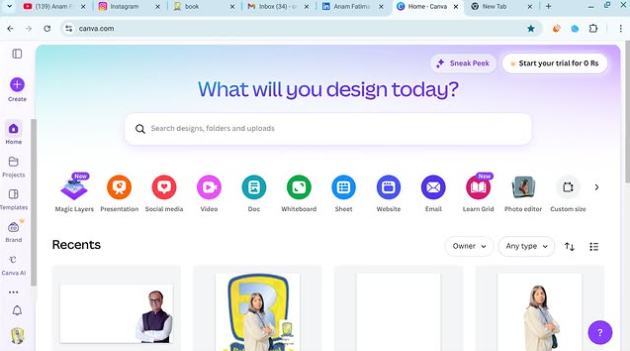
    Go to www.canva.com

    Sign up and use it directly (no download needed)
    Step 2: Create Account

    Sign up using:

    Gmail
    Facebook
    Email

    Click Sign up → You’re in

    Step 3: Start Your First Design

    Tap Create a design
    Choose what you want:

    Instagram Post
    Presentation
    Poster
    Logo
    Step 4: Edit Like Magic

    You can easily:

    Add text
    Insert photos
    Change colors
    Add stickers & icons

    Just drag and drop

    Step 5: Download Your Design

    Click Share ➜ Download
    Choose format:

    PNG
    JPG
    PDF
    MP4

    Congrats! You’re ready to design anything like a pro
    Want me to give you Canva ideas for posts?
    RSIF8 Roll NO:11 Task post no : 7 Task topic How to Download and Use Canva? 🎨✨ How to Download & Use Canva (Easy Guide) 🚀📱💻 Want to design posters, logos, videos, and social posts like a pro? 😍 Let’s learn how to download and use Canva step-by-step! 📥 Step 1: Download Canva On Mobile 📱 Open Play Store or App Store 🛍️ Search Canva 🔎 Tap Install ⬇️ On Laptop 💻 Go to 👉 www.canva.com 🌐 Sign up and use it directly (no download needed) 📝 Step 2: Create Account Sign up using: Gmail 📧 Facebook 👍 Email ✉️ Click Sign up → You’re in 🎉 🎨 Step 3: Start Your First Design Tap Create a design ➕ Choose what you want: Instagram Post 📸 Presentation 📊 Poster 🪧 Logo 🔥 🖌️ Step 4: Edit Like Magic You can easily: Add text ✍️ Insert photos 🖼️ Change colors 🌈 Add stickers & icons 😍 Just drag and drop 👆 💾 Step 5: Download Your Design Click Share ➜ Download ⬇️ Choose format: PNG 🖼️ JPG 📷 PDF 📄 MP4 🎬 🎉 Congrats! You’re ready to design anything like a pro 🌟💡 Want me to give you Canva ideas for posts? 😄
    0 Yorumlar 0 hisse senetleri 45 Views
  • RSIF8
    ROLL NO 100
    TASK NO 1
    TOPIC NO 1 HOW TO CREATE A GMAIL ACCOUNT

    Here’s a ready-to-post description for your tutorial:

    **How to Create a Gmail Account?**

    Want to create your own Gmail account? In this easy step-by-step tutorial, learn how to create a Gmail account, choose your email address, set up a strong password, and get started with Gmail.

    Whether you need Gmail for school, communication, Google services, or online learning, this tutorial will help you get started!

    Watch, learn, and create your Gmail account today!

    #Gmail #GmailAccount #Google #Email #EmailAccount #TechTutorial #HowTo #DigitalSkills #OnlineLearning #ComputerSkills #StepByStep

    If you want, I can also make it **shorter, more professional, or more attractive for YouTube/Facebook**.
    RSIF8 ROLL NO 100 TASK NO 1 TOPIC NO 1 HOW TO CREATE A GMAIL ACCOUNT Here’s a ready-to-post description for your tutorial: 📧✨ **How to Create a Gmail Account?** Want to create your own Gmail account? In this easy step-by-step tutorial, learn how to create a Gmail account, choose your email address, set up a strong password, and get started with Gmail. 🚀💻 Whether you need Gmail for school, communication, Google services, or online learning, this tutorial will help you get started! 📚🌐 👍 Watch, learn, and create your Gmail account today! #Gmail #GmailAccount #Google #Email #EmailAccount #TechTutorial #HowTo #DigitalSkills #OnlineLearning #ComputerSkills #StepByStep 📧💻✨ If you want, I can also make it **shorter, more professional, or more attractive for YouTube/Facebook**.
    0 Yorumlar 0 hisse senetleri 77 Views
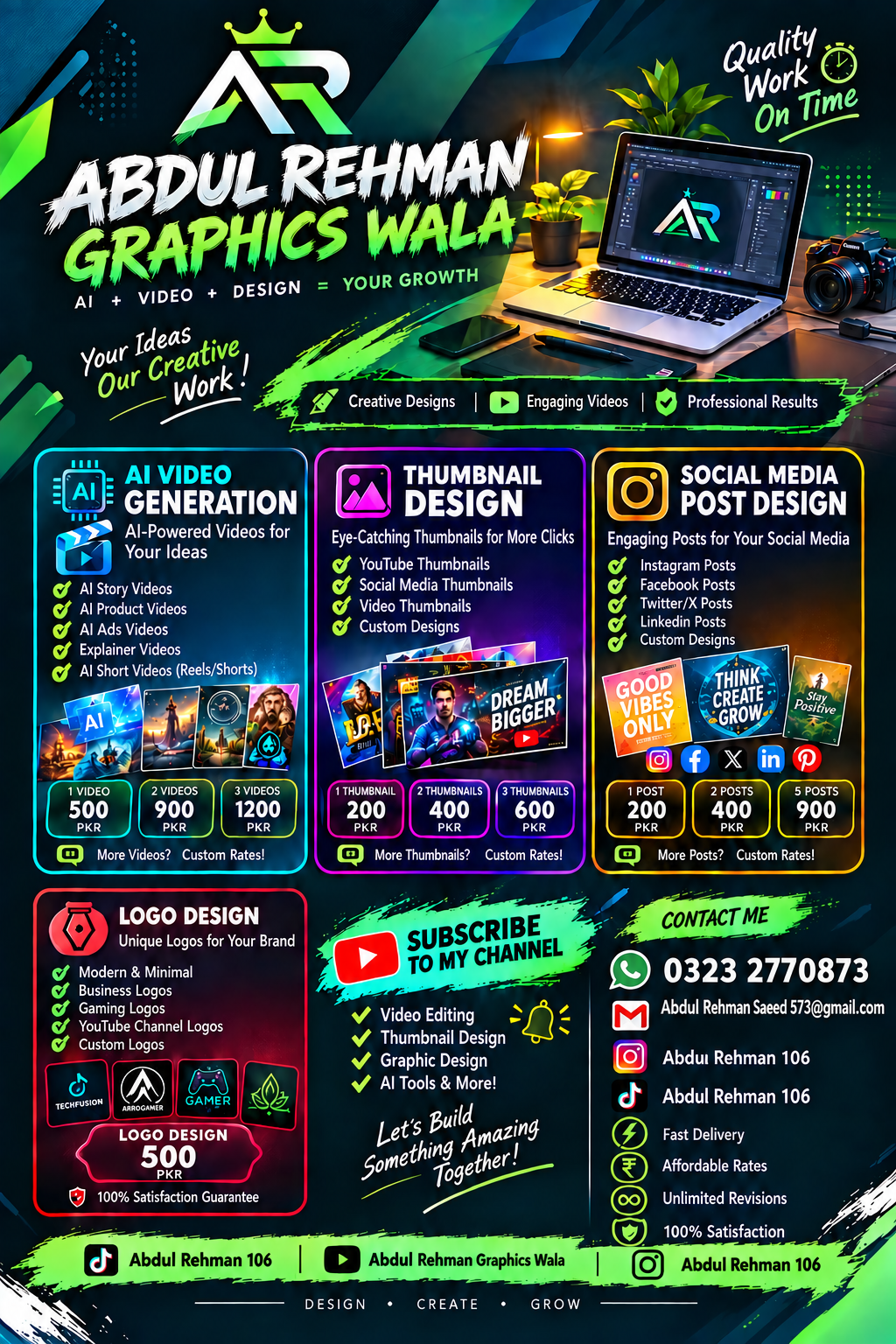
  • Abdul Rahman graphic wala | Professional Video Editing, Post Design & Logo Design
    Welcome to ARSALIX AI!
    I provide professional Video Editing, Social Media Post Design & Logo Design at affordable prices.

    Video Editing

    1 Video — 500 PKR
    2 Videos — 1000 PKR
    3 Videos — 1200 PKR
    More Videos — Custom Rate

    Post Design

    1 Post — 200 PKR
    2 Posts — 400 PKR
    3 Posts — 600 PKR
    More Posts — Custom Rate

    Logo Design — 500 PKR

    SPECIAL OFFER:
    Subscribe to my channel and get 20% OFF on all services!

    WhatsApp: 03232770873
    Email: abdulrehmansaeed573@gmail.com

    Abdul Rahman graphic wala
    — Your Vision + My Skills = Amazing Results!

    #abdulrehman graphic wala #VideoEditing #PostDesign #LogoDesign #GraphicDesign #AI #VideoEditor #SocialMediaDesign #Discount #youtubeshorts

    @followers
    Abdul Rahman graphic wala | Professional Video Editing, Post Design & Logo Design Welcome to ARSALIX AI! 🚀 I provide professional Video Editing, Social Media Post Design & Logo Design at affordable prices. 🎥 Video Editing 1 Video — 500 PKR 2 Videos — 1000 PKR 3 Videos — 1200 PKR More Videos — Custom Rate 🎨 Post Design 1 Post — 200 PKR 2 Posts — 400 PKR 3 Posts — 600 PKR More Posts — Custom Rate 🔥 Logo Design — 500 PKR 🎁 SPECIAL OFFER: Subscribe to my channel and get 20% OFF on all services! 📞 WhatsApp: 03232770873 📧 Email: abdulrehmansaeed573@gmail.com Abdul Rahman graphic wala — Your Vision + My Skills = Amazing Results! ❤️‍🔥 #abdulrehman graphic wala #VideoEditing #PostDesign #LogoDesign #GraphicDesign #AI #VideoEditor #SocialMediaDesign #Discount #youtubeshorts @followers
    0 Yorumlar 0 hisse senetleri 518 Views
  • RSIF8
    ROll NO:106
    Task No:1
    Task Topic:# How to Create a Gmail Account?
    Creating a Gmail account is quick and easy. Gmail is a free email service by Google that you can use to send and receive emails, sign up for websites, store files, and access Google services.
    ### Steps to Create a Gmail Account:
    1. Open your web browser and go to Gmail.
    2. Click **Create account**.
    3. Choose **For myself** or **For business**.
    4. Enter your **first name and last name**.
    5. Choose your desired **Gmail username**.
    6. Create a strong **password** and confirm it.
    7. Enter your phone number if Google asks you to verify your account.
    8. Add a **recovery email** if available.
    9. Enter your **date of birth and gender**.
    10. Read and accept Google's **Terms and Privacy Policy**.
    11. Your Gmail account is now ready to use.
    ### Conclusion
    That's it! Your new Gmail account is ready. You can now send emails, receive messages, and use other Google services with your new account.
    RSIF8 ROll NO:106 Task No:1 Task Topic:# How to Create a Gmail Account? Creating a Gmail account is quick and easy. Gmail is a free email service by Google that you can use to send and receive emails, sign up for websites, store files, and access Google services. ### Steps to Create a Gmail Account: 1. Open your web browser and go to Gmail. 2. Click **Create account**. 3. Choose **For myself** or **For business**. 4. Enter your **first name and last name**. 5. Choose your desired **Gmail username**. 6. Create a strong **password** and confirm it. 7. Enter your phone number if Google asks you to verify your account. 8. Add a **recovery email** if available. 9. Enter your **date of birth and gender**. 10. Read and accept Google's **Terms and Privacy Policy**. 11. Your Gmail account is now ready to use. ### Conclusion That's it! Your new Gmail account is ready. You can now send emails, receive messages, and use other Google services with your new account.
    0 Yorumlar 0 hisse senetleri 394 Views
  • RSIF8
    Roll NO:11
    Task post no : 4
    Task topic How to Create a YouTube
    Account?
    Start Your YouTube Journey Today!

    Ready to become a YouTuber? Your voice, your ideas, your talent — the world is waiting! Creating a YouTube account takes just a few minutes

    Follow these quick steps:

    Open YouTube app or website
    Tap Sign In
    Login with your Gmail account
    Click your profile icon
    Choose Create a Channel
    Enter your channel name
    Add profile photo & description
    Hit Create and you’re LIVE!

    Boom! You’re officially a YouTube Creator

    Now start uploading videos
    Grow your audience
    Share knowledge & fun
    Turn your passion into success

    Remember: Every big YouTuber started with their first video

    #NewYouTuber #StartYourChannel #YouTubeTips #ContentCreation #BeCreative #DigitalCreator #SocialMediaGrowth #DreamBig #CreatorLife
    RSIF8 Roll NO:11 Task post no : 4 Task topic How to Create a YouTube Account? 🚀 Start Your YouTube Journey Today! Ready to become a YouTuber? 🌟 Your voice, your ideas, your talent — the world is waiting! 🌍 Creating a YouTube account takes just a few minutes ⏰ 👉 Follow these quick steps: 1️⃣ Open YouTube app or website 📱💻 2️⃣ Tap Sign In 🔑 3️⃣ Login with your Gmail account 📧 4️⃣ Click your profile icon 👤 5️⃣ Choose Create a Channel 🎥 6️⃣ Enter your channel name ✍️ 7️⃣ Add profile photo & description 🖼️ 8️⃣ Hit Create and you’re LIVE! 🔴 🎉 Boom! You’re officially a YouTube Creator 🎉 Now start uploading videos 📹 Grow your audience 👥 Share knowledge & fun 🤩 Turn your passion into success 💰✨ 💡 Remember: Every big YouTuber started with their first video 💪 #NewYouTuber #StartYourChannel #YouTubeTips #ContentCreation #BeCreative #DigitalCreator #SocialMediaGrowth #DreamBig #CreatorLife 🌟🎥🔥
    0 Yorumlar 0 hisse senetleri 1576 Views
  • RSIF8
    Roll NO:11
    Task post no : 1
    Task topic How to Create a Gmail
    Account?
    How to Create a Gmail Account – Step by Step Guide

    Want your own email for school, work, or social media? Creating a Gmail account is super easy and FREE! Follow these simple steps and get started in minutes

    Step 1: Go to the Gmail sign-up page
    Step 2: Enter your First & Last Name
    Step 3: Choose a unique Username
    Step 4: Create a strong Password
    Step 5: Add your Phone Number for security
    Step 6: Verify with the code sent to your phone
    Step 7: Add recovery email (optional)
    Step 8: Enter your birthday & gender
    Step 9: Agree to Google’s terms
    Done! Your Gmail is ready to use!

    Now you can send emails , join YouTube , download apps , and use Google Drive

    Tip: Keep your password safe and never share it

    #Gmail #EmailAccount #GoogleAccount #TechTips #DigitalSkills #LearnOnline #Students #Beginners #HowTo #EasySteps
    RSIF8 Roll NO:11 Task post no : 1 Task topic How to Create a Gmail Account? ✨ How to Create a Gmail Account – Step by Step Guide ✨ Want your own email for school, work, or social media? 📱💻 Creating a Gmail account is super easy and FREE! 💯 Follow these simple steps and get started in minutes 🚀 🔹 Step 1: Go to the Gmail sign-up page 🌐 🔹 Step 2: Enter your First & Last Name 👤 🔹 Step 3: Choose a unique Username ✍️ 🔹 Step 4: Create a strong Password 🔐 🔹 Step 5: Add your Phone Number for security 📞 🔹 Step 6: Verify with the code sent to your phone ✔️ 🔹 Step 7: Add recovery email (optional) 📩 🔹 Step 8: Enter your birthday & gender 🎂 🔹 Step 9: Agree to Google’s terms 👍 🎉 Done! Your Gmail is ready to use! 🎉 Now you can send emails 📧, join YouTube ▶️, download apps 📲, and use Google Drive ☁️ 💡 Tip: Keep your password safe and never share it 🔒 #Gmail #EmailAccount #GoogleAccount #TechTips #DigitalSkills #LearnOnline #Students #Beginners #HowTo #EasySteps 🚀
    0 Yorumlar 0 hisse senetleri 1329 Views
  • RSIF8
    Roll no 88
    Task no 4
    Task topic How to Create a YouTube
    Account?
    Creating a YouTube account is simple, easy, and very useful for watching videos, uploading content, and connecting with people around the world. YouTube is one of the most popular platforms for entertainment, education, and creativity.

    To create a YouTube account, first sign in with your Gmail account on YouTube. If you don’t have a Gmail account, you can create one through Google Accounts. After signing in, click on your profile picture and select “Create a Channel.”

    Next, choose your channel name, upload a profile picture, and add a channel description to make your account attractive and professional. Once your setup is complete, you can upload videos, subscribe to channels, like videos, and start sharing your creativity with the world.

    YouTube is a great platform for learning new skills, growing your audience, and exploring amazing content online.

    #YouTube #CreateYouTubeAccount #YouTubeChannel #DigitalSkills #ContentCreator #OnlineLearning #SocialMedia #Technology #VideoCreation #LearningJourney See less
    RSIF8 Roll no 88 Task no 4 Task topic How to Create a YouTube Account? Creating a YouTube account is simple, easy, and very useful for watching videos, uploading content, and connecting with people around the world. 🌍📱 YouTube is one of the most popular platforms for entertainment, education, and creativity. 🚀🎥 To create a YouTube account, first sign in with your Gmail account on YouTube. 📧🔐 If you don’t have a Gmail account, you can create one through Google Accounts. After signing in, click on your profile picture and select “Create a Channel.” 🖱️✨ Next, choose your channel name, upload a profile picture, and add a channel description to make your account attractive and professional. 📸🎨 Once your setup is complete, you can upload videos, subscribe to channels, like videos, and start sharing your creativity with the world. 🌟📹 YouTube is a great platform for learning new skills, growing your audience, and exploring amazing content online. 💡🌐 #YouTube #CreateYouTubeAccount #YouTubeChannel #DigitalSkills #ContentCreator #OnlineLearning #SocialMedia #Technology #VideoCreation #LearningJourney 🎬📱✨ See less
    0 Yorumlar 0 hisse senetleri 748 Views
  • RISF8
    Roll no:100
    Task no:1
    Task Topic: How to Create a Gmail Account
    How to Create a Gmail Account | Step-by-Step Tutorial
    Want to create a new Gmail account but don't know where to start? In this easy step-by-step tutorial, I'll show you how to create a Gmail account in just a few minutes. Whether you're using a mobile phone or a computer , this guide is perfect for beginners.
    In this video, you'll learn:
    How to create a new Gmail account
    How to set up your Google account
    Tips for creating a secure password
    How to verify your phone number
    How to start using Gmail for emails and other Google services
    If you found this video helpful, don't forget to:
    Like
    Comment
    Subscribe
    Share with your friends
    Thanks for watching!
    #Gmail #GoogleAccount #CreateGmail #GmailTutorial #EmailAccount #Google #TechTutorial #HowTo #BeginnerGuide #GmailSetup #AndroidTips #ComputerTips #StepByStep #TechTips #YouTubeTutorial
    RISF8 Roll no:100 Task no:1 Task Topic: How to Create a Gmail Account 📧 How to Create a Gmail Account | Step-by-Step Tutorial 🚀 Want to create a new Gmail account but don't know where to start? 🤔 In this easy step-by-step tutorial, I'll show you how to create a Gmail account in just a few minutes. Whether you're using a mobile phone 📱 or a computer 💻, this guide is perfect for beginners. ✅ In this video, you'll learn: 📌 How to create a new Gmail account 📌 How to set up your Google account 📌 Tips for creating a secure password 🔒 📌 How to verify your phone number 📌 How to start using Gmail for emails and other Google services If you found this video helpful, don't forget to: 👍 Like 💬 Comment 🔔 Subscribe 📤 Share with your friends Thanks for watching! ❤️ #Gmail #GoogleAccount #CreateGmail #GmailTutorial #EmailAccount #Google #TechTutorial #HowTo #BeginnerGuide #GmailSetup #AndroidTips #ComputerTips #StepByStep #TechTips #YouTubeTutorial
    0 Yorumlar 0 hisse senetleri 1371 Views
  • RSIF8
    Roll No: 99
    Task No:1
    Task Topic: HOW TO CREATE A GMAIL ACCOUNT?
    Creating a Gmail account is quick, easy, and completely free! Whether you're signing up for the first time or creating a new email for work, school, or personal use, this step-by-step guide will help you get started in just a few minutes.
    Follow the simple instructions, set up your account securely, and unlock access to Gmail, Google Drive, YouTube, Google Photos, Google Meet, and many other Google services.
    Save this post for later and share it with someone who needs help creating a Gmail account!
    #Gmail #Google #Email #GmailAccount #CreateGmail #GoogleAccount #EmailSetup #TechTips #DigitalSkills #OnlineGuide #Technology #Internet #Productivity #BeginnerGuide #HowTo #LearnTechnology #SocialMediaTips #TechTutorial #EasySteps #DigitalLife
    RSIF8 Roll No: 99 Task No:1 Task Topic: HOW TO CREATE A GMAIL ACCOUNT? Creating a Gmail account is quick, easy, and completely free! 📧 Whether you're signing up for the first time or creating a new email for work, school, or personal use, this step-by-step guide will help you get started in just a few minutes. Follow the simple instructions, set up your account securely, and unlock access to Gmail, Google Drive, YouTube, Google Photos, Google Meet, and many other Google services. 💡 Save this post for later and share it with someone who needs help creating a Gmail account! #Gmail #Google #Email #GmailAccount #CreateGmail #GoogleAccount #EmailSetup #TechTips #DigitalSkills #OnlineGuide #Technology #Internet #Productivity #BeginnerGuide #HowTo #LearnTechnology #SocialMediaTips #TechTutorial #EasySteps #DigitalLife
    0 Yorumlar 0 hisse senetleri 1514 Views
  • RSIF8
    Roll no 88
    Task no 1
    Task topic How to Create a Gmail
    Account?
    How to Create a Gmail Account?

    Creating a Gmail account is quick, easy, and very useful for daily online activities. Gmail is a free email service by Google
    that helps you send emails, access YouTube, use Google Drive, and connect with many online platforms.

    To create a Gmail account, simply visit the Gmail Sign Up Page
    , enter your personal details, choose a unique username, create a strong password, and verify your phone number. After completing these steps, your Gmail account will be ready to use.

    Having a Gmail account makes communication easier and gives access to many helpful Google services for learning, work, and entertainment.

    #Gmail #GoogleAccount #CreateGmail #EmailAccount #DigitalSkills #OnlineLearning #Technology #GmailSetup #Internet #LearningJourney
    16w
    RSIF8 Roll no 88 Task no 1 Task topic How to Create a Gmail Account? 📧✨ How to Create a Gmail Account? ✨📧 Creating a Gmail account is quick, easy, and very useful for daily online activities. 💻📱 Gmail is a free email service by Google that helps you send emails, access YouTube, use Google Drive, and connect with many online platforms. 🌐🚀 To create a Gmail account, simply visit the Gmail Sign Up Page , enter your personal details, choose a unique username, create a strong password, and verify your phone number. 🔐📩 After completing these steps, your Gmail account will be ready to use. ✅✨ Having a Gmail account makes communication easier and gives access to many helpful Google services for learning, work, and entertainment. 🎯📚 #Gmail #GoogleAccount #CreateGmail #EmailAccount #DigitalSkills #OnlineLearning #Technology #GmailSetup #Internet #LearningJourney 📧💻✨ 16w
    0 Yorumlar 0 hisse senetleri 1206 Views
Arama Sonuçları