• RSIF8
    Roll no:83
    Task no:4
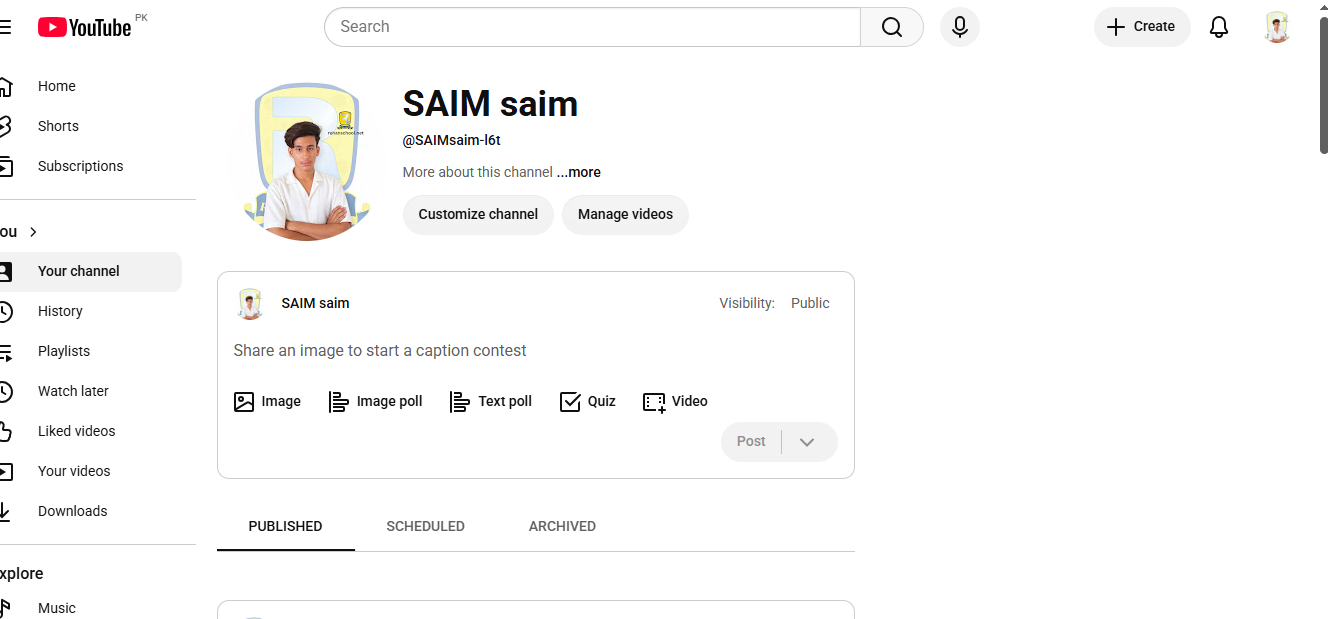
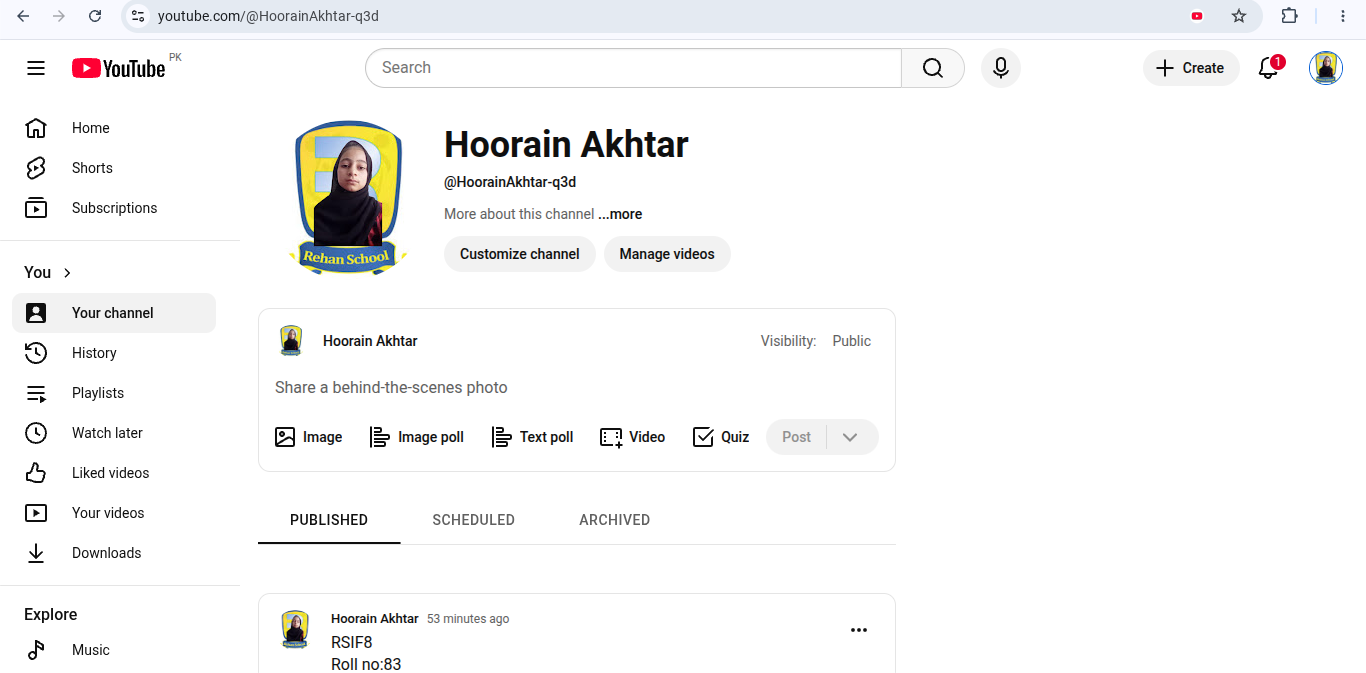
    Task Topic:How to Create a youtube Account

    Go to YouTube.
    Click Sign In in the top-right corner.
    Sign in with your existing Google account, or create one at Google Account Creation.
    Once signed in, click your profile picture and select Create a Channel.
    Enter your channel name and upload a profile picture.
    Click Create Channel.
    Customize your channel by adding a banner, description, and links.
    Sample YouTube Channel Description

    Welcome to my channel!
    Here you'll find amazing videos about entertainment, lifestyle, tips, and fun content.
    Subscribe and join our growing community.
    Turn on notifications so you never miss an upload!

    Thank you for your support!
    Edited · 13w
    RSIF8 Roll no:83 Task no:4 Task Topic:How to Create a youtube Account📺 Go to YouTube. Click Sign In in the top-right corner. Sign in with your existing Google account, or create one at Google Account Creation. Once signed in, click your profile picture and select Create a Channel. Enter your channel name and upload a profile picture. Click Create Channel. Customize your channel by adding a banner, description, and links. ✨ Sample YouTube Channel Description 🎥 Welcome to my channel! 🌟 Here you'll find amazing videos about entertainment, lifestyle, tips, and fun content. 👍 Subscribe and join our growing community. 🔔 Turn on notifications so you never miss an upload! 💖 Thank you for your support! Edited · 13w
    0 Commentarios 0 Acciones 647 Views
  • RSIF8
    roll no 94
    task no 1
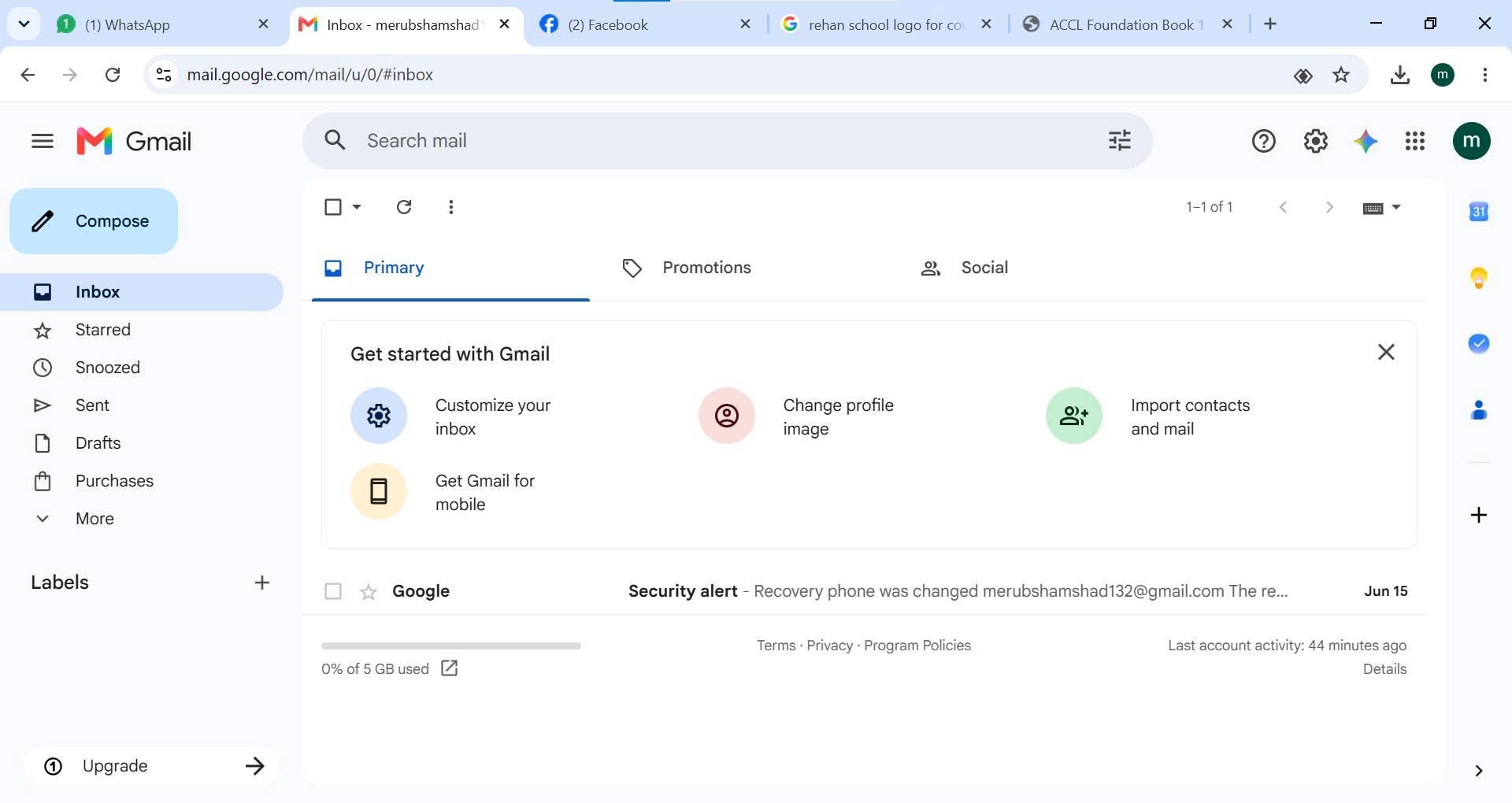
    task topic HOW TO CREATE A GMAIL ACCOUNT
    How to Create a Gmail Account
    Creating a Gmail account is quick and easy!
    Go to the Gmail sign-up page.
    Enter your first and last name.
    Choose a unique username.
    Create a strong password .
    Add your phone number for security .
    Verify your account and complete the setup.
    Start sending emails, using Google Drive, YouTube, Google Meet, and more!
    Your Gmail account is now ready to use!
    #Gmail #GoogleAccount #EmailAccount #TechTips #DigitalSkills #OnlineLearning #GmailTutorial #Technology #InternetBasics #HowTo #EmailSetup
    RSIF8 roll no 94 task no 1 task topic HOW TO CREATE A GMAIL ACCOUNT 📧✨ How to Create a Gmail Account ✨📧 Creating a Gmail account is quick and easy! 🚀 1️⃣ Go to the Gmail sign-up page. 2️⃣ Enter your first and last name. 3️⃣ Choose a unique username. 4️⃣ Create a strong password 🔒. 5️⃣ Add your phone number for security 📱. 6️⃣ Verify your account and complete the setup. ✅ 7️⃣ Start sending emails, using Google Drive, YouTube, Google Meet, and more! 🌐💡 🎉 Your Gmail account is now ready to use! #Gmail #GoogleAccount #EmailAccount #TechTips #DigitalSkills #OnlineLearning #GmailTutorial #Technology #InternetBasics #HowTo #EmailSetup 📧✨🚀
    0 Commentarios 0 Acciones 822 Views
  • https://play.google.com/store/apps/details?id=com.friend.line2&referrer=username%3Dmr.81071
    https://play.google.com/store/apps/details?id=com.friend.line2&referrer=username%3Dmr.81071
    0 Commentarios 0 Acciones 270 Views
  • “Aapka Legal Question Kahan Jata Hai?”

    Ek legal question hai…

    Lekin Google par search karne ke baad bhi
    clear answer nahi mil raha?

    Kabhi information bohat zyada hoti hai…

    Different documents
    Different rules
    Different sources
    Different opinions

    Aur confusion aur barh jati hai.

    What if technology could help you organize the journey?

    AI + Legal Technology

    Not replacing lawyers.
    Not replacing legal judgment.

    Helping create a clearer starting point.

    REHAN LAW

    A legal-tech project being developed around a simple vision:

    Turn legal confusion into a more organized journey.

    AI Assistance
    Legal Documents
    Contracts
    Cases
    Lawyers

    ONE QUESTION.
    ONE CLEARER START.
    ONE SMARTER LEGAL JOURNEY.

    REHAN LAW
    COMING SOON

    www.rehanlaw.com

    Story Poll

    Agar aapko legal issue face ho, sabse pehle kya karenge?

    Online Search
    Ask a Lawyer

    Next Story Question:

    Aapko legal information mein sabse zyada kya confusing lagta hai?

    Reply karo — your answer can shape what we build next.
    “Aapka Legal Question Kahan Jata Hai?” ⚖️ Ek legal question hai… Lekin Google par search karne ke baad bhi clear answer nahi mil raha? 🤔 Kabhi information bohat zyada hoti hai… 📄 Different documents 📑 Different rules 🌐 Different sources 👨‍⚖️ Different opinions Aur confusion aur barh jati hai. What if technology could help you organize the journey? 🤖 AI + Legal Technology Not replacing lawyers. Not replacing legal judgment. Helping create a clearer starting point. ⚖️ REHAN LAW A legal-tech project being developed around a simple vision: Turn legal confusion into a more organized journey. 🤖 AI Assistance 📄 Legal Documents 📑 Contracts ⚖️ Cases 👨‍⚖️ Lawyers ONE QUESTION. ONE CLEARER START. ONE SMARTER LEGAL JOURNEY. 🚀 REHAN LAW COMING SOON 🌐 www.rehanlaw.com 📊 Story Poll Agar aapko legal issue face ho, sabse pehle kya karenge? 🔎 Online Search 👨‍⚖️ Ask a Lawyer Next Story Question: Aapko legal information mein sabse zyada kya confusing lagta hai? 💬 Reply karo — your answer can shape what we build next.
    0 Commentarios 0 Acciones 234 Views
  • RSIF8
    Roll no 101
    task no 04
    task topic How to Create a YouTube Account?
    Ready to explore YouTube and discover amazing videos? This simple and beginner-friendly tutorial will guide you through the basics of creating and setting up a YouTube account.

    Whether you're completely new to YouTube or just want to understand how the platform works, this guide will help you get started step by step.

    In this video, you'll learn:
    How to get started with YouTube
    How to sign in using a Google Account
    How to set up your YouTube profile
    How to search for videos and channels
    How to subscribe to channels
    How to save videos for later
    How to manage basic account settings
    Helpful privacy and safety tips

    Perfect for beginners! Follow along with the tutorial and learn the essential YouTube features at your own pace.

    Start your YouTube experience today and discover content, creators, and topics you enjoy!

    Like the video
    Share your thoughts
    Follow for more simple tech tutorials
    Share this guide with someone who is new to YouTube!

    #YouTube #YouTubeAccount #CreateYouTubeAccount #YouTubeTutorial #YouTubeGuide #YouTubeTips #HowTo #StepByStep #YouTubeForBeginners #BeginnerTutorial #GoogleAccount #TechTips #Technology #DigitalSkills #LearnYouTube #OnlineTutorial #VideoTutorial #TechGuide #DigitalLearning #SocialMediaTips #EasyGuide #YouTubeHelp #Tutorial #LearnTechnology #NewToYouTube
    RSIF8 Roll no 101 task no 04 task topic How to Create a YouTube Account? Ready to explore YouTube and discover amazing videos? 🌎✨ This simple and beginner-friendly tutorial will guide you through the basics of creating and setting up a YouTube account. 📱💻 Whether you're completely new to YouTube or just want to understand how the platform works, this guide will help you get started step by step. 😊 📌 In this video, you'll learn: 🔹 How to get started with YouTube 🔹 How to sign in using a Google Account 🔐 🔹 How to set up your YouTube profile 👤 🔹 How to search for videos and channels 🔎 🔹 How to subscribe to channels 🔔 🔹 How to save videos for later ⭐ 🔹 How to manage basic account settings ⚙️ 🔹 Helpful privacy and safety tips 🔒 💡 Perfect for beginners! Follow along with the tutorial and learn the essential YouTube features at your own pace. 🎬 Start your YouTube experience today and discover content, creators, and topics you enjoy! 🌟 👍 Like the video 💬 Share your thoughts 🔔 Follow for more simple tech tutorials 📲 Share this guide with someone who is new to YouTube! #YouTube #YouTubeAccount #CreateYouTubeAccount #YouTubeTutorial #YouTubeGuide #YouTubeTips #HowTo #StepByStep #YouTubeForBeginners #BeginnerTutorial #GoogleAccount #TechTips #Technology #DigitalSkills #LearnYouTube #OnlineTutorial #VideoTutorial #TechGuide #DigitalLearning #SocialMediaTips #EasyGuide #YouTubeHelp #Tutorial #LearnTechnology #NewToYouTube 🎥📱💻✨🚀
    0 Commentarios 0 Acciones 2353 Views


  • Liked by its__real___life_1122 and 5 others
    RSIF8
    roll no 101
    task no 01
    task topic How to Create a Gmail Account?
    Creating a Gmail account is quick, easy, and completely beginner-friendly! In this tutorial, you’ll learn how to create a new Gmail account step by step, choose a strong password , add your basic information, and start sending and receiving emails.

    Whether you need Gmail for school , work , YouTube , Google Drive , or other Google services, this guide will help you get started with ease!

    Watch the full tutorial and follow each step carefully.
    Save this guide for later and share it with anyone who needs help creating a Gmail account!

    #Gmail #GmailAccount #CreateGmail #GoogleAccount #GoogleGmail #EmailTutorial #HowTo #StepByStep #TechTutorial #TechTips #BeginnerGuide #EmailTips #GoogleTips #OnlineTips #DigitalSkills #LearnTech #Tutorial #EasyGuide #ComputerTips #MobileTips
    Liked by its__real___life_1122 and 5 others RSIF8 roll no 101 task no 01 task topic How to Create a Gmail Account? Creating a Gmail account is quick, easy, and completely beginner-friendly! 😊📱 In this tutorial, you’ll learn how to create a new Gmail account step by step, choose a strong password 🔐, add your basic information, and start sending and receiving emails. 📩✨ Whether you need Gmail for school 🎓, work 💼, YouTube ▶️, Google Drive ☁️, or other Google services, this guide will help you get started with ease! 👉 Watch the full tutorial and follow each step carefully. 💡 Save this guide for later and share it with anyone who needs help creating a Gmail account! #Gmail #GmailAccount #CreateGmail #GoogleAccount #GoogleGmail #EmailTutorial #HowTo #StepByStep #TechTutorial #TechTips #BeginnerGuide #EmailTips #GoogleTips #OnlineTips #DigitalSkills #LearnTech #Tutorial #EasyGuide #ComputerTips #MobileTips 📧💻📱✨
    0 Commentarios 0 Acciones 1869 Views
  • RSIF8
    Roll no 64
    Task no 02
    Task topic How to Make a Facebook
    Creating a Gmail account is quick and easy! First, go to the official Gmail signup page and click on “Create account.” Fill in your basic details like your name, username, and a strong password . Then, add your phone number for verification and enter the code you receive. After that, provide a recovery email (optional) and your date of birth . Agree to the terms and conditions , and boom—you’re ready to explore your new Gmail account! Now you can send emails, use Google services, and stay connected with the world
    hashtag#Gmail hashtag#CreateAccount hashtag#EmailSetup hashtag#GoogleAccount hashtag#TechTips hashtag#DigitalLife hashtag#EasySteps hashtag#OnlineLearning hashtag#StudentLife
    RSIF8 Roll no 64 Task no 02 Task topic How to Make a Facebook Creating a Gmail account is quick and easy! 📧✨ First, go to the official Gmail signup page and click on “Create account.” Fill in your basic details like your name, username, and a strong password 🔐. Then, add your phone number for verification 📱 and enter the code you receive. After that, provide a recovery email (optional) and your date of birth 🎂. Agree to the terms and conditions ✔️, and boom—you’re ready to explore your new Gmail account! 🚀 Now you can send emails, use Google services, and stay connected with the world 🌍💬 hashtag#Gmail hashtag#CreateAccount hashtag#EmailSetup hashtag#GoogleAccount hashtag#TechTips hashtag#DigitalLife hashtag#EasySteps hashtag#OnlineLearning hashtag#StudentLife 📧🚀✨
    0 Commentarios 0 Acciones 855 Views
  • RSIF8
    Roll no 64
    Task no 01
    Task topic How to Create a Gmail
    Account?
    Creating a Gmail account is quick and easy! First, go to the official Gmail signup page and click on “Create account.” Fill in your basic details like your name, username, and a strong password . Then, add your phone number for verification and enter the code you receive. After that, provide a recovery email (optional) and your date of birth . Agree to the terms and conditions , and boom—you’re ready to explore your new Gmail account! Now you can send emails, use Google services, and stay connected with the world
    hashtag#Gmail hashtag#CreateAccount hashtag#EmailSetup hashtag#GoogleAccount hashtag#TechTips hashtag#DigitalLife hashtag#EasySteps hashtag#OnlineLearning hashtag#StudentLife
    RSIF8 Roll no 64 Task no 01 Task topic How to Create a Gmail Account? Creating a Gmail account is quick and easy! 📧✨ First, go to the official Gmail signup page and click on “Create account.” Fill in your basic details like your name, username, and a strong password 🔐. Then, add your phone number for verification 📱 and enter the code you receive. After that, provide a recovery email (optional) and your date of birth 🎂. Agree to the terms and conditions ✔️, and boom—you’re ready to explore your new Gmail account! 🚀 Now you can send emails, use Google services, and stay connected with the world 🌍💬 hashtag#Gmail hashtag#CreateAccount hashtag#EmailSetup hashtag#GoogleAccount hashtag#TechTips hashtag#DigitalLife hashtag#EasySteps hashtag#OnlineLearning hashtag#StudentLife 📧🚀✨
    0 Commentarios 0 Acciones 843 Views
  • RSIF8
    Roll NO:11
    Task post no : 9
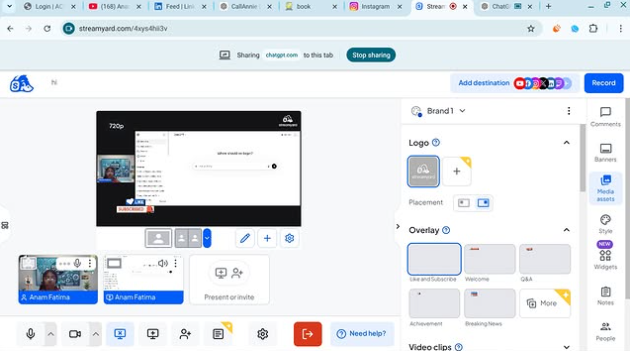
    Task topic How to use streamyard for interviews?

    How to Use StreamYard for Interviews
    Want to host online interviews like a pro? StreamYard lets you go live on YouTube, Facebook, or record professional interviews directly from your browser
    Step 1 — Open StreamYard
    Start here
    Open StreamYard Studio
    Sign up with Google / Facebook / Email
    Allow camera & microphone
    You are now ready to create your studio
    Step 2 — Create Your Interview Studio
    Click Create a Broadcast
    Choose platform (YouTube / Facebook / Record Only )
    Enter interview title
    Enter the studio
    Boom Your virtual interview room is ready!
    Step 3 — Invite Your Guest
    This is the magic part
    Click Invite Guests
    Copy the invite link
    Send it to your guest on WhatsApp or Email
    Your guest joins with one click
    Step 4 — Start the Interview
    When your guest joins
    Add them to screen
    Choose layout (side-by-side / full screen)
    Add name banners
    Click Go Live or Record
    You are now LIVE like a real TV show
    Pro Interview Features
    Show comments on screen
    Add logo & background
    Share screen for slides
    Play intro music
    Download recording after interview
    Interview Tips for Success
    Test mic & camera before going live
    Smile and look at camera
    Keep questions ready
    Keep interview 5–15 minutes
    Now you can host professional online interviews from home like a real presenter!
    RSIF8 Roll NO:11 Task post no : 9 Task topic How to use streamyard for interviews? 🎤📺 How to Use StreamYard for Interviews 🤩🎙️💻 Want to host online interviews like a pro? StreamYard lets you go live on YouTube, Facebook, or record professional interviews directly from your browser 🚀🌍✨ ⬇️🌐 Step 1 — Open StreamYard Start here 👇 Open StreamYard Studio🚀 👉 Sign up with Google / Facebook / Email ✉️ 👉 Allow camera 📷 & microphone 🎤 You are now ready to create your studio 🏢✨ 🎬 Step 2 — Create Your Interview Studio 1️⃣ Click Create a Broadcast 🎥 2️⃣ Choose platform (YouTube ▶️ / Facebook 👍 / Record Only 🎬) 3️⃣ Enter interview title 📝 4️⃣ Enter the studio 💻 Boom 💥 Your virtual interview room is ready! 👩‍💻📩 Step 3 — Invite Your Guest This is the magic part ✨ 👉 Click Invite Guests 🔗 👉 Copy the invite link 📋 👉 Send it to your guest on WhatsApp or Email 📲✉️ Your guest joins with one click 😍 🎤🗣️ Step 4 — Start the Interview When your guest joins 👇 ✅ Add them to screen 👥 ✅ Choose layout (side-by-side / full screen) 🖥️ ✅ Add name banners 🏷️ ✅ Click Go Live 🔴 or Record 🎬 You are now LIVE like a real TV show 📺🔥 ✨🎯 Pro Interview Features 🌟 Show comments on screen 💬 🌟 Add logo & background 🖼️ 🌟 Share screen for slides 📊 🌟 Play intro music 🎵 🌟 Download recording after interview 💾 💡🔥 Interview Tips for Success 🎯 Test mic & camera before going live 😊 Smile and look at camera 📋 Keep questions ready ⏰ Keep interview 5–15 minutes 🎉📺 Now you can host professional online interviews from home like a real presenter! 🎤🌍💥
    0 Commentarios 0 Acciones 995 Views
  • RSIF8
    Roll NO:11
    Task post no : 8
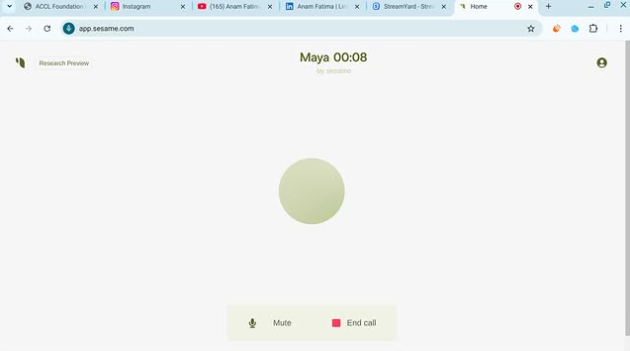
    Task topic How to Download & Use CallAnnie

    Meet your AI friend you can talk to anytime! CallAnnie lets you have real voice conversations, practice English, ask questions, and chat like a real phone call

    Download CallAnnie

    You can get the app from the official website:
    Download CallAnnie

    Steps to Install

    Open the link above
    Choose your device (Android / iPhone )
    Tap Download / Get App
    Install the app on your phone
    Open the app and sign up with email or Google

    How to Use CallAnnie

    Once installed, follow these easy steps

    Start Talking

    Open the app
    Tap Call Annie
    Speak naturally like a real phone call
    Annie replies instantly with voice

    What You Can Do With Annie

    Practice English speaking
    Ask homework questions
    Get daily motivation
    Learn new skills
    Have friendly conversations

    Tips for Best Experience

    Speak clearly and slowly
    Use headphones for better sound
    Use it daily to improve confidence
    Practice 5–10 minutes every day

    That’s it! You now have an AI friend in your pocket ready to talk anytime
    RSIF8 Roll NO:11 Task post no : 8 Task topic How to Download & Use CallAnnie 🤖🎙️ Meet your AI friend you can talk to anytime! CallAnnie lets you have real voice conversations, practice English, ask questions, and chat like a real phone call 💬📞✨ 🌐 Download CallAnnie You can get the app from the official website: Download CallAnnie 📱 Steps to Install 1️⃣ Open the link above 🔗 2️⃣ Choose your device (Android 🤖 / iPhone 🍎) 3️⃣ Tap Download / Get App ⬇️ 4️⃣ Install the app on your phone 📲 5️⃣ Open the app and sign up with email or Google ✉️ 🚀 How to Use CallAnnie Once installed, follow these easy steps 👇 🎤 Start Talking 🔹 Open the app 🔹 Tap Call Annie 📞 🔹 Speak naturally like a real phone call 🗣️ 🔹 Annie replies instantly with voice 💡 💡 What You Can Do With Annie ✨ Practice English speaking 🧠🇬🇧 ✨ Ask homework questions 📚 ✨ Get daily motivation 💪 ✨ Learn new skills 🧩 ✨ Have friendly conversations 😊 ⭐ Tips for Best Experience 💬 Speak clearly and slowly 🎧 Use headphones for better sound 🌍 Use it daily to improve confidence ⏰ Practice 5–10 minutes every day 🎉 That’s it! You now have an AI friend in your pocket ready to talk anytime 🤖💖📞
    0 Commentarios 0 Acciones 670 Views
Resultados de la búsqueda