• #rsisb
    Roll no 248
    Foundation level
    **Create Instagram and Paki.com Account**

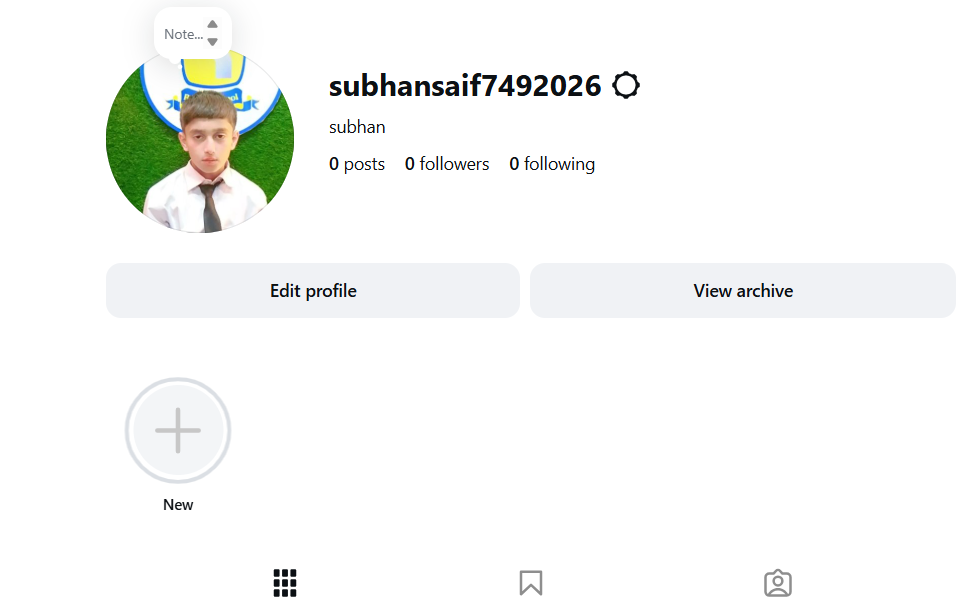
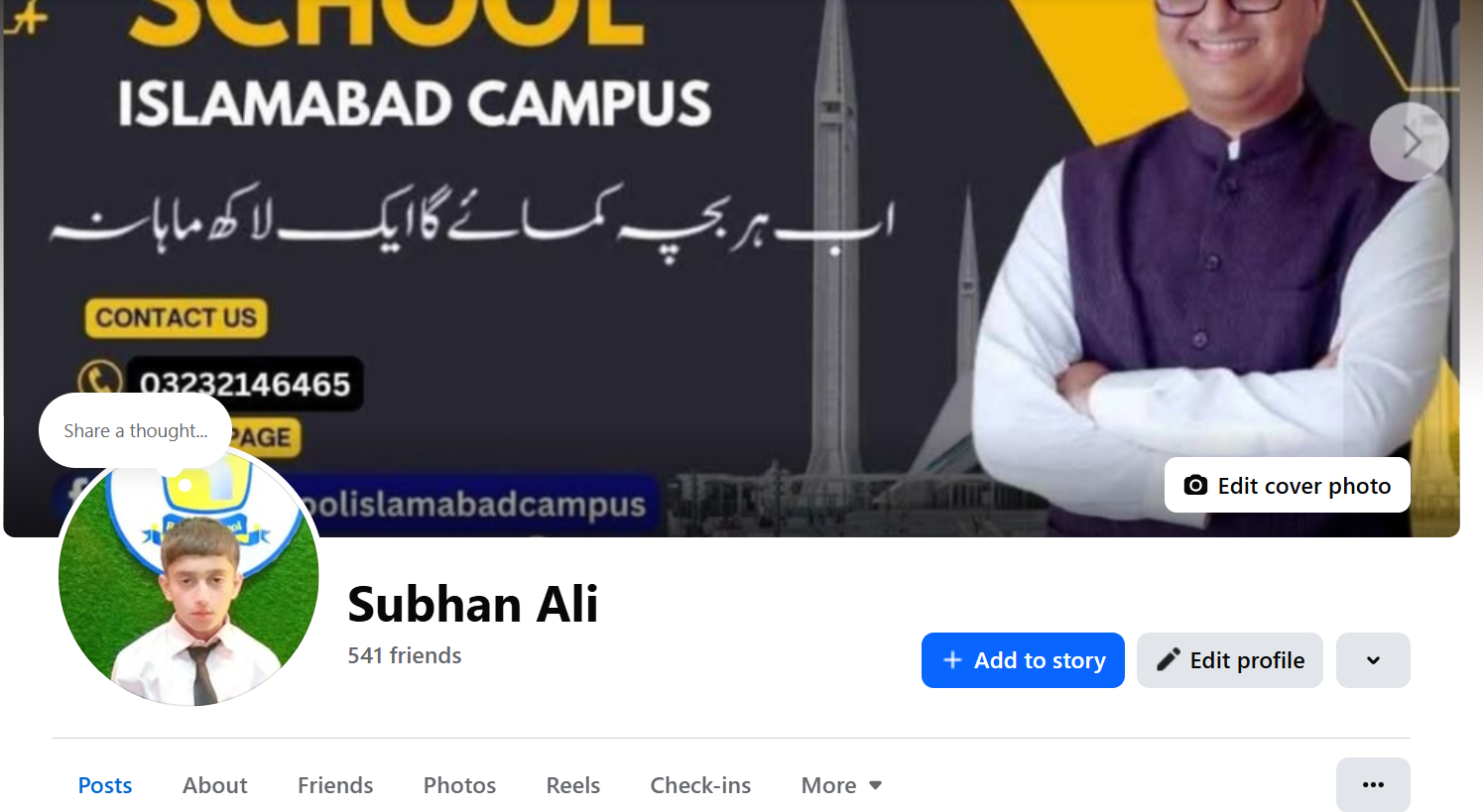
    Today, I learned how to create accounts on **Instagram** and **Paki.com**. This activity helped me understand the basic steps of online account creation, including choosing a username, setting up a profile, and learning about safe and responsible use of the internet.

    Social media and online platforms can help us connect with people, share ideas, learn new things, and explore opportunities. I also learned that keeping personal information private and using strong passwords are important parts of staying safe online.

    This was a useful and interesting learning experience!

    #Instagram #PakiCom #AccountCreation #DigitalSkills #DigitalLearning #InternetSafety #OnlineLearning #Technology #ComputerSkills #SocialMedia #LearningJourney #StudentLife #RehanSchool #Education #DigitalLiteracy
    #rsisb Roll no 248 Foundation level ๐Ÿ“ฑโœจ **Create Instagram and Paki.com Account** ๐ŸŒ๐Ÿš€ Today, I learned how to create accounts on **Instagram** and **Paki.com**. This activity helped me understand the basic steps of online account creation, including choosing a username, setting up a profile, and learning about safe and responsible use of the internet. ๐Ÿ”๐Ÿ’ป Social media and online platforms can help us connect with people, share ideas, learn new things, and explore opportunities. ๐ŸŒ๐Ÿค๐Ÿ“š I also learned that keeping personal information private and using strong passwords are important parts of staying safe online. ๐Ÿ›ก๏ธ๐Ÿ”‘ This was a useful and interesting learning experience! ๐Ÿ˜Š๐ŸŽ“ #Instagram #PakiCom #AccountCreation #DigitalSkills #DigitalLearning #InternetSafety #OnlineLearning #Technology #ComputerSkills #SocialMedia #LearningJourney #StudentLife #RehanSchool #Education #DigitalLiteracy ๐Ÿ’ป๐Ÿ“ฑ๐ŸŒŸ
    0 Commenti 0 condivisioni 1144 Views
  • Roll No.190
    Call Annie No. 49
    Foundation level

    1. AI in Daily Life

    Idea: Talk about how AI helps us with studying, searching for information, translation, and everyday tasks.
    Emojis:
    Hashtags: #ArtificialIntelligence #AI #Technology #TalkWithAI #Learning

    2. Smartphones in Our Life

    Idea: Discuss how smartphones help us communicate, learn, take photos, use maps, and stay connected.
    Emojis:
    Hashtags: #Smartphone #MobileTechnology #Technology #DigitalLife #Learning

    3. The Power of the Internet

    Idea: Explain how the internet connects people and helps students learn new things from anywhere.
    Emojis:
    Hashtags: #Internet #Technology #Education #DigitalWorld #Learning

    4. Technology and Gaming

    Idea: Talk about how modern technology has changed video games and made them more interactive.
    Emojis:
    Hashtags: #Gaming #Technology #VideoGames #Gamer #DigitalWorld

    5. Staying Safe Online

    Idea: Discuss passwords, privacy, suspicious links, and why we should be careful when using the internet.
    Emojis:
    Hashtags: #OnlineSafety #CyberSafety #InternetSafety #Technology #DigitalSafety

    6. Technology of the Future

    Idea: Imagine what future robots, smart homes, AI, and transportation might look like.
    Emojis:
    Hashtags: #FutureTechnology #Innovation #Robots #AI #Future

    7. Technology in Education

    Idea: Talk about how computers, tablets, online classes, and AI can make learning easier and more interesting.
    Emojis:
    Hashtags: #Education #EdTech #Technology #StudentLife #Learning

    8. Can AI Think Like Humans?

    Idea: Have a simple conversation about what AI can do and how humans are different from AI.
    Emojis:
    Hashtags: #AI #ArtificialIntelligence #HumanVsAI #Technology #Innovation
    Roll No.190 Call Annie No. 49 Foundation level ๐Ÿ’ป 1. AI in Daily Life ๐Ÿค– Idea: Talk about how AI helps us with studying, searching for information, translation, and everyday tasks. Emojis: ๐Ÿค–๐Ÿ’ป๐Ÿ“šโœจ Hashtags: #ArtificialIntelligence #AI #Technology #TalkWithAI #Learning ๐Ÿ“ฑ 2. Smartphones in Our Life Idea: Discuss how smartphones help us communicate, learn, take photos, use maps, and stay connected. Emojis: ๐Ÿ“ฑ๐ŸŒ๐Ÿ“ธ๐Ÿ—บ๏ธ Hashtags: #Smartphone #MobileTechnology #Technology #DigitalLife #Learning ๐ŸŒ 3. The Power of the Internet Idea: Explain how the internet connects people and helps students learn new things from anywhere. Emojis: ๐ŸŒ๐Ÿ’ป๐Ÿ“š๐Ÿ”Ž Hashtags: #Internet #Technology #Education #DigitalWorld #Learning ๐ŸŽฎ 4. Technology and Gaming Idea: Talk about how modern technology has changed video games and made them more interactive. Emojis: ๐ŸŽฎ๐Ÿ•น๏ธ๐Ÿ’ป๐Ÿš€ Hashtags: #Gaming #Technology #VideoGames #Gamer #DigitalWorld ๐Ÿ” 5. Staying Safe Online Idea: Discuss passwords, privacy, suspicious links, and why we should be careful when using the internet. Emojis: ๐Ÿ”๐Ÿ›ก๏ธ๐Ÿ’ป๐ŸŒ Hashtags: #OnlineSafety #CyberSafety #InternetSafety #Technology #DigitalSafety ๐Ÿš€ 6. Technology of the Future Idea: Imagine what future robots, smart homes, AI, and transportation might look like. Emojis: ๐Ÿš€๐Ÿค–๐Ÿ ๐Ÿš—โœจ Hashtags: #FutureTechnology #Innovation #Robots #AI #Future ๐Ÿ“š 7. Technology in Education Idea: Talk about how computers, tablets, online classes, and AI can make learning easier and more interesting. Emojis: ๐Ÿ“š๐Ÿ’ป๐ŸŽ“๐Ÿค– Hashtags: #Education #EdTech #Technology #StudentLife #Learning ๐Ÿง  8. Can AI Think Like Humans? Idea: Have a simple conversation about what AI can do and how humans are different from AI. Emojis: ๐Ÿง ๐Ÿค–๐Ÿ’ก๐Ÿ’ป Hashtags: #AI #ArtificialIntelligence #HumanVsAI #Technology #Innovation
    0 Commenti 0 condivisioni 5281 Views 0
  • #rsisb
    Roll no.239
    Account Creation no.6


    Instagram is one of the world’s most popular social media platforms, allowing people to **share photos and videos, create Stories and Reels, follow friends and creators, discover new content, and communicate with others**. Creating an Instagram account is a simple process, but understanding the setup and privacy options can help beginners use the platform more confidently and safely.

    In this topic, **“How to Create an Instagram Account?”**, we explore the basic steps involved in joining Instagram and setting up a new profile. The process generally begins by installing the Instagram app or visiting Instagram through a web browser. New users can sign up using an **email address or phone number**, and they may also be offered other sign-up options depending on their device and location.

    After creating an account, the next step is choosing a **username**. Your username is an important part of your Instagram identity because people can use it to find your profile. A good username should be easy to remember, simple to type, and appropriate for the type of content you plan to share.

    You can then personalize your profile by adding a **profile picture, name, biography, and other optional information**. Your bio gives visitors a quick idea about who you are, what you do, or what kind of content they can expect from your account. If you are creating an account for a project, business, educational purpose, or creative work, your profile can be designed to clearly communicate that purpose.

    Instagram also provides different ways to **connect with people and discover content**. You can search for friends, creators, organizations, and topics that interest you. Following relevant accounts can help personalize the content that appears in your feed and recommendations. You can also interact with content through likes, comments, shares, and messages.

    Another important part of creating an Instagram account is **privacy and security**. Before sharing personal information, it is useful to review your account's privacy settings. Depending on your needs, you may choose whether your account is public or private and manage who can interact with you or see your content.

    Security is equally important. Use a **strong and unique password**, protect your email address or phone number, and enable available security features such as **two-factor authentication**. Be careful with suspicious messages, unfamiliar links, fake accounts, and requests for personal information. Remember that protecting your account is just as important as creating it.

    Once your account is ready, you can begin exploring Instagram's features, including **Posts, Stories, Reels, direct messages, and other creative tools**. However, responsible social media use means thinking carefully before posting and remembering that anything shared online can potentially reach a wider audience.

    This topic is especially useful for beginners who want to understand **how to create an Instagram account, personalize a profile, connect with others, manage privacy, and stay secure online**. With the right settings and responsible habits, Instagram can be a useful platform for communication, creativity, learning, and sharing ideas.

    ### Hashtags

    #Instagram #InstagramAccount #CreateInstagramAccount #InstagramTutorial #HowToInstagram #InstagramForBeginners #SocialMedia #SocialMediaTips #InstagramTips #DigitalSkills #DigitalLiteracy #Technology #TechTips #OnlineSafety #InternetSafety #Privacy #AccountSecurity #TwoFactorAuthentication #SocialMediaLearning #LearnInstagram #DigitalEducation #OnlineCommunication #ContentCreation #InstagramReels #InstagramStories #SocialNetworking #ComputerSkills #Education #Learning #TechEducation
    #rsisb Roll no.239 Account Creation no.6 Instagram is one of the world’s most popular social media platforms, allowing people to **share photos and videos, create Stories and Reels, follow friends and creators, discover new content, and communicate with others**. Creating an Instagram account is a simple process, but understanding the setup and privacy options can help beginners use the platform more confidently and safely. In this topic, **“How to Create an Instagram Account?”**, we explore the basic steps involved in joining Instagram and setting up a new profile. The process generally begins by installing the Instagram app or visiting Instagram through a web browser. New users can sign up using an **email address or phone number**, and they may also be offered other sign-up options depending on their device and location. After creating an account, the next step is choosing a **username**. Your username is an important part of your Instagram identity because people can use it to find your profile. A good username should be easy to remember, simple to type, and appropriate for the type of content you plan to share. ๐Ÿ‘คโœจ You can then personalize your profile by adding a **profile picture, name, biography, and other optional information**. Your bio gives visitors a quick idea about who you are, what you do, or what kind of content they can expect from your account. If you are creating an account for a project, business, educational purpose, or creative work, your profile can be designed to clearly communicate that purpose. Instagram also provides different ways to **connect with people and discover content**. You can search for friends, creators, organizations, and topics that interest you. Following relevant accounts can help personalize the content that appears in your feed and recommendations. You can also interact with content through likes, comments, shares, and messages. โค๏ธ๐Ÿ’ฌ Another important part of creating an Instagram account is **privacy and security**. Before sharing personal information, it is useful to review your account's privacy settings. Depending on your needs, you may choose whether your account is public or private and manage who can interact with you or see your content. ๐Ÿ”๐Ÿ›ก๏ธ Security is equally important. Use a **strong and unique password**, protect your email address or phone number, and enable available security features such as **two-factor authentication**. Be careful with suspicious messages, unfamiliar links, fake accounts, and requests for personal information. Remember that protecting your account is just as important as creating it. Once your account is ready, you can begin exploring Instagram's features, including **Posts, Stories, Reels, direct messages, and other creative tools**. However, responsible social media use means thinking carefully before posting and remembering that anything shared online can potentially reach a wider audience. This topic is especially useful for beginners who want to understand **how to create an Instagram account, personalize a profile, connect with others, manage privacy, and stay secure online**. With the right settings and responsible habits, Instagram can be a useful platform for communication, creativity, learning, and sharing ideas. ๐ŸŒ๐Ÿ“š ### ๐Ÿ”– Hashtags #Instagram #InstagramAccount #CreateInstagramAccount #InstagramTutorial #HowToInstagram #InstagramForBeginners #SocialMedia #SocialMediaTips #InstagramTips #DigitalSkills #DigitalLiteracy #Technology #TechTips #OnlineSafety #InternetSafety #Privacy #AccountSecurity #TwoFactorAuthentication #SocialMediaLearning #LearnInstagram #DigitalEducation #OnlineCommunication #ContentCreation #InstagramReels #InstagramStories #SocialNetworking #ComputerSkills #Education #Learning #TechEducation ๐Ÿ“ฑ๐Ÿ“ธโœจ
    0 Commenti 0 condivisioni 7506 Views
  • #rsisb
    Roll no.239
    Account Creation no.5
    Foundation Level


    Creating a Facebook account is a simple way to connect with friends, family, communities, and people who share your interests. In this topic, **“How to Make a Facebook Account and Set It Up,”** we explore the complete process of creating a new account and preparing it for everyday use.

    The process begins with providing basic information such as your **name, date of birth, and contact details**, followed by choosing a strong password. After creating the account, you can verify your information and start setting up your profile.

    A well-organized Facebook profile can include a **profile picture, cover photo, short bio, education or work information, and other details** you want to share. You can also find friends, follow pages, join groups, and explore content based on your interests.

    An important part of setting up a Facebook account is **privacy and security**. You should review who can see your posts, who can contact you, and what personal information is visible on your profile. Using a strong, unique password and enabling available security features can also help protect your account.

    This topic provides beginners with a clear understanding of how to **create, personalize, secure, and manage a Facebook account responsibly**. Whether you want to stay connected with friends, follow useful pages, participate in communities, or share your own content, learning the basics can help you use Facebook with greater confidence.

    **Create smart. Connect responsibly. Stay safe online.**

    ### Hashtags

    #Facebook #FacebookAccount #HowToFacebook #CreateFacebookAccount #FacebookTutorial #SocialMedia #SocialMediaTips #FacebookTips #DigitalSkills #ComputerSkills #InternetSafety #OnlineSafety #Privacy #AccountSecurity #DigitalLiteracy #LearnFacebook #Technology #TechTips #SocialMediaLearning #OnlineCommunication #FacebookForBeginners #LearnTechnology #DigitalEducation #StaySafeOnline #SocialNetworking #FacebookGuide #Education #Learning #TechEducation #InternetSkills
    #rsisb Roll no.239 Account Creation no.5 Foundation Level Creating a Facebook account is a simple way to connect with friends, family, communities, and people who share your interests. In this topic, **“How to Make a Facebook Account and Set It Up,”** we explore the complete process of creating a new account and preparing it for everyday use. The process begins with providing basic information such as your **name, date of birth, and contact details**, followed by choosing a strong password. After creating the account, you can verify your information and start setting up your profile. ๐Ÿ‘คโœจ A well-organized Facebook profile can include a **profile picture, cover photo, short bio, education or work information, and other details** you want to share. You can also find friends, follow pages, join groups, and explore content based on your interests. ๐Ÿ‘๐Ÿ“ธ An important part of setting up a Facebook account is **privacy and security**. You should review who can see your posts, who can contact you, and what personal information is visible on your profile. Using a strong, unique password and enabling available security features can also help protect your account. ๐Ÿ”๐Ÿ›ก๏ธ This topic provides beginners with a clear understanding of how to **create, personalize, secure, and manage a Facebook account responsibly**. Whether you want to stay connected with friends, follow useful pages, participate in communities, or share your own content, learning the basics can help you use Facebook with greater confidence. ๐Ÿ“ฑ **Create smart. Connect responsibly. Stay safe online.** ๐ŸŒโœจ ### ๐Ÿ”– Hashtags #Facebook #FacebookAccount #HowToFacebook #CreateFacebookAccount #FacebookTutorial #SocialMedia #SocialMediaTips #FacebookTips #DigitalSkills #ComputerSkills #InternetSafety #OnlineSafety #Privacy #AccountSecurity #DigitalLiteracy #LearnFacebook #Technology #TechTips #SocialMediaLearning #OnlineCommunication #FacebookForBeginners #LearnTechnology #DigitalEducation #StaySafeOnline #SocialNetworking #FacebookGuide #Education #Learning #TechEducation #InternetSkills ๐Ÿ“ฑ๐Ÿ”โœจ๐Ÿ˜
    0 Commenti 0 condivisioni 6631 Views
  • Struggling to Browse Safely and Easily Online? Try These Browsers!

    If youโ€™re having difficulty using the internet or just want to browse safely without the hassle of complicated setups, here are some great web browsers that come with built-in VPNs and other helpful features:

    1. Opera - Free and unlimited VPN, perfect for easy and secure browsing.
    2. Brave - Enhanced privacy with a built-in VPN option, keeping your data secure.
    3. Firefox - Get access to Mozillaโ€™s premium VPN for complete online protection.
    4. UR Browser - Privacy-focused with a user-friendly interface and built-in VPN.
    5. Epic Privacy Browser - Blocks trackers and ads while offering encrypted browsing.
    6. Aloha Browser (Mobile) - Ideal for mobile users, with a free built-in VPN for secure surfing.

    Stay safe and keep your online activity private without the technical headaches! Give one of these a try today and make your browsing experience smoother and more secure.

    #InternetSafety #BrowseSecurely #TechTips
    ๐Ÿ’ป Struggling to Browse Safely and Easily Online? Try These Browsers! If youโ€™re having difficulty using the internet or just want to browse safely without the hassle of complicated setups, here are some great web browsers that come with built-in VPNs and other helpful features: 1. Opera - Free and unlimited VPN, perfect for easy and secure browsing. 2. Brave - Enhanced privacy with a built-in VPN option, keeping your data secure. 3. Firefox - Get access to Mozillaโ€™s premium VPN for complete online protection. 4. UR Browser - Privacy-focused with a user-friendly interface and built-in VPN. 5. Epic Privacy Browser - Blocks trackers and ads while offering encrypted browsing. 6. Aloha Browser (Mobile) - Ideal for mobile users, with a free built-in VPN for secure surfing. ๐Ÿ”’ Stay safe and keep your online activity private without the technical headaches! Give one of these a try today and make your browsing experience smoother and more secure. #InternetSafety #BrowseSecurely #TechTips
    0 Commenti 0 condivisioni 1258 Views
  • #rsisb
    Roll No.190
    Canva Post No.54
    Foundation Level

    Password Generator – Create Strong & Secure Passwords!
    Ideas for a Password Generator

    Generate strong passwords instantly
    Create secure passwords in one click
    Protect your accounts from hackers
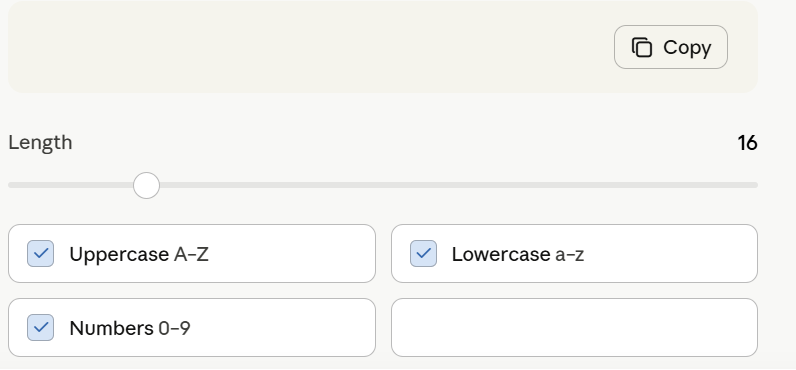
    Customize password length and complexity
    Include uppercase, lowercase, numbers, and symbols
    Easy-to-use and mobile-friendly design
    Fast, reliable, and secure password creation
    Improve your online security today
    Perfect for social media, email, and banking accounts
    Stay safe across all your devices

    Why Use a Password Generator?

    Creates hard-to-guess passwords
    Enhances online privacy
    Saves time and effort
    Reduces the risk of account breaches
    Encourages better cybersecurity habits

    Catchy Titles

    Password Generator – Your Security Partner
    Strong Passwords Made Simple
    Instant Password Creator
    Generate, Protect, Secure
    Smart Password Generator
    Build Better Passwords Today
    Secure Every Login
    One Click, Maximum Protection
    The Ultimate Password Maker
    Create Passwords Like a Pro

    Hashtags

    #PasswordGenerator
    #CyberSecurity
    #OnlineSafety
    #StrongPasswords
    #DataProtection
    #PrivacyMatters
    #DigitalSecurity
    #TechTools
    #SafeBrowsing
    #InternetSafety
    #SecureAccounts
    #PasswordProtection
    #SecurityTips
    #StaySafeOnline
    #Technology
    #rsisb Roll No.190 Canva Post No.54 Foundation Level ๐Ÿ” Password Generator – Create Strong & Secure Passwords! ๐Ÿ›ก๏ธ ๐Ÿ’ก Ideas for a Password Generator ๐Ÿ”‘ Generate strong passwords instantly โšก Create secure passwords in one click ๐Ÿ›ก๏ธ Protect your accounts from hackers ๐ŸŽฏ Customize password length and complexity ๐Ÿ”  Include uppercase, lowercase, numbers, and symbols ๐Ÿ“ฑ Easy-to-use and mobile-friendly design ๐Ÿš€ Fast, reliable, and secure password creation ๐Ÿ”’ Improve your online security today ๐Ÿ’ป Perfect for social media, email, and banking accounts ๐ŸŒ Stay safe across all your devices โœจ Why Use a Password Generator? โœ… Creates hard-to-guess passwords ๐Ÿ” โœ… Enhances online privacy ๐Ÿ›ก๏ธ โœ… Saves time and effort โฐ โœ… Reduces the risk of account breaches ๐Ÿšซ โœ… Encourages better cybersecurity habits ๐Ÿ’ก ๐ŸŒŸ Catchy Titles ๐Ÿ” Password Generator – Your Security Partner ๐Ÿ›ก๏ธ Strong Passwords Made Simple โšก Instant Password Creator ๐Ÿ”‘ Generate, Protect, Secure ๐Ÿš€ Smart Password Generator ๐Ÿ’ป Build Better Passwords Today ๐ŸŒ Secure Every Login ๐ŸŽฏ One Click, Maximum Protection ๐Ÿ”’ The Ultimate Password Maker โœจ Create Passwords Like a Pro ๐Ÿ“ฑ Hashtags #PasswordGenerator ๐Ÿ” #CyberSecurity ๐Ÿ›ก๏ธ #OnlineSafety ๐ŸŒ #StrongPasswords ๐Ÿ’ช #DataProtection ๐Ÿ”’ #PrivacyMatters ๐Ÿ‘ค #DigitalSecurity ๐Ÿ’ป #TechTools โšก #SafeBrowsing ๐Ÿš€ #InternetSafety ๐ŸŒŸ #SecureAccounts ๐Ÿ”‘ #PasswordProtection ๐Ÿ›ก๏ธ #SecurityTips ๐Ÿ’ก #StaySafeOnline ๐ŸŒ #Technology ๐Ÿš€
    0 Commenti 0 condivisioni 11349 Views