



#rsisb
Roll no.239
Account Creation no.8
Foundation Level
**Restream** is a useful online platform for hosting and broadcasting interviews, live conversations, webinars, and other types of video content. It can help you connect with a guest remotely and, depending on your setup and account features, broadcast your interview to multiple platforms at the same time.
In this topic, **“How to Use Restream for Interviews?”**, we explore the basic process of preparing, hosting, and managing an online interview through Restream.
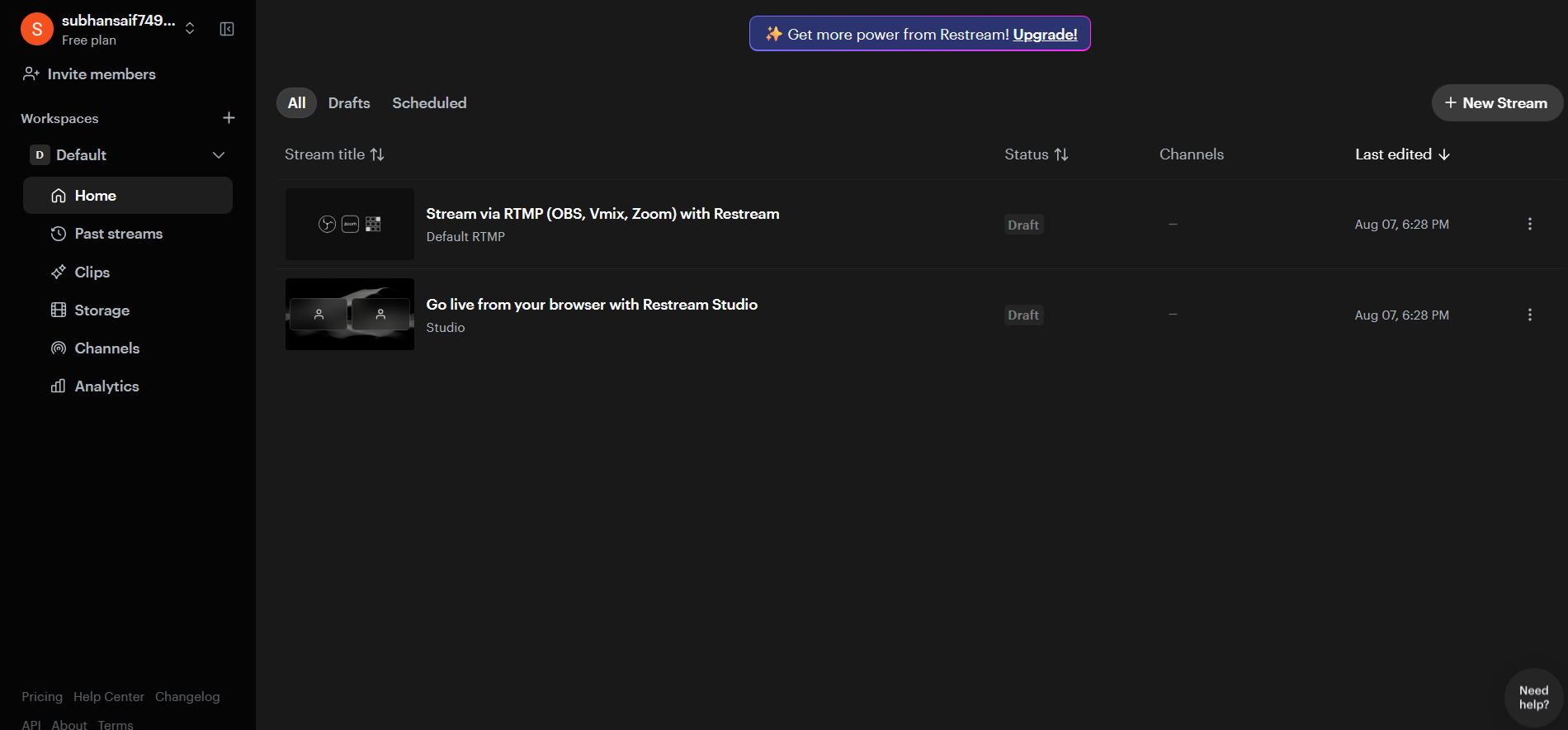
The first step is to **create or sign in to your Restream account** and prepare your live-streaming setup. Before starting the interview, you should make sure that your **camera, microphone, internet connection, and computer** are working properly. Good audio is especially important because viewers can tolerate average video quality more easily than unclear or interrupted sound.
Next, you can prepare your interview space and invite your guest. Depending on the Restream features available to you, your guest may be able to join remotely without needing a complicated setup. Before going live, it is a good idea to send your guest the necessary joining information and explain how the interview will work.
You should also decide **where you want to broadcast your interview**. Restream can be used to manage streaming destinations, allowing creators to reach audiences across supported social platforms. Connecting your preferred channels ahead of time can make the live-streaming process smoother.
Preparation is one of the most important parts of a successful interview. Create a list of **questions, discussion topics, introductions, and closing remarks** before going live. You can begin by welcoming viewers, introducing yourself and your guest, and briefly explaining the topic of the interview.
During the interview, communicate clearly with your guest and give them enough time to answer. Avoid interrupting unnecessarily, listen carefully, and use follow-up questions when an interesting point comes up.
Restream can also make online interviews more engaging by supporting features such as **on-screen elements, chat interaction, branding, and other streaming tools**, depending on the current plan and features available. These tools can help make your broadcast look more organized and professional.
Before going live, always perform a **test run**. Check the microphone volume, camera framing, lighting, internet connection, guest audio, and stream destinations. A short test can prevent many technical problems during the actual interview.
After the interview begins, keep an eye on the stream and watch for technical issues. If your guest's audio becomes unclear or the connection drops, calmly troubleshoot the problem rather than rushing through the conversation.
A successful Restream interview is not only about technology—it is also about **good communication, preparation, confidence, and audience engagement**. With practice, you can create interviews that are informative, interesting, and enjoyable for your viewers.
Whether you are interviewing a **student, teacher, professional, entrepreneur, creator, or community member**, learning how to use Restream can help you conduct online interviews and share meaningful conversations with a wider audience.
**Prepare well, test your equipment, ask thoughtful questions, communicate clearly, and focus on your guest and audience.** With the right preparation, your Restream interview can become a professional and engaging live experience.
### Hashtags
#Restream #RestreamInterview #OnlineInterview #LiveInterview #LiveStreaming #InterviewTips #StreamingTips #VideoInterview #OnlineStreaming #DigitalSkills #ContentCreation #LiveBroadcast #YouTubeLive #SocialMedia #StreamingSetup #InterviewSkills #CommunicationSkills #Technology #DigitalEducation #OnlineLearning #CreatorTips #LiveContent #ProfessionalInterview #StreamOnline #VirtualInterview #InterviewPreparation #TechSkills #LearnRestream #DigitalContent #LiveEvent
Roll no.239
Account Creation no.8
Foundation Level
**Restream** is a useful online platform for hosting and broadcasting interviews, live conversations, webinars, and other types of video content. It can help you connect with a guest remotely and, depending on your setup and account features, broadcast your interview to multiple platforms at the same time.
In this topic, **“How to Use Restream for Interviews?”**, we explore the basic process of preparing, hosting, and managing an online interview through Restream.
The first step is to **create or sign in to your Restream account** and prepare your live-streaming setup. Before starting the interview, you should make sure that your **camera, microphone, internet connection, and computer** are working properly. Good audio is especially important because viewers can tolerate average video quality more easily than unclear or interrupted sound.
Next, you can prepare your interview space and invite your guest. Depending on the Restream features available to you, your guest may be able to join remotely without needing a complicated setup. Before going live, it is a good idea to send your guest the necessary joining information and explain how the interview will work.
You should also decide **where you want to broadcast your interview**. Restream can be used to manage streaming destinations, allowing creators to reach audiences across supported social platforms. Connecting your preferred channels ahead of time can make the live-streaming process smoother.
Preparation is one of the most important parts of a successful interview. Create a list of **questions, discussion topics, introductions, and closing remarks** before going live. You can begin by welcoming viewers, introducing yourself and your guest, and briefly explaining the topic of the interview.
During the interview, communicate clearly with your guest and give them enough time to answer. Avoid interrupting unnecessarily, listen carefully, and use follow-up questions when an interesting point comes up.
Restream can also make online interviews more engaging by supporting features such as **on-screen elements, chat interaction, branding, and other streaming tools**, depending on the current plan and features available. These tools can help make your broadcast look more organized and professional.
Before going live, always perform a **test run**. Check the microphone volume, camera framing, lighting, internet connection, guest audio, and stream destinations. A short test can prevent many technical problems during the actual interview.
After the interview begins, keep an eye on the stream and watch for technical issues. If your guest's audio becomes unclear or the connection drops, calmly troubleshoot the problem rather than rushing through the conversation.
A successful Restream interview is not only about technology—it is also about **good communication, preparation, confidence, and audience engagement**. With practice, you can create interviews that are informative, interesting, and enjoyable for your viewers.
Whether you are interviewing a **student, teacher, professional, entrepreneur, creator, or community member**, learning how to use Restream can help you conduct online interviews and share meaningful conversations with a wider audience.
**Prepare well, test your equipment, ask thoughtful questions, communicate clearly, and focus on your guest and audience.** With the right preparation, your Restream interview can become a professional and engaging live experience.
### Hashtags
#Restream #RestreamInterview #OnlineInterview #LiveInterview #LiveStreaming #InterviewTips #StreamingTips #VideoInterview #OnlineStreaming #DigitalSkills #ContentCreation #LiveBroadcast #YouTubeLive #SocialMedia #StreamingSetup #InterviewSkills #CommunicationSkills #Technology #DigitalEducation #OnlineLearning #CreatorTips #LiveContent #ProfessionalInterview #StreamOnline #VirtualInterview #InterviewPreparation #TechSkills #LearnRestream #DigitalContent #LiveEvent
#rsisb
Roll no.239
Account Creation no.8
Foundation Level
**Restream** is a useful online platform for hosting and broadcasting interviews, live conversations, webinars, and other types of video content. It can help you connect with a guest remotely and, depending on your setup and account features, broadcast your interview to multiple platforms at the same time.
In this topic, **“How to Use Restream for Interviews?”**, we explore the basic process of preparing, hosting, and managing an online interview through Restream. 🎙️✨
The first step is to **create or sign in to your Restream account** and prepare your live-streaming setup. Before starting the interview, you should make sure that your **camera, microphone, internet connection, and computer** are working properly. Good audio is especially important because viewers can tolerate average video quality more easily than unclear or interrupted sound.
Next, you can prepare your interview space and invite your guest. Depending on the Restream features available to you, your guest may be able to join remotely without needing a complicated setup. Before going live, it is a good idea to send your guest the necessary joining information and explain how the interview will work. 👥🎥
You should also decide **where you want to broadcast your interview**. Restream can be used to manage streaming destinations, allowing creators to reach audiences across supported social platforms. Connecting your preferred channels ahead of time can make the live-streaming process smoother.
Preparation is one of the most important parts of a successful interview. Create a list of **questions, discussion topics, introductions, and closing remarks** before going live. You can begin by welcoming viewers, introducing yourself and your guest, and briefly explaining the topic of the interview.
During the interview, communicate clearly with your guest and give them enough time to answer. Avoid interrupting unnecessarily, listen carefully, and use follow-up questions when an interesting point comes up. 🎤🗣️
Restream can also make online interviews more engaging by supporting features such as **on-screen elements, chat interaction, branding, and other streaming tools**, depending on the current plan and features available. These tools can help make your broadcast look more organized and professional.
Before going live, always perform a **test run**. Check the microphone volume, camera framing, lighting, internet connection, guest audio, and stream destinations. A short test can prevent many technical problems during the actual interview. 🔊💡
After the interview begins, keep an eye on the stream and watch for technical issues. If your guest's audio becomes unclear or the connection drops, calmly troubleshoot the problem rather than rushing through the conversation.
A successful Restream interview is not only about technology—it is also about **good communication, preparation, confidence, and audience engagement**. With practice, you can create interviews that are informative, interesting, and enjoyable for your viewers.
Whether you are interviewing a **student, teacher, professional, entrepreneur, creator, or community member**, learning how to use Restream can help you conduct online interviews and share meaningful conversations with a wider audience. 🌍🎙️
**Prepare well, test your equipment, ask thoughtful questions, communicate clearly, and focus on your guest and audience.** With the right preparation, your Restream interview can become a professional and engaging live experience. 🚀🎥
### 🔖 Hashtags
#Restream #RestreamInterview #OnlineInterview #LiveInterview #LiveStreaming #InterviewTips #StreamingTips #VideoInterview #OnlineStreaming #DigitalSkills #ContentCreation #LiveBroadcast #YouTubeLive #SocialMedia #StreamingSetup #InterviewSkills #CommunicationSkills #Technology #DigitalEducation #OnlineLearning #CreatorTips #LiveContent #ProfessionalInterview #StreamOnline #VirtualInterview #InterviewPreparation #TechSkills #LearnRestream #DigitalContent #LiveEvent 🎤💻🌐✨
0 Commentarii
0 Distribuiri
10611 Views