• RSIF8
    Roll no : 83
    Task no :9
    Task Topic : How to use streamyard for
    interviews?
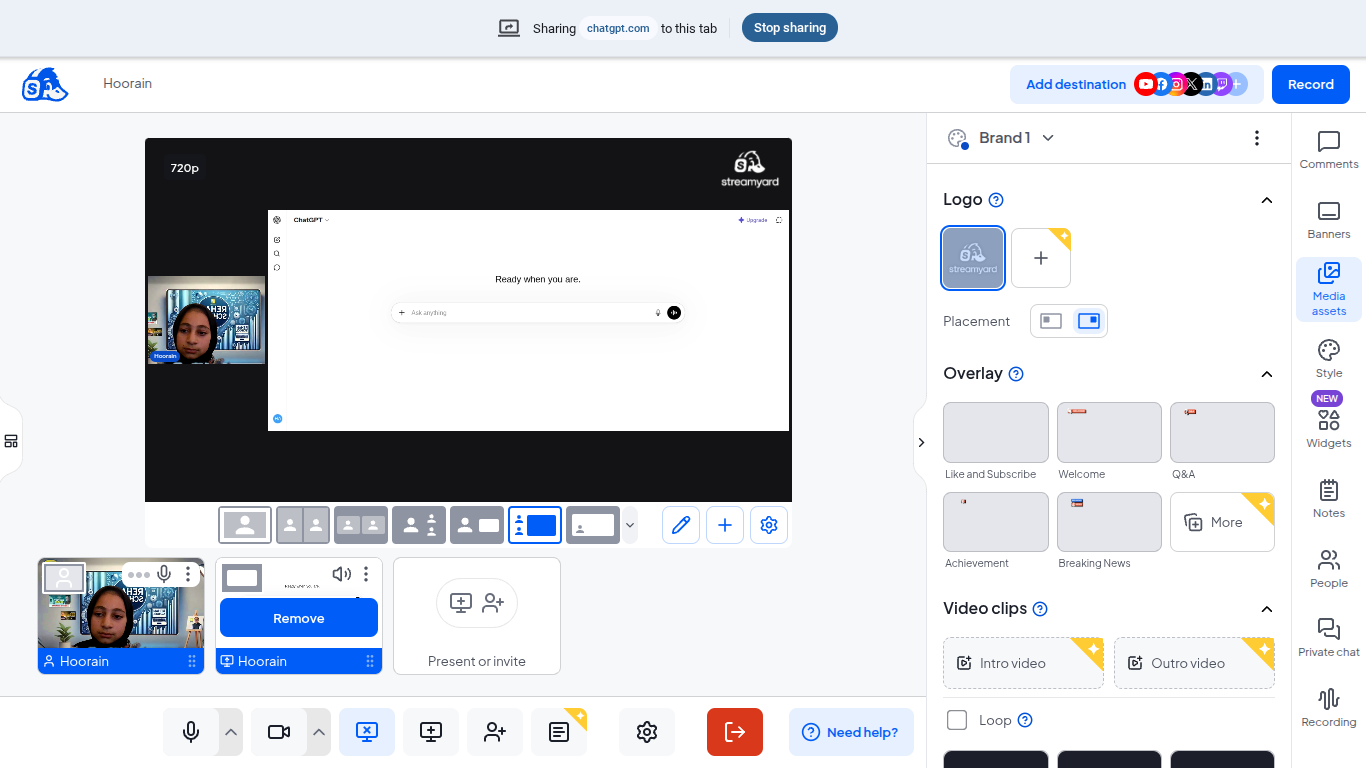
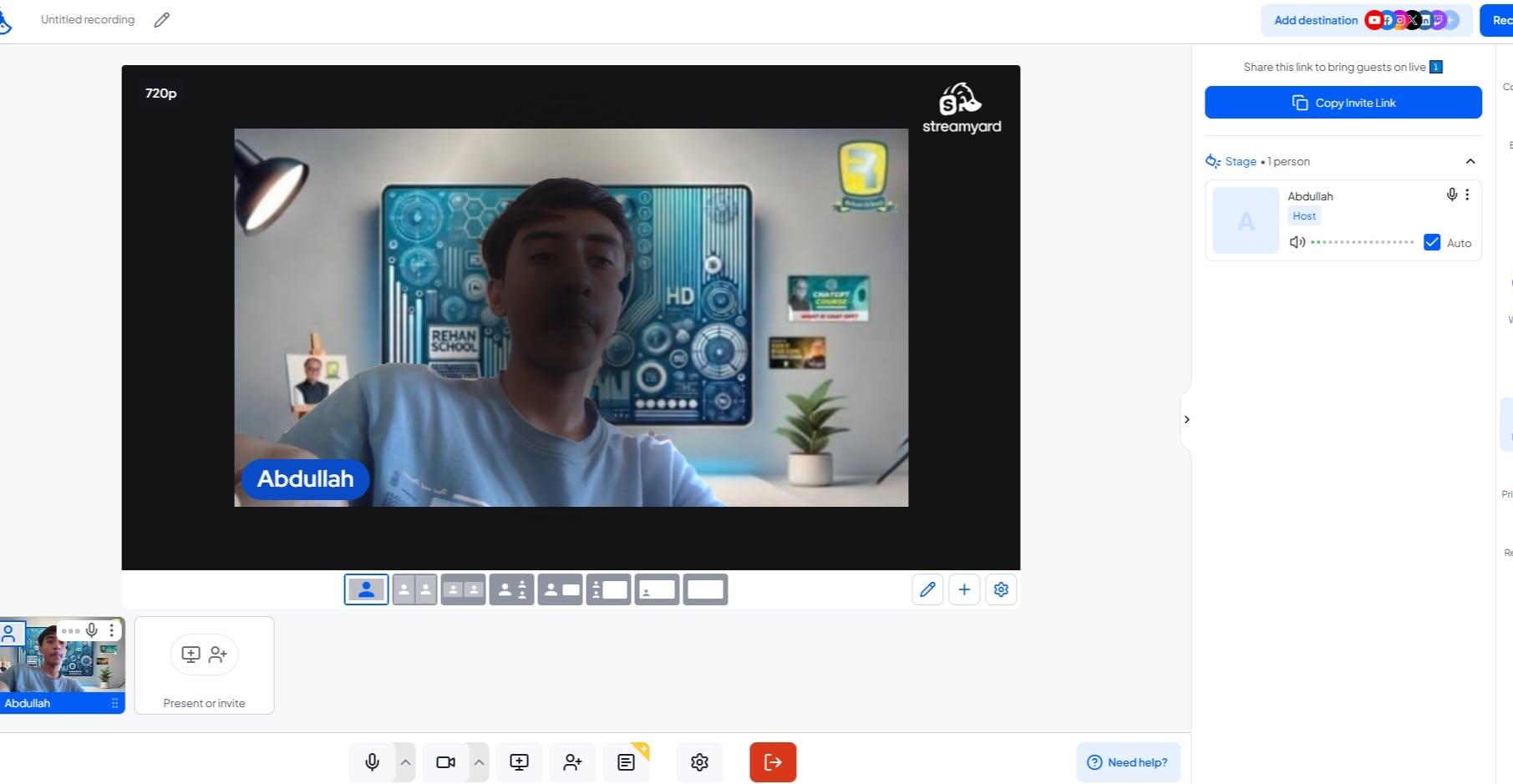
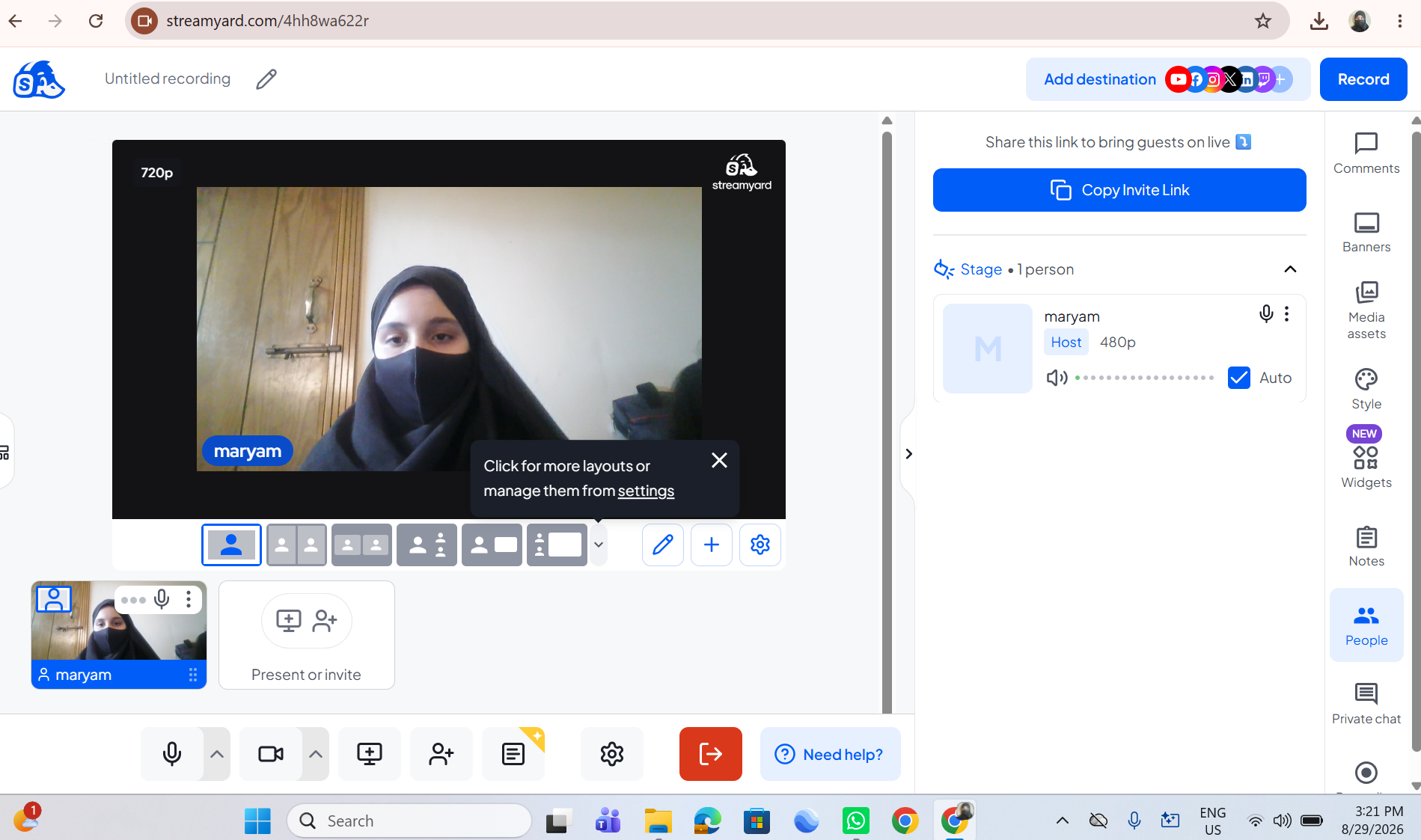
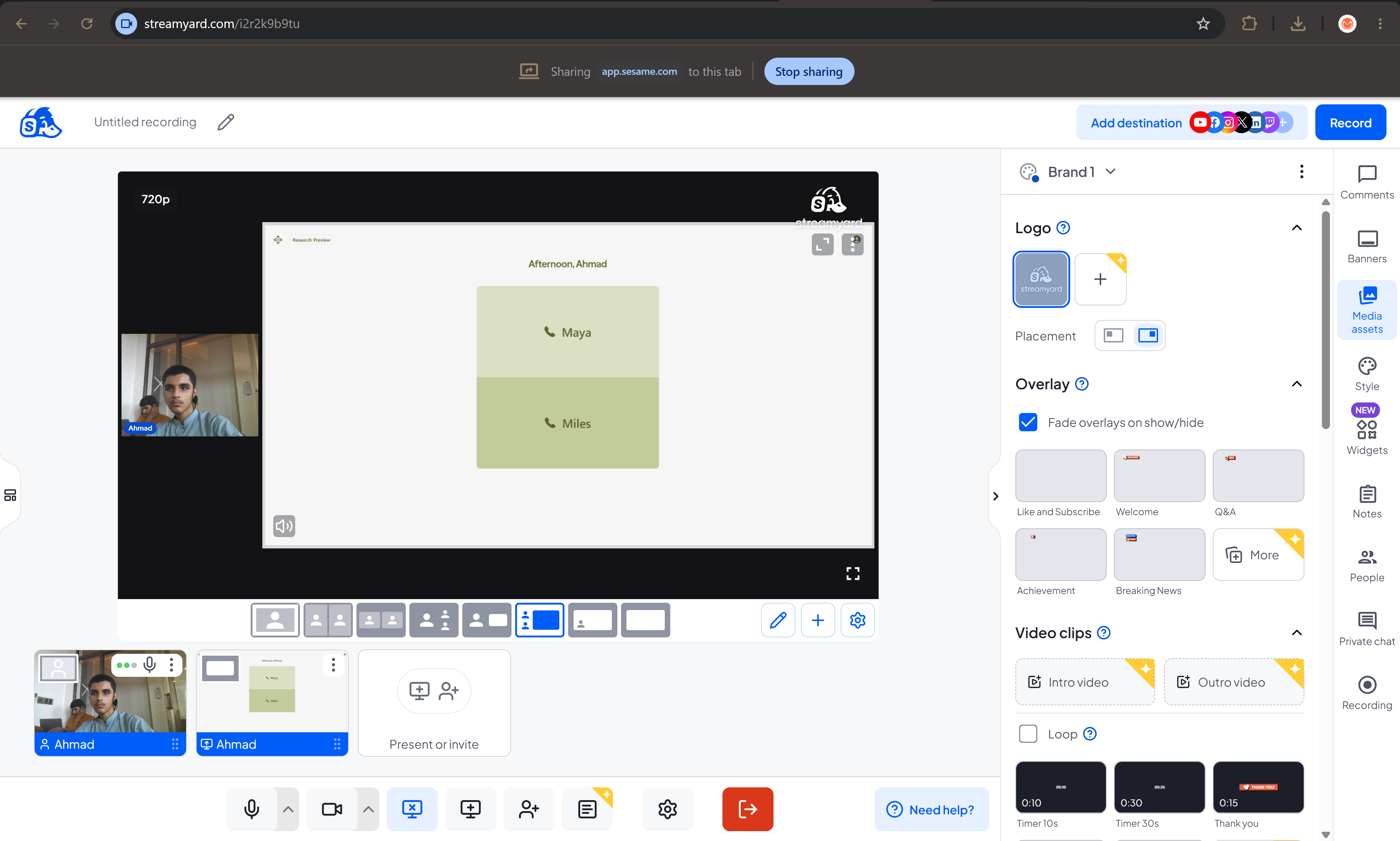
    Use StreamYard to host professional interviews with ease! Simply create a studio, invite your guest with a shareable link, and start your conversation live or record it for later. Customize your layout, display names and branding, share your screen, and engage with your audience through live comments—all from your browser with no downloads required.
    #StreamYard #LiveStreaming #Interviews #Podcasting #ContentCreator #VideoMarketing #LiveVideo #StreamingTips #OnlineInterviews #Broadcasting See less
    13w
    RSIF8 Roll no : 83 Task no :9 Task Topic : How to use streamyard for interviews? πŸŽ™οΈβœ¨ Use StreamYard to host professional interviews with ease! Simply create a studio, invite your guest with a shareable link, and start your conversation live or record it for later. Customize your layout, display names and branding, share your screen, and engage with your audience through live comments—all from your browser with no downloads required. πŸš€πŸ“ΉπŸ’¬ #StreamYard #LiveStreaming #Interviews #Podcasting #ContentCreator #VideoMarketing #LiveVideo #StreamingTips #OnlineInterviews #Broadcasting πŸŽ™οΈβœ¨πŸš€πŸ“ΉπŸ’¬πŸŽ€πŸŒŸ See less 13w
    0 Commenti 0 condivisioni 918 Views
  • RSIF8
    ROLL NO 100
    TASK NO 9
    TOPIC How to use StreamYard for interviews?

    Here’s a ready-to-post description for your StreamYard interview tutorial:

    **How to Use StreamYard for Interviews?**

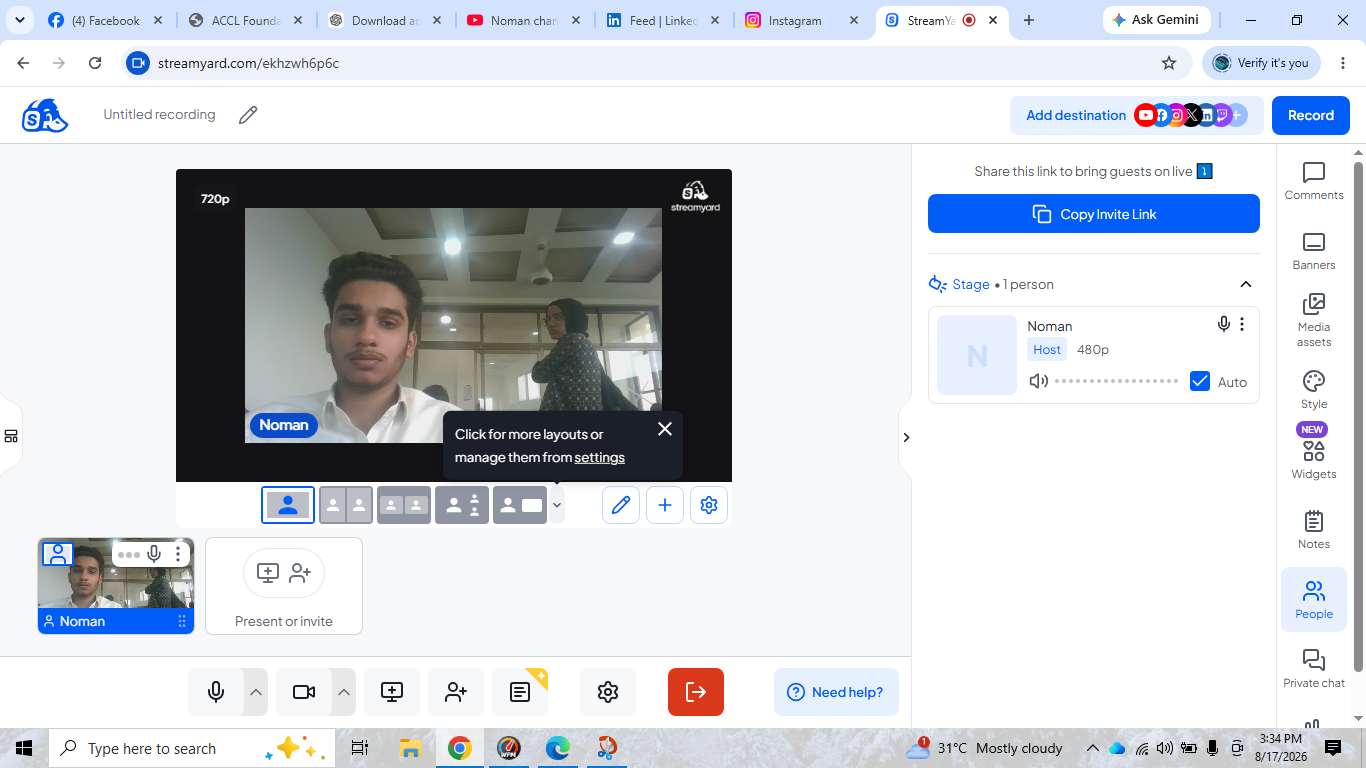
    Want to conduct professional and engaging online interviews? In this tutorial, learn how to use **StreamYard** step by step, invite a guest, manage your interview, and create an engaging live session.

    StreamYard makes online interviews simple, interactive, and fun! Watch the tutorial and improve your digital communication skills.

    #StreamYard #StreamYardTutorial #OnlineInterview #InterviewSkills #DigitalSkills #LiveStreaming #CommunicationSkills #OnlineLearning #TechSkills #LearnStreamYard #ContentCreation
    RSIF8 ROLL NO 100 TASK NO 9 TOPIC How to use StreamYard for interviews? Here’s a ready-to-post description for your StreamYard interview tutorial: πŸŽ₯🎀 **How to Use StreamYard for Interviews?** 🌟 Want to conduct professional and engaging online interviews? πŸ’»βœ¨ In this tutorial, learn how to use **StreamYard** step by step, invite a guest, manage your interview, and create an engaging live session. πŸš€πŸŽ™οΈ StreamYard makes online interviews simple, interactive, and fun! πŸ˜ŠπŸ“‘ Watch the tutorial and improve your digital communication skills. πŸ’‘πŸ”₯ #StreamYard #StreamYardTutorial #OnlineInterview #InterviewSkills #DigitalSkills #LiveStreaming #CommunicationSkills #OnlineLearning #TechSkills #LearnStreamYard #ContentCreation πŸŽ₯πŸŽ€πŸ’»βœ¨
    0 Commenti 0 condivisioni 1350 Views
  • RSIF8
    Roll no:100
    Task no:9
    Task topic:How to use StreamYard for interviews?
    How to Use StreamYard for Interviews
    Want to host professional online interviews with ease? Here's how:
    Create your broadcast in StreamYard
    Invite your guest with a simple link—no software download needed!
    Customize your layout, add your logo, and display names.
    Highlight audience comments live during the interview.
    Stream directly to YouTube, Facebook, LinkedIn, or other platforms.
    Record your interview for future editing and sharing.
    Whether you're hosting podcasts, business discussions, educational sessions, or live Q&As, StreamYard makes interviewing simple and professional.
    #StreamYard #OnlineInterview #LiveStreaming #Podcast #ContentCreator #YouTubeLive #FacebookLive #LinkedInLive #VirtualInterview #LiveShow #StreamingTips #VideoMarketing #DigitalCreator #InterviewTips #ContentMarketing
    RSIF8 Roll no:100 Task no:9 Task topic:How to use StreamYard for interviews? πŸŽ™οΈ How to Use StreamYard for Interviews πŸŽ₯ Want to host professional online interviews with ease? πŸš€ Here's how: βœ… Create your broadcast in StreamYard 🎀 Invite your guest with a simple link—no software download needed! πŸŽ₯ Customize your layout, add your logo, and display names. πŸ’¬ Highlight audience comments live during the interview. πŸ“‘ Stream directly to YouTube, Facebook, LinkedIn, or other platforms. 🎬 Record your interview for future editing and sharing. Whether you're hosting podcasts, business discussions, educational sessions, or live Q&As, StreamYard makes interviewing simple and professional. 🌟 #StreamYard #OnlineInterview #LiveStreaming #Podcast #ContentCreator #YouTubeLive #FacebookLive #LinkedInLive #VirtualInterview #LiveShow #StreamingTips #VideoMarketing #DigitalCreator #InterviewTips #ContentMarketing
    0 Commenti 0 condivisioni 3165 Views
  • **Batch 14**
    **Task No. 9**
    **Book ACCl**

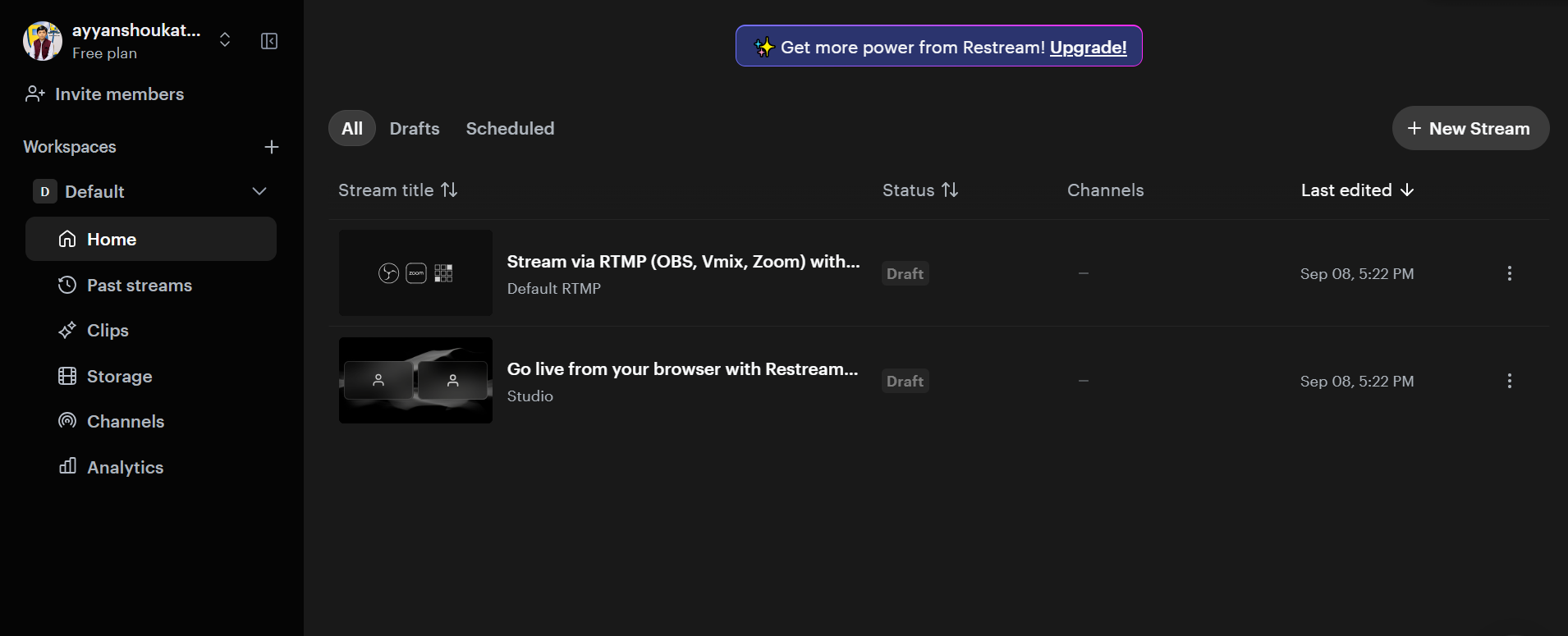
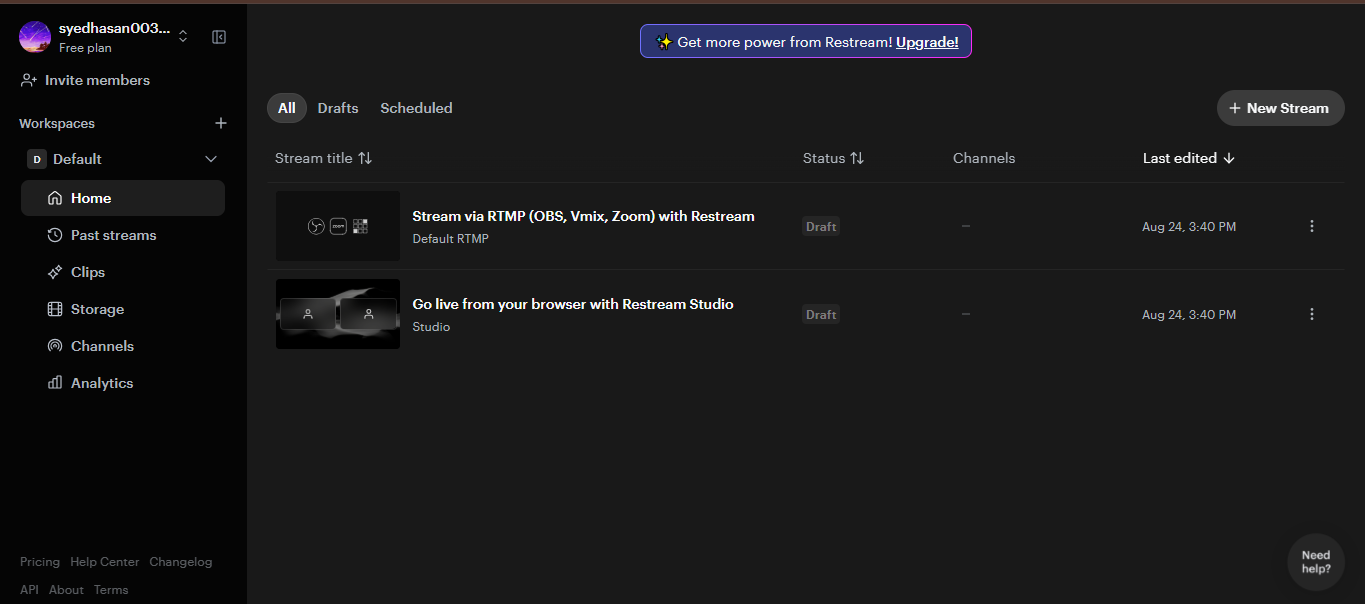
    Today, I successfully completed my task of using **Restream for interviews**. I learned how to set up an online interview, manage the live studio, and use essential features such as camera, microphone, guest invitations, and live broadcasting. This hands-on experience helped me strengthen my skills in virtual communication, live streaming, and professional online interview management.

    #TaskCompleted #Restream #OnlineInterview #LiveStreaming #VirtualCommunication #DigitalSkills #ProfessionalGrowth #Learning
    **Batch 14** **Task No. 9** **Book ACCl** Today, I successfully completed my task of using **Restream for interviews**. I learned how to set up an online interview, manage the live studio, and use essential features such as camera, microphone, guest invitations, and live broadcasting. This hands-on experience helped me strengthen my skills in virtual communication, live streaming, and professional online interview management. #TaskCompleted #Restream #OnlineInterview #LiveStreaming #VirtualCommunication #DigitalSkills #ProfessionalGrowth #Learning
    0 Commenti 0 condivisioni 1770 Views
  • RSIF8
    Roll No: 112
    Call Annie No: 4
    Call Annie Topic: “Bye-Bye – Where Did Our Goodbye Come From?”
    ### Description
    **Bye-Bye!** Today I’m going live with Annie for an interesting 5-minute conversation about **“Bye-Bye – Where Did Our Goodbye Come From?”**
    We’ll explore where the word **“goodbye”** came from, why people use it when leaving, and how different cultures say goodbye. We’ll also talk about how simple words can have fascinating stories behind them!
    Join my live stream, listen to our conversation, and learn something new with me!
    ### #️⃣ Hashtags
    #ByeBye #Goodbye #Annie #EnglishPractice #EnglishSpeaking #LearnEnglish #CommunicationSkills #LiveStream #SocialMediaLive #WordHistory #FunLearning #LearningEnglish #ConversationPractice #RSIF8 #LearningJourney
    RSIF8 Roll No: 112 Call Annie No: 4 Call Annie Topic: “Bye-Bye – Where Did Our Goodbye Come From?” ### πŸ“ Description πŸ‘‹βœ¨ **Bye-Bye!** Today I’m going live with Annie for an interesting 5-minute conversation about **“Bye-Bye – Where Did Our Goodbye Come From?”** πŸŒπŸ—£οΈ We’ll explore where the word **“goodbye”** came from, why people use it when leaving, and how different cultures say goodbye. πŸ‘‹πŸŒŽ We’ll also talk about how simple words can have fascinating stories behind them! πŸ“šπŸ’‘ Join my live stream, listen to our conversation, and learn something new with me! πŸŽ€πŸ“±πŸ˜Š ### #️⃣ Hashtags #ByeBye #Goodbye #Annie #EnglishPractice #EnglishSpeaking #LearnEnglish #CommunicationSkills #LiveStream #SocialMediaLive #WordHistory #FunLearning #LearningEnglish #ConversationPractice #RSIF8 #LearningJourney πŸ‘‹πŸŒπŸ“šβœ¨πŸŽ€πŸ˜Š
    0 Commenti 0 condivisioni 1694 Views 19
  • RSIF8
    Roll No: 112
    Call Annie no: 3
    Call Annie Topic: “Hurry Up!” – The Tale of a Time-Sensitive Phrase
    Description
    Hurry Up! Today I’m having an interesting conversation with Annie about the phrase “Hurry Up!” We’ll explore what it means, why people use it, how it connects with time, and how this simple phrase is used in everyday conversations.
    Join me as I practice my communication skills, learn something new, and share this fun conversation with you live!
    Sometimes we need to hurry up, but sometimes it’s also important to slow down and enjoy the moment.
    Thank you for watching and supporting my learning journey!
    #️⃣ Hashtags
    #HurryUp #Annie #EnglishPractice #CommunicationSkills #LearningEnglish #LiveStream #SocialMediaLive #EnglishSpeaking #TimeManagement #DailyEnglish #ConversationPractice #LearningJourney #RSIF8 #SpeakEnglish #KeepLearning
    RSIF8 Roll No: 112 Call Annie no: 3 Call Annie Topic: “Hurry Up!” – The Tale of a Time-Sensitive Phrase β°πŸƒ‍♀️ πŸ“ Description β°πŸƒ‍♀️ Hurry Up! Today I’m having an interesting conversation with Annie about the phrase “Hurry Up!” We’ll explore what it means, why people use it, how it connects with time, and how this simple phrase is used in everyday conversations. πŸ—£οΈβœ¨ Join me as I practice my communication skills, learn something new, and share this fun conversation with you live! πŸŽ€πŸ“±πŸŒ Sometimes we need to hurry up, but sometimes it’s also important to slow down and enjoy the moment. 😊⏳ Thank you for watching and supporting my learning journey! πŸ’«β€οΈ #️⃣ Hashtags #HurryUp #Annie #EnglishPractice #CommunicationSkills #LearningEnglish #LiveStream #SocialMediaLive #EnglishSpeaking #TimeManagement #DailyEnglish #ConversationPractice #LearningJourney #RSIF8 #SpeakEnglish #KeepLearning β°πŸƒ‍β™€οΈπŸŽ€πŸ“šβœ¨
    0 Commenti 0 condivisioni 1693 Views 34
  • RSIF8
    Roll No: 99
    Task No: 9
    Task Topic: How to use StreamYard for interviews?

    Want to host professional interviews online?

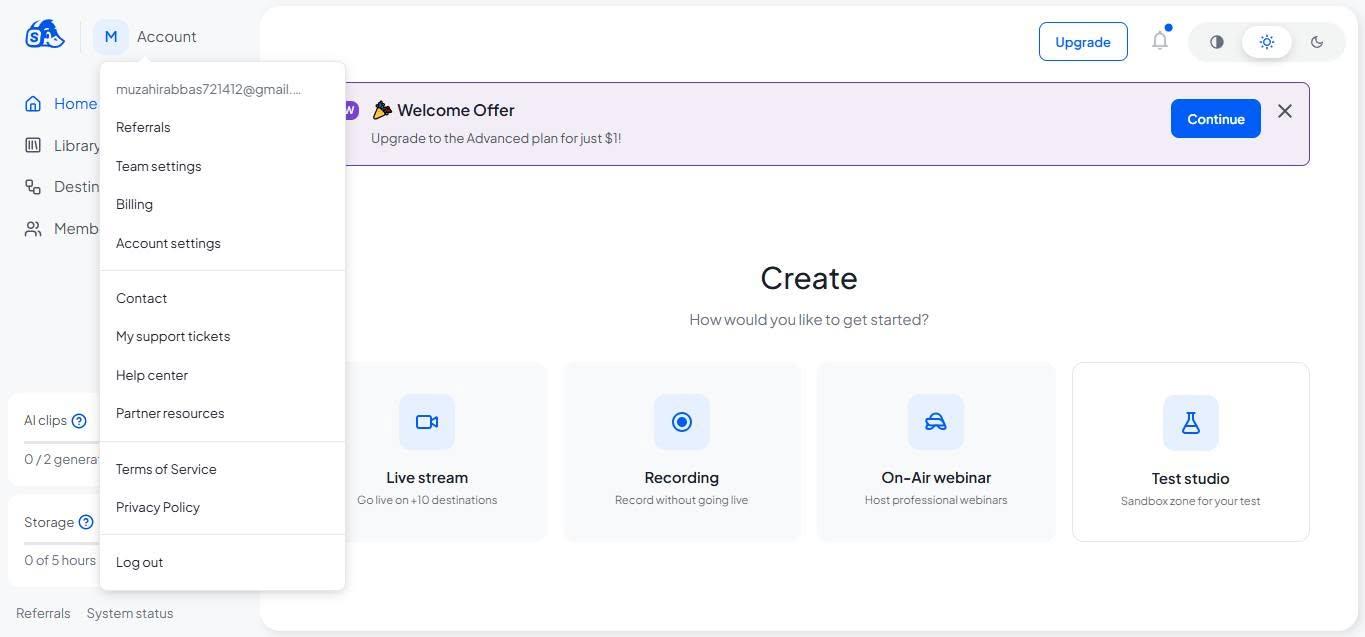
    In this easy step-by-step guide, you’ll learn **how to use StreamYard for interviews**—from setting up your studio and inviting guests to checking your camera and microphone and going live.

    StreamYard makes it easier to conduct interviews, podcasts, webinars, and live conversations without complicated setup.

    Save this post for later and share it with someone who wants to start hosting online interviews!

    #StreamYard #StreamYardTutorial #OnlineInterviews #LiveStreaming #VideoInterview #Podcasting #ContentCreation #DigitalSkills #TechTips #LiveStream #OnlineEvents #VideoContent #CreatorTips #DigitalTools #HowTo #StepByStep #TechTutorial #ContentCreator #OnlineLearning #StreamingTips
    RSIF8 Roll No: 99 Task No: 9 Task Topic: How to use StreamYard for interviews? πŸŽ™οΈ Want to host professional interviews online? In this easy step-by-step guide, you’ll learn **how to use StreamYard for interviews**—from setting up your studio and inviting guests to checking your camera and microphone and going live. πŸ’»πŸŽ₯ StreamYard makes it easier to conduct interviews, podcasts, webinars, and live conversations without complicated setup. πŸ“Œ Save this post for later and share it with someone who wants to start hosting online interviews! #StreamYard #StreamYardTutorial #OnlineInterviews #LiveStreaming #VideoInterview #Podcasting #ContentCreation #DigitalSkills #TechTips #LiveStream #OnlineEvents #VideoContent #CreatorTips #DigitalTools #HowTo #StepByStep #TechTutorial #ContentCreator #OnlineLearning #StreamingTips
    0 Commenti 0 condivisioni 3096 Views
  • RSIF8
    Roll No: 112
    Task No: 9
    Task Topic: How to Use StreamYard for Interviews?
    In this video, I explain the simple steps to use StreamYard for conducting online interviews and live broadcasts.
    StreamYard is a useful platform for hosting interviews, live streams, and online conversations with guests.
    In this tutorial, you will learn how to:
    Sign up or log in to StreamYard
    Create a broadcast and choose a platform
    Add a title for your interview
    Enter the studio and allow camera and microphone access
    Invite a guest using a share link
    Click Go Live to start the interview
    End the broadcast when the interview is finished
    This activity helped me improve my digital, communication, and online presentation skills.
    Tip: Check your camera, microphone, and internet connection before going live.
    Watch the video and follow the steps!
    Learn • Connect • Interview • Improve
    #RSIF8 #RollNo113 #PostNo8 #StreamYard #OnlineInterview #LiveStreaming #DigitalSkills #DigitalLiteracy #CommunicationSkills #Technology #OnlineLearning #InterviewSkills #PresentationSkills #VirtualInterview #TechSkills #LearningJourney #StudentLife #KeepLearning
    RSIF8 Roll No: 112 Task No: 9 Task Topic: How to Use StreamYard for Interviews? In this video, I explain the simple steps to use StreamYard for conducting online interviews and live broadcasts. πŸ’»πŸŽ™οΈ StreamYard is a useful platform for hosting interviews, live streams, and online conversations with guests. πŸŒπŸ—£οΈ In this tutorial, you will learn how to: πŸ”Ή Sign up or log in to StreamYard πŸ‘€ πŸ”Ή Create a broadcast and choose a platform πŸ“‘ πŸ”Ή Add a title for your interview πŸ“ πŸ”Ή Enter the studio and allow camera and microphone access πŸŽ₯πŸŽ™οΈ πŸ”Ή Invite a guest using a share link πŸ”— πŸ”Ή Click Go Live to start the interview πŸ”΄ πŸ”Ή End the broadcast when the interview is finished βœ… This activity helped me improve my digital, communication, and online presentation skills. πŸ’»πŸ—£οΈβœ¨ πŸ’‘ Tip: Check your camera, microphone, and internet connection before going live. πŸŽ™οΈπŸ“Ά 🎬 Watch the video and follow the steps! πŸ‘‡ Learn • Connect • Interview • Improve πŸš€βœ¨ #RSIF8 #RollNo113 #PostNo8 #StreamYard #OnlineInterview #LiveStreaming #DigitalSkills #DigitalLiteracy #CommunicationSkills #Technology #OnlineLearning #InterviewSkills #PresentationSkills #VirtualInterview #TechSkills #LearningJourney #StudentLife #KeepLearning
    0 Commenti 0 condivisioni 2111 Views
  • RSIF8
    Roll No: 113
    Post No: 9
    Post Topic: How to Use StreamYard for Interviews?

    How to Use StreamYard for Interviews?

    In this video, I explain how to use StreamYard to conduct professional and engaging online interviews.

    StreamYard is a useful platform for hosting live streams, interviews, podcasts, and online conversations. It makes it easy to invite guests, manage the interview, and share the conversation with an audience.

    In this tutorial, you will learn how to:

    Open and set up StreamYard
    Create a broadcast or interview
    Invite a guest using a link
    Set up your camera and microphone
    Manage the interview screen
    Share your interview with an audience
    Use StreamYard's features for a professional interview

    This activity helped me improve my **digital communication, online interview, and content creation skills**.

    Tip: Before starting an interview, check your internet connection, microphone, camera, and background to make sure everything is ready.

    Watch the video and follow the steps!

    Learn • Connect • Interview • Create

    #RSIF8 #RollNo113 #PostNo9 #StreamYard #StreamYardTutorial #OnlineInterview #InterviewSkills #LiveStreaming #ContentCreation #DigitalSkills #DigitalLiteracy #Technology #CommunicationSkills #OnlineLearning #ComputerSkills #LearningJourney #StudentLife #TechSkills #DigitalWorld #Podcast #VirtualInterview #LiveInterview #KeepLearning #LearnAndGrow #StepByStep
    RSIF8 πŸŽ“βœ¨ Roll No: 113 🎯 Post No: 9 πŸ“ Post Topic: How to Use StreamYard for Interviews? πŸŽ₯πŸŽ™οΈ πŸŽ₯✨ How to Use StreamYard for Interviews? In this video, I explain how to use StreamYard to conduct professional and engaging online interviews. πŸ’»πŸŽ™οΈ StreamYard is a useful platform for hosting live streams, interviews, podcasts, and online conversations. It makes it easy to invite guests, manage the interview, and share the conversation with an audience. πŸŒπŸš€ In this tutorial, you will learn how to: πŸ”Ή Open and set up StreamYard πŸ’» πŸ”Ή Create a broadcast or interview πŸŽ₯ πŸ”Ή Invite a guest using a link πŸ”— πŸ”Ή Set up your camera and microphone πŸŽ™οΈ πŸ”Ή Manage the interview screen πŸ‘₯ πŸ”Ή Share your interview with an audience 🌍 πŸ”Ή Use StreamYard's features for a professional interview ✨ This activity helped me improve my **digital communication, online interview, and content creation skills**. πŸ“šπŸ’»πŸŽ€ πŸ’‘ Tip: Before starting an interview, check your internet connection, microphone, camera, and background to make sure everything is ready. 🎬 Watch the video and follow the steps! πŸ‘‡ Learn • Connect • Interview • Create πŸš€βœ¨ #RSIF8 #RollNo113 #PostNo9 #StreamYard #StreamYardTutorial #OnlineInterview #InterviewSkills #LiveStreaming #ContentCreation #DigitalSkills #DigitalLiteracy #Technology #CommunicationSkills #OnlineLearning #ComputerSkills #LearningJourney #StudentLife #TechSkills #DigitalWorld #Podcast #VirtualInterview #LiveInterview #KeepLearning #LearnAndGrow #StepByStep
    0 Commenti 0 condivisioni 2988 Views
  • #rsisb
    Roll No.269
    Foundation Level
    Account Creation

    ## How to Use Restream for Interviews?

    **Restream** is a streaming platform that lets you host an online interview and broadcast it to multiple platforms at the same time. It can be useful for school interviews, online discussions, podcasts, and live sessions.

    ### Video Description

    In this video, I will explain **how to use Restream for interviews** step by step. We will learn how to create a Restream account, set up a live studio, invite a guest, check the microphone and camera, and prepare everything before starting the interview.

    I will also explain how to add your guest to the interview, manage the interview screen, use the chat, share your screen, and control the live broadcast.

    ### Topics Covered

    What is Restream?
    How to create an account
    How to open Restream Studio
    How to set up your camera and microphone
    How to invite a guest
    How to prepare interview questions
    How to check audio and video
    How to share your screen
    How to use the interview layout
    How to manage comments and chat
    How to start and end the interview
    Basic tips for a smooth online interview

    Restream can make online interviews more organized and professional. Whether you are a **student, teacher, content creator, or beginner**, this tutorial will help you understand the basic process of conducting an interview online.

    If you enjoy this video, don't forget to **Like , Share , and Subscribe ** for more tutorials, technology guides, and student projects.

    Thank you for watching!
    Keep learning, keep practicing, and keep creating!

    #Restream #RestreamStudio #HowToUseRestream #RestreamInterview #OnlineInterview #InterviewTutorial #LiveStreaming #LiveInterview #StreamingTips #DigitalSkills #Technology #StudentProjects #OnlineLearning #ContentCreation #LiveStream #TechTutorial #BeginnerGuide #Education
    #rsisb Roll No.269 Foundation Level Account Creation ## πŸŽ₯ How to Use Restream for Interviews? **Restream** is a streaming platform that lets you host an online interview and broadcast it to multiple platforms at the same time. It can be useful for school interviews, online discussions, podcasts, and live sessions. πŸŽ€πŸ’» ### πŸ“ Video Description In this video, I will explain **how to use Restream for interviews** step by step. πŸŽ™οΈβœ¨ We will learn how to create a Restream account, set up a live studio, invite a guest, check the microphone and camera, and prepare everything before starting the interview. I will also explain how to add your guest to the interview, manage the interview screen, use the chat, share your screen, and control the live broadcast. πŸ’»πŸŽ€ ### 🎯 Topics Covered βœ… What is Restream? βœ… How to create an account βœ… How to open Restream Studio βœ… How to set up your camera and microphone βœ… How to invite a guest βœ… How to prepare interview questions βœ… How to check audio and video βœ… How to share your screen βœ… How to use the interview layout βœ… How to manage comments and chat βœ… How to start and end the interview βœ… Basic tips for a smooth online interview Restream can make online interviews more organized and professional. Whether you are a **student, teacher, content creator, or beginner**, this tutorial will help you understand the basic process of conducting an interview online. πŸŒŸπŸ“š If you enjoy this video, don't forget to **Like πŸ‘, Share πŸ“€, and Subscribe πŸ””** for more tutorials, technology guides, and student projects. Thank you for watching! πŸ™ Keep learning, keep practicing, and keep creating! πŸš€πŸ’»πŸŽ™οΈ #Restream #RestreamStudio #HowToUseRestream #RestreamInterview #OnlineInterview #InterviewTutorial #LiveStreaming #LiveInterview #StreamingTips #DigitalSkills #Technology #StudentProjects #OnlineLearning #ContentCreation #LiveStream #TechTutorial #BeginnerGuide #Education πŸŽ€πŸ’»βœ¨
    0 Commenti 0 condivisioni 4657 Views
Pagine in Evidenza