RSIF8
Roll No: 113
Post No: 6
Post Topic: How to Create a Paki.com Account?
How to Create a Paki.com Account?
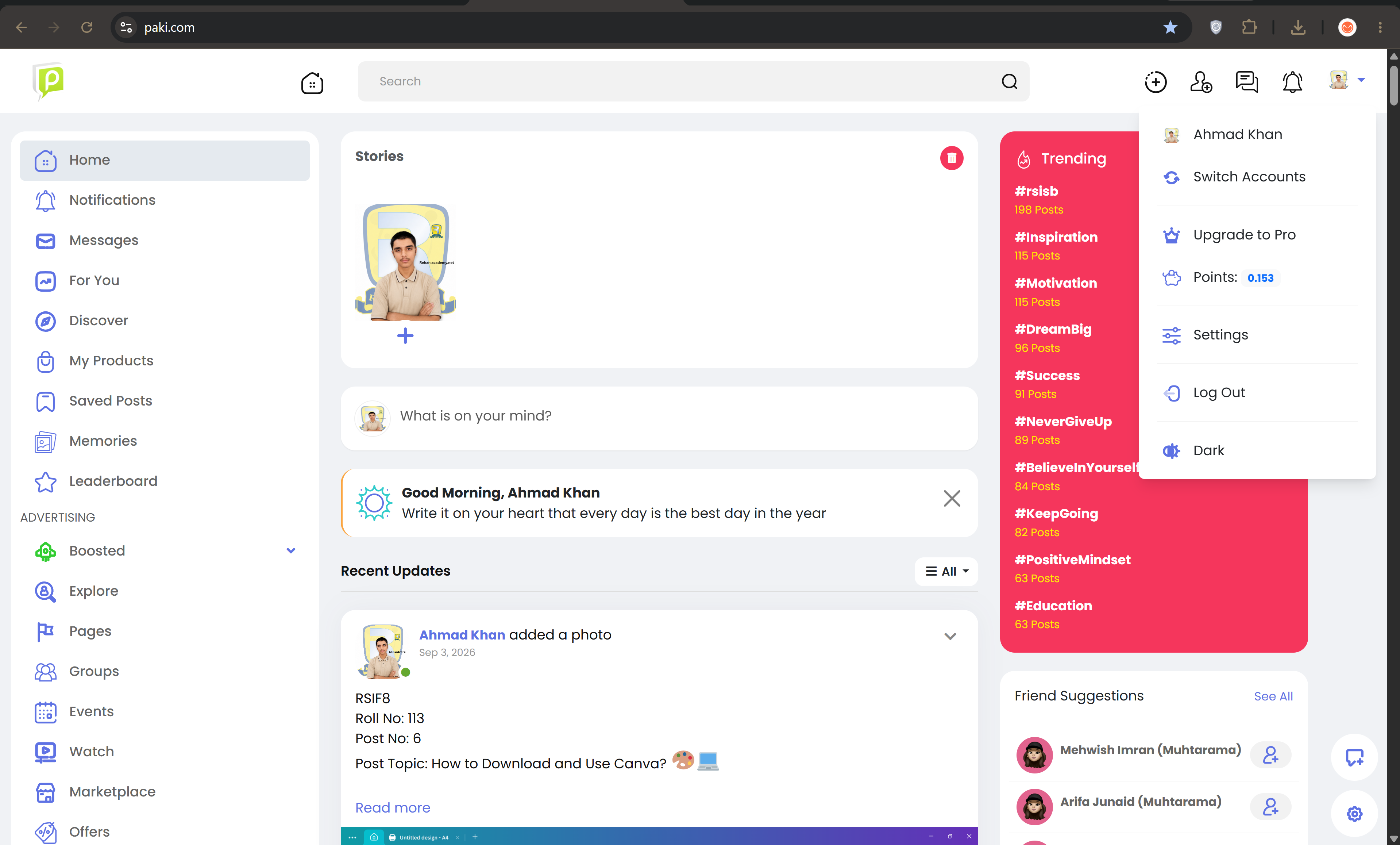
Paki.com is an online platform where users can create an account and explore its available features and services.
Steps to Create a Paki.com Account:
Open Paki.com
Visit the Paki.com website using your web browser.
Click "Sign Up"
Look for the "Sign Up" or "Create Account" option and click on it.
Enter your information
Provide the required information, such as your name, email address, and password.
Create a strong password
Choose a strong and secure password to protect your account.
Verify your account
Complete the verification process if required.
Complete your profile
Add the necessary information to your profile.
Review your information
Check that all the information you entered is correct.
Start using your account
After completing registration, log in and explore Paki.com.
Benefits of Creating an Account:
• Easy access to the platform
• Create and manage your profile
• Explore available features
• Connect and interact online
• Access services available on the platform
Creating an online account is a simple step toward developing your digital skills and becoming more comfortable with online platforms.
#RSIF8 #RollNo113 #PostNo6 #PakiCom #Paki #OnlineAccount #DigitalSkills #InternetSkills #Technology #OnlinePlatform #Learning #DigitalLearning #AccountCreation #Students #ComputerSkills
Roll No: 113
Post No: 6
Post Topic: How to Create a Paki.com Account?
How to Create a Paki.com Account?
Paki.com is an online platform where users can create an account and explore its available features and services.
Steps to Create a Paki.com Account:
Open Paki.com
Visit the Paki.com website using your web browser.
Click "Sign Up"
Look for the "Sign Up" or "Create Account" option and click on it.
Enter your information
Provide the required information, such as your name, email address, and password.
Create a strong password
Choose a strong and secure password to protect your account.
Verify your account
Complete the verification process if required.
Complete your profile
Add the necessary information to your profile.
Review your information
Check that all the information you entered is correct.
Start using your account
After completing registration, log in and explore Paki.com.
Benefits of Creating an Account:
• Easy access to the platform
• Create and manage your profile
• Explore available features
• Connect and interact online
• Access services available on the platform
Creating an online account is a simple step toward developing your digital skills and becoming more comfortable with online platforms.
#RSIF8 #RollNo113 #PostNo6 #PakiCom #Paki #OnlineAccount #DigitalSkills #InternetSkills #Technology #OnlinePlatform #Learning #DigitalLearning #AccountCreation #Students #ComputerSkills
RSIF8
Roll No: 113
Post No: 6
Post Topic: How to Create a Paki.com Account?
🌐 How to Create a Paki.com Account? 🌐
Paki.com is an online platform where users can create an account and explore its available features and services. 💻✨
📌 Steps to Create a Paki.com Account:
1️⃣ Open Paki.com
Visit the Paki.com website using your web browser.
2️⃣ Click "Sign Up"
Look for the "Sign Up" or "Create Account" option and click on it.
3️⃣ Enter your information
Provide the required information, such as your name, email address, and password. 📝
4️⃣ Create a strong password
Choose a strong and secure password to protect your account. 🔐
5️⃣ Verify your account
Complete the verification process if required.
6️⃣ Complete your profile
Add the necessary information to your profile.
7️⃣ Review your information
Check that all the information you entered is correct.
8️⃣ Start using your account
After completing registration, log in and explore Paki.com. 🚀
🎯 Benefits of Creating an Account:
• Easy access to the platform 💻
• Create and manage your profile
• Explore available features
• Connect and interact online
• Access services available on the platform
✨ Creating an online account is a simple step toward developing your digital skills and becoming more comfortable with online platforms.
#RSIF8 #RollNo113 #PostNo6 #PakiCom #Paki #OnlineAccount #DigitalSkills #InternetSkills #Technology #OnlinePlatform #Learning #DigitalLearning #AccountCreation #Students #ComputerSkills
0 Commentarios
0 Acciones
192 Views