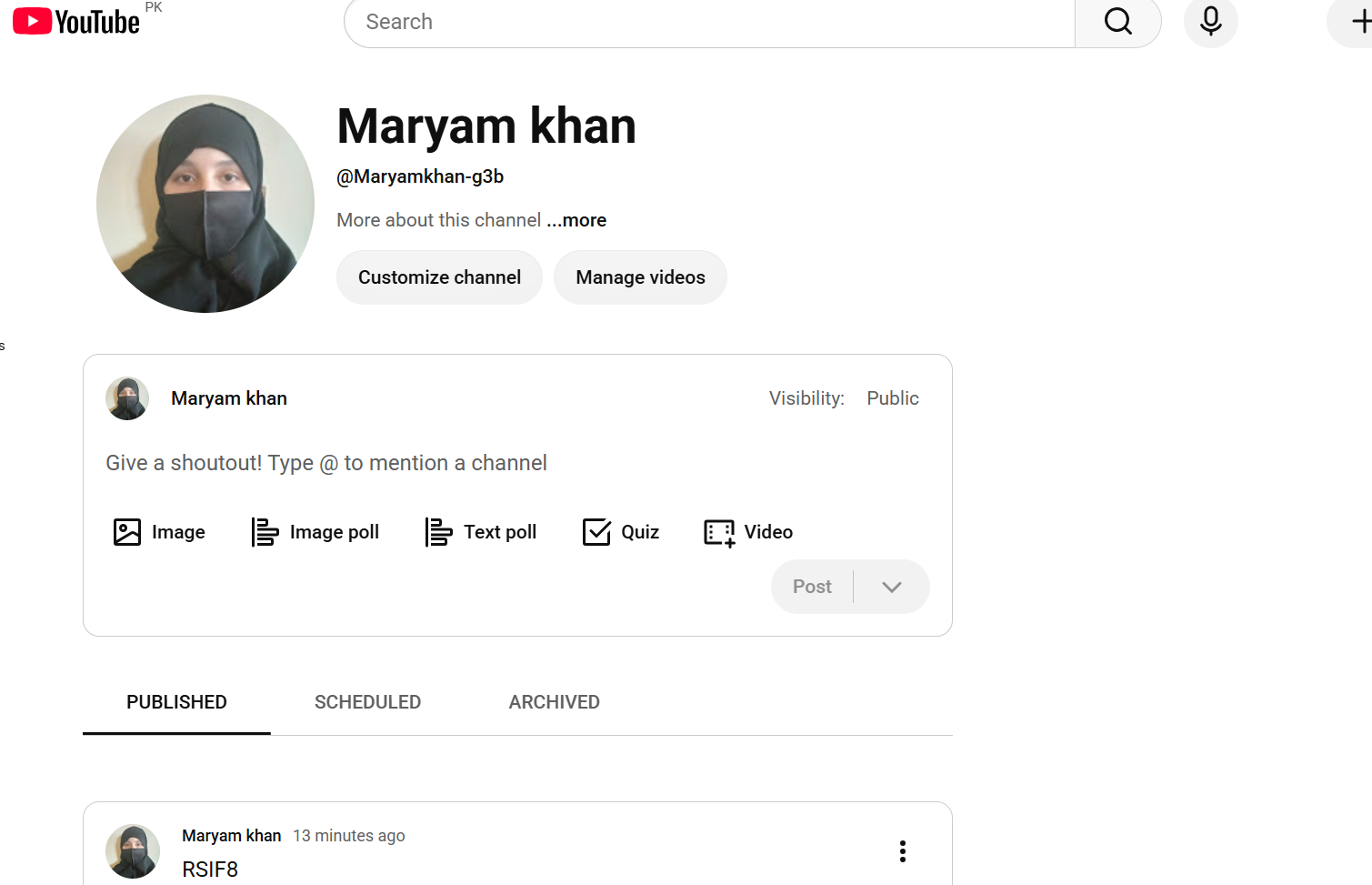

• RSIF8
    Roll no.29
    Task no.4
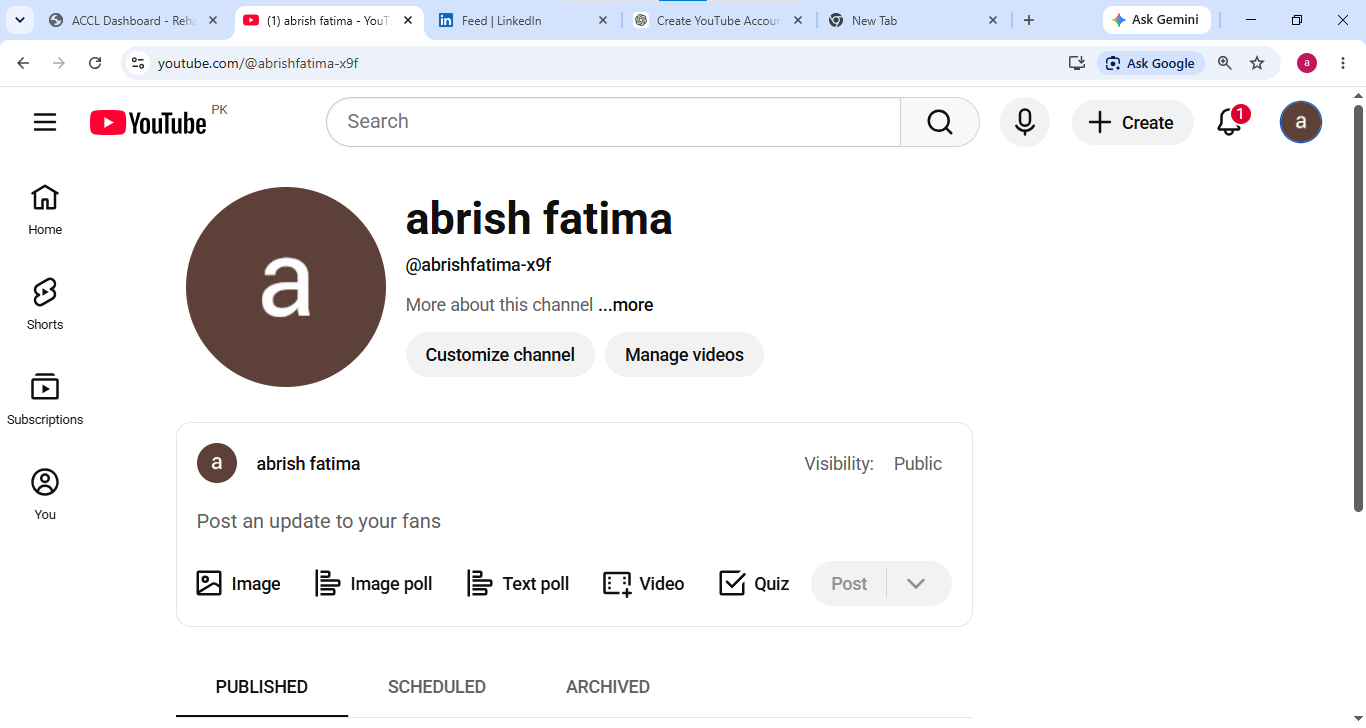
    Task Topic: How to create a YouTube account

    Starting your journey on YouTube is incredibly easy! Because YouTube is owned by Google, your passport to the platform is simply a Google Account. Whether you want to subscribe to your favorite creators, save playlists, or start uploading your own videos, here is exactly how to set up your account in just a few minutes.

    **Step 1: Sign In with Google**
    First, open your web browser and head over to YouTube.com, or simply open the YouTube app on your mobile device. Click the "Sign In" button located in the top right-hand corner of the screen. Enter your existing Google or Gmail credentials to log in. If you do not have a Google account yet, click "Create account" and follow the quick prompts to set one up.

    **Step 2: Access the Channel Creation Menu**
    Once you are logged in, look at the top right corner of the page where your profile icon is located. Click on your profile picture, and a dropdown menu will appear. From this menu, click on the option that says "Create a channel."

    **Step 3: Choose Your Account Type**
    You will now see a prompt asking how you want to create your channel. You have two choices:

    * **Personal Channel:** Choose this if you want to use your own name and profile picture.
    * **Brand/Business Channel:** Choose this if you want to use a custom name, a business name, or if you plan to have multiple people manage the account with you in the future.

    **Step 4: Customize and Launch**
    Name your channel, upload a profile picture, and add a brief bio to your "About" section telling viewers what your channel is all about. Once you click "Create," your brand new YouTube account is fully active and ready for action!

    ---

    #YouTube #HowTo #YouTubeTutorial #CreateAccount #TechTips ContentCreator #NewChannel #TechGuide #YouTubeCommunity
    RSIF8 Roll no.29 Task no.4 Task Topic: How to create a YouTube account Starting your journey on YouTube is incredibly easy! Because YouTube is owned by Google, your passport to the platform is simply a Google Account. Whether you want to subscribe to your favorite creators, save playlists, or start uploading your own videos, here is exactly how to set up your account in just a few minutes. **Step 1: Sign In with Google** First, open your web browser and head over to YouTube.com, or simply open the YouTube app on your mobile device. Click the "Sign In" button located in the top right-hand corner of the screen. Enter your existing Google or Gmail credentials to log in. If you do not have a Google account yet, click "Create account" and follow the quick prompts to set one up. **Step 2: Access the Channel Creation Menu** Once you are logged in, look at the top right corner of the page where your profile icon is located. Click on your profile picture, and a dropdown menu will appear. From this menu, click on the option that says "Create a channel." **Step 3: Choose Your Account Type** You will now see a prompt asking how you want to create your channel. You have two choices: * **Personal Channel:** Choose this if you want to use your own name and profile picture. * **Brand/Business Channel:** Choose this if you want to use a custom name, a business name, or if you plan to have multiple people manage the account with you in the future. **Step 4: Customize and Launch** Name your channel, upload a profile picture, and add a brief bio to your "About" section telling viewers what your channel is all about. Once you click "Create," your brand new YouTube account is fully active and ready for action! --- #YouTube ✨#HowTo #YouTubeTutorial #CreateAccount #TechTips 🚀ContentCreator #NewChannel 🎥 #TechGuide #YouTubeCommunity📱
    0 Comentários 0 Compartilhamentos 3710 Visualizações
  • RSIF8
    Roll no 101
    task no 04
    task topic How to Create a YouTube Account?
    Ready to explore YouTube and discover amazing videos? This simple and beginner-friendly tutorial will guide you through the basics of creating and setting up a YouTube account.

    Whether you're completely new to YouTube or just want to understand how the platform works, this guide will help you get started step by step.

    In this video, you'll learn:
    How to get started with YouTube
    How to sign in using a Google Account
    How to set up your YouTube profile
    How to search for videos and channels
    How to subscribe to channels
    How to save videos for later
    How to manage basic account settings
    Helpful privacy and safety tips

    Perfect for beginners! Follow along with the tutorial and learn the essential YouTube features at your own pace.

    Start your YouTube experience today and discover content, creators, and topics you enjoy!

    Like the video
    Share your thoughts
    Follow for more simple tech tutorials
    Share this guide with someone who is new to YouTube!

    #YouTube #YouTubeAccount #CreateYouTubeAccount #YouTubeTutorial #YouTubeGuide #YouTubeTips #HowTo #StepByStep #YouTubeForBeginners #BeginnerTutorial #GoogleAccount #TechTips #Technology #DigitalSkills #LearnYouTube #OnlineTutorial #VideoTutorial #TechGuide #DigitalLearning #SocialMediaTips #EasyGuide #YouTubeHelp #Tutorial #LearnTechnology #NewToYouTube
    RSIF8 Roll no 101 task no 04 task topic How to Create a YouTube Account? Ready to explore YouTube and discover amazing videos? 🌎✨ This simple and beginner-friendly tutorial will guide you through the basics of creating and setting up a YouTube account. 📱💻 Whether you're completely new to YouTube or just want to understand how the platform works, this guide will help you get started step by step. 😊 📌 In this video, you'll learn: 🔹 How to get started with YouTube 🔹 How to sign in using a Google Account 🔐 🔹 How to set up your YouTube profile 👤 🔹 How to search for videos and channels 🔎 🔹 How to subscribe to channels 🔔 🔹 How to save videos for later ⭐ 🔹 How to manage basic account settings ⚙️ 🔹 Helpful privacy and safety tips 🔒 💡 Perfect for beginners! Follow along with the tutorial and learn the essential YouTube features at your own pace. 🎬 Start your YouTube experience today and discover content, creators, and topics you enjoy! 🌟 👍 Like the video 💬 Share your thoughts 🔔 Follow for more simple tech tutorials 📲 Share this guide with someone who is new to YouTube! #YouTube #YouTubeAccount #CreateYouTubeAccount #YouTubeTutorial #YouTubeGuide #YouTubeTips #HowTo #StepByStep #YouTubeForBeginners #BeginnerTutorial #GoogleAccount #TechTips #Technology #DigitalSkills #LearnYouTube #OnlineTutorial #VideoTutorial #TechGuide #DigitalLearning #SocialMediaTips #EasyGuide #YouTubeHelp #Tutorial #LearnTechnology #NewToYouTube 🎥📱💻✨🚀
    0 Comentários 0 Compartilhamentos 9031 Visualizações
  • RSIF8
    Roll no:100
    Task no:4
    Task topic:How to Create a YouTube Account?
    **How to Create a YouTube Account – Step-by-Step Guide!**
    Want to start your YouTube journey? In this video, I'll show you how to create a YouTube account quickly and easily using your Google account. Whether you're a beginner or creating a new channel, this tutorial will help you get started in just a few minutes!
    In this video, you'll learn:
    How to create a Google account (if you don't have one)
    How to sign in to YouTube
    How to create your own YouTube channel
    Basic channel setup tips for beginners
    If you found this video helpful, don't forget to:
    Like the video
    Leave a comment
    Subscribe to the channel and turn on notifications for more helpful tutorials!
    Thanks for watching! Happy YouTubing!
    #YouTube #CreateYouTubeAccount #YouTubeTutorial #YouTubeChannel #GoogleAccount #HowToCreateYouTubeAccount #BeginnerGuide #TechTutorial #YouTubeTips #ContentCreator #DigitalSkills #OnlineTutorial #StepByStep #LearnYouTube #TechTips
    RSIF8 Roll no:100 Task no:4 Task topic:How to Create a YouTube Account? 🎥 **How to Create a YouTube Account – Step-by-Step Guide!** 🚀 Want to start your YouTube journey? 🌟 In this video, I'll show you how to create a YouTube account quickly and easily using your Google account. Whether you're a beginner or creating a new channel, this tutorial will help you get started in just a few minutes! 📱💻 ✅ In this video, you'll learn: 📌 How to create a Google account (if you don't have one) 📌 How to sign in to YouTube 📌 How to create your own YouTube channel 📌 Basic channel setup tips for beginners 👍 If you found this video helpful, don't forget to: ❤️ Like the video 💬 Leave a comment 🔔 Subscribe to the channel and turn on notifications for more helpful tutorials! Thanks for watching! 😊 Happy YouTubing! 🎬 #YouTube #CreateYouTubeAccount #YouTubeTutorial #YouTubeChannel #GoogleAccount #HowToCreateYouTubeAccount #BeginnerGuide #TechTutorial #YouTubeTips #ContentCreator #DigitalSkills #OnlineTutorial #StepByStep #LearnYouTube #TechTips
    0 Comentários 0 Compartilhamentos 5347 Visualizações
  • RISF8
    Roll no:100
    Task no:1
    Task Topic: How to Create a Gmail Account
    How to Create a Gmail Account | Step-by-Step Tutorial
    Want to create a new Gmail account but don't know where to start? In this easy step-by-step tutorial, I'll show you how to create a Gmail account in just a few minutes. Whether you're using a mobile phone or a computer , this guide is perfect for beginners.
    In this video, you'll learn:
    How to create a new Gmail account
    How to set up your Google account
    Tips for creating a secure password
    How to verify your phone number
    How to start using Gmail for emails and other Google services
    If you found this video helpful, don't forget to:
    Like
    Comment
    Subscribe
    Share with your friends
    Thanks for watching!
    #Gmail #GoogleAccount #CreateGmail #GmailTutorial #EmailAccount #Google #TechTutorial #HowTo #BeginnerGuide #GmailSetup #AndroidTips #ComputerTips #StepByStep #TechTips #YouTubeTutorial
    RISF8 Roll no:100 Task no:1 Task Topic: How to Create a Gmail Account 📧 How to Create a Gmail Account | Step-by-Step Tutorial 🚀 Want to create a new Gmail account but don't know where to start? 🤔 In this easy step-by-step tutorial, I'll show you how to create a Gmail account in just a few minutes. Whether you're using a mobile phone 📱 or a computer 💻, this guide is perfect for beginners. ✅ In this video, you'll learn: 📌 How to create a new Gmail account 📌 How to set up your Google account 📌 Tips for creating a secure password 🔒 📌 How to verify your phone number 📌 How to start using Gmail for emails and other Google services If you found this video helpful, don't forget to: 👍 Like 💬 Comment 🔔 Subscribe 📤 Share with your friends Thanks for watching! ❤️ #Gmail #GoogleAccount #CreateGmail #GmailTutorial #EmailAccount #Google #TechTutorial #HowTo #BeginnerGuide #GmailSetup #AndroidTips #ComputerTips #StepByStep #TechTips #YouTubeTutorial
    0 Comentários 0 Compartilhamentos 5290 Visualizações
  • RSIF8
    Roll no:112
    Task no:4
    Task Topic: How to Create a YouTube Account & Start Your Channel!
    Want to start your own YouTube channel? Follow these simple steps to create your account and get started!
    Go to YouTube.com
    Click Sign In and log in with your Google account
    Click your profile icon and choose Create a Channel
    Add a profile picture and channel banner
    Write an attractive channel description
    Upload your first video
    Choose the right privacy settings
    Your YouTube channel is ready!
    Tip: Create interesting content, use a clear thumbnail, and stay consistent to grow your channel.
    #YouTube #YouTubeChannel #CreateYouTubeAccount #YouTubeTips #YouTubeTutorial #YouTubeCreator #ContentCreator #StartYouTube #YouTubeBeginners #VideoCreator #SocialMedia #DigitalSkills #TechTips #OnlineLearning #YouTubeGrowth
    RSIF8 Roll no:112 Task no:4 Task Topic: How to Create a YouTube Account & Start Your Channel! ▶️📱 Want to start your own YouTube channel? 🚀 Follow these simple steps to create your account and get started! 👇 🌐 Go to YouTube.com 🔐 Click Sign In and log in with your Google account 👤 Click your profile icon and choose Create a Channel 🖼️ Add a profile picture and channel banner 📝 Write an attractive channel description 🎬 Upload your first video 🔒 Choose the right privacy settings 🎉 Your YouTube channel is ready! 💡 Tip: Create interesting content, use a clear thumbnail, and stay consistent to grow your channel. 🌟📈 #YouTube #YouTubeChannel #CreateYouTubeAccount #YouTubeTips #YouTubeTutorial #YouTubeCreator #ContentCreator #StartYouTube #YouTubeBeginners #VideoCreator #SocialMedia #DigitalSkills #TechTips #OnlineLearning #YouTubeGrowth
    0 Comentários 0 Compartilhamentos 4848 Visualizações
  • #RSISB
    roll no:269
    foundation level

    ** How to Create a YouTube Account | Full Process**

    Want to create a YouTube account? In this step-by-step tutorial, you'll learn the complete process of creating your YouTube account and channel from start to finish.

    Create a YouTube account
    Sign in to YouTube
    Create your YouTube channel
    Choose a channel name
    Add a profile picture
    Write a channel description
    Customize your channel
    Learn basic YouTube settings
    Get your channel ready for uploading videos

    This beginner-friendly guide will help you start your YouTube journey easily.

    #YouTube #CreateYouTubeAccount #YouTubeChannel #YouTubeTutorial #HowToCreateYouTube #YouTubeForBeginners #LearnYouTube #YouTubeTips #YouTubeGuide #YouTubeCreator #YouTubeSetup #YouTubeChannelSetup #StartYouTube #YouTubeLearning #YouTube2026


    #RSISB roll no:269 foundation level **📺 How to Create a YouTube Account | Full Process** 🚀 Want to create a YouTube account? In this step-by-step tutorial, you'll learn the complete process of creating your YouTube account and channel from start to finish. ✅ Create a YouTube account ✅ Sign in to YouTube ✅ Create your YouTube channel ✅ Choose a channel name ✅ Add a profile picture ✅ Write a channel description ✅ Customize your channel ✅ Learn basic YouTube settings ✅ Get your channel ready for uploading videos This beginner-friendly guide will help you start your YouTube journey easily. 🎥✨ #YouTube #CreateYouTubeAccount #YouTubeChannel #YouTubeTutorial #HowToCreateYouTube #YouTubeForBeginners #LearnYouTube #YouTubeTips #YouTubeGuide #YouTubeCreator #YouTubeSetup #YouTubeChannelSetup #StartYouTube #YouTubeLearning #YouTube2026 📺🎥🚀✨💻📱🔔👍😊🔥❤️
    0 Comentários 0 Compartilhamentos 10418 Visualizações
  • #rsisb
    ROll no.238
    Task no.4
    Foundation Level
    How to Create a YouTube Account?

    Want to start your YouTube journey? Creating a YouTube account is quick and easy! In this video, you'll learn step-by-step how to create a YouTube account using your Google account and start watching, liking, commenting, and uploading videos.

    Easy steps for beginners
    Create your channel in minutes
    Start exploring millions of videos

    Don't forget to Like , Share , and Subscribe for more helpful tutorials!

    #YouTube #YouTubeAccount #CreateYouTubeAccount #YouTubeTutorial #GoogleAccount #TechTips #BeginnersGuide #LearnOnline #Tutorial #YouTubeChannel
    #rsisb ROll no.238 Task no.4 Foundation Level 🎥 How to Create a YouTube Account? 📱 Want to start your YouTube journey? 🚀 Creating a YouTube account is quick and easy! In this video, you'll learn step-by-step how to create a YouTube account using your Google account and start watching, liking, commenting, and uploading videos. 🌟 ✅ Easy steps for beginners ✅ Create your channel in minutes ✅ Start exploring millions of videos Don't forget to Like 👍, Share 🔄, and Subscribe 🔔 for more helpful tutorials! #YouTube #YouTubeAccount #CreateYouTubeAccount #YouTubeTutorial #GoogleAccount #TechTips #BeginnersGuide #LearnOnline #Tutorial #YouTubeChannel 🎬📱✨
    0 Comentários 0 Compartilhamentos 8006 Visualizações