• Mohsin RS F8
    Roll NO:13
    Coding Task NO:14
    Class: Foundation Level
    Made by Me

    Flashcard App

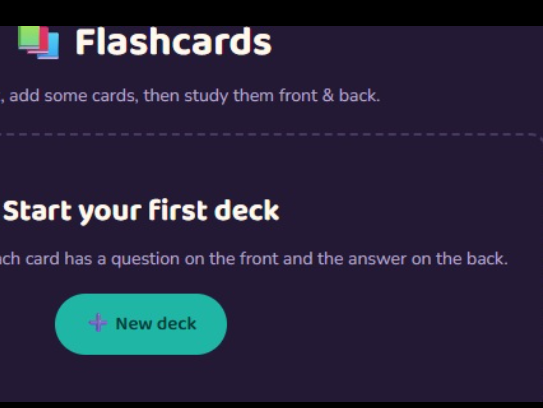
    A Flashcard App is a simple and useful learning tool designed to help students remember important information through interactive question-and-answer cards. Instead of reading long notes repeatedly, users can study small pieces of information at a time, making learning easier, faster, and more engaging.

    The main idea of a flashcard app is very simple. Each card contains a question, term, or prompt on one side and the corresponding answer or explanation on the other side. The user can view the question first, think about the answer, and then reveal the answer to check their understanding. This active approach encourages the brain to recall information instead of simply reading it.

    A good Flashcard App can include features such as adding new flashcards, editing cards, deleting cards, flipping cards, and moving between previous and next cards. It can also keep track of progress so that users can see how many cards they have reviewed. These features make the application useful for subjects such as science, mathematics, English vocabulary, history, computer studies, and many other topics.

    The app can also make learning more enjoyable by using a clean interface, simple buttons, animations, and visual feedback. For example, a user could mark a card as “Known” or “Needs Practice.” This allows the learner to spend more time reviewing difficult information while quickly moving through concepts they already understand.

    Creating a Flashcard App is also an excellent coding project because it teaches several important programming concepts. HTML can be used to create the structure of the application, CSS can make the interface attractive and responsive, and JavaScript can control the interactive features such as flipping cards, changing questions,
    Mohsin RS F8 🎓✨ Roll NO:13 Coding Task NO:14 Class: Foundation Level 📚 Made by Me 💻🚀 Flashcard App 📚💡 A Flashcard App is a simple and useful learning tool designed to help students remember important information through interactive question-and-answer cards. Instead of reading long notes repeatedly, users can study small pieces of information at a time, making learning easier, faster, and more engaging. The main idea of a flashcard app is very simple. Each card contains a question, term, or prompt on one side and the corresponding answer or explanation on the other side. The user can view the question first, think about the answer, and then reveal the answer to check their understanding. This active approach encourages the brain to recall information instead of simply reading it. A good Flashcard App can include features such as adding new flashcards, editing cards, deleting cards, flipping cards, and moving between previous and next cards. It can also keep track of progress so that users can see how many cards they have reviewed. These features make the application useful for subjects such as science, mathematics, English vocabulary, history, computer studies, and many other topics. The app can also make learning more enjoyable by using a clean interface, simple buttons, animations, and visual feedback. For example, a user could mark a card as “Known” or “Needs Practice.” This allows the learner to spend more time reviewing difficult information while quickly moving through concepts they already understand. Creating a Flashcard App is also an excellent coding project because it teaches several important programming concepts. HTML can be used to create the structure of the application, CSS can make the interface attractive and responsive, and JavaScript can control the interactive features such as flipping cards, changing questions,
    0 Yorumlar 0 hisse senetleri 846 Views
  • RSIF8
    ROL NO 60
    TASK 13
    ## Mulla Nasrudin’s Missing Ring – Story Description
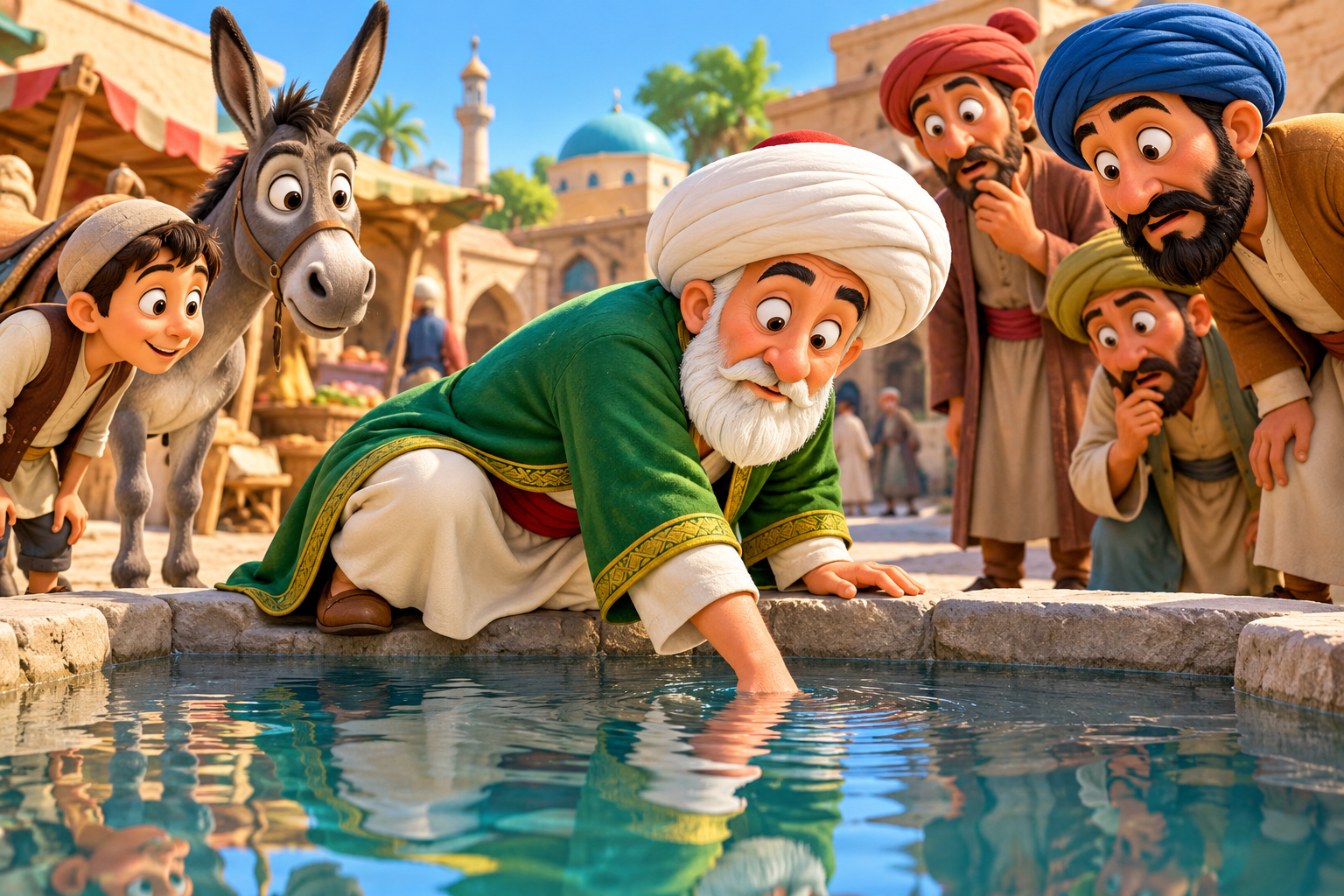
    Mulla Nasrudin discovers that his precious golden ring is missing. Worried, he begins searching for it under the bright light of a lantern in the village street. Curious villagers gather around to help him, while his donkey watches the funny scene with wide, surprised eyes.
    Suddenly, the villagers learn that Mulla has been searching in the wrong place! His clever and humorous explanation leaves everyone laughing. Through his unusual way of thinking, Mulla teaches everyone an important lesson about patience, honesty, and common sense.
    Moral of the Story: Always look for a problem where it actually began, instead of following the crowd.
    Video Style: Colorful 3D cartoon animation, funny characters, expressive faces, a traditional village setting, and an entertaining story for children.
    Suggested next step: Turn this description into a funny 3D cartoon video script with dialogue and scene-by-scene instructions. See less
    RSIF8 ROL NO 60 TASK 13 ## Mulla Nasrudin’s Missing Ring – Story Description Mulla Nasrudin discovers that his precious golden ring is missing. Worried, he begins searching for it under the bright light of a lantern in the village street. Curious villagers gather around to help him, while his donkey watches the funny scene with wide, surprised eyes. Suddenly, the villagers learn that Mulla has been searching in the wrong place! His clever and humorous explanation leaves everyone laughing. Through his unusual way of thinking, Mulla teaches everyone an important lesson about patience, honesty, and common sense. Moral of the Story: Always look for a problem where it actually began, instead of following the crowd. Video Style: Colorful 3D cartoon animation, funny characters, expressive faces, a traditional village setting, and an entertaining story for children. Suggested next step: Turn this description into a funny 3D cartoon video script with dialogue and scene-by-scene instructions. See less
    0 Yorumlar 0 hisse senetleri 778 Views
  • RSIF8
    ROL NO 60
    TASK 12
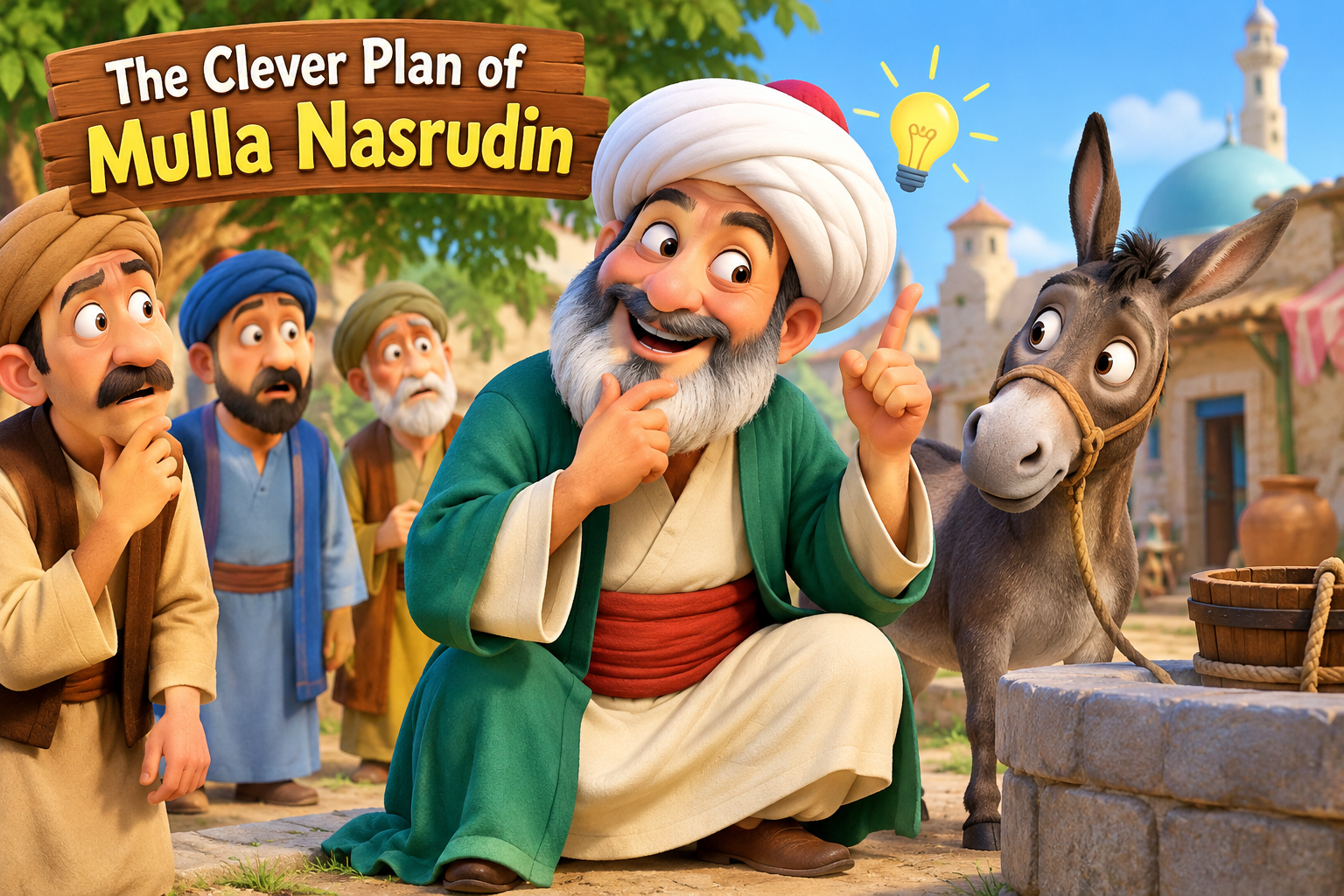
    The Clever Plan of Mulla Nasrudin – Story Description
    Mulla Nasrudin is famous for his clever thinking, funny tricks, and unexpected solutions. In this entertaining story, Mulla comes up with a clever plan to solve a difficult problem. Everyone thinks his idea is impossible, but Mulla uses his intelligence, humor, and quick wit to surprise them all!
    This funny and engaging story is full of laughter, wisdom, and an unexpected twist. Children will enjoy Mulla Nasrudin’s clever adventure while learning that intelligence, patience, and creative thinking can help solve difficult problems.
    Moral of the Story: A clever mind can find a solution where others see only problems.
    Perfect for: Kids’ funny stories, 3D cartoon animations, family entertainment, and bedtime storytelling.
    Hashtags:
    #MullaNasrudin #FunnyStories #KidsCartoon #3DAnimation #MoralStories #BedtimeStories #FunnyCartoon #KidsEntertainment
    You could turn this description into a colorful 3D cartoon video for children with funny expressions, lively characters, and an exciting endin See less
    RSIF8 ROL NO 60 TASK 12 The Clever Plan of Mulla Nasrudin – Story Description Mulla Nasrudin is famous for his clever thinking, funny tricks, and unexpected solutions. In this entertaining story, Mulla comes up with a clever plan to solve a difficult problem. Everyone thinks his idea is impossible, but Mulla uses his intelligence, humor, and quick wit to surprise them all! This funny and engaging story is full of laughter, wisdom, and an unexpected twist. Children will enjoy Mulla Nasrudin’s clever adventure while learning that intelligence, patience, and creative thinking can help solve difficult problems. ✨ Moral of the Story: A clever mind can find a solution where others see only problems. 📺 Perfect for: Kids’ funny stories, 3D cartoon animations, family entertainment, and bedtime storytelling. 🔖 Hashtags: #MullaNasrudin #FunnyStories #KidsCartoon #3DAnimation #MoralStories #BedtimeStories #FunnyCartoon #KidsEntertainment 💡 You could turn this description into a colorful 3D cartoon video for children with funny expressions, lively characters, and an exciting endin See less
    0 Yorumlar 0 hisse senetleri 2067 Views
  • RSIF8
    ROL NO 60
    TASK 11
    ## Mulla Nasrudin’s Wise Answer – Story Description
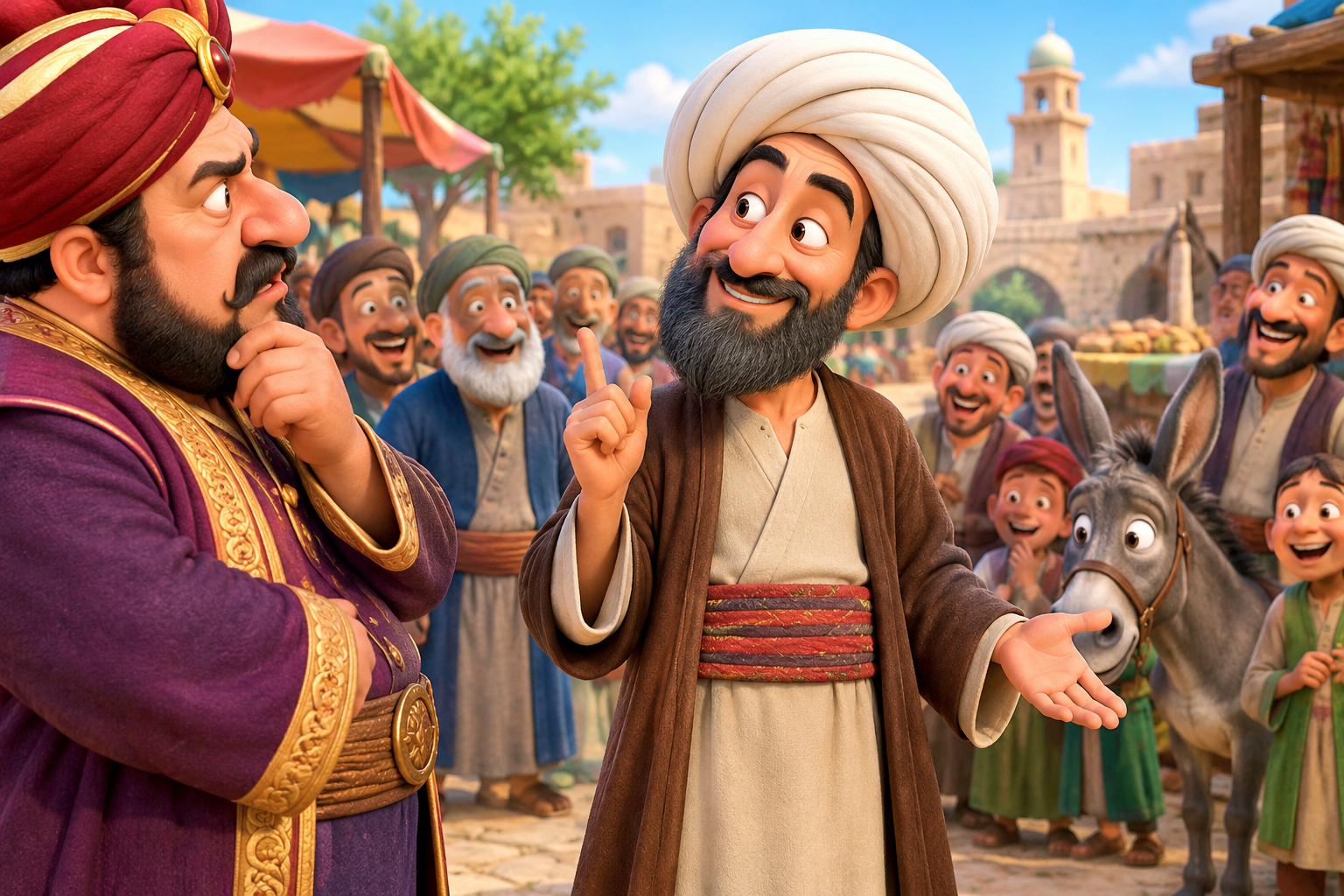
    Mulla Nasrudin was a clever and funny man who was famous for his wisdom and humor. One day, a proud and wealthy man asked Mulla a difficult question in front of a crowd, hoping to embarrass him. Everyone waited eagerly to hear his answer.
    Mulla Nasrudin smiled calmly and gave a clever, unexpected reply that made the whole crowd burst into laughter. The wealthy man was surprised and had nothing more to say. Through his simple but intelligent answer, Mulla taught everyone that true wisdom is not about showing off, but about understanding things in a clever and simple way.
    Moral of the story: Wisdom and humor can solve difficult situations better than pride and arrogance.
    3D Cartoon Video Prompt: A funny 3D cartoon scene featuring Mulla Nasrudin wearing traditional clothes and a turban, standing in a colorful old village marketplace. A wealthy man asks him a tricky question while villagers gather around. Mulla smiles mischievously and gives a witty answer, making everyone laugh. Bright colors, expressive faces, cinematic lighting, smooth animation, and a family-friendly comedy atmosphere.
    You can use this description to create a funny 3D cartoon video for children. See less
    RSIF8 ROL NO 60 TASK 11 ## Mulla Nasrudin’s Wise Answer – Story Description Mulla Nasrudin was a clever and funny man who was famous for his wisdom and humor. One day, a proud and wealthy man asked Mulla a difficult question in front of a crowd, hoping to embarrass him. Everyone waited eagerly to hear his answer. Mulla Nasrudin smiled calmly and gave a clever, unexpected reply that made the whole crowd burst into laughter. The wealthy man was surprised and had nothing more to say. Through his simple but intelligent answer, Mulla taught everyone that true wisdom is not about showing off, but about understanding things in a clever and simple way. Moral of the story: Wisdom and humor can solve difficult situations better than pride and arrogance. 3D Cartoon Video Prompt: A funny 3D cartoon scene featuring Mulla Nasrudin wearing traditional clothes and a turban, standing in a colorful old village marketplace. A wealthy man asks him a tricky question while villagers gather around. Mulla smiles mischievously and gives a witty answer, making everyone laugh. Bright colors, expressive faces, cinematic lighting, smooth animation, and a family-friendly comedy atmosphere. You can use this description to create a funny 3D cartoon video for children. See less
    0 Yorumlar 0 hisse senetleri 899 Views
  • Exciting news! I just created my very own AI voice companion — “Call Annie Clone” — using Google AI Studio + Gemini Live API!

    Now you can have real-time voice conversations with an AI that:
    Listens carefully and responds naturally
    Remembers your vibe from previous chats
    Feels friendly, expressive, and almost human

    Whether it’s for daily convos, brainstorming ideas, or just casual chit-chat, Annie is your new digital buddy.

    Check her out here: https://ai.studio/apps/drive/1lmfqJ__TF7ctcMTek_sHZLdVbZqsVSDu

    Prompt used:

    Create a virtual AI assistant named Annie. She should be friendly, conversational, and able to talk naturally with users using voice. Annie must have a warm, cheerful, and helpful personality, just like a human friend. Include optional memory, avatar animations, and continuous voice conversation support.

    #GoogleAIStudio #AIwebsites #VoiceAI #DigitalBuddy #codinglife

    Rehan Allahwala
    🗣️ Exciting news! I just created my very own AI voice companion — “Call Annie Clone” — using Google AI Studio + Gemini Live API! 🤖💬 Now you can have real-time voice conversations with an AI that: ✨ Listens carefully and responds naturally ✨ Remembers your vibe from previous chats ✨ Feels friendly, expressive, and almost human Whether it’s for daily convos, brainstorming ideas, or just casual chit-chat, Annie is your new digital buddy. ☕💡 🔗 Check her out here: https://ai.studio/apps/drive/1lmfqJ__TF7ctcMTek_sHZLdVbZqsVSDu Prompt used: Create a virtual AI assistant named Annie. She should be friendly, conversational, and able to talk naturally with users using voice. Annie must have a warm, cheerful, and helpful personality, just like a human friend. Include optional memory, avatar animations, and continuous voice conversation support. #GoogleAIStudio #AIwebsites #VoiceAI #DigitalBuddy #codinglife Rehan Allahwala
    0 Yorumlar 0 hisse senetleri 1368 Views 0
  • Just built my own language-learning app LingoQuest!
    It’s super fun, gamified, and inspired by Duolingo — try it here:
    https://aniyal.rehanschool.us/lingoquest/

    I created it using Google AI Studio — and if you want to build something like this, use this prompt
    "Create the frontend code for a gamified language learning web app called 'LingoQuest,' similar to Duolingo.
    Technology: Use React, TypeScript, and Tailwind CSS.
    Core Features:
    User System: Simple login and a profile page to track streaks and scores.
    AI-Powered Quizzes: A main dashboard linking to multiple-choice English tests generated by an AI API.
    Interactive Feedback: Instantly show correct/incorrect answers with fun animations.
    Progress Page: A profile section with a chart showing the user's score history over time.
    UI/UX: Design a clean, modern, and encouraging interface with a friendly mascot."

    Check it out & level up your English with LingoQuest!

    @followers
    @highlight
    Rehan Allahwala
    ✨ Just built my own language-learning app LingoQuest! 🚀📚 It’s super fun, gamified, and inspired by Duolingo — try it here: 🔗 https://aniyal.rehanschool.us/lingoquest/ I created it using Google AI Studio — and if you want to build something like this, use this prompt👇 "Create the frontend code for a gamified language learning web app called 'LingoQuest,' similar to Duolingo. Technology: Use React, TypeScript, and Tailwind CSS. Core Features: User System: Simple login and a profile page to track streaks and scores. AI-Powered Quizzes: A main dashboard linking to multiple-choice English tests generated by an AI API. Interactive Feedback: Instantly show correct/incorrect answers with fun animations. Progress Page: A profile section with a chart showing the user's score history over time. UI/UX: Design a clean, modern, and encouraging interface with a friendly mascot." 🔥 Check it out & level up your English with LingoQuest! @followers @highlight Rehan Allahwala
    0 Yorumlar 0 hisse senetleri 898 Views 0
  • Mohsin RS F8
    Roll NO:13
    Coding Task NO:14
    Class: Foundation Level
    Made by Me

    Flashcard App

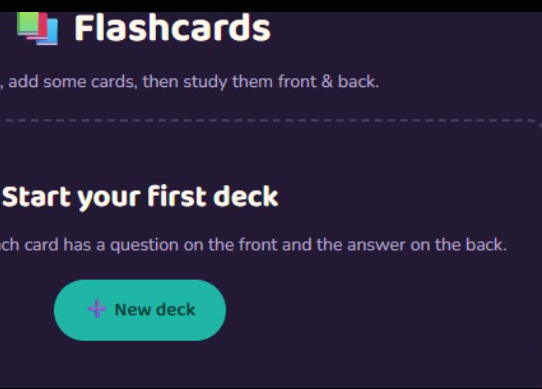
    A Flashcard App is a simple and useful learning tool designed to help students remember important information through interactive question-and-answer cards. Instead of reading long notes repeatedly, users can study small pieces of information at a time, making learning easier, faster, and more engaging.

    The main idea of a flashcard app is very simple. Each card contains a question, term, or prompt on one side and the corresponding answer or explanation on the other side. The user can view the question first, think about the answer, and then reveal the answer to check their understanding. This active approach encourages the brain to recall information instead of simply reading it.

    A good Flashcard App can include features such as adding new flashcards, editing cards, deleting cards, flipping cards, and moving between previous and next cards. It can also keep track of progress so that users can see how many cards they have reviewed. These features make the application useful for subjects such as science, mathematics, English vocabulary, history, computer studies, and many other topics.

    The app can also make learning more enjoyable by using a clean interface, simple buttons, animations, and visual feedback. For example, a user could mark a card as “Known” or “Needs Practice.” This allows the learner to spend more time reviewing difficult information while quickly moving through concepts they already understand.

    Creating a Flashcard App is also an excellent coding project because it teaches several important programming concepts. HTML can be used to create the structure of the application, CSS can make the interface attractive and responsive, and JavaScript can control the interactive features such as flipping cards, changing questions,
    Mohsin RS F8 🎓✨ Roll NO:13 Coding Task NO:14 Class: Foundation Level 📚 Made by Me 💻🚀 Flashcard App 📚💡 A Flashcard App is a simple and useful learning tool designed to help students remember important information through interactive question-and-answer cards. Instead of reading long notes repeatedly, users can study small pieces of information at a time, making learning easier, faster, and more engaging. The main idea of a flashcard app is very simple. Each card contains a question, term, or prompt on one side and the corresponding answer or explanation on the other side. The user can view the question first, think about the answer, and then reveal the answer to check their understanding. This active approach encourages the brain to recall information instead of simply reading it. A good Flashcard App can include features such as adding new flashcards, editing cards, deleting cards, flipping cards, and moving between previous and next cards. It can also keep track of progress so that users can see how many cards they have reviewed. These features make the application useful for subjects such as science, mathematics, English vocabulary, history, computer studies, and many other topics. The app can also make learning more enjoyable by using a clean interface, simple buttons, animations, and visual feedback. For example, a user could mark a card as “Known” or “Needs Practice.” This allows the learner to spend more time reviewing difficult information while quickly moving through concepts they already understand. Creating a Flashcard App is also an excellent coding project because it teaches several important programming concepts. HTML can be used to create the structure of the application, CSS can make the interface attractive and responsive, and JavaScript can control the interactive features such as flipping cards, changing questions,
    0 Yorumlar 0 hisse senetleri 844 Views


  • Be the first to
    Mohsin RS F8
    Coding Task NO:11
    Class: Foundation Level
    Made by Me

    Rock, Paper, Scissors Game — Long Description

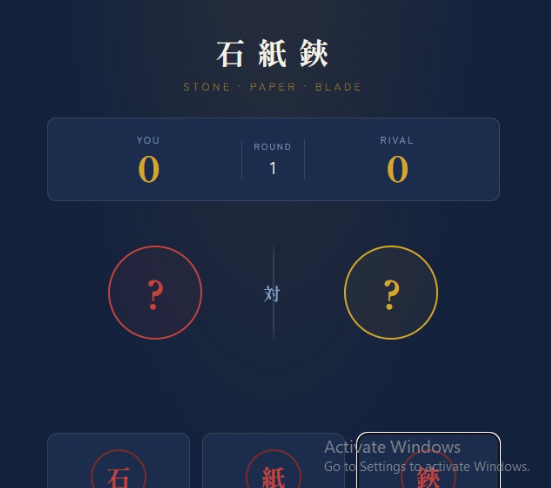
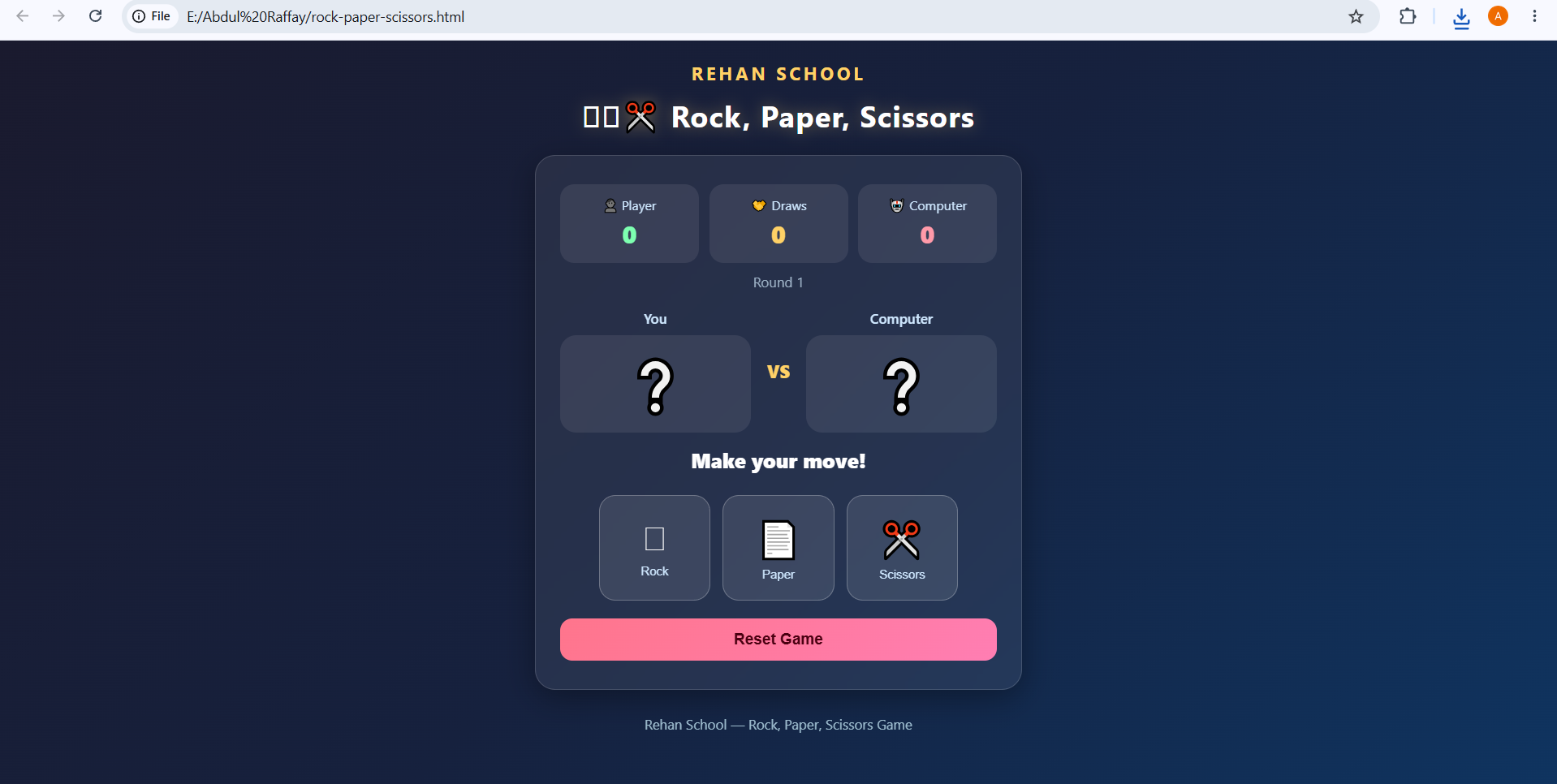
    The Rock, Paper, Scissors Game is a simple, interactive, and entertaining web-based game created using HTML, CSS, and JavaScript. The main purpose of this project is to demonstrate how basic web technologies can be combined to create an interactive game with buttons, animations, game logic, score tracking, and real-time results.

    In this game, the player competes against the computer by choosing one of three options: Rock, Paper, or Scissors. After the player makes a selection, the computer automatically chooses one of the three options. JavaScript then compares both choices and determines the winner according to the classic rules of the game.

    The rules are very simple: Rock beats Scissors, Scissors beats Paper, and Paper beats Rock. If both the player and computer choose the same option, the round ends in a draw. The result is displayed immediately so that the player can easily understand what happened in that round.

    The project also focuses on creating a clean and attractive user interface. HTML provides the structure of the game, including the title, buttons, score area, player and computer choices, and result section. CSS is used to make the interface visually appealing by adding colors, spacing, rounded buttons, backgrounds, transitions, and responsive design. The goal is to make the game easy to understand and enjoyable to play on different screen sizes.

    The most important part of the project is the JavaScript game logic. JavaScript detects which button the player clicks, generates a random choice for the computer, compares the two choices, and updates the game result and scores. This demonstrates important programming concepts such as variables, functions, conditional statements, random number generation, event handling, and DOM manipulation.

    The game can also help beginners understand how websites can respond to user actions. Instead of simply displaying static information, the page reacts whenever the player selects Rock, Paper, or Scissors. The score can be updated after every round, allowing the player to continue
    Be the first to Mohsin RS F8 🎓✨ Coding Task NO:11 Class: Foundation Level 📚 Made by Me 💻🚀 Rock, Paper, Scissors Game — Long Description The Rock, Paper, Scissors Game is a simple, interactive, and entertaining web-based game created using HTML, CSS, and JavaScript. The main purpose of this project is to demonstrate how basic web technologies can be combined to create an interactive game with buttons, animations, game logic, score tracking, and real-time results. In this game, the player competes against the computer by choosing one of three options: 🪨 Rock, 📄 Paper, or ✂️ Scissors. After the player makes a selection, the computer automatically chooses one of the three options. JavaScript then compares both choices and determines the winner according to the classic rules of the game. The rules are very simple: Rock beats Scissors, Scissors beats Paper, and Paper beats Rock. If both the player and computer choose the same option, the round ends in a draw. The result is displayed immediately so that the player can easily understand what happened in that round. The project also focuses on creating a clean and attractive user interface. HTML provides the structure of the game, including the title, buttons, score area, player and computer choices, and result section. CSS is used to make the interface visually appealing by adding colors, spacing, rounded buttons, backgrounds, transitions, and responsive design. The goal is to make the game easy to understand and enjoyable to play on different screen sizes. The most important part of the project is the JavaScript game logic. JavaScript detects which button the player clicks, generates a random choice for the computer, compares the two choices, and updates the game result and scores. This demonstrates important programming concepts such as variables, functions, conditional statements, random number generation, event handling, and DOM manipulation. The game can also help beginners understand how websites can respond to user actions. Instead of simply displaying static information, the page reacts whenever the player selects Rock, Paper, or Scissors. The score can be updated after every round, allowing the player to continue
    0 Yorumlar 0 hisse senetleri 709 Views
  • **Day 117 | Coding Task**
    **Rock, Paper, Scissors Game**


    Today, I created an interactive **Rock, Paper, Scissors Game** using **HTML, CSS, and JavaScript**.

    In this project, the player can choose between Rock, Paper, and Scissors, while the computer makes a random choice. The game automatically checks both choices and displays whether the player **Wins, Loses, or gets a Draw**.

    **Features of my project:**
    Rock, Paper & Scissors choices
    Random computer selection
    Player vs Computer gameplay
    Win, Lose & Draw results
    Live score tracking
    Round counter
    Reset / New Game option
    Interactive buttons and animations
    Responsive design for mobile & desktop
    Clean and beginner-friendly interface

    **What I learned:**
    Through this project, I practiced **JavaScript logic, conditional statements, random selection, event handling, DOM manipulation, score tracking, and interactive web design**.

    Every coding task is helping me improve my problem-solving skills and understand how real interactive applications work.

    **Rehan School — Foundation Level**
    **Roll No: 01**
    **Day 117 — Task Completed! **

    One more project completed, one more step forward in my AI & coding journey!

    #RehanSchool #Day117 #CodingTask #RockPaperScissors #JavaScript #HTML #CSS #WebDevelopment #Coding #Programming #LearningCoding #AIJourney #FutureAICreator #StudentDeveloper #TaskCompleted
    🎮💻 **Day 117 | Coding Task** 🪨📄✂️ **Rock, Paper, Scissors Game** Today, I created an interactive **Rock, Paper, Scissors Game** using **HTML, CSS, and JavaScript**. 🚀 In this project, the player can choose between 🪨 Rock, 📄 Paper, and ✂️ Scissors, while the computer makes a random choice. The game automatically checks both choices and displays whether the player **Wins, Loses, or gets a Draw**. 🏆 ✨ **Features of my project:** 🔹 Rock, Paper & Scissors choices 🔹 Random computer selection 🔹 Player vs Computer gameplay 🔹 Win, Lose & Draw results 🔹 Live score tracking 🔹 Round counter 🔹 Reset / New Game option 🔹 Interactive buttons and animations 🔹 Responsive design for mobile & desktop 🔹 Clean and beginner-friendly interface 🧠 **What I learned:** Through this project, I practiced **JavaScript logic, conditional statements, random selection, event handling, DOM manipulation, score tracking, and interactive web design**. Every coding task is helping me improve my problem-solving skills and understand how real interactive applications work. 🚀💡 🎓 **Rehan School — Foundation Level** 🔢 **Roll No: 01** 💻 **Day 117 — Task Completed! ✅** One more project completed, one more step forward in my AI & coding journey! 🌟 #RehanSchool #Day117 #CodingTask #RockPaperScissors #JavaScript #HTML #CSS #WebDevelopment #Coding #Programming #LearningCoding #AIJourney #FutureAICreator #StudentDeveloper #TaskCompleted
    0 Yorumlar 0 hisse senetleri 2693 Views
  • #rsisb
    Roll no.239
    Story post no.35
    Foundation Level

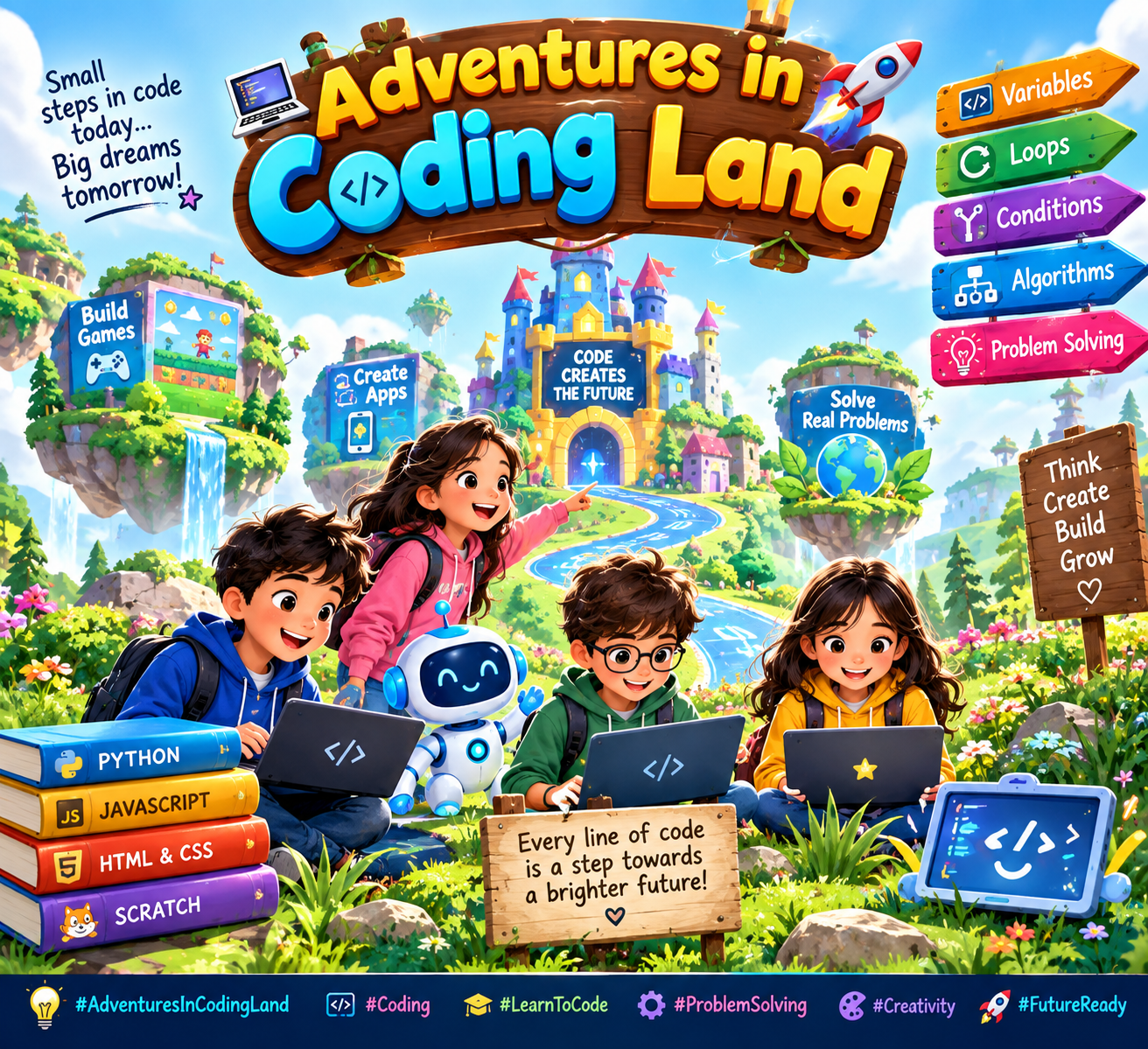
    **Adventures in Coding Land** is an exciting journey into the world of programming, where creativity, problem-solving, and technology come together. ‍‍

    In this fun adventure, young learners discover how computers follow instructions called **code**. They explore exciting ideas like variables, loops, conditions, algorithms, and problem-solving through simple and engaging challenges.

    Coding is more than just writing lines of code—it is a way to turn ideas into reality. From creating games and animations to building useful apps and solving real-world problems, coding gives students the power to become creators and innovators.

    **Adventures in Coding Land** encourages children to experiment, learn from mistakes, think creatively, and never give up. Every coding challenge is a new adventure, and every mistake is an opportunity to learn something new.

    #AdventuresInCodingLand #Coding #Programming #LearnToCode #CodingForKids #ComputerScience #Technology #STEM #YoungCoders #CodingJourney #Creativity #ProblemSolving
    #rsisb Roll no.239 Story post no.35 Foundation Level **Adventures in Coding Land** is an exciting journey into the world of programming, where creativity, problem-solving, and technology come together. 🌟👨‍💻👩‍💻 In this fun adventure, young learners discover how computers follow instructions called **code**. They explore exciting ideas like variables, loops, conditions, algorithms, and problem-solving through simple and engaging challenges. 🧩💡 Coding is more than just writing lines of code—it is a way to turn ideas into reality. From creating games and animations to building useful apps and solving real-world problems, coding gives students the power to become creators and innovators. 🎮📱🚀 **Adventures in Coding Land** encourages children to experiment, learn from mistakes, think creatively, and never give up. Every coding challenge is a new adventure, and every mistake is an opportunity to learn something new. 🌈✨ #AdventuresInCodingLand #Coding #Programming #LearnToCode #CodingForKids #ComputerScience #Technology #STEM #YoungCoders #CodingJourney #Creativity #ProblemSolving 💻🌟🚀
    0 Yorumlar 0 hisse senetleri 1607 Views
Arama Sonuçları