


#RSISB
Roll No : 55
Level 2
Work Book A
Talk With Ai On Software : 02
Talk With AI: 50 Questions About Software Development, Coding, Artificial Intelligence, and the Future of Technology!
Hello everyone! Welcome to my new educational AI Talk Session!
My name is Faizan Ali SoftwareWala, and in this session, I am exploring the amazing world of software with Artificial Intelligence (AI).
Software is one of the most important parts of our modern world. We use software every day on our computers, mobile phones, websites, educational platforms, businesses, and many other digital systems. From simple mobile applications to advanced AI assistants, software is helping people solve problems, save time, improve productivity, and connect with the world.
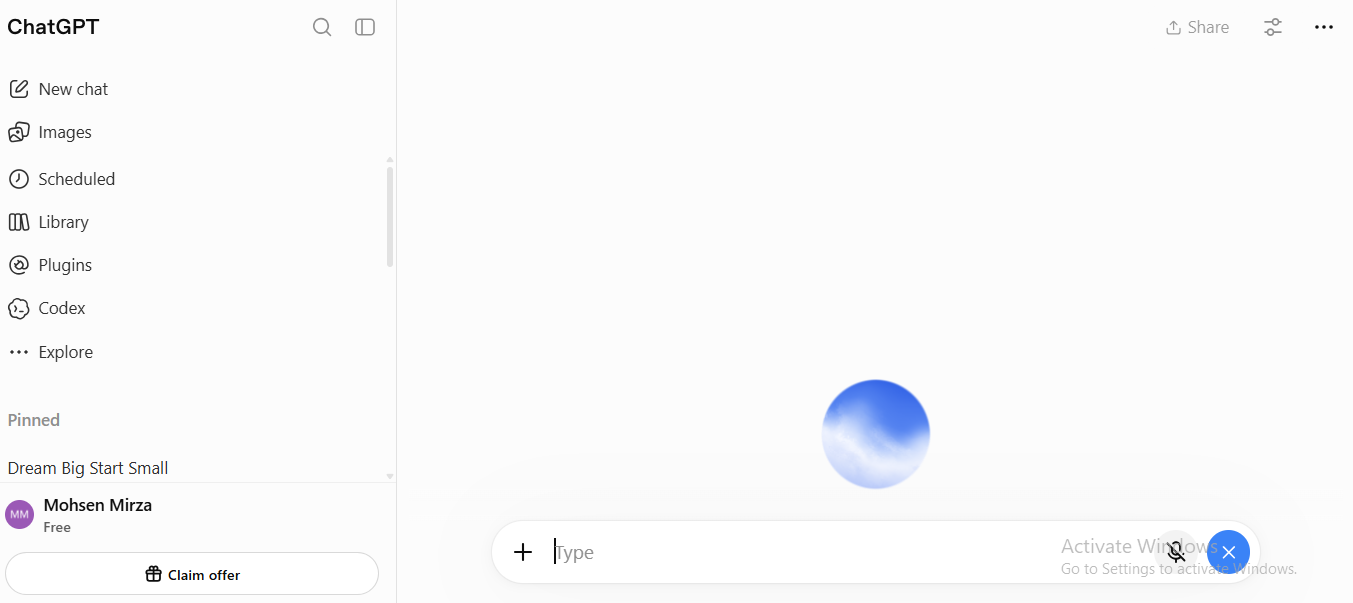
In this special session, I asked AI 50 interesting and educational questions about software to expand my knowledge, discover new ideas, and understand how technology works.
Throughout this conversation, I explored several important topics, including:
1. Introduction to Software: What software is, why it is important, the different types of software, and how software has changed our daily lives.
2. Software Development and Coding: How software is created, which programming languages beginners can learn, the importance of HTML, CSS, JavaScript, and PHP, and how developers find and fix errors in their projects.
3. Artificial Intelligence and Modern Technology: How AI is changing software development, how AI chatbots work, how APIs connect different applications, and how developers can use AI tools to build smarter digital solutions.
4. Software Business and Online Earning: How beginners can earn money through software development, how freelancing works, how to find clients, how software companies generate income, and how a simple software idea can become a successful business.
5. The Future of Software Development: Whether AI will replace software developers, which skills will be valuable in the future, how young students can learn coding for free, and how technology can solve real-world problems.
6. Software Development in Pakistan: How software can improve education, support businesses, create earning opportunities, and help young Pakistanis develop innovative solutions for local and international challenges.
7. Advice for Young Software Developers: I also explored how a young student can improve coding skills, build a professional portfolio, develop creative thinking, start working on real projects, and move toward becoming a successful software developer.
My Mission and Vision
My goal is not just to learn coding or create websites. My bigger mission is to become a skilled software developer, an innovative problem solver, and a future leader who uses technology to make a positive difference in people's lives.
I believe that age should never stop anyone from learning new skills, exploring technology, building projects, or working toward their dreams. Every expert starts as a beginner, and every successful project begins with an idea.
As a student, I want to continue learning about software development, artificial intelligence, web development, and digital innovation. I want to build useful projects, experiment with new technologies, improve my English communication skills, and learn how to turn ideas into practical solutions.
I also believe that AI is a powerful learning partner. When we ask meaningful questions, explore different perspectives, and practice consistently, we can improve our understanding and discover new opportunities. AI can help us learn faster, but our own creativity, critical thinking, dedication, and hard work are equally important.
Why Is This Session Important?
This session is designed for students, beginners, aspiring software developers, technology enthusiasts, and anyone who wants to understand the world of software.
If you are interested in coding, websites, applications, AI tools, freelancing, startups, or the future of technology, I hope this conversation inspires you to start learning and creating something useful.
Remember, you do not need to know everything before you begin. Start with the basics, practice every day, build small projects, learn from your mistakes, and gradually improve your skills. The most important thing is to take action and remain consistent.
Watch the Session and Join the Journey!
Watch my AI Talk Session, explore the 50 questions, learn something new, and share your thoughts in the comments.
Which area of software development interests you the most: web development, app development, artificial intelligence, cybersecurity, or software business?
Write your answer in the comments!
Like this session if you found it educational.
Share it with students and friends who want to learn about software.
Follow my journey for more AI talks, educational sessions, coding projects, and technology-related content.
My Message to Every Young Learner:
“Don't just use technology. Learn how it works, build something meaningful with it, and use your skills to solve real problems.”
Keep Learning
Keep Coding
Keep Building
Keep Innovating
Keep Improving
And Never Give Up!
Thank you for being part of my learning journey. See you in the next educational session!
Created by: Faizan Ali SoftwareWala
#TalkWithAI #SoftwareDevelopment #SoftwareEngineering #SoftwareDeveloper #ArtificialIntelligence #AI #Coding #Programming #WebDevelopment #LearnToCode #Technology #TechEducation #Freelancing #SoftwareBusiness #FutureOfTechnology #ProblemSolving #DigitalSkills
@followers
Asma Shaheen EducationWali
Roll No : 55
Level 2
Work Book A
Talk With Ai On Software : 02
Talk With AI: 50 Questions About Software Development, Coding, Artificial Intelligence, and the Future of Technology!
Hello everyone! Welcome to my new educational AI Talk Session!
My name is Faizan Ali SoftwareWala, and in this session, I am exploring the amazing world of software with Artificial Intelligence (AI).
Software is one of the most important parts of our modern world. We use software every day on our computers, mobile phones, websites, educational platforms, businesses, and many other digital systems. From simple mobile applications to advanced AI assistants, software is helping people solve problems, save time, improve productivity, and connect with the world.
In this special session, I asked AI 50 interesting and educational questions about software to expand my knowledge, discover new ideas, and understand how technology works.
Throughout this conversation, I explored several important topics, including:
1. Introduction to Software: What software is, why it is important, the different types of software, and how software has changed our daily lives.
2. Software Development and Coding: How software is created, which programming languages beginners can learn, the importance of HTML, CSS, JavaScript, and PHP, and how developers find and fix errors in their projects.
3. Artificial Intelligence and Modern Technology: How AI is changing software development, how AI chatbots work, how APIs connect different applications, and how developers can use AI tools to build smarter digital solutions.
4. Software Business and Online Earning: How beginners can earn money through software development, how freelancing works, how to find clients, how software companies generate income, and how a simple software idea can become a successful business.
5. The Future of Software Development: Whether AI will replace software developers, which skills will be valuable in the future, how young students can learn coding for free, and how technology can solve real-world problems.
6. Software Development in Pakistan: How software can improve education, support businesses, create earning opportunities, and help young Pakistanis develop innovative solutions for local and international challenges.
7. Advice for Young Software Developers: I also explored how a young student can improve coding skills, build a professional portfolio, develop creative thinking, start working on real projects, and move toward becoming a successful software developer.
My Mission and Vision
My goal is not just to learn coding or create websites. My bigger mission is to become a skilled software developer, an innovative problem solver, and a future leader who uses technology to make a positive difference in people's lives.
I believe that age should never stop anyone from learning new skills, exploring technology, building projects, or working toward their dreams. Every expert starts as a beginner, and every successful project begins with an idea.
As a student, I want to continue learning about software development, artificial intelligence, web development, and digital innovation. I want to build useful projects, experiment with new technologies, improve my English communication skills, and learn how to turn ideas into practical solutions.
I also believe that AI is a powerful learning partner. When we ask meaningful questions, explore different perspectives, and practice consistently, we can improve our understanding and discover new opportunities. AI can help us learn faster, but our own creativity, critical thinking, dedication, and hard work are equally important.
Why Is This Session Important?
This session is designed for students, beginners, aspiring software developers, technology enthusiasts, and anyone who wants to understand the world of software.
If you are interested in coding, websites, applications, AI tools, freelancing, startups, or the future of technology, I hope this conversation inspires you to start learning and creating something useful.
Remember, you do not need to know everything before you begin. Start with the basics, practice every day, build small projects, learn from your mistakes, and gradually improve your skills. The most important thing is to take action and remain consistent.
Watch the Session and Join the Journey!
Watch my AI Talk Session, explore the 50 questions, learn something new, and share your thoughts in the comments.
Which area of software development interests you the most: web development, app development, artificial intelligence, cybersecurity, or software business?
Write your answer in the comments!
Like this session if you found it educational.
Share it with students and friends who want to learn about software.
Follow my journey for more AI talks, educational sessions, coding projects, and technology-related content.
My Message to Every Young Learner:
“Don't just use technology. Learn how it works, build something meaningful with it, and use your skills to solve real problems.”
Keep Learning
Keep Coding
Keep Building
Keep Innovating
Keep Improving
And Never Give Up!
Thank you for being part of my learning journey. See you in the next educational session!
Created by: Faizan Ali SoftwareWala
#TalkWithAI #SoftwareDevelopment #SoftwareEngineering #SoftwareDeveloper #ArtificialIntelligence #AI #Coding #Programming #WebDevelopment #LearnToCode #Technology #TechEducation #Freelancing #SoftwareBusiness #FutureOfTechnology #ProblemSolving #DigitalSkills
@followers
Asma Shaheen EducationWali
#RSISB
Roll No : 55
Level 2
Work Book A
Talk With Ai On Software : 02
🎙️💻🤖 Talk With AI: 50 Questions About Software Development, Coding, Artificial Intelligence, and the Future of Technology! 🚀🌍
Hello everyone! 👋 Welcome to my new educational AI Talk Session!
My name is Faizan Ali SoftwareWala, and in this session, I am exploring the amazing world of software with Artificial Intelligence (AI). 💻✨
Software is one of the most important parts of our modern world. We use software every day on our computers, mobile phones, websites, educational platforms, businesses, and many other digital systems. From simple mobile applications to advanced AI assistants, software is helping people solve problems, save time, improve productivity, and connect with the world. 🌐📱
In this special session, I asked AI 50 interesting and educational questions about software to expand my knowledge, discover new ideas, and understand how technology works. 🤖🧠
Throughout this conversation, I explored several important topics, including:
💻 1. Introduction to Software: What software is, why it is important, the different types of software, and how software has changed our daily lives.
⌨️ 2. Software Development and Coding: How software is created, which programming languages beginners can learn, the importance of HTML, CSS, JavaScript, and PHP, and how developers find and fix errors in their projects.
🤖 3. Artificial Intelligence and Modern Technology: How AI is changing software development, how AI chatbots work, how APIs connect different applications, and how developers can use AI tools to build smarter digital solutions.
💰 4. Software Business and Online Earning: How beginners can earn money through software development, how freelancing works, how to find clients, how software companies generate income, and how a simple software idea can become a successful business.
🚀 5. The Future of Software Development: Whether AI will replace software developers, which skills will be valuable in the future, how young students can learn coding for free, and how technology can solve real-world problems.
🇵🇰 6. Software Development in Pakistan: How software can improve education, support businesses, create earning opportunities, and help young Pakistanis develop innovative solutions for local and international challenges.
🌟 7. Advice for Young Software Developers: I also explored how a young student can improve coding skills, build a professional portfolio, develop creative thinking, start working on real projects, and move toward becoming a successful software developer.
🎯 My Mission and Vision
My goal is not just to learn coding or create websites. My bigger mission is to become a skilled software developer, an innovative problem solver, and a future leader who uses technology to make a positive difference in people's lives.
I believe that age should never stop anyone from learning new skills, exploring technology, building projects, or working toward their dreams. Every expert starts as a beginner, and every successful project begins with an idea. 💡
As a student, I want to continue learning about software development, artificial intelligence, web development, and digital innovation. I want to build useful projects, experiment with new technologies, improve my English communication skills, and learn how to turn ideas into practical solutions.
I also believe that AI is a powerful learning partner. When we ask meaningful questions, explore different perspectives, and practice consistently, we can improve our understanding and discover new opportunities. AI can help us learn faster, but our own creativity, critical thinking, dedication, and hard work are equally important. 🧠🔥
🌍 Why Is This Session Important?
This session is designed for students, beginners, aspiring software developers, technology enthusiasts, and anyone who wants to understand the world of software.
If you are interested in coding, websites, applications, AI tools, freelancing, startups, or the future of technology, I hope this conversation inspires you to start learning and creating something useful.
Remember, you do not need to know everything before you begin. Start with the basics, practice every day, build small projects, learn from your mistakes, and gradually improve your skills. The most important thing is to take action and remain consistent. 💪
🎬 Watch the Session and Join the Journey!
Watch my AI Talk Session, explore the 50 questions, learn something new, and share your thoughts in the comments.
💬 Which area of software development interests you the most: web development, app development, artificial intelligence, cybersecurity, or software business?
👇 Write your answer in the comments!
👍 Like this session if you found it educational.
📲 Share it with students and friends who want to learn about software.
🔔 Follow my journey for more AI talks, educational sessions, coding projects, and technology-related content.
✨ My Message to Every Young Learner:
“Don't just use technology. Learn how it works, build something meaningful with it, and use your skills to solve real problems.”
Keep Learning 📚
Keep Coding 💻
Keep Building 🛠️
Keep Innovating 💡
Keep Improving 🌱
And Never Give Up! 🔥🚀
Thank you for being part of my learning journey. See you in the next educational session! 👋🎙️
Created by: Faizan Ali SoftwareWala 💻
#TalkWithAI #SoftwareDevelopment #SoftwareEngineering #SoftwareDeveloper #ArtificialIntelligence #AI #Coding #Programming #WebDevelopment #LearnToCode #Technology #TechEducation #Freelancing #SoftwareBusiness #FutureOfTechnology #ProblemSolving #DigitalSkills
@followers
Asma Shaheen EducationWali
0 Commentarios
0 Acciones
3076 Views
13