


RSIF8
Roll no.29
Task no.2
Task Topic: How To make A Facebook account and set it up
1. Go to Facebook 1-2 minutes.
Open the Facebook app on your phone, or visit *facebook.com* on a computer web browser. Click on *"Create new account"* or *"Sign Up"*.
2. *Enter your basic info:* 2 minutes.
Type in your *first and last name*, your *mobile number or email address*, a *strong password*, your *date of birth*, and your *gender*.
> *Note:* Facebook requires your real name to help keep the community safe, though you can adjust your display privacy later.
3. *Confirm your account:* 1 minute.
Facebook will send a verification code to your email or phone number via SMS. *Enter that code* into the box on your screen to officially activate your account.
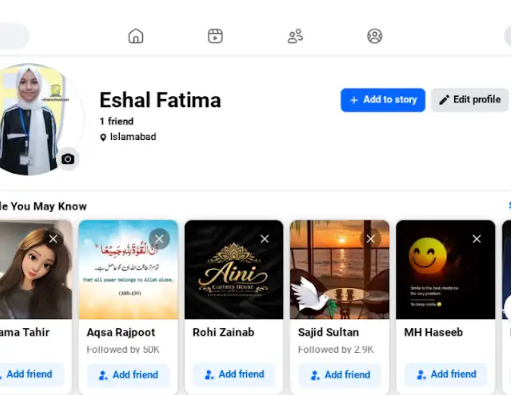
4. *Upload a profile picture:* 2 minutes.
Choose a clear photo of yourself so friends and family can recognize you. You can upload a photo directly from your device or take a new one.
5. *Adjust your privacy settings:* 5 minutes.
Go to *Settings & Privacy* > *Privacy Checkup*. Here, you can change your default post sharing from "Public" to *"Friends"* so only people you approve can see what you post.
Enjoy Your Facebook Journey
#Facebook #SocialMedia #ConnectWithFriends #TechTips #FacebookSetup #StayConnected #fyp
Roll no.29
Task no.2
Task Topic: How To make A Facebook account and set it up
1. Go to Facebook 1-2 minutes.
Open the Facebook app on your phone, or visit *facebook.com* on a computer web browser. Click on *"Create new account"* or *"Sign Up"*.
2. *Enter your basic info:* 2 minutes.
Type in your *first and last name*, your *mobile number or email address*, a *strong password*, your *date of birth*, and your *gender*.
> *Note:* Facebook requires your real name to help keep the community safe, though you can adjust your display privacy later.
3. *Confirm your account:* 1 minute.
Facebook will send a verification code to your email or phone number via SMS. *Enter that code* into the box on your screen to officially activate your account.
4. *Upload a profile picture:* 2 minutes.
Choose a clear photo of yourself so friends and family can recognize you. You can upload a photo directly from your device or take a new one.
5. *Adjust your privacy settings:* 5 minutes.
Go to *Settings & Privacy* > *Privacy Checkup*. Here, you can change your default post sharing from "Public" to *"Friends"* so only people you approve can see what you post.
Enjoy Your Facebook Journey
#Facebook #SocialMedia #ConnectWithFriends #TechTips #FacebookSetup #StayConnected #fyp
RSIF8
Roll no.29
Task no.2
Task Topic: How To make A Facebook account and set it up
1. Go to Facebook 1-2 minutes.
Open the Facebook app on your phone, or visit *facebook.com* on a computer web browser. Click on *"Create new account"* or *"Sign Up"*.
2. *Enter your basic info:* 2 minutes.
Type in your *first and last name*, your *mobile number or email address*, a *strong password*, your *date of birth*, and your *gender*.
> *Note:* Facebook requires your real name to help keep the community safe, though you can adjust your display privacy later.
3. *Confirm your account:* 1 minute.
Facebook will send a verification code to your email or phone number via SMS. *Enter that code* into the box on your screen to officially activate your account.
4. *Upload a profile picture:* 2 minutes.
Choose a clear photo of yourself so friends and family can recognize you. You can upload a photo directly from your device or take a new one.
5. *Adjust your privacy settings:* 5 minutes.
Go to *Settings & Privacy* > *Privacy Checkup*. Here, you can change your default post sharing from "Public" to *"Friends"* so only people you approve can see what you post.
Enjoy Your Facebook Journey
#Facebook #SocialMedia #ConnectWithFriends #TechTips #FacebookSetup #StayConnected #fyp
0 Комментарии
0 Поделились
294 Просмотры