• Day 29
    Foundation Level
    Rehan School Urdu Bazaar Campus
    Roll Number: 4
    Topic: Basic Calculator (Arithmetic Operations)

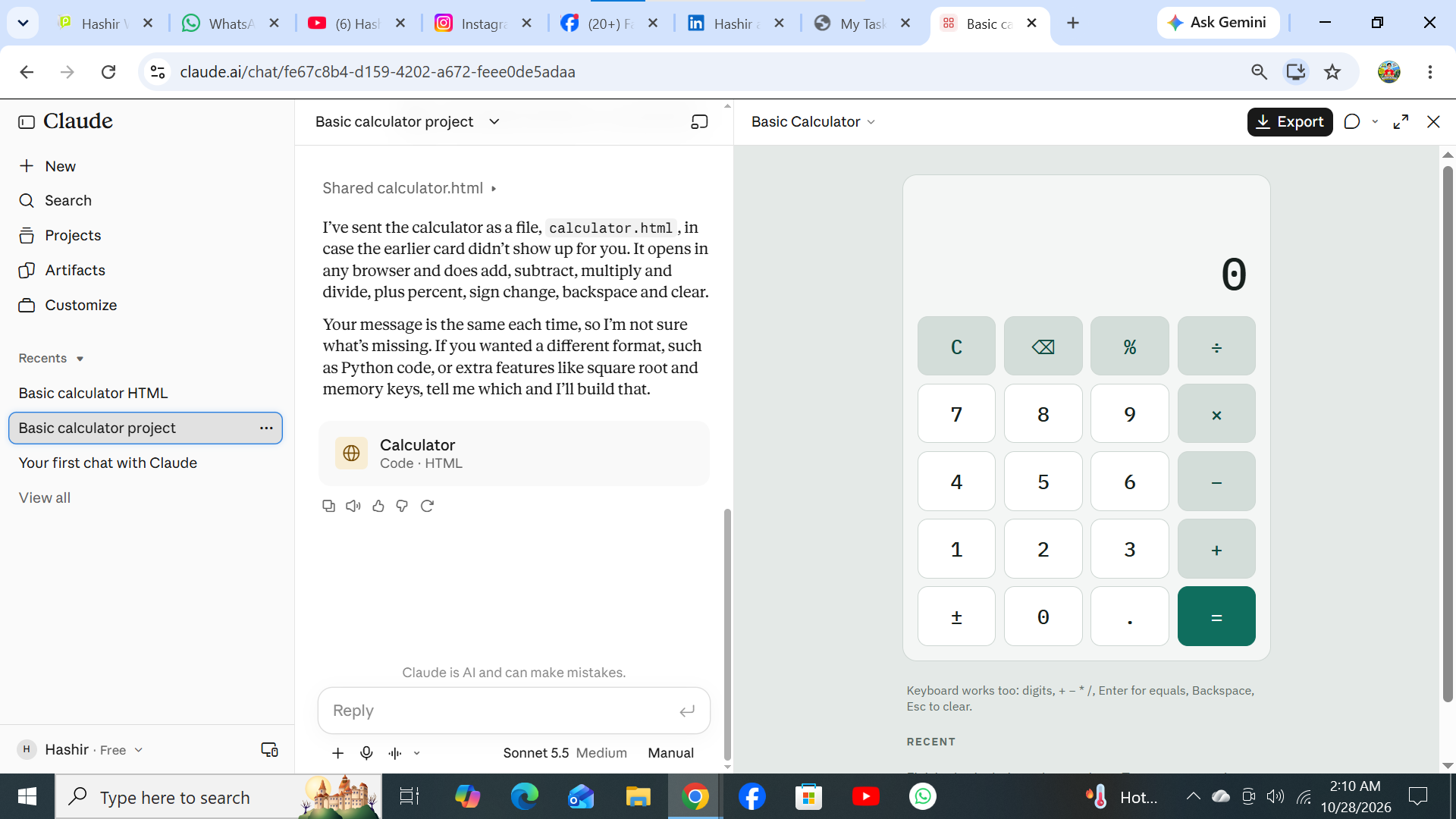
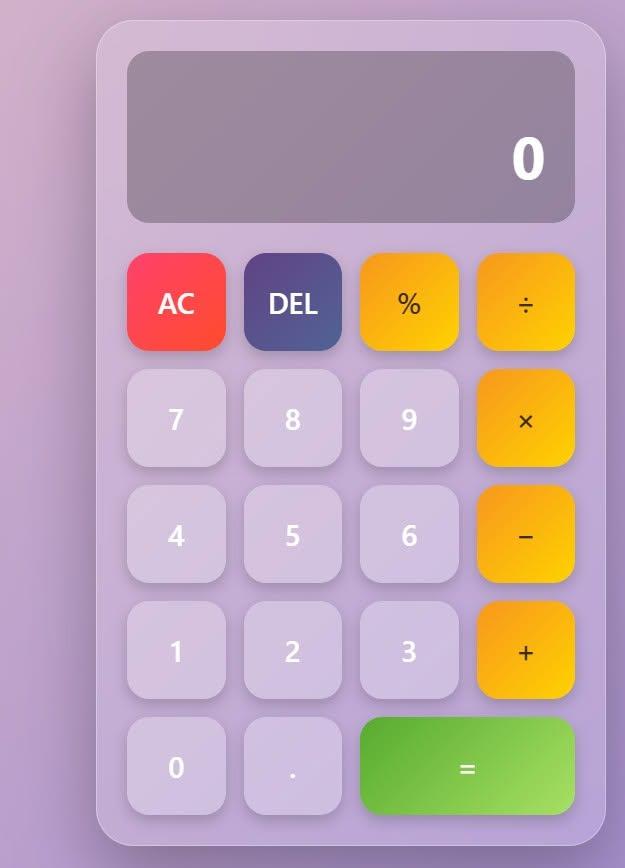
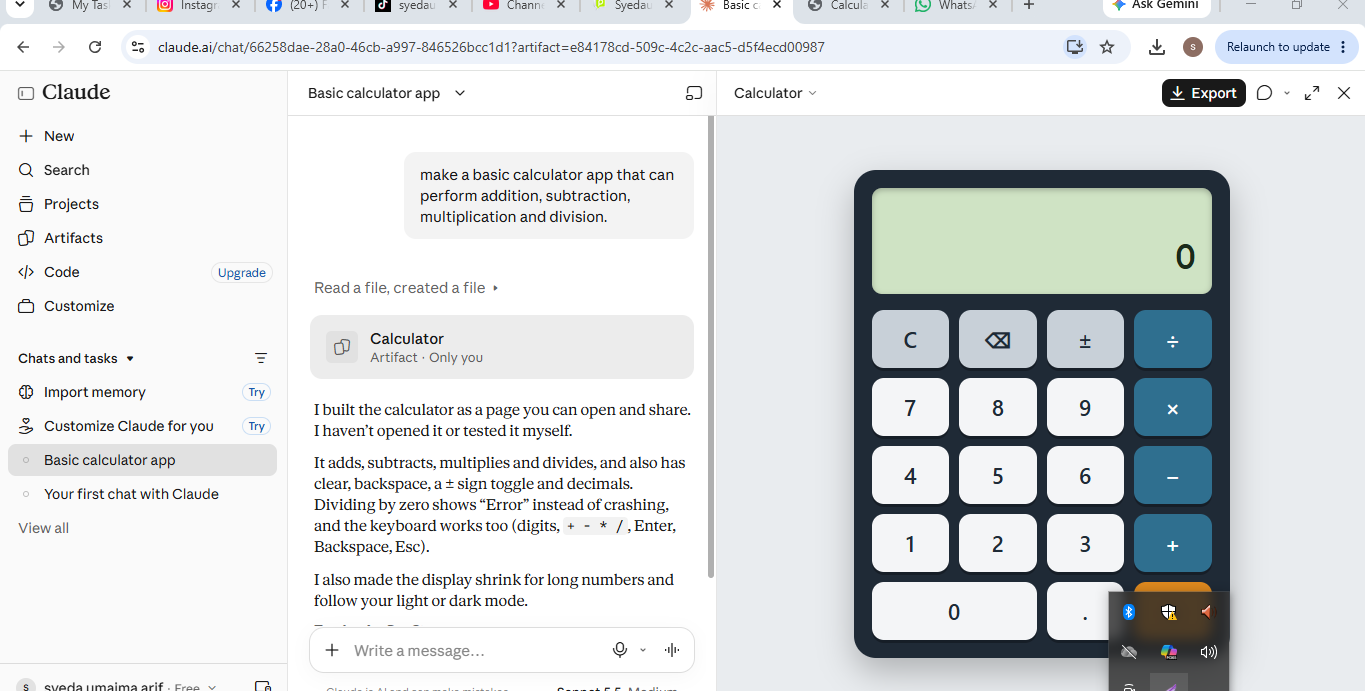
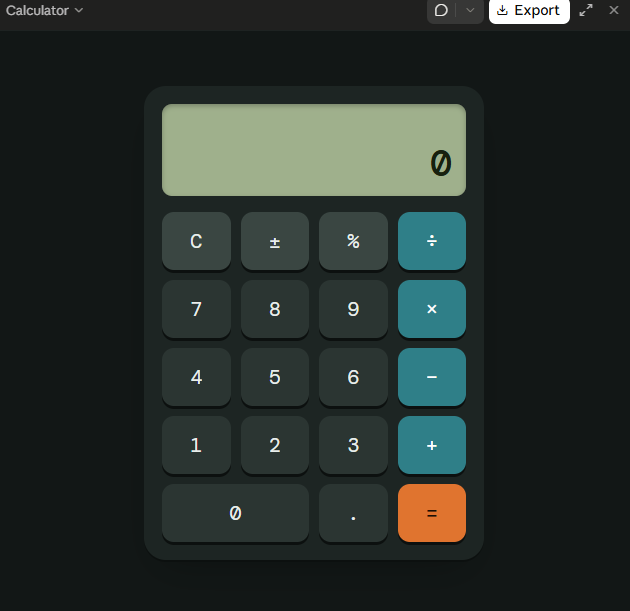
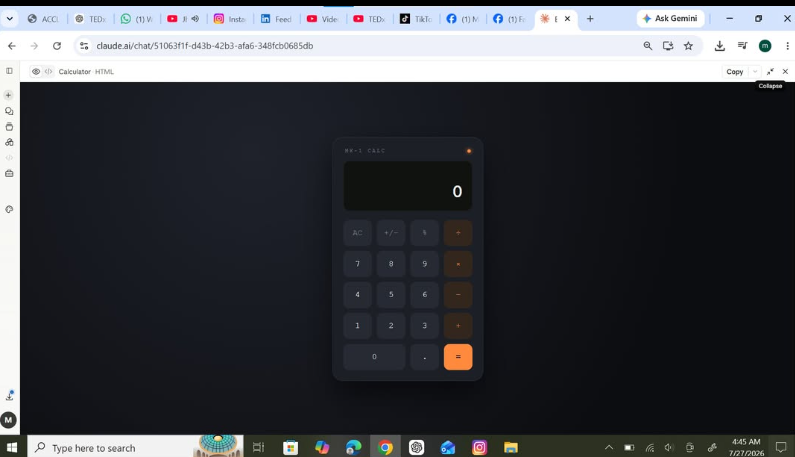
    Today, I completed my Basic Calculator coding task using HTML, CSS, and JavaScript. I created a calculator that performs four basic arithmetic operations: addition (+), subtraction (-), multiplication (*), and division (/). I also added Calculate and Clear buttons. This project helped me learn how to write code, use functions, and perform mathematical calculations using programming.

    #BasicCalculator #ArithmeticOperations #Coding #HTML #CSS #JavaScript #RehanSchool #FoundationLevel #Day29
    https://claude.ai/artifact/T6kWBuXjb8pRd68czTGLni
    Day 29 Foundation Level Rehan School Urdu Bazaar Campus Roll Number: 4 Topic: Basic Calculator (Arithmetic Operations) Today, I completed my Basic Calculator coding task using HTML, CSS, and JavaScript. I created a calculator that performs four basic arithmetic operations: addition (+), subtraction (-), multiplication (*), and division (/). I also added Calculate and Clear buttons. This project helped me learn how to write code, use functions, and perform mathematical calculations using programming. #BasicCalculator #ArithmeticOperations #Coding #HTML #CSS #JavaScript #RehanSchool #FoundationLevel #Day29 https://claude.ai/artifact/T6kWBuXjb8pRd68czTGLni
    0 Комментарии 0 Поделились 363 Просмотры
  • Day 29
    Foundation Level
    Rehan School Urdu Bazaar Campus
    Roll Number: 4
    Topic: Basic Calculator (Arithmetic Operations)

    Today, I completed my coding task on a Basic Calculator using HTML, CSS, and JavaScript. The calculator performs four basic arithmetic operations: addition, subtraction, multiplication, and division. I also added Calculate and Clear buttons and handled errors such as division by zero. This task helped me understand how to use JavaScript functions, user inputs, and conditional statements to create a simple, interactive calculator.

    #BasicCalculator #Coding #HTML #CSS #JavaScript #RehanSchool #FoundationLevel #Day29
    Day 29 Foundation Level Rehan School Urdu Bazaar Campus Roll Number: 4 Topic: Basic Calculator (Arithmetic Operations) Today, I completed my coding task on a Basic Calculator using HTML, CSS, and JavaScript. The calculator performs four basic arithmetic operations: addition, subtraction, multiplication, and division. I also added Calculate and Clear buttons and handled errors such as division by zero. This task helped me understand how to use JavaScript functions, user inputs, and conditional statements to create a simple, interactive calculator. #BasicCalculator #Coding #HTML #CSS #JavaScript #RehanSchool #FoundationLevel #Day29
    0 Комментарии 0 Поделились 291 Просмотры
  • **Day 27 – Coding Task: Create a Basic Calculator**

    Today, I completed a small coding challenge to create a **Basic Calculator** that can perform essential arithmetic operations: **Addition , Subtraction , Multiplication , and Division .**

    This task helped me practice my coding logic and understand how different operations work together to create a useful program.

    **I’m sharing a screenshot of my calculator along with a short explanation of how it works.**

    **Hassan Climate Wala | Day 27**

    #Day27 #CodingTask #BasicCalculator #Python #Coding #Programming #LearningByDoing #RehanSchool #HassanClimateWala
    💻 **Day 27 – Coding Task: Create a Basic Calculator** 🧮 Today, I completed a small coding challenge to create a **Basic Calculator** that can perform essential arithmetic operations: **Addition ➕, Subtraction ➖, Multiplication ✖️, and Division ➗.** This task helped me practice my coding logic and understand how different operations work together to create a useful program. 🚀 📸 **I’m sharing a screenshot of my calculator along with a short explanation of how it works.** **Hassan Climate Wala | Day 27** 🔥 #Day27 #CodingTask #BasicCalculator #Python #Coding #Programming #LearningByDoing #RehanSchool #HassanClimateWala
    0 Комментарии 0 Поделились 555 Просмотры
  • Accl Foundation Level ( Rehan School Urdu Bazar Campus )
    Day : 29 Coding Task
    Roll No : 16
    Accl Task
    – Basic Calculator
    Today, I completed my Day 29 coding task: Basic Calculator (Arithmetic Operations).
    This project helped me practice basic arithmetic operations like addition (+), subtraction (−), multiplication (×), and division (÷).
    I am learning something new every day and improving my coding skills step by step.
    Link: https://claude.ai/artifact/VgSHXQNfdSVHUYyMve6EeS
    #Day29 #CodingTask #BasicCalculator #LearningCoding #RehanSchool See less
    Accl Foundation Level ( Rehan School Urdu Bazar Campus ) Day : 29 Coding Task Roll No : 16 Accl Task – Basic Calculator 🧮 Today, I completed my Day 29 coding task: Basic Calculator (Arithmetic Operations). This project helped me practice basic arithmetic operations like addition (+), subtraction (−), multiplication (×), and division (÷). I am learning something new every day and improving my coding skills step by step. 🚀✨ Link: https://claude.ai/artifact/VgSHXQNfdSVHUYyMve6EeS #Day29 #CodingTask #BasicCalculator #LearningCoding #RehanSchool See less
    0 Комментарии 0 Поделились 572 Просмотры
  • RSIF8
    Roll no.49
    Coding task no.28
    Coding task topic:CNN Clone (Functional, Web-Based, 3 days).

    **Coding Task — CNN Clone (Functional, Web-Based)**

    I completed a functional **news website clone project** inspired by modern online news platforms. The goal of this project was to understand how a professional news website is structured and how different pages, categories, articles, and navigation work together to create a smooth user experience.

    **Homepage:**

    The website includes a clean homepage with featured news stories, headlines, images, and different news sections. Visitors can quickly explore the latest and most important stories from the main page.

    **News Categories:**

    The project includes multiple categories so users can easily navigate between different types of news, such as World, Technology, Sports, Business, Entertainment, and more.

    **Article Pages:**

    Each news story has its own article page containing the headline, image, article content, and additional information. This makes the website feel like a complete news platform rather than just a static homepage.

    **Dynamic Navigation:**

    Navigation links are connected so users can move between the homepage, categories, and individual articles smoothly. The project focuses on making the website interactive and easy to explore.

    **What I Learned:**

    Through this project, I practiced website structure, HTML, CSS, JavaScript, responsive design, navigation, reusable components, and organizing content into different pages. It also helped me understand how real-world news websites can be planned and developed.

    The completed project is uploaded to GitHub along with a **README.md** file containing project information, features, and instructions.

    This project was a great opportunity to improve my web-development skills and learn how to build a functional, user-friendly news website from scratch.

    #rehancodingwithai #CodingTask #CNNClone #WebDevelopment #HTML #CSS #JavaScript #GitHub #Coding #Programming #WebDesign #FrontendDevelopment #ResponsiveDesign #NewsWebsite #LearningToCode #StudentProject #Tech #ComputerScience
    RSIF8 Roll no.49 Coding task no.28 Coding task topic:CNN Clone (Functional, Web-Based, 3 days). 📰💻 **Coding Task — CNN Clone (Functional, Web-Based)** 🚀 I completed a functional **news website clone project** inspired by modern online news platforms. The goal of this project was to understand how a professional news website is structured and how different pages, categories, articles, and navigation work together to create a smooth user experience. 🏠 **Homepage:** The website includes a clean homepage with featured news stories, headlines, images, and different news sections. Visitors can quickly explore the latest and most important stories from the main page. 🗂️ **News Categories:** The project includes multiple categories so users can easily navigate between different types of news, such as World, Technology, Sports, Business, Entertainment, and more. 📖 **Article Pages:** Each news story has its own article page containing the headline, image, article content, and additional information. This makes the website feel like a complete news platform rather than just a static homepage. 🔗 **Dynamic Navigation:** Navigation links are connected so users can move between the homepage, categories, and individual articles smoothly. The project focuses on making the website interactive and easy to explore. 💡 **What I Learned:** Through this project, I practiced website structure, HTML, CSS, JavaScript, responsive design, navigation, reusable components, and organizing content into different pages. It also helped me understand how real-world news websites can be planned and developed. The completed project is uploaded to GitHub along with a **README.md** file containing project information, features, and instructions. This project was a great opportunity to improve my web-development skills and learn how to build a functional, user-friendly news website from scratch. 🚀💻 #rehancodingwithai #CodingTask #CNNClone #WebDevelopment #HTML #CSS #JavaScript #GitHub #Coding #Programming #WebDesign #FrontendDevelopment #ResponsiveDesign #NewsWebsite #LearningToCode #StudentProject #Tech #ComputerScience
    0 Комментарии 0 Поделились 3830 Просмотры
  • RSIF8
    Roll no:14
    coding no:23
    coding topic:Simple Chat Application

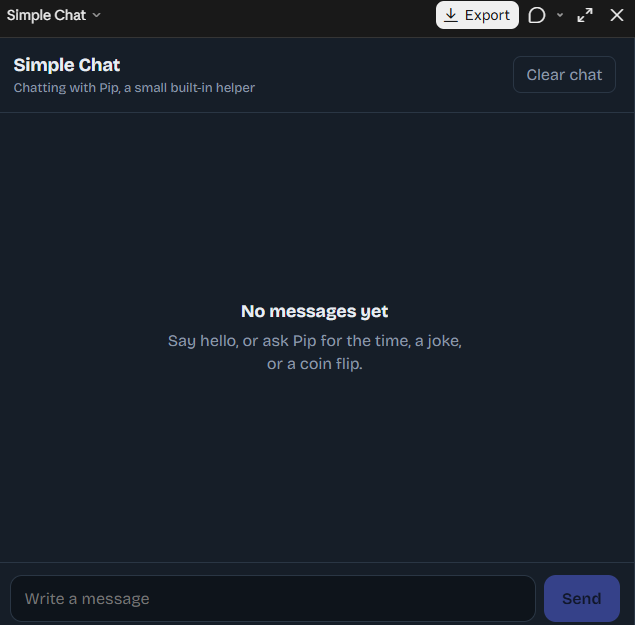
    **Simple Chat Application – Connecting People Through Technology**

    A Simple Chat Application is a user-friendly software project designed to make communication between users easy, convenient, and efficient. In today's digital world, messaging applications have become an essential part of everyday life, allowing people to exchange information, share ideas, and stay connected regardless of distance. This project demonstrates the basic concepts of chat application development and provides an excellent opportunity to understand how digital communication systems work.

    **Project Overview**

    The Simple Chat Application focuses on creating a clean and straightforward messaging interface where users can type messages, send them, and view conversations in an organized format. The application can include essential features such as a message input field, a send button, a chat display area, timestamps, and a simple user interface. These features help make communication smooth and allow users to interact with the application without unnecessary complexity.

    **Key Features of the Application**

    **User-Friendly Interface:** A clean and organized design that makes the application easy to understand and use.

    **Message Sending:** Users can type messages and send them through the chat interface.

    **Conversation Display:** Messages appear in a structured chat window, making conversations easier to follow.

    **Simple Navigation:** Easy-to-use controls help users interact with the application efficiently.

    **Responsive Design:** With suitable implementation, the interface can adapt to different screen sizes and devices.

    **Future Improvements:** Additional features such as usernames, timestamps, message history, notifications, and real-time messaging can be added as the project develops.

    **Learning and Development**

    Developing a Simple Chat Application is a valuable learning experience for beginners in programming and software development. It helps students understand user interface design, event handling, input processing, data management, and the basic principles of communication between software components. Depending on the programming language and technologies used, the project can also introduce concepts such as client-server architecture, databases, networking, and real-time communication.

    For example, a basic version may display messages locally within one application, while an advanced version can use a backend server and communication protocols to exchange messages between multiple users. This makes the project suitable for gradual improvement, from a simple beginner-level exercise to a more advanced messaging system.

    **Why Is This Project Important?**

    A Simple Chat Application demonstrates how small software projects can solve practical communication problems. It encourages logical thinking, improves programming skills, and provides hands-on experience in building interactive applications. It can also serve as a foundation for more advanced projects, including group chats, online messaging platforms, customer support systems, and collaborative communication tools.

    **Conclusion**

    The Simple Chat Application is an excellent project for anyone interested in learning programming, application development, and digital communication. Its simple design and essential messaging features make it a useful starting point for exploring software engineering. With creativity, practice, and continuous improvement, this basic application can evolve into a more powerful communication platform.

    **Code. Connect. Communicate. Create Something Amazing!**

    #SimpleChatApplication #ChatApp #SoftwareDevelopment #Programming #CodingProject #AppDevelopment #ComputerScience #WebDevelopment #PythonProgramming #UserInterface #Technology #BeginnerProject #LearnToCode #StudentProject #TaskCompleted
    RSIF8 Roll no:14 coding no:23 coding topic:Simple Chat Application 💬 **Simple Chat Application – Connecting People Through Technology** 🌐✨ A Simple Chat Application is a user-friendly software project designed to make communication between users easy, convenient, and efficient. In today's digital world, messaging applications have become an essential part of everyday life, allowing people to exchange information, share ideas, and stay connected regardless of distance. This project demonstrates the basic concepts of chat application development and provides an excellent opportunity to understand how digital communication systems work. 💻📱 🚀 **Project Overview** The Simple Chat Application focuses on creating a clean and straightforward messaging interface where users can type messages, send them, and view conversations in an organized format. The application can include essential features such as a message input field, a send button, a chat display area, timestamps, and a simple user interface. These features help make communication smooth and allow users to interact with the application without unnecessary complexity. 💡 **Key Features of the Application** 🔹 **User-Friendly Interface:** A clean and organized design that makes the application easy to understand and use. 🔹 **Message Sending:** Users can type messages and send them through the chat interface. 🔹 **Conversation Display:** Messages appear in a structured chat window, making conversations easier to follow. 🔹 **Simple Navigation:** Easy-to-use controls help users interact with the application efficiently. 🔹 **Responsive Design:** With suitable implementation, the interface can adapt to different screen sizes and devices. 🔹 **Future Improvements:** Additional features such as usernames, timestamps, message history, notifications, and real-time messaging can be added as the project develops. 🛠️ **Learning and Development** Developing a Simple Chat Application is a valuable learning experience for beginners in programming and software development. It helps students understand user interface design, event handling, input processing, data management, and the basic principles of communication between software components. Depending on the programming language and technologies used, the project can also introduce concepts such as client-server architecture, databases, networking, and real-time communication. For example, a basic version may display messages locally within one application, while an advanced version can use a backend server and communication protocols to exchange messages between multiple users. This makes the project suitable for gradual improvement, from a simple beginner-level exercise to a more advanced messaging system. 🎯 **Why Is This Project Important?** A Simple Chat Application demonstrates how small software projects can solve practical communication problems. It encourages logical thinking, improves programming skills, and provides hands-on experience in building interactive applications. It can also serve as a foundation for more advanced projects, including group chats, online messaging platforms, customer support systems, and collaborative communication tools. 🌟 **Conclusion** The Simple Chat Application is an excellent project for anyone interested in learning programming, application development, and digital communication. Its simple design and essential messaging features make it a useful starting point for exploring software engineering. With creativity, practice, and continuous improvement, this basic application can evolve into a more powerful communication platform. 💻 **Code. Connect. Communicate. Create Something Amazing!** 💬🚀 #SimpleChatApplication #ChatApp #SoftwareDevelopment #Programming #CodingProject #AppDevelopment #ComputerScience #WebDevelopment #PythonProgramming #UserInterface #Technology #BeginnerProject #LearnToCode #StudentProject #TaskCompleted ✅

    0 Комментарии 0 Поделились 4887 Просмотры
  • RSIF8
    Roll no:14
    coding task no:13
    coding topic:**Basic Calculator with GUI
    **Basic Calculator with GUI – A Simple and User-Friendly Application**

    **Description:**

    The Basic Calculator with GUI is a beginner-friendly programming project designed to perform essential mathematical calculations through a simple, interactive, and user-friendly graphical interface. Instead of entering commands, users can perform calculations by clicking buttons, making the application easy and convenient to use.

    This project allows users to perform basic arithmetic operations, including **addition (+), subtraction (−), multiplication (×), and division (÷)**. It features a clear display screen for showing numbers and results, along with dedicated buttons for entering values, selecting operations, clearing the display, and calculating answers.

    **Key Features:**

    - **Addition:** Add two or more numbers easily.
    - **Subtraction:** Calculate the difference between numbers.
    - **Multiplication:** Multiply numbers quickly.
    - **Division:** Divide numbers and display the results.
    - **Graphical User Interface (GUI):** An interactive layout with clickable buttons.
    - **Clear Button:** Reset the display and start a new calculation.
    - **Instant Results:** Perform calculations quickly and efficiently.
    - **Error Handling:** Handle invalid calculations, such as division by zero.

    **Learning Objectives:**

    The main goal of this project is to help beginners understand the fundamentals of programming and GUI development. It introduces important concepts such as button events, user input, mathematical operators, functions, conditional statements, and displaying output on the screen.

    **Conclusion:**

    The Basic Calculator with GUI is an excellent project for anyone beginning their programming journey. It combines practical mathematical operations with an interactive design, demonstrating how code can be transformed into a useful desktop application. With further improvements, the calculator can also include percentage calculations, decimal numbers, keyboard support, and a more attractive interface.

    **Project Goal:** To create a simple, reliable, and easy-to-use calculator that makes everyday mathematical calculations faster and more convenient.

    #BasicCalculator #GUI #ProgrammingProject #BeginnerCoding #PythonProgramming #AppDevelopment #LearnToCode #ComputerScience #CodingForBeginners #SoftwareDevelopment
    RSIF8 Roll no:14 coding task no:13 coding topic:**Basic Calculator with GUI 🧮 **Basic Calculator with GUI – A Simple and User-Friendly Application** 💻 ✨ **Description:** The Basic Calculator with GUI is a beginner-friendly programming project designed to perform essential mathematical calculations through a simple, interactive, and user-friendly graphical interface. Instead of entering commands, users can perform calculations by clicking buttons, making the application easy and convenient to use. 🚀📱 This project allows users to perform basic arithmetic operations, including **addition (+), subtraction (−), multiplication (×), and division (÷)**. It features a clear display screen for showing numbers and results, along with dedicated buttons for entering values, selecting operations, clearing the display, and calculating answers. 🎯 **Key Features:** - ➕ **Addition:** Add two or more numbers easily. - ➖ **Subtraction:** Calculate the difference between numbers. - ✖️ **Multiplication:** Multiply numbers quickly. - ➗ **Division:** Divide numbers and display the results. - 🖥️ **Graphical User Interface (GUI):** An interactive layout with clickable buttons. - 🔄 **Clear Button:** Reset the display and start a new calculation. - ⚡ **Instant Results:** Perform calculations quickly and efficiently. - ⚠️ **Error Handling:** Handle invalid calculations, such as division by zero. 📚 **Learning Objectives:** The main goal of this project is to help beginners understand the fundamentals of programming and GUI development. It introduces important concepts such as button events, user input, mathematical operators, functions, conditional statements, and displaying output on the screen. 🌟 **Conclusion:** The Basic Calculator with GUI is an excellent project for anyone beginning their programming journey. It combines practical mathematical operations with an interactive design, demonstrating how code can be transformed into a useful desktop application. With further improvements, the calculator can also include percentage calculations, decimal numbers, keyboard support, and a more attractive interface. 💡 **Project Goal:** To create a simple, reliable, and easy-to-use calculator that makes everyday mathematical calculations faster and more convenient. #BasicCalculator #GUI #ProgrammingProject #BeginnerCoding #PythonProgramming #AppDevelopment #LearnToCode #ComputerScience #CodingForBeginners #SoftwareDevelopment 💻🧮🚀
    0 Комментарии 0 Поделились 2221 Просмотры
  • #rsisb Roll No.240 Call Annie No.34 Level one Welcome to our live discussion about Global Economics! 🎥🌎 In this session, we will explore how the world's economies work, how countries trade with one another, and how economic decisions affect our daily lives. From international trade and inflation to employment, poverty, technology, and business development, we will discuss important topics that shape the future of our world. 📈🌐 Global economics helps us understand how countries depend on one another for goods, services, resources, technology, and investment. During this discussion, we will talk about why some countries have stronger economies, how developing nations can create more opportunities, and how international cooperation can help improve people's living standards. 🤝💰 We will also explore the role of education, entrepreneurship, digital technology, and small businesses in economic growth. In addition, we will discuss the challenges of rising prices, unemployment, poverty, and economic inequality, along with practical ideas for creating a better future for individuals, families, and communities. 📚💡 This live session is an opportunity to learn new things, exchange ideas, improve our communication skills, and understand the connection between global economic events and our everyday lives. Every country has its own challenges and opportunities, and learning about global economics helps us become more informed citizens of the world. 🌍🧠 Let's learn, discuss, and grow together! 🙌 Share your thoughts in the comments, participate in the conversation, and tell us what you think is the biggest challenge facing the global economy today. Thank you for watching and supporting our educational journey! ❤️ Don't forget to like, comment, and share this discussion with others who are interested in economics, business, education, and global development. #GlobalEconomics #WorldEconomy #InternationalTrade #EconomicGrowth #GlobalBusiness #FinancialEducation #Inflation #Entrepreneurship #EconomicDevelopment #Globalization #BusinessEducation #SocialMediaLive #LiveDiscussion #KnowledgeSharing #LearningTogether 🌍📊💼 Rehan School Islamabad Campus Asma Shaheen EducationWali Irum Asim Leadershipwali Saima Empowerment Wali https://www.facebook.com/share/v/1EdCxvEA78/
    WWW.FACEBOOK.COM
    Made with Restream Studio. Livestream on 30+ platforms at once with Restream #rsisb Roll No.240 Call Annie No.34 Level one Welcome to our live discussion about Global Economics! 🎥🌎 In this session, we will explore how the world's economies work, how countries trade with one another, and how economic decisions affect our daily lives. From international trade and inflation to employment, poverty, technology, and business development, we will discuss important topics that shape the future of our world. 📈🌐 Global economics helps us understand how countries depend on one another for goods, services, resources, technology, and investment. During this discussion, we will talk about why some countries have stronger economies, how developing nations can create more opportunities, and how international cooperation can help improve people's living standards. 🤝💰 We will also explore the role of education, entrepreneurship, digital technology, and small businesses in economic growth. In addition, we will discuss the challenges of rising prices, unemployment, poverty, and economic inequality, along with practical ideas for creating a better future for individuals, families, and communities. 📚💡 This live session is an opportunity to learn new things, exchange ideas, improve our communication skills, and understand the connection between global economic events and our everyday lives. Every country has its own challenges and opportunities, and learning about global economics helps us become more informed citizens of the world. 🌍🧠 Let's learn, discuss, and grow together! 🙌 Share your thoughts in the comments, participate in the conversation, and tell us what you think is the biggest challenge facing the global economy today. Thank you for watching and supporting our educational journey! ❤️ Don't forget to like, comment, and share this discussion with others who are interested in economics, business, education, and global development. #GlobalEconomics #WorldEconomy #InternationalTrade #EconomicGrowth #GlobalBusiness #FinancialEducation #Inflation #Entrepreneurship #EconomicDevelopment #Globalization #BusinessEducation #SocialMediaLive #LiveDiscussion #KnowledgeSharing #LearningTogether 🌍📊💼 Rehan School Islamabad Campus Asma Shaheen EducationWali Irum Asim Leadershipwali Saima Empowerment Wali | Ahmad Ali Constriction Wala
    Made with Restream Studio. Livestream on 30+ platforms at once with Restream #rsisb Roll No.240 Call Annie No.34 Level one Welcome to our live discussion about Global Economics! 🎥🌎 In this session,...
    0 Комментарии 0 Поделились 2815 Просмотры
  • RSIF8
    Roll no 94
    Coding task no 15
    Coding task topic
    Basic Calculator with Graphical User Interface (GUI)
    I successfully created a Basic Calculator with a Graphical User Interface (GUI) that can perform simple arithmetic operations like Addition, Subtraction, Multiplication, and Division. The calculator features an easy-to-use design, making calculations quick and efficient.
    Screenshot attached to showcase the working application. This project helped me improve my programming, problem-solving, and GUI design skills.
    #BasicCalculator #GUI #Programming #CodingProject #PythonProgramming #TechSkills #SoftwareDevelopment #LearningByDoing #StudentProject #ComputerScience #Innovation #FutureProgrammer
    RSIF8 Roll no 94 Coding task no 15 Coding task topic 🚀 Basic Calculator with Graphical User Interface (GUI) 🧮✨ I successfully created a Basic Calculator with a Graphical User Interface (GUI) that can perform simple arithmetic operations like ➕ Addition, ➖ Subtraction, ✖️ Multiplication, and ➗ Division. The calculator features an easy-to-use design, making calculations quick and efficient. 📱💻 📸 Screenshot attached to showcase the working application. This project helped me improve my programming, problem-solving, and GUI design skills. 🌟 #BasicCalculator #GUI #Programming #CodingProject #PythonProgramming #TechSkills #SoftwareDevelopment #LearningByDoing #StudentProject #ComputerScience #Innovation #FutureProgrammer 🚀💻🧮
    0 Комментарии 0 Поделились 2187 Просмотры
  • RSIF8
    Coding Book TaskNO:5
    Rool NO:13

    Weather App – Coding Task

    For this coding task, I created a Weather App using Claude.ai. The purpose of this project is to develop a useful and interactive application that allows users to check the current weather information of any city. Weather is an important part of our everyday lives because it affects our travel, outdoor activities, school, work, and many other daily plans. By creating this application, I learned how technology can make it easier to access useful information quickly.

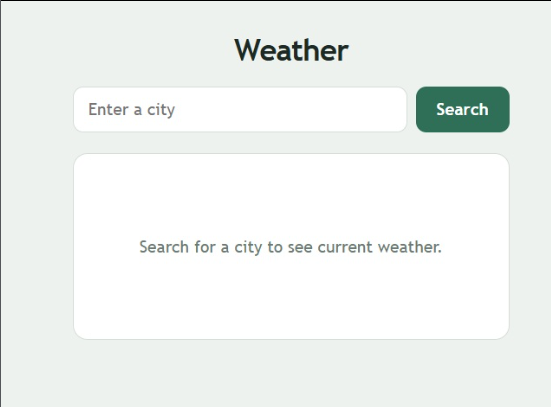
    The Weather App has a simple and user-friendly interface. The user can enter the name of a city into a search box and then click the search button to find its current weather. The application processes the city name and displays the available weather information on the screen. This makes it possible for users to check weather conditions for different cities without needing to use a complicated system.

    The application can display important weather details such as the current temperature, weather condition, humidity, wind speed, and other relevant information. Depending on the weather service being used, additional information can also be displayed. Showing this information in an organized way makes the application easier to understand and more useful for the user.

    One of the most interesting parts of this project was learning how a web application can use an API to obtain information from an external service. A weather API can provide current weather data, and the application can request that information and display it to the user. This introduced me to an important concept in modern web development because many real-world applications depend on APIs to retrieve information from online services.

    While working on this project with Claude.ai, I also learned how different programming languages work together. HTML can be used to create the structure of the Weather App, CSS can be used to design and style the interface, and JavaScript can be used to make the application interactive and handle the weather data. Understanding how these technologies work together helped me improve my web development skills.
    RSIF8 Coding Book TaskNO:5 Rool NO:13 Weather App – Coding Task 🌦️ For this coding task, I created a Weather App using Claude.ai. The purpose of this project is to develop a useful and interactive application that allows users to check the current weather information of any city. Weather is an important part of our everyday lives because it affects our travel, outdoor activities, school, work, and many other daily plans. By creating this application, I learned how technology can make it easier to access useful information quickly. The Weather App has a simple and user-friendly interface. The user can enter the name of a city into a search box and then click the search button to find its current weather. The application processes the city name and displays the available weather information on the screen. This makes it possible for users to check weather conditions for different cities without needing to use a complicated system. The application can display important weather details such as the current temperature, weather condition, humidity, wind speed, and other relevant information. Depending on the weather service being used, additional information can also be displayed. Showing this information in an organized way makes the application easier to understand and more useful for the user. One of the most interesting parts of this project was learning how a web application can use an API to obtain information from an external service. A weather API can provide current weather data, and the application can request that information and display it to the user. This introduced me to an important concept in modern web development because many real-world applications depend on APIs to retrieve information from online services. While working on this project with Claude.ai, I also learned how different programming languages work together. HTML can be used to create the structure of the Weather App, CSS can be used to design and style the interface, and JavaScript can be used to make the application interactive and handle the weather data. Understanding how these technologies work together helped me improve my web development skills.
    0 Комментарии 0 Поделились 1320 Просмотры
Расширенные страницы