RSIF8
ROLL NO:13
TASK NO:7
How to Download and Use Canva?
Canva is a simple and powerful design platform that helps people create beautiful graphics, presentations, posters, social media posts, videos, documents, and many other creative projects. It is especially useful for students, beginners, content creators, teachers, and anyone who wants to learn graphic designing without needing advanced technical skills.
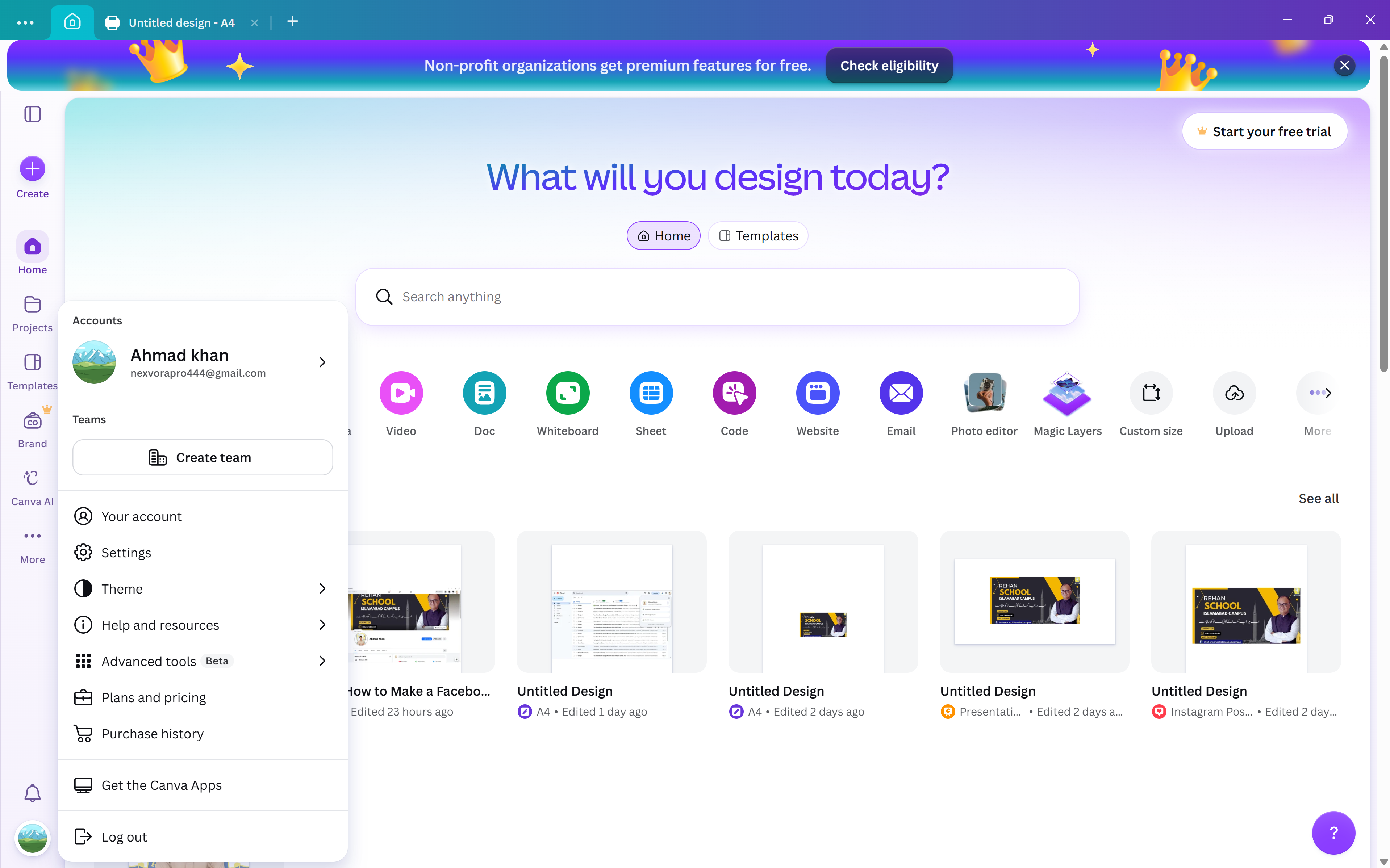
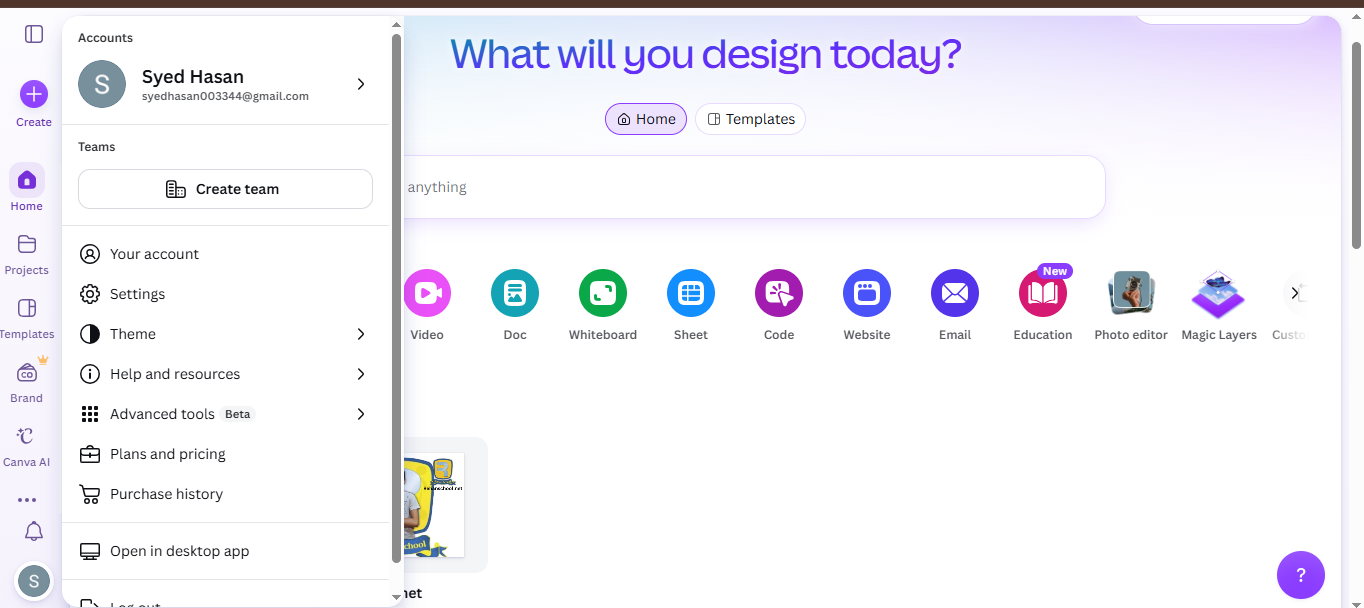
To get started with Canva, the first step is to download the Canva app on your device or open Canva through a web browser. Canva is available on different devices, so you can choose the option that works best for you. After opening Canva, you can create an account using an available sign-in option and begin exploring the platform.
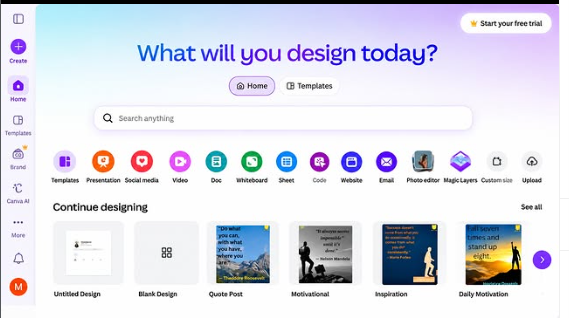
Once you enter Canva, you will find many different design options and ready-made templates. You can search for the type of project you want to create, such as an Instagram post, presentation, poster, invitation, video, document, or other design. Templates can be very helpful for beginners because they provide a starting point and allow you to customize the design according to your own ideas.
Using Canva is quite easy. You can select a template and then change its text, images, fonts, layouts, and other design elements. You can also upload your own pictures and add them to your project. Canva provides different tools that allow you to arrange elements and create a design that matches your topic and personal style.
Another useful feature is the ability to create designs from a blank page. This gives you more freedom to experiment with different layouts and ideas. You can choose a background, add headings, insert pictures, and organize everything in a clean and creative way.
After completing your design, you can preview it and make any necessary changes. When you are satisfied with your work, you can export or share the design using the options provided by Canva. Depending on the type of project and available features, you can use different formats for sa
ROLL NO:13
TASK NO:7
How to Download and Use Canva?
Canva is a simple and powerful design platform that helps people create beautiful graphics, presentations, posters, social media posts, videos, documents, and many other creative projects. It is especially useful for students, beginners, content creators, teachers, and anyone who wants to learn graphic designing without needing advanced technical skills.
To get started with Canva, the first step is to download the Canva app on your device or open Canva through a web browser. Canva is available on different devices, so you can choose the option that works best for you. After opening Canva, you can create an account using an available sign-in option and begin exploring the platform.
Once you enter Canva, you will find many different design options and ready-made templates. You can search for the type of project you want to create, such as an Instagram post, presentation, poster, invitation, video, document, or other design. Templates can be very helpful for beginners because they provide a starting point and allow you to customize the design according to your own ideas.
Using Canva is quite easy. You can select a template and then change its text, images, fonts, layouts, and other design elements. You can also upload your own pictures and add them to your project. Canva provides different tools that allow you to arrange elements and create a design that matches your topic and personal style.
Another useful feature is the ability to create designs from a blank page. This gives you more freedom to experiment with different layouts and ideas. You can choose a background, add headings, insert pictures, and organize everything in a clean and creative way.
After completing your design, you can preview it and make any necessary changes. When you are satisfied with your work, you can export or share the design using the options provided by Canva. Depending on the type of project and available features, you can use different formats for sa
RSIF8
ROLL NO:13
TASK NO:7
🎨 How to Download and Use Canva?
Canva is a simple and powerful design platform that helps people create beautiful graphics, presentations, posters, social media posts, videos, documents, and many other creative projects. It is especially useful for students, beginners, content creators, teachers, and anyone who wants to learn graphic designing without needing advanced technical skills.
To get started with Canva, the first step is to download the Canva app on your device or open Canva through a web browser. Canva is available on different devices, so you can choose the option that works best for you. After opening Canva, you can create an account using an available sign-in option and begin exploring the platform.
Once you enter Canva, you will find many different design options and ready-made templates. You can search for the type of project you want to create, such as an Instagram post, presentation, poster, invitation, video, document, or other design. Templates can be very helpful for beginners because they provide a starting point and allow you to customize the design according to your own ideas.
Using Canva is quite easy. You can select a template and then change its text, images, fonts, layouts, and other design elements. You can also upload your own pictures and add them to your project. Canva provides different tools that allow you to arrange elements and create a design that matches your topic and personal style.
Another useful feature is the ability to create designs from a blank page. This gives you more freedom to experiment with different layouts and ideas. You can choose a background, add headings, insert pictures, and organize everything in a clean and creative way.
After completing your design, you can preview it and make any necessary changes. When you are satisfied with your work, you can export or share the design using the options provided by Canva. Depending on the type of project and available features, you can use different formats for sa
0 Commentaires
0 Parts
85 Vue