• RSIF8
    Roll no:14
    coding task no:26
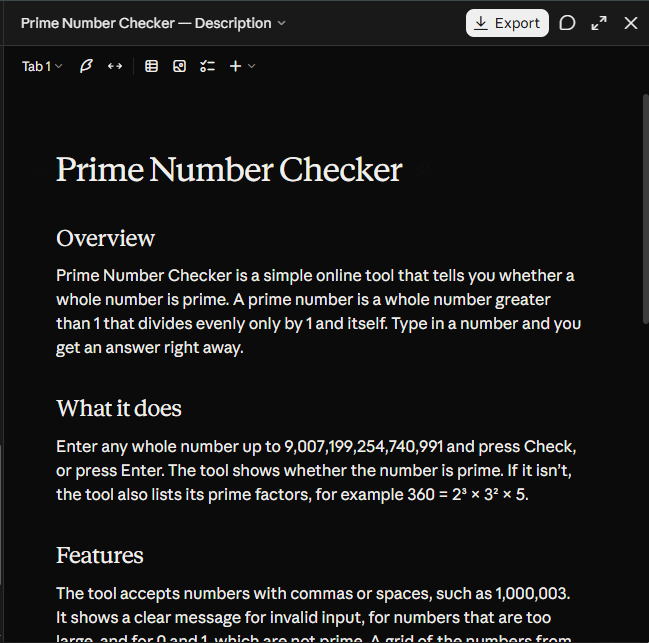
    coding topic:Prime Number Checker

    **Prime Number Checker — Explore the World of Mathematics!**

    Welcome to the **Prime Number Checker**, a simple and useful mathematical tool designed to help users identify whether a number is prime or composite. This project combines the power of mathematics and programming to make number checking faster, easier, and more interactive.

    **What Is a Prime Number?**

    A prime number is a natural number greater than 1 that has exactly two distinct positive factors: 1 and itself. Examples include 2, 3, 5, 7, 11, 13, and 17. Numbers such as 4, 6, 8, and 9 are composite because they have more than two positive factors. Remember, the number 1 is neither prime nor composite.

    **How Does the Prime Number Checker Work?**

    The user enters a number, and the program checks whether it is divisible by any whole number other than 1 and itself. If no such divisor exists, the number is identified as prime. Otherwise, it is classified as composite. The program can also handle special cases, such as 1, 0, and negative numbers, by displaying appropriate results.

    **Key Features:**

    - Quickly checks whether a number is prime.
    - Uses mathematical logic to test divisibility.
    - Provides a simple and user-friendly interface.
    - Delivers results quickly and efficiently.
    - Helps students understand prime numbers and factors.
    - Supports learning basic programming concepts and conditional statements.

    **Why Is This Project Useful?**

    A Prime Number Checker is an excellent beginner-friendly programming project for students and mathematics enthusiasts. It helps develop logical thinking, problem-solving abilities, and an understanding of algorithms. Prime numbers are also important in advanced mathematics, computer science, and cryptography.

    Whether you are learning programming for the first time or exploring number theory, this project offers a practical way to connect mathematical concepts with real-world computing.

    **Think logically, explore numbers, and discover the fascinating patterns hidden in mathematics!**

    Like, Share, and Follow for more educational projects, programming ideas, and interesting mathematical concepts!

    #PrimeNumberChecker #PrimeNumbers #Mathematics #Programming #Coding #ComputerScience #PythonProgramming #NumberTheory #LearnToCode #EducationalProjects #ProblemSolving #STEMEducation
    RSIF8 Roll no:14 coding task no:26 coding topic:Prime Number Checker 🔢 **Prime Number Checker — Explore the World of Mathematics!** 🧮✨ Welcome to the **Prime Number Checker**, a simple and useful mathematical tool designed to help users identify whether a number is prime or composite. This project combines the power of mathematics and programming to make number checking faster, easier, and more interactive. 📚 **What Is a Prime Number?** A prime number is a natural number greater than 1 that has exactly two distinct positive factors: 1 and itself. Examples include 2, 3, 5, 7, 11, 13, and 17. Numbers such as 4, 6, 8, and 9 are composite because they have more than two positive factors. Remember, the number 1 is neither prime nor composite. ⚙️ **How Does the Prime Number Checker Work?** The user enters a number, and the program checks whether it is divisible by any whole number other than 1 and itself. If no such divisor exists, the number is identified as prime. Otherwise, it is classified as composite. The program can also handle special cases, such as 1, 0, and negative numbers, by displaying appropriate results. 🌟 **Key Features:** - 🔍 Quickly checks whether a number is prime. - 🧮 Uses mathematical logic to test divisibility. - 💻 Provides a simple and user-friendly interface. - ⚡ Delivers results quickly and efficiently. - 📖 Helps students understand prime numbers and factors. - 🎯 Supports learning basic programming concepts and conditional statements. 🚀 **Why Is This Project Useful?** A Prime Number Checker is an excellent beginner-friendly programming project for students and mathematics enthusiasts. It helps develop logical thinking, problem-solving abilities, and an understanding of algorithms. Prime numbers are also important in advanced mathematics, computer science, and cryptography. 💡 Whether you are learning programming for the first time or exploring number theory, this project offers a practical way to connect mathematical concepts with real-world computing. ✨ **Think logically, explore numbers, and discover the fascinating patterns hidden in mathematics!** 👍 Like, Share, and Follow for more educational projects, programming ideas, and interesting mathematical concepts! #PrimeNumberChecker #PrimeNumbers #Mathematics #Programming #Coding #ComputerScience #PythonProgramming #NumberTheory #LearnToCode #EducationalProjects #ProblemSolving #STEMEducation 🔢💻
    0 Comentários 0 Compartilhamentos 1182 Visualizações
  • RSIF8
    Roll no:14
    coding task:24
    coding topic:Digital Clock

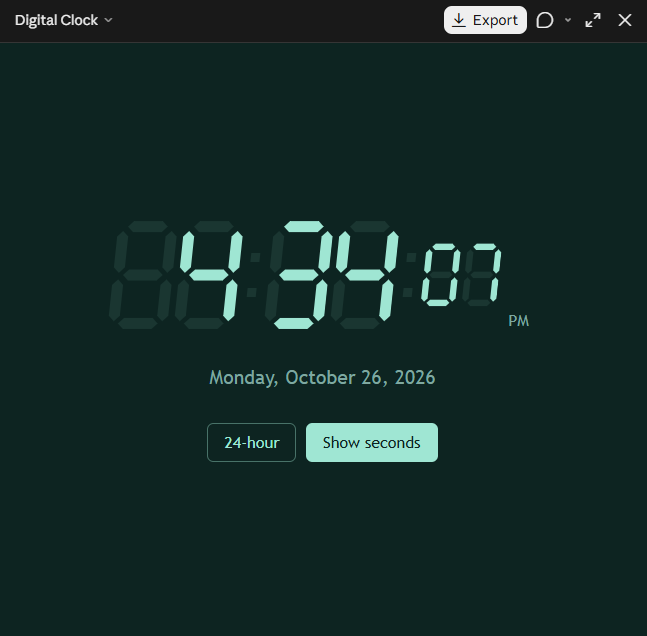
    # Digital Clock – A Simple and Smart Timekeeping Application

    The **Digital Clock** is a simple, useful, and user-friendly application designed to display the current time in a clear digital format. It helps users keep track of time easily with an attractive interface and an easy-to-read display. Whether you're studying, working, or managing your daily routine, a digital clock makes timekeeping convenient and efficient.

    This project demonstrates how programming can be used to create practical applications for everyday life. Depending on its features, the digital clock can display hours, minutes, and seconds, support a 12-hour or 24-hour format, and include an AM/PM indicator.

    **Key Features:**
    - Real-time digital time display
    - Hours, minutes, and seconds
    - AM/PM format support
    - Simple and attractive user interface
    - Automatic time updates
    - A great beginner-friendly programming project

    This project is ideal for students, beginner programmers, and anyone interested in learning GUI development and real-time updates. It provides practical experience in creating interactive applications while improving programming and problem-solving skills.

    **Learn to code, build useful tools, and make every second count!**

    #DigitalClock #Programming #CodingProject #BeginnerProject #GUIApplication #LearnToCode #SoftwareDevelopment #ComputerScience #PythonProgramming #StudentProject #Technology #TimeManagement
    RSIF8 Roll no:14 coding task:24 coding topic:Digital Clock # 🕒 Digital Clock – A Simple and Smart Timekeeping Application ⏰ The **Digital Clock** is a simple, useful, and user-friendly application designed to display the current time in a clear digital format. It helps users keep track of time easily with an attractive interface and an easy-to-read display. Whether you're studying, working, or managing your daily routine, a digital clock makes timekeeping convenient and efficient. ✨ This project demonstrates how programming can be used to create practical applications for everyday life. Depending on its features, the digital clock can display hours, minutes, and seconds, support a 12-hour or 24-hour format, and include an AM/PM indicator. 🎯 💻 **Key Features:** - 🕒 Real-time digital time display - ⏱️ Hours, minutes, and seconds - 🌞 AM/PM format support - 🎨 Simple and attractive user interface - ⚡ Automatic time updates - 📚 A great beginner-friendly programming project This project is ideal for students, beginner programmers, and anyone interested in learning GUI development and real-time updates. It provides practical experience in creating interactive applications while improving programming and problem-solving skills. 🌟 **Learn to code, build useful tools, and make every second count!** #DigitalClock #Programming #CodingProject #BeginnerProject #GUIApplication #LearnToCode #SoftwareDevelopment #ComputerScience #PythonProgramming #StudentProject #Technology #TimeManagement
    0 Comentários 0 Compartilhamentos 1270 Visualizações
  • RSIF8
    Roll no:14
    coding no:23
    coding topic:Simple Chat Application

    **Simple Chat Application – Connecting People Through Technology**

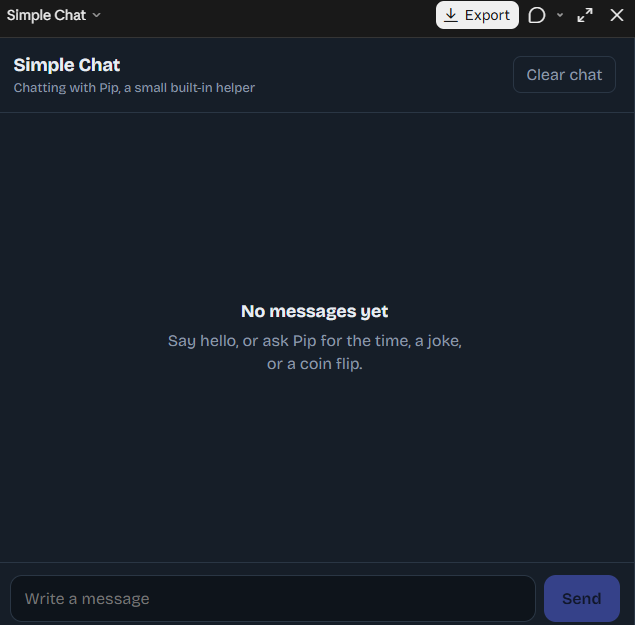
    A Simple Chat Application is a user-friendly software project designed to make communication between users easy, convenient, and efficient. In today's digital world, messaging applications have become an essential part of everyday life, allowing people to exchange information, share ideas, and stay connected regardless of distance. This project demonstrates the basic concepts of chat application development and provides an excellent opportunity to understand how digital communication systems work.

    **Project Overview**

    The Simple Chat Application focuses on creating a clean and straightforward messaging interface where users can type messages, send them, and view conversations in an organized format. The application can include essential features such as a message input field, a send button, a chat display area, timestamps, and a simple user interface. These features help make communication smooth and allow users to interact with the application without unnecessary complexity.

    **Key Features of the Application**

    **User-Friendly Interface:** A clean and organized design that makes the application easy to understand and use.

    **Message Sending:** Users can type messages and send them through the chat interface.

    **Conversation Display:** Messages appear in a structured chat window, making conversations easier to follow.

    **Simple Navigation:** Easy-to-use controls help users interact with the application efficiently.

    **Responsive Design:** With suitable implementation, the interface can adapt to different screen sizes and devices.

    **Future Improvements:** Additional features such as usernames, timestamps, message history, notifications, and real-time messaging can be added as the project develops.

    **Learning and Development**

    Developing a Simple Chat Application is a valuable learning experience for beginners in programming and software development. It helps students understand user interface design, event handling, input processing, data management, and the basic principles of communication between software components. Depending on the programming language and technologies used, the project can also introduce concepts such as client-server architecture, databases, networking, and real-time communication.

    For example, a basic version may display messages locally within one application, while an advanced version can use a backend server and communication protocols to exchange messages between multiple users. This makes the project suitable for gradual improvement, from a simple beginner-level exercise to a more advanced messaging system.

    **Why Is This Project Important?**

    A Simple Chat Application demonstrates how small software projects can solve practical communication problems. It encourages logical thinking, improves programming skills, and provides hands-on experience in building interactive applications. It can also serve as a foundation for more advanced projects, including group chats, online messaging platforms, customer support systems, and collaborative communication tools.

    **Conclusion**

    The Simple Chat Application is an excellent project for anyone interested in learning programming, application development, and digital communication. Its simple design and essential messaging features make it a useful starting point for exploring software engineering. With creativity, practice, and continuous improvement, this basic application can evolve into a more powerful communication platform.

    **Code. Connect. Communicate. Create Something Amazing!**

    #SimpleChatApplication #ChatApp #SoftwareDevelopment #Programming #CodingProject #AppDevelopment #ComputerScience #WebDevelopment #PythonProgramming #UserInterface #Technology #BeginnerProject #LearnToCode #StudentProject #TaskCompleted
    RSIF8 Roll no:14 coding no:23 coding topic:Simple Chat Application 💬 **Simple Chat Application – Connecting People Through Technology** 🌐✨ A Simple Chat Application is a user-friendly software project designed to make communication between users easy, convenient, and efficient. In today's digital world, messaging applications have become an essential part of everyday life, allowing people to exchange information, share ideas, and stay connected regardless of distance. This project demonstrates the basic concepts of chat application development and provides an excellent opportunity to understand how digital communication systems work. 💻📱 🚀 **Project Overview** The Simple Chat Application focuses on creating a clean and straightforward messaging interface where users can type messages, send them, and view conversations in an organized format. The application can include essential features such as a message input field, a send button, a chat display area, timestamps, and a simple user interface. These features help make communication smooth and allow users to interact with the application without unnecessary complexity. 💡 **Key Features of the Application** 🔹 **User-Friendly Interface:** A clean and organized design that makes the application easy to understand and use. 🔹 **Message Sending:** Users can type messages and send them through the chat interface. 🔹 **Conversation Display:** Messages appear in a structured chat window, making conversations easier to follow. 🔹 **Simple Navigation:** Easy-to-use controls help users interact with the application efficiently. 🔹 **Responsive Design:** With suitable implementation, the interface can adapt to different screen sizes and devices. 🔹 **Future Improvements:** Additional features such as usernames, timestamps, message history, notifications, and real-time messaging can be added as the project develops. 🛠️ **Learning and Development** Developing a Simple Chat Application is a valuable learning experience for beginners in programming and software development. It helps students understand user interface design, event handling, input processing, data management, and the basic principles of communication between software components. Depending on the programming language and technologies used, the project can also introduce concepts such as client-server architecture, databases, networking, and real-time communication. For example, a basic version may display messages locally within one application, while an advanced version can use a backend server and communication protocols to exchange messages between multiple users. This makes the project suitable for gradual improvement, from a simple beginner-level exercise to a more advanced messaging system. 🎯 **Why Is This Project Important?** A Simple Chat Application demonstrates how small software projects can solve practical communication problems. It encourages logical thinking, improves programming skills, and provides hands-on experience in building interactive applications. It can also serve as a foundation for more advanced projects, including group chats, online messaging platforms, customer support systems, and collaborative communication tools. 🌟 **Conclusion** The Simple Chat Application is an excellent project for anyone interested in learning programming, application development, and digital communication. Its simple design and essential messaging features make it a useful starting point for exploring software engineering. With creativity, practice, and continuous improvement, this basic application can evolve into a more powerful communication platform. 💻 **Code. Connect. Communicate. Create Something Amazing!** 💬🚀 #SimpleChatApplication #ChatApp #SoftwareDevelopment #Programming #CodingProject #AppDevelopment #ComputerScience #WebDevelopment #PythonProgramming #UserInterface #Technology #BeginnerProject #LearnToCode #StudentProject #TaskCompleted ✅
    0 Comentários 0 Compartilhamentos 4841 Visualizações
  • RSIF8
    Roll no 94
    Coding task no 25
    Coding task topic
    Prime Number Checker Project
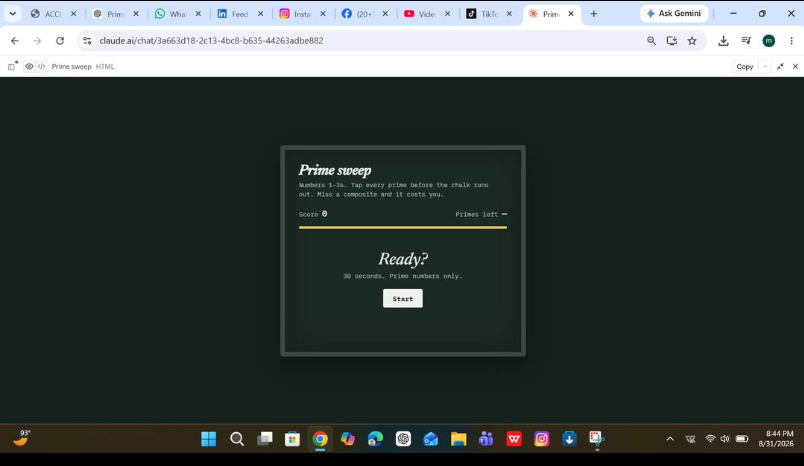
    Today I created a Prime Number Checker that quickly determines whether a number is prime or not prime. This simple project uses logical conditions and loops to test divisibility and provide accurate results instantly.
    Working on this project helped me strengthen my programming and problem-solving skills while understanding the concept of prime numbers in a practical way.
    #PrimeNumberChecker #Programming #CodingProject #PythonProgramming #LearnToCode #ComputerScience #STEMEducation #CodingJourney #TechSkills #StudentProject
    RSIF8 Roll no 94 Coding task no 25 Coding task topic 🔢✨ Prime Number Checker Project ✨🔢 Today I created a Prime Number Checker that quickly determines whether a number is prime or not prime. This simple project uses logical conditions and loops to test divisibility and provide accurate results instantly. 🚀💻 Working on this project helped me strengthen my programming and problem-solving skills while understanding the concept of prime numbers in a practical way. 📚💡 #PrimeNumberChecker #Programming #CodingProject #PythonProgramming #LearnToCode #ComputerScience #STEMEducation #CodingJourney #TechSkills #StudentProject 🚀
    0 Comentários 0 Compartilhamentos 2333 Visualizações
  • RSIF8
    Roll no:14
    coding task no:13
    coding topic:**Basic Calculator with GUI
    **Basic Calculator with GUI – A Simple and User-Friendly Application**

    **Description:**

    The Basic Calculator with GUI is a beginner-friendly programming project designed to perform essential mathematical calculations through a simple, interactive, and user-friendly graphical interface. Instead of entering commands, users can perform calculations by clicking buttons, making the application easy and convenient to use.

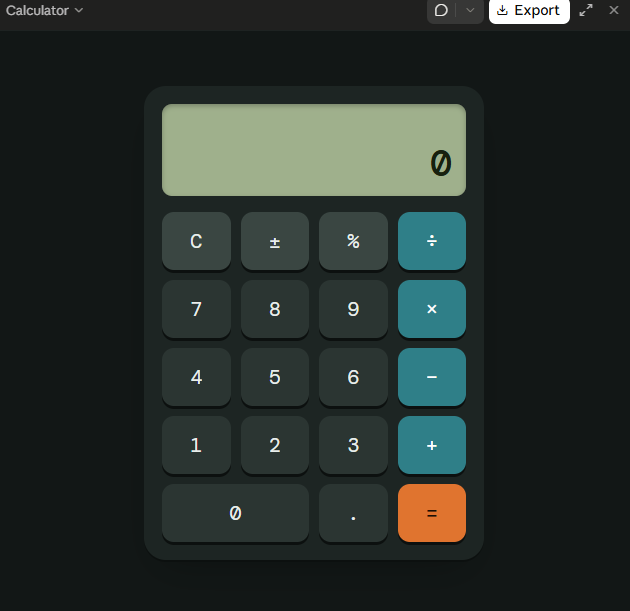
    This project allows users to perform basic arithmetic operations, including **addition (+), subtraction (−), multiplication (×), and division (÷)**. It features a clear display screen for showing numbers and results, along with dedicated buttons for entering values, selecting operations, clearing the display, and calculating answers.

    **Key Features:**

    - **Addition:** Add two or more numbers easily.
    - **Subtraction:** Calculate the difference between numbers.
    - **Multiplication:** Multiply numbers quickly.
    - **Division:** Divide numbers and display the results.
    - **Graphical User Interface (GUI):** An interactive layout with clickable buttons.
    - **Clear Button:** Reset the display and start a new calculation.
    - **Instant Results:** Perform calculations quickly and efficiently.
    - **Error Handling:** Handle invalid calculations, such as division by zero.

    **Learning Objectives:**

    The main goal of this project is to help beginners understand the fundamentals of programming and GUI development. It introduces important concepts such as button events, user input, mathematical operators, functions, conditional statements, and displaying output on the screen.

    **Conclusion:**

    The Basic Calculator with GUI is an excellent project for anyone beginning their programming journey. It combines practical mathematical operations with an interactive design, demonstrating how code can be transformed into a useful desktop application. With further improvements, the calculator can also include percentage calculations, decimal numbers, keyboard support, and a more attractive interface.

    **Project Goal:** To create a simple, reliable, and easy-to-use calculator that makes everyday mathematical calculations faster and more convenient.

    #BasicCalculator #GUI #ProgrammingProject #BeginnerCoding #PythonProgramming #AppDevelopment #LearnToCode #ComputerScience #CodingForBeginners #SoftwareDevelopment
    RSIF8 Roll no:14 coding task no:13 coding topic:**Basic Calculator with GUI 🧮 **Basic Calculator with GUI – A Simple and User-Friendly Application** 💻 ✨ **Description:** The Basic Calculator with GUI is a beginner-friendly programming project designed to perform essential mathematical calculations through a simple, interactive, and user-friendly graphical interface. Instead of entering commands, users can perform calculations by clicking buttons, making the application easy and convenient to use. 🚀📱 This project allows users to perform basic arithmetic operations, including **addition (+), subtraction (−), multiplication (×), and division (÷)**. It features a clear display screen for showing numbers and results, along with dedicated buttons for entering values, selecting operations, clearing the display, and calculating answers. 🎯 **Key Features:** - ➕ **Addition:** Add two or more numbers easily. - ➖ **Subtraction:** Calculate the difference between numbers. - ✖️ **Multiplication:** Multiply numbers quickly. - ➗ **Division:** Divide numbers and display the results. - 🖥️ **Graphical User Interface (GUI):** An interactive layout with clickable buttons. - 🔄 **Clear Button:** Reset the display and start a new calculation. - ⚡ **Instant Results:** Perform calculations quickly and efficiently. - ⚠️ **Error Handling:** Handle invalid calculations, such as division by zero. 📚 **Learning Objectives:** The main goal of this project is to help beginners understand the fundamentals of programming and GUI development. It introduces important concepts such as button events, user input, mathematical operators, functions, conditional statements, and displaying output on the screen. 🌟 **Conclusion:** The Basic Calculator with GUI is an excellent project for anyone beginning their programming journey. It combines practical mathematical operations with an interactive design, demonstrating how code can be transformed into a useful desktop application. With further improvements, the calculator can also include percentage calculations, decimal numbers, keyboard support, and a more attractive interface. 💡 **Project Goal:** To create a simple, reliable, and easy-to-use calculator that makes everyday mathematical calculations faster and more convenient. #BasicCalculator #GUI #ProgrammingProject #BeginnerCoding #PythonProgramming #AppDevelopment #LearnToCode #ComputerScience #CodingForBeginners #SoftwareDevelopment 💻🧮🚀
    0 Comentários 0 Compartilhamentos 2135 Visualizações
  • RSIF8
    Roll no 94
    Coding task no 16
    Coding task topic
    Rock Paper Scissors Game vs Computer!
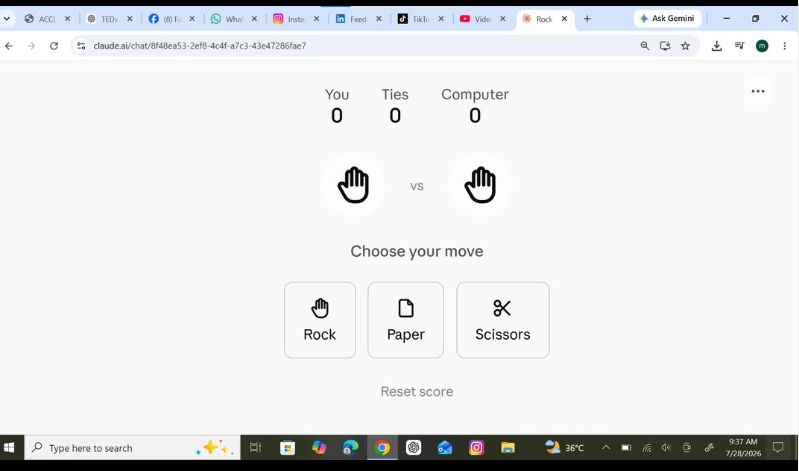
    I created a fun Rock Paper Scissors Game where players can challenge the computer and test their luck and decision-making skills! The game randomly selects the computer's move and instantly displays the winner.
    This project helped me practice programming concepts such as user input, conditional statements, random number generation, and game logic. It was exciting to build an interactive game that combines learning with entertainment!
    Have you ever wondered if you can outsmart a computer in Rock, Paper, Scissors? Give it a try and see if you can become the champion!
    #RockPaperScissors #Programming #CodingProject #GameDevelopment #PythonProgramming #LearnToCode #ComputerScience #StudentProject #CodingJourney #AIAcademy #TechSkills #FutureProgrammer #InteractiveGame #FunWithCoding
    RSIF8 Roll no 94 Coding task no 16 Coding task topic 🎮✂️🪨📄 Rock Paper Scissors Game vs Computer! 🤖 I created a fun Rock Paper Scissors Game where players can challenge the computer and test their luck and decision-making skills! 🎯 The game randomly selects the computer's move and instantly displays the winner. 🏆 This project helped me practice programming concepts such as user input, conditional statements, random number generation, and game logic. 💻✨ It was exciting to build an interactive game that combines learning with entertainment! Have you ever wondered if you can outsmart a computer in Rock, Paper, Scissors? 🤔 Give it a try and see if you can become the champion! 🥇🎉 #RockPaperScissors #Programming #CodingProject #GameDevelopment #PythonProgramming #LearnToCode #ComputerScience #StudentProject #CodingJourney #AIAcademy #TechSkills #FutureProgrammer #InteractiveGame #FunWithCoding 🎮💻🚀
    0 Comentários 0 Compartilhamentos 2529 Visualizações
  • RSIF8
    Roll no 94
    Coding task no 15
    Coding task topic
    Basic Calculator with Graphical User Interface (GUI)
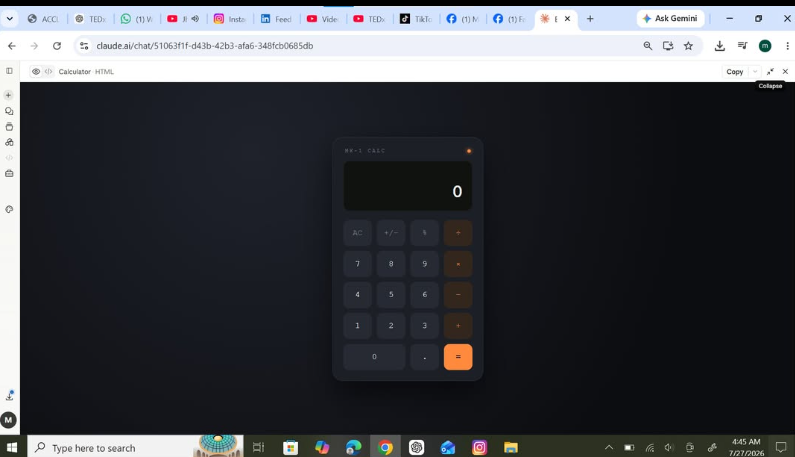
    I successfully created a Basic Calculator with a Graphical User Interface (GUI) that can perform simple arithmetic operations like Addition, Subtraction, Multiplication, and Division. The calculator features an easy-to-use design, making calculations quick and efficient.
    Screenshot attached to showcase the working application. This project helped me improve my programming, problem-solving, and GUI design skills.
    #BasicCalculator #GUI #Programming #CodingProject #PythonProgramming #TechSkills #SoftwareDevelopment #LearningByDoing #StudentProject #ComputerScience #Innovation #FutureProgrammer
    RSIF8 Roll no 94 Coding task no 15 Coding task topic 🚀 Basic Calculator with Graphical User Interface (GUI) 🧮✨ I successfully created a Basic Calculator with a Graphical User Interface (GUI) that can perform simple arithmetic operations like ➕ Addition, ➖ Subtraction, ✖️ Multiplication, and ➗ Division. The calculator features an easy-to-use design, making calculations quick and efficient. 📱💻 📸 Screenshot attached to showcase the working application. This project helped me improve my programming, problem-solving, and GUI design skills. 🌟 #BasicCalculator #GUI #Programming #CodingProject #PythonProgramming #TechSkills #SoftwareDevelopment #LearningByDoing #StudentProject #ComputerScience #Innovation #FutureProgrammer 🚀💻🧮
    0 Comentários 0 Compartilhamentos 2104 Visualizações
  • **Roll No: 2**
    **Batch: 14**
    **Book: ACCL**
    **Task No: 117**

    ## Coding Task: Basic Text Editor

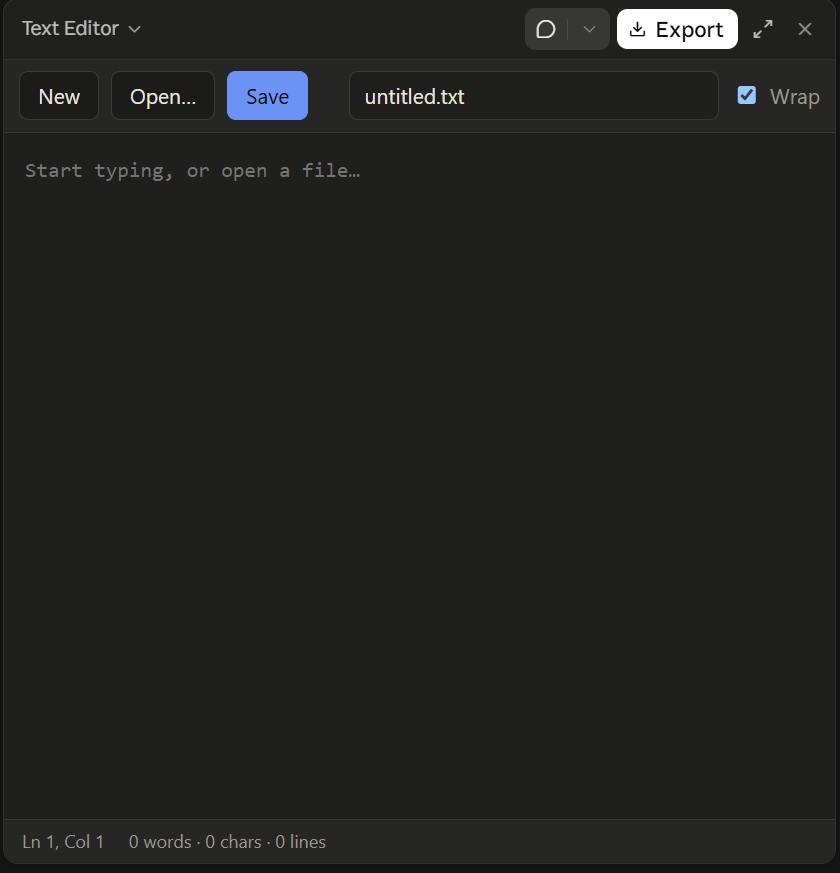
    In this coding task, I developed a basic text editor designed to make creating, editing, opening, and saving text files simple and convenient. The project focuses on essential file-handling operations and provides users with a straightforward way to write notes, store information, and modify existing documents. The **Open** functionality allows users to access previously saved text files, while the **Edit** functionality enables them to add, remove, or update text according to their needs. The **Save** feature helps preserve changes so that written content can be accessed again later. This project also introduces important programming concepts such as file input and output, text processing, user interaction, and error handling. By building this application, I strengthened my understanding of how software manages files and responds to user actions. Overall, this task provided practical experience in developing a useful desktop utility while improving my logical thinking, problem-solving abilities, and programming skills.

    ** Key Message:** Small applications can solve everyday problems while helping us develop essential coding and software development skills.

    #ACCL #Batch14 #RollNo2 #Task117 #CodingTask #TextEditor #Programming #FileHandling #OpenEditSave #SoftwareDevelopment #ComputerScience #LearnToCode #PythonProgramming #ProblemSolving #DigitalSkills
    👤 **Roll No: 2** 📚 **Batch: 14** 📖 **Book: ACCL** 💻 **Task No: 117** ## 📝 Coding Task: Basic Text Editor 💻✨ In this coding task, I developed a basic text editor designed to make creating, editing, opening, and saving text files simple and convenient. The project focuses on essential file-handling operations and provides users with a straightforward way to write notes, store information, and modify existing documents. 📄⌨️ The **Open** functionality allows users to access previously saved text files, while the **Edit** functionality enables them to add, remove, or update text according to their needs. The **Save** feature helps preserve changes so that written content can be accessed again later. 💾🔧 This project also introduces important programming concepts such as file input and output, text processing, user interaction, and error handling. By building this application, I strengthened my understanding of how software manages files and responds to user actions. 🚀📚 Overall, this task provided practical experience in developing a useful desktop utility while improving my logical thinking, problem-solving abilities, and programming skills. **🎯 Key Message:** Small applications can solve everyday problems while helping us develop essential coding and software development skills. #ACCL #Batch14 #RollNo2 #Task117 #CodingTask #TextEditor #Programming #FileHandling #OpenEditSave #SoftwareDevelopment #ComputerScience #LearnToCode #PythonProgramming #ProblemSolving #DigitalSkills
    0 Comentários 0 Compartilhamentos 2566 Visualizações
  • **Roll No: 2**
    **Batch: 14**
    **Book: ACCL**
    **Task No: 108**

    ## Rock, Paper, Scissors Game

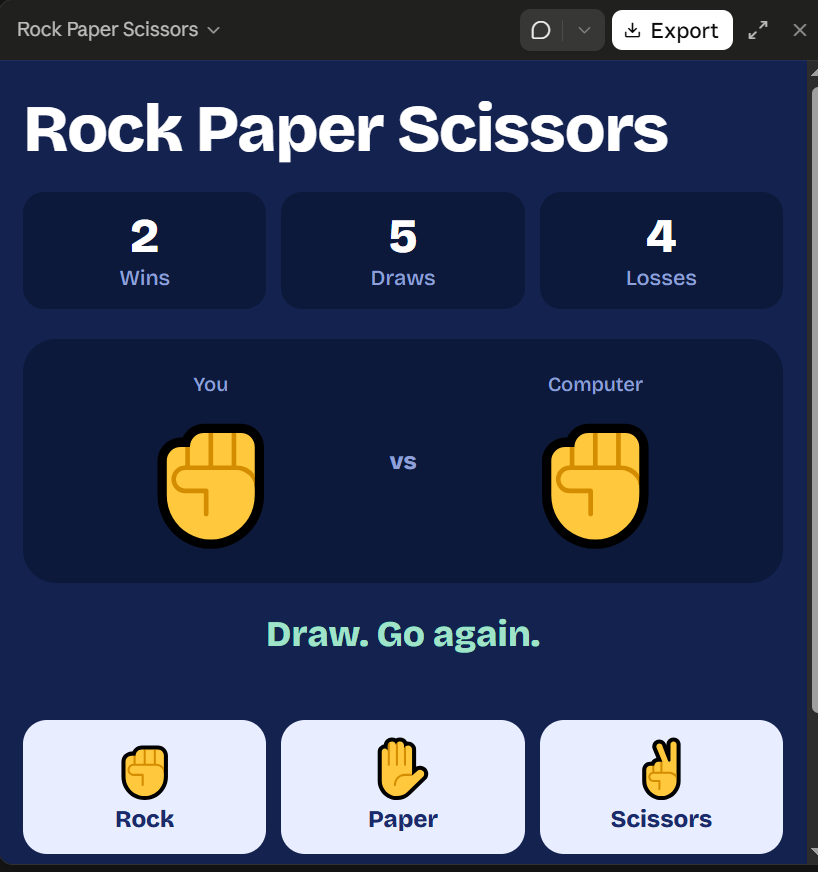
    This coding task focuses on creating an interactive **Rock, Paper, Scissors Game** that allows users to play against the computer. The game follows three simple choices: rock, paper, and scissors, each with its own winning rule. Rock defeats scissors, scissors defeats paper, and paper defeats rock. The project helps develop programming skills by using conditional statements, random selection, user input, and logical decision-making. It also introduces the concept of comparing the player's choice with the computer's choice to determine whether the result is a win, a loss, or a draw. By adding features such as score tracking, clear result messages, and an option to play again, the game becomes more engaging and user-friendly. Through this activity, I can strengthen my problem-solving abilities and gain practical experience in building simple interactive applications.

    ** Key Message:** Learn programming through creativity, logic, and fun while turning simple ideas into interactive games!

    #ACCL #Batch14 #RollNo2 #Task108 #RockPaperScissors #CodingProject #Programming #GameDevelopment #PythonProgramming #LearnToCode #ComputerScience #LogicalThinking #ProblemSolving #BeginnerCoding #InteractiveGame
    👤 **Roll No: 2** 📚 **Batch: 14** 📖 **Book: ACCL** 💻 **Task No: 108** ## 🎮 Rock, Paper, Scissors Game ✊📄✂️ 🚀 This coding task focuses on creating an interactive **Rock, Paper, Scissors Game** that allows users to play against the computer. The game follows three simple choices: rock, paper, and scissors, each with its own winning rule. ✊📄✂️ Rock defeats scissors, scissors defeats paper, and paper defeats rock. The project helps develop programming skills by using conditional statements, random selection, user input, and logical decision-making. 🧠💻 It also introduces the concept of comparing the player's choice with the computer's choice to determine whether the result is a win, a loss, or a draw. By adding features such as score tracking, clear result messages, and an option to play again, the game becomes more engaging and user-friendly. 🌟 Through this activity, I can strengthen my problem-solving abilities and gain practical experience in building simple interactive applications. **🎯 Key Message:** Learn programming through creativity, logic, and fun while turning simple ideas into interactive games! 🎉 #ACCL #Batch14 #RollNo2 #Task108 #RockPaperScissors #CodingProject #Programming #GameDevelopment #PythonProgramming #LearnToCode #ComputerScience #LogicalThinking #ProblemSolving #BeginnerCoding #InteractiveGame
    0 Comentários 0 Compartilhamentos 2912 Visualizações
  • RSIF8
    Roll no:85
    Task no:29
    Task topic:Create a Tic-Tac-Toe Game
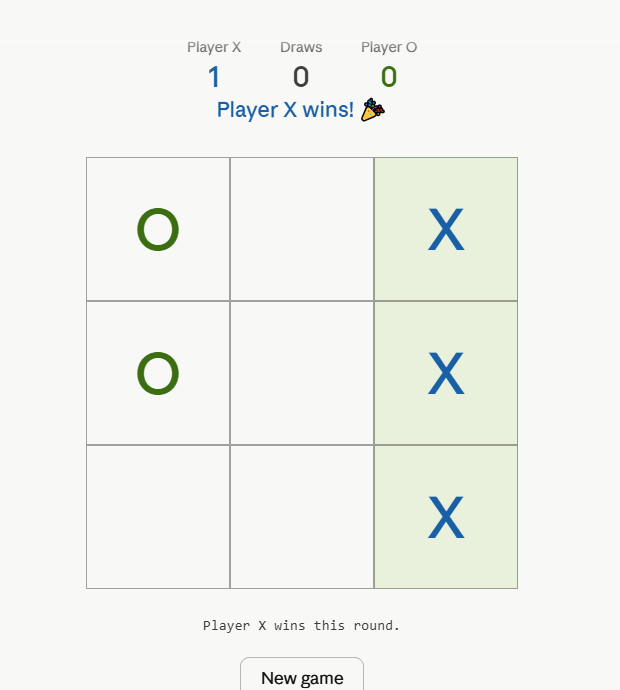
    Building a Tic-Tac-Toe game is a fun and exciting way to learn the basics of programming. This classic game is played on a 3×3 grid where two players take turns marking spaces with X and O. The goal is to place three matching symbols in a row, column, or diagonal before your opponent does. Creating this game helps beginners understand important programming concepts such as variables, loops, conditions, and user input.

    During the development process, programmers design the game board, create rules for player turns, and check for winning combinations. They also learn how to handle invalid moves and display game results. These features make the project both educational and enjoyable while improving problem-solving skills.

    A Tic-Tac-Toe game can be built using different programming languages such as Python, Java, JavaScript, or C++. Developers can add extra features like score tracking, sound effects, colorful graphics, and even an AI opponent to make the game more interactive. This project encourages creativity while strengthening coding fundamentals.

    Overall, creating a Tic-Tac-Toe game is an excellent beginner-friendly project that combines logic, creativity, and fun. It provides hands-on experience with programming and helps learners build confidence in their coding abilities. Whether played with friends or against a computer, Tic-Tac-Toe remains a timeless and engaging game for everyone.

    #️⃣ Hashtags
    #TicTacToe #Programming #CodingProject #GameDevelopment #LearnToCode #PythonProgramming #JavaScript #CodingFun #TechEducation #BeginnerProject
    RSIF8 Roll no:85 Task no:29 Task topic:Create a Tic-Tac-Toe Game ✨ Building a Tic-Tac-Toe game is a fun and exciting way to learn the basics of programming. This classic game is played on a 3×3 grid where two players take turns marking spaces with X and O. The goal is to place three matching symbols in a row, column, or diagonal before your opponent does. Creating this game helps beginners understand important programming concepts such as variables, loops, conditions, and user input. 🖥️ During the development process, programmers design the game board, create rules for player turns, and check for winning combinations. They also learn how to handle invalid moves and display game results. These features make the project both educational and enjoyable while improving problem-solving skills. 🚀 A Tic-Tac-Toe game can be built using different programming languages such as Python, Java, JavaScript, or C++. Developers can add extra features like score tracking, sound effects, colorful graphics, and even an AI opponent to make the game more interactive. This project encourages creativity while strengthening coding fundamentals. 🌟 Overall, creating a Tic-Tac-Toe game is an excellent beginner-friendly project that combines logic, creativity, and fun. It provides hands-on experience with programming and helps learners build confidence in their coding abilities. Whether played with friends or against a computer, Tic-Tac-Toe remains a timeless and engaging game for everyone. #️⃣ Hashtags #TicTacToe #Programming #CodingProject #GameDevelopment #LearnToCode #PythonProgramming #JavaScript #CodingFun #TechEducation #BeginnerProject 🎮✨💻🚀🌟
    0 Comentários 0 Compartilhamentos 2348 Visualizações
Páginas Impulsionadas