• #rsisb
    Roll No.240
    Foundation Level

    **How to Create a YouTube Account – Start Your Digital Journey Today!**

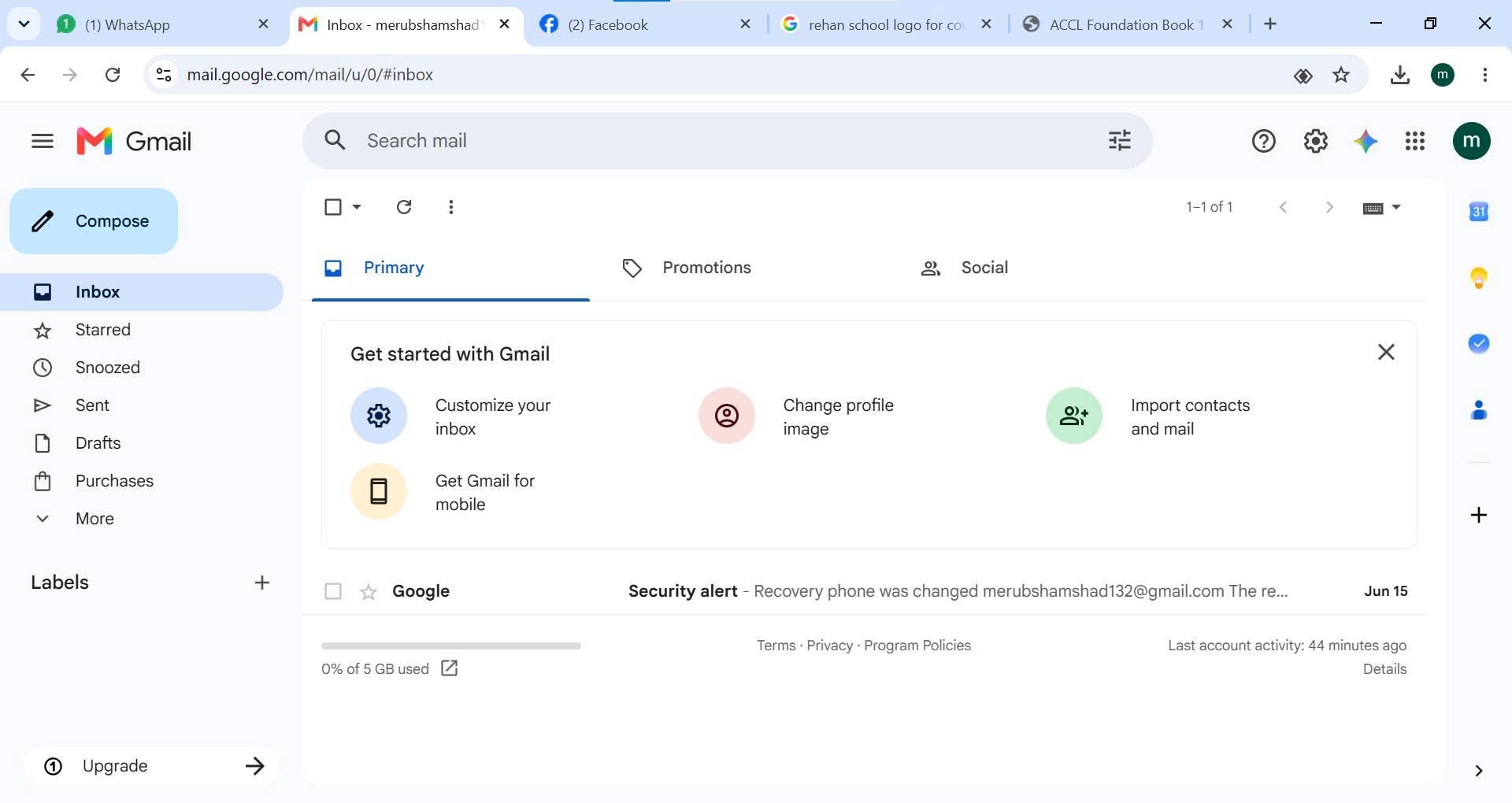
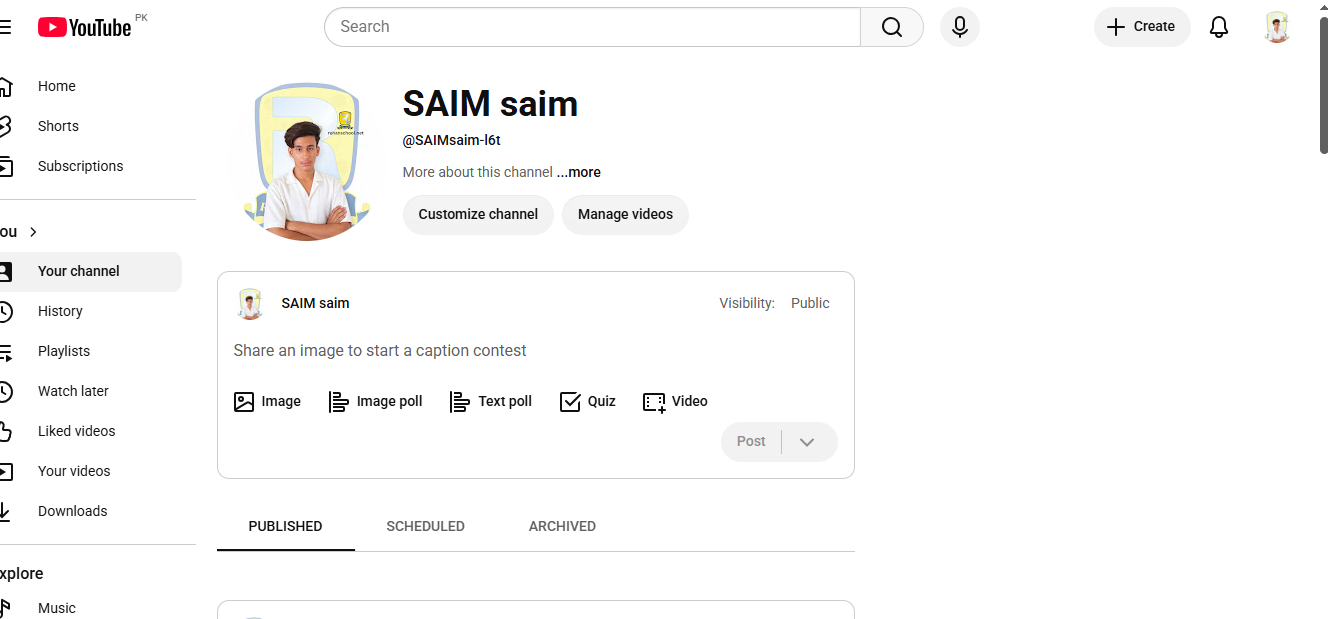
    Creating a YouTube account is the first step toward exploring millions of videos, subscribing to your favorite creators, sharing your own content, and building your online presence.

    With a YouTube account, you can:
    Watch and like videos
    Subscribe to channels
    Comment and engage with creators
    Upload your own videos
    Create playlists and grow your audience

    Start your YouTube journey today and connect with the world through creativity and knowledge!

    #YouTube #YouTubeAccount #CreateYouTubeAccount #DigitalJourney #ContentCreator #YouTubeTips #OnlineLearning #SocialMedia #VideoCreation #TechTips #Success #Growth #Explore #Trending

    Rehan School Islamabad Campus
    Asma Shaheen EducationWali
    Irum Asim
    Saima Happinesswali

    #rsisb Roll No.240 Foundation Level 🎥✨ **How to Create a YouTube Account – Start Your Digital Journey Today!** ✨🎥 Creating a YouTube account is the first step toward exploring millions of videos, subscribing to your favorite creators, sharing your own content, and building your online presence. 🚀📱 With a YouTube account, you can: ✅ Watch and like videos ✅ Subscribe to channels ✅ Comment and engage with creators ✅ Upload your own videos ✅ Create playlists and grow your audience Start your YouTube journey today and connect with the world through creativity and knowledge! 🌍🎬🔥 #YouTube #YouTubeAccount #CreateYouTubeAccount #DigitalJourney #ContentCreator #YouTubeTips #OnlineLearning #SocialMedia #VideoCreation #TechTips #Success #Growth #Explore #Trending 🚀🎥📲 Rehan School Islamabad Campus Asma Shaheen EducationWali Irum Asim Saima Happinesswali
    0 Comentários 0 Compartilhamentos 495 Visualizações
  • #rsisb
    RollNo.247
    Foundation LEVEL

    ## How to Use Restream for Interviews | Complete Beginner's Guide

    Restream is a powerful live streaming platform that makes online interviews simple, professional, and engaging. Whether you're hosting a podcast, interviewing industry experts, conducting educational sessions, or streaming live events, Restream allows you to broadcast to multiple platforms at the same time—including YouTube, Facebook, LinkedIn, Twitch, and more.

    To get started, create a Restream account and connect your favorite social media channels. Once connected, open **Restream Studio** directly in your web browser—no software installation is required!

    Invite your interview guest by sending them a unique invitation link. They can join with just a browser, webcam, and microphone. Before going live, check your audio, video, lighting, and internet connection to ensure a smooth experience.

    Customize your live stream with your brand logo, banners, overlays, and backgrounds to make your interview look polished and professional. You can also display viewer comments on screen, making your audience feel involved and encouraging real-time interaction.

    During the interview:

    * Ask clear and engaging questions.
    * Listen carefully to your guest.
    * Maintain eye contact with the camera.
    * Encourage meaningful discussion.
    * Interact with viewers by responding to comments and questions.

    One of Restream's biggest advantages is that you can reach audiences across multiple platforms with a single live broadcast, saving both time and effort. This helps increase your visibility, grow your audience, and build stronger connections with your community.

    After the interview ends, review your stream, note areas for improvement, and reuse the recording as valuable content for future posts, clips, or podcasts. Continuous practice will help you become a more confident and professional interviewer.

    Whether you're a beginner or an experienced content creator, Restream provides an easy and reliable way to create high-quality live interviews that educate, inspire, and engage audiences around the world. Start your live streaming journey today and share your voice with the world!

    #Restream #LiveStreaming #Interviews #Podcast #StreamingTips #ContentCreator #YouTubeLive #FacebookLive #LinkedInLive #LiveInterview #OnlineInterview #StreamingGuide #VideoMarketing #SocialMedia #Broadcast #DigitalCreator #TechTips #LiveVideo #RemoteInterview #ProfessionalStreaming #GrowYourAudience #CreatorTools #OnlineLearning #Success #Innovation
    #rsisb RollNo.247 Foundation LEVEL ## 🎤 How to Use Restream for Interviews | Complete Beginner's Guide 🚀 Restream is a powerful live streaming platform that makes online interviews simple, professional, and engaging. Whether you're hosting a podcast, interviewing industry experts, conducting educational sessions, or streaming live events, Restream allows you to broadcast to multiple platforms at the same time—including YouTube, Facebook, LinkedIn, Twitch, and more. 🌍✨ To get started, create a Restream account and connect your favorite social media channels. Once connected, open **Restream Studio** directly in your web browser—no software installation is required! 🖥️💡 Invite your interview guest by sending them a unique invitation link. They can join with just a browser, webcam, and microphone. Before going live, check your audio, video, lighting, and internet connection to ensure a smooth experience. 🎥🎙️ Customize your live stream with your brand logo, banners, overlays, and backgrounds to make your interview look polished and professional. You can also display viewer comments on screen, making your audience feel involved and encouraging real-time interaction. 💬❤️ During the interview: * 🎤 Ask clear and engaging questions. * 👂 Listen carefully to your guest. * 😊 Maintain eye contact with the camera. * 💡 Encourage meaningful discussion. * 📢 Interact with viewers by responding to comments and questions. One of Restream's biggest advantages is that you can reach audiences across multiple platforms with a single live broadcast, saving both time and effort. This helps increase your visibility, grow your audience, and build stronger connections with your community. 🌐📈 After the interview ends, review your stream, note areas for improvement, and reuse the recording as valuable content for future posts, clips, or podcasts. Continuous practice will help you become a more confident and professional interviewer. Whether you're a beginner or an experienced content creator, Restream provides an easy and reliable way to create high-quality live interviews that educate, inspire, and engage audiences around the world. Start your live streaming journey today and share your voice with the world! 🚀🎉 #Restream #LiveStreaming #Interviews #Podcast #StreamingTips #ContentCreator #YouTubeLive #FacebookLive #LinkedInLive #LiveInterview #OnlineInterview #StreamingGuide #VideoMarketing #SocialMedia #Broadcast #DigitalCreator #TechTips #LiveVideo #RemoteInterview #ProfessionalStreaming #GrowYourAudience #CreatorTools #OnlineLearning #Success #Innovation
    0 Comentários 0 Compartilhamentos 2161 Visualizações
  • #rsisb
    Roll NO.247
    Foundation Level

    # How to Download and Use Sesame – A Complete Beginner's Guide

    Are you looking for a simple way to get started with **Sesame**? Whether you're exploring it for learning, productivity, or AI-powered conversations, this guide will help you understand the basics of downloading, setting up, and using Sesame with ease.

    **Step 1: Download Sesame**
    Visit the official Sesame website or your device's app store. Make sure you download the official version to ensure security and access to the latest features.

    **Step 2: Install the App**
    After downloading, open the installer or app and follow the on-screen instructions. Installation usually takes just a few minutes.

    **Step 3: Create an Account**
    Sign up using your email address or another available login option. Verify your account if required.

    **Step 4: Complete the Setup**
    Choose your preferences, adjust settings, and allow any permissions needed for the best experience.

    **Step 5: Start Using Sesame**
    Explore its tools, ask questions, complete tasks, and discover features designed to make your work and learning easier. Take your time to learn the interface and experiment with different options.

    **Why Use Sesame?**
    Easy to use
    Beginner-friendly interface
    Helps improve productivity
    Great for learning and everyday tasks
    Modern AI-powered experience

    **Tips for New Users**
    Keep the app updated for the latest improvements.
    Explore tutorials and help sections.
    Practice using different features regularly.
    Stay safe by using only official downloads.

    Learning a new tool may seem challenging at first, but with a little practice, Sesame can become a valuable part of your daily routine. Keep exploring, stay curious, and enjoy discovering everything it has to offer!

    #Sesame #AI #ArtificialIntelligence #Technology #Learning #DigitalSkills #TechTips #Productivity #Innovation #Software #BeginnerGuide #DownloadGuide #HowTo #Education #OnlineLearning #SmartTools #FutureTech #DigitalLearning #AICommunity #TechEducation
    #rsisb Roll NO.247 Foundation Level # 📥 How to Download and Use Sesame – A Complete Beginner's Guide 🌟 Are you looking for a simple way to get started with **Sesame**? 🤔 Whether you're exploring it for learning, productivity, or AI-powered conversations, this guide will help you understand the basics of downloading, setting up, and using Sesame with ease. 🚀 **Step 1: Download Sesame** Visit the official Sesame website or your device's app store. Make sure you download the official version to ensure security and access to the latest features. 📲 **Step 2: Install the App** After downloading, open the installer or app and follow the on-screen instructions. Installation usually takes just a few minutes. 📝 **Step 3: Create an Account** Sign up using your email address or another available login option. Verify your account if required. ⚙️ **Step 4: Complete the Setup** Choose your preferences, adjust settings, and allow any permissions needed for the best experience. 💡 **Step 5: Start Using Sesame** Explore its tools, ask questions, complete tasks, and discover features designed to make your work and learning easier. Take your time to learn the interface and experiment with different options. 🌍 **Why Use Sesame?** ✨ Easy to use ✨ Beginner-friendly interface ✨ Helps improve productivity ✨ Great for learning and everyday tasks ✨ Modern AI-powered experience 🎯 **Tips for New Users** ✅ Keep the app updated for the latest improvements. ✅ Explore tutorials and help sections. ✅ Practice using different features regularly. ✅ Stay safe by using only official downloads. Learning a new tool may seem challenging at first, but with a little practice, Sesame can become a valuable part of your daily routine. Keep exploring, stay curious, and enjoy discovering everything it has to offer! 🌟 #Sesame #AI #ArtificialIntelligence #Technology #Learning #DigitalSkills #TechTips #Productivity #Innovation #Software #BeginnerGuide #DownloadGuide #HowTo #Education #OnlineLearning #SmartTools #FutureTech #DigitalLearning #AICommunity #TechEducation
    0 Comentários 0 Compartilhamentos 1583 Visualizações

  • #rsisb
    RollNo.247
    Foundation Level
    Task No.2
    Set It Up
    Creating a Facebook account is one of the easiest ways to connect with friends, family, classmates, and communities from all over the world. Whether you want to share photos , watch videos , join groups , or promote your business , Facebook provides everything in one place.
    Step 1: Visit Facebook
    Open your web browser and go to facebook.com, or download the Facebook app from your device's app store.
    Step 2: Sign Up
    Click "Create New Account" and fill in your details:
    First and Last Name
    Email Address or Mobile Number
    Create a Strong Password
    Date of Birth
    Select Your Gender
    Step 3: Verify Your Account
    Facebook will send a verification code to your email or phone number. Enter the code to confirm your account.
    Step 4: Add Your Profile Picture
    Upload a clear and friendly profile photo so people can recognize you easily.
    Step 5: Complete Your Profile
    Add information such as:
    City
    School or College
    Workplace
    Hobbies & Interests
    Cover Photo
    A complete profile helps you connect with others more effectively.
    Step 6: Find Friends
    Search for friends by name, email, or phone number. You can also send friend requests and grow your network.
    Step 7: Adjust Privacy Settings
    Protect your personal information by choosing who can see your posts, photos, and profile details. Privacy settings help keep your account safe.
    Step 8: Start Posting
    Share your thoughts , photos , videos , achievements , and memorable moments with your friends and followers.
    Why Use Facebook?
    Stay connected with family and friends.
    Join educational and interest-based groups.
    Promote your business or personal brand.
    Watch entertaining and educational videos.
    Discover events and communities.
    Chat instantly using Messenger.
    Learning how to create and set up a Facebook account is a valuable digital skill. Once your profile is complete, you can safely explore Facebook's features, communicate with people worldwide, and become part of a global online community. Keep your account secure by using a strong password, enabling two-factor authentication, and avoiding suspicious links. Happy connecting!
    #Facebook #FacebookAccount #SocialMedia #DigitalSkills #OnlineLearning #TechTips #BeginnerGuide #CreateAccount #FacebookSetup #LearnTechnology #InternetBasics #AILearning #StudentLife #RehanSchool #DigitalEducation #SocialNetworking #TechEducation #OnlineCommunity #LearningJourney #StayConnected See less
    #rsisb RollNo.247 Foundation Level Task No.2 Set It Up 🌍📱 Creating a Facebook account is one of the easiest ways to connect with friends, family, classmates, and communities from all over the world. 🌐 Whether you want to share photos 📸, watch videos 🎥, join groups 👥, or promote your business 💼, Facebook provides everything in one place. 🚀 Step 1: Visit Facebook Open your web browser and go to facebook.com, or download the Facebook app from your device's app store. 📱💻 📝 Step 2: Sign Up Click "Create New Account" and fill in your details: 👤 First and Last Name 📧 Email Address or 📱 Mobile Number 🔒 Create a Strong Password 🎂 Date of Birth 🚻 Select Your Gender ✅ Step 3: Verify Your Account Facebook will send a verification code to your email or phone number. Enter the code to confirm your account. ✔️ 🖼️ Step 4: Add Your Profile Picture Upload a clear and friendly profile photo so people can recognize you easily. 😊 📖 Step 5: Complete Your Profile Add information such as: 🏠 City 🎓 School or College 💼 Workplace ❤️ Hobbies & Interests 📸 Cover Photo A complete profile helps you connect with others more effectively. 👥 Step 6: Find Friends Search for friends by name, email, or phone number. You can also send friend requests and grow your network. 🤝 🔒 Step 7: Adjust Privacy Settings Protect your personal information by choosing who can see your posts, photos, and profile details. Privacy settings help keep your account safe. 🛡️ 📢 Step 8: Start Posting Share your thoughts 💭, photos 📸, videos 🎥, achievements 🏆, and memorable moments with your friends and followers. 🌟 Why Use Facebook? 🌍 Stay connected with family and friends. 📚 Join educational and interest-based groups. 💼 Promote your business or personal brand. 🎥 Watch entertaining and educational videos. 📅 Discover events and communities. 💬 Chat instantly using Messenger. Learning how to create and set up a Facebook account is a valuable digital skill. Once your profile is complete, you can safely explore Facebook's features, communicate with people worldwide, and become part of a global online community. Keep your account secure by using a strong password, enabling two-factor authentication, and avoiding suspicious links. Happy connecting! 🚀🌟 #Facebook #FacebookAccount #SocialMedia #DigitalSkills #OnlineLearning #TechTips #BeginnerGuide #CreateAccount #FacebookSetup #LearnTechnology #InternetBasics #AILearning #StudentLife #RehanSchool #DigitalEducation #SocialNetworking #TechEducation #OnlineCommunity #LearningJourney #StayConnected See less
    0 Comentários 0 Compartilhamentos 9925 Visualizações
  • #rsisb
    Roll no. 214
    Foundation level
    Coding task no. 1


    Never miss an important moment! A simple alarm clock helps you wake up on time, stay organized, and manage your daily routine with ease. Whether it's for school, work, study, or reminders, setting an alarm is a small habit that leads to greater productivity and success.

    Start your day right.
    Stay focused.
    Make every minute count!

    #SimpleAlarmClock #AlarmClock #WakeUp #MorningRoutine #TimeManagement #Productivity #StayOrganized #DailyRoutine #SuccessHabits #TechTips #SmartLiving #BeOnTime
    #rsisb Roll no. 214 Foundation level Coding task no. 1 Never miss an important moment! A simple alarm clock helps you wake up on time, stay organized, and manage your daily routine with ease. Whether it's for school, work, study, or reminders, setting an alarm is a small habit that leads to greater productivity and success. 🌅📚💼 ⏰ Start your day right. 🎯 Stay focused. 🌟 Make every minute count! #SimpleAlarmClock #AlarmClock #WakeUp #MorningRoutine #TimeManagement #Productivity #StayOrganized #DailyRoutine #SuccessHabits #TechTips #SmartLiving #BeOnTime ⏰⏰🌅📱✨
    0 Comentários 0 Compartilhamentos 3457 Visualizações
  • Struggling to Browse Safely and Easily Online? Try These Browsers!

    If you’re having difficulty using the internet or just want to browse safely without the hassle of complicated setups, here are some great web browsers that come with built-in VPNs and other helpful features:

    1. Opera - Free and unlimited VPN, perfect for easy and secure browsing.
    2. Brave - Enhanced privacy with a built-in VPN option, keeping your data secure.
    3. Firefox - Get access to Mozilla’s premium VPN for complete online protection.
    4. UR Browser - Privacy-focused with a user-friendly interface and built-in VPN.
    5. Epic Privacy Browser - Blocks trackers and ads while offering encrypted browsing.
    6. Aloha Browser (Mobile) - Ideal for mobile users, with a free built-in VPN for secure surfing.

    Stay safe and keep your online activity private without the technical headaches! Give one of these a try today and make your browsing experience smoother and more secure.

    #InternetSafety #BrowseSecurely #TechTips
    💻 Struggling to Browse Safely and Easily Online? Try These Browsers! If you’re having difficulty using the internet or just want to browse safely without the hassle of complicated setups, here are some great web browsers that come with built-in VPNs and other helpful features: 1. Opera - Free and unlimited VPN, perfect for easy and secure browsing. 2. Brave - Enhanced privacy with a built-in VPN option, keeping your data secure. 3. Firefox - Get access to Mozilla’s premium VPN for complete online protection. 4. UR Browser - Privacy-focused with a user-friendly interface and built-in VPN. 5. Epic Privacy Browser - Blocks trackers and ads while offering encrypted browsing. 6. Aloha Browser (Mobile) - Ideal for mobile users, with a free built-in VPN for secure surfing. 🔒 Stay safe and keep your online activity private without the technical headaches! Give one of these a try today and make your browsing experience smoother and more secure. #InternetSafety #BrowseSecurely #TechTips
    0 Comentários 0 Compartilhamentos 677 Visualizações
  • #rsisb
    Roll No 244
    Foundation level
    Task no 8
    How to Download and Use Sesame?
    Want to get started with Sesame? Download the Sesame app from your device's app store, install it, create your account, and follow the simple setup process. Once you're in, explore its features, customize your profile, and start enjoying a smarter and more productive experience.
    Whether you're a beginner or a tech enthusiast, Sesame makes it easy to connect, learn, and achieve more!
    #Sesame #DownloadSesame #SesameApp #TechTips #DigitalSkills #LearnTechnology #OnlineLearning #ProductivityTools #MobileApps #TechGuide #

    #rsisb Roll No 244 Foundation level Task no 8 📲 How to Download and Use Sesame? 🚀 Want to get started with Sesame? 🌟 Download the Sesame app from your device's app store, install it, create your account, and follow the simple setup process. 🛠️ Once you're in, explore its features, customize your profile, and start enjoying a smarter and more productive experience. 💡✨ Whether you're a beginner or a tech enthusiast, Sesame makes it easy to connect, learn, and achieve more! 🎯📱 #Sesame #DownloadSesame #SesameApp #TechTips #DigitalSkills #LearnTechnology #OnlineLearning #ProductivityTools #MobileApps #TechGuide 🚀📲#
    0 Comentários 0 Compartilhamentos 2806 Visualizações
  • #rsisb
    Roll No.244
    Task No.1
    Foundation Level
    Creating a Gmail account is your first step toward exploring the digital world! With a Gmail account, you can send and receive emails , access Google Drive , watch videos on YouTube , use Google Meet , download apps from the Play Store , and much more. The process is simple, free, and only takes a few minutes. Create your account today and unlock endless opportunities for learning, communication, and productivity!
    #Gmail #GoogleAccount #CreateGmail #Email #DigitalSkills #OnlineLearning #TechTips #Google #Productivity #StayConnected #BeginnerFriendly #InternetSkills #LearnTechnology #FreeAccount


    #rsisb Roll No.244 Task No.1 Foundation Level 📧✨ Creating a Gmail account is your first step toward exploring the digital world! 🌍💻 With a Gmail account, you can send and receive emails 📩, access Google Drive ☁️, watch videos on YouTube ▶️, use Google Meet 🎥, download apps from the Play Store 📱, and much more. 🚀 The process is simple, free, and only takes a few minutes. ⏳ Create your account today and unlock endless opportunities for learning, communication, and productivity! 🌟💙 #Gmail 📧 #GoogleAccount 🌐 #CreateGmail ✅ #Email 📩 #DigitalSkills 💻 #OnlineLearning 📚 #TechTips 💡 #Google 🌍 #Productivity 🚀 #StayConnected 🤝 #BeginnerFriendly 😊 #InternetSkills 🌐 #LearnTechnology 🎯 #FreeAccount
    0 Comentários 0 Compartilhamentos 2536 Visualizações
  • #rsisb
    ROll no.238
    Task no.4
    Foundation Level
    How to Create a YouTube Account?

    Want to start your YouTube journey? Creating a YouTube account is quick and easy! In this video, you'll learn step-by-step how to create a YouTube account using your Google account and start watching, liking, commenting, and uploading videos.

    Easy steps for beginners
    Create your channel in minutes
    Start exploring millions of videos

    Don't forget to Like , Share , and Subscribe for more helpful tutorials!

    #YouTube #YouTubeAccount #CreateYouTubeAccount #YouTubeTutorial #GoogleAccount #TechTips #BeginnersGuide #LearnOnline #Tutorial #YouTubeChannel
    #rsisb ROll no.238 Task no.4 Foundation Level 🎥 How to Create a YouTube Account? 📱 Want to start your YouTube journey? 🚀 Creating a YouTube account is quick and easy! In this video, you'll learn step-by-step how to create a YouTube account using your Google account and start watching, liking, commenting, and uploading videos. 🌟 ✅ Easy steps for beginners ✅ Create your channel in minutes ✅ Start exploring millions of videos Don't forget to Like 👍, Share 🔄, and Subscribe 🔔 for more helpful tutorials! #YouTube #YouTubeAccount #CreateYouTubeAccount #YouTubeTutorial #GoogleAccount #TechTips #BeginnersGuide #LearnOnline #Tutorial #YouTubeChannel 🎬📱✨
    0 Comentários 0 Compartilhamentos 5220 Visualizações