• RSISB
    Roll No:56
    Level 2
    Work Book A
    Tedx Talk In English No : 02
    TEDx Talk: System Software vs Application Software

    Technology is transforming our world every single day, but have you ever wondered what actually makes our computers, smartphones, and digital devices work?

    In my TEDx Talk, "System Software vs Application Software," I explore the fascinating world of software and explain how these two essential categories work together to power our digital lives.

    System Software is the invisible hero behind every computer. It manages hardware, controls essential operations, and provides the foundation for other programs to function. Operating systems such as Windows, Linux, macOS, and Android are important examples.

    Application Software, on the other hand, brings technology closer to our everyday needs. From Microsoft Word and Google Chrome to WhatsApp, Photoshop, and educational applications, these programs help us communicate, learn, create, and accomplish countless tasks.

    Throughout my talk, I discuss their differences, functions, importance, and real-life applications. I also highlight how software supports education , healthcare , business , communication , creativity , and artificial intelligence .

    One of the most important lessons from this topic is that system software and application software are not competitors; they are partners. One provides the foundation, while the other creates meaningful experiences for users.

    My message to everyone is simple:

    Don't just use technology—understand it. Don't just admire the applications you see on your screen; become curious about the invisible systems working behind them.

    Every great innovation begins with curiosity, knowledge, and the courage to explore something new.

    System Software is the foundation.
    Application Software is the experience.
    Human creativity is the power that connects them!

    Let's continue learning, exploring, and building a smarter digital future together!

    #TEDxTalk #SystemSoftware #ApplicationSoftware #Technology #ComputerScience #DigitalWorld #Innovation #ArtificialIntelligence #SoftwareEngineering #LearningJourney #FutureOfTechnology #TechEducation

    Rehan Allahwala
    Rehan Allahwala
    Asma Shaheen EducationWali

    RSISB Roll No:56 Level 2 Work Book A Tedx Talk In English No : 02 🎀 TEDx Talk: System Software vs Application Software πŸ’»πŸŒβœ¨ Technology is transforming our world every single day, but have you ever wondered what actually makes our computers, smartphones, and digital devices work? πŸ€”πŸ’‘ In my TEDx Talk, "System Software vs Application Software," I explore the fascinating world of software and explain how these two essential categories work together to power our digital lives. πŸš€ βš™οΈ System Software is the invisible hero behind every computer. It manages hardware, controls essential operations, and provides the foundation for other programs to function. Operating systems such as Windows, Linux, macOS, and Android are important examples. πŸ“± Application Software, on the other hand, brings technology closer to our everyday needs. From Microsoft Word and Google Chrome to WhatsApp, Photoshop, and educational applications, these programs help us communicate, learn, create, and accomplish countless tasks. Throughout my talk, I discuss their differences, functions, importance, and real-life applications. I also highlight how software supports education πŸ“š, healthcare πŸ₯, business πŸ’Ό, communication 🌐, creativity 🎨, and artificial intelligence πŸ€–. One of the most important lessons from this topic is that system software and application software are not competitors; they are partners. One provides the foundation, while the other creates meaningful experiences for users. 🌟 My message to everyone is simple: Don't just use technology—understand it. Don't just admire the applications you see on your screen; become curious about the invisible systems working behind them. Every great innovation begins with curiosity, knowledge, and the courage to explore something new. πŸ’‘ System Software is the foundation. βš™οΈ Application Software is the experience. πŸ“± Human creativity is the power that connects them! ❀️ Let's continue learning, exploring, and building a smarter digital future together! πŸŒπŸš€ #TEDxTalk #SystemSoftware #ApplicationSoftware #Technology #ComputerScience #DigitalWorld #Innovation #ArtificialIntelligence #SoftwareEngineering #LearningJourney #FutureOfTechnology #TechEducation πŸ’»βœ¨ Rehan Allahwala Rehan Allahwala Asma Shaheen EducationWali
    0 Commenti 0 condivisioni 1510 Views 3
  • KMC Citizen App | An Initiative of Government Innovation Center, Rehan Foundation

    Karachi Citizen app is an initiative by Rehan Foundation in association with KMC. The app will empower people to register the problems they face by adding images/footage with location and the complaint will be forwarded to the concern dept. of KMC. The complainer will be able to monitor the progress of his complaint through the app.

    #KMC #Citizen #App #mobileapp #android #digitalpakistan #pakistan #rehanallahwala
    KMC Citizen App | An Initiative of Government Innovation Center, Rehan Foundation Karachi Citizen app is an initiative by Rehan Foundation in association with KMC. The app will empower people to register the problems they face by adding images/footage with location and the complaint will be forwarded to the concern dept. of KMC. The complainer will be able to monitor the progress of his complaint through the app. #KMC #Citizen #App #mobileapp #android #digitalpakistan #pakistan #rehanallahwala
    0 Commenti 0 condivisioni 992 Views
  • RSIF8
    Roll no.29
    Task no.8
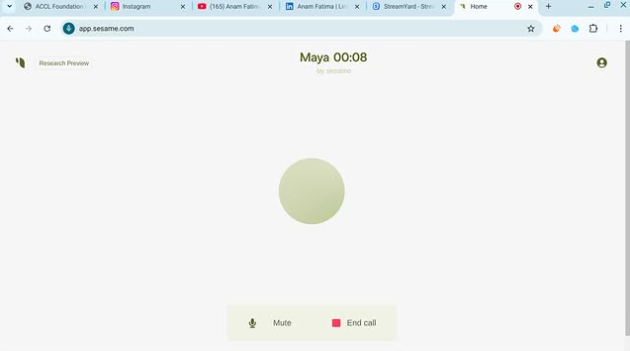
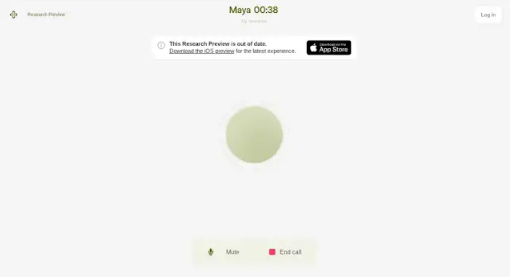
    Task Topic: How to Download and use Sesame Maya AI
    Here is a complete, ready-to-share description packed with emojis and hashtags!

    ---

    ### Say Hello to Maya: Your New Ultra-Realistic AI Voice Bestie!

    Ever wanted to talk to an AI that doesn't sound like a monotone robot? Meet **Maya by Sesame AI**—the next-gen conversational partner that feels incredibly human! With advanced emotional intelligence, natural timing, and context awareness, Maya doesn't just process commands—she laughs, pauses, catches your vibe, and handles interruptions just like a real friend.

    ---

    ### How to Download & Setup Maya

    Getting started is super simple! Follow these steps to start chatting:

    1. **Visit the Hub** : Head over to **app.sesame.com** on your browser or check the iOS/Android app stores for the Sesame AI mobile preview.
    2. **Create Your Account** : Sign up quickly using your email or connected accounts to unlock access.
    3. **Choose Your Agent** : Select **Maya** (or her counterpart, Miles) from the dashboard to initiate your call.
    4. **Grant Permissions** : Allow microphone access so the AI can hear your voice in real-time.

    ---

    ### How to Use Maya Like a Pro

    Once you're in, all you have to do is start talking! Because Maya is fully voice-native, there’s no need to type. Try using her for:

    * ** Creative Brainstorming:** Tell her your half-baked story plots, business ideas, or script notes and bounce concepts back and forth.
    * ** Multilingual Practice:** Maya adapts to various cultural rhythms, dialects, and accents instantly.
    * ** Real-Time Venting & Chatting:** Talk out loud during your daily commute or a solo walk just to clear your head.
    * ** Instant Knowledge:** Ask complex science, health, or daily trivia questions and listen to her break them down simply.

    * **Quick Pro-Tip:** Because Maya mimics human conversations so well, she might occasionally jump in if you pause mid-sentence. Just keep talking or give her a moment to catch up to your flow!*

    ----------

    #SesameAI #MayaAI #VoiceAI #ArtificialIntelligence #AIChatbot #TechTrends #FutureTech #SmartAssistant #AIVoice #Innovation

    ---
    RSIF8 Roll no.29 Task no.8 Task Topic: How to Download and use Sesame Maya AI Here is a complete, ready-to-share description packed with emojis and hashtags! --- ### πŸŽ™οΈ Say Hello to Maya: Your New Ultra-Realistic AI Voice Bestie! πŸ€–βœ¨ Ever wanted to talk to an AI that doesn't sound like a monotone robot? Meet **Maya by Sesame AI**—the next-gen conversational partner that feels incredibly human! With advanced emotional intelligence, natural timing, and context awareness, Maya doesn't just process commands—she laughs, pauses, catches your vibe, and handles interruptions just like a real friend. πŸŒŸπŸ’¬ --- ### πŸ“² How to Download & Setup Maya πŸš€ Getting started is super simple! Follow these steps to start chatting: 1. **Visit the Hub** 🌐: Head over to **app.sesame.com** on your browser or check the iOS/Android app stores for the Sesame AI mobile preview. 2. **Create Your Account** πŸ”: Sign up quickly using your email or connected accounts to unlock access. 3. **Choose Your Agent** πŸ‘₯: Select **Maya** (or her counterpart, Miles) from the dashboard to initiate your call. 4. **Grant Permissions** 🎀: Allow microphone access so the AI can hear your voice in real-time. --- ### πŸ’‘ How to Use Maya Like a Pro πŸ› οΈ Once you're in, all you have to do is start talking! Because Maya is fully voice-native, there’s no need to type. Try using her for: * **🧠 Creative Brainstorming:** Tell her your half-baked story plots, business ideas, or script notes and bounce concepts back and forth. * **🌍 Multilingual Practice:** Maya adapts to various cultural rhythms, dialects, and accents instantly. * **🧘 Real-Time Venting & Chatting:** Talk out loud during your daily commute or a solo walk just to clear your head. * **⚑ Instant Knowledge:** Ask complex science, health, or daily trivia questions and listen to her break them down simply. *⚠️ **Quick Pro-Tip:** Because Maya mimics human conversations so well, she might occasionally jump in if you pause mid-sentence. Just keep talking or give her a moment to catch up to your flow!* 🌊 ---------- #SesameAI #MayaAI #VoiceAI #ArtificialIntelligence #AIChatbot #TechTrends #FutureTech #SmartAssistant #AIVoice #Innovation ---
    0 Commenti 0 condivisioni 4019 Views
  • RSIF8
    Roll no.29
    Task no.7
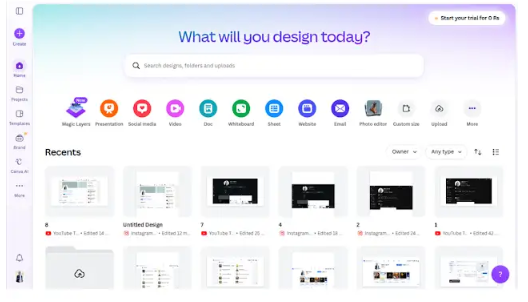
    Task Topic: How To download and use Canva


    **Step 1: Download or Access Canva**

    * **On Mobile (iPhone/Android) & iPad:** Open the App Store or Google Play Store, search for **Canva**, and tap download.
    * **On Desktop (Mac/Windows):** You can download the official Canva desktop app from their website, or simply use it directly in your web browser at [canva.com](https://www.canva.com) without downloading anything.

    **Step 2: Sign Up / Log In**

    * Open Canva and create a free account using your Google account, Facebook, Apple ID, or email.

    **Step 3: Create Your First Design**

    * Tap the **"+" button** or use the search bar to choose what you want to make (e.g., "Instagram Post", "Flyer", "Resume").
    * Pick a professional, pre-made template or start with a blank canvas.

    **Step 4: Customize & Export**

    * Tap on text to change it, swap out images, tweak colors, or add stickers.
    * Once you are happy with your creation, tap the **Share/Download button** (usually an arrow icon in the top right corner) to save it to your device as a PNG, JPG, or PDF


    #Canva #GraphicDesign #ContentCreator #DesignMadeEasy #CreativityUnleashed #DIYDesign #SocialMediaMarketing #CanvaLove #SmallBusinessTools
    RSIF8 Roll no.29 Task no.7 Task Topic: How To download and use Canva **Step 1: Download or Access Canva** * **On Mobile (iPhone/Android) & iPad:** Open the App Store or Google Play Store, search for **Canva**, and tap download. * **On Desktop (Mac/Windows):** You can download the official Canva desktop app from their website, or simply use it directly in your web browser at [canva.com](https://www.canva.com) without downloading anything. **Step 2: Sign Up / Log In** * Open Canva and create a free account using your Google account, Facebook, Apple ID, or email. **Step 3: Create Your First Design** * Tap the **"+" button** or use the search bar to choose what you want to make (e.g., "Instagram Post", "Flyer", "Resume"). * Pick a professional, pre-made template or start with a blank canvas. **Step 4: Customize & Export** * Tap on text to change it, swap out images, tweak colors, or add stickers. * Once you are happy with your creation, tap the **Share/Download button** (usually an arrow icon in the top right corner) to save it to your device as a PNG, JPG, or PDF #Canva #GraphicDesign #ContentCreator #DesignMadeEasy #CreativityUnleashed #DIYDesign #SocialMediaMarketing #CanvaLove #SmallBusinessTools
    0 Commenti 0 condivisioni 4313 Views
  • RSIF8
    Roll no 101
    task no 05
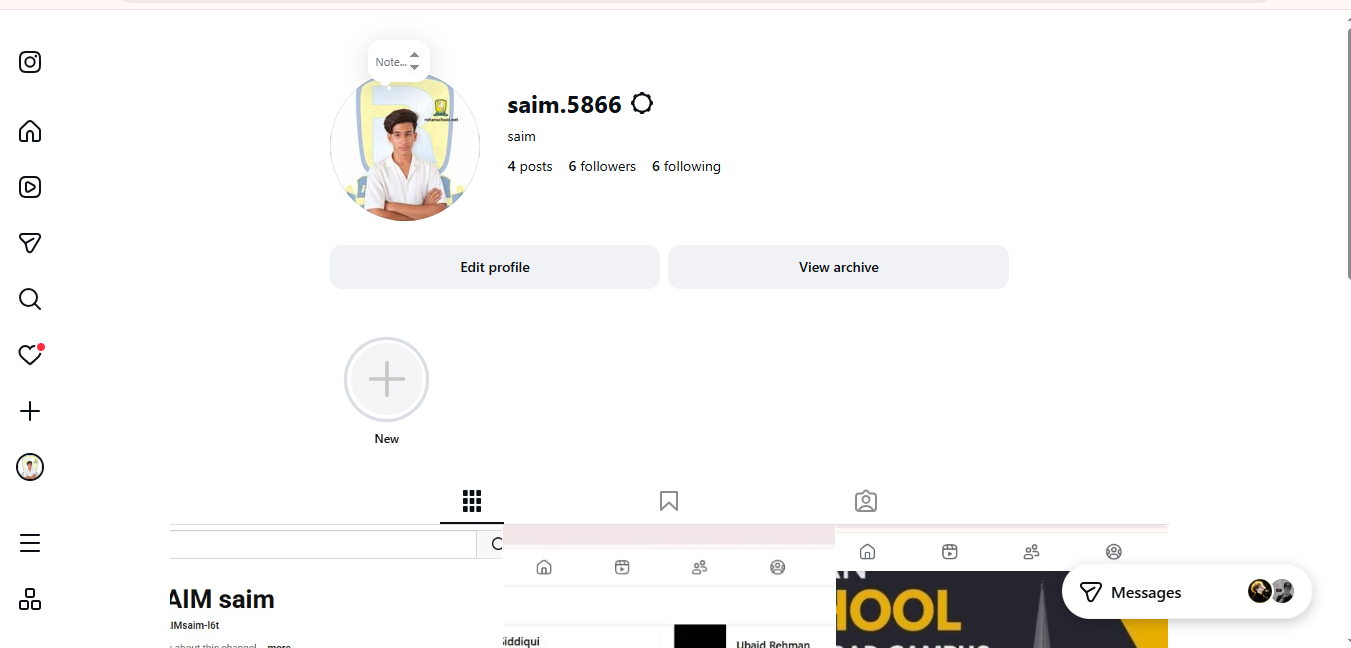
    task topic How to Create an Instagram Account?
    Ready to join Instagram and start sharing your favorite moments? This simple step-by-step guide is perfect for beginners who want to learn how to create an Instagram account and set up their profile with ease.

    From creating your account to choosing a username, adding a profile picture, finding people you know, and adjusting your privacy settings, this tutorial covers the essential basics.

    What you'll learn:
    How to get started with Instagram
    How to create your account
    How to choose a username
    How to add a profile picture
    How to find and follow accounts
    How to explore photos, videos, and Reels
    How to manage basic privacy settings
    Simple tips for new Instagram users

    Perfect for beginners! Whether you're using an Android phone, iPhone, or tablet, these simple steps will help you understand the basics of Instagram.

    Follow the complete tutorial and start exploring Instagram today!

    Enjoying the guide?
    Like
    Share
    Follow for more easy technology tutorials!

    #Instagram #InstagramAccount #CreateInstagramAccount #InstagramTutorial #InstagramGuide #InstagramTips #HowTo #StepByStep #BeginnerGuide #InstagramForBeginners #SocialMedia #SocialMediaTips #TechTips #DigitalSkills #LearnInstagram #OnlineTutorial #Technology #EasyGuide #DigitalLearning #Tutorial #NewUsers #InstagramHelp #LearnTechnology
    RSIF8 Roll no 101 task no 05 task topic How to Create an Instagram Account? Ready to join Instagram and start sharing your favorite moments? βœ¨πŸ“± This simple step-by-step guide is perfect for beginners who want to learn how to create an Instagram account and set up their profile with ease. πŸ‘€πŸ’œ From creating your account to choosing a username, adding a profile picture, finding people you know, and adjusting your privacy settings, this tutorial covers the essential basics. πŸ”πŸŒŸ 🎯 What you'll learn: βœ… How to get started with Instagram πŸ“² βœ… How to create your account βœ… How to choose a username πŸ‘€ βœ… How to add a profile picture πŸ–ΌοΈ βœ… How to find and follow accounts πŸ‘₯ βœ… How to explore photos, videos, and Reels πŸŽ₯ βœ… How to manage basic privacy settings πŸ”’ βœ… Simple tips for new Instagram users πŸ’‘ 🌟 Perfect for beginners! Whether you're using an Android phone, iPhone, or tablet, these simple steps will help you understand the basics of Instagram. πŸ‘‰ Follow the complete tutorial and start exploring Instagram today! πŸ“ΈπŸš€ πŸ’œ Enjoying the guide? πŸ‘ Like πŸ”„ Share βž• Follow for more easy technology tutorials! #Instagram #InstagramAccount #CreateInstagramAccount #InstagramTutorial #InstagramGuide #InstagramTips #HowTo #StepByStep #BeginnerGuide #InstagramForBeginners #SocialMedia #SocialMediaTips #TechTips #DigitalSkills #LearnInstagram #OnlineTutorial #Technology #EasyGuide #DigitalLearning #Tutorial #NewUsers #InstagramHelp #LearnTechnology πŸ“ΈπŸ“±πŸ’»βœ¨πŸš€
    0 Commenti 0 condivisioni 6393 Views
  • RSIF8
    Roll NO:11
    Task post no : 8
    Task topic How to Download & Use CallAnnie

    Meet your AI friend you can talk to anytime! CallAnnie lets you have real voice conversations, practice English, ask questions, and chat like a real phone call

    Download CallAnnie

    You can get the app from the official website:
    Download CallAnnie

    Steps to Install

    Open the link above
    Choose your device (Android / iPhone )
    Tap Download / Get App
    Install the app on your phone
    Open the app and sign up with email or Google

    How to Use CallAnnie

    Once installed, follow these easy steps

    Start Talking

    Open the app
    Tap Call Annie
    Speak naturally like a real phone call
    Annie replies instantly with voice

    What You Can Do With Annie

    Practice English speaking
    Ask homework questions
    Get daily motivation
    Learn new skills
    Have friendly conversations

    Tips for Best Experience

    Speak clearly and slowly
    Use headphones for better sound
    Use it daily to improve confidence
    Practice 5–10 minutes every day

    That’s it! You now have an AI friend in your pocket ready to talk anytime
    RSIF8 Roll NO:11 Task post no : 8 Task topic How to Download & Use CallAnnie πŸ€–πŸŽ™οΈ Meet your AI friend you can talk to anytime! CallAnnie lets you have real voice conversations, practice English, ask questions, and chat like a real phone call πŸ’¬πŸ“žβœ¨ 🌐 Download CallAnnie You can get the app from the official website: Download CallAnnie πŸ“± Steps to Install 1️⃣ Open the link above πŸ”— 2️⃣ Choose your device (Android πŸ€– / iPhone 🍎) 3️⃣ Tap Download / Get App ⬇️ 4️⃣ Install the app on your phone πŸ“² 5️⃣ Open the app and sign up with email or Google βœ‰οΈ πŸš€ How to Use CallAnnie Once installed, follow these easy steps πŸ‘‡ 🎀 Start Talking πŸ”Ή Open the app πŸ”Ή Tap Call Annie πŸ“ž πŸ”Ή Speak naturally like a real phone call πŸ—£οΈ πŸ”Ή Annie replies instantly with voice πŸ’‘ πŸ’‘ What You Can Do With Annie ✨ Practice English speaking πŸ§ πŸ‡¬πŸ‡§ ✨ Ask homework questions πŸ“š ✨ Get daily motivation πŸ’ͺ ✨ Learn new skills 🧩 ✨ Have friendly conversations 😊 ⭐ Tips for Best Experience πŸ’¬ Speak clearly and slowly 🎧 Use headphones for better sound 🌍 Use it daily to improve confidence ⏰ Practice 5–10 minutes every day πŸŽ‰ That’s it! You now have an AI friend in your pocket ready to talk anytime πŸ€–πŸ’–πŸ“ž
    0 Commenti 0 condivisioni 933 Views
  • RSIF8
    Roll NO:11
    Task post no : 5
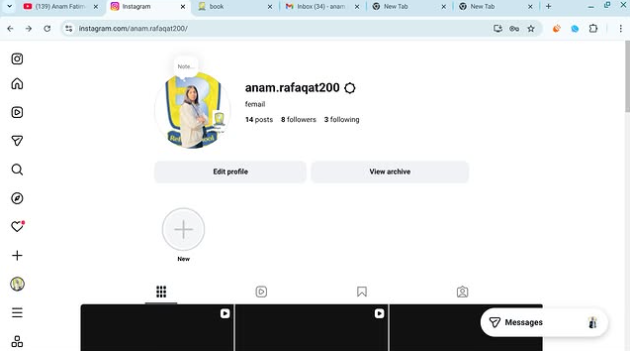
    Task topic How to Create an Instagram
    Account?
    How to Create an Instagram Account (Step-by-Step Guide)

    Want to join the world of reels, photos, and creativity? Let’s make your Instagram account in just a few minutes!

    Step 1: Download the App

    Open Play Store (Android) or App Store (iPhone)
    Search for Instagram
    Tap Install / Get

    Step 2: Open & Sign Up

    Open the app
    Tap Sign Up
    Choose one option:

    Sign up with Email
    Sign up with Phone Number
    Step 3: Create Login Details

    Enter your name
    Create a username (your unique ID)
    Create a strong password

    Tip: Pick a cool username like:
    anam_creates
    life.with.anam
    official.anam

    Step 4: Add Profile Info

    Now make your profile attractive

    Add a Profile Photo
    Write a Bio (short intro)
    Example bio ideas:

    Dream big | Work hard | Stay kind
    Student | Creator | Learner
    Living my story one post at a time
    Step 5: Find Friends

    Instagram will ask to connect contacts
    Tap Follow to start building your community

    Step 6: Your Account is Ready!

    Congratulations You are now on Instagram!

    Post your first photo:
    Tap + icon → Upload → Write caption → Post

    Something Different (Fun First Post Idea)

    Instead of a normal photo, make a “Hello Instagram” intro post

    Caption idea:
    Hello world!
    This is my new space to share my journey, creativity and daily life
    Follow me for positivity, learning & fun
    #NewOnInstagram #FirstPost #HelloWorld #InstaJourney #DreamBigRSIF8RSIF8
    RSIF8 Roll NO:11 Task post no : 5 Task topic How to Create an Instagram Account? πŸ“Έβœ¨ How to Create an Instagram Account (Step-by-Step Guide) πŸš€πŸ”₯ Want to join the world of reels, photos, and creativity? Let’s make your Instagram account in just a few minutes! πŸ’₯πŸ’¬ πŸ“² Step 1: Download the App πŸ‘‰ Open Play Store (Android) or App Store (iPhone) πŸ” Search for Instagram ⬇️ Tap Install / Get πŸ“ Step 2: Open & Sign Up 1️⃣ Open the app 2️⃣ Tap Sign Up 3️⃣ Choose one option: πŸ“§ Sign up with Email πŸ“± Sign up with Phone Number πŸ” Step 3: Create Login Details βœ”οΈ Enter your name βœ”οΈ Create a username (your unique ID) 😎 βœ”οΈ Create a strong password πŸ”‘ Tip: Pick a cool username like: ✨ anam_creates ✨ life.with.anam ✨ official.anam πŸ‘€ Step 4: Add Profile Info Now make your profile attractive πŸ’– πŸ“· Add a Profile Photo πŸ“ Write a Bio (short intro) Example bio ideas: 🌸 Dream big | Work hard | Stay kind πŸŽ“ Student | πŸ“Έ Creator | πŸ’« Learner ✨ Living my story one post at a time πŸ‘₯ Step 5: Find Friends Instagram will ask to connect contacts πŸ“± Tap Follow to start building your community πŸ€πŸ’¬ πŸŽ‰ Step 6: Your Account is Ready! Congratulations πŸ₯³ You are now on Instagram! Post your first photo: πŸ“Έ Tap + icon → Upload → Write caption → Post πŸš€ πŸ’‘ Something Different (Fun First Post Idea) 🌈 Instead of a normal photo, make a “Hello Instagram” intro post πŸ‘‹ Caption idea: ✨ Hello world! This is my new space to share my journey, creativity and daily life πŸ’« Follow me for positivity, learning & fun πŸŒΈπŸ’– #NewOnInstagram #FirstPost #HelloWorld #InstaJourney #DreamBigRSIF8RSIF8
    0 Commenti 0 condivisioni 3916 Views
  • RISF8
    Roll no:100
    Task no:1
    Task Topic: How to Create a Gmail Account
    How to Create a Gmail Account | Step-by-Step Tutorial
    Want to create a new Gmail account but don't know where to start? In this easy step-by-step tutorial, I'll show you how to create a Gmail account in just a few minutes. Whether you're using a mobile phone or a computer , this guide is perfect for beginners.
    In this video, you'll learn:
    How to create a new Gmail account
    How to set up your Google account
    Tips for creating a secure password
    How to verify your phone number
    How to start using Gmail for emails and other Google services
    If you found this video helpful, don't forget to:
    Like
    Comment
    Subscribe
    Share with your friends
    Thanks for watching!
    #Gmail #GoogleAccount #CreateGmail #GmailTutorial #EmailAccount #Google #TechTutorial #HowTo #BeginnerGuide #GmailSetup #AndroidTips #ComputerTips #StepByStep #TechTips #YouTubeTutorial
    RISF8 Roll no:100 Task no:1 Task Topic: How to Create a Gmail Account πŸ“§ How to Create a Gmail Account | Step-by-Step Tutorial πŸš€ Want to create a new Gmail account but don't know where to start? πŸ€” In this easy step-by-step tutorial, I'll show you how to create a Gmail account in just a few minutes. Whether you're using a mobile phone πŸ“± or a computer πŸ’», this guide is perfect for beginners. βœ… In this video, you'll learn: πŸ“Œ How to create a new Gmail account πŸ“Œ How to set up your Google account πŸ“Œ Tips for creating a secure password πŸ”’ πŸ“Œ How to verify your phone number πŸ“Œ How to start using Gmail for emails and other Google services If you found this video helpful, don't forget to: πŸ‘ Like πŸ’¬ Comment πŸ”” Subscribe πŸ“€ Share with your friends Thanks for watching! ❀️ #Gmail #GoogleAccount #CreateGmail #GmailTutorial #EmailAccount #Google #TechTutorial #HowTo #BeginnerGuide #GmailSetup #AndroidTips #ComputerTips #StepByStep #TechTips #YouTubeTutorial
    0 Commenti 0 condivisioni 4567 Views
  • ACCL portal
    day 137 week 19
    rask interview
    interview no 1
    about me
    "Assalamu Alaikum! My name is Asia, and I am a student at Rehman School. Today, I have been given a speaking task. In this activity, I will have a conversation with Minsa Educationwalli and we will introduce ourselves, ask each other some questions, and discuss a few interesting things together. I hope you enjoy our conversation.

    contact me,

    facebook,
    https://www.facebook.com/share/1HaHABdnAA/

    youtub,
    https://www.youtube.com/@AsiaAiwali

    linkedin,
    https://www.linkedin.com/in/asia-ai-449225419?utm_source=share_via&utm_content=profile&utm_medium=member_android

    about guest,

    Minsa Educationwalli tha student of rehan school

    contact guest

    facebook
    https://www.facebook.com/share/17tWmoXW5H/

    youtub,
    https://youtube.com/@minsaeducationwalli?si=s1WMLAwj9mHzkMPX

    linkedin
    https://www.linkedin.com/in/minsa-education-wali-ab754741b

    Tania Khan Mentorship Wali
    Shazia EducationWali
    Mohsin Rathore Seo Wala
    Mohsin Rathore Seo Wala
    Imran Khan Street Wala
    ACCL portal day 137 week 19 rask interview interview no 1 about me "Assalamu Alaikum! My name is Asia, and I am a student at Rehman School. Today, I have been given a speaking task. In this activity, I will have a conversation with Minsa Educationwalli and we will introduce ourselves, ask each other some questions, and discuss a few interesting things together. I hope you enjoy our conversation. contact me, facebook, https://www.facebook.com/share/1HaHABdnAA/ youtub, https://www.youtube.com/@AsiaAiwali linkedin, https://www.linkedin.com/in/asia-ai-449225419?utm_source=share_via&utm_content=profile&utm_medium=member_android about guest, Minsa Educationwalli tha student of rehan school contact guest facebook https://www.facebook.com/share/17tWmoXW5H/ youtub, https://youtube.com/@minsaeducationwalli?si=s1WMLAwj9mHzkMPX linkedin https://www.linkedin.com/in/minsa-education-wali-ab754741b Tania Khan Mentorship Wali Shazia EducationWali Mohsin Rathore Seo Wala Mohsin Rathore Seo Wala Imran Khan Street Wala
    0 Commenti 1 condivisioni 2106 Views
  • Breaking news: Gemini Ai is now available on online android phones by default and it also speaks Urdu language
    Breaking news: Gemini Ai is now available on online android phones by default and it also speaks Urdu language
    0 Commenti 0 condivisioni 1099 Views 0
Pagine in Evidenza