RSIF8
ROll no:82
Story post: 1
Story post topic:Sound Waves: The Physics of Hearing and Communication
Sound is an invisible form of energy that plays a vital role in our everyday lives. It travels as waves created by vibrating objects and moves through air, water, or solid materials until it reaches our ears. These waves allow us to hear voices, enjoy music, recognize warning signals, and communicate with people around the world.
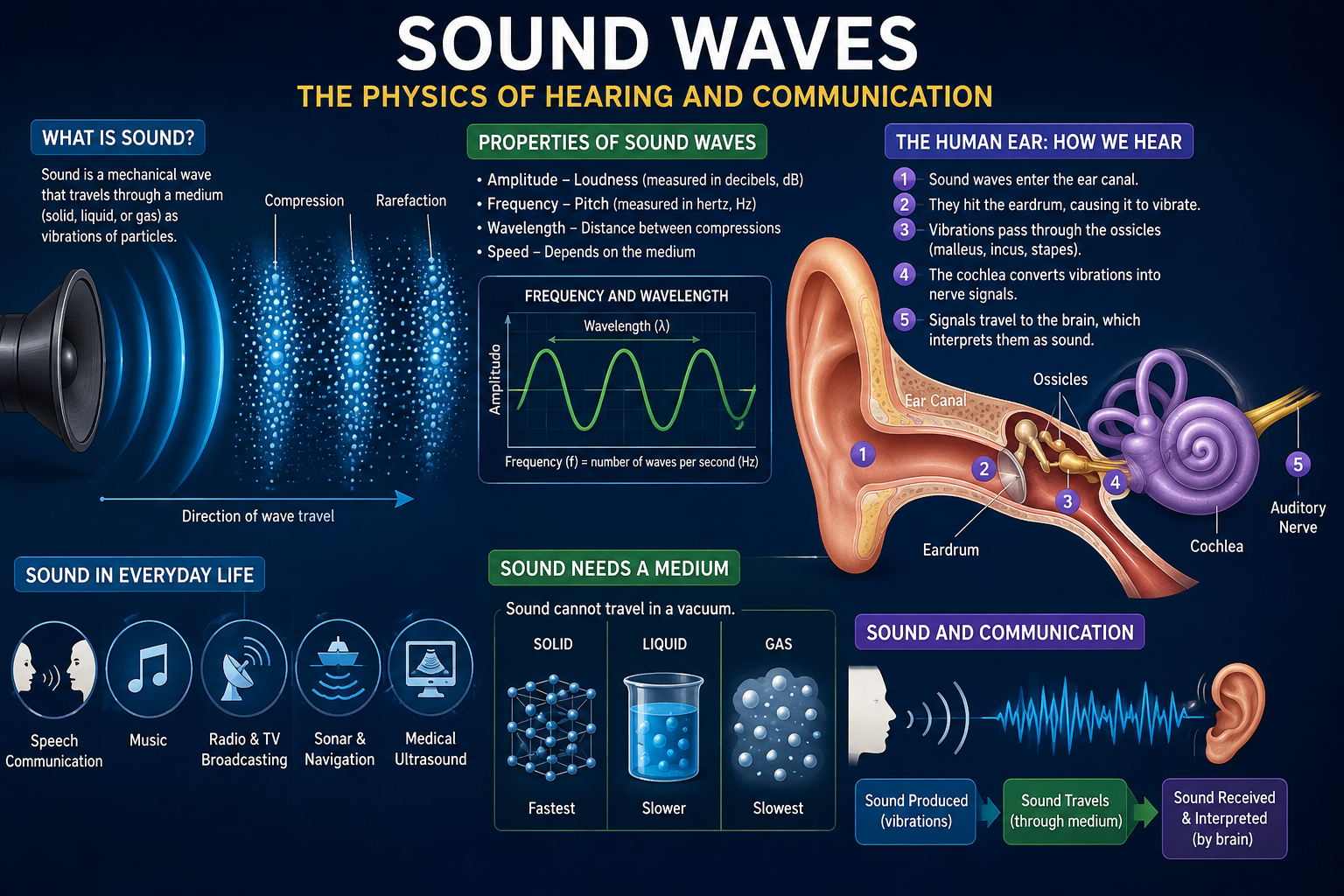
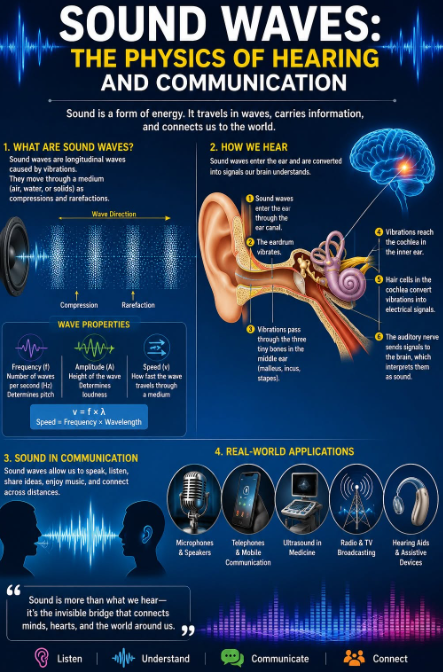
The process of hearing is a remarkable example of nature and science working together. Sound waves enter the ear canal, causing the eardrum to vibrate. These vibrations travel through tiny bones in the middle ear and reach the cochlea, where specialized hair cells convert them into electrical signals. The brain then interprets these signals, allowing us to recognize speech, music, and countless other sounds.
The physics of sound is also the foundation of modern communication. Technologies such as microphones, speakers, telephones, hearing aids, ultrasound devices, and broadcasting systems all rely on the transmission and interpretation of sound waves. From education and healthcare to entertainment and global communication, sound connects people and makes the exchange of ideas possible.
Understanding sound waves helps us appreciate both the complexity of the human body and the power of scientific discovery. Every conversation, every melody, and every echo reminds us that invisible waves carry information, emotions, and knowledge across the world.
"Sound is more than something we hear—it is the invisible force that connects people, powers communication, and brings the world to life."
ROll no:82
Story post: 1
Story post topic:Sound Waves: The Physics of Hearing and Communication
Sound is an invisible form of energy that plays a vital role in our everyday lives. It travels as waves created by vibrating objects and moves through air, water, or solid materials until it reaches our ears. These waves allow us to hear voices, enjoy music, recognize warning signals, and communicate with people around the world.
The process of hearing is a remarkable example of nature and science working together. Sound waves enter the ear canal, causing the eardrum to vibrate. These vibrations travel through tiny bones in the middle ear and reach the cochlea, where specialized hair cells convert them into electrical signals. The brain then interprets these signals, allowing us to recognize speech, music, and countless other sounds.
The physics of sound is also the foundation of modern communication. Technologies such as microphones, speakers, telephones, hearing aids, ultrasound devices, and broadcasting systems all rely on the transmission and interpretation of sound waves. From education and healthcare to entertainment and global communication, sound connects people and makes the exchange of ideas possible.
Understanding sound waves helps us appreciate both the complexity of the human body and the power of scientific discovery. Every conversation, every melody, and every echo reminds us that invisible waves carry information, emotions, and knowledge across the world.
"Sound is more than something we hear—it is the invisible force that connects people, powers communication, and brings the world to life."
RSIF8
ROll no:82
Story post: 1
Story post topic:Sound Waves: The Physics of Hearing and Communication
Sound is an invisible form of energy that plays a vital role in our everyday lives. It travels as waves created by vibrating objects and moves through air, water, or solid materials until it reaches our ears. These waves allow us to hear voices, enjoy music, recognize warning signals, and communicate with people around the world.
The process of hearing is a remarkable example of nature and science working together. Sound waves enter the ear canal, causing the eardrum to vibrate. These vibrations travel through tiny bones in the middle ear and reach the cochlea, where specialized hair cells convert them into electrical signals. The brain then interprets these signals, allowing us to recognize speech, music, and countless other sounds.
The physics of sound is also the foundation of modern communication. Technologies such as microphones, speakers, telephones, hearing aids, ultrasound devices, and broadcasting systems all rely on the transmission and interpretation of sound waves. From education and healthcare to entertainment and global communication, sound connects people and makes the exchange of ideas possible.
Understanding sound waves helps us appreciate both the complexity of the human body and the power of scientific discovery. Every conversation, every melody, and every echo reminds us that invisible waves carry information, emotions, and knowledge across the world.
"Sound is more than something we hear—it is the invisible force that connects people, powers communication, and brings the world to life."
0 التعليقات
0 المشاركات
546 مشاهدة