• RSIF8
    Roll No: 112
    Coding Post No:1
    Coding Post Topic: Basic Calculator
    ### My Basic Calculator Project
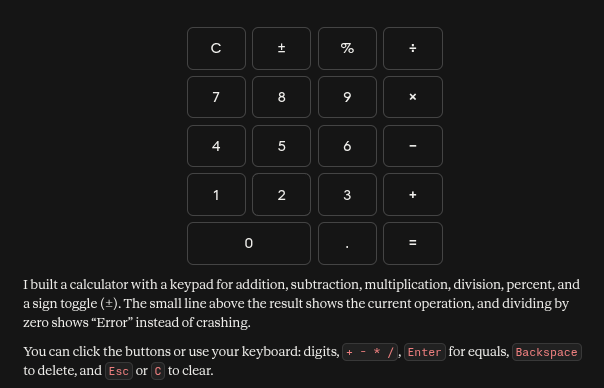
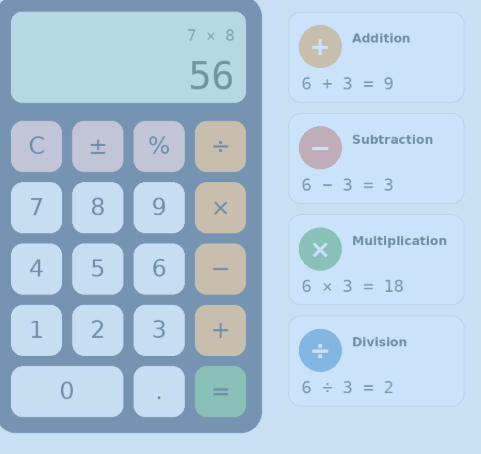
    I created a **Basic Calculator** that performs four fundamental mathematical operations: **Addition , Subtraction , Multiplication , and Division **.
    The purpose of this project was to practice programming concepts by creating a simple and useful calculator. Through this activity, I learned how to take input, process calculations, use mathematical operators, and display the correct result to the user.
    The calculator allows the user to enter numbers and select the required operation. It then performs the calculation and shows the result. This project helped me understand how programming can be used to solve everyday problems in a simple and efficient way.
    ### Operations Included
    **Addition:** Adds two numbers together.
    **Subtraction:** Finds the difference between two numbers.
    **Multiplication:** Multiplies two numbers.
    **Division:** Divides one number by another.
    Creating this calculator was a great learning experience because it helped me improve my understanding of **logic, operators, user input, calculations, and programming fundamentals**.
    I’m happy to share my project and continue improving my coding skills through more practical projects. Every small project is a step toward becoming a better programmer!
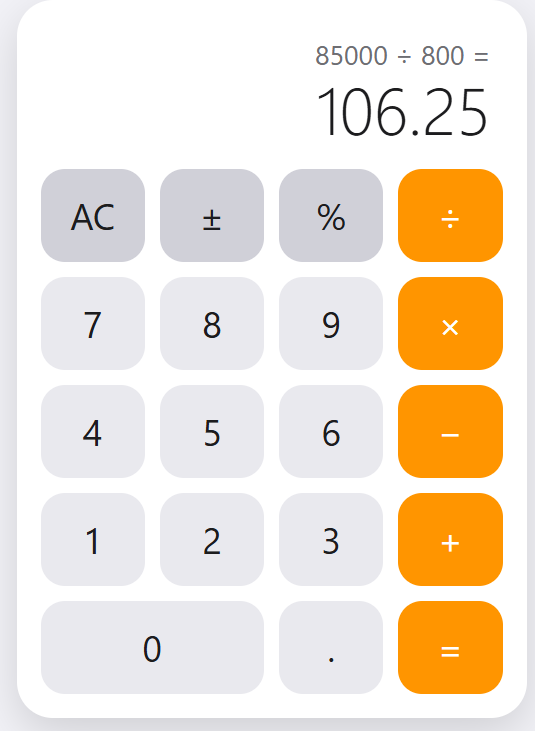
    **I have also shared a screenshot of my Basic Calculator to show the project and its working.**
    ### What I Learned
    How to perform basic mathematical operations
    How to use programming operators
    How to work with user input
    How to apply logic in a simple program
    How to create a useful beginner-level project
    How practical projects can improve programming skills
    Thank you for viewing my project!
    I’m looking forward to learning more, creating new projects, and improving my technical skills.
    ### Hashtags
    #BasicCalculator #CalculatorProject #Programming #Coding #CodingJourney #LearnToCode #ProgrammingForBeginners #StudentProject #CodingSkills #TechSkills #ComputerScience #ProgrammingProject #BeginnerProject #LearningProgramming #PracticalLearning #DigitalSkills #FutureProgrammer #RSIF8 #StudentLearning #KeepLearning #LearnAndGrow
    RSIF8 Roll No: 112 Coding Post No:1 Coding Post Topic: Basic Calculator ### 🧮💻 My Basic Calculator Project I created a **Basic Calculator** that performs four fundamental mathematical operations: **Addition ➕, Subtraction ➖, Multiplication ✖️, and Division ➗**. The purpose of this project was to practice programming concepts by creating a simple and useful calculator. Through this activity, I learned how to take input, process calculations, use mathematical operators, and display the correct result to the user. 💻📚✨ The calculator allows the user to enter numbers and select the required operation. It then performs the calculation and shows the result. This project helped me understand how programming can be used to solve everyday problems in a simple and efficient way. 🚀🧠 ### 🔢 Operations Included ➕ **Addition:** Adds two numbers together. ➖ **Subtraction:** Finds the difference between two numbers. ✖️ **Multiplication:** Multiplies two numbers. ➗ **Division:** Divides one number by another. Creating this calculator was a great learning experience because it helped me improve my understanding of **logic, operators, user input, calculations, and programming fundamentals**. 🌟💡 I’m happy to share my project and continue improving my coding skills through more practical projects. Every small project is a step toward becoming a better programmer! 👩‍💻🚀📖 📸 **I have also shared a screenshot of my Basic Calculator to show the project and its working.** ### 🌟 What I Learned ✅ How to perform basic mathematical operations ✅ How to use programming operators ✅ How to work with user input ✅ How to apply logic in a simple program ✅ How to create a useful beginner-level project ✅ How practical projects can improve programming skills Thank you for viewing my project! 🙌✨ I’m looking forward to learning more, creating new projects, and improving my technical skills. 💻🌱🚀 ### 🔖 Hashtags #BasicCalculator #CalculatorProject #Programming #Coding #CodingJourney #LearnToCode #ProgrammingForBeginners #StudentProject #CodingSkills #TechSkills #ComputerScience #ProgrammingProject #BeginnerProject #LearningProgramming #PracticalLearning #DigitalSkills #FutureProgrammer #RSIF8 #StudentLearning #KeepLearning #LearnAndGrow 🧮 ➕ ➖ ✖️ ➗ 💻 👩‍💻 📚 🧠 💡 🌟 🚀 🎯 ✨🙌
    0 Commentarios 0 Acciones 52 Views
  • RSIF8
    Roll No : 87
    claude ai No : 1
    claude ai topic: Create a Basic Calculator
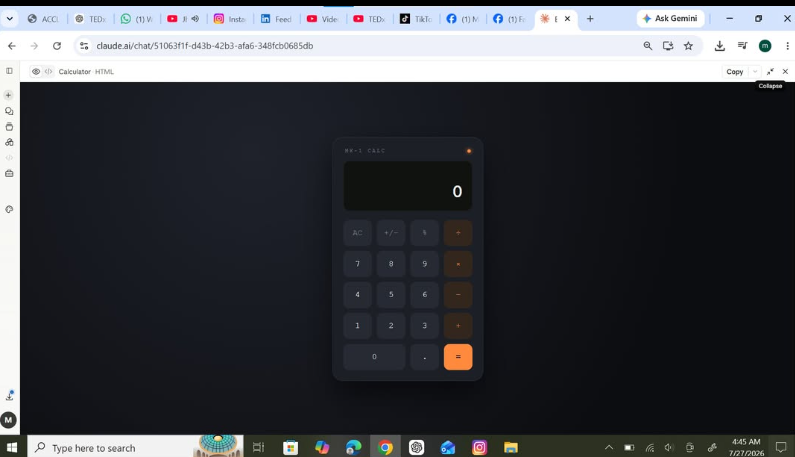
    **Basic Calculator Project – My Completed Task**
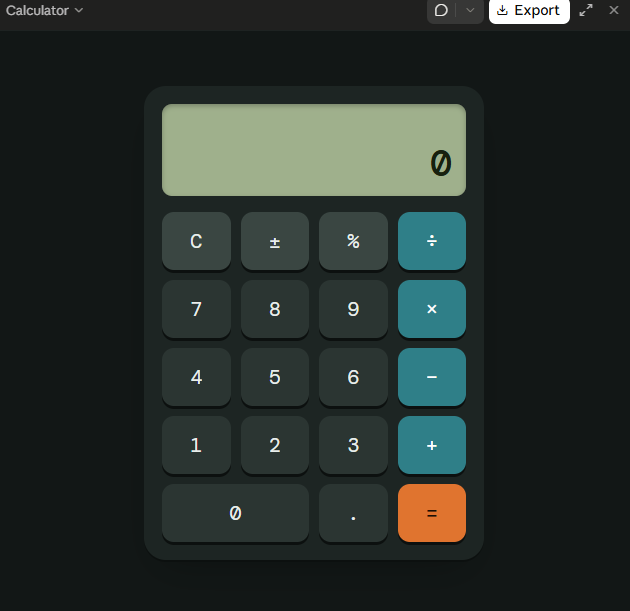
    I have successfully created a **Basic Calculator** as part of my learning and coding practice. This calculator has a simple, clean, and user-friendly interface that makes it easy to perform everyday mathematical calculations. The calculator includes important buttons such as **addition (+), subtraction (−), multiplication (×), division (÷), percentage (%), decimal (.), plus/minus (±), clear (C), and equals )**.
    The calculator display shows the numbers and results clearly, while the organized button layout makes it easy for users to enter numbers and select the required mathematical operation. I focused on making the design simple and easy to understand so that anyone can use it without difficulty.
    Creating this calculator helped me understand how a calculator works and gave me valuable practice with **HTML, CSS, and JavaScript**. I learned how to design buttons, create a calculator layout, handle user input, perform mathematical operations, and display the final result.
    This project was a great opportunity to improve my **coding, problem-solving, logical thinking, and web development skills**. I am happy to complete this project and excited to continue learning and creating more useful projects in the future.
    #BasicCalculator #Calculator #Coding #WebDevelopment #HTML #CSS #JavaScript #Programming #CodingPractice #Learning #StudentProject #ProjectCompleted #Math #Technology #ComputerSkills #ProblemSolving #ProgrammingSkills #KeepLearning #KeepGrowing
    RSIF8 Roll No : 87 claude ai No : 1 claude ai topic: Create a Basic Calculator 🧮✨ **Basic Calculator Project – My Completed Task** ✨🧮 I have successfully created a **Basic Calculator** as part of my learning and coding practice. This calculator has a simple, clean, and user-friendly interface that makes it easy to perform everyday mathematical calculations. The calculator includes important buttons such as **addition (+), subtraction (−), multiplication (×), division (÷), percentage (%), decimal (.), plus/minus (±), clear (C), and equals 😊)**. The calculator display shows the numbers and results clearly, while the organized button layout makes it easy for users to enter numbers and select the required mathematical operation. I focused on making the design simple and easy to understand so that anyone can use it without difficulty. Creating this calculator helped me understand how a calculator works and gave me valuable practice with **HTML, CSS, and JavaScript**. I learned how to design buttons, create a calculator layout, handle user input, perform mathematical operations, and display the final result. 💻📚 This project was a great opportunity to improve my **coding, problem-solving, logical thinking, and web development skills**. I am happy to complete this project and excited to continue learning and creating more useful projects in the future. 🚀💯 #BasicCalculator #Calculator #Coding #WebDevelopment #HTML #CSS #JavaScript #Programming #CodingPractice #Learning #StudentProject #ProjectCompleted #Math #Technology #ComputerSkills #ProblemSolving #ProgrammingSkills #KeepLearning #KeepGrowing 🧮💻🚀✨
    0 Commentarios 0 Acciones 1288 Views
  • RSIF8
    Roll no: 99
    Coding task no: 1
    Coding topic Create a Basic Calculator
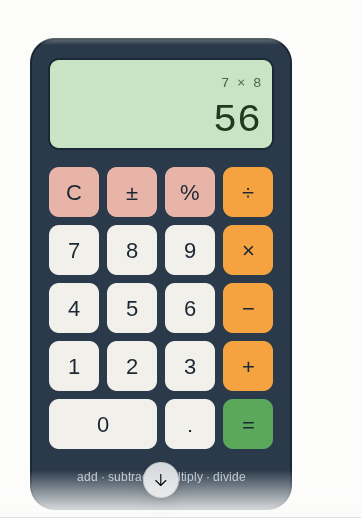
    Today’s task was to build a functional calculator that can perform basic mathematical operations such as:
    Addition
    Subtraction
    Multiplication
    Division
    I built the calculator using HTML, CSS, and JavaScript, with a proper interactive interface where users can enter numbers and perform calculations.
    But here’s the interesting part: I didn’t write all the code from scratch myself. Instead, I used ChatGPT for vibe coding — I described what I wanted, worked with the generated code, tested it, and made sure the final calculator actually worked.
    This task taught me that coding isn’t only about writing every line manually. It’s also about understanding the problem, communicating your idea clearly, testing the result, debugging, and learning from the code.
    One more small project completed!
    One more step forward in my learning journey.
    #VibeCoding #ChatGPT #HTML #CSS #JavaScript #WebDevelopment #Coding #Programming #Calculator #100DaysOfCode #LearningToCode #BuildInPublic #TechJourney #WebDesign #FrontendDevelopment #CodingJourney #AI #ArtificialIntelligence #Developer #StudentDeveloper
    RSIF8 Roll no: 99 Coding task no: 1 Coding topic Create a Basic Calculator Today’s task was to build a functional calculator that can perform basic mathematical operations such as: ➕ Addition ➖ Subtraction ✖️ Multiplication ➗ Division I built the calculator using HTML, CSS, and JavaScript, with a proper interactive interface where users can enter numbers and perform calculations. But here’s the interesting part: I didn’t write all the code from scratch myself. Instead, I used ChatGPT for vibe coding 🤖💻 — I described what I wanted, worked with the generated code, tested it, and made sure the final calculator actually worked. This task taught me that coding isn’t only about writing every line manually. It’s also about understanding the problem, communicating your idea clearly, testing the result, debugging, and learning from the code. One more small project completed! ✅ One more step forward in my learning journey. 📚🚀 #VibeCoding #ChatGPT #HTML #CSS #JavaScript #WebDevelopment #Coding #Programming #Calculator #100DaysOfCode #LearningToCode #BuildInPublic #TechJourney #WebDesign #FrontendDevelopment #CodingJourney #AI #ArtificialIntelligence #Developer #StudentDeveloper
    0 Commentarios 0 Acciones 1689 Views

  • #rsisb
    roll no.247
    Foundation level
    # Simple Calculator
    **Simple Calculator – Making Everyday Math Easy!**
    A **Simple Calculator** is a useful and beginner-friendly application designed to make basic mathematical calculations quick, accurate, and convenient. Whether you are a student learning mathematics, a beginner exploring programming, or simply someone who needs to calculate numbers quickly, a calculator provides an easy way to perform everyday calculations.
    This project focuses on the fundamental arithmetic operations: **addition (+), subtraction (-), multiplication (×), and division (÷)**. Users can enter numbers, select an operation, and instantly see the result. The simple interface makes it easy to understand and use, while also demonstrating important concepts such as user input, mathematical operators, buttons, functions, and displaying results.
    Creating a Simple Calculator is also an excellent programming project for beginners. It helps learners understand how different parts of an application work together. From designing the interface to writing the calculation logic, every step provides an opportunity to develop problem-solving and programming skills.
    A calculator project can also be expanded with additional features such as decimal numbers, percentage calculations, clear and delete buttons, keyboard support, calculation history, and more advanced mathematical functions. This makes it a great starting point for learning how simple applications can gradually become more powerful and interactive.
    **Key Features:**
    Addition
    Subtraction
    Multiplication
    Division
    Easy-to-use interface
    Fast calculations
    Beginner-friendly design
    Useful for learning programming
    Clear and understandable results
    **Learning Value:**
    Working on a Simple Calculator helps learners practice logical thinking, understand basic programming concepts, handle user input, and create interactive applications. It demonstrates how mathematics and technology can come together to solve everyday problems.
    **Conclusion:**
    The Simple Calculator may be a small project, but it teaches some very important ideas about programming and application development. It is a perfect beginner project for turning basic mathematical operations into an interactive digital tool. Keep learning, keep experimenting, and keep building!
    #SimpleCalculator #Calculator #Math #Mathematics #Programming #Coding #BeginnerProject #CodingForBeginners #LearnProgramming #ComputerScience #Technology #Education #StudentProject #MathSkills #ProblemSolving #ProgrammingProject #DigitalLearning #CodingSkills #CreativeCoding #LearnToCode #TechEducation #BasicCalculator #EasyCoding #Innovation
    #rsisb roll no.247 Foundation level # Simple Calculator 🧮✨ 🧮 **Simple Calculator – Making Everyday Math Easy!** 🔢💡 A **Simple Calculator** is a useful and beginner-friendly application designed to make basic mathematical calculations quick, accurate, and convenient. ➕➖✖️➗ Whether you are a student learning mathematics, a beginner exploring programming, or simply someone who needs to calculate numbers quickly, a calculator provides an easy way to perform everyday calculations. 📚💻 This project focuses on the fundamental arithmetic operations: **addition (+), subtraction (-), multiplication (×), and division (÷)**. Users can enter numbers, select an operation, and instantly see the result. ⚡🔢 The simple interface makes it easy to understand and use, while also demonstrating important concepts such as user input, mathematical operators, buttons, functions, and displaying results. 🎯 Creating a Simple Calculator is also an excellent programming project for beginners. 👨‍💻👩‍💻 It helps learners understand how different parts of an application work together. From designing the interface to writing the calculation logic, every step provides an opportunity to develop problem-solving and programming skills. 🚀🧠 A calculator project can also be expanded with additional features such as decimal numbers, percentage calculations, clear and delete buttons, keyboard support, calculation history, and more advanced mathematical functions. 🌟📱 This makes it a great starting point for learning how simple applications can gradually become more powerful and interactive. ✨ **Key Features:** 🔹 Addition ➕ 🔹 Subtraction ➖ 🔹 Multiplication ✖️ 🔹 Division ➗ 🔹 Easy-to-use interface 🖥️ 🔹 Fast calculations ⚡ 🔹 Beginner-friendly design 🌱 🔹 Useful for learning programming 💻 🔹 Clear and understandable results ✅ 📚 **Learning Value:** Working on a Simple Calculator helps learners practice logical thinking, understand basic programming concepts, handle user input, and create interactive applications. 🧠💻 It demonstrates how mathematics and technology can come together to solve everyday problems. 🌟 **Conclusion:** The Simple Calculator may be a small project, but it teaches some very important ideas about programming and application development. 🧮🚀 It is a perfect beginner project for turning basic mathematical operations into an interactive digital tool. Keep learning, keep experimenting, and keep building! 💡🌈 #SimpleCalculator #Calculator #Math #Mathematics #Programming #Coding #BeginnerProject #CodingForBeginners #LearnProgramming #ComputerScience #Technology #Education #StudentProject #MathSkills #ProblemSolving #ProgrammingProject #DigitalLearning #CodingSkills #CreativeCoding #LearnToCode #TechEducation #BasicCalculator #EasyCoding #Innovation
    0 Commentarios 0 Acciones 2959 Views
  • Accl portal
    book 1
    day 110
    task cooding
    topic Basic Calculator with GUI
    Shazia EducationWali
    Tania Khan Mentorship Wali
    Mohsin Rathore Seo Wala
    Accl portal book 1 day 110 task cooding topic Basic Calculator with GUI Shazia EducationWali Tania Khan Mentorship Wali Mohsin Rathore Seo Wala
    0 Commentarios 0 Acciones 333 Views
  • #rsisb
    Roll No.240
    Coding Task No.1
    Foundation Level

    ### Simple Calculator

    A **Simple Calculator** is a basic tool used to perform everyday mathematical calculations quickly and easily. It can do common operations such as **addition (+), subtraction (−), multiplication (×), and division (÷)**.

    For example:

    * 5 + 3 = **8**
    * 10 − 4 = **6**
    * 6 × 2 = **12**
    * 20 ÷ 5 = **4**

    A simple calculator helps students learn mathematics, solve problems, and check their answers. It makes calculations **fast, easy, and accurate**.

    Rehan School Islamabad Campus
    Asma Shaheen EducationWali
    Irum Asim
    Saima Happinesswali


    #rsisb Roll No.240 Coding Task No.1 Foundation Level ### 🧮 Simple Calculator A **Simple Calculator** is a basic tool used to perform everyday mathematical calculations quickly and easily. It can do common operations such as **addition (+), subtraction (−), multiplication (×), and division (÷)**. For example: * ➕ 5 + 3 = **8** * ➖ 10 − 4 = **6** * ✖️ 6 × 2 = **12** * ➗ 20 ÷ 5 = **4** A simple calculator helps students learn mathematics, solve problems, and check their answers. It makes calculations **fast, easy, and accurate**. 🧮✨ Rehan School Islamabad Campus Asma Shaheen EducationWali Irum Asim Saima Happinesswali
    0 Commentarios 0 Acciones 613 Views
  • #rsisb
    Roll no 248
    Foundation level
    Condoing Task no 11
    **Unit Converter – Making Measurements Simple! **

    Convert measurements quickly and easily with a **Unit Converter**! Whether you need to change meters to kilometers, kilograms to grams, Celsius to Fahrenheit, or liters to milliliters, a unit converter makes calculations simple and accurate.

    This useful tool helps students, teachers, professionals, and everyday users understand different measurement units without confusion. Learn, calculate, and convert with confidence!

    #UnitConverter #Measurement #MathTools #StudentLife #Learning #Education #Technology #Science #EasyMath #SmartTools #Calculator #Conversions
    #rsisb Roll no 248 Foundation level Condoing Task no 11 📏 **Unit Converter – Making Measurements Simple! 🔄** Convert measurements quickly and easily with a **Unit Converter**! 🌟 Whether you need to change meters to kilometers, kilograms to grams, Celsius to Fahrenheit, or liters to milliliters, a unit converter makes calculations simple and accurate. 🧮✨ This useful tool helps students, teachers, professionals, and everyday users understand different measurement units without confusion. 📚💡 Learn, calculate, and convert with confidence! 🚀 #UnitConverter #Measurement #MathTools #StudentLife #Learning #Education #Technology #Science #EasyMath #SmartTools #Calculator #Conversions 📐🔢✨
    0 Commentarios 0 Acciones 2254 Views
  • #rsisb
    Roll no.247
    Foundation level# Basic Calculator with GUI

    Welcome to **Basic Calculator with GUI** — a simple, user-friendly, and interactive calculator project designed to make everyday mathematical calculations quick, easy, and enjoyable! This project demonstrates how a calculator can be built with a **Graphical User Interface (GUI)**, allowing users to perform calculations by simply clicking buttons instead of typing commands.

    The calculator provides essential mathematical operations such as **addition , subtraction , multiplication , and division **. It is designed with a clean and straightforward interface so that beginners, students, and anyone interested in programming can easily understand how a GUI-based application works.

    One of the most interesting aspects of this project is the combination of **programming logic and visual design**. Users can enter numbers, select mathematical operators, and instantly see the result displayed on the calculator screen. This makes the project a great example of how programming can be used to create practical and interactive applications.

    The **Basic Calculator with GUI** is also an excellent learning project for students who are beginning their programming journey. Through this project, learners can understand important concepts such as **variables, functions, event handling, buttons, input fields, operators, conditional logic, and GUI components**. These concepts provide a strong foundation for developing more advanced software applications in the future.

    The simple design makes the calculator easy to navigate, while the interactive buttons provide a smooth user experience. Whether you want to calculate a total, subtract numbers, multiply values, or divide one number by another, this calculator provides the essential tools needed for basic arithmetic.

    This project also highlights the importance of creating applications that are not only functional but also **easy to use and visually understandable**. A well-designed GUI helps users interact with software naturally and makes complex programming concepts more accessible.

    Overall, the **Basic Calculator with GUI** is a fun, educational, and practical programming project. It is perfect for beginners who want to practice GUI development while building something useful. With additional features, the project can later be expanded into a more advanced calculator with percentage calculations, decimal support, square roots, memory functions, calculation history, and more!

    **Project Highlights:**
    Simple and clean GUI design
    Addition, subtraction, multiplication, and division
    Interactive calculator buttons
    Easy-to-understand interface
    Beginner-friendly programming project
    Useful for learning GUI development
    Great practice for programming logic
    Can be expanded with advanced features

    **Learn. Code. Calculate. Create!**

    #BasicCalculator #CalculatorGUI #GUICalculator #Programming #Coding #ComputerScience #PythonProject #BeginnerProject #ProgrammingForBeginners #GUIProgramming #SoftwareDevelopment #CodingProject #MathCalculator #LearnProgramming #StudentProject #TechProject #InteractiveApplication #ComputerProgramming #CodingJourney #ProgrammingSkills #Education #Technology #Developer #CodeLearning #CreativeCoding #Math #CalculatorProject
    #rsisb Roll no.247 Foundation level# Basic Calculator with GUI 🧮💻 Welcome to **Basic Calculator with GUI** — a simple, user-friendly, and interactive calculator project designed to make everyday mathematical calculations quick, easy, and enjoyable! 🎉✨ This project demonstrates how a calculator can be built with a **Graphical User Interface (GUI)**, allowing users to perform calculations by simply clicking buttons instead of typing commands. 🖱️🔢 The calculator provides essential mathematical operations such as **addition ➕, subtraction ➖, multiplication ✖️, and division ➗**. It is designed with a clean and straightforward interface so that beginners, students, and anyone interested in programming can easily understand how a GUI-based application works. 💡👨‍💻👩‍💻 One of the most interesting aspects of this project is the combination of **programming logic and visual design**. 🎨💻 Users can enter numbers, select mathematical operators, and instantly see the result displayed on the calculator screen. This makes the project a great example of how programming can be used to create practical and interactive applications. 🚀 The **Basic Calculator with GUI** is also an excellent learning project for students who are beginning their programming journey. 📚🌟 Through this project, learners can understand important concepts such as **variables, functions, event handling, buttons, input fields, operators, conditional logic, and GUI components**. These concepts provide a strong foundation for developing more advanced software applications in the future. 🧠💻 The simple design makes the calculator easy to navigate, while the interactive buttons provide a smooth user experience. 🔢🖱️ Whether you want to calculate a total, subtract numbers, multiply values, or divide one number by another, this calculator provides the essential tools needed for basic arithmetic. ✅ This project also highlights the importance of creating applications that are not only functional but also **easy to use and visually understandable**. 🌟 A well-designed GUI helps users interact with software naturally and makes complex programming concepts more accessible. Overall, the **Basic Calculator with GUI** is a fun, educational, and practical programming project. 🧮✨ It is perfect for beginners who want to practice GUI development while building something useful. With additional features, the project can later be expanded into a more advanced calculator with percentage calculations, decimal support, square roots, memory functions, calculation history, and more! 🚀🔢 🎯 **Project Highlights:** 🔹 Simple and clean GUI design 🔹 Addition, subtraction, multiplication, and division 🔹 Interactive calculator buttons 🔹 Easy-to-understand interface 🔹 Beginner-friendly programming project 🔹 Useful for learning GUI development 🔹 Great practice for programming logic 🔹 Can be expanded with advanced features 💻 **Learn. Code. Calculate. Create!** 🧮🚀 #BasicCalculator #CalculatorGUI #GUICalculator #Programming #Coding #ComputerScience #PythonProject #BeginnerProject #ProgrammingForBeginners #GUIProgramming #SoftwareDevelopment #CodingProject #MathCalculator #LearnProgramming #StudentProject #TechProject #InteractiveApplication #ComputerProgramming #CodingJourney #ProgrammingSkills #Education #Technology #Developer #CodeLearning #CreativeCoding #Math #CalculatorProject 🧮💻
    0 Commentarios 0 Acciones 6612 Views
  • #rsisb
    Roll no.239
    Foundation Level
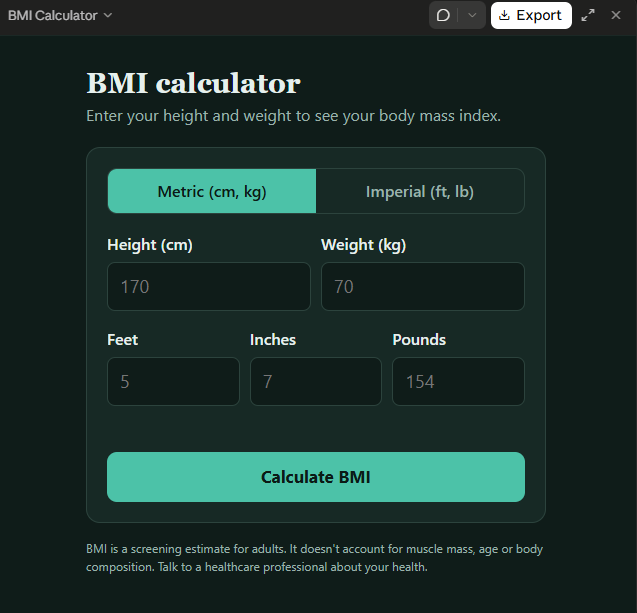
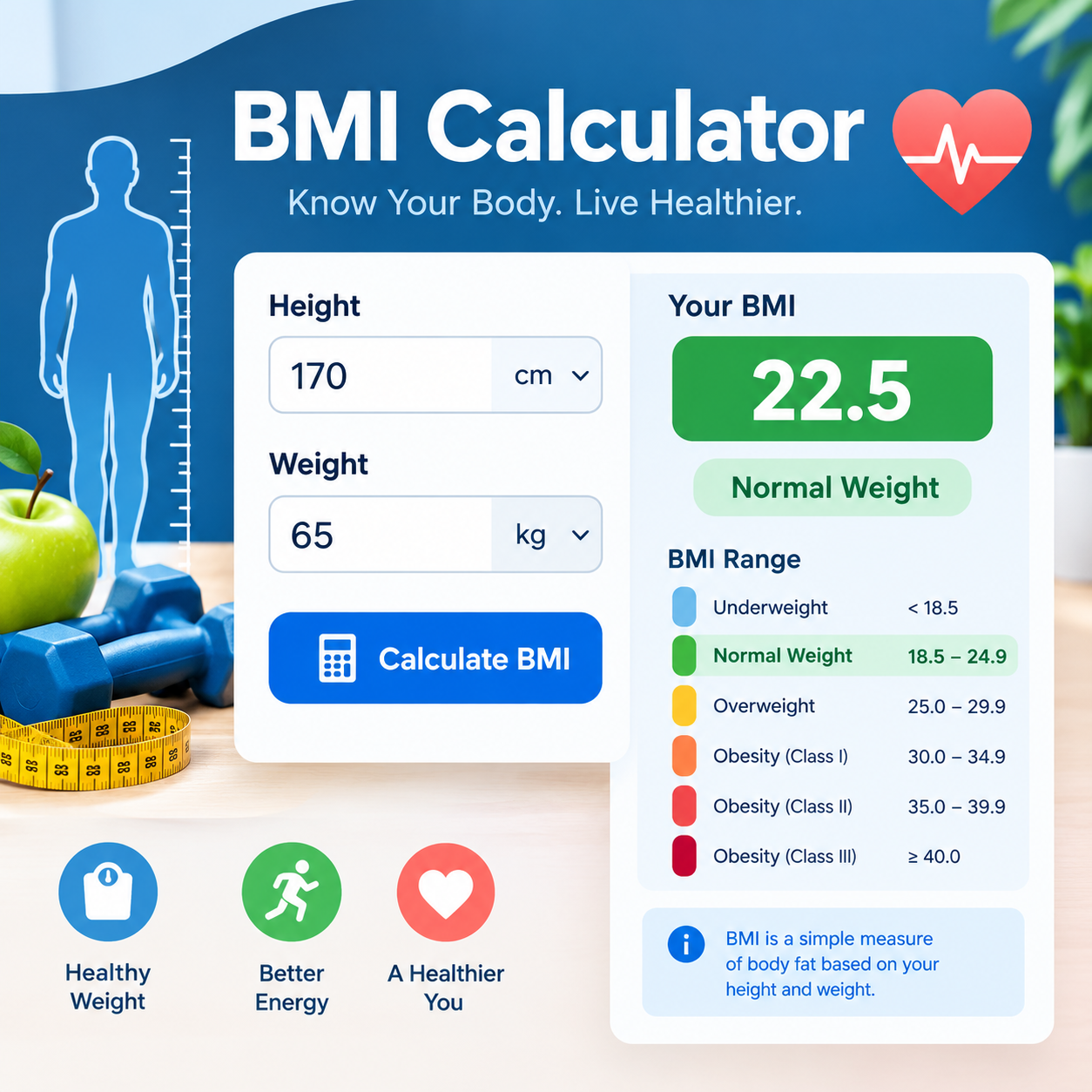
    ### **BMI Calculator — Description**

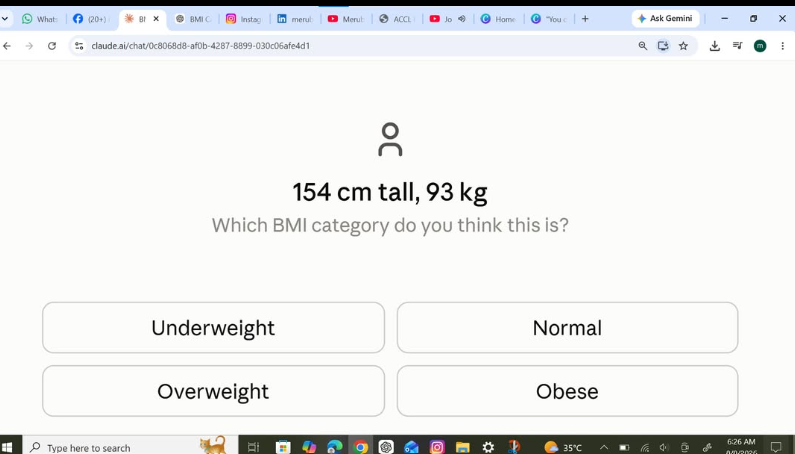
    A **BMI Calculator** is a simple application that calculates a person's **Body Mass Index (BMI)** using their weight and height. BMI is a general screening measure that compares weight with height.

    The basic formula is:

    **BMI = Weight (kg) ÷ Height² (m²)**

    For example, if a person weighs **60 kg** and is **1.65 m** tall:

    **BMI = 60 ÷ (1.65 × 1.65) ≈ 22.0**

    A BMI calculator can display the calculated value and provide a general BMI category. However, **BMI is only a screening tool** and does not directly measure body fat or overall health.

    **Main features:**

    * Enter weight
    * Enter height
    * Calculate BMI automatically
    * Display the BMI value
    * Show the corresponding general category
    * Provide a simple and user-friendly interface

    A BMI Calculator is also a useful beginner programming project for practicing **user input, mathematical formulas, conditional statements, and GUI design**.
    #rsisb Roll no.239 Foundation Level ### **BMI Calculator — Description** A **BMI Calculator** is a simple application that calculates a person's **Body Mass Index (BMI)** using their weight and height. BMI is a general screening measure that compares weight with height. The basic formula is: **BMI = Weight (kg) ÷ Height² (m²)** For example, if a person weighs **60 kg** and is **1.65 m** tall: **BMI = 60 ÷ (1.65 × 1.65) ≈ 22.0** A BMI calculator can display the calculated value and provide a general BMI category. However, **BMI is only a screening tool** and does not directly measure body fat or overall health. **Main features:** * Enter weight * Enter height * Calculate BMI automatically * Display the BMI value * Show the corresponding general category * Provide a simple and user-friendly interface A BMI Calculator is also a useful beginner programming project for practicing **user input, mathematical formulas, conditional statements, and GUI design**.
    0 Commentarios 0 Acciones 1705 Views
  • #rsisb
    Roll No.240
    Coding No.15
    Foundation Level

    # Basic Calculator with GUI

    A **Basic Calculator with GUI (Graphical User Interface)** is a beginner-friendly programming project that allows users to perform everyday mathematical calculations through an interactive visual interface instead of typing commands. The calculator typically includes buttons for numbers (0–9), arithmetic operators (+, −, ×, ÷), a display screen, and function buttons such as **Clear (C)** and **Equals )**.

    This project is an excellent way to learn the fundamentals of GUI development using programming languages such as Python with Tkinter, Java Swing, C# Windows Forms, or other GUI frameworks. It helps developers understand how user interface components, event handling, and programming logic work together to create a functional desktop application.

    A basic calculator can perform operations like addition, subtraction, multiplication, and division instantly, making calculations simple and efficient. As users interact with the buttons, the application processes the input, performs the requested calculation, and displays the result in real time.

    Building a GUI calculator strengthens programming skills by introducing concepts such as variables, functions, conditional statements, error handling, and interface design. It also serves as a strong foundation for creating more advanced applications with additional features like scientific calculations, memory functions, percentage operations, and square roots.

    Whether you're
    a student learning programming or a beginner exploring software development, creating a Basic Calculator with GUI is a practical and rewarding project that combines logic, creativity, and user-friendly design into one useful application.

    **#BasicCalculator #GUI #Python #Tkinter #Programming #Coding #SoftwareDevelopment #PythonProject #DesktopApplication #LearnToCode #BeginnerProject #CodingJourney #ComputerScience #Technology #AppDevelopment**

    Rehan School Islamabad Campus
    Asma Shaheen EducationWali
    Irum Asim
    Saima Happinesswali
    #rsisb Roll No.240 Coding No.15 Foundation Level # 🧮 Basic Calculator with GUI A **Basic Calculator with GUI (Graphical User Interface)** is a beginner-friendly programming project that allows users to perform everyday mathematical calculations through an interactive visual interface instead of typing commands. The calculator typically includes buttons for numbers (0–9), arithmetic operators (+, −, ×, ÷), a display screen, and function buttons such as **Clear (C)** and **Equals 😊)**. This project is an excellent way to learn the fundamentals of GUI development using programming languages such as Python with Tkinter, Java Swing, C# Windows Forms, or other GUI frameworks. It helps developers understand how user interface components, event handling, and programming logic work together to create a functional desktop application. A basic calculator can perform operations like addition, subtraction, multiplication, and division instantly, making calculations simple and efficient. As users interact with the buttons, the application processes the input, performs the requested calculation, and displays the result in real time. Building a GUI calculator strengthens programming skills by introducing concepts such as variables, functions, conditional statements, error handling, and interface design. It also serves as a strong foundation for creating more advanced applications with additional features like scientific calculations, memory functions, percentage operations, and square roots. Whether you're a student learning programming or a beginner exploring software development, creating a Basic Calculator with GUI is a practical and rewarding project that combines logic, creativity, and user-friendly design into one useful application. **#BasicCalculator #GUI #Python #Tkinter #Programming #Coding #SoftwareDevelopment #PythonProject #DesktopApplication #LearnToCode #BeginnerProject #CodingJourney #ComputerScience #Technology #AppDevelopment** 🧮💻🚀 Rehan School Islamabad Campus Asma Shaheen EducationWali Irum Asim Saima Happinesswali
    0 Commentarios 0 Acciones 5341 Views
Resultados de la búsqueda