• RSIF8
    Roll no. 83
    Task no.2
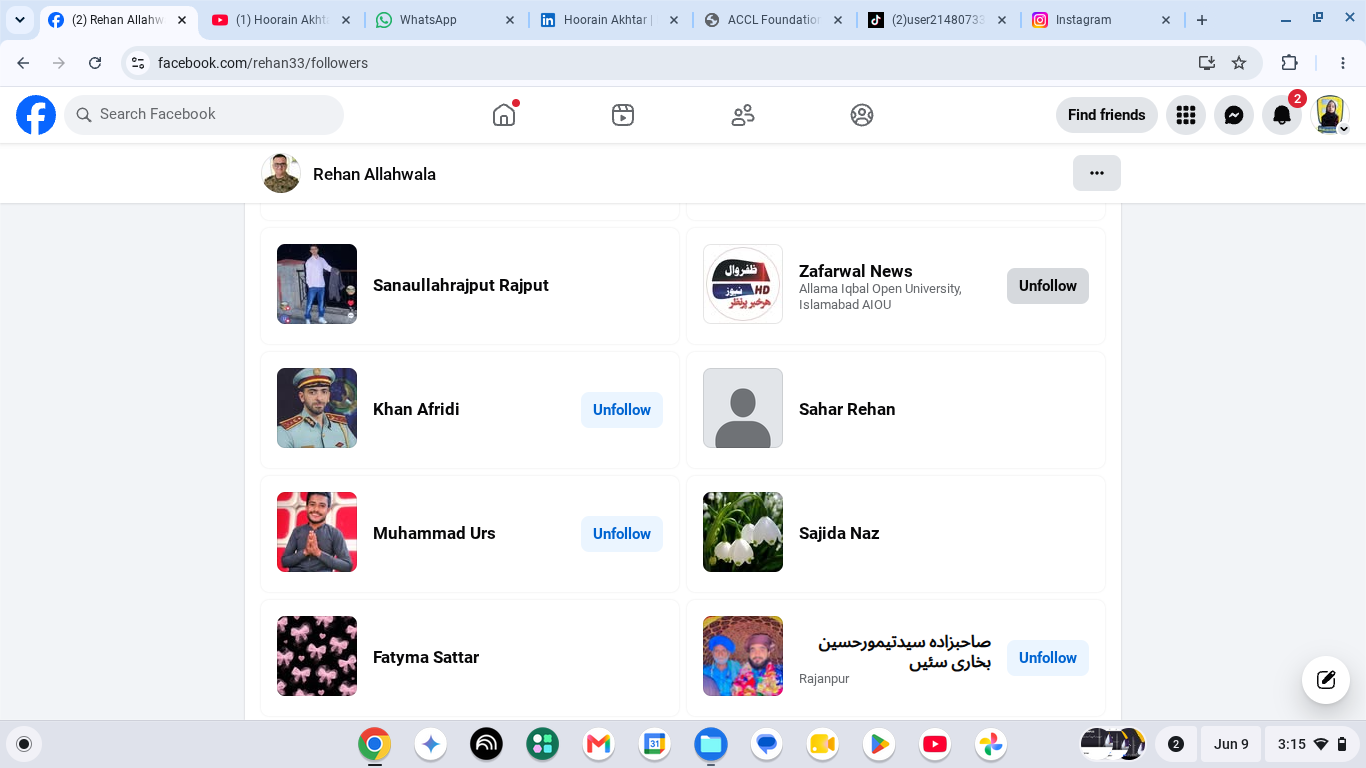
    Task Topic: How to make a facebook
    How to Make a Facebook Account and Set It Up
    Creating a Facebook account is simple and only takes a few minutes. Follow these steps:
    Step 1: Visit Facebook
    Go to Facebook
    Step 2: Create a New Account
    Click "Create New Account" and enter:
    First and Last Name
    Mobile Number or Email Address
    Password
    Date of Birth
    Gender
    Step 3: Verify Your Account
    Facebook will send a verification code to your email or phone. Enter the code to confirm your account.
    Step 4: Add a Profile Picture
    Upload a clear photo of yourself so friends can recognize you.
    Step 5: Complete Your Profile
    Add:
    City or Hometown
    Education
    Workplace
    Interests and Hobbies
    Step 6: Find Friends
    Use the search bar to find friends and family and send friend requests.
    Step 7: Adjust Privacy Settings
    Go to Settings & Privacy to control:
    Who can see your posts
    Who can send friend requests
    Who can view your profile
    Step 8: Start Using Facebook
    Now you can:
    Like posts
    Comment on posts
    Share photos and videos
    Create your own posts
    Watch videos and join groups
    Your Facebook Account Is Ready!
    Stay connected, share moments, and interact with friends around the world.
    #Facebook
    #SocialMedia
    #FacebookAccount
    #CreateAccount
    #OnlineCommunity
    #DigitalLife
    #ConnectWithFriends
    #FacebookTips
    #TechGuide
    #StayConnected See less
    14w
    RSIF8 Roll no. 83 Task no.2 Task Topic: How to make a facebook ๐Ÿ“˜โœจ How to Make a Facebook Account and Set It Up โœจ๐Ÿ“˜ Creating a Facebook account is simple and only takes a few minutes. Follow these steps: ๐Ÿ“ Step 1: Visit Facebook Go to ๐ŸŒ Facebook ๐Ÿ‘ค Step 2: Create a New Account Click "Create New Account" and enter: โœ… First and Last Name โœ… Mobile Number or Email Address โœ… Password ๐Ÿ”’ โœ… Date of Birth ๐ŸŽ‚ โœ… Gender ๐Ÿ“ฉ Step 3: Verify Your Account Facebook will send a verification code to your email or phone. Enter the code to confirm your account. ๐Ÿ–ผ๏ธ Step 4: Add a Profile Picture Upload a clear photo of yourself so friends can recognize you. ๐Ÿ“„ Step 5: Complete Your Profile Add: ๐Ÿ  City or Hometown ๐ŸŽ“ Education ๐Ÿ’ผ Workplace โค๏ธ Interests and Hobbies ๐Ÿ‘ฅ Step 6: Find Friends Use the search bar to find friends and family and send friend requests. โš™๏ธ Step 7: Adjust Privacy Settings Go to Settings & Privacy to control: ๐Ÿ”’ Who can see your posts ๐Ÿ‘ฅ Who can send friend requests ๐Ÿ“ธ Who can view your profile ๐Ÿ“ฑ Step 8: Start Using Facebook Now you can: ๐Ÿ‘ Like posts ๐Ÿ’ฌ Comment on posts ๐Ÿ“ธ Share photos and videos ๐Ÿ“ข Create your own posts ๐ŸŽฅ Watch videos and join groups ๐ŸŽ‰ Your Facebook Account Is Ready! Stay connected, share moments, and interact with friends around the world. ๐ŸŒ๐Ÿ’™ #Facebook ๐Ÿ“˜ #SocialMedia ๐Ÿ“ฑ #FacebookAccount ๐Ÿ‘ค #CreateAccount โœจ #OnlineCommunity ๐ŸŒ #DigitalLife ๐Ÿ’ป #ConnectWithFriends ๐Ÿ‘ฅ #FacebookTips ๐Ÿ’ก #TechGuide ๐Ÿš€ #StayConnected ๐Ÿ’™ See less 14w
    0 Reacties 0 aandelen 1078 Views

  • RSIF8
    Roll no 64
    Task no 02
    Task topic How to Make a Facebook
    Creating a Gmail account is quick and easy! First, go to the official Gmail signup page and click on “Create account.” Fill in your basic details like your name, username, and a strong password . Then, add your phone number for verification and enter the code you receive. After that, provide a recovery email (optional) and your date of birth . Agree to the terms and conditions , and boom—you’re ready to explore your new Gmail account! Now you can send emails, use Google services, and stay connected with the world
    hashtag#Gmail hashtag#CreateAccount hashtag#EmailSetup hashtag#GoogleAccount hashtag#TechTips hashtag#DigitalLife hashtag#EasySteps hashtag#OnlineLearning hashtag#StudentLife
    RSIF8 Roll no 64 Task no 02 Task topic How to Make a Facebook Creating a Gmail account is quick and easy! ๐Ÿ“งโœจ First, go to the official Gmail signup page and click on “Create account.” Fill in your basic details like your name, username, and a strong password ๐Ÿ”. Then, add your phone number for verification ๐Ÿ“ฑ and enter the code you receive. After that, provide a recovery email (optional) and your date of birth ๐ŸŽ‚. Agree to the terms and conditions โœ”๏ธ, and boom—you’re ready to explore your new Gmail account! ๐Ÿš€ Now you can send emails, use Google services, and stay connected with the world ๐ŸŒ๐Ÿ’ฌ hashtag#Gmail hashtag#CreateAccount hashtag#EmailSetup hashtag#GoogleAccount hashtag#TechTips hashtag#DigitalLife hashtag#EasySteps hashtag#OnlineLearning hashtag#StudentLife ๐Ÿ“ง๐Ÿš€โœจ
    0 Reacties 0 aandelen 763 Views
  • RSIF8
    Roll no 64
    Task no 01
    Task topic How to Create a Gmail
    Account?
    Creating a Gmail account is quick and easy! First, go to the official Gmail signup page and click on “Create account.” Fill in your basic details like your name, username, and a strong password . Then, add your phone number for verification and enter the code you receive. After that, provide a recovery email (optional) and your date of birth . Agree to the terms and conditions , and boom—you’re ready to explore your new Gmail account! Now you can send emails, use Google services, and stay connected with the world
    hashtag#Gmail hashtag#CreateAccount hashtag#EmailSetup hashtag#GoogleAccount hashtag#TechTips hashtag#DigitalLife hashtag#EasySteps hashtag#OnlineLearning hashtag#StudentLife
    RSIF8 Roll no 64 Task no 01 Task topic How to Create a Gmail Account? Creating a Gmail account is quick and easy! ๐Ÿ“งโœจ First, go to the official Gmail signup page and click on “Create account.” Fill in your basic details like your name, username, and a strong password ๐Ÿ”. Then, add your phone number for verification ๐Ÿ“ฑ and enter the code you receive. After that, provide a recovery email (optional) and your date of birth ๐ŸŽ‚. Agree to the terms and conditions โœ”๏ธ, and boom—you’re ready to explore your new Gmail account! ๐Ÿš€ Now you can send emails, use Google services, and stay connected with the world ๐ŸŒ๐Ÿ’ฌ hashtag#Gmail hashtag#CreateAccount hashtag#EmailSetup hashtag#GoogleAccount hashtag#TechTips hashtag#DigitalLife hashtag#EasySteps hashtag#OnlineLearning hashtag#StudentLife ๐Ÿ“ง๐Ÿš€โœจ
    0 Reacties 0 aandelen 751 Views
  • Level 1
    Book 1
    Day 5
    Talk with Call Annie: Telling the Truth Live on Social Media
    #๏ธโƒฃ Hashtags
    #TruthOnSocialMedia #SocialMedia #LiveTalk #Honesty #RealTalk #OnlineSafety #DigitalLife #SocialMediaAwareness #Communication #BeHonest
    Tania Khan Mentorship Wali
    Imran Khan Street Wala
    Mohsin Rathore Seo Wala
    Waryam Tharparkar Wala
    Shazia Javed
    Level 1 Book 1 Day 5 Talk with Call Annie: Telling the Truth Live on Social Media #๏ธโƒฃ Hashtags #TruthOnSocialMedia #SocialMedia #LiveTalk #Honesty #RealTalk #OnlineSafety #DigitalLife #SocialMediaAwareness #Communication #BeHonest Tania Khan Mentorship Wali Imran Khan Street Wala Mohsin Rathore Seo Wala Waryam Tharparkar Wala Shazia Javed
    0 Reacties 0 aandelen 1386 Views
  • RSIF8
    Roll no:100
    Task no:8
    Task topic:How to Download and Use CallAnnie?
    **How to Download & Use CallAnnie**
    Want your own AI assistant on the go? Here's how to get started with **CallAnnie**:
    Download **CallAnnie** from the App Store or Google Play.
    Open the app and sign up or log in.
    Grant the necessary permissions (microphone & notifications).
    Start chatting with Annie using voice or text.
    Ask questions, practice languages, brainstorm ideas, or get everyday assistance anytime!
    **Pro Tip:** Use voice mode for a more natural, real-time conversation experience!
    #CallAnnie #AIAssistant #ArtificialIntelligence #VoiceAI #TechTips #Productivity #AIApps #SmartTechnology #DigitalLife #Innovation
    RSIF8 Roll no:100 Task no:8 Task topic:How to Download and Use CallAnnie? ๐Ÿ“ฒ๐Ÿค– **How to Download & Use CallAnnie** Want your own AI assistant on the go? ๐ŸŒŸ Here's how to get started with **CallAnnie**: 1๏ธโƒฃ Download **CallAnnie** from the App Store or Google Play. ๐Ÿ“ฅ 2๏ธโƒฃ Open the app and sign up or log in. ๐Ÿ” 3๏ธโƒฃ Grant the necessary permissions (microphone & notifications). ๐ŸŽค 4๏ธโƒฃ Start chatting with Annie using voice or text. ๐Ÿ’ฌ๐ŸŽ™๏ธ 5๏ธโƒฃ Ask questions, practice languages, brainstorm ideas, or get everyday assistance anytime! ๐Ÿš€โœจ ๐Ÿ’ก **Pro Tip:** Use voice mode for a more natural, real-time conversation experience! #CallAnnie #AIAssistant #ArtificialIntelligence #VoiceAI #TechTips #Productivity #AIApps #SmartTechnology #DigitalLife #Innovation ๐Ÿš€
    0 Reacties 0 aandelen 1908 Views
  • RSIF8
    Roll No: 99
    Task No:1
    Task Topic: HOW TO CREATE A GMAIL ACCOUNT?
    Creating a Gmail account is quick, easy, and completely free! Whether you're signing up for the first time or creating a new email for work, school, or personal use, this step-by-step guide will help you get started in just a few minutes.
    Follow the simple instructions, set up your account securely, and unlock access to Gmail, Google Drive, YouTube, Google Photos, Google Meet, and many other Google services.
    Save this post for later and share it with someone who needs help creating a Gmail account!
    #Gmail #Google #Email #GmailAccount #CreateGmail #GoogleAccount #EmailSetup #TechTips #DigitalSkills #OnlineGuide #Technology #Internet #Productivity #BeginnerGuide #HowTo #LearnTechnology #SocialMediaTips #TechTutorial #EasySteps #DigitalLife
    RSIF8 Roll No: 99 Task No:1 Task Topic: HOW TO CREATE A GMAIL ACCOUNT? Creating a Gmail account is quick, easy, and completely free! ๐Ÿ“ง Whether you're signing up for the first time or creating a new email for work, school, or personal use, this step-by-step guide will help you get started in just a few minutes. Follow the simple instructions, set up your account securely, and unlock access to Gmail, Google Drive, YouTube, Google Photos, Google Meet, and many other Google services. ๐Ÿ’ก Save this post for later and share it with someone who needs help creating a Gmail account! #Gmail #Google #Email #GmailAccount #CreateGmail #GoogleAccount #EmailSetup #TechTips #DigitalSkills #OnlineGuide #Technology #Internet #Productivity #BeginnerGuide #HowTo #LearnTechnology #SocialMediaTips #TechTutorial #EasySteps #DigitalLife
    0 Reacties 0 aandelen 2553 Views
  • Roll No.190
    Call Annie No. 49
    Foundation level

    1. AI in Daily Life

    Idea: Talk about how AI helps us with studying, searching for information, translation, and everyday tasks.
    Emojis:
    Hashtags: #ArtificialIntelligence #AI #Technology #TalkWithAI #Learning

    2. Smartphones in Our Life

    Idea: Discuss how smartphones help us communicate, learn, take photos, use maps, and stay connected.
    Emojis:
    Hashtags: #Smartphone #MobileTechnology #Technology #DigitalLife #Learning

    3. The Power of the Internet

    Idea: Explain how the internet connects people and helps students learn new things from anywhere.
    Emojis:
    Hashtags: #Internet #Technology #Education #DigitalWorld #Learning

    4. Technology and Gaming

    Idea: Talk about how modern technology has changed video games and made them more interactive.
    Emojis:
    Hashtags: #Gaming #Technology #VideoGames #Gamer #DigitalWorld

    5. Staying Safe Online

    Idea: Discuss passwords, privacy, suspicious links, and why we should be careful when using the internet.
    Emojis:
    Hashtags: #OnlineSafety #CyberSafety #InternetSafety #Technology #DigitalSafety

    6. Technology of the Future

    Idea: Imagine what future robots, smart homes, AI, and transportation might look like.
    Emojis:
    Hashtags: #FutureTechnology #Innovation #Robots #AI #Future

    7. Technology in Education

    Idea: Talk about how computers, tablets, online classes, and AI can make learning easier and more interesting.
    Emojis:
    Hashtags: #Education #EdTech #Technology #StudentLife #Learning

    8. Can AI Think Like Humans?

    Idea: Have a simple conversation about what AI can do and how humans are different from AI.
    Emojis:
    Hashtags: #AI #ArtificialIntelligence #HumanVsAI #Technology #Innovation
    Roll No.190 Call Annie No. 49 Foundation level ๐Ÿ’ป 1. AI in Daily Life ๐Ÿค– Idea: Talk about how AI helps us with studying, searching for information, translation, and everyday tasks. Emojis: ๐Ÿค–๐Ÿ’ป๐Ÿ“šโœจ Hashtags: #ArtificialIntelligence #AI #Technology #TalkWithAI #Learning ๐Ÿ“ฑ 2. Smartphones in Our Life Idea: Discuss how smartphones help us communicate, learn, take photos, use maps, and stay connected. Emojis: ๐Ÿ“ฑ๐ŸŒ๐Ÿ“ธ๐Ÿ—บ๏ธ Hashtags: #Smartphone #MobileTechnology #Technology #DigitalLife #Learning ๐ŸŒ 3. The Power of the Internet Idea: Explain how the internet connects people and helps students learn new things from anywhere. Emojis: ๐ŸŒ๐Ÿ’ป๐Ÿ“š๐Ÿ”Ž Hashtags: #Internet #Technology #Education #DigitalWorld #Learning ๐ŸŽฎ 4. Technology and Gaming Idea: Talk about how modern technology has changed video games and made them more interactive. Emojis: ๐ŸŽฎ๐Ÿ•น๏ธ๐Ÿ’ป๐Ÿš€ Hashtags: #Gaming #Technology #VideoGames #Gamer #DigitalWorld ๐Ÿ” 5. Staying Safe Online Idea: Discuss passwords, privacy, suspicious links, and why we should be careful when using the internet. Emojis: ๐Ÿ”๐Ÿ›ก๏ธ๐Ÿ’ป๐ŸŒ Hashtags: #OnlineSafety #CyberSafety #InternetSafety #Technology #DigitalSafety ๐Ÿš€ 6. Technology of the Future Idea: Imagine what future robots, smart homes, AI, and transportation might look like. Emojis: ๐Ÿš€๐Ÿค–๐Ÿ ๐Ÿš—โœจ Hashtags: #FutureTechnology #Innovation #Robots #AI #Future ๐Ÿ“š 7. Technology in Education Idea: Talk about how computers, tablets, online classes, and AI can make learning easier and more interesting. Emojis: ๐Ÿ“š๐Ÿ’ป๐ŸŽ“๐Ÿค– Hashtags: #Education #EdTech #Technology #StudentLife #Learning ๐Ÿง  8. Can AI Think Like Humans? Idea: Have a simple conversation about what AI can do and how humans are different from AI. Emojis: ๐Ÿง ๐Ÿค–๐Ÿ’ก๐Ÿ’ป Hashtags: #AI #ArtificialIntelligence #HumanVsAI #Technology #Innovation
    0 Reacties 0 aandelen 5220 Views 0
  • #rsisb
    Roll No.240
    Foundation level

    Just created my Instagram account!

    Excited to start this amazing journey of sharing moments, connecting with people, learning new things, and building meaningful relationships. Thank you to everyone who follows and supports me. Stay connected for exciting updates, inspiring content, and memorable experiences!

    Follow my journey and let's grow together!

    #Instagram #NewAccount #InstagramJourney #SocialMedia #ConnectAndGrow #FollowMe #NewBeginnings #DigitalLife #Explore #Community #Networking #Success #Motivation #GrowthMindset

    Rehan School Islamabad Campus
    Asma Shaheen EducationWali
    Irum Asim
    Saima Happinesswali

    #rsisb Roll No.240 Foundation level ๐Ÿ“ธโœจ Just created my Instagram account! ๐ŸŽ‰ Excited to start this amazing journey of sharing moments, connecting with people, learning new things, and building meaningful relationships. ๐ŸŒ๐Ÿค Thank you to everyone who follows and supports me. Stay connected for exciting updates, inspiring content, and memorable experiences! ๐Ÿš€๐Ÿ’™ ๐Ÿ“ฑ Follow my journey and let's grow together! ๐ŸŒŸ #Instagram #NewAccount #InstagramJourney #SocialMedia #ConnectAndGrow #FollowMe #NewBeginnings #DigitalLife #Explore #Community #Networking #Success #Motivation #GrowthMindset ๐Ÿš€๐Ÿ“ธโœจ Rehan School Islamabad Campus Asma Shaheen EducationWali Irum Asim Saima Happinesswali
    0 Reacties 0 aandelen 2954 Views
  • Faceless Video 73

    Explore the vast and intricate world of social media! From connecting with friends to discovering new trends, these platforms offer endless possibilities. But, they also bring challenges: the pressure to look perfect , the spread of misinformation , and the impact on mental health . Join us as we navigate the benefits and pitfalls of this digital landscape! #SocialMediaExplained #DigitalLife
    Faceless Video 73 ๐ŸŒ๐Ÿค Explore the vast and intricate world of social media! From connecting with friends ๐Ÿคณ to discovering new trends, these platforms offer endless possibilities. ๐ŸŽ‰ But, they also bring challenges: the pressure to look perfect ๐ŸŒŸ, the spread of misinformation ๐Ÿšซ, and the impact on mental health ๐Ÿง . Join us as we navigate the benefits and pitfalls of this digital landscape! ๐Ÿ“ฑ๐Ÿ’ญ๐Ÿ‘ฅ #SocialMediaExplained #DigitalLife ๐ŸŒ๐Ÿ’ฌ
    0 Reacties 0 aandelen 870 Views 0