• Level 01 Task Interview 01 🎤 My Online Interview with Abdul Rahmaan | Learning Through Conversation 🌟 I had the opportunity to conduct an online interview with Abdul Rahmaan, where I asked him several general questions and had a meaningful conversation with him. 💻🎥 The purpose of this interview was to learn new things, improve my communication skills, build confidence, and gain valuable knowledge through conversation. Asking questions is one of the best ways to learn, explore different ideas, and understand other people's thoughts and experiences. During this interview, I got the chance to practice asking questions, listening carefully to the answers, and communicating in a better way. This experience also helped me understand the importance of curiosity, confidence, and continuous learning. As a student and aspiring entrepreneur, I believe that every conversation gives us an opportunity to learn something valuable. Interviews are not just about asking questions; they are also about listening, understanding, sharing knowledge, and discovering new perspectives. This is another step in my learning journey, and I look forward to conducting more interviews, meeting new people, and learning from their experiences. 🚀 My goal is to keep improving myself, develop my skills, and inspire others to learn something new every day. Keep Asking. Keep Learning. Keep Growing! 💯✨ Thank you, Abdul Rahmaan, for being part of this online interview! #OnlineInterview #AbdulRahmaan #HassanEntrepreneurship #GeneralQuestions #LearningJourney #KnowledgeSharing #CommunicationSkills #InterviewExperience #StudentLife #PersonalDevelopment #ConfidenceBuilding #ContinuousLearning #Entrepreneurship #DigitalLearning #neverstoplearning @followers Tania Khan Mentorship Wali Mohsin Rathore Seo Wala Imran Khan Street Wala @highlight Shazia Javed Educationwali Hafsa Noor
    WWW.FACEBOOK.COM
    Facebook
    Level 01 Task Interview 01 🎤 My Online Interview with Abdul Rahmaan | Learning Through Conversation 🌟 I had the opportunity to conduct an online interview with Abdul Rahmaan, where I asked him...
    0 Commentarii 0 Distribuiri 3030 Views
  • RSIF8
    ROLL NO:13
    TASK NO:9

    How to Use Restream for Interviews?

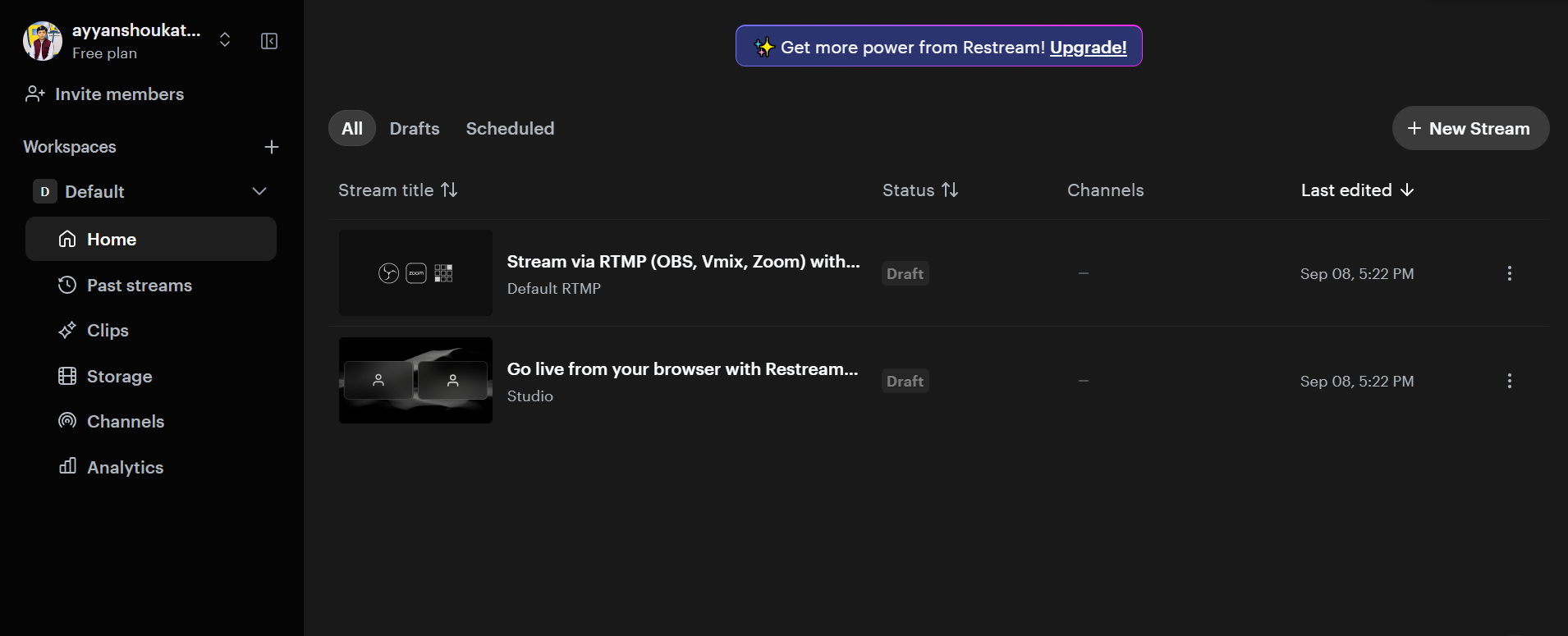
    Restream is a useful online platform that can make interviews, live conversations, and online sessions easier to organize and share. It allows you to connect with your guest and broadcast your interview to different platforms, helping more people watch and engage with your content.

    To use Restream for an interview, first create an account and set up your live stream. You can connect the social media platforms where you want your interview to appear. After that, prepare your interview space by checking your camera, microphone, internet connection, and lighting. A clear audio and video setup can make the interview much more enjoyable for viewers.

    Next, invite your guest to join the interview. Before going live, it is a good idea to test the camera and microphone with your guest so that both of you are ready. You can prepare a few simple questions in advance, but you should also allow the conversation to flow naturally. Start the interview with a friendly introduction, introduce your guest, and explain the topic you will discuss.

    During the interview, listen carefully to your guest and ask questions clearly. Avoid interrupting, give your guest enough time to answer, and keep the conversation interesting and respectful. Restream can help you manage the live broadcast while you focus on the conversation.

    After the interview, you can review the recording, share highlights, and use the experience to improve your future interviews. Interviews are a great way to learn from other people, discover new ideas, improve communication skills, and build confidence in speaking.

    Learning to use tools like Restream is also a valuable digital skill. With practice, students can become more comfortable with online communication, live streaming, teamwork, and content creation.

    The goal is not only to conduct an interview, but also to learn how technology can connect people, share knowledge, and create meaningful conversations.

    #Restream #OnlineInterview #LiveInterview #InterviewSkills #CommunicationSkills #DigitalSkills #ContentCreation #LiveStreaming #Learning #StudentProjects #Technology #RSF8
    RSIF8 ROLL NO:13 TASK NO:9 🎥 How to Use Restream for Interviews? 🎤🌐 Restream is a useful online platform that can make interviews, live conversations, and online sessions easier to organize and share. It allows you to connect with your guest and broadcast your interview to different platforms, helping more people watch and engage with your content. To use Restream for an interview, first create an account and set up your live stream. You can connect the social media platforms where you want your interview to appear. After that, prepare your interview space by checking your camera, microphone, internet connection, and lighting. A clear audio and video setup can make the interview much more enjoyable for viewers. Next, invite your guest to join the interview. Before going live, it is a good idea to test the camera and microphone with your guest so that both of you are ready. You can prepare a few simple questions in advance, but you should also allow the conversation to flow naturally. Start the interview with a friendly introduction, introduce your guest, and explain the topic you will discuss. During the interview, listen carefully to your guest and ask questions clearly. Avoid interrupting, give your guest enough time to answer, and keep the conversation interesting and respectful. Restream can help you manage the live broadcast while you focus on the conversation. After the interview, you can review the recording, share highlights, and use the experience to improve your future interviews. Interviews are a great way to learn from other people, discover new ideas, improve communication skills, and build confidence in speaking. Learning to use tools like Restream is also a valuable digital skill. With practice, students can become more comfortable with online communication, live streaming, teamwork, and content creation. 🚀💻 ✨ The goal is not only to conduct an interview, but also to learn how technology can connect people, share knowledge, and create meaningful conversations. #Restream #OnlineInterview #LiveInterview #InterviewSkills #CommunicationSkills #DigitalSkills #ContentCreation #LiveStreaming #Learning #StudentProjects #Technology #RSF8🎓✨

    0 Commentarii 0 Distribuiri 3371 Views
  • RSIF8
    Roll no 94
    Task no 9
    Task topic How to use streamyard for interviews
    How to Use StreamYard for Interviews?
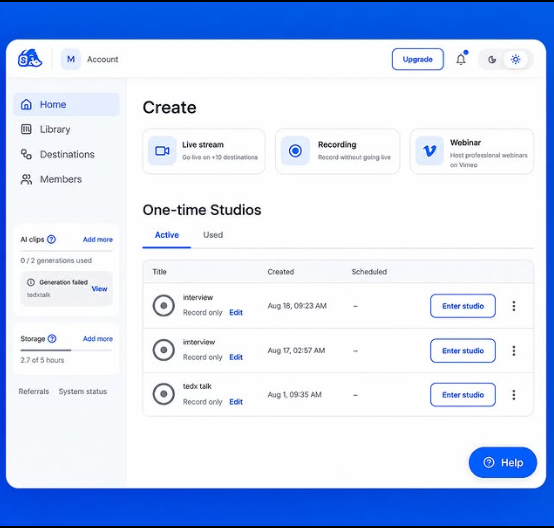
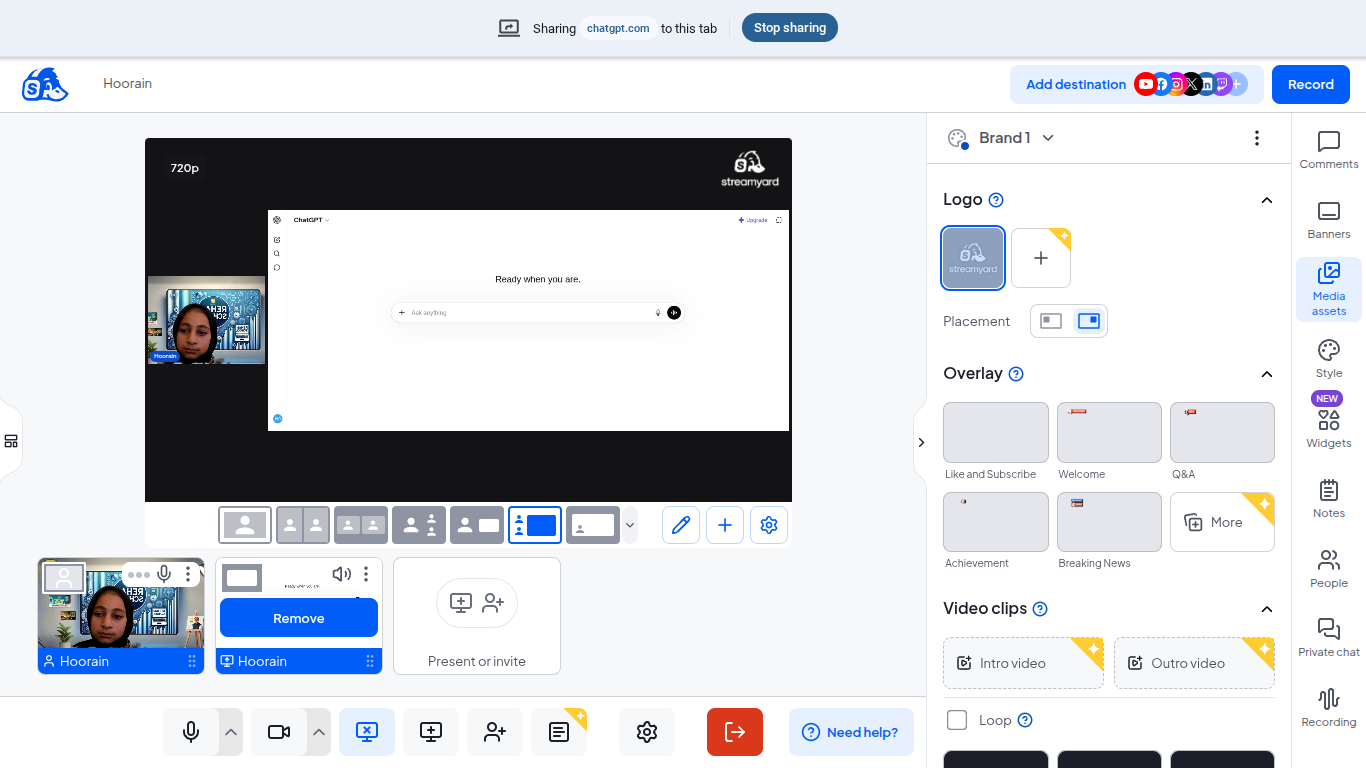
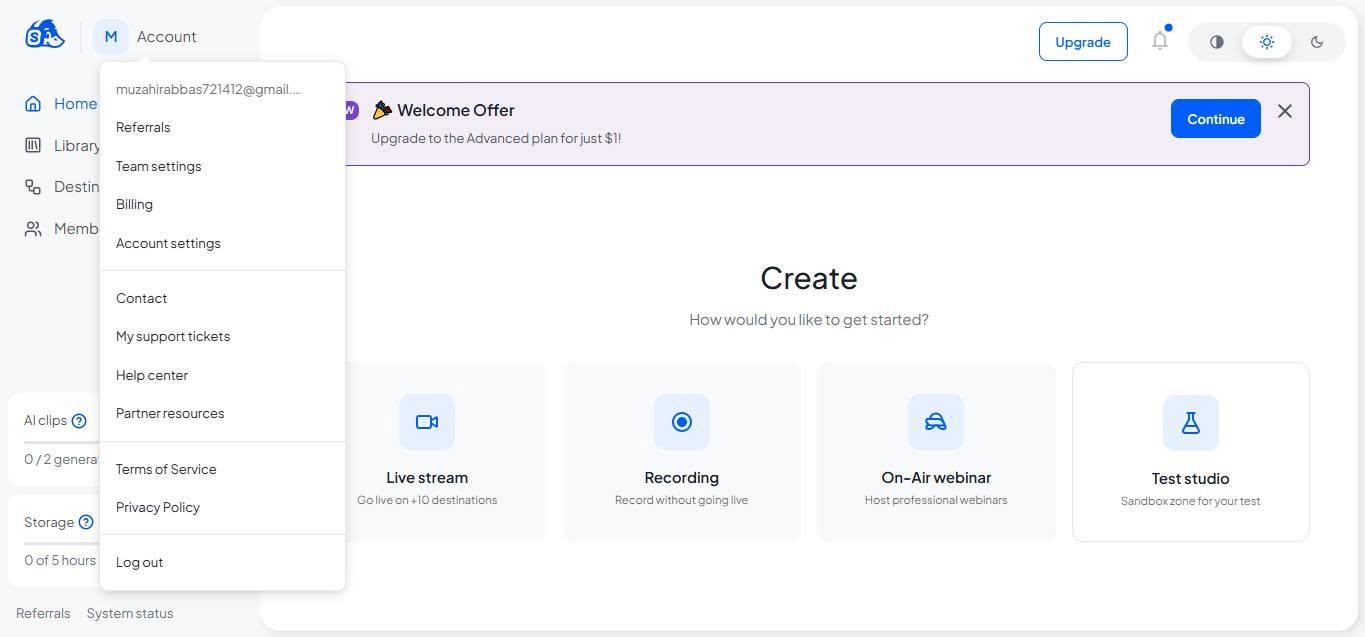
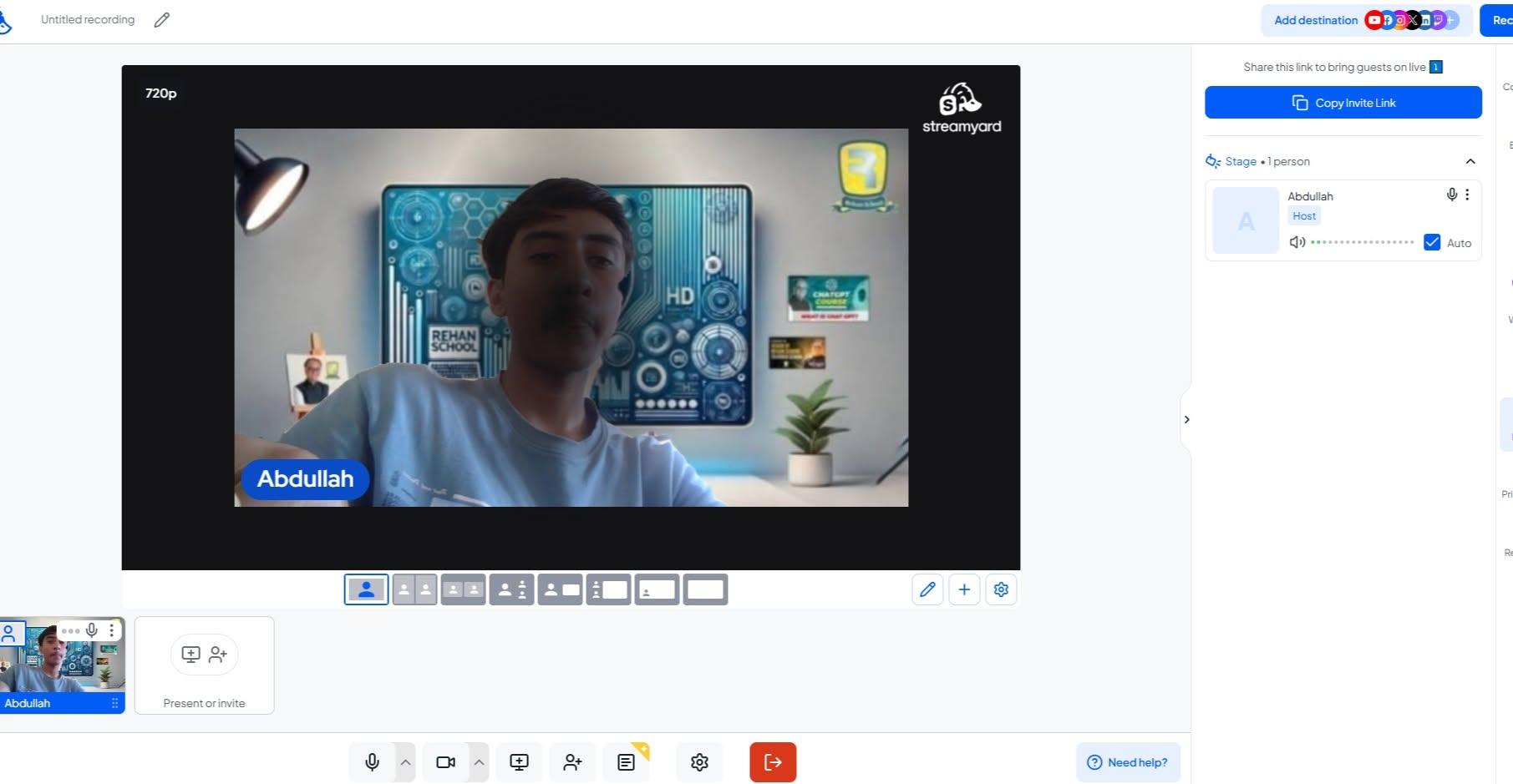
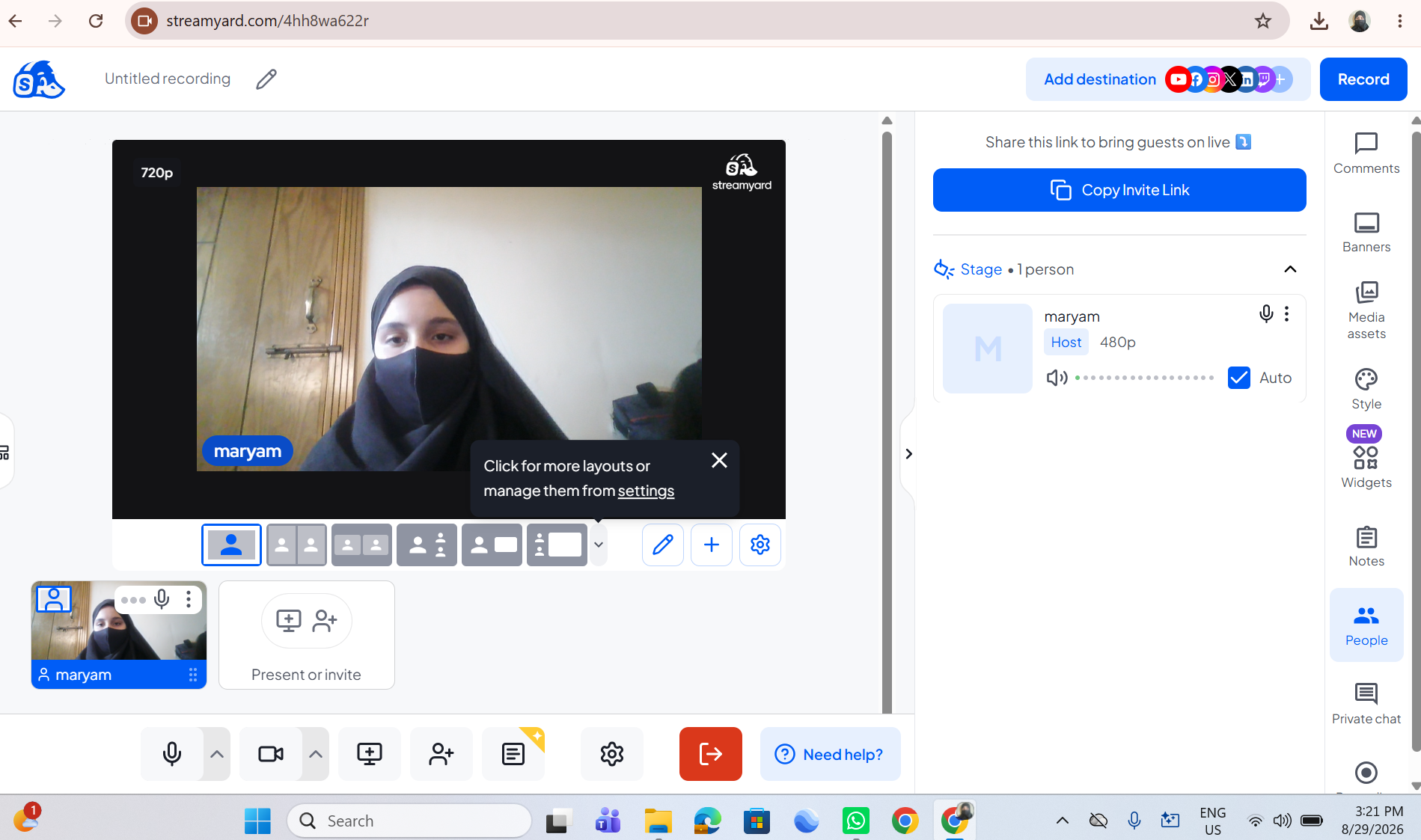
    StreamYard makes online interviews simple and professional! First, sign up and create a broadcast or recording studio. Invite your guest by sharing the interview link —they can join directly from their browser without downloading anything. Customize your layout, add your logo, banners, and branding , then go live on platforms like YouTube, Facebook, or LinkedIn. You can also record interviews, display comments on screen , and create engaging conversations with ease.
    Perfect for podcasts, business interviews, webinars, and content creation!
    #StreamYard #OnlineInterview #Podcasting #LiveStreaming #ContentCreator #DigitalMarketing #VideoInterview #YouTubeLive #FacebookLive #LinkedInLive #RemoteInterview #StreamingTips
    RSIF8 Roll no 94 Task no 9 Task topic How to use streamyard for interviews 📹🎤 How to Use StreamYard for Interviews? StreamYard makes online interviews simple and professional! 🌟 First, sign up and create a broadcast or recording studio. 🎬 Invite your guest by sharing the interview link 🔗—they can join directly from their browser without downloading anything. 💻🎙️ Customize your layout, add your logo, banners, and branding 🎨, then go live on platforms like YouTube, Facebook, or LinkedIn. 📺✨ You can also record interviews, display comments on screen 💬, and create engaging conversations with ease. 🚀 Perfect for podcasts, business interviews, webinars, and content creation! 🎧🎥 #StreamYard #OnlineInterview #Podcasting #LiveStreaming #ContentCreator #DigitalMarketing #VideoInterview #YouTubeLive #FacebookLive #LinkedInLive #RemoteInterview #StreamingTips 🚀🎤📹✨
    0 Commentarii 0 Distribuiri 6080 Views
  • RSIF8
    Roll no : 83
    Task no :9
    Task Topic : How to use streamyard for
    interviews?
    Use StreamYard to host professional interviews with ease! Simply create a studio, invite your guest with a shareable link, and start your conversation live or record it for later. Customize your layout, display names and branding, share your screen, and engage with your audience through live comments—all from your browser with no downloads required.
    #StreamYard #LiveStreaming #Interviews #Podcasting #ContentCreator #VideoMarketing #LiveVideo #StreamingTips #OnlineInterviews #Broadcasting See less
    13w
    RSIF8 Roll no : 83 Task no :9 Task Topic : How to use streamyard for interviews? 🎙️✨ Use StreamYard to host professional interviews with ease! Simply create a studio, invite your guest with a shareable link, and start your conversation live or record it for later. Customize your layout, display names and branding, share your screen, and engage with your audience through live comments—all from your browser with no downloads required. 🚀📹💬 #StreamYard #LiveStreaming #Interviews #Podcasting #ContentCreator #VideoMarketing #LiveVideo #StreamingTips #OnlineInterviews #Broadcasting 🎙️✨🚀📹💬🎤🌟 See less 13w
    0 Commentarii 0 Distribuiri 5271 Views
  • RSIF8
    ROLL NO 100
    TASK NO 9
    TOPIC How to use StreamYard for interviews?

    Here’s a ready-to-post description for your StreamYard interview tutorial:

    **How to Use StreamYard for Interviews?**

    Want to conduct professional and engaging online interviews? In this tutorial, learn how to use **StreamYard** step by step, invite a guest, manage your interview, and create an engaging live session.

    StreamYard makes online interviews simple, interactive, and fun! Watch the tutorial and improve your digital communication skills.

    #StreamYard #StreamYardTutorial #OnlineInterview #InterviewSkills #DigitalSkills #LiveStreaming #CommunicationSkills #OnlineLearning #TechSkills #LearnStreamYard #ContentCreation
    RSIF8 ROLL NO 100 TASK NO 9 TOPIC How to use StreamYard for interviews? Here’s a ready-to-post description for your StreamYard interview tutorial: 🎥🎤 **How to Use StreamYard for Interviews?** 🌟 Want to conduct professional and engaging online interviews? 💻✨ In this tutorial, learn how to use **StreamYard** step by step, invite a guest, manage your interview, and create an engaging live session. 🚀🎙️ StreamYard makes online interviews simple, interactive, and fun! 😊📡 Watch the tutorial and improve your digital communication skills. 💡🔥 #StreamYard #StreamYardTutorial #OnlineInterview #InterviewSkills #DigitalSkills #LiveStreaming #CommunicationSkills #OnlineLearning #TechSkills #LearnStreamYard #ContentCreation 🎥🎤💻✨
    0 Commentarii 0 Distribuiri 3252 Views
  • RSIF8
    Roll no:100
    Task no:9
    Task topic:How to use StreamYard for interviews?
    How to Use StreamYard for Interviews
    Want to host professional online interviews with ease? Here's how:
    Create your broadcast in StreamYard
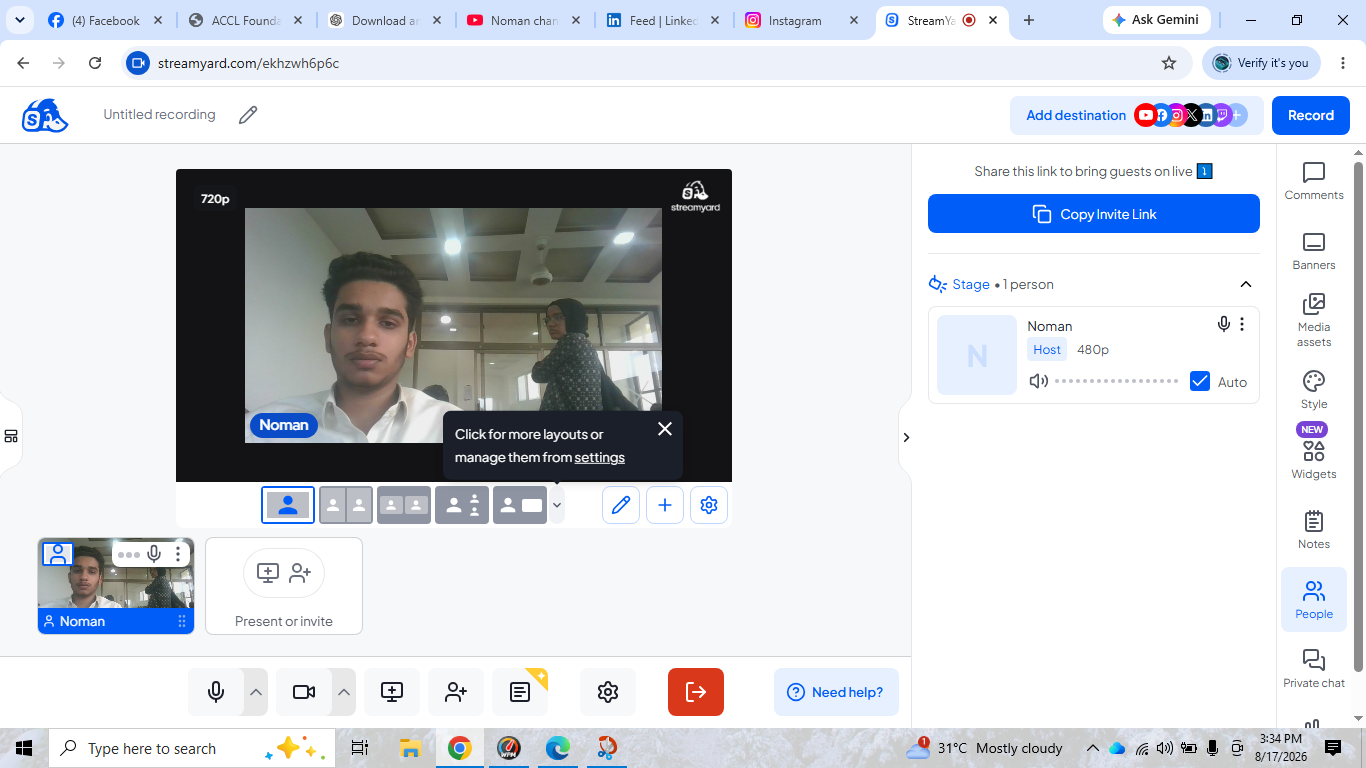
    Invite your guest with a simple link—no software download needed!
    Customize your layout, add your logo, and display names.
    Highlight audience comments live during the interview.
    Stream directly to YouTube, Facebook, LinkedIn, or other platforms.
    Record your interview for future editing and sharing.
    Whether you're hosting podcasts, business discussions, educational sessions, or live Q&As, StreamYard makes interviewing simple and professional.
    #StreamYard #OnlineInterview #LiveStreaming #Podcast #ContentCreator #YouTubeLive #FacebookLive #LinkedInLive #VirtualInterview #LiveShow #StreamingTips #VideoMarketing #DigitalCreator #InterviewTips #ContentMarketing
    RSIF8 Roll no:100 Task no:9 Task topic:How to use StreamYard for interviews? 🎙️ How to Use StreamYard for Interviews 🎥 Want to host professional online interviews with ease? 🚀 Here's how: ✅ Create your broadcast in StreamYard 🎤 Invite your guest with a simple link—no software download needed! 🎥 Customize your layout, add your logo, and display names. 💬 Highlight audience comments live during the interview. 📡 Stream directly to YouTube, Facebook, LinkedIn, or other platforms. 🎬 Record your interview for future editing and sharing. Whether you're hosting podcasts, business discussions, educational sessions, or live Q&As, StreamYard makes interviewing simple and professional. 🌟 #StreamYard #OnlineInterview #LiveStreaming #Podcast #ContentCreator #YouTubeLive #FacebookLive #LinkedInLive #VirtualInterview #LiveShow #StreamingTips #VideoMarketing #DigitalCreator #InterviewTips #ContentMarketing
    0 Commentarii 0 Distribuiri 8391 Views
  • **Batch 14**
    **Task No. 9**
    **Book ACCl**

    Today, I successfully completed my task of using **Restream for interviews**. I learned how to set up an online interview, manage the live studio, and use essential features such as camera, microphone, guest invitations, and live broadcasting. This hands-on experience helped me strengthen my skills in virtual communication, live streaming, and professional online interview management.

    #TaskCompleted #Restream #OnlineInterview #LiveStreaming #VirtualCommunication #DigitalSkills #ProfessionalGrowth #Learning
    **Batch 14** **Task No. 9** **Book ACCl** Today, I successfully completed my task of using **Restream for interviews**. I learned how to set up an online interview, manage the live studio, and use essential features such as camera, microphone, guest invitations, and live broadcasting. This hands-on experience helped me strengthen my skills in virtual communication, live streaming, and professional online interview management. #TaskCompleted #Restream #OnlineInterview #LiveStreaming #VirtualCommunication #DigitalSkills #ProfessionalGrowth #Learning
    0 Commentarii 0 Distribuiri 4096 Views
  • RSIF8
    Roll No: 99
    Task No: 9
    Task Topic: How to use StreamYard for interviews?

    Want to host professional interviews online?

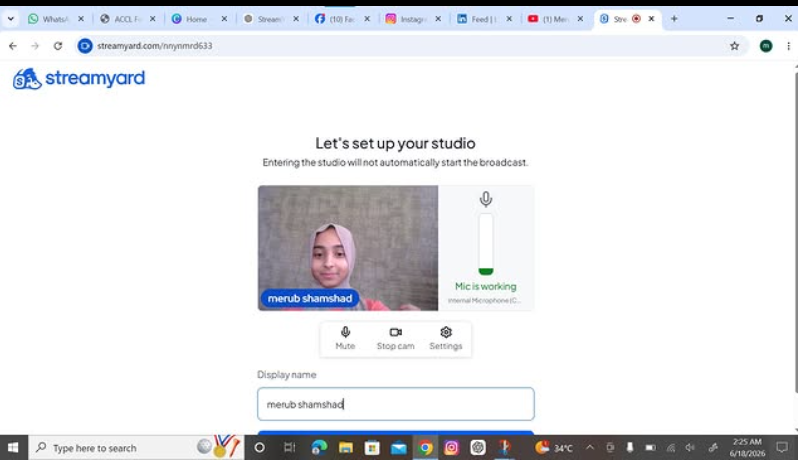
    In this easy step-by-step guide, you’ll learn **how to use StreamYard for interviews**—from setting up your studio and inviting guests to checking your camera and microphone and going live.

    StreamYard makes it easier to conduct interviews, podcasts, webinars, and live conversations without complicated setup.

    Save this post for later and share it with someone who wants to start hosting online interviews!

    #StreamYard #StreamYardTutorial #OnlineInterviews #LiveStreaming #VideoInterview #Podcasting #ContentCreation #DigitalSkills #TechTips #LiveStream #OnlineEvents #VideoContent #CreatorTips #DigitalTools #HowTo #StepByStep #TechTutorial #ContentCreator #OnlineLearning #StreamingTips
    RSIF8 Roll No: 99 Task No: 9 Task Topic: How to use StreamYard for interviews? 🎙️ Want to host professional interviews online? In this easy step-by-step guide, you’ll learn **how to use StreamYard for interviews**—from setting up your studio and inviting guests to checking your camera and microphone and going live. 💻🎥 StreamYard makes it easier to conduct interviews, podcasts, webinars, and live conversations without complicated setup. 📌 Save this post for later and share it with someone who wants to start hosting online interviews! #StreamYard #StreamYardTutorial #OnlineInterviews #LiveStreaming #VideoInterview #Podcasting #ContentCreation #DigitalSkills #TechTips #LiveStream #OnlineEvents #VideoContent #CreatorTips #DigitalTools #HowTo #StepByStep #TechTutorial #ContentCreator #OnlineLearning #StreamingTips
    0 Commentarii 0 Distribuiri 6964 Views
  • RSIF8
    Roll No: 112
    Task No: 9
    Task Topic: How to Use StreamYard for Interviews?
    In this video, I explain the simple steps to use StreamYard for conducting online interviews and live broadcasts.
    StreamYard is a useful platform for hosting interviews, live streams, and online conversations with guests.
    In this tutorial, you will learn how to:
    Sign up or log in to StreamYard
    Create a broadcast and choose a platform
    Add a title for your interview
    Enter the studio and allow camera and microphone access
    Invite a guest using a share link
    Click Go Live to start the interview
    End the broadcast when the interview is finished
    This activity helped me improve my digital, communication, and online presentation skills.
    Tip: Check your camera, microphone, and internet connection before going live.
    Watch the video and follow the steps!
    Learn • Connect • Interview • Improve
    #RSIF8 #RollNo113 #PostNo8 #StreamYard #OnlineInterview #LiveStreaming #DigitalSkills #DigitalLiteracy #CommunicationSkills #Technology #OnlineLearning #InterviewSkills #PresentationSkills #VirtualInterview #TechSkills #LearningJourney #StudentLife #KeepLearning
    RSIF8 Roll No: 112 Task No: 9 Task Topic: How to Use StreamYard for Interviews? In this video, I explain the simple steps to use StreamYard for conducting online interviews and live broadcasts. 💻🎙️ StreamYard is a useful platform for hosting interviews, live streams, and online conversations with guests. 🌐🗣️ In this tutorial, you will learn how to: 🔹 Sign up or log in to StreamYard 👤 🔹 Create a broadcast and choose a platform 📡 🔹 Add a title for your interview 📝 🔹 Enter the studio and allow camera and microphone access 🎥🎙️ 🔹 Invite a guest using a share link 🔗 🔹 Click Go Live to start the interview 🔴 🔹 End the broadcast when the interview is finished ✅ This activity helped me improve my digital, communication, and online presentation skills. 💻🗣️✨ 💡 Tip: Check your camera, microphone, and internet connection before going live. 🎙️📶 🎬 Watch the video and follow the steps! 👇 Learn • Connect • Interview • Improve 🚀✨ #RSIF8 #RollNo113 #PostNo8 #StreamYard #OnlineInterview #LiveStreaming #DigitalSkills #DigitalLiteracy #CommunicationSkills #Technology #OnlineLearning #InterviewSkills #PresentationSkills #VirtualInterview #TechSkills #LearningJourney #StudentLife #KeepLearning
    0 Commentarii 0 Distribuiri 4077 Views