• #rsisb
    RollNo.247
    Fundional Level
    How to Make a Facebook Account and Set It Up
    Creating a Facebook account is quick and easy, and it opens the door to connecting with friends, family, communities, and businesses from around the world. Whether you're new to social media or just creating a fresh account, this step-by-step guide will help you get started.
    Step 1: Visit Facebook
    Open your web browser and go to the official Facebook website, or download the Facebook app from your device's app store.
    Step 2: Sign Up
    Click "Create New Account" and enter your details:
    Full Name
    Email Address or Mobile Number
    Create a Strong Password
    Date of Birth
    โšง Select Your Gender
    Click "Sign Up."
    Step 3: Verify Your Account
    Facebook will send a verification code to your email or phone number. Enter the code to confirm your account and activate it.
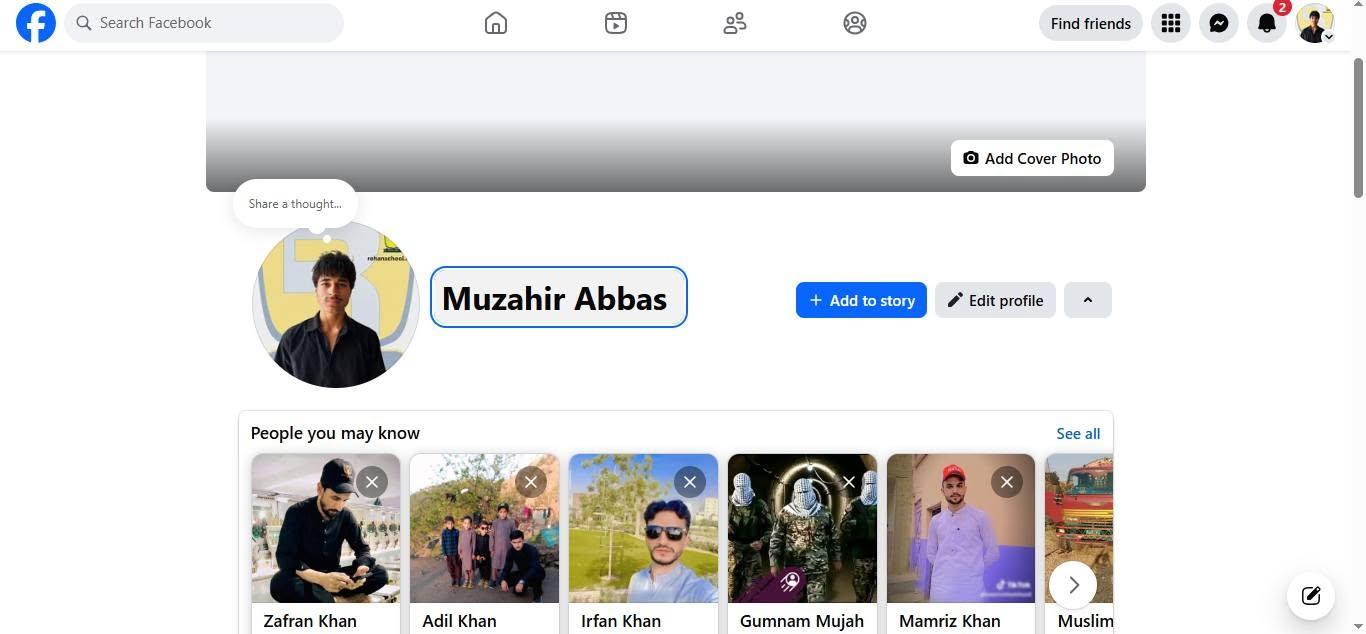
    Step 4: Add a Profile Picture
    Upload a clear profile photo so people can recognize you. A friendly smile makes a great first impression!
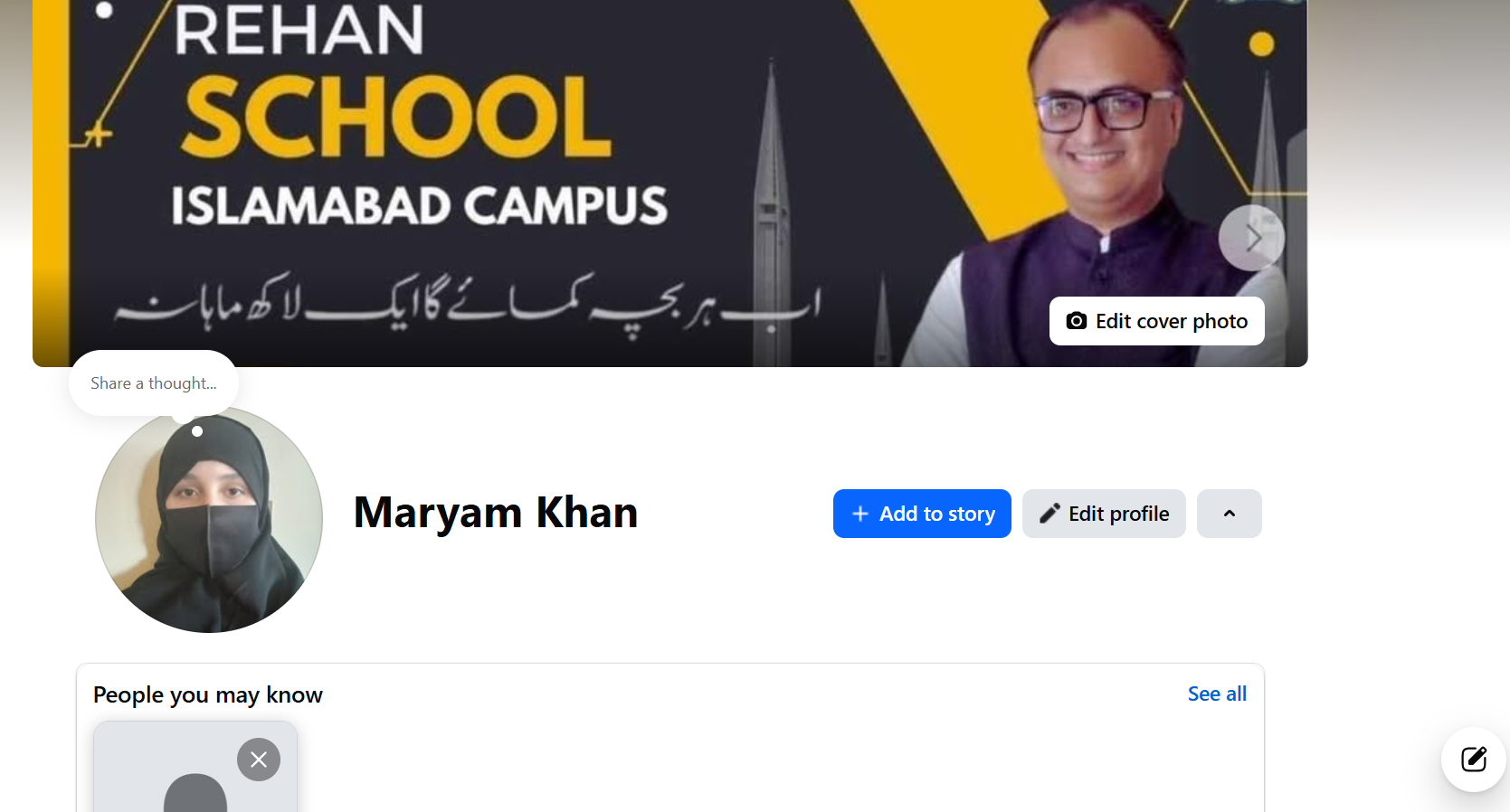
    Step 5: Add a Cover Photo
    Choose a beautiful cover image that reflects your personality, hobbies, or favorite places.
    Step 6: Complete Your Profile
    Fill in your profile information, such as:
    Hometown
    Education
    Workplace
    Relationship Status (Optional)
    Interests and Hobbies
    A complete profile helps friends find you more easily.
    Step 7: Find Friends
    Search for friends by name, sync your contacts, or send friend requests to people you know. Building your network makes Facebook more enjoyable.
    Step 8: Adjust Privacy Settings
    Protect your personal information by choosing who can:
    View your posts
    Send friend requests
    See your photos
    Find your profile
    Review your privacy settings regularly to stay safe online.
    Step 9: Like Pages and Join Groups
    Follow your favorite celebrities, businesses, sports teams, educational pages, and join groups that match your interests.
    Step 10: Share Your First Post
    Introduce yourself, share a photo, or post something positive. Engage with others by liking, commenting, and sharing content respectfully.
    Facebook Tips
    Use a strong password.
    Enable two-factor authentication for extra security.
    Never share your password with anyone.
    Be respectful when commenting or posting.
    Watch out for fake profiles and scams.
    Facebook is a great platform for staying connected, learning new things, growing your business, and sharing memorable moments with people you care about. Use it wisely, protect your privacy, and enjoy building meaningful connections online!
    #Facebook #FacebookAccount #CreateFacebook #SocialMedia #FacebookTips #OnlineSafety #DigitalSkills #TechTutorial #BeginnerGuide #LearnFacebook #ProfileSetup #PrivacySettings #ConnectWithFriends #SocialNetworking #InternetBasics #TechEducation #StayConnected #OnlineCommunity #EasyGuide #Technology See less
    #rsisb RollNo.247 Fundional Level ๐Ÿ“˜ How to Make a Facebook Account and Set It Up ๐Ÿš€๐Ÿ“ฑ Creating a Facebook account is quick and easy, and it opens the door to connecting with friends, family, communities, and businesses from around the world. ๐ŸŒ๐Ÿ’™ Whether you're new to social media or just creating a fresh account, this step-by-step guide will help you get started. ๐Ÿ“ Step 1: Visit Facebook Open your web browser and go to the official Facebook website, or download the Facebook app from your device's app store. ๐Ÿ“ฒ ๐Ÿ‘ค Step 2: Sign Up Click "Create New Account" and enter your details: ๐Ÿง‘ Full Name ๐Ÿ“ง Email Address or ๐Ÿ“ฑ Mobile Number ๐Ÿ”’ Create a Strong Password ๐ŸŽ‚ Date of Birth โšง Select Your Gender Click "Sign Up." โœ‰๏ธ Step 3: Verify Your Account Facebook will send a verification code to your email or phone number. Enter the code to confirm your account and activate it. โœ… ๐Ÿ–ผ๏ธ Step 4: Add a Profile Picture Upload a clear profile photo so people can recognize you. A friendly smile makes a great first impression! ๐Ÿ˜Š๐Ÿ“ธ ๐ŸŽจ Step 5: Add a Cover Photo Choose a beautiful cover image that reflects your personality, hobbies, or favorite places. ๐ŸŒ…๐ŸŽ‰ ๐Ÿ“ Step 6: Complete Your Profile Fill in your profile information, such as: ๐Ÿก Hometown ๐Ÿซ Education ๐Ÿ’ผ Workplace โค๏ธ Relationship Status (Optional) ๐ŸŽฏ Interests and Hobbies A complete profile helps friends find you more easily. ๐Ÿค Step 7: Find Friends Search for friends by name, sync your contacts, or send friend requests to people you know. Building your network makes Facebook more enjoyable. ๐Ÿ‘จ‍๐Ÿ‘ฉ‍๐Ÿ‘ง‍๐Ÿ‘ฆ๐Ÿ’ฌ ๐Ÿ” Step 8: Adjust Privacy Settings Protect your personal information by choosing who can: ๐Ÿ‘€ View your posts ๐Ÿ‘ฅ Send friend requests ๐Ÿ“ท See your photos ๐Ÿ“ Find your profile Review your privacy settings regularly to stay safe online. ๐Ÿ›ก๏ธ ๐Ÿ‘ Step 9: Like Pages and Join Groups Follow your favorite celebrities, businesses, sports teams, educational pages, and join groups that match your interests. ๐Ÿ“šโšฝ๐ŸŽฎ๐ŸŽต ๐Ÿ“ธ Step 10: Share Your First Post Introduce yourself, share a photo, or post something positive. Engage with others by liking, commenting, and sharing content respectfully. ๐ŸŒŸ๐Ÿ’ฌโค๏ธ ๐Ÿ’ก Facebook Tips โœ… Use a strong password. ๐Ÿ”‘ โœ… Enable two-factor authentication for extra security. ๐Ÿ” โœ… Never share your password with anyone. ๐Ÿšซ โœ… Be respectful when commenting or posting. ๐Ÿค โœ… Watch out for fake profiles and scams. โš ๏ธ Facebook is a great platform for staying connected, learning new things, growing your business, and sharing memorable moments with people you care about. Use it wisely, protect your privacy, and enjoy building meaningful connections online! ๐ŸŒ๐Ÿ’™โœจ #Facebook #FacebookAccount #CreateFacebook #SocialMedia #FacebookTips #OnlineSafety #DigitalSkills #TechTutorial #BeginnerGuide #LearnFacebook #ProfileSetup #PrivacySettings #ConnectWithFriends #SocialNetworking #InternetBasics #TechEducation #StayConnected #OnlineCommunity #EasyGuide #Technology ๐Ÿ“ฑ๐ŸŒ๐Ÿš€โœจ See less
    0 Commenti 0 condivisioni 11846 Views
  • #rsisb
    Roll No.190
    Canva Post No.54
    Foundation Level

    Password Generator – Create Strong & Secure Passwords!
    Ideas for a Password Generator

    Generate strong passwords instantly
    Create secure passwords in one click
    Protect your accounts from hackers
    Customize password length and complexity
    Include uppercase, lowercase, numbers, and symbols
    Easy-to-use and mobile-friendly design
    Fast, reliable, and secure password creation
    Improve your online security today
    Perfect for social media, email, and banking accounts
    Stay safe across all your devices

    Why Use a Password Generator?

    Creates hard-to-guess passwords
    Enhances online privacy
    Saves time and effort
    Reduces the risk of account breaches
    Encourages better cybersecurity habits

    Catchy Titles

    Password Generator – Your Security Partner
    Strong Passwords Made Simple
    Instant Password Creator
    Generate, Protect, Secure
    Smart Password Generator
    Build Better Passwords Today
    Secure Every Login
    One Click, Maximum Protection
    The Ultimate Password Maker
    Create Passwords Like a Pro

    Hashtags

    #PasswordGenerator
    #CyberSecurity
    #OnlineSafety
    #StrongPasswords
    #DataProtection
    #PrivacyMatters
    #DigitalSecurity
    #TechTools
    #SafeBrowsing
    #InternetSafety
    #SecureAccounts
    #PasswordProtection
    #SecurityTips
    #StaySafeOnline
    #Technology
    #rsisb Roll No.190 Canva Post No.54 Foundation Level ๐Ÿ” Password Generator – Create Strong & Secure Passwords! ๐Ÿ›ก๏ธ ๐Ÿ’ก Ideas for a Password Generator ๐Ÿ”‘ Generate strong passwords instantly โšก Create secure passwords in one click ๐Ÿ›ก๏ธ Protect your accounts from hackers ๐ŸŽฏ Customize password length and complexity ๐Ÿ”  Include uppercase, lowercase, numbers, and symbols ๐Ÿ“ฑ Easy-to-use and mobile-friendly design ๐Ÿš€ Fast, reliable, and secure password creation ๐Ÿ”’ Improve your online security today ๐Ÿ’ป Perfect for social media, email, and banking accounts ๐ŸŒ Stay safe across all your devices โœจ Why Use a Password Generator? โœ… Creates hard-to-guess passwords ๐Ÿ” โœ… Enhances online privacy ๐Ÿ›ก๏ธ โœ… Saves time and effort โฐ โœ… Reduces the risk of account breaches ๐Ÿšซ โœ… Encourages better cybersecurity habits ๐Ÿ’ก ๐ŸŒŸ Catchy Titles ๐Ÿ” Password Generator – Your Security Partner ๐Ÿ›ก๏ธ Strong Passwords Made Simple โšก Instant Password Creator ๐Ÿ”‘ Generate, Protect, Secure ๐Ÿš€ Smart Password Generator ๐Ÿ’ป Build Better Passwords Today ๐ŸŒ Secure Every Login ๐ŸŽฏ One Click, Maximum Protection ๐Ÿ”’ The Ultimate Password Maker โœจ Create Passwords Like a Pro ๐Ÿ“ฑ Hashtags #PasswordGenerator ๐Ÿ” #CyberSecurity ๐Ÿ›ก๏ธ #OnlineSafety ๐ŸŒ #StrongPasswords ๐Ÿ’ช #DataProtection ๐Ÿ”’ #PrivacyMatters ๐Ÿ‘ค #DigitalSecurity ๐Ÿ’ป #TechTools โšก #SafeBrowsing ๐Ÿš€ #InternetSafety ๐ŸŒŸ #SecureAccounts ๐Ÿ”‘ #PasswordProtection ๐Ÿ›ก๏ธ #SecurityTips ๐Ÿ’ก #StaySafeOnline ๐ŸŒ #Technology ๐Ÿš€
    0 Commenti 0 condivisioni 8433 Views