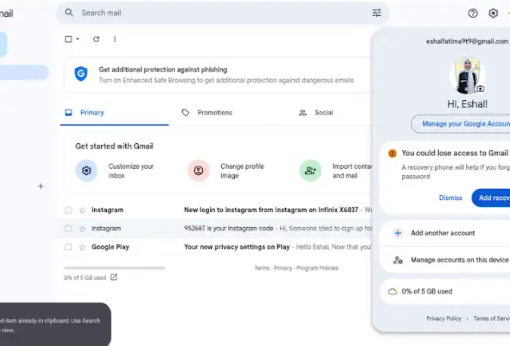
• **Sharing with Others Live on Social Media**

    Social media has changed the way we communicate, learn, and connect with people around the world. Going live allows us to share moments, ideas, knowledge, events, and experiences with others in real time. Whether it is an educational discussion, a creative session, a special event, or simply connecting with an audience, live streaming gives people the opportunity to interact instantly.

    At the same time, responsible sharing is very important. Before going live, we should think about privacy, personal information, respectful communication, and the type of content we are sharing. A positive and safe online environment depends on everyone using social media responsibly.

    Live social media can be a powerful way to communicate, inspire others, learn new things, and build meaningful communities. When we use it wisely, respectfully, and safely, it can turn technology into a great tool for connection and learning.

    #SocialMedia #LiveStreaming #SocialMediaLive #DigitalCommunication #OnlineSafety #DigitalSkills #SocialMediaTips #LiveVideo #Technology #DigitalLearning #OnlineCommunity #SocialMediaAwareness #ContentCreation #InternetSafety #DigitalWorld
    ๐Ÿ“ฑ๐ŸŒ **Sharing with Others Live on Social Media** ๐ŸŽฅโœจ Social media has changed the way we communicate, learn, and connect with people around the world. Going live allows us to share moments, ideas, knowledge, events, and experiences with others in real time. Whether it is an educational discussion, a creative session, a special event, or simply connecting with an audience, live streaming gives people the opportunity to interact instantly. ๐Ÿ’ฌโค๏ธ At the same time, responsible sharing is very important. Before going live, we should think about privacy, personal information, respectful communication, and the type of content we are sharing. A positive and safe online environment depends on everyone using social media responsibly. ๐Ÿ”๐ŸŒŸ Live social media can be a powerful way to communicate, inspire others, learn new things, and build meaningful communities. When we use it wisely, respectfully, and safely, it can turn technology into a great tool for connection and learning. ๐Ÿš€๐Ÿ“ฒ #SocialMedia #LiveStreaming #SocialMediaLive #DigitalCommunication #OnlineSafety #DigitalSkills #SocialMediaTips #LiveVideo #Technology #DigitalLearning #OnlineCommunity #SocialMediaAwareness #ContentCreation #InternetSafety #DigitalWorld
    0 Comments 0 Shares 670 Views 6
  • **Sharing with Others Live on Social Media**

    Social media has changed the way we communicate, learn, and connect with people around the world. Going live allows us to share moments, ideas, knowledge, events, and experiences with others in real time. Whether it is an educational discussion, a creative session, a special event, or simply connecting with an audience, live streaming gives people the opportunity to interact instantly.

    At the same time, responsible sharing is very important. Before going live, we should think about privacy, personal information, respectful communication, and the type of content we are sharing. A positive and safe online environment depends on everyone using social media responsibly.

    Live social media can be a powerful way to communicate, inspire others, learn new things, and build meaningful communities. When we use it wisely, respectfully, and safely, it can turn technology into a great tool for connection and learning.

    #SocialMedia #LiveStreaming #SocialMediaLive #DigitalCommunication #OnlineSafety #DigitalSkills #SocialMediaTips #LiveVideo #Technology #DigitalLearning #OnlineCommunity #SocialMediaAwareness #ContentCreation #InternetSafety #DigitalWorld
    ๐Ÿ“ฑ๐ŸŒ **Sharing with Others Live on Social Media** ๐ŸŽฅโœจ Social media has changed the way we communicate, learn, and connect with people around the world. Going live allows us to share moments, ideas, knowledge, events, and experiences with others in real time. Whether it is an educational discussion, a creative session, a special event, or simply connecting with an audience, live streaming gives people the opportunity to interact instantly. ๐Ÿ’ฌโค๏ธ At the same time, responsible sharing is very important. Before going live, we should think about privacy, personal information, respectful communication, and the type of content we are sharing. A positive and safe online environment depends on everyone using social media responsibly. ๐Ÿ”๐ŸŒŸ Live social media can be a powerful way to communicate, inspire others, learn new things, and build meaningful communities. When we use it wisely, respectfully, and safely, it can turn technology into a great tool for connection and learning. ๐Ÿš€๐Ÿ“ฒ #SocialMedia #LiveStreaming #SocialMediaLive #DigitalCommunication #OnlineSafety #DigitalSkills #SocialMediaTips #LiveVideo #Technology #DigitalLearning #OnlineCommunity #SocialMediaAwareness #ContentCreation #InternetSafety #DigitalWorld
    0 Comments 1 Shares 761 Views 4
  • RSIF8
    Roll no.29
    Task no.2
    Task Topic: How To make A Facebook account and set it up

    1. Go to Facebook 1-2 minutes.
    Open the Facebook app on your phone, or visit *facebook.com* on a computer web browser. Click on *"Create new account"* or *"Sign Up"*.


    2. *Enter your basic info:* 2 minutes.
    Type in your *first and last name*, your *mobile number or email address*, a *strong password*, your *date of birth*, and your *gender*.

    > *Note:* Facebook requires your real name to help keep the community safe, though you can adjust your display privacy later.


    3. *Confirm your account:* 1 minute.
    Facebook will send a verification code to your email or phone number via SMS. *Enter that code* into the box on your screen to officially activate your account.


    4. *Upload a profile picture:* 2 minutes.
    Choose a clear photo of yourself so friends and family can recognize you. You can upload a photo directly from your device or take a new one.


    5. *Adjust your privacy settings:* 5 minutes.
    Go to *Settings & Privacy* > *Privacy Checkup*. Here, you can change your default post sharing from "Public" to *"Friends"* so only people you approve can see what you post.


    Enjoy Your Facebook Journey

    #Facebook #SocialMedia #ConnectWithFriends #TechTips #FacebookSetup #StayConnected #fyp
    RSIF8 Roll no.29 Task no.2 Task Topic: How To make A Facebook account and set it up 1. Go to Facebook 1-2 minutes. Open the Facebook app on your phone, or visit *facebook.com* on a computer web browser. Click on *"Create new account"* or *"Sign Up"*. 2. *Enter your basic info:* 2 minutes. Type in your *first and last name*, your *mobile number or email address*, a *strong password*, your *date of birth*, and your *gender*. > *Note:* Facebook requires your real name to help keep the community safe, though you can adjust your display privacy later. 3. *Confirm your account:* 1 minute. Facebook will send a verification code to your email or phone number via SMS. *Enter that code* into the box on your screen to officially activate your account. 4. *Upload a profile picture:* 2 minutes. Choose a clear photo of yourself so friends and family can recognize you. You can upload a photo directly from your device or take a new one. 5. *Adjust your privacy settings:* 5 minutes. Go to *Settings & Privacy* > *Privacy Checkup*. Here, you can change your default post sharing from "Public" to *"Friends"* so only people you approve can see what you post. Enjoy Your Facebook Journey #Facebook #SocialMedia #ConnectWithFriends #TechTips #FacebookSetup #StayConnected #fyp
    0 Comments 0 Shares 616 Views
  • RSIF8
    Roll no.29
    Task no.1
    Task Topic:How to Create Your Gmail Account
    1.Go to the Sign-Up Page:Step
    1.Open your web browser and head to the Google Account Creation page (or visit gmail.com and click "Create account"). 2.Choose Your Account Type:Step 2.Select whether this account is for your personal use, for a child, or for a business. ‍
    3.Enter Your Basic Info:Step
    3.Type in your First Name and Last Name. Then, choose a unique Username (this will be your new email address, like yourname@gmail.com). 4.Create a Strong Password:Step
    4.Mix letters, numbers, and symbols to keep your account safe. Enter it twice to confirm, then click Next.
    5.Add Recovery Details:Step
    5.Google will ask for a phone number and a recovery email. While some fields might be optional, adding them helps you get back into your account if you ever forget your password! 6.Review and Agree:Step 6.Enter your birthday and gender, click Next, and then review Google's Privacy and Terms. Click "I agree" to finish up. Once you finish these steps, you will be automatically redirected to your brand-new Gmail inbox! #GmailSetup #TechTips #NewAccount #EmailEssentials #DigitalLife#fypใ‚ธ
    RSIF8 Roll no.29 Task no.1 Task Topic:How to Create Your Gmail Account ๐Ÿ“ง 1.Go to the Sign-Up Page:Step 1.Open your web browser and head to the Google Account Creation page (or visit gmail.com and click "Create account"). ๐ŸŒ2.Choose Your Account Type:Step 2.Select whether this account is for your personal use, for a child, or for a business. ๐Ÿง‘‍๐Ÿ’ป 3.Enter Your Basic Info:Step 3.Type in your First Name and Last Name. Then, choose a unique Username (this will be your new email address, like yourname@gmail.com). โœ๏ธ4.Create a Strong Password:Step 4.Mix letters, numbers, and symbols to keep your account safe. Enter it twice to confirm, then click Next. ๐Ÿ”’ 5.Add Recovery Details:Step 5.Google will ask for a phone number and a recovery email. While some fields might be optional, adding them helps you get back into your account if you ever forget your password! ๐Ÿ“ž6.Review and Agree:Step 6.Enter your birthday and gender, click Next, and then review Google's Privacy and Terms. Click "I agree" to finish up. ๐ŸŽ‰Once you finish these steps, you will be automatically redirected to your brand-new Gmail inbox! โœจ#GmailSetup #TechTips #NewAccount #EmailEssentials #DigitalLife#fypใ‚ธ
    0 Comments 0 Shares 563 Views
  • RSIF8
    roll no 94
    task no 2
    task topic How to create a facebook account
    How to Make a Facebook Account and Set It Up
    Creating a Facebook account is quick and easy! Simply download the Facebook app or visit the Facebook website , sign up with your name, email or phone number, create a secure password , and follow the setup steps. Add a profile picture , update your bio , connect with friends , and customize your privacy settings to make your account safe and personal.
    Stay connected, share your favorite moments , join communities , and explore everything Facebook has to offer!
    #Facebook #FacebookAccount #SocialMedia #OnlineCommunity #TechTips #DigitalLife #CreateAccount #StayConnected #FacebookSetup #EasyGuide
    RSIF8 roll no 94 task no 2 task topic How to create a facebook account โœจ How to Make a Facebook Account and Set It Up โœจ๐Ÿ“˜ Creating a Facebook account is quick and easy! ๐Ÿš€ Simply download the Facebook app ๐Ÿ“ฑ or visit the Facebook website ๐ŸŒ, sign up with your name, email or phone number, create a secure password ๐Ÿ”’, and follow the setup steps. Add a profile picture ๐Ÿ“ธ, update your bio ๐Ÿ“, connect with friends ๐Ÿ‘ฅ, and customize your privacy settings โš™๏ธ to make your account safe and personal. Stay connected, share your favorite moments โค๏ธ, join communities ๐ŸŒ, and explore everything Facebook has to offer! ๐ŸŽ‰ #Facebook #FacebookAccount #SocialMedia #OnlineCommunity #TechTips #DigitalLife #CreateAccount #StayConnected #FacebookSetup #EasyGuide
    0 Comments 0 Shares 1145 Views
  • #rsisb Roll No.240 Call Annie No.27 Book A: Level One Date:9:21:26 Today, I had a valuable live session about “Sharing with Others Live on Social Media.” ๐ŸŽฅ๐Ÿ“ฒ In this session, I learned why responsible sharing is important and how we can use social media to spread useful, positive, and meaningful information. ๐Ÿ’ก๐ŸŒŸ Sharing on social media can help us connect with people, exchange knowledge, share learning experiences, spread awareness, and support others. ๐Ÿค๐Ÿ“šโค๏ธ But before sharing anything, we should think carefully, check the information, respect people’s privacy, and avoid spreading rumors or false information. ๐Ÿ”โœ… This session helped me understand that we should always think before we share. A responsible social media user shares information honestly, respectfully, and carefully. ๐ŸŒ๐Ÿ’ฌโœจ I am thankful for this learning opportunity and excited to continue improving my communication and social media skills. ๐Ÿš€๐Ÿ“–๐Ÿ’ช #SharingWithOthers #LiveOnSocialMedia #SocialMedia #ResponsibleSharing #ThinkBeforeYouShare #DigitalLearning #OnlineLearning #SocialMediaAwareness #PositiveSharing #KnowledgeSharing #DigitalResponsibility #CommunicationSkills #LearningJourney #StayPositive #SpreadKnowledge ๐Ÿ“ฑ๐Ÿค๐ŸŒโœจ @Rehan School Islamabad Campus @Asma Shaheen EducationWali @Irum Asim Leadershipwali @Saima Happinesswali https://www.facebook.com/share/v/19Qr5hjnt7/
    WWW.FACEBOOK.COM
    Made with Restream Studio. Livestream on 30+ platforms at once with Restream #rsisb Roll No.240 Call Annie No.27 Book A: Level One Date:9:21:26 Today, I had a valuable live session about “Sharing with Others Live on Social Media.” ๐ŸŽฅ๐Ÿ“ฒ In this session, I learned why responsible sharing is important and how we can use social media to spread useful, positive, and meaningful information. ๐Ÿ’ก๐ŸŒŸ Sharing on social media can help us connect with people, exchange knowledge, share learning experiences, spread awareness, and support others. ๐Ÿค๐Ÿ“šโค๏ธ But before sharing anything, we should think carefully, check the information, respect people’s privacy, and avoid spreading rumors or false information. ๐Ÿ”โœ… This session helped me understand that we should always think before we share. A responsible social media user shares information honestly, respectfully, and carefully. ๐ŸŒ๐Ÿ’ฌโœจ I am thankful for this learning opportunity and excited to continue improving my communication and social media skills. ๐Ÿš€๐Ÿ“–๐Ÿ’ช #SharingWithOthers #LiveOnSocialMedia #SocialMedia #ResponsibleSharing #ThinkBeforeYouShare #DigitalLearning #OnlineLearning #SocialMediaAwareness #PositiveSharing #KnowledgeSharing #DigitalResponsibility #CommunicationSkills #LearningJourney #StayPositive #SpreadKnowledge ๐Ÿ“ฑ๐Ÿค๐ŸŒโœจ @Rehan School Islamabad Campus @Asma Shaheen EducationWali @Irum Asim Leadershipwali @Saima Happinesswali | Ahmad Ali Constriction Wala
    Made with Restream Studio. Livestream on 30+ platforms at once with Restream #rsisb Roll No.240 Call Annie No.27 Book A: Level One Date:9:21:26 Today, I had a valuable live session about “Sharing...
    0 Comments 0 Shares 2053 Views
  • RSIF8
    Roll no. 83
    Task no.2
    Task Topic: How to make a facebook
    How to Make a Facebook Account and Set It Up
    Creating a Facebook account is simple and only takes a few minutes. Follow these steps:
    Step 1: Visit Facebook
    Go to Facebook
    Step 2: Create a New Account
    Click "Create New Account" and enter:
    First and Last Name
    Mobile Number or Email Address
    Password
    Date of Birth
    Gender
    Step 3: Verify Your Account
    Facebook will send a verification code to your email or phone. Enter the code to confirm your account.
    Step 4: Add a Profile Picture
    Upload a clear photo of yourself so friends can recognize you.
    Step 5: Complete Your Profile
    Add:
    City or Hometown
    Education
    Workplace
    Interests and Hobbies
    Step 6: Find Friends
    Use the search bar to find friends and family and send friend requests.
    Step 7: Adjust Privacy Settings
    Go to Settings & Privacy to control:
    Who can see your posts
    Who can send friend requests
    Who can view your profile
    Step 8: Start Using Facebook
    Now you can:
    Like posts
    Comment on posts
    Share photos and videos
    Create your own posts
    Watch videos and join groups
    Your Facebook Account Is Ready!
    Stay connected, share moments, and interact with friends around the world.
    #Facebook
    #SocialMedia
    #FacebookAccount
    #CreateAccount
    #OnlineCommunity
    #DigitalLife
    #ConnectWithFriends
    #FacebookTips
    #TechGuide
    #StayConnected See less
    14w
    RSIF8 Roll no. 83 Task no.2 Task Topic: How to make a facebook ๐Ÿ“˜โœจ How to Make a Facebook Account and Set It Up โœจ๐Ÿ“˜ Creating a Facebook account is simple and only takes a few minutes. Follow these steps: ๐Ÿ“ Step 1: Visit Facebook Go to ๐ŸŒ Facebook ๐Ÿ‘ค Step 2: Create a New Account Click "Create New Account" and enter: โœ… First and Last Name โœ… Mobile Number or Email Address โœ… Password ๐Ÿ”’ โœ… Date of Birth ๐ŸŽ‚ โœ… Gender ๐Ÿ“ฉ Step 3: Verify Your Account Facebook will send a verification code to your email or phone. Enter the code to confirm your account. ๐Ÿ–ผ๏ธ Step 4: Add a Profile Picture Upload a clear photo of yourself so friends can recognize you. ๐Ÿ“„ Step 5: Complete Your Profile Add: ๐Ÿ  City or Hometown ๐ŸŽ“ Education ๐Ÿ’ผ Workplace โค๏ธ Interests and Hobbies ๐Ÿ‘ฅ Step 6: Find Friends Use the search bar to find friends and family and send friend requests. โš™๏ธ Step 7: Adjust Privacy Settings Go to Settings & Privacy to control: ๐Ÿ”’ Who can see your posts ๐Ÿ‘ฅ Who can send friend requests ๐Ÿ“ธ Who can view your profile ๐Ÿ“ฑ Step 8: Start Using Facebook Now you can: ๐Ÿ‘ Like posts ๐Ÿ’ฌ Comment on posts ๐Ÿ“ธ Share photos and videos ๐Ÿ“ข Create your own posts ๐ŸŽฅ Watch videos and join groups ๐ŸŽ‰ Your Facebook Account Is Ready! Stay connected, share moments, and interact with friends around the world. ๐ŸŒ๐Ÿ’™ #Facebook ๐Ÿ“˜ #SocialMedia ๐Ÿ“ฑ #FacebookAccount ๐Ÿ‘ค #CreateAccount โœจ #OnlineCommunity ๐ŸŒ #DigitalLife ๐Ÿ’ป #ConnectWithFriends ๐Ÿ‘ฅ #FacebookTips ๐Ÿ’ก #TechGuide ๐Ÿš€ #StayConnected ๐Ÿ’™ See less 14w
    0 Comments 0 Shares 2281 Views
  • #rsisb
    Roll No.122
    Chinese Maya No.15
    Dated:9-17-2026

    **100 Chinese AI Questions | ็”จไธญๆ–‡ๅญฆไน ไบบๅทฅๆ™บ่ƒฝ๏ผ**
    Aaj ke is special session mein hum **Artificial Intelligence (ไบบๅทฅๆ™บ่ƒฝ)** se related **100 important questions Chinese language mein** practice karenge.
    Har question ke saath:
    Chinese Question
    Chinese Pronunciation — Pinyin
    Urdu Roman Meaning
    Is session mein hum explore karenge:
    ไบบๅทฅๆ™บ่ƒฝ — Artificial Intelligence
    ๆœบๅ™จๅญฆไน  — Machine Learning
    ๆทฑๅบฆๅญฆไน  — Deep Learning
    ChatGPT & AI Chatbots
    ็”Ÿๆˆๅผไบบๅทฅๆ™บ่ƒฝ — Generative AI
    ็ผ–็จ‹ — Programming
    AI in Education
    AI & Jobs
    AI Safety & Privacy
    AI in Daily Life
    AI & Future Technology
    Learn Chinese
    Practice Chinese Speaking
    Improve Chinese Vocabulary
    Ask AI-Related Questions
    Learn About Artificial Intelligence
    Explore the Future of Technology

    #Chinese #LearnChinese #ChineseLanguage #ChineseLearning #ChinesePractice #ไธญๆ–‡ #ๆ™ฎ้€š่ฏ #ไบบๅทฅๆ™บ่ƒฝ #AI #ArtificialIntelligence #ChatGPT #AIQuestions #LearnAI #MachineLearning #DeepLearning #GenerativeAI #Technology #FutureTechnology #AIConversation #ChineseSpeaking #AIEducation #Programming #UrduRoman
    #rsisb Roll No.122 Chinese Maya No.15 Dated:9-17-2026 ๐Ÿ‡จ๐Ÿ‡ณ๐Ÿค– **100 Chinese AI Questions | ็”จไธญๆ–‡ๅญฆไน ไบบๅทฅๆ™บ่ƒฝ๏ผ** โœจ Aaj ke is special session mein hum **Artificial Intelligence (ไบบๅทฅๆ™บ่ƒฝ)** se related **100 important questions Chinese language mein** practice karenge. ๐Ÿ‡จ๐Ÿ‡ณ๐Ÿ“š Har question ke saath: ๐Ÿ“ Chinese Question ๐Ÿ”Š Chinese Pronunciation — Pinyin ๐Ÿ’ก Urdu Roman Meaning Is session mein hum explore karenge: ๐Ÿค– ไบบๅทฅๆ™บ่ƒฝ — Artificial Intelligence ๐Ÿง  ๆœบๅ™จๅญฆไน  — Machine Learning ๐Ÿ”ฌ ๆทฑๅบฆๅญฆไน  — Deep Learning ๐Ÿ’ฌ ChatGPT & AI Chatbots ๐ŸŽจ ็”Ÿๆˆๅผไบบๅทฅๆ™บ่ƒฝ — Generative AI ๐Ÿ’ป ็ผ–็จ‹ — Programming ๐Ÿ“š AI in Education ๐Ÿ’ผ AI & Jobs ๐Ÿ” AI Safety & Privacy ๐ŸŒ AI in Daily Life ๐Ÿš€ AI & Future Technology ๐Ÿ”ฅ Learn Chinese ๐Ÿ”ฅ Practice Chinese Speaking ๐Ÿ”ฅ Improve Chinese Vocabulary ๐Ÿ”ฅ Ask AI-Related Questions ๐Ÿ”ฅ Learn About Artificial Intelligence ๐Ÿ”ฅ Explore the Future of Technology ๐Ÿ‡จ๐Ÿ‡ณ๐Ÿค–๐Ÿง ๐Ÿ’ป๐Ÿ“š๐Ÿš€โœจโค๏ธ #Chinese #LearnChinese #ChineseLanguage #ChineseLearning #ChinesePractice #ไธญๆ–‡ #ๆ™ฎ้€š่ฏ #ไบบๅทฅๆ™บ่ƒฝ #AI #ArtificialIntelligence #ChatGPT #AIQuestions #LearnAI #MachineLearning #DeepLearning #GenerativeAI #Technology #FutureTechnology #AIConversation #ChineseSpeaking #AIEducation #Programming #UrduRoman
    0 Comments 0 Shares 4326 Views 5
  • #rsisb
    Roll No.122
    Japanese Maya No.18
    Dated:9-17-2026

    **100 Japanese AI Questions | ๆ—ฅๆœฌ่ชžใงAIใ‚’ๅญฆใผใ†๏ผ**

    Aaj ke is special session mein hum **Artificial Intelligence (ไบบๅทฅ็Ÿฅ่ƒฝ)** se related **100 important questions Japanese language mein** practice karenge.

    Har question ke saath:
    Japanese Question
    Roman Japanese Pronunciation
    Urdu Roman Meaning

    Is session mein hum explore karenge:

    ไบบๅทฅ็Ÿฅ่ƒฝ — Artificial Intelligence
    ๆฉŸๆขฐๅญฆ็ฟ’ — Machine Learning
    ๆทฑๅฑคๅญฆ็ฟ’ — Deep Learning
    ChatGPT & AI Chatbots
    ็”ŸๆˆAI — Generative AI
    ใƒ—ใƒญใ‚ฐใƒฉใƒŸใƒณใ‚ฐ — Programming
    AI in Education
    AI & Jobs
    AI Safety & Privacy
    AI in Daily Life
    AI & Future Technology

    Learn Japanese
    Practice Japanese Speaking
    Improve Japanese Vocabulary
    Ask AI-Related Questions
    Learn About Artificial Intelligence
    Explore the Future of Technology


    #Japanese #LearnJapanese #JapaneseLanguage #JapaneseLearning #JapanesePractice #ๆ—ฅๆœฌ่ชž #ไบบๅทฅ็Ÿฅ่ƒฝ #AI #ArtificialIntelligence #ChatGPT #AIQuestions #LearnAI #MachineLearning #DeepLearning #GenerativeAI #Technology #FutureTechnology #AIConversation #JapaneseConversation #AIEducation #Programming #UrduRoman
    #rsisb Roll No.122 Japanese Maya No.18 Dated:9-17-2026 ๐Ÿ‡ฏ๐Ÿ‡ต๐Ÿค– **100 Japanese AI Questions | ๆ—ฅๆœฌ่ชžใงAIใ‚’ๅญฆใผใ†๏ผ** ๐Ÿง โœจ Aaj ke is special session mein hum **Artificial Intelligence (ไบบๅทฅ็Ÿฅ่ƒฝ)** se related **100 important questions Japanese language mein** practice karenge. ๐Ÿ‡ฏ๐Ÿ‡ต๐Ÿ“š Har question ke saath: ๐Ÿ“ Japanese Question ๐Ÿ”Š Roman Japanese Pronunciation ๐Ÿ’ก Urdu Roman Meaning Is session mein hum explore karenge: ๐Ÿค– ไบบๅทฅ็Ÿฅ่ƒฝ — Artificial Intelligence ๐Ÿง  ๆฉŸๆขฐๅญฆ็ฟ’ — Machine Learning ๐Ÿ”ฌ ๆทฑๅฑคๅญฆ็ฟ’ — Deep Learning ๐Ÿ’ฌ ChatGPT & AI Chatbots ๐ŸŽจ ็”ŸๆˆAI — Generative AI ๐Ÿ’ป ใƒ—ใƒญใ‚ฐใƒฉใƒŸใƒณใ‚ฐ — Programming ๐Ÿ“š AI in Education ๐Ÿ’ผ AI & Jobs ๐Ÿ” AI Safety & Privacy ๐ŸŒ AI in Daily Life ๐Ÿš€ AI & Future Technology ๐Ÿ”ฅ Learn Japanese ๐Ÿ”ฅ Practice Japanese Speaking ๐Ÿ”ฅ Improve Japanese Vocabulary ๐Ÿ”ฅ Ask AI-Related Questions ๐Ÿ”ฅ Learn About Artificial Intelligence ๐Ÿ”ฅ Explore the Future of Technology ๐Ÿ‡ฏ๐Ÿ‡ต๐Ÿค–๐Ÿง ๐Ÿ’ป๐Ÿ“š๐Ÿš€โœจโค๏ธ #Japanese #LearnJapanese #JapaneseLanguage #JapaneseLearning #JapanesePractice #ๆ—ฅๆœฌ่ชž #ไบบๅทฅ็Ÿฅ่ƒฝ #AI #ArtificialIntelligence #ChatGPT #AIQuestions #LearnAI #MachineLearning #DeepLearning #GenerativeAI #Technology #FutureTechnology #AIConversation #JapaneseConversation #AIEducation #Programming #UrduRoman
    0 Comments 0 Shares 2649 Views 3
  • RSIF8
    Roll no 101
    task no 05
    task topic How to Create an Instagram Account?
    Ready to join Instagram and start sharing your favorite moments? This simple step-by-step guide is perfect for beginners who want to learn how to create an Instagram account and set up their profile with ease.

    From creating your account to choosing a username, adding a profile picture, finding people you know, and adjusting your privacy settings, this tutorial covers the essential basics.

    What you'll learn:
    How to get started with Instagram
    How to create your account
    How to choose a username
    How to add a profile picture
    How to find and follow accounts
    How to explore photos, videos, and Reels
    How to manage basic privacy settings
    Simple tips for new Instagram users

    Perfect for beginners! Whether you're using an Android phone, iPhone, or tablet, these simple steps will help you understand the basics of Instagram.

    Follow the complete tutorial and start exploring Instagram today!

    Enjoying the guide?
    Like
    Share
    Follow for more easy technology tutorials!

    #Instagram #InstagramAccount #CreateInstagramAccount #InstagramTutorial #InstagramGuide #InstagramTips #HowTo #StepByStep #BeginnerGuide #InstagramForBeginners #SocialMedia #SocialMediaTips #TechTips #DigitalSkills #LearnInstagram #OnlineTutorial #Technology #EasyGuide #DigitalLearning #Tutorial #NewUsers #InstagramHelp #LearnTechnology
    RSIF8 Roll no 101 task no 05 task topic How to Create an Instagram Account? Ready to join Instagram and start sharing your favorite moments? โœจ๐Ÿ“ฑ This simple step-by-step guide is perfect for beginners who want to learn how to create an Instagram account and set up their profile with ease. ๐Ÿ‘ค๐Ÿ’œ From creating your account to choosing a username, adding a profile picture, finding people you know, and adjusting your privacy settings, this tutorial covers the essential basics. ๐Ÿ”๐ŸŒŸ ๐ŸŽฏ What you'll learn: โœ… How to get started with Instagram ๐Ÿ“ฒ โœ… How to create your account โœ… How to choose a username ๐Ÿ‘ค โœ… How to add a profile picture ๐Ÿ–ผ๏ธ โœ… How to find and follow accounts ๐Ÿ‘ฅ โœ… How to explore photos, videos, and Reels ๐ŸŽฅ โœ… How to manage basic privacy settings ๐Ÿ”’ โœ… Simple tips for new Instagram users ๐Ÿ’ก ๐ŸŒŸ Perfect for beginners! Whether you're using an Android phone, iPhone, or tablet, these simple steps will help you understand the basics of Instagram. ๐Ÿ‘‰ Follow the complete tutorial and start exploring Instagram today! ๐Ÿ“ธ๐Ÿš€ ๐Ÿ’œ Enjoying the guide? ๐Ÿ‘ Like ๐Ÿ”„ Share โž• Follow for more easy technology tutorials! #Instagram #InstagramAccount #CreateInstagramAccount #InstagramTutorial #InstagramGuide #InstagramTips #HowTo #StepByStep #BeginnerGuide #InstagramForBeginners #SocialMedia #SocialMediaTips #TechTips #DigitalSkills #LearnInstagram #OnlineTutorial #Technology #EasyGuide #DigitalLearning #Tutorial #NewUsers #InstagramHelp #LearnTechnology ๐Ÿ“ธ๐Ÿ“ฑ๐Ÿ’ปโœจ๐Ÿš€
    0 Comments 0 Shares 3155 Views
More Results