• RSIF8
    Roll no 94
    Interview no 4
    Interview topic
    Had an amazing 25-minute interview with a classmate/facilitator/family member and went LIVE on social media!

    This conversation was full of valuable insights, experiences, and inspiring stories. It was a wonderful opportunity to learn, connect, and share meaningful ideas with others. Thank you to everyone who joined the live session and supported us!

    Learning from each other helps us grow, build confidence, and strengthen our communication skills.

    #InterviewSession #LiveOnSocialMedia #LearningTogether #CommunicationSkills #PersonalGrowth #ConfidenceBuilding #InspiringConversations #KnowledgeSharing #StudentLife #FutureLeaders #StayConnected #KeepLearning
    RSIF8 Roll no 94 Interview no 4 Interview topic 🎤✨ Had an amazing 25-minute interview with a classmate/facilitator/family member and went LIVE on social media! 🌟 This conversation was full of valuable insights, experiences, and inspiring stories. 💡💬 It was a wonderful opportunity to learn, connect, and share meaningful ideas with others. Thank you to everyone who joined the live session and supported us! ❤️🙌 Learning from each other helps us grow, build confidence, and strengthen our communication skills. 🌱📚🎯 #InterviewSession #LiveOnSocialMedia #LearningTogether #CommunicationSkills #PersonalGrowth #ConfidenceBuilding #InspiringConversations #KnowledgeSharing #StudentLife #FutureLeaders #StayConnected #KeepLearning 🎤📱🌟💬🚀
    0 تبصرے 0 شیئرز 1338 ویوز 4

  • RSIF8
    Roll No:86
    Task No:25
    Task topic:"Bye-Bye" - Where Did Our Goodbye Come From?
    Saying "Bye-Bye" is something we do every day, but it carries many emotions. Whether we are leaving friends, family, school, or a special place, a goodbye reminds us of the moments we shared together. It is not just an ending—it is also a hope to meet again.
    "Bye-Bye" can be happy or sad. Sometimes we say it with a smile because we know we will see each other soon. Other times, it may be difficult because we are leaving someone we care about. No matter the situation, goodbye helps us appreciate the people in our lives.
    Around the world, people use different words for goodbye, but the meaning is the same. It is a way to show respect, kindness, and gratitude. A warm "Bye-Bye" can leave a positive memory and make someone feel valued.
    Every goodbye is also the beginning of a new journey. New experiences, new friendships, and new opportunities often start after we say farewell. So whenever you say "Bye-Bye," remember that every ending can lead to a beautiful new chapter.

    #ByeBye #Goodbye #Farewell #SeeYouSoon #NewBeginnings #HappyMemories #Friendship #PositiveVibes #KeepSmiling #LifeJourney #SpreadKindness #StayConnected #Hope #SmileMore #GoodTimes
    RSIF8 Roll No:86 Task No:25 Task topic:"Bye-Bye" - Where Did Our Goodbye Come From? Saying "Bye-Bye" is something we do every day, but it carries many emotions. 😊 Whether we are leaving friends, family, school, or a special place, a goodbye reminds us of the moments we shared together. 💖 It is not just an ending—it is also a hope to meet again. 🌟 👋 "Bye-Bye" can be happy or sad. Sometimes we say it with a smile because we know we will see each other soon. 😄 Other times, it may be difficult because we are leaving someone we care about. 💕 No matter the situation, goodbye helps us appreciate the people in our lives. 🤝 🌍 Around the world, people use different words for goodbye, but the meaning is the same. It is a way to show respect, kindness, and gratitude. 🙏 A warm "Bye-Bye" can leave a positive memory and make someone feel valued. 💫 🚀 Every goodbye is also the beginning of a new journey. New experiences, new friendships, and new opportunities often start after we say farewell. 🌈 So whenever you say "Bye-Bye," remember that every ending can lead to a beautiful new chapter. 📖✨ 😊👋💖🌟🌈✨🚀📖🤝🙏 #ByeBye #Goodbye #Farewell #SeeYouSoon #NewBeginnings #HappyMemories #Friendship #PositiveVibes #KeepSmiling #LifeJourney #SpreadKindness #StayConnected #Hope #SmileMore #GoodTimes 👋😊🌈✨💖🚀
    0 تبصرے 0 شیئرز 3085 ویوز 10
  • **RSTA**
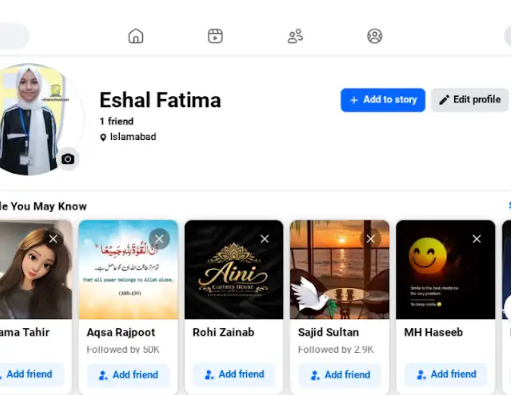
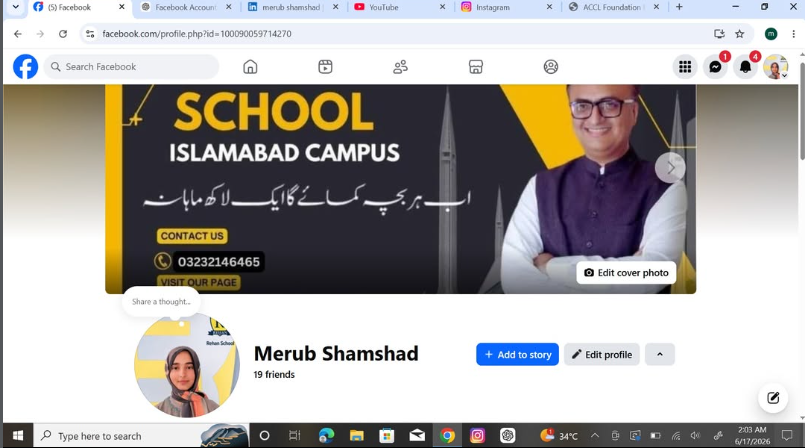
    **Facebook Account Created**
    **Date: July 27, 2026**

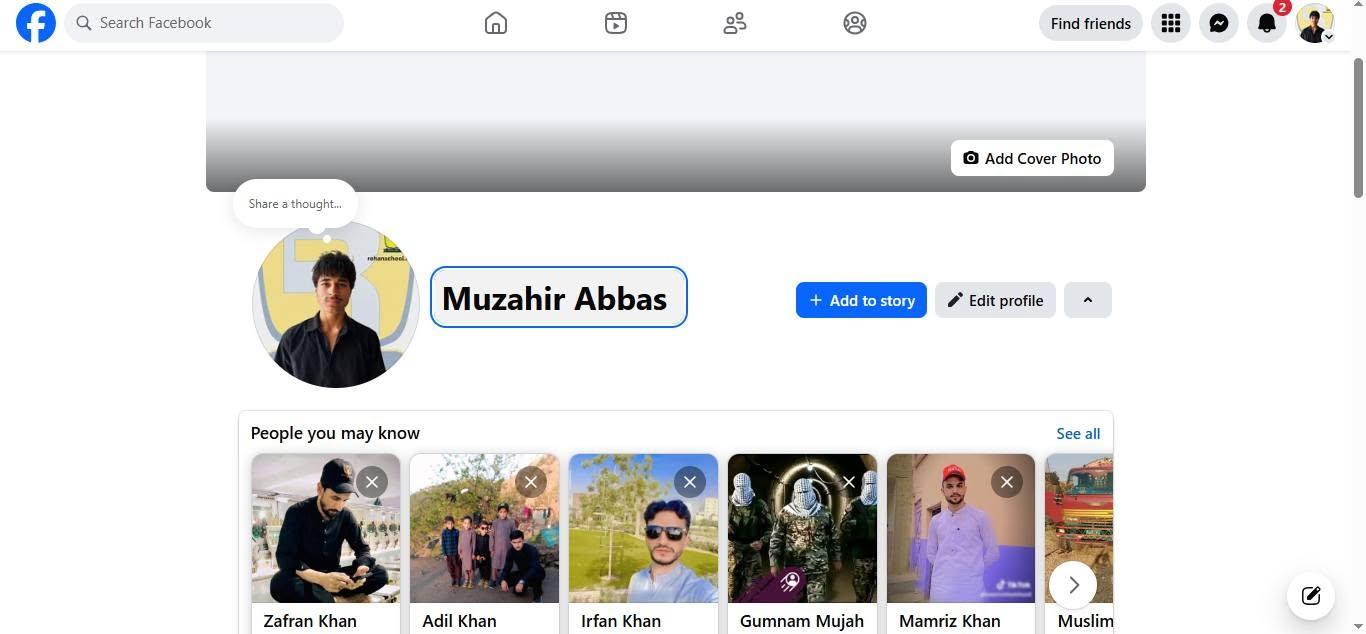
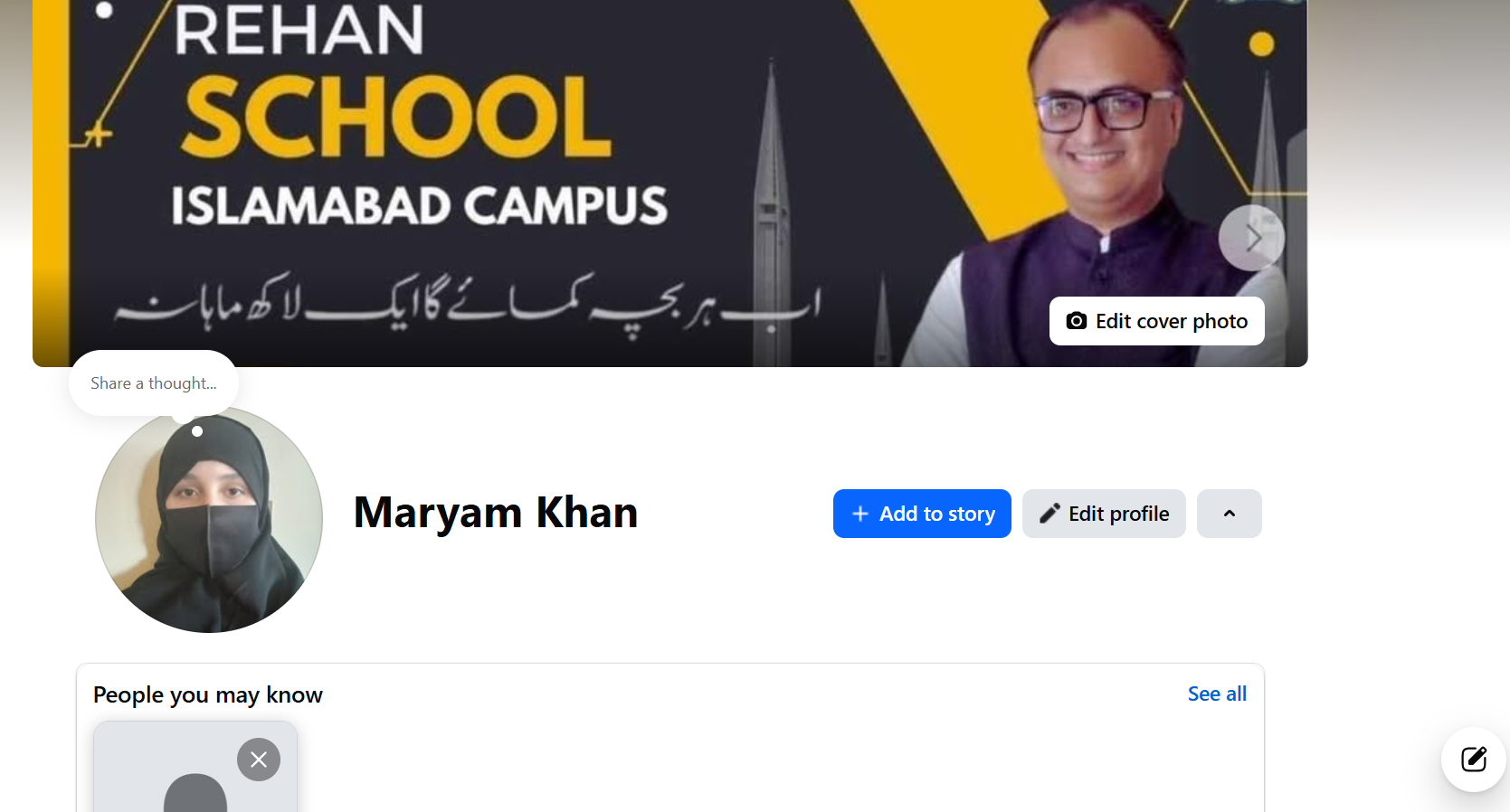
    Alhamdulillah! Today, I created my new Facebook account and proudly added my **Rehan School** profile picture.

    This account is dedicated to sharing educational content, learning experiences, school activities, and positive inspiration. I look forward to connecting with students, teachers, and everyone who loves learning.

    Thank you for your support! Please **Like**, **Follow**, **Share**, and stay connected for more updates.

    #RSTA #FacebookAccountCreated #RehanSchool #Education #Learning #SchoolLife #StudentLife #Knowledge #Success #Motivation #NewJourney #StayConnected #FollowMe #Support #EducationMatters
    🚀 **RSTA** 📘 **Facebook Account Created** 📅 **Date: July 27, 2026** ✨ Alhamdulillah! Today, I created my new Facebook account and proudly added my **Rehan School** profile picture. 🎓📚 This account is dedicated to sharing educational content, learning experiences, school activities, and positive inspiration. I look forward to connecting with students, teachers, and everyone who loves learning. 💙🌟 Thank you for your support! Please **Like**, **Follow**, **Share**, and stay connected for more updates. 🤝✨ #RSTA #FacebookAccountCreated #RehanSchool #Education #Learning #SchoolLife #StudentLife #Knowledge #Success #Motivation #NewJourney #StayConnected #FollowMe #Support #EducationMatters 📚🚀✨
    0 تبصرے 0 شیئرز 2296 ویوز
  • Create a new Gmail

    Welcome to My Official Gmail Account!

    Hello and welcome!
    This is my official Gmail account, created to stay connected with friends, clients, classmates, and professional opportunities. I am an AI student who is passionate about technology, creativity, and continuous learning.

    Through this email, I manage my personal and professional communication, receive important updates, collaborate on exciting projects, and explore new opportunities in the world of Artificial Intelligence and digital innovation.

    I believe in learning something new every day, improving my skills, and using technology to create a better future. Thank you for visiting, and I look forward to connecting with amazing people from around the world.

    Feel free to reach out for collaboration, learning, networking, or any positive discussion.

    "Dream Big • Learn More • Create More • Never Stop Growing."

    Thank you for your support and best wishes!

    #Gmail #OfficialAccount #AI #ArtificialIntelligence #AIStudent #Technology #Innovation #DigitalWorld #Google #Email #Learning #Education #FutureTech #ComputerScience #Productivity #Success #Motivation #Networking #Professional #StayConnected
    Create a new Gmail 📧 Welcome to My Official Gmail Account! ✨ Hello and welcome! 😊 This is my official Gmail account, created to stay connected with friends, clients, classmates, and professional opportunities. I am an AI student who is passionate about technology, creativity, and continuous learning. 🚀🤖 Through this email, I manage my personal and professional communication, receive important updates, collaborate on exciting projects, and explore new opportunities in the world of Artificial Intelligence and digital innovation. 💻📚 I believe in learning something new every day, improving my skills, and using technology to create a better future. Thank you for visiting, and I look forward to connecting with amazing people from around the world. 🌍✨ 📩 Feel free to reach out for collaboration, learning, networking, or any positive discussion. "Dream Big • Learn More • Create More • Never Stop Growing." 🌟 🙏 Thank you for your support and best wishes! #Gmail #OfficialAccount #AI #ArtificialIntelligence #AIStudent #Technology #Innovation #DigitalWorld #Google #Email #Learning #Education #FutureTech #ComputerScience #Productivity #Success #Motivation #Networking #Professional #StayConnected 🚀📧✨
    0 تبصرے 0 شیئرز 3446 ویوز
  • RSIF8
    Roll no.29
    Task no.2
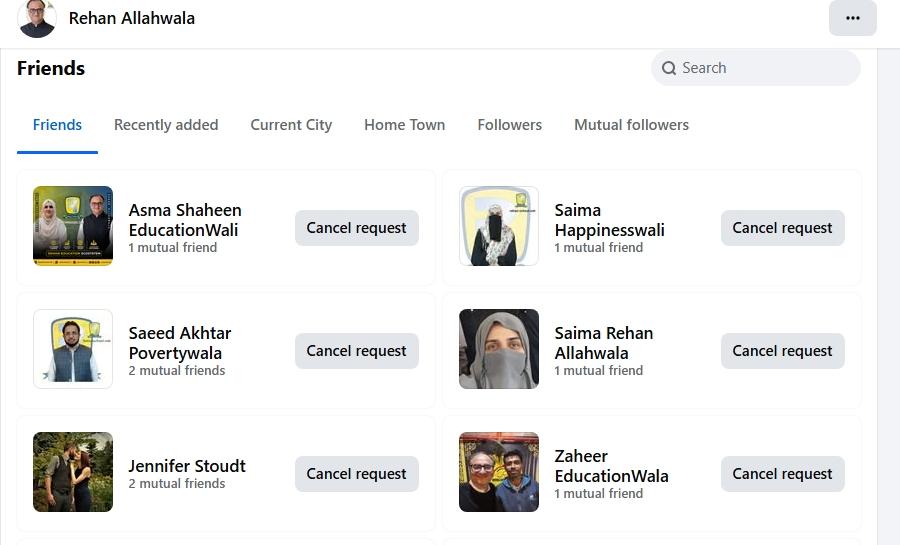
    Task Topic: How To make A Facebook account and set it up

    1. Go to Facebook 1-2 minutes.
    Open the Facebook app on your phone, or visit *facebook.com* on a computer web browser. Click on *"Create new account"* or *"Sign Up"*.


    2. *Enter your basic info:* 2 minutes.
    Type in your *first and last name*, your *mobile number or email address*, a *strong password*, your *date of birth*, and your *gender*.

    > *Note:* Facebook requires your real name to help keep the community safe, though you can adjust your display privacy later.


    3. *Confirm your account:* 1 minute.
    Facebook will send a verification code to your email or phone number via SMS. *Enter that code* into the box on your screen to officially activate your account.


    4. *Upload a profile picture:* 2 minutes.
    Choose a clear photo of yourself so friends and family can recognize you. You can upload a photo directly from your device or take a new one.


    5. *Adjust your privacy settings:* 5 minutes.
    Go to *Settings & Privacy* > *Privacy Checkup*. Here, you can change your default post sharing from "Public" to *"Friends"* so only people you approve can see what you post.


    Enjoy Your Facebook Journey

    #Facebook #SocialMedia #ConnectWithFriends #TechTips #FacebookSetup #StayConnected #fyp
    RSIF8 Roll no.29 Task no.2 Task Topic: How To make A Facebook account and set it up 1. Go to Facebook 1-2 minutes. Open the Facebook app on your phone, or visit *facebook.com* on a computer web browser. Click on *"Create new account"* or *"Sign Up"*. 2. *Enter your basic info:* 2 minutes. Type in your *first and last name*, your *mobile number or email address*, a *strong password*, your *date of birth*, and your *gender*. > *Note:* Facebook requires your real name to help keep the community safe, though you can adjust your display privacy later. 3. *Confirm your account:* 1 minute. Facebook will send a verification code to your email or phone number via SMS. *Enter that code* into the box on your screen to officially activate your account. 4. *Upload a profile picture:* 2 minutes. Choose a clear photo of yourself so friends and family can recognize you. You can upload a photo directly from your device or take a new one. 5. *Adjust your privacy settings:* 5 minutes. Go to *Settings & Privacy* > *Privacy Checkup*. Here, you can change your default post sharing from "Public" to *"Friends"* so only people you approve can see what you post. Enjoy Your Facebook Journey #Facebook #SocialMedia #ConnectWithFriends #TechTips #FacebookSetup #StayConnected #fyp
    0 تبصرے 0 شیئرز 1925 ویوز
  • RSIF8
    roll no 94
    task no 2
    task topic How to create a facebook account
    How to Make a Facebook Account and Set It Up
    Creating a Facebook account is quick and easy! Simply download the Facebook app or visit the Facebook website , sign up with your name, email or phone number, create a secure password , and follow the setup steps. Add a profile picture , update your bio , connect with friends , and customize your privacy settings to make your account safe and personal.
    Stay connected, share your favorite moments , join communities , and explore everything Facebook has to offer!
    #Facebook #FacebookAccount #SocialMedia #OnlineCommunity #TechTips #DigitalLife #CreateAccount #StayConnected #FacebookSetup #EasyGuide
    RSIF8 roll no 94 task no 2 task topic How to create a facebook account ✨ How to Make a Facebook Account and Set It Up ✨📘 Creating a Facebook account is quick and easy! 🚀 Simply download the Facebook app 📱 or visit the Facebook website 🌐, sign up with your name, email or phone number, create a secure password 🔒, and follow the setup steps. Add a profile picture 📸, update your bio 📝, connect with friends 👥, and customize your privacy settings ⚙️ to make your account safe and personal. Stay connected, share your favorite moments ❤️, join communities 🌍, and explore everything Facebook has to offer! 🎉 #Facebook #FacebookAccount #SocialMedia #OnlineCommunity #TechTips #DigitalLife #CreateAccount #StayConnected #FacebookSetup #EasyGuide
    0 تبصرے 0 شیئرز 2205 ویوز
  • RSIF8
    Roll no. 83
    Task no.2
    Task Topic: How to make a facebook
    How to Make a Facebook Account and Set It Up
    Creating a Facebook account is simple and only takes a few minutes. Follow these steps:
    Step 1: Visit Facebook
    Go to Facebook
    Step 2: Create a New Account
    Click "Create New Account" and enter:
    First and Last Name
    Mobile Number or Email Address
    Password
    Date of Birth
    Gender
    Step 3: Verify Your Account
    Facebook will send a verification code to your email or phone. Enter the code to confirm your account.
    Step 4: Add a Profile Picture
    Upload a clear photo of yourself so friends can recognize you.
    Step 5: Complete Your Profile
    Add:
    City or Hometown
    Education
    Workplace
    Interests and Hobbies
    Step 6: Find Friends
    Use the search bar to find friends and family and send friend requests.
    Step 7: Adjust Privacy Settings
    Go to Settings & Privacy to control:
    Who can see your posts
    Who can send friend requests
    Who can view your profile
    Step 8: Start Using Facebook
    Now you can:
    Like posts
    Comment on posts
    Share photos and videos
    Create your own posts
    Watch videos and join groups
    Your Facebook Account Is Ready!
    Stay connected, share moments, and interact with friends around the world.
    #Facebook
    #SocialMedia
    #FacebookAccount
    #CreateAccount
    #OnlineCommunity
    #DigitalLife
    #ConnectWithFriends
    #FacebookTips
    #TechGuide
    #StayConnected See less
    14w
    RSIF8 Roll no. 83 Task no.2 Task Topic: How to make a facebook 📘✨ How to Make a Facebook Account and Set It Up ✨📘 Creating a Facebook account is simple and only takes a few minutes. Follow these steps: 📝 Step 1: Visit Facebook Go to 🌐 Facebook 👤 Step 2: Create a New Account Click "Create New Account" and enter: ✅ First and Last Name ✅ Mobile Number or Email Address ✅ Password 🔒 ✅ Date of Birth 🎂 ✅ Gender 📩 Step 3: Verify Your Account Facebook will send a verification code to your email or phone. Enter the code to confirm your account. 🖼️ Step 4: Add a Profile Picture Upload a clear photo of yourself so friends can recognize you. 📄 Step 5: Complete Your Profile Add: 🏠 City or Hometown 🎓 Education 💼 Workplace ❤️ Interests and Hobbies 👥 Step 6: Find Friends Use the search bar to find friends and family and send friend requests. ⚙️ Step 7: Adjust Privacy Settings Go to Settings & Privacy to control: 🔒 Who can see your posts 👥 Who can send friend requests 📸 Who can view your profile 📱 Step 8: Start Using Facebook Now you can: 👍 Like posts 💬 Comment on posts 📸 Share photos and videos 📢 Create your own posts 🎥 Watch videos and join groups 🎉 Your Facebook Account Is Ready! Stay connected, share moments, and interact with friends around the world. 🌍💙 #Facebook 📘 #SocialMedia 📱 #FacebookAccount 👤 #CreateAccount ✨ #OnlineCommunity 🌍 #DigitalLife 💻 #ConnectWithFriends 👥 #FacebookTips 💡 #TechGuide 🚀 #StayConnected 💙 See less 14w
    0 تبصرے 0 شیئرز 3735 ویوز
  • RSFI8
    Roll no 88
    Call anie no 1
    Call anie topic Talk with Annie for 5 minutes on the topic "Okay - The Story Behind the World's Favorite Word" and go
    live on your social media.
    Did you know that the simple word "Hello" has a fascinating history? From its early use as a shout to attract attention to becoming one of the most common greetings worldwide, "Hello" has connected people across cultures and generations.
    Going live and exploring the stories behind everyday words reminds us how language shapes our communication and relationships.
    What's your favorite way to greet someone? Let us know in the comments!
    #HelloOrigins #LanguageHistory #AnnieTalks #LiveConversation #GreetingCulture #WordOfTheDay #CommunicationSkills #LearningTogether #SocialMediaLive #FunFacts #EnglishLearning #StayConnected
    1m See less
    RSFI8 Roll no 88 Call anie no 1 Call anie topic Talk with Annie for 5 minutes on the topic "Okay - The Story Behind the World's Favorite Word" and go live on your social media. Did you know that the simple word "Hello" has a fascinating history? From its early use as a shout to attract attention to becoming one of the most common greetings worldwide, "Hello" has connected people across cultures and generations. 🌍🤝 Going live and exploring the stories behind everyday words reminds us how language shapes our communication and relationships. 💬📚 What's your favorite way to greet someone? Let us know in the comments! 👇😊 #HelloOrigins #LanguageHistory #AnnieTalks #LiveConversation #GreetingCulture #WordOfTheDay #CommunicationSkills #LearningTogether #SocialMediaLive #FunFacts #EnglishLearning #StayConnected 1m See less
    0 تبصرے 0 شیئرز 2778 ویوز 16
  • RSIF8
    Roll no:100
    Task no:2
    Task topic:How to Make a Facebook Account and Set It Up
    **How to Make a Facebook Account and Set It Up**

    Ready to join Facebook? Creating your account is simple and only takes a few minutes! Learn how to sign up, verify your account, customize your profile, adjust your privacy settings , and start connecting with friends and family around the world. Whether you're new to social media or creating a fresh account, this step-by-step guide has you covered!

    #Facebook #FacebookAccount #FacebookSetup #CreateAccount #SocialMedia #TechTips #BeginnerGuide #OnlineSafety #DigitalSkills #StayConnected #FacebookTips #EasyTutorial
    RSIF8 Roll no:100 Task no:2 Task topic:How to Make a Facebook Account and Set It Up 📘✨ **How to Make a Facebook Account and Set It Up** ✨📱 Ready to join Facebook? 🚀 Creating your account is simple and only takes a few minutes! Learn how to sign up, verify your account, customize your profile, adjust your privacy settings 🔒, and start connecting with friends and family around the world. 🌍💙 Whether you're new to social media or creating a fresh account, this step-by-step guide has you covered! 📸👥 #Facebook #FacebookAccount #FacebookSetup #CreateAccount #SocialMedia #TechTips #BeginnerGuide #OnlineSafety #DigitalSkills #StayConnected #FacebookTips #EasyTutorial
    0 تبصرے 0 شیئرز 3175 ویوز
  • RSIF8
    Roll no: 112
    Task no: 2
    Topic :How to Make a Facebook Account & Set It Up!
    Want to join Facebook but don’t know where to start? No worries! Follow these simple steps to create your account, verify your details, add a profile picture, find friends, and start connecting with people around the world.
    Create your Facebook account
    Add your email or phone number
    Verify your account
    Set up your profile
    Find and connect with friends
    Start enjoying Facebook!
    **Tip:** Use a strong password and keep your account information secure.
    #Facebook #FacebookAccount #CreateFacebookAccount #FacebookTips #FacebookGuide #SocialMedia #SocialMediaTips #FacebookSetup #NewAccount #TechTips #OnlineSafety #StayConnected #HowTo #BeginnerGuide
    RSIF8 Roll no: 112 Task no: 2 Topic :How to Make a Facebook Account & Set It Up! Want to join Facebook but don’t know where to start? No worries! 😊 Follow these simple steps to create your account, verify your details, add a profile picture, find friends, and start connecting with people around the world. 🌍👥 ✅ Create your Facebook account 📧 Add your email or phone number 🔐 Verify your account 🖼️ Set up your profile 👫 Find and connect with friends 🎉 Start enjoying Facebook! 💡 **Tip:** Use a strong password and keep your account information secure. 🔒 #Facebook #FacebookAccount #CreateFacebookAccount #FacebookTips #FacebookGuide #SocialMedia #SocialMediaTips #FacebookSetup #NewAccount #TechTips #OnlineSafety #StayConnected #HowTo #BeginnerGuide
    0 تبصرے 0 شیئرز 3307 ویوز
More Results