RSIF8
Roll No: 112
Coding Post No: 3
Coding Post Topic: Simple To-Do List App
**Completed My Simple To-Do List App Coding Task!**
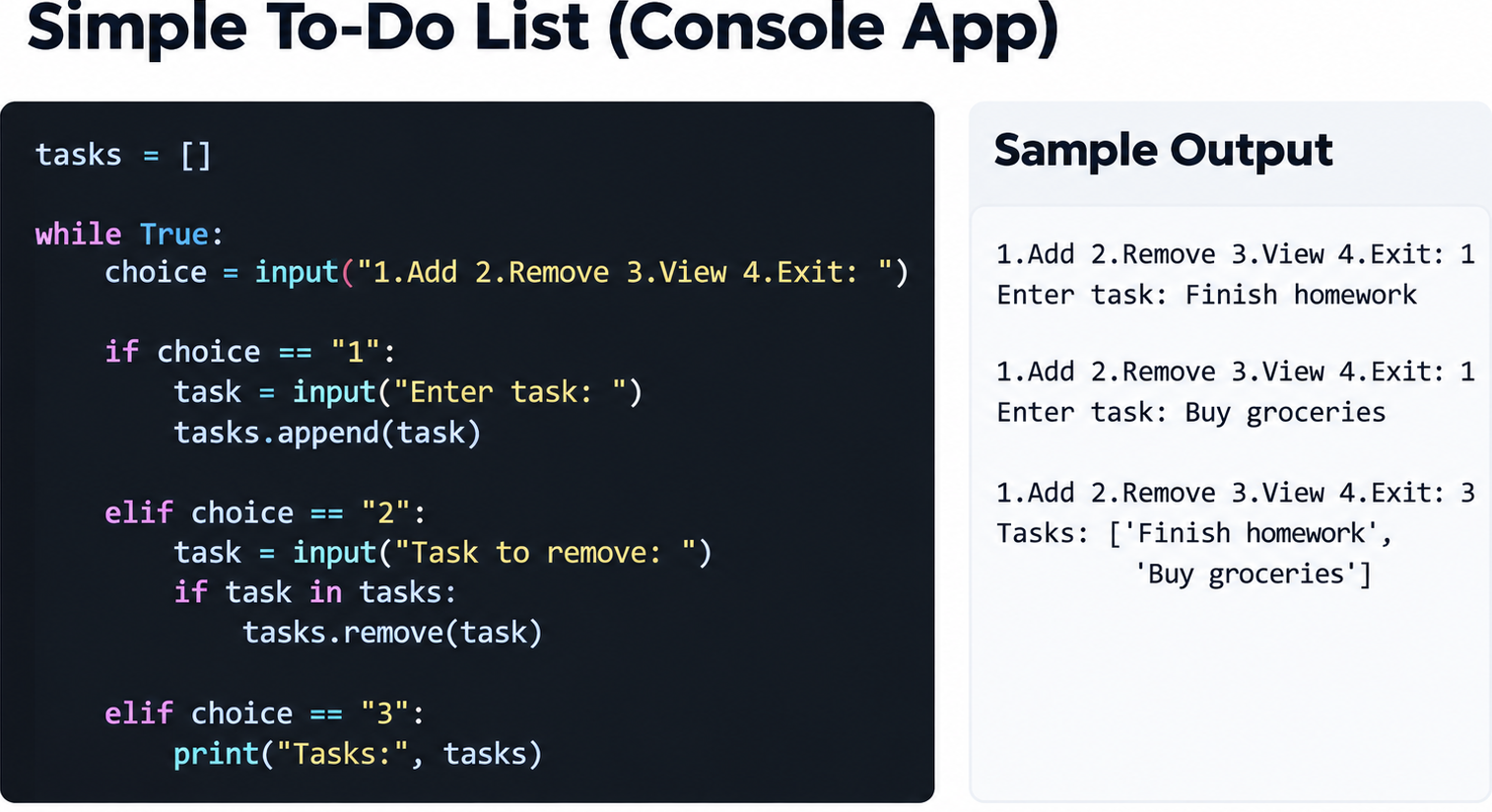
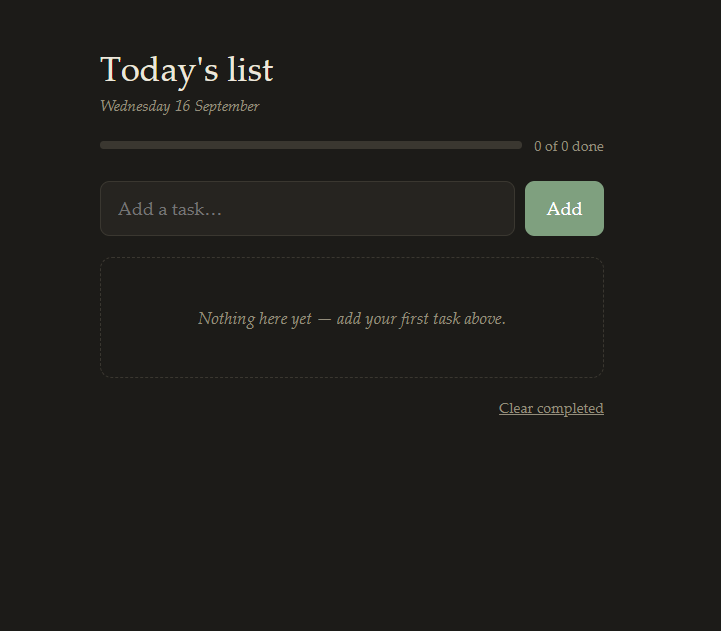
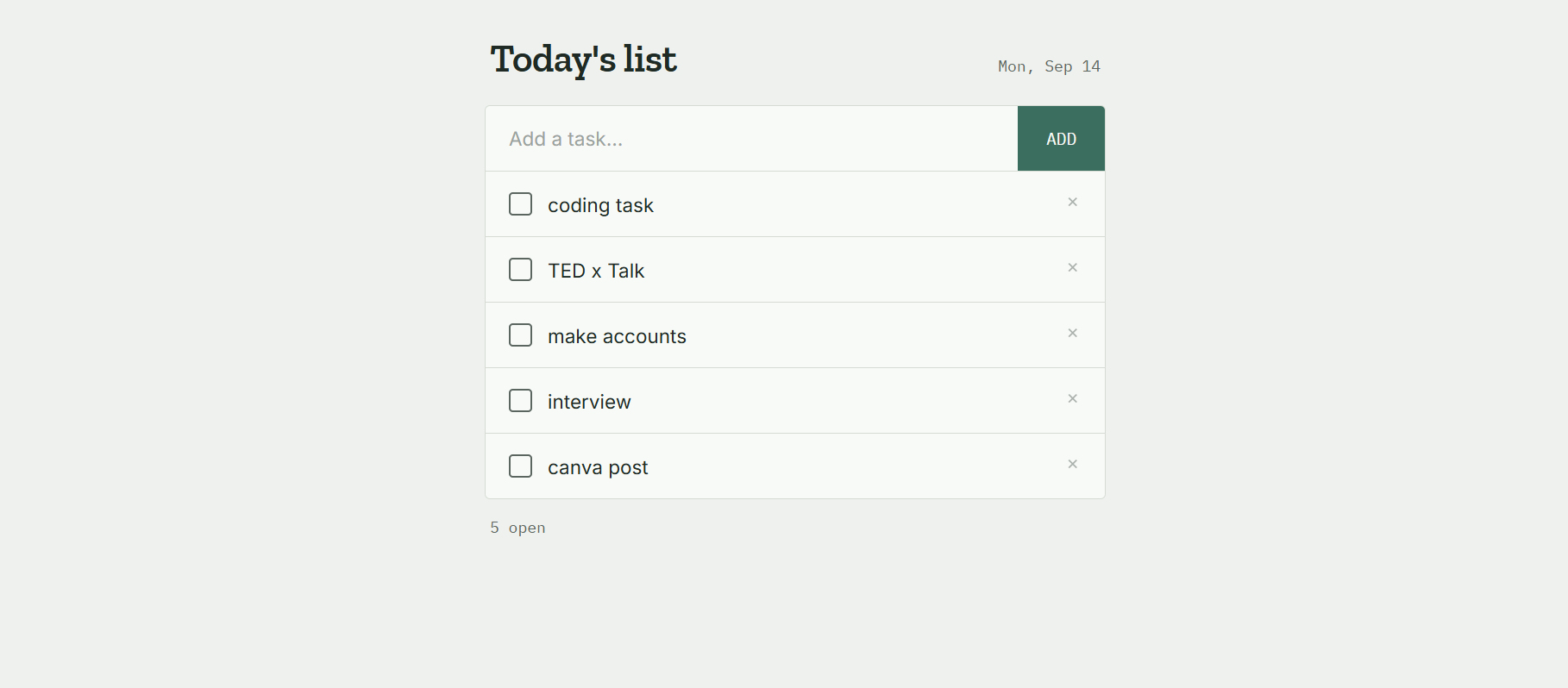
Today, I completed my coding task of creating a **Simple To-Do List App**.
This project was a great opportunity to practice programming concepts while building something useful for managing daily tasks.
The main purpose of this app is to help users organize their tasks in a simple and easy-to-use way.
Users can add tasks to their to-do list, view the tasks they need to complete, and keep track of their progress.
While working on this project, I practiced important coding concepts such as **variables, functions, user input, lists, conditions, loops, and task management logic**.
Each part of the program helped me understand how different programming concepts work together to create a functional application.
One of the most interesting parts of this task was thinking about how the user would interact with the app.
I wanted the process to be simple so that users could easily add tasks, check their list, and manage their daily activities.
This project also helped me improve my **problem-solving skills**.
When writing code, small errors can sometimes prevent the program from working correctly. Finding those errors, understanding what caused them, and fixing them helped me become more patient and careful while coding.
Creating a To-Do List App also showed me how coding can be used to solve everyday problems.
Something as simple as organizing tasks can be turned into a useful digital tool through programming.
I learned that successful coding is not only about writing lines of code. It is also about planning the project, understanding the requirements, testing the program, finding mistakes, and continuously improving the solution.
This task increased my confidence in programming and motivated me to continue learning more about software development.
Every small project gives me a chance to learn something new and improve my skills.
**My key learning from this project:**
Practiced programming fundamentals
Improved problem-solving skills
Learned how to manage a list of tasks
Practiced functions and conditions
Improved logical thinking
Learned the importance of testing and debugging
Built a simple but useful coding project
Overall, completing this **Simple To-Do List App** was a valuable and enjoyable learning experience.
I am happy with my progress and excited to work on more coding projects in the future.
**Small projects, consistent practice, and continuous learning can help us become better programmers!**
#RSIF8 #RollNo112 #CodingTask #TodoList #TodoListApp #SimpleTodoList #Coding #Programming #ComputerScience #ProgrammingSkills #CodingJourney #LearnToCode #CodeNewbie #StudentCoder #ProblemSolving #LogicalThinking #SoftwareDevelopment #AppDevelopment #ProgrammingPractice #CodingProject #TechSkills #DigitalSkills #LearningJourney #StudentLife #ProjectBasedLearning #Debugging #ProgrammingFundamentals #KeepLearning #LearnAndGrow #FutureDeveloper
RSIF8
Roll No: 112
Coding Post No: 3
Coding Post Topic: Simple To-Do List App
🌟 **Completed My Simple To-Do List App Coding Task!** 🌟
Today, I completed my coding task of creating a **Simple To-Do List App**. 💻📝 This project was a great opportunity to practice programming concepts while building something useful for managing daily tasks. ✅📋
The main purpose of this app is to help users organize their tasks in a simple and easy-to-use way. 📅✨ Users can add tasks to their to-do list, view the tasks they need to complete, and keep track of their progress. 🎯✅
While working on this project, I practiced important coding concepts such as **variables, functions, user input, lists, conditions, loops, and task management logic**. 🧠💻 Each part of the program helped me understand how different programming concepts work together to create a functional application.
One of the most interesting parts of this task was thinking about how the user would interact with the app. 👩💻💡 I wanted the process to be simple so that users could easily add tasks, check their list, and manage their daily activities.
This project also helped me improve my **problem-solving skills**. 🧩🚀 When writing code, small errors can sometimes prevent the program from working correctly. Finding those errors, understanding what caused them, and fixing them helped me become more patient and careful while coding. 🔍💻✨
Creating a To-Do List App also showed me how coding can be used to solve everyday problems. 🌟📚 Something as simple as organizing tasks can be turned into a useful digital tool through programming.
I learned that successful coding is not only about writing lines of code. It is also about planning the project, understanding the requirements, testing the program, finding mistakes, and continuously improving the solution. 🧠📝🔧
This task increased my confidence in programming and motivated me to continue learning more about software development. 💪💻🌱 Every small project gives me a chance to learn something new and improve my skills.
✨ **My key learning from this project:**
✅ Practiced programming fundamentals
✅ Improved problem-solving skills
✅ Learned how to manage a list of tasks
✅ Practiced functions and conditions
✅ Improved logical thinking
✅ Learned the importance of testing and debugging
✅ Built a simple but useful coding project
Overall, completing this **Simple To-Do List App** was a valuable and enjoyable learning experience. 🎉💻 I am happy with my progress and excited to work on more coding projects in the future. 🚀🌟
📌 **Small projects, consistent practice, and continuous learning can help us become better programmers!** 💻🔥📚
#RSIF8 #RollNo112 #CodingTask #TodoList #TodoListApp #SimpleTodoList #Coding #Programming #ComputerScience #ProgrammingSkills #CodingJourney #LearnToCode #CodeNewbie #StudentCoder #ProblemSolving #LogicalThinking #SoftwareDevelopment #AppDevelopment #ProgrammingPractice #CodingProject #TechSkills #DigitalSkills #LearningJourney #StudentLife #ProjectBasedLearning #Debugging #ProgrammingFundamentals #KeepLearning #LearnAndGrow #FutureDeveloper
💻📝✅📋🎯🧠🔧🔍🚀🌱📚💡👩💻🔥✨🎉🙌🏆🌟