• #rsisb
    Roll no 248
    Foundation level
    Talk with AI no 3
    **Talk with AI — Learn, Explore & Connect! **

    Today, I am going to have an exciting session called **“Talk with AI”**! In this session, I will explore how Artificial Intelligence (AI) works, ask interesting questions, and learn how AI can help us in education, business, creativity, and everyday life.

    **Watch Me Live!**
    YouTube — Join the live session.
    LinkedIn — Share ideas and connect with learners.
    Facebook — Watch the recorded session.
    Instagram — Explore highlights and updates.
    TikTok — Enjoy short clips and key moments.

    My goal is to learn new skills, improve my communication, build confidence, and inspire others to explore the world of AI. Every day is a new opportunity to learn something amazing!

    Let's learn, grow, and explore the future together!

    **Follow, Like, Share, and Support My Learning Journey!**

    #TalkWithAI #ArtificialIntelligence #AI #ChatGPT #LiveStreaming #YouTubeLive #LinkedInLive #Facebook #Instagram #TikTok #DigitalLearning #Technology #FutureOfAI #LearningJourney #StudentLife #DigitalSkills #Innovation #KeepLearning #RehanSchool #LearnWithAI
    #rsisb Roll no 248 Foundation level Talk with AI no 3 ๐ŸŽ™๏ธ๐Ÿค– **Talk with AI — Learn, Explore & Connect! ๐Ÿš€๐ŸŒ** Today, I am going to have an exciting session called **“Talk with AI”**! ๐ŸŽ‰ In this session, I will explore how Artificial Intelligence (AI) works, ask interesting questions, and learn how AI can help us in education, business, creativity, and everyday life. ๐Ÿง ๐Ÿ’ก ๐Ÿ“บ **Watch Me Live!** ๐Ÿ”ด YouTube — Join the live session. ๐Ÿ’ผ LinkedIn — Share ideas and connect with learners. ๐Ÿ“˜ Facebook — Watch the recorded session. ๐Ÿ“ธ Instagram — Explore highlights and updates. ๐ŸŽต TikTok — Enjoy short clips and key moments. My goal is to learn new skills, improve my communication, build confidence, and inspire others to explore the world of AI. ๐ŸŒŸ Every day is a new opportunity to learn something amazing! Let's learn, grow, and explore the future together! ๐Ÿš€๐Ÿ’ป **Follow, Like, Share, and Support My Learning Journey!** โค๏ธ๐Ÿ™Œ #TalkWithAI #ArtificialIntelligence #AI #ChatGPT #LiveStreaming #YouTubeLive #LinkedInLive #Facebook #Instagram #TikTok #DigitalLearning #Technology #FutureOfAI #LearningJourney #StudentLife #DigitalSkills #Innovation #KeepLearning #RehanSchool #LearnWithAI ๐Ÿค–๐ŸŒ๐Ÿš€
    0 Comments 0 Shares 1390 Views 13
  • RSIF8
    Roll no 94
    Task no 9
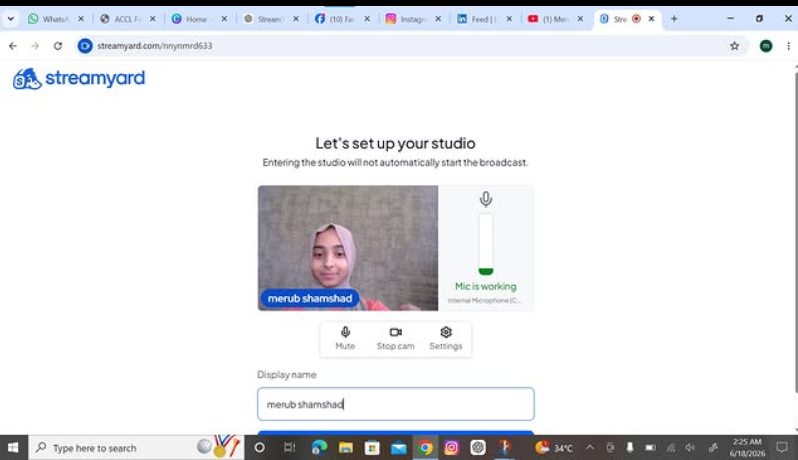
    Task topic How to use streamyard for interviews
    How to Use StreamYard for Interviews?
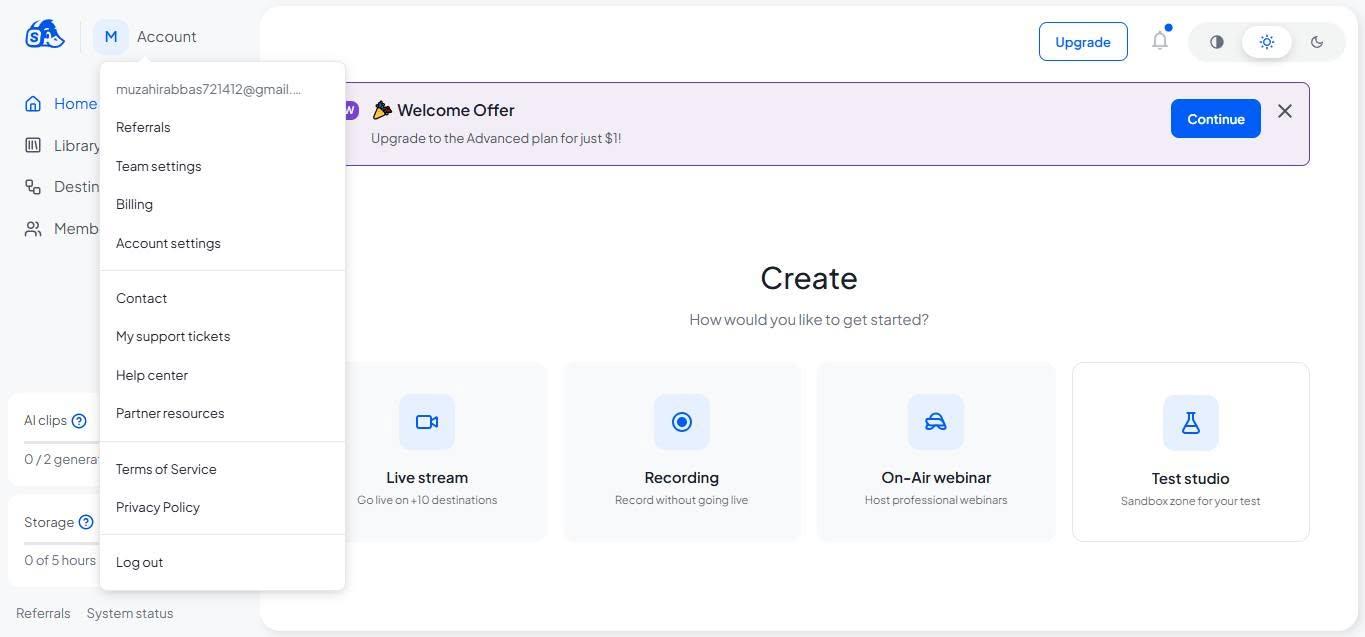
    StreamYard makes online interviews simple and professional! First, sign up and create a broadcast or recording studio. Invite your guest by sharing the interview link —they can join directly from their browser without downloading anything. Customize your layout, add your logo, banners, and branding , then go live on platforms like YouTube, Facebook, or LinkedIn. You can also record interviews, display comments on screen , and create engaging conversations with ease.
    Perfect for podcasts, business interviews, webinars, and content creation!
    #StreamYard #OnlineInterview #Podcasting #LiveStreaming #ContentCreator #DigitalMarketing #VideoInterview #YouTubeLive #FacebookLive #LinkedInLive #RemoteInterview #StreamingTips
    RSIF8 Roll no 94 Task no 9 Task topic How to use streamyard for interviews ๐Ÿ“น๐ŸŽค How to Use StreamYard for Interviews? StreamYard makes online interviews simple and professional! ๐ŸŒŸ First, sign up and create a broadcast or recording studio. ๐ŸŽฌ Invite your guest by sharing the interview link ๐Ÿ”——they can join directly from their browser without downloading anything. ๐Ÿ’ป๐ŸŽ™๏ธ Customize your layout, add your logo, banners, and branding ๐ŸŽจ, then go live on platforms like YouTube, Facebook, or LinkedIn. ๐Ÿ“บโœจ You can also record interviews, display comments on screen ๐Ÿ’ฌ, and create engaging conversations with ease. ๐Ÿš€ Perfect for podcasts, business interviews, webinars, and content creation! ๐ŸŽง๐ŸŽฅ #StreamYard #OnlineInterview #Podcasting #LiveStreaming #ContentCreator #DigitalMarketing #VideoInterview #YouTubeLive #FacebookLive #LinkedInLive #RemoteInterview #StreamingTips ๐Ÿš€๐ŸŽค๐Ÿ“นโœจ
    0 Comments 0 Shares 4482 Views
  • RSIF8
    Roll no:100
    Task no:9
    Task topic:How to use StreamYard for interviews?
    How to Use StreamYard for Interviews
    Want to host professional online interviews with ease? Here's how:
    Create your broadcast in StreamYard
    Invite your guest with a simple link—no software download needed!
    Customize your layout, add your logo, and display names.
    Highlight audience comments live during the interview.
    Stream directly to YouTube, Facebook, LinkedIn, or other platforms.
    Record your interview for future editing and sharing.
    Whether you're hosting podcasts, business discussions, educational sessions, or live Q&As, StreamYard makes interviewing simple and professional.
    #StreamYard #OnlineInterview #LiveStreaming #Podcast #ContentCreator #YouTubeLive #FacebookLive #LinkedInLive #VirtualInterview #LiveShow #StreamingTips #VideoMarketing #DigitalCreator #InterviewTips #ContentMarketing
    RSIF8 Roll no:100 Task no:9 Task topic:How to use StreamYard for interviews? ๐ŸŽ™๏ธ How to Use StreamYard for Interviews ๐ŸŽฅ Want to host professional online interviews with ease? ๐Ÿš€ Here's how: โœ… Create your broadcast in StreamYard ๐ŸŽค Invite your guest with a simple link—no software download needed! ๐ŸŽฅ Customize your layout, add your logo, and display names. ๐Ÿ’ฌ Highlight audience comments live during the interview. ๐Ÿ“ก Stream directly to YouTube, Facebook, LinkedIn, or other platforms. ๐ŸŽฌ Record your interview for future editing and sharing. Whether you're hosting podcasts, business discussions, educational sessions, or live Q&As, StreamYard makes interviewing simple and professional. ๐ŸŒŸ #StreamYard #OnlineInterview #LiveStreaming #Podcast #ContentCreator #YouTubeLive #FacebookLive #LinkedInLive #VirtualInterview #LiveShow #StreamingTips #VideoMarketing #DigitalCreator #InterviewTips #ContentMarketing
    0 Comments 0 Shares 6828 Views
  • #rsisb
    Roll No 240
    How to use restream for interviews?
    Foundation level

    **How to Use Restream for Interviews – Complete Guide!**

    Want to host professional online interviews and stream them live to multiple platforms at the same time? Restream is a powerful tool that allows you to invite guests, manage your live broadcasts, and engage with your audience effortlessly.

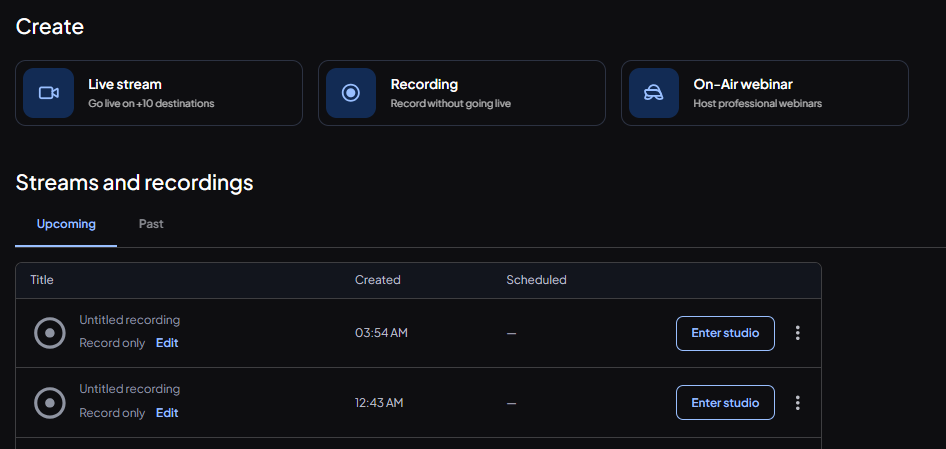
    In this tutorial, you'll learn how to set up your Restream account, create a live studio, invite interview guests with a simple link, customize your stream layout, share your screen, and broadcast your interview to platforms like YouTube, Facebook, LinkedIn, and more.

    Whether you're a content creator, podcaster, entrepreneur, teacher, or business professional, Restream helps you create high-quality interviews without needing expensive equipment or advanced technical skills.

    By using Restream, you can:
    Stream to multiple platforms simultaneously
    Invite guests from anywhere in the world
    Customize layouts and branding
    Display comments and audience reactions live
    Record interviews for future content
    Grow your audience and increase engagement

    Live interviews are a great way to share knowledge, build your personal brand, network with industry experts, and create valuable content that your audience will love.

    Watch this step-by-step guide and start hosting professional live interviews with confidence today!

    #Restream #LiveStreaming #OnlineInterviews #PodcastInterview #ContentCreation #LiveBroadcast #StreamingTips #SocialMediaMarketing #DigitalMarketing #YouTubeLive #FacebookLive #LinkedInLive #Podcasting #VideoMarketing #RemoteInterviews #InterviewTips #ContentCreator #TechTutorial #OnlineBusiness #PersonalBranding #GrowYourAudience #LiveStream #StreamLikeAPro #ProfessionalInterviews

    Rehan School Islamabad Campus
    Asma Shaheen EducationWali
    Irum Asim
    Saima Happinesswali
    #rsisb Roll No 240 How to use restream for interviews? Foundation level ๐ŸŽ™๏ธ๐Ÿš€ **How to Use Restream for Interviews – Complete Guide!** Want to host professional online interviews and stream them live to multiple platforms at the same time? ๐ŸŒ๐Ÿ“น Restream is a powerful tool that allows you to invite guests, manage your live broadcasts, and engage with your audience effortlessly. In this tutorial, you'll learn how to set up your Restream account, create a live studio, invite interview guests with a simple link, customize your stream layout, share your screen, and broadcast your interview to platforms like YouTube, Facebook, LinkedIn, and more. ๐ŸŽค๐Ÿ’ปโœจ Whether you're a content creator, podcaster, entrepreneur, teacher, or business professional, Restream helps you create high-quality interviews without needing expensive equipment or advanced technical skills. ๐Ÿš€๐Ÿ“ˆ By using Restream, you can: โœ… Stream to multiple platforms simultaneously โœ… Invite guests from anywhere in the world โœ… Customize layouts and branding โœ… Display comments and audience reactions live โœ… Record interviews for future content โœ… Grow your audience and increase engagement Live interviews are a great way to share knowledge, build your personal brand, network with industry experts, and create valuable content that your audience will love. ๐ŸŒŸ๐ŸŽฏ Watch this step-by-step guide and start hosting professional live interviews with confidence today! ๐ŸŽฅ๐Ÿ”ฅ #Restream #LiveStreaming #OnlineInterviews #PodcastInterview #ContentCreation #LiveBroadcast #StreamingTips #SocialMediaMarketing #DigitalMarketing #YouTubeLive #FacebookLive #LinkedInLive #Podcasting #VideoMarketing #RemoteInterviews #InterviewTips #ContentCreator #TechTutorial #OnlineBusiness #PersonalBranding #GrowYourAudience #LiveStream #StreamLikeAPro #ProfessionalInterviews ๐Ÿš€๐ŸŽ™๏ธ๐Ÿ“นโœจ๐Ÿ”ฅ Rehan School Islamabad Campus Asma Shaheen EducationWali Irum Asim Saima Happinesswali
    0 Comments 0 Shares 14277 Views
  • #rsisb
    RollNo.247
    Foundation LEVEL

    ## How to Use Restream for Interviews | Complete Beginner's Guide

    Restream is a powerful live streaming platform that makes online interviews simple, professional, and engaging. Whether you're hosting a podcast, interviewing industry experts, conducting educational sessions, or streaming live events, Restream allows you to broadcast to multiple platforms at the same time—including YouTube, Facebook, LinkedIn, Twitch, and more.

    To get started, create a Restream account and connect your favorite social media channels. Once connected, open **Restream Studio** directly in your web browser—no software installation is required!

    Invite your interview guest by sending them a unique invitation link. They can join with just a browser, webcam, and microphone. Before going live, check your audio, video, lighting, and internet connection to ensure a smooth experience.

    Customize your live stream with your brand logo, banners, overlays, and backgrounds to make your interview look polished and professional. You can also display viewer comments on screen, making your audience feel involved and encouraging real-time interaction.

    During the interview:

    * Ask clear and engaging questions.
    * Listen carefully to your guest.
    * Maintain eye contact with the camera.
    * Encourage meaningful discussion.
    * Interact with viewers by responding to comments and questions.

    One of Restream's biggest advantages is that you can reach audiences across multiple platforms with a single live broadcast, saving both time and effort. This helps increase your visibility, grow your audience, and build stronger connections with your community.

    After the interview ends, review your stream, note areas for improvement, and reuse the recording as valuable content for future posts, clips, or podcasts. Continuous practice will help you become a more confident and professional interviewer.

    Whether you're a beginner or an experienced content creator, Restream provides an easy and reliable way to create high-quality live interviews that educate, inspire, and engage audiences around the world. Start your live streaming journey today and share your voice with the world!

    #Restream #LiveStreaming #Interviews #Podcast #StreamingTips #ContentCreator #YouTubeLive #FacebookLive #LinkedInLive #LiveInterview #OnlineInterview #StreamingGuide #VideoMarketing #SocialMedia #Broadcast #DigitalCreator #TechTips #LiveVideo #RemoteInterview #ProfessionalStreaming #GrowYourAudience #CreatorTools #OnlineLearning #Success #Innovation
    #rsisb RollNo.247 Foundation LEVEL ## ๐ŸŽค How to Use Restream for Interviews | Complete Beginner's Guide ๐Ÿš€ Restream is a powerful live streaming platform that makes online interviews simple, professional, and engaging. Whether you're hosting a podcast, interviewing industry experts, conducting educational sessions, or streaming live events, Restream allows you to broadcast to multiple platforms at the same time—including YouTube, Facebook, LinkedIn, Twitch, and more. ๐ŸŒโœจ To get started, create a Restream account and connect your favorite social media channels. Once connected, open **Restream Studio** directly in your web browser—no software installation is required! ๐Ÿ–ฅ๏ธ๐Ÿ’ก Invite your interview guest by sending them a unique invitation link. They can join with just a browser, webcam, and microphone. Before going live, check your audio, video, lighting, and internet connection to ensure a smooth experience. ๐ŸŽฅ๐ŸŽ™๏ธ Customize your live stream with your brand logo, banners, overlays, and backgrounds to make your interview look polished and professional. You can also display viewer comments on screen, making your audience feel involved and encouraging real-time interaction. ๐Ÿ’ฌโค๏ธ During the interview: * ๐ŸŽค Ask clear and engaging questions. * ๐Ÿ‘‚ Listen carefully to your guest. * ๐Ÿ˜Š Maintain eye contact with the camera. * ๐Ÿ’ก Encourage meaningful discussion. * ๐Ÿ“ข Interact with viewers by responding to comments and questions. One of Restream's biggest advantages is that you can reach audiences across multiple platforms with a single live broadcast, saving both time and effort. This helps increase your visibility, grow your audience, and build stronger connections with your community. ๐ŸŒ๐Ÿ“ˆ After the interview ends, review your stream, note areas for improvement, and reuse the recording as valuable content for future posts, clips, or podcasts. Continuous practice will help you become a more confident and professional interviewer. Whether you're a beginner or an experienced content creator, Restream provides an easy and reliable way to create high-quality live interviews that educate, inspire, and engage audiences around the world. Start your live streaming journey today and share your voice with the world! ๐Ÿš€๐ŸŽ‰ #Restream #LiveStreaming #Interviews #Podcast #StreamingTips #ContentCreator #YouTubeLive #FacebookLive #LinkedInLive #LiveInterview #OnlineInterview #StreamingGuide #VideoMarketing #SocialMedia #Broadcast #DigitalCreator #TechTips #LiveVideo #RemoteInterview #ProfessionalStreaming #GrowYourAudience #CreatorTools #OnlineLearning #Success #Innovation
    0 Comments 0 Shares 11265 Views
  • How can I get my LinkedIn Live option opened ?

    #linkedinlive #linkedin
    How can I get my LinkedIn Live option opened ? #linkedinlive #linkedin
    0 Comments 0 Shares 1380 Views