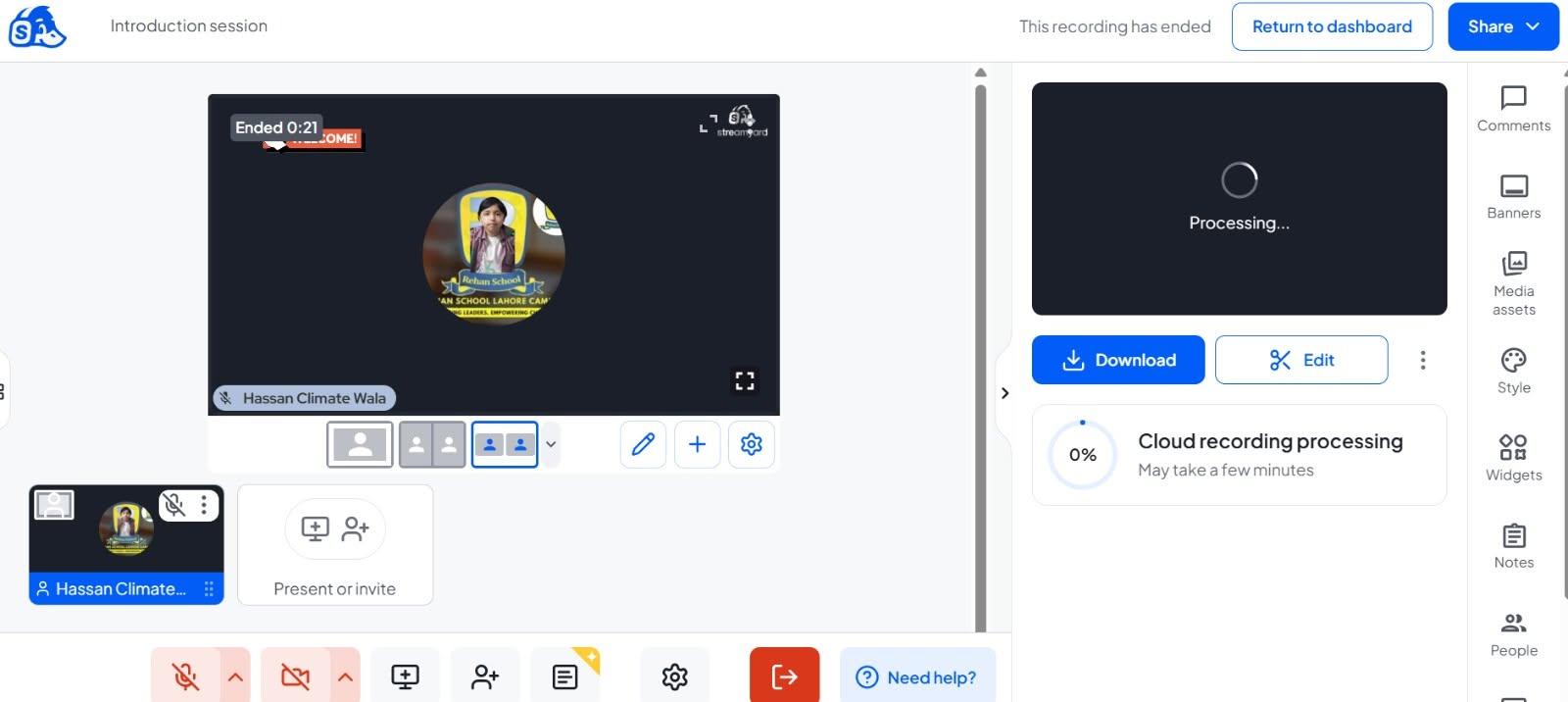
• **Day 9: Interview with StreamYard**

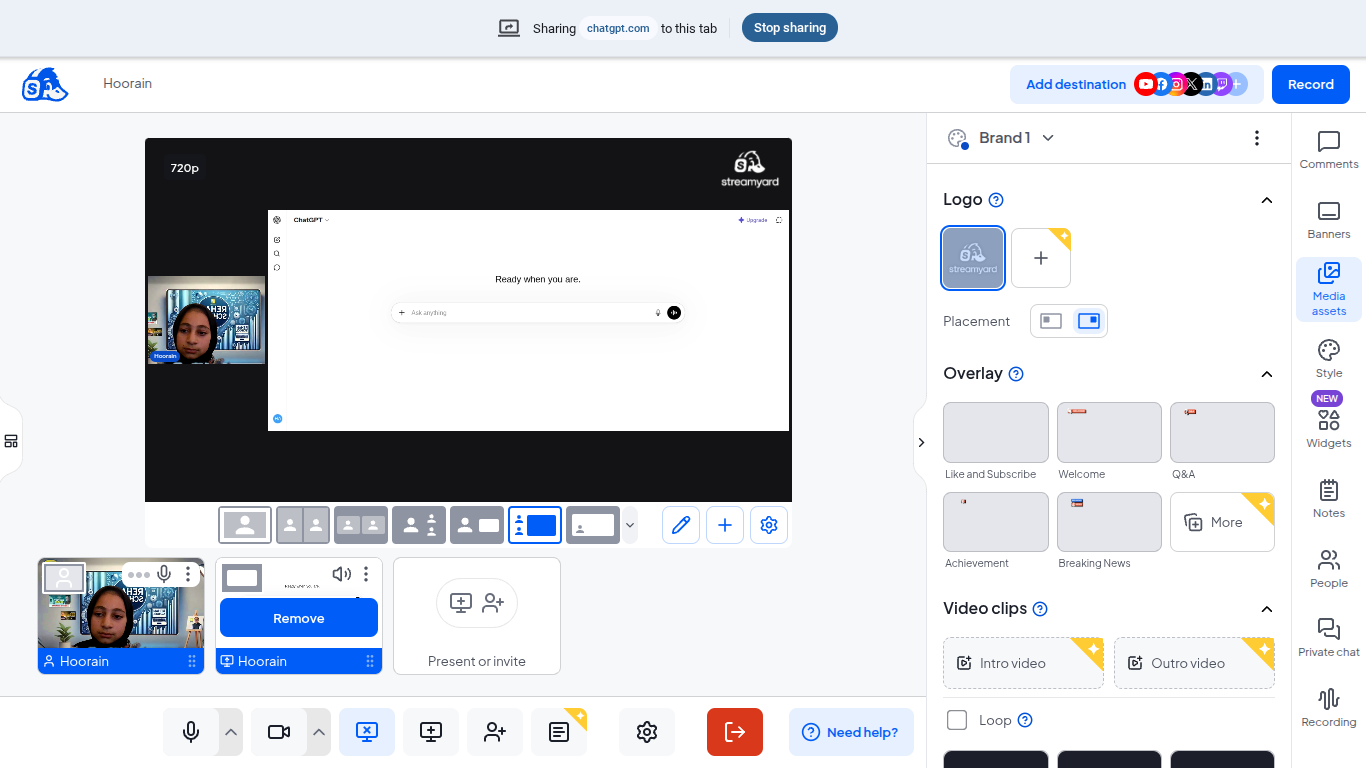
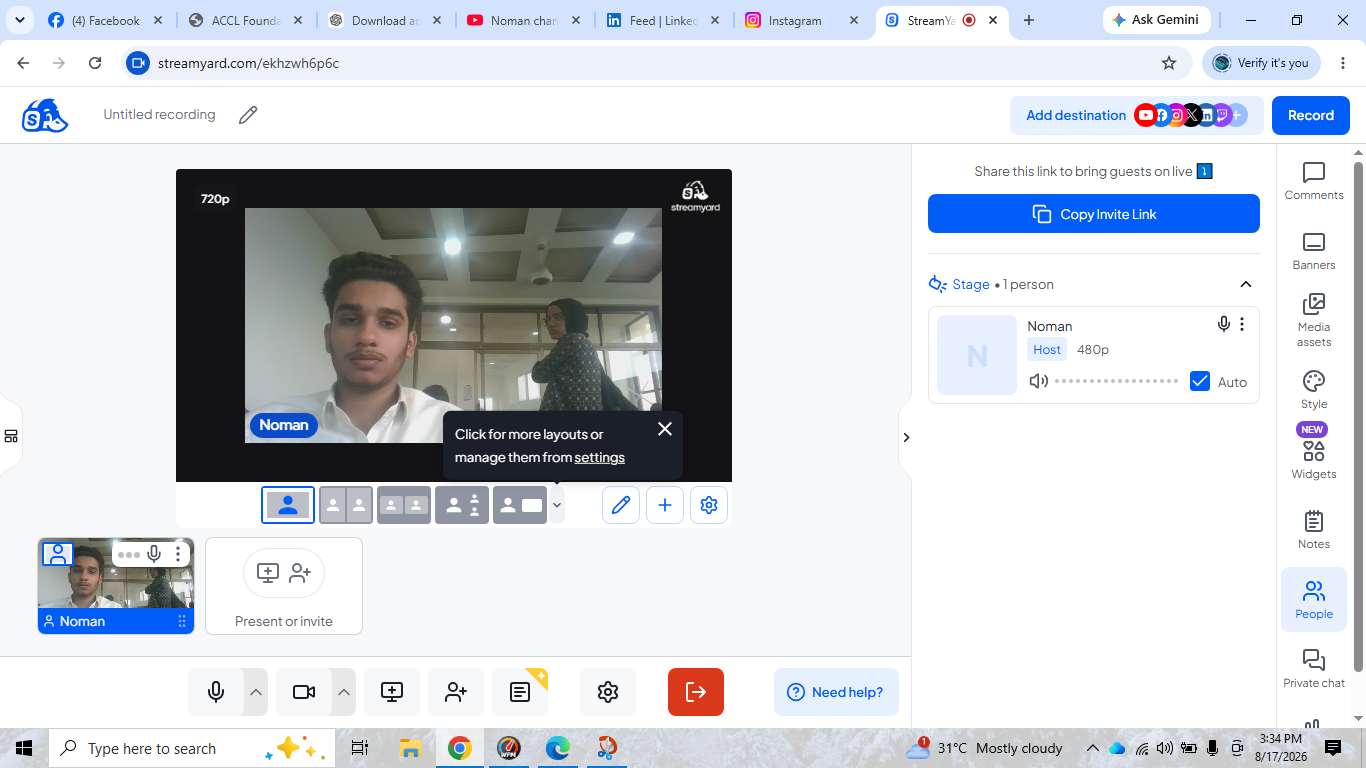
    Today, I completed my Day 9 task: **Interview (StreamYard)!** This task helped me explore online interviewing, live streaming, and connecting with people through digital platforms. Every new task is an opportunity to learn, improve my communication skills, and grow with technology.

    I’m continuously learning, taking action, and moving one step closer to my goals!

    **Date:** October 15, 2026
    **Name:** Hassan Climate Wala
    **Day:** 9

    #HassanClimateWala #Day9 #StreamYard #Interview #LiveStreaming #DigitalSkills #LearningAndGrowing #DailyChallenge
    ๐ŸŽ™๏ธ **Day 9: Interview with StreamYard** ๐ŸŽฅ Today, I completed my Day 9 task: **Interview (StreamYard)!** ๐Ÿš€ This task helped me explore online interviewing, live streaming, and connecting with people through digital platforms. Every new task is an opportunity to learn, improve my communication skills, and grow with technology. ๐ŸŒŸ I’m continuously learning, taking action, and moving one step closer to my goals! ๐Ÿ’ชโœจ ๐Ÿ“… **Date:** October 15, 2026 ๐Ÿ‘ค **Name:** Hassan Climate Wala ๐ŸŽฏ **Day:** 9 #HassanClimateWala #Day9 #StreamYard #Interview #LiveStreaming #DigitalSkills #LearningAndGrowing #DailyChallenge
    0 Comments 0 Shares 1257 Views
  • #rsisb
    Roll no 248
    Foundation level
    Talk with AI no 3
    **Talk with AI — Learn, Explore & Connect! **

    Today, I am going to have an exciting session called **“Talk with AI”**! In this session, I will explore how Artificial Intelligence (AI) works, ask interesting questions, and learn how AI can help us in education, business, creativity, and everyday life.

    **Watch Me Live!**
    YouTube — Join the live session.
    LinkedIn — Share ideas and connect with learners.
    Facebook — Watch the recorded session.
    Instagram — Explore highlights and updates.
    TikTok — Enjoy short clips and key moments.

    My goal is to learn new skills, improve my communication, build confidence, and inspire others to explore the world of AI. Every day is a new opportunity to learn something amazing!

    Let's learn, grow, and explore the future together!

    **Follow, Like, Share, and Support My Learning Journey!**

    #TalkWithAI #ArtificialIntelligence #AI #ChatGPT #LiveStreaming #YouTubeLive #LinkedInLive #Facebook #Instagram #TikTok #DigitalLearning #Technology #FutureOfAI #LearningJourney #StudentLife #DigitalSkills #Innovation #KeepLearning #RehanSchool #LearnWithAI
    #rsisb Roll no 248 Foundation level Talk with AI no 3 ๐ŸŽ™๏ธ๐Ÿค– **Talk with AI — Learn, Explore & Connect! ๐Ÿš€๐ŸŒ** Today, I am going to have an exciting session called **“Talk with AI”**! ๐ŸŽ‰ In this session, I will explore how Artificial Intelligence (AI) works, ask interesting questions, and learn how AI can help us in education, business, creativity, and everyday life. ๐Ÿง ๐Ÿ’ก ๐Ÿ“บ **Watch Me Live!** ๐Ÿ”ด YouTube — Join the live session. ๐Ÿ’ผ LinkedIn — Share ideas and connect with learners. ๐Ÿ“˜ Facebook — Watch the recorded session. ๐Ÿ“ธ Instagram — Explore highlights and updates. ๐ŸŽต TikTok — Enjoy short clips and key moments. My goal is to learn new skills, improve my communication, build confidence, and inspire others to explore the world of AI. ๐ŸŒŸ Every day is a new opportunity to learn something amazing! Let's learn, grow, and explore the future together! ๐Ÿš€๐Ÿ’ป **Follow, Like, Share, and Support My Learning Journey!** โค๏ธ๐Ÿ™Œ #TalkWithAI #ArtificialIntelligence #AI #ChatGPT #LiveStreaming #YouTubeLive #LinkedInLive #Facebook #Instagram #TikTok #DigitalLearning #Technology #FutureOfAI #LearningJourney #StudentLife #DigitalSkills #Innovation #KeepLearning #RehanSchool #LearnWithAI ๐Ÿค–๐ŸŒ๐Ÿš€
    0 Comments 0 Shares 1396 Views 13
  • #rsisb
    Parent Task
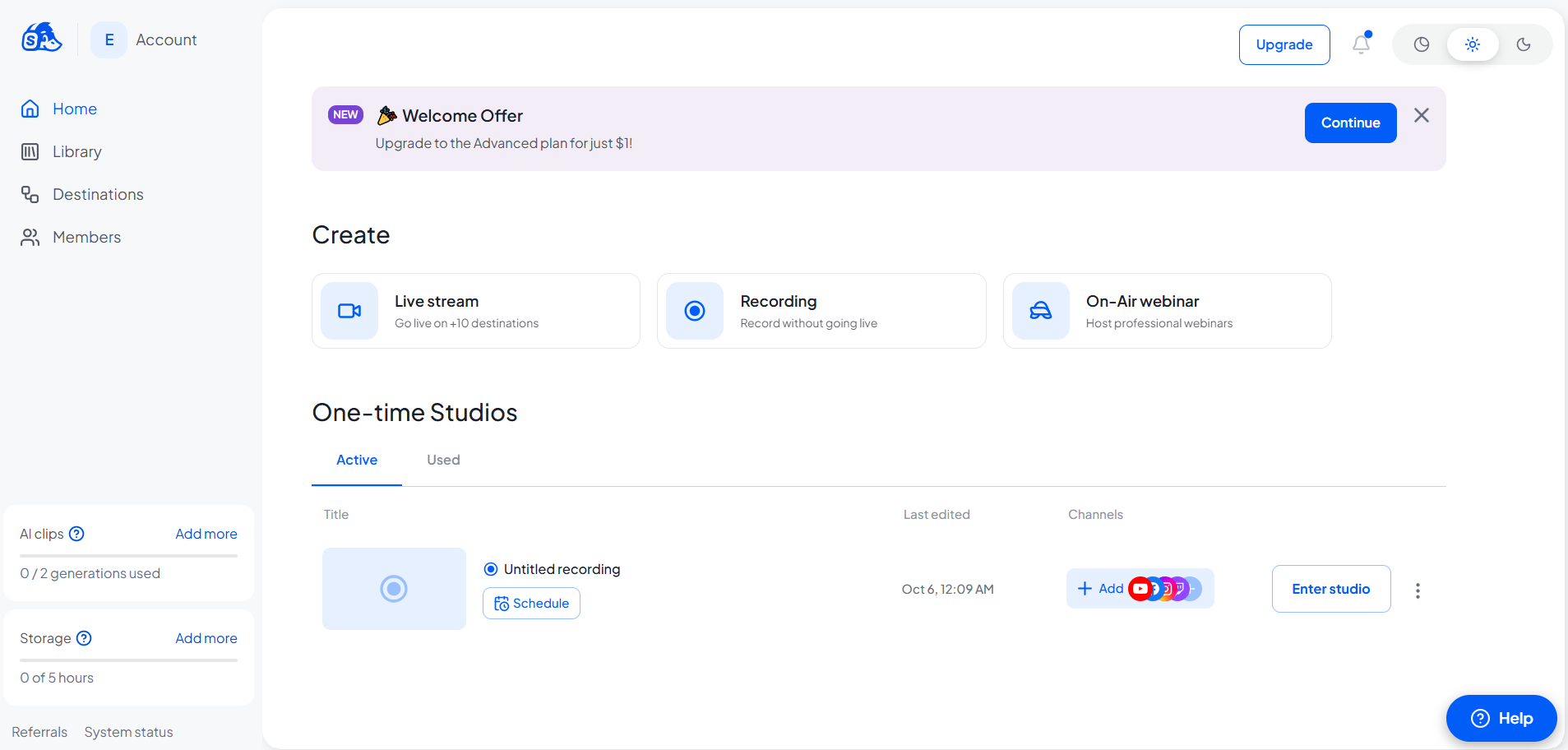
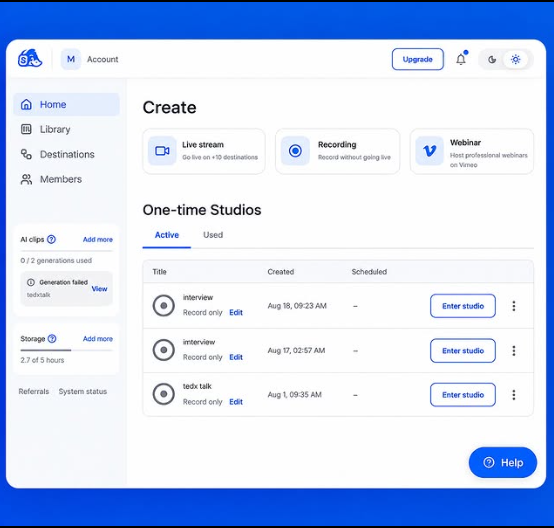
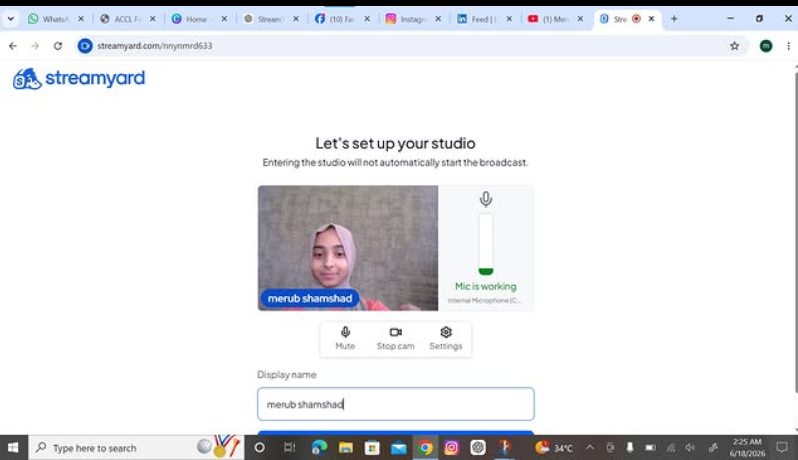
    Creat Streamyard
    Successfully Created My StreamYard Interview Account!
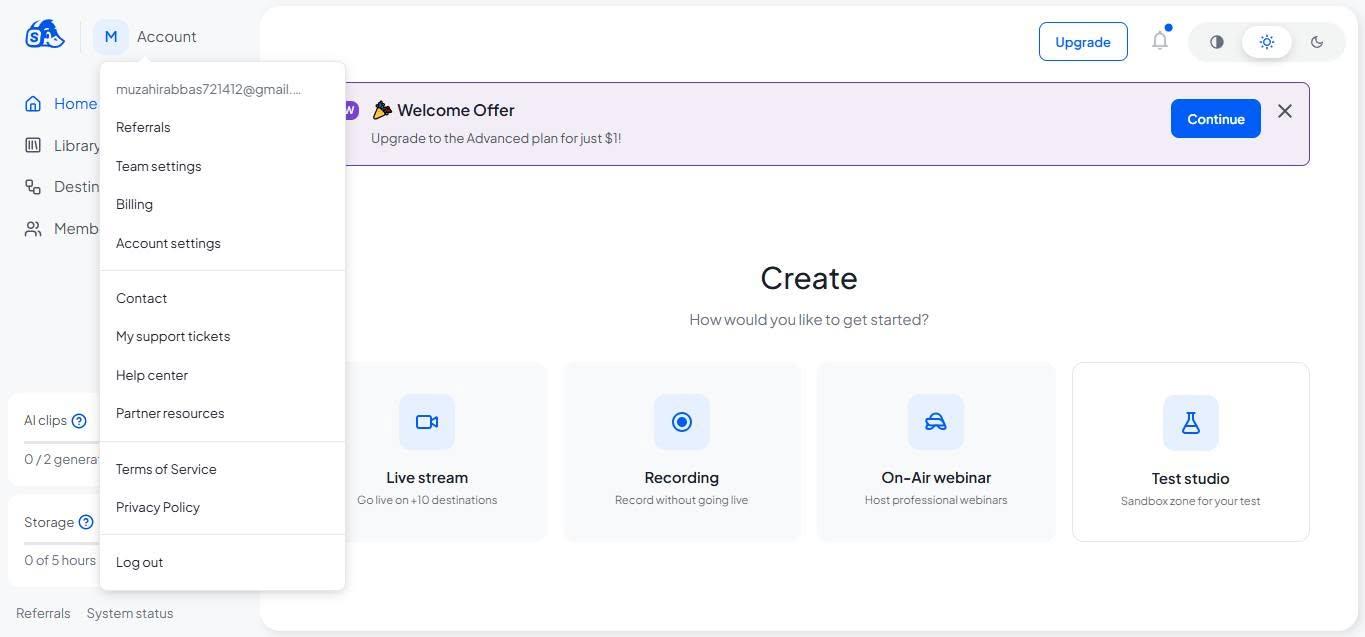
    I’m excited to share that I have successfully created and logged into my StreamYard account! This is another step forward in my digital journey, helping me prepare for professional interviews, live streaming, and online communication.
    Looking forward to exploring new opportunities, connecting with people, and creating amazing content with StreamYard!
    \#StreamYard #StreamYardAccount #AccountCreation #InterviewAccount #DigitalSkills #LiveStreaming #ContentCreation #ProfessionalGrowth #NewBeginnings #TaskCompleted #LearningAndGrowing #TechJourney
    #rsisb Parent Task Creat Streamyard ๐Ÿš€ Successfully Created My StreamYard Interview Account! ๐ŸŽ™๏ธ I’m excited to share that I have successfully created and logged into my StreamYard account! ๐ŸŽ‰ This is another step forward in my digital journey, helping me prepare for professional interviews, live streaming, and online communication. ๐Ÿ’ปโœจ Looking forward to exploring new opportunities, connecting with people, and creating amazing content with StreamYard! ๐ŸŒŸ๐ŸŽฅ \#StreamYard #StreamYardAccount #AccountCreation #InterviewAccount #DigitalSkills #LiveStreaming #ContentCreation #ProfessionalGrowth #NewBeginnings #TaskCompleted #LearningAndGrowing #TechJourney ๐Ÿš€๐ŸŽ™๏ธ
    0 Comments 0 Shares 2325 Views
  • RSIF8
    ROLL NO:13
    TASK NO:9

    How to Use Restream for Interviews?

    Restream is a useful online platform that can make interviews, live conversations, and online sessions easier to organize and share. It allows you to connect with your guest and broadcast your interview to different platforms, helping more people watch and engage with your content.

    To use Restream for an interview, first create an account and set up your live stream. You can connect the social media platforms where you want your interview to appear. After that, prepare your interview space by checking your camera, microphone, internet connection, and lighting. A clear audio and video setup can make the interview much more enjoyable for viewers.

    Next, invite your guest to join the interview. Before going live, it is a good idea to test the camera and microphone with your guest so that both of you are ready. You can prepare a few simple questions in advance, but you should also allow the conversation to flow naturally. Start the interview with a friendly introduction, introduce your guest, and explain the topic you will discuss.

    During the interview, listen carefully to your guest and ask questions clearly. Avoid interrupting, give your guest enough time to answer, and keep the conversation interesting and respectful. Restream can help you manage the live broadcast while you focus on the conversation.

    After the interview, you can review the recording, share highlights, and use the experience to improve your future interviews. Interviews are a great way to learn from other people, discover new ideas, improve communication skills, and build confidence in speaking.

    Learning to use tools like Restream is also a valuable digital skill. With practice, students can become more comfortable with online communication, live streaming, teamwork, and content creation.

    The goal is not only to conduct an interview, but also to learn how technology can connect people, share knowledge, and create meaningful conversations.

    #Restream #OnlineInterview #LiveInterview #InterviewSkills #CommunicationSkills #DigitalSkills #ContentCreation #LiveStreaming #Learning #StudentProjects #Technology #RSF8
    RSIF8 ROLL NO:13 TASK NO:9 ๐ŸŽฅ How to Use Restream for Interviews? ๐ŸŽค๐ŸŒ Restream is a useful online platform that can make interviews, live conversations, and online sessions easier to organize and share. It allows you to connect with your guest and broadcast your interview to different platforms, helping more people watch and engage with your content. To use Restream for an interview, first create an account and set up your live stream. You can connect the social media platforms where you want your interview to appear. After that, prepare your interview space by checking your camera, microphone, internet connection, and lighting. A clear audio and video setup can make the interview much more enjoyable for viewers. Next, invite your guest to join the interview. Before going live, it is a good idea to test the camera and microphone with your guest so that both of you are ready. You can prepare a few simple questions in advance, but you should also allow the conversation to flow naturally. Start the interview with a friendly introduction, introduce your guest, and explain the topic you will discuss. During the interview, listen carefully to your guest and ask questions clearly. Avoid interrupting, give your guest enough time to answer, and keep the conversation interesting and respectful. Restream can help you manage the live broadcast while you focus on the conversation. After the interview, you can review the recording, share highlights, and use the experience to improve your future interviews. Interviews are a great way to learn from other people, discover new ideas, improve communication skills, and build confidence in speaking. Learning to use tools like Restream is also a valuable digital skill. With practice, students can become more comfortable with online communication, live streaming, teamwork, and content creation. ๐Ÿš€๐Ÿ’ป โœจ The goal is not only to conduct an interview, but also to learn how technology can connect people, share knowledge, and create meaningful conversations. #Restream #OnlineInterview #LiveInterview #InterviewSkills #CommunicationSkills #DigitalSkills #ContentCreation #LiveStreaming #Learning #StudentProjects #Technology #RSF8๐ŸŽ“โœจ
    0 Comments 0 Shares 2576 Views
  • **Sharing with Others Live on Social Media**

    Social media has changed the way we communicate, learn, and connect with people around the world. Going live allows us to share moments, ideas, knowledge, events, and experiences with others in real time. Whether it is an educational discussion, a creative session, a special event, or simply connecting with an audience, live streaming gives people the opportunity to interact instantly.

    At the same time, responsible sharing is very important. Before going live, we should think about privacy, personal information, respectful communication, and the type of content we are sharing. A positive and safe online environment depends on everyone using social media responsibly.

    Live social media can be a powerful way to communicate, inspire others, learn new things, and build meaningful communities. When we use it wisely, respectfully, and safely, it can turn technology into a great tool for connection and learning.

    #SocialMedia #LiveStreaming #SocialMediaLive #DigitalCommunication #OnlineSafety #DigitalSkills #SocialMediaTips #LiveVideo #Technology #DigitalLearning #OnlineCommunity #SocialMediaAwareness #ContentCreation #InternetSafety #DigitalWorld
    ๐Ÿ“ฑ๐ŸŒ **Sharing with Others Live on Social Media** ๐ŸŽฅโœจ Social media has changed the way we communicate, learn, and connect with people around the world. Going live allows us to share moments, ideas, knowledge, events, and experiences with others in real time. Whether it is an educational discussion, a creative session, a special event, or simply connecting with an audience, live streaming gives people the opportunity to interact instantly. ๐Ÿ’ฌโค๏ธ At the same time, responsible sharing is very important. Before going live, we should think about privacy, personal information, respectful communication, and the type of content we are sharing. A positive and safe online environment depends on everyone using social media responsibly. ๐Ÿ”๐ŸŒŸ Live social media can be a powerful way to communicate, inspire others, learn new things, and build meaningful communities. When we use it wisely, respectfully, and safely, it can turn technology into a great tool for connection and learning. ๐Ÿš€๐Ÿ“ฒ #SocialMedia #LiveStreaming #SocialMediaLive #DigitalCommunication #OnlineSafety #DigitalSkills #SocialMediaTips #LiveVideo #Technology #DigitalLearning #OnlineCommunity #SocialMediaAwareness #ContentCreation #InternetSafety #DigitalWorld
    0 Comments 0 Shares 2721 Views 6
  • **Sharing with Others Live on Social Media**

    Social media has changed the way we communicate, learn, and connect with people around the world. Going live allows us to share moments, ideas, knowledge, events, and experiences with others in real time. Whether it is an educational discussion, a creative session, a special event, or simply connecting with an audience, live streaming gives people the opportunity to interact instantly.

    At the same time, responsible sharing is very important. Before going live, we should think about privacy, personal information, respectful communication, and the type of content we are sharing. A positive and safe online environment depends on everyone using social media responsibly.

    Live social media can be a powerful way to communicate, inspire others, learn new things, and build meaningful communities. When we use it wisely, respectfully, and safely, it can turn technology into a great tool for connection and learning.

    #SocialMedia #LiveStreaming #SocialMediaLive #DigitalCommunication #OnlineSafety #DigitalSkills #SocialMediaTips #LiveVideo #Technology #DigitalLearning #OnlineCommunity #SocialMediaAwareness #ContentCreation #InternetSafety #DigitalWorld
    ๐Ÿ“ฑ๐ŸŒ **Sharing with Others Live on Social Media** ๐ŸŽฅโœจ Social media has changed the way we communicate, learn, and connect with people around the world. Going live allows us to share moments, ideas, knowledge, events, and experiences with others in real time. Whether it is an educational discussion, a creative session, a special event, or simply connecting with an audience, live streaming gives people the opportunity to interact instantly. ๐Ÿ’ฌโค๏ธ At the same time, responsible sharing is very important. Before going live, we should think about privacy, personal information, respectful communication, and the type of content we are sharing. A positive and safe online environment depends on everyone using social media responsibly. ๐Ÿ”๐ŸŒŸ Live social media can be a powerful way to communicate, inspire others, learn new things, and build meaningful communities. When we use it wisely, respectfully, and safely, it can turn technology into a great tool for connection and learning. ๐Ÿš€๐Ÿ“ฒ #SocialMedia #LiveStreaming #SocialMediaLive #DigitalCommunication #OnlineSafety #DigitalSkills #SocialMediaTips #LiveVideo #Technology #DigitalLearning #OnlineCommunity #SocialMediaAwareness #ContentCreation #InternetSafety #DigitalWorld
    0 Comments 1 Shares 2697 Views 4
  • RSIF8
    Roll no 94
    Task no 9
    Task topic How to use streamyard for interviews
    How to Use StreamYard for Interviews?
    StreamYard makes online interviews simple and professional! First, sign up and create a broadcast or recording studio. Invite your guest by sharing the interview link —they can join directly from their browser without downloading anything. Customize your layout, add your logo, banners, and branding , then go live on platforms like YouTube, Facebook, or LinkedIn. You can also record interviews, display comments on screen , and create engaging conversations with ease.
    Perfect for podcasts, business interviews, webinars, and content creation!
    #StreamYard #OnlineInterview #Podcasting #LiveStreaming #ContentCreator #DigitalMarketing #VideoInterview #YouTubeLive #FacebookLive #LinkedInLive #RemoteInterview #StreamingTips
    RSIF8 Roll no 94 Task no 9 Task topic How to use streamyard for interviews ๐Ÿ“น๐ŸŽค How to Use StreamYard for Interviews? StreamYard makes online interviews simple and professional! ๐ŸŒŸ First, sign up and create a broadcast or recording studio. ๐ŸŽฌ Invite your guest by sharing the interview link ๐Ÿ”——they can join directly from their browser without downloading anything. ๐Ÿ’ป๐ŸŽ™๏ธ Customize your layout, add your logo, banners, and branding ๐ŸŽจ, then go live on platforms like YouTube, Facebook, or LinkedIn. ๐Ÿ“บโœจ You can also record interviews, display comments on screen ๐Ÿ’ฌ, and create engaging conversations with ease. ๐Ÿš€ Perfect for podcasts, business interviews, webinars, and content creation! ๐ŸŽง๐ŸŽฅ #StreamYard #OnlineInterview #Podcasting #LiveStreaming #ContentCreator #DigitalMarketing #VideoInterview #YouTubeLive #FacebookLive #LinkedInLive #RemoteInterview #StreamingTips ๐Ÿš€๐ŸŽค๐Ÿ“นโœจ
    0 Comments 0 Shares 4499 Views
  • RSIF8
    Roll no : 83
    Task no :9
    Task Topic : How to use streamyard for
    interviews?
    Use StreamYard to host professional interviews with ease! Simply create a studio, invite your guest with a shareable link, and start your conversation live or record it for later. Customize your layout, display names and branding, share your screen, and engage with your audience through live comments—all from your browser with no downloads required.
    #StreamYard #LiveStreaming #Interviews #Podcasting #ContentCreator #VideoMarketing #LiveVideo #StreamingTips #OnlineInterviews #Broadcasting See less
    13w
    RSIF8 Roll no : 83 Task no :9 Task Topic : How to use streamyard for interviews? ๐ŸŽ™๏ธโœจ Use StreamYard to host professional interviews with ease! Simply create a studio, invite your guest with a shareable link, and start your conversation live or record it for later. Customize your layout, display names and branding, share your screen, and engage with your audience through live comments—all from your browser with no downloads required. ๐Ÿš€๐Ÿ“น๐Ÿ’ฌ #StreamYard #LiveStreaming #Interviews #Podcasting #ContentCreator #VideoMarketing #LiveVideo #StreamingTips #OnlineInterviews #Broadcasting ๐ŸŽ™๏ธโœจ๐Ÿš€๐Ÿ“น๐Ÿ’ฌ๐ŸŽค๐ŸŒŸ See less 13w
    0 Comments 0 Shares 4238 Views
  • RSIF8
    ROLL NO 100
    TASK NO 9
    TOPIC How to use StreamYard for interviews?

    Here’s a ready-to-post description for your StreamYard interview tutorial:

    **How to Use StreamYard for Interviews?**

    Want to conduct professional and engaging online interviews? In this tutorial, learn how to use **StreamYard** step by step, invite a guest, manage your interview, and create an engaging live session.

    StreamYard makes online interviews simple, interactive, and fun! Watch the tutorial and improve your digital communication skills.

    #StreamYard #StreamYardTutorial #OnlineInterview #InterviewSkills #DigitalSkills #LiveStreaming #CommunicationSkills #OnlineLearning #TechSkills #LearnStreamYard #ContentCreation
    RSIF8 ROLL NO 100 TASK NO 9 TOPIC How to use StreamYard for interviews? Here’s a ready-to-post description for your StreamYard interview tutorial: ๐ŸŽฅ๐ŸŽค **How to Use StreamYard for Interviews?** ๐ŸŒŸ Want to conduct professional and engaging online interviews? ๐Ÿ’ปโœจ In this tutorial, learn how to use **StreamYard** step by step, invite a guest, manage your interview, and create an engaging live session. ๐Ÿš€๐ŸŽ™๏ธ StreamYard makes online interviews simple, interactive, and fun! ๐Ÿ˜Š๐Ÿ“ก Watch the tutorial and improve your digital communication skills. ๐Ÿ’ก๐Ÿ”ฅ #StreamYard #StreamYardTutorial #OnlineInterview #InterviewSkills #DigitalSkills #LiveStreaming #CommunicationSkills #OnlineLearning #TechSkills #LearnStreamYard #ContentCreation ๐ŸŽฅ๐ŸŽค๐Ÿ’ปโœจ
    0 Comments 0 Shares 2718 Views
  • RSIF8
    Roll no:100
    Task no:9
    Task topic:How to use StreamYard for interviews?
    How to Use StreamYard for Interviews
    Want to host professional online interviews with ease? Here's how:
    Create your broadcast in StreamYard
    Invite your guest with a simple link—no software download needed!
    Customize your layout, add your logo, and display names.
    Highlight audience comments live during the interview.
    Stream directly to YouTube, Facebook, LinkedIn, or other platforms.
    Record your interview for future editing and sharing.
    Whether you're hosting podcasts, business discussions, educational sessions, or live Q&As, StreamYard makes interviewing simple and professional.
    #StreamYard #OnlineInterview #LiveStreaming #Podcast #ContentCreator #YouTubeLive #FacebookLive #LinkedInLive #VirtualInterview #LiveShow #StreamingTips #VideoMarketing #DigitalCreator #InterviewTips #ContentMarketing
    RSIF8 Roll no:100 Task no:9 Task topic:How to use StreamYard for interviews? ๐ŸŽ™๏ธ How to Use StreamYard for Interviews ๐ŸŽฅ Want to host professional online interviews with ease? ๐Ÿš€ Here's how: โœ… Create your broadcast in StreamYard ๐ŸŽค Invite your guest with a simple link—no software download needed! ๐ŸŽฅ Customize your layout, add your logo, and display names. ๐Ÿ’ฌ Highlight audience comments live during the interview. ๐Ÿ“ก Stream directly to YouTube, Facebook, LinkedIn, or other platforms. ๐ŸŽฌ Record your interview for future editing and sharing. Whether you're hosting podcasts, business discussions, educational sessions, or live Q&As, StreamYard makes interviewing simple and professional. ๐ŸŒŸ #StreamYard #OnlineInterview #LiveStreaming #Podcast #ContentCreator #YouTubeLive #FacebookLive #LinkedInLive #VirtualInterview #LiveShow #StreamingTips #VideoMarketing #DigitalCreator #InterviewTips #ContentMarketing
    0 Comments 0 Shares 6851 Views
More Results