• RSIF8
    Roll No : 87
    claude ai No : 1
    claude ai topic: Create a Basic Calculator
    **Basic Calculator Project – My Completed Task**
    I have successfully created a **Basic Calculator** as part of my learning and coding practice. This calculator has a simple, clean, and user-friendly interface that makes it easy to perform everyday mathematical calculations. The calculator includes important buttons such as **addition (+), subtraction (−), multiplication (×), division (÷), percentage (%), decimal (.), plus/minus (±), clear (C), and equals )**.
    The calculator display shows the numbers and results clearly, while the organized button layout makes it easy for users to enter numbers and select the required mathematical operation. I focused on making the design simple and easy to understand so that anyone can use it without difficulty.
    Creating this calculator helped me understand how a calculator works and gave me valuable practice with **HTML, CSS, and JavaScript**. I learned how to design buttons, create a calculator layout, handle user input, perform mathematical operations, and display the final result.
    This project was a great opportunity to improve my **coding, problem-solving, logical thinking, and web development skills**. I am happy to complete this project and excited to continue learning and creating more useful projects in the future.
    #BasicCalculator #Calculator #Coding #WebDevelopment #HTML #CSS #JavaScript #Programming #CodingPractice #Learning #StudentProject #ProjectCompleted #Math #Technology #ComputerSkills #ProblemSolving #ProgrammingSkills #KeepLearning #KeepGrowing
    RSIF8 Roll No : 87 claude ai No : 1 claude ai topic: Create a Basic Calculator 🧮✨ **Basic Calculator Project – My Completed Task** ✨🧮 I have successfully created a **Basic Calculator** as part of my learning and coding practice. This calculator has a simple, clean, and user-friendly interface that makes it easy to perform everyday mathematical calculations. The calculator includes important buttons such as **addition (+), subtraction (−), multiplication (×), division (÷), percentage (%), decimal (.), plus/minus (±), clear (C), and equals 😊)**. The calculator display shows the numbers and results clearly, while the organized button layout makes it easy for users to enter numbers and select the required mathematical operation. I focused on making the design simple and easy to understand so that anyone can use it without difficulty. Creating this calculator helped me understand how a calculator works and gave me valuable practice with **HTML, CSS, and JavaScript**. I learned how to design buttons, create a calculator layout, handle user input, perform mathematical operations, and display the final result. 💻📚 This project was a great opportunity to improve my **coding, problem-solving, logical thinking, and web development skills**. I am happy to complete this project and excited to continue learning and creating more useful projects in the future. 🚀💯 #BasicCalculator #Calculator #Coding #WebDevelopment #HTML #CSS #JavaScript #Programming #CodingPractice #Learning #StudentProject #ProjectCompleted #Math #Technology #ComputerSkills #ProblemSolving #ProgrammingSkills #KeepLearning #KeepGrowing 🧮💻🚀✨
    0 Comentários 0 Compartilhamentos 797 Visualizações
  • RSIF8
    Roll No: 112
    Coding Post Task No: 1
    Coding Post Topic: Create a Basic Calculator
    ### My Basic Calculator Project
    I created a **Basic Calculator** that performs four fundamental mathematical operations: **Addition , Subtraction , Multiplication , and Division **.
    The purpose of this project was to practice programming concepts by creating a simple and useful calculator. Through this activity, I learned how to take input, process calculations, use mathematical operators, and display the correct result to the user.
    The calculator allows the user to enter numbers and select the required operation. It then performs the calculation and shows the result. This project helped me understand how programming can be used to solve everyday problems in a simple and efficient way.
    ### Operations Included
    **Addition:** Adds two numbers together.
    **Subtraction:** Finds the difference between two numbers.
    **Multiplication:** Multiplies two numbers.
    **Division:** Divides one number by another.
    Creating this calculator was a great learning experience because it helped me improve my understanding of **logic, operators, user input, calculations, and programming fundamentals**.
    I’m happy to share my project and continue improving my coding skills through more practical projects. Every small project is a step toward becoming a better programmer!
    **I have also shared a screenshot of my Basic Calculator to show the project and its working.**
    ### What I Learned
    How to perform basic mathematical operations
    How to use programming operators
    How to work with user input
    How to apply logic in a simple program
    How to create a useful beginner-level project
    How practical projects can improve programming skills
    Thank you for viewing my project!
    I’m looking forward to learning more, creating new projects, and improving my technical skills.
    ### Hashtags
    #BasicCalculator #CalculatorProject #Programming #Coding #CodingJourney #LearnToCode #ProgrammingForBeginners #StudentProject #CodingSkills #TechSkills #ComputerScience #ProgrammingProject #BeginnerProject #LearningProgramming #PracticalLearning #DigitalSkills #FutureProgrammer #RSIF8 #StudentLearning #KeepLearning #LearnAndGrow
    RSIF8 Roll No: 112 Coding Post Task No: 1 Coding Post Topic: Create a Basic Calculator ### 🧮💻 My Basic Calculator Project I created a **Basic Calculator** that performs four fundamental mathematical operations: **Addition ➕, Subtraction ➖, Multiplication ✖️, and Division ➗**. The purpose of this project was to practice programming concepts by creating a simple and useful calculator. Through this activity, I learned how to take input, process calculations, use mathematical operators, and display the correct result to the user. 💻📚✨ The calculator allows the user to enter numbers and select the required operation. It then performs the calculation and shows the result. This project helped me understand how programming can be used to solve everyday problems in a simple and efficient way. 🚀🧠 ### 🔢 Operations Included ➕ **Addition:** Adds two numbers together. ➖ **Subtraction:** Finds the difference between two numbers. ✖️ **Multiplication:** Multiplies two numbers. ➗ **Division:** Divides one number by another. Creating this calculator was a great learning experience because it helped me improve my understanding of **logic, operators, user input, calculations, and programming fundamentals**. 🌟💡 I’m happy to share my project and continue improving my coding skills through more practical projects. Every small project is a step toward becoming a better programmer! 👩‍💻🚀📖 📸 **I have also shared a screenshot of my Basic Calculator to show the project and its working.** ### 🌟 What I Learned ✅ How to perform basic mathematical operations ✅ How to use programming operators ✅ How to work with user input ✅ How to apply logic in a simple program ✅ How to create a useful beginner-level project ✅ How practical projects can improve programming skills Thank you for viewing my project! 🙌✨ I’m looking forward to learning more, creating new projects, and improving my technical skills. 💻🌱🚀 ### 🔖 Hashtags #BasicCalculator #CalculatorProject #Programming #Coding #CodingJourney #LearnToCode #ProgrammingForBeginners #StudentProject #CodingSkills #TechSkills #ComputerScience #ProgrammingProject #BeginnerProject #LearningProgramming #PracticalLearning #DigitalSkills #FutureProgrammer #RSIF8 #StudentLearning #KeepLearning #LearnAndGrow 🧮 ➕ ➖ ✖️ ➗ 💻 👩‍💻 📚 🧠 💡 🌟 🚀 🎯 ✨🙌
    0 Comentários 0 Compartilhamentos 1138 Visualizações
  • RSIF8
    Roll no: 99
    Coding task no: 1
    Coding topic Create a Basic Calculator
    Today’s task was to build a functional calculator that can perform basic mathematical operations such as:
    Addition
    Subtraction
    Multiplication
    Division
    I built the calculator using HTML, CSS, and JavaScript, with a proper interactive interface where users can enter numbers and perform calculations.
    But here’s the interesting part: I didn’t write all the code from scratch myself. Instead, I used ChatGPT for vibe coding — I described what I wanted, worked with the generated code, tested it, and made sure the final calculator actually worked.
    This task taught me that coding isn’t only about writing every line manually. It’s also about understanding the problem, communicating your idea clearly, testing the result, debugging, and learning from the code.
    One more small project completed!
    One more step forward in my learning journey.
    #VibeCoding #ChatGPT #HTML #CSS #JavaScript #WebDevelopment #Coding #Programming #Calculator #100DaysOfCode #LearningToCode #BuildInPublic #TechJourney #WebDesign #FrontendDevelopment #CodingJourney #AI #ArtificialIntelligence #Developer #StudentDeveloper
    RSIF8 Roll no: 99 Coding task no: 1 Coding topic Create a Basic Calculator Today’s task was to build a functional calculator that can perform basic mathematical operations such as: ➕ Addition ➖ Subtraction ✖️ Multiplication ➗ Division I built the calculator using HTML, CSS, and JavaScript, with a proper interactive interface where users can enter numbers and perform calculations. But here’s the interesting part: I didn’t write all the code from scratch myself. Instead, I used ChatGPT for vibe coding 🤖💻 — I described what I wanted, worked with the generated code, tested it, and made sure the final calculator actually worked. This task taught me that coding isn’t only about writing every line manually. It’s also about understanding the problem, communicating your idea clearly, testing the result, debugging, and learning from the code. One more small project completed! ✅ One more step forward in my learning journey. 📚🚀 #VibeCoding #ChatGPT #HTML #CSS #JavaScript #WebDevelopment #Coding #Programming #Calculator #100DaysOfCode #LearningToCode #BuildInPublic #TechJourney #WebDesign #FrontendDevelopment #CodingJourney #AI #ArtificialIntelligence #Developer #StudentDeveloper
    0 Comentários 0 Compartilhamentos 1356 Visualizações
  • #rsisb
    Roll no. 214
    Foundation level
    Coding task no.20

    Never forget an important task again! The **Reminder App** helps you create, manage, and organize reminders for your daily activities, homework, meetings, birthdays, and special events.

    This simple and useful app is great for learning **app development, coding, and time management**. Stay organized, stay focused, and complete your tasks on time!

    #ReminderApp #AppDevelopment #Coding #Programming #StudentProjects #TimeManagement #DailyTasks #LearningToCode #TechProject #SimpleApp
    #rsisb Roll no. 214 Foundation level Coding task no.20 Never forget an important task again! ✅ The **Reminder App** helps you create, manage, and organize reminders for your daily activities, homework, meetings, birthdays, and special events. 📝🔔 This simple and useful app is great for learning **app development, coding, and time management**. 💻🚀 Stay organized, stay focused, and complete your tasks on time! 🎯🌟 #ReminderApp ⏰ #AppDevelopment 📱 #Coding 💻 #Programming 👩‍💻 #StudentProjects 🎓 #TimeManagement ⏳ #DailyTasks 📝 #LearningToCode 🚀 #TechProject 🌟 #SimpleApp ❤️
    0 Comentários 0 Compartilhamentos 642 Visualizações
  • #rsisb
    Roll no.239
    Coding task no.13
    Foundation Level


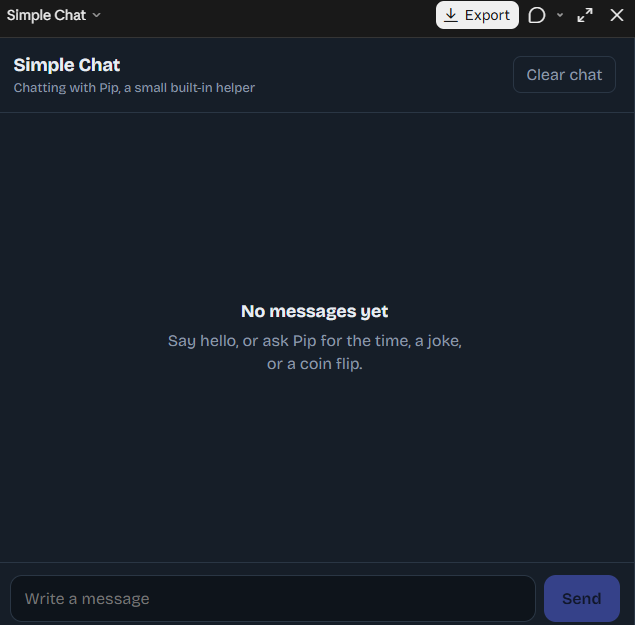
    A **Simple Chat Application** is a basic software project that allows two or more users to communicate by sending and receiving messages in real time.

    It is a great project for learning important programming concepts such as **user interfaces, networking, databases, and real-time communication**.

    ### Key Features

    * Send and receive messages
    * User login or username system
    * Online/offline status
    * Message timestamps
    * Notifications
    * Chat history

    ### Technologies You Can Use

    * **HTML, CSS & JavaScript** for the frontend
    * **Node.js** for the backend
    * **Socket.IO** for real-time messaging
    * **Firebase** for authentication and database services

    Building a simple chat application is an excellent way to understand how modern messaging platforms work. Start small, learn the basics, and gradually add more advanced features!

    #ChatApplication #WebDevelopment #Programming #JavaScript #NodeJS #SocketIO #Coding #Developer #TechProject #LearnToCode
    #rsisb Roll no.239 Coding task no.13 Foundation Level A **Simple Chat Application** is a basic software project that allows two or more users to communicate by sending and receiving messages in real time. 📱💻 It is a great project for learning important programming concepts such as **user interfaces, networking, databases, and real-time communication**. ### ✨ Key Features * 💬 Send and receive messages * 👤 User login or username system * 🟢 Online/offline status * 📅 Message timestamps * 🔔 Notifications * 🗂️ Chat history ### 🛠️ Technologies You Can Use * **HTML, CSS & JavaScript** for the frontend * **Node.js** for the backend * **Socket.IO** for real-time messaging * **Firebase** for authentication and database services Building a simple chat application is an excellent way to understand how modern messaging platforms work. 🚀 Start small, learn the basics, and gradually add more advanced features! #ChatApplication #WebDevelopment #Programming #JavaScript #NodeJS #SocketIO #Coding #Developer #TechProject #LearnToCode 💻🚀
    0 Comentários 0 Compartilhamentos 1798 Visualizações
  • #rsisb
    Roll no.239
    Coding task no.13
    Foundation Level


    A **Prime Number Checker** is a simple program or tool that determines whether a given number is a **prime number** or not.

    A **prime number** is a number greater than **1** that can only be divided evenly by **1 and itself**.

    ### Examples:

    * **2** → Prime Number
    * **3** → Prime Number
    * **5** → Prime Number
    * **7** → Prime Number
    * **4** → Not a Prime Number (divisible by 1, 2, and 4)
    * **9** → Not a Prime Number (divisible by 1, 3, and 9)

    ### How It Works:

    The program takes a number as input and checks whether it has any divisors other than **1 and itself**. If it does not, the number is prime.

    Prime Number Checker projects are excellent for beginners because they help improve understanding of **loops, conditions, and logical thinking** in programming.

    #PrimeNumber #Coding #Programming #JavaScript #Python #LearnToCode #ComputerScience
    #rsisb Roll no.239 Coding task no.13 Foundation Level A **Prime Number Checker** is a simple program or tool that determines whether a given number is a **prime number** or not. A **prime number** is a number greater than **1** that can only be divided evenly by **1 and itself**. ### ✨ Examples: * **2** → Prime Number ✅ * **3** → Prime Number ✅ * **5** → Prime Number ✅ * **7** → Prime Number ✅ * **4** → Not a Prime Number ❌ (divisible by 1, 2, and 4) * **9** → Not a Prime Number ❌ (divisible by 1, 3, and 9) ### 💻 How It Works: The program takes a number as input and checks whether it has any divisors other than **1 and itself**. If it does not, the number is prime. Prime Number Checker projects are excellent for beginners because they help improve understanding of **loops, conditions, and logical thinking** in programming. 🚀💡 #PrimeNumber #Coding #Programming #JavaScript #Python #LearnToCode #ComputerScience 💻🔢✨
    0 Comentários 0 Compartilhamentos 1309 Visualizações
  • RSISB
    Roll No: 209
    Story Post No.30

    **Adventures in Coding Land**

    Welcome to **Coding Land**, where every line of code becomes a new adventure! Explore the exciting world of **programming, logic, algorithms, loops, functions, debugging, and technology** through creativity and curiosity.

    Just like an adventure, coding is full of challenges, discoveries, and amazing possibilities. Every error is a lesson, every solution is a victory, and every project is a step toward becoming a better coder!

    **Code. Learn. Create. Adventure!**
    Let your curiosity guide you and turn your ideas into reality through the power of coding.

    #AdventuresInCodingLand #Coding #Programming #LearnToCode #CodingJourney #FutureCoder #ComputerScience #Technology #CodingAdventure #ProgrammingSkills #Algorithms #Debugging #Innovation #Creativity #YoungCoders #CodeLearnCreate
    RSISB Roll No: 209 Story Post No.30 🌟💻 **Adventures in Coding Land** 🚀🌈 Welcome to **Coding Land**, where every line of code becomes a new adventure! 🧑‍💻✨ Explore the exciting world of **programming, logic, algorithms, loops, functions, debugging, and technology** through creativity and curiosity. 🧠🔐🤖 Just like an adventure, coding is full of challenges, discoveries, and amazing possibilities. 🏰🌟 Every error is a lesson, every solution is a victory, and every project is a step toward becoming a better coder! 💡🏆 🚀 **Code. Learn. Create. Adventure!** Let your curiosity guide you and turn your ideas into reality through the power of coding. 🌍💻✨ #AdventuresInCodingLand #Coding #Programming #LearnToCode #CodingJourney #FutureCoder #ComputerScience #Technology #CodingAdventure #ProgrammingSkills #Algorithms #Debugging #Innovation #Creativity #YoungCoders #CodeLearnCreate 🚀💻🧠🌟🤖
    0 Comentários 0 Compartilhamentos 2911 Visualizações

  • #rsisb
    roll no.247
    Foundation level
    # Simple Calculator
    **Simple Calculator – Making Everyday Math Easy!**
    A **Simple Calculator** is a useful and beginner-friendly application designed to make basic mathematical calculations quick, accurate, and convenient. Whether you are a student learning mathematics, a beginner exploring programming, or simply someone who needs to calculate numbers quickly, a calculator provides an easy way to perform everyday calculations.
    This project focuses on the fundamental arithmetic operations: **addition (+), subtraction (-), multiplication (×), and division (÷)**. Users can enter numbers, select an operation, and instantly see the result. The simple interface makes it easy to understand and use, while also demonstrating important concepts such as user input, mathematical operators, buttons, functions, and displaying results.
    Creating a Simple Calculator is also an excellent programming project for beginners. It helps learners understand how different parts of an application work together. From designing the interface to writing the calculation logic, every step provides an opportunity to develop problem-solving and programming skills.
    A calculator project can also be expanded with additional features such as decimal numbers, percentage calculations, clear and delete buttons, keyboard support, calculation history, and more advanced mathematical functions. This makes it a great starting point for learning how simple applications can gradually become more powerful and interactive.
    **Key Features:**
    Addition
    Subtraction
    Multiplication
    Division
    Easy-to-use interface
    Fast calculations
    Beginner-friendly design
    Useful for learning programming
    Clear and understandable results
    **Learning Value:**
    Working on a Simple Calculator helps learners practice logical thinking, understand basic programming concepts, handle user input, and create interactive applications. It demonstrates how mathematics and technology can come together to solve everyday problems.
    **Conclusion:**
    The Simple Calculator may be a small project, but it teaches some very important ideas about programming and application development. It is a perfect beginner project for turning basic mathematical operations into an interactive digital tool. Keep learning, keep experimenting, and keep building!
    #SimpleCalculator #Calculator #Math #Mathematics #Programming #Coding #BeginnerProject #CodingForBeginners #LearnProgramming #ComputerScience #Technology #Education #StudentProject #MathSkills #ProblemSolving #ProgrammingProject #DigitalLearning #CodingSkills #CreativeCoding #LearnToCode #TechEducation #BasicCalculator #EasyCoding #Innovation
    #rsisb roll no.247 Foundation level # Simple Calculator 🧮✨ 🧮 **Simple Calculator – Making Everyday Math Easy!** 🔢💡 A **Simple Calculator** is a useful and beginner-friendly application designed to make basic mathematical calculations quick, accurate, and convenient. ➕➖✖️➗ Whether you are a student learning mathematics, a beginner exploring programming, or simply someone who needs to calculate numbers quickly, a calculator provides an easy way to perform everyday calculations. 📚💻 This project focuses on the fundamental arithmetic operations: **addition (+), subtraction (-), multiplication (×), and division (÷)**. Users can enter numbers, select an operation, and instantly see the result. ⚡🔢 The simple interface makes it easy to understand and use, while also demonstrating important concepts such as user input, mathematical operators, buttons, functions, and displaying results. 🎯 Creating a Simple Calculator is also an excellent programming project for beginners. 👨‍💻👩‍💻 It helps learners understand how different parts of an application work together. From designing the interface to writing the calculation logic, every step provides an opportunity to develop problem-solving and programming skills. 🚀🧠 A calculator project can also be expanded with additional features such as decimal numbers, percentage calculations, clear and delete buttons, keyboard support, calculation history, and more advanced mathematical functions. 🌟📱 This makes it a great starting point for learning how simple applications can gradually become more powerful and interactive. ✨ **Key Features:** 🔹 Addition ➕ 🔹 Subtraction ➖ 🔹 Multiplication ✖️ 🔹 Division ➗ 🔹 Easy-to-use interface 🖥️ 🔹 Fast calculations ⚡ 🔹 Beginner-friendly design 🌱 🔹 Useful for learning programming 💻 🔹 Clear and understandable results ✅ 📚 **Learning Value:** Working on a Simple Calculator helps learners practice logical thinking, understand basic programming concepts, handle user input, and create interactive applications. 🧠💻 It demonstrates how mathematics and technology can come together to solve everyday problems. 🌟 **Conclusion:** The Simple Calculator may be a small project, but it teaches some very important ideas about programming and application development. 🧮🚀 It is a perfect beginner project for turning basic mathematical operations into an interactive digital tool. Keep learning, keep experimenting, and keep building! 💡🌈 #SimpleCalculator #Calculator #Math #Mathematics #Programming #Coding #BeginnerProject #CodingForBeginners #LearnProgramming #ComputerScience #Technology #Education #StudentProject #MathSkills #ProblemSolving #ProgrammingProject #DigitalLearning #CodingSkills #CreativeCoding #LearnToCode #TechEducation #BasicCalculator #EasyCoding #Innovation
    0 Comentários 0 Compartilhamentos 2868 Visualizações
  • #rsisb
    Roll no. 214
    Foundation level
    Coding task no. 2

    Get ready for a fun and exciting game of **Tic-Tac-Toe!** Challenge your friends, test your strategy, and try to get **three in a row** before your opponent! Whether you’re a beginner or a gaming expert, this classic game is simple, quick, and super fun!

    Play, think, win, and enjoy!

    #TicTacToe #Game #Gaming #FunGame #MiniGame #PuzzleGame #StrategyGame #ClassicGame #PlayAndWin #GameDevelopment #Coding #Programming #FunWithCoding
    #rsisb Roll no. 214 Foundation level Coding task no. 2 Get ready for a fun and exciting game of **Tic-Tac-Toe!** 🕹️🔥 Challenge your friends, test your strategy, and try to get **three in a row** before your opponent! 🧠🏆 Whether you’re a beginner or a gaming expert, this classic game is simple, quick, and super fun! 😄🎯 Play, think, win, and enjoy! 🎉❌⭕ #TicTacToe #Game #Gaming #FunGame #MiniGame #PuzzleGame #StrategyGame #ClassicGame #PlayAndWin #GameDevelopment #Coding #Programming #FunWithCoding 🎮🔥✨
    0 Comentários 0 Compartilhamentos 2906 Visualizações
  • #rsisb
    Roll no.239
    Coding task no.15
    Foundation Level

    Challenge your mind and test your vocabulary with an exciting **Word Guessing Game!** Guess the hidden word by using clues, thinking carefully, and making smart choices.

    This fun and interactive game is a great way to improve **vocabulary, spelling, memory, concentration, and problem-solving skills**. Every guess brings you one step closer to discovering the secret word!

    Whether you're playing with friends , practicing English , or building your coding skills through a simple game project , word guessing is an entertaining way to learn while having fun.

    **Think smart. Guess carefully. Discover the word!**

    #WordGuessingGame #WordGame #GuessTheWord #Vocabulary #EnglishVocabulary #LearningEnglish #EnglishGame #BrainGame #MindGame #PuzzleGame #FunLearning #EducationalGame #GameDevelopment #Coding #Programming #Python #JavaScript #HTML #CSS #CodingProject #BeginnerCoding #ComputerScience #Students #StudentProject #LearnToCode #ProgrammingForBeginners #ProblemSolving #CriticalThinking #BrainTraining #MemoryGame #Spelling #LanguageLearning #InteractiveGame #FunGame #GameChallenge #TechEducation #STEM #Education #Learning #Knowledge #CreativeCoding #CodingForStudents #BuildGames #GameProject #DigitalLearning #SmartLearning #LearnAndPlay #ChallengeYourMind
    #rsisb Roll no.239 Coding task no.15 Foundation Level Challenge your mind and test your vocabulary with an exciting **Word Guessing Game!** 🎯📚 Guess the hidden word by using clues, thinking carefully, and making smart choices. 💡🔍 This fun and interactive game is a great way to improve **vocabulary, spelling, memory, concentration, and problem-solving skills**. 🧠✍️📖 Every guess brings you one step closer to discovering the secret word! 🔐🔤 Whether you're playing with friends 👥, practicing English 🇬🇧, or building your coding skills through a simple game project 💻, word guessing is an entertaining way to learn while having fun. 🚀🎮 🔥 **Think smart. Guess carefully. Discover the word!** 🏆✨ #WordGuessingG🙃ame #WordGame #GuessTheWord #Vocabulary #EnglishVocabulary #LearningEnglish #EnglishGame #BrainGame #MindGame #PuzzleGame #FunLearning #EducationalGame #GameDevelopment #Coding #Programming #Python #JavaScript #HTML #CSS #CodingProject #BeginnerCoding #ComputerScience #Students #StudentProject #LearnToCode #ProgrammingForBeginners #ProblemSolving #CriticalThinking #BrainTraining #MemoryGame #Spelling #LanguageLearning #InteractiveGame #FunGame #GameChallenge #TechEducation #STEM #Education #Learning #Knowledge #CreativeCoding #CodingForStudents #BuildGames #GameProject #DigitalLearning #SmartLearning #LearnAndPlay #ChallengeYourMind 🎮🧠🔤💻🚀🏆✨
    0 Comentários 0 Compartilhamentos 5489 Visualizações
Páginas impulsionada