• **Welcome to Paki.com – Pakistan's Digital Community!**

    Connect, share, and discover everything Pakistan in one place. From trending posts and business opportunities to communities, news, and meaningful conversations, **Paki.com** is built for Pakistanis around the world.

    Join today and be part of the future of Pakistan's online community.

    https://paki.com/

    #pakicom #Pakistan #socialnetworking#MadeForPakistan
    🇵🇰 **Welcome to Paki.com – Pakistan's Digital Community!** Connect, share, and discover everything Pakistan in one place. From trending posts and business opportunities to communities, news, and meaningful conversations, **Paki.com** is built for Pakistanis around the world. 🌟 Join today and be part of the future of Pakistan's online community. 🔗 https://paki.com/ #pakicom #Pakistan #socialnetworking#MadeForPakistan
    0 Comments 0 Shares 146 Views 3
  • Welcome to paki.com – Pakistan's Own Social Network!

    A platform built for Pakistanis to connect, share, and grow together. Whether you want to post updates, share photos and videos, join communities, or chat with friends, paki.com brings everything together in one place.

    Built with the vision of empowering Pakistan's digital future, paki.com is a secure and community-focused platform created for every Pakistani.

    Join the movement. Connect with Pakistan.

    paki.com

    #pakicom#socialnetworking#MadeInPakistan#DigitalPakistan#connectsharegrow#PakistaniCommunity#startupbusiness#innovations#techpakistanofficial
    🇵🇰 Welcome to paki.com – Pakistan's Own Social Network! A platform built for Pakistanis to connect, share, and grow together. Whether you want to post updates, share photos and videos, join communities, or chat with friends, paki.com brings everything together in one place. Built with the vision of empowering Pakistan's digital future, paki.com is a secure and community-focused platform created for every Pakistani. 🌐 Join the movement. Connect with Pakistan. paki.com #pakicom#socialnetworking#MadeInPakistan#DigitalPakistan#connectsharegrow#PakistaniCommunity#startupbusiness#innovations#techpakistanofficial
    0 Comments 0 Shares 140 Views
  • Be Part of Pakistan's Digital Revolution!
    Join Paki.com today and connect with Pakistan like never before. Together, let's build a stronger online community.

    #Pakistan#pakicom #DigitalPakistan#PakistaniCommunity#ConnectShareGrow#MadeForPakistan#socialnetworking
    Be Part of Pakistan's Digital Revolution! 🌟 Join Paki.com today and connect with Pakistan like never before. Together, let's build a stronger online community. #Pakistan#pakicom #DigitalPakistan#PakistaniCommunity#ConnectShareGrow#MadeForPakistan#socialnetworking
    0 Comments 0 Shares 108 Views
  • Welcome to paki.com – Pakistan's Own Social Network!

    A platform built for Pakistanis to connect, share, and grow together. Whether you want to post updates, share photos and videos, join communities, or chat with friends, paki.com brings everything together in one place.

    Built with the vision of empowering Pakistan's digital future, paki.com is a secure and community-focused platform created for every Pakistani.

    Join the movement. Connect with Pakistan.

    paki.com

    #pakicom#socialnetworking#MadeInPakistan#DigitalPakistan#connectsharegrow#PakistaniCommunity#startupbusiness#innovations#techpakistanofficial
    🇵🇰 Welcome to paki.com – Pakistan's Own Social Network! A platform built for Pakistanis to connect, share, and grow together. Whether you want to post updates, share photos and videos, join communities, or chat with friends, paki.com brings everything together in one place. Built with the vision of empowering Pakistan's digital future, paki.com is a secure and community-focused platform created for every Pakistani. 🌐 Join the movement. Connect with Pakistan. paki.com #pakicom#socialnetworking#MadeInPakistan#DigitalPakistan#connectsharegrow#PakistaniCommunity#startupbusiness#innovations#techpakistanofficial
    0 Comments 0 Shares 93 Views
  • **Welcome to Paki.com – Pakistan's Digital Community!**

    Connect, share, and discover everything Pakistan in one place. From trending posts and business opportunities to communities, news, and meaningful conversations, **Paki.com** is built for Pakistanis around the world.

    Join today and be part of the future of Pakistan's online community.

    https://paki.com/

    #pakicom #Pakistan #socialnetworking#MadeForPakistan
    🇵🇰 **Welcome to Paki.com – Pakistan's Digital Community!** Connect, share, and discover everything Pakistan in one place. From trending posts and business opportunities to communities, news, and meaningful conversations, **Paki.com** is built for Pakistanis around the world. 🌟 Join today and be part of the future of Pakistan's online community. 🔗 https://paki.com/ #pakicom #Pakistan #socialnetworking#MadeForPakistan
    0 Comments 0 Shares 82 Views
  • Be Part of Pakistan's Digital Revolution!
    Join Paki.com today and connect with Pakistan like never before. Together, let's build a stronger online community.

    #Pakistan#pakicom #DigitalPakistan#PakistaniCommunity#ConnectShareGrow#MadeForPakistan#socialnetworking
    Be Part of Pakistan's Digital Revolution! 🌟 Join Paki.com today and connect with Pakistan like never before. Together, let's build a stronger online community. #Pakistan#pakicom #DigitalPakistan#PakistaniCommunity#ConnectShareGrow#MadeForPakistan#socialnetworking
    0 Comments 0 Shares 51 Views
  • Be Part of Pakistan's Digital Revolution!
    Join Paki.com today and connect with Pakistan like never before. Together, let's build a stronger online community.

    #Pakistan#pakicom #DigitalPakistan#PakistaniCommunity#ConnectShareGrow#MadeForPakistan#socialnetworking
    Be Part of Pakistan's Digital Revolution! 🌟 Join Paki.com today and connect with Pakistan like never before. Together, let's build a stronger online community. #Pakistan#pakicom #DigitalPakistan#PakistaniCommunity#ConnectShareGrow#MadeForPakistan#socialnetworking
    0 Comments 0 Shares 837 Views

  • #rsisb
    RollNo.247
    Foundation Level
    Task No.2
    Set It Up
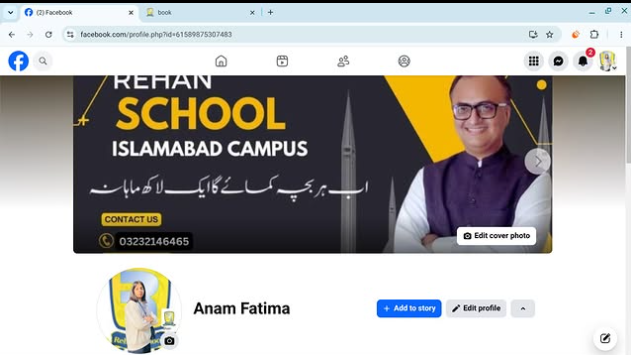
    Creating a Facebook account is one of the easiest ways to connect with friends, family, classmates, and communities from all over the world. Whether you want to share photos , watch videos , join groups , or promote your business , Facebook provides everything in one place.
    Step 1: Visit Facebook
    Open your web browser and go to facebook.com, or download the Facebook app from your device's app store.
    Step 2: Sign Up
    Click "Create New Account" and fill in your details:
    First and Last Name
    Email Address or Mobile Number
    Create a Strong Password
    Date of Birth
    Select Your Gender
    Step 3: Verify Your Account
    Facebook will send a verification code to your email or phone number. Enter the code to confirm your account.
    Step 4: Add Your Profile Picture
    Upload a clear and friendly profile photo so people can recognize you easily.
    Step 5: Complete Your Profile
    Add information such as:
    City
    School or College
    Workplace
    Hobbies & Interests
    Cover Photo
    A complete profile helps you connect with others more effectively.
    Step 6: Find Friends
    Search for friends by name, email, or phone number. You can also send friend requests and grow your network.
    Step 7: Adjust Privacy Settings
    Protect your personal information by choosing who can see your posts, photos, and profile details. Privacy settings help keep your account safe.
    Step 8: Start Posting
    Share your thoughts , photos , videos , achievements , and memorable moments with your friends and followers.
    Why Use Facebook?
    Stay connected with family and friends.
    Join educational and interest-based groups.
    Promote your business or personal brand.
    Watch entertaining and educational videos.
    Discover events and communities.
    Chat instantly using Messenger.
    Learning how to create and set up a Facebook account is a valuable digital skill. Once your profile is complete, you can safely explore Facebook's features, communicate with people worldwide, and become part of a global online community. Keep your account secure by using a strong password, enabling two-factor authentication, and avoiding suspicious links. Happy connecting!
    #Facebook #FacebookAccount #SocialMedia #DigitalSkills #OnlineLearning #TechTips #BeginnerGuide #CreateAccount #FacebookSetup #LearnTechnology #InternetBasics #AILearning #StudentLife #RehanSchool #DigitalEducation #SocialNetworking #TechEducation #OnlineCommunity #LearningJourney #StayConnected See less
    #rsisb RollNo.247 Foundation Level Task No.2 Set It Up 🌍📱 Creating a Facebook account is one of the easiest ways to connect with friends, family, classmates, and communities from all over the world. 🌐 Whether you want to share photos 📸, watch videos 🎥, join groups 👥, or promote your business 💼, Facebook provides everything in one place. 🚀 Step 1: Visit Facebook Open your web browser and go to facebook.com, or download the Facebook app from your device's app store. 📱💻 📝 Step 2: Sign Up Click "Create New Account" and fill in your details: 👤 First and Last Name 📧 Email Address or 📱 Mobile Number 🔒 Create a Strong Password 🎂 Date of Birth 🚻 Select Your Gender ✅ Step 3: Verify Your Account Facebook will send a verification code to your email or phone number. Enter the code to confirm your account. ✔️ 🖼️ Step 4: Add Your Profile Picture Upload a clear and friendly profile photo so people can recognize you easily. 😊 📖 Step 5: Complete Your Profile Add information such as: 🏠 City 🎓 School or College 💼 Workplace ❤️ Hobbies & Interests 📸 Cover Photo A complete profile helps you connect with others more effectively. 👥 Step 6: Find Friends Search for friends by name, email, or phone number. You can also send friend requests and grow your network. 🤝 🔒 Step 7: Adjust Privacy Settings Protect your personal information by choosing who can see your posts, photos, and profile details. Privacy settings help keep your account safe. 🛡️ 📢 Step 8: Start Posting Share your thoughts 💭, photos 📸, videos 🎥, achievements 🏆, and memorable moments with your friends and followers. 🌟 Why Use Facebook? 🌍 Stay connected with family and friends. 📚 Join educational and interest-based groups. 💼 Promote your business or personal brand. 🎥 Watch entertaining and educational videos. 📅 Discover events and communities. 💬 Chat instantly using Messenger. Learning how to create and set up a Facebook account is a valuable digital skill. Once your profile is complete, you can safely explore Facebook's features, communicate with people worldwide, and become part of a global online community. Keep your account secure by using a strong password, enabling two-factor authentication, and avoiding suspicious links. Happy connecting! 🚀🌟 #Facebook #FacebookAccount #SocialMedia #DigitalSkills #OnlineLearning #TechTips #BeginnerGuide #CreateAccount #FacebookSetup #LearnTechnology #InternetBasics #AILearning #StudentLife #RehanSchool #DigitalEducation #SocialNetworking #TechEducation #OnlineCommunity #LearningJourney #StayConnected See less
    0 Comments 0 Shares 9717 Views


  • #rsisb
    RollNo.247
    Fundional Level
    How to Make a Facebook Account and Set It Up
    Creating a Facebook account is quick and easy, and it opens the door to connecting with friends, family, communities, and businesses from around the world. Whether you're new to social media or just creating a fresh account, this step-by-step guide will help you get started.
    Step 1: Visit Facebook
    Open your web browser and go to the official Facebook website, or download the Facebook app from your device's app store.
    Step 2: Sign Up
    Click "Create New Account" and enter your details:
    Full Name
    Email Address or Mobile Number
    Create a Strong Password
    Date of Birth
    ⚧ Select Your Gender
    Click "Sign Up."
    Step 3: Verify Your Account
    Facebook will send a verification code to your email or phone number. Enter the code to confirm your account and activate it.
    Step 4: Add a Profile Picture
    Upload a clear profile photo so people can recognize you. A friendly smile makes a great first impression!
    Step 5: Add a Cover Photo
    Choose a beautiful cover image that reflects your personality, hobbies, or favorite places.
    Step 6: Complete Your Profile
    Fill in your profile information, such as:
    Hometown
    Education
    Workplace
    Relationship Status (Optional)
    Interests and Hobbies
    A complete profile helps friends find you more easily.
    Step 7: Find Friends
    Search for friends by name, sync your contacts, or send friend requests to people you know. Building your network makes Facebook more enjoyable.
    Step 8: Adjust Privacy Settings
    Protect your personal information by choosing who can:
    View your posts
    Send friend requests
    See your photos
    Find your profile
    Review your privacy settings regularly to stay safe online.
    Step 9: Like Pages and Join Groups
    Follow your favorite celebrities, businesses, sports teams, educational pages, and join groups that match your interests.
    Step 10: Share Your First Post
    Introduce yourself, share a photo, or post something positive. Engage with others by liking, commenting, and sharing content respectfully.
    Facebook Tips
    Use a strong password.
    Enable two-factor authentication for extra security.
    Never share your password with anyone.
    Be respectful when commenting or posting.
    Watch out for fake profiles and scams.
    Facebook is a great platform for staying connected, learning new things, growing your business, and sharing memorable moments with people you care about. Use it wisely, protect your privacy, and enjoy building meaningful connections online!
    #Facebook #FacebookAccount #CreateFacebook #SocialMedia #FacebookTips #OnlineSafety #DigitalSkills #TechTutorial #BeginnerGuide #LearnFacebook #ProfileSetup #PrivacySettings #ConnectWithFriends #SocialNetworking #InternetBasics #TechEducation #StayConnected #OnlineCommunity #EasyGuide #Technology See less
    #rsisb RollNo.247 Fundional Level 📘 How to Make a Facebook Account and Set It Up 🚀📱 Creating a Facebook account is quick and easy, and it opens the door to connecting with friends, family, communities, and businesses from around the world. 🌍💙 Whether you're new to social media or just creating a fresh account, this step-by-step guide will help you get started. 📝 Step 1: Visit Facebook Open your web browser and go to the official Facebook website, or download the Facebook app from your device's app store. 📲 👤 Step 2: Sign Up Click "Create New Account" and enter your details: 🧑 Full Name 📧 Email Address or 📱 Mobile Number 🔒 Create a Strong Password 🎂 Date of Birth ⚧ Select Your Gender Click "Sign Up." ✉️ Step 3: Verify Your Account Facebook will send a verification code to your email or phone number. Enter the code to confirm your account and activate it. ✅ 🖼️ Step 4: Add a Profile Picture Upload a clear profile photo so people can recognize you. A friendly smile makes a great first impression! 😊📸 🎨 Step 5: Add a Cover Photo Choose a beautiful cover image that reflects your personality, hobbies, or favorite places. 🌅🎉 📝 Step 6: Complete Your Profile Fill in your profile information, such as: 🏡 Hometown 🏫 Education 💼 Workplace ❤️ Relationship Status (Optional) 🎯 Interests and Hobbies A complete profile helps friends find you more easily. 🤝 Step 7: Find Friends Search for friends by name, sync your contacts, or send friend requests to people you know. Building your network makes Facebook more enjoyable. 👨‍👩‍👧‍👦💬 🔐 Step 8: Adjust Privacy Settings Protect your personal information by choosing who can: 👀 View your posts 👥 Send friend requests 📷 See your photos 📍 Find your profile Review your privacy settings regularly to stay safe online. 🛡️ 👍 Step 9: Like Pages and Join Groups Follow your favorite celebrities, businesses, sports teams, educational pages, and join groups that match your interests. 📚⚽🎮🎵 📸 Step 10: Share Your First Post Introduce yourself, share a photo, or post something positive. Engage with others by liking, commenting, and sharing content respectfully. 🌟💬❤️ 💡 Facebook Tips ✅ Use a strong password. 🔑 ✅ Enable two-factor authentication for extra security. 🔐 ✅ Never share your password with anyone. 🚫 ✅ Be respectful when commenting or posting. 🤝 ✅ Watch out for fake profiles and scams. ⚠️ Facebook is a great platform for staying connected, learning new things, growing your business, and sharing memorable moments with people you care about. Use it wisely, protect your privacy, and enjoy building meaningful connections online! 🌍💙✨ #Facebook #FacebookAccount #CreateFacebook #SocialMedia #FacebookTips #OnlineSafety #DigitalSkills #TechTutorial #BeginnerGuide #LearnFacebook #ProfileSetup #PrivacySettings #ConnectWithFriends #SocialNetworking #InternetBasics #TechEducation #StayConnected #OnlineCommunity #EasyGuide #Technology 📱🌐🚀✨ See less
    0 Comments 0 Shares 11625 Views
  • #risib
    RollNo.247
    Foundioal Level
    Task 3 10 mutal rehan allah wala
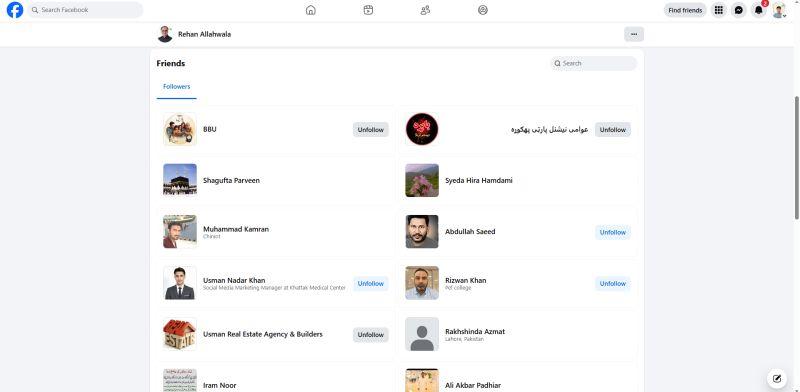
    Follow Rehan Allahwala & Make 10 Mutual Friends

    The people you connect with today can shape the opportunities you discover tomorrow. If you're passionate about learning, entrepreneurship, freelancing, AI, digital marketing, or personal growth, following Rehan Allahwala can help you become part of a community that values education, collaboration, and continuous improvement.

    Take the Challenge:
    Follow Rehan Allahwala.
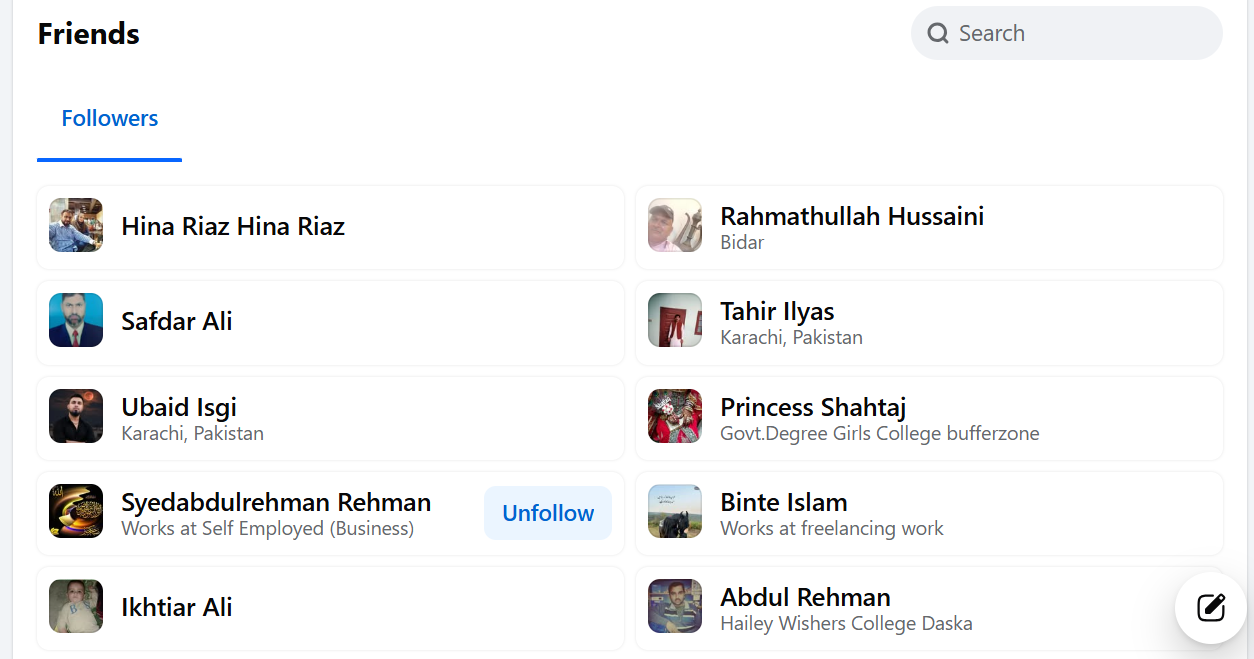
    Make 10 mutual friends from the community.
    Introduce yourself with a positive attitude.
    Share your goals, interests, and skills.
    Support others by liking, commenting, and sharing valuable ideas.
    Build genuine relationships based on trust and respect.

    Networking is much more than increasing your friend list—it's about creating meaningful connections that inspire growth. Every new friend brings a unique perspective, experience, and opportunity to learn something new. Whether you're a student, entrepreneur, freelancer, or professional, building a strong network can help you stay motivated, discover new opportunities, and exchange valuable knowledge.

    Imagine being surrounded by people who encourage you to learn new skills, start projects, solve problems, and celebrate each other's achievements. That's the power of a positive community!

    Success becomes more enjoyable when you grow together. By making 10 mutual friends, you're not just expanding your network—you're joining a circle of learners, creators, and future leaders who believe in helping each other succeed.

    Start today! Follow Rehan Allahwala, connect with 10 amazing people, introduce yourself, engage in meaningful conversations, and become part of a community that believes in sharing knowledge, creating opportunities, and making a positive impact. Together, we can learn more, achieve more, and inspire more.

    #RehanAllahwala #MutualFriends #Networking #Community #Entrepreneurship #Freelancing #DigitalMarketing #ArtificialIntelligence #AI #Learning #Growth #PersonalDevelopment #Success #Leadership #Motivation #Inspiration #SocialNetworking #Connect #Collaboration #Teamwork #PositiveVibes #Knowledge #Education #Future #SuccessMindset #SelfImprovement #OnlineCommunity #MakeFriends #GrowTogether
    #risib RollNo.247 Foundioal Level Task 3 10 mutal rehan allah wala 🌟 Follow Rehan Allahwala & Make 10 Mutual Friends 🤝🚀 The people you connect with today can shape the opportunities you discover tomorrow. 🌍✨ If you're passionate about learning, entrepreneurship, freelancing, AI, digital marketing, or personal growth, following Rehan Allahwala can help you become part of a community that values education, collaboration, and continuous improvement. 📚💡 💙 Take the Challenge: ✅ Follow Rehan Allahwala. ✅ Make 10 mutual friends from the community. ✅ Introduce yourself with a positive attitude. ✅ Share your goals, interests, and skills. ✅ Support others by liking, commenting, and sharing valuable ideas. ✅ Build genuine relationships based on trust and respect. Networking is much more than increasing your friend list—it's about creating meaningful connections that inspire growth. 🌱 Every new friend brings a unique perspective, experience, and opportunity to learn something new. Whether you're a student, entrepreneur, freelancer, or professional, building a strong network can help you stay motivated, discover new opportunities, and exchange valuable knowledge. Imagine being surrounded by people who encourage you to learn new skills, start projects, solve problems, and celebrate each other's achievements. That's the power of a positive community! 🤝🌟 Success becomes more enjoyable when you grow together. By making 10 mutual friends, you're not just expanding your network—you're joining a circle of learners, creators, and future leaders who believe in helping each other succeed. 🚀 Start today! Follow Rehan Allahwala, connect with 10 amazing people, introduce yourself, engage in meaningful conversations, and become part of a community that believes in sharing knowledge, creating opportunities, and making a positive impact. Together, we can learn more, achieve more, and inspire more. 💙✨ #RehanAllahwala #MutualFriends #Networking #Community #Entrepreneurship #Freelancing #DigitalMarketing #ArtificialIntelligence #AI #Learning #Growth #PersonalDevelopment #Success #Leadership #Motivation #Inspiration #SocialNetworking #Connect #Collaboration #Teamwork #PositiveVibes #Knowledge #Education #Future #SuccessMindset #SelfImprovement #OnlineCommunity #MakeFriends #GrowTogether 🤝🌍🚀💙📚✨😊
    0 Comments 0 Shares 9825 Views
More Results