• Tomato Ketchup | Episode-6 | Small Businesses | Rehan Allahwala
    #smallbusiness #howto #tomato #episode #Episode6
    https://lnkd.in/ehvTnCq
    Tomato Ketchup | Episode-6 | Small Businesses | Rehan Allahwala #smallbusiness #howto #tomato #episode #Episode6 https://lnkd.in/ehvTnCq
    0 Yorumlar 0 hisse senetleri 349 Views
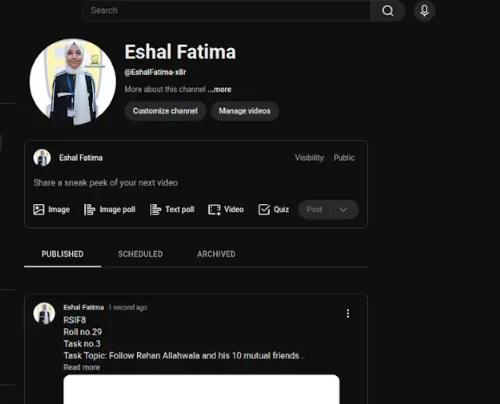
  • RSIF8
    Roll no.29
    Task no.4
    Task Topic: How to create a YouTube account

    Starting your journey on YouTube is incredibly easy! Because YouTube is owned by Google, your passport to the platform is simply a Google Account. Whether you want to subscribe to your favorite creators, save playlists, or start uploading your own videos, here is exactly how to set up your account in just a few minutes.

    **Step 1: Sign In with Google**
    First, open your web browser and head over to YouTube.com, or simply open the YouTube app on your mobile device. Click the "Sign In" button located in the top right-hand corner of the screen. Enter your existing Google or Gmail credentials to log in. If you do not have a Google account yet, click "Create account" and follow the quick prompts to set one up.

    **Step 2: Access the Channel Creation Menu**
    Once you are logged in, look at the top right corner of the page where your profile icon is located. Click on your profile picture, and a dropdown menu will appear. From this menu, click on the option that says "Create a channel."

    **Step 3: Choose Your Account Type**
    You will now see a prompt asking how you want to create your channel. You have two choices:

    * **Personal Channel:** Choose this if you want to use your own name and profile picture.
    * **Brand/Business Channel:** Choose this if you want to use a custom name, a business name, or if you plan to have multiple people manage the account with you in the future.

    **Step 4: Customize and Launch**
    Name your channel, upload a profile picture, and add a brief bio to your "About" section telling viewers what your channel is all about. Once you click "Create," your brand new YouTube account is fully active and ready for action!

    ---

    #YouTube #HowTo #YouTubeTutorial #CreateAccount #TechTips ContentCreator #NewChannel #TechGuide #YouTubeCommunity
    RSIF8 Roll no.29 Task no.4 Task Topic: How to create a YouTube account Starting your journey on YouTube is incredibly easy! Because YouTube is owned by Google, your passport to the platform is simply a Google Account. Whether you want to subscribe to your favorite creators, save playlists, or start uploading your own videos, here is exactly how to set up your account in just a few minutes. **Step 1: Sign In with Google** First, open your web browser and head over to YouTube.com, or simply open the YouTube app on your mobile device. Click the "Sign In" button located in the top right-hand corner of the screen. Enter your existing Google or Gmail credentials to log in. If you do not have a Google account yet, click "Create account" and follow the quick prompts to set one up. **Step 2: Access the Channel Creation Menu** Once you are logged in, look at the top right corner of the page where your profile icon is located. Click on your profile picture, and a dropdown menu will appear. From this menu, click on the option that says "Create a channel." **Step 3: Choose Your Account Type** You will now see a prompt asking how you want to create your channel. You have two choices: * **Personal Channel:** Choose this if you want to use your own name and profile picture. * **Brand/Business Channel:** Choose this if you want to use a custom name, a business name, or if you plan to have multiple people manage the account with you in the future. **Step 4: Customize and Launch** Name your channel, upload a profile picture, and add a brief bio to your "About" section telling viewers what your channel is all about. Once you click "Create," your brand new YouTube account is fully active and ready for action! --- #YouTube ✨#HowTo #YouTubeTutorial #CreateAccount #TechTips 🚀ContentCreator #NewChannel 🎥 #TechGuide #YouTubeCommunity📱

    0 Yorumlar 0 hisse senetleri 789 Views
  • #rsisb
    Roll No.177
    TEDxTalk No.76
    Level one

    **How to Build Ethical Robots | Alan Winfield**

    Hello everyone! My name is **Hafiz Rehan Tahir**, and I am a **Level One student at Rehan School Islamabad Campus**.

    Today, I am sharing my review of the TEDx talk **“How to Build Ethical Robots” by Alan Winfield**.

    In this interesting talk, Alan Winfield explains why it is important to build robots that are safe, responsible, and helpful to humans. He talks about the connection between technology, robots, and ethics. We are living in a world where robots and artificial intelligence are becoming more common, so it is important to think about how these technologies should behave around people.

    I learned that creating a robot is not only about making it intelligent or powerful. It is also important to make sure that robots can make safe decisions and follow ethical rules. Robots should be designed carefully so they can help people without causing unnecessary harm. ‍‍‍

    This talk helped me understand that the future of robotics needs both **technology and responsibility**. We should use AI and robots in a positive way and always think about their impact on people and society.

    I really enjoyed learning about this topic because it shows how technology can be connected with human values, safety, and responsibility.

    Thank you for watching and supporting my learning journey!
    I hope you liked my review.
    See you with another interesting topic!
    **Allah Hafiz! **

    #HowToBuildEthicalRobots
    #AlanWinfield
    #EthicalRobots
    #Robotics
    #ArtificialIntelligence
    #AI
    #Technology
    #FutureTechnology
    #Ethics
    #ResponsibleAI
    #AIForGood
    #RehanSchool
    #RehanSchoolIslamabad
    #LevelOne
    #LearningJourney
    #StudentLife
    #Pakistan
    #KnowledgeIsPower
    #Education
    #TEDx
    #TEDxTalk
    #rsisb Roll No.177 TEDxTalk No.76 Level one 🤖🌟 **How to Build Ethical Robots | Alan Winfield** 🌟🤖 Hello everyone! 👋😊 My name is **Hafiz Rehan Tahir**, and I am a **Level One student at Rehan School Islamabad Campus**. 🏫💙💛 Today, I am sharing my review of the TEDx talk **“How to Build Ethical Robots” by Alan Winfield**. 🤖🧠 In this interesting talk, Alan Winfield explains why it is important to build robots that are safe, responsible, and helpful to humans. 🤝🤖 He talks about the connection between technology, robots, and ethics. We are living in a world where robots and artificial intelligence are becoming more common, so it is important to think about how these technologies should behave around people. 🌍💡 I learned that creating a robot is not only about making it intelligent or powerful. It is also important to make sure that robots can make safe decisions and follow ethical rules. 🛡️⚙️ Robots should be designed carefully so they can help people without causing unnecessary harm. 👨‍👩‍👧‍👦❤️ This talk helped me understand that the future of robotics needs both **technology and responsibility**. 🚀🤖 We should use AI and robots in a positive way and always think about their impact on people and society. 🌎✨ I really enjoyed learning about this topic because it shows how technology can be connected with human values, safety, and responsibility. 📖💻🤖 Thank you for watching and supporting my learning journey! ❤️🙌 I hope you liked my review. 🌟😊 See you with another interesting topic! 👋📚 **Allah Hafiz! 🤲🇵🇰** #HowToBuildEthicalRobots 🤖 #AlanWinfield 🧠 #EthicalRobots ⚙️ #Robotics 🤖 #ArtificialIntelligence 🤖💻 #AI 🌐 #Technology 💡 #FutureTechnology 🚀 #Ethics 🧠❤️ #ResponsibleAI 🤝 #AIForGood 🌍 #RehanSchool 🏫 #RehanSchoolIslamabad 💙💛 #LevelOne 🎓 #LearningJourney 📖✨ #StudentLife 🌟 #Pakistan 🇵🇰 #KnowledgeIsPower 💡📚 #Education 🌟 #TEDx 🎤 #TEDxTalk 🤖🎙️
    0 Yorumlar 0 hisse senetleri 1375 Views 11
  • RSIF8
    roll no 94
    task no 1
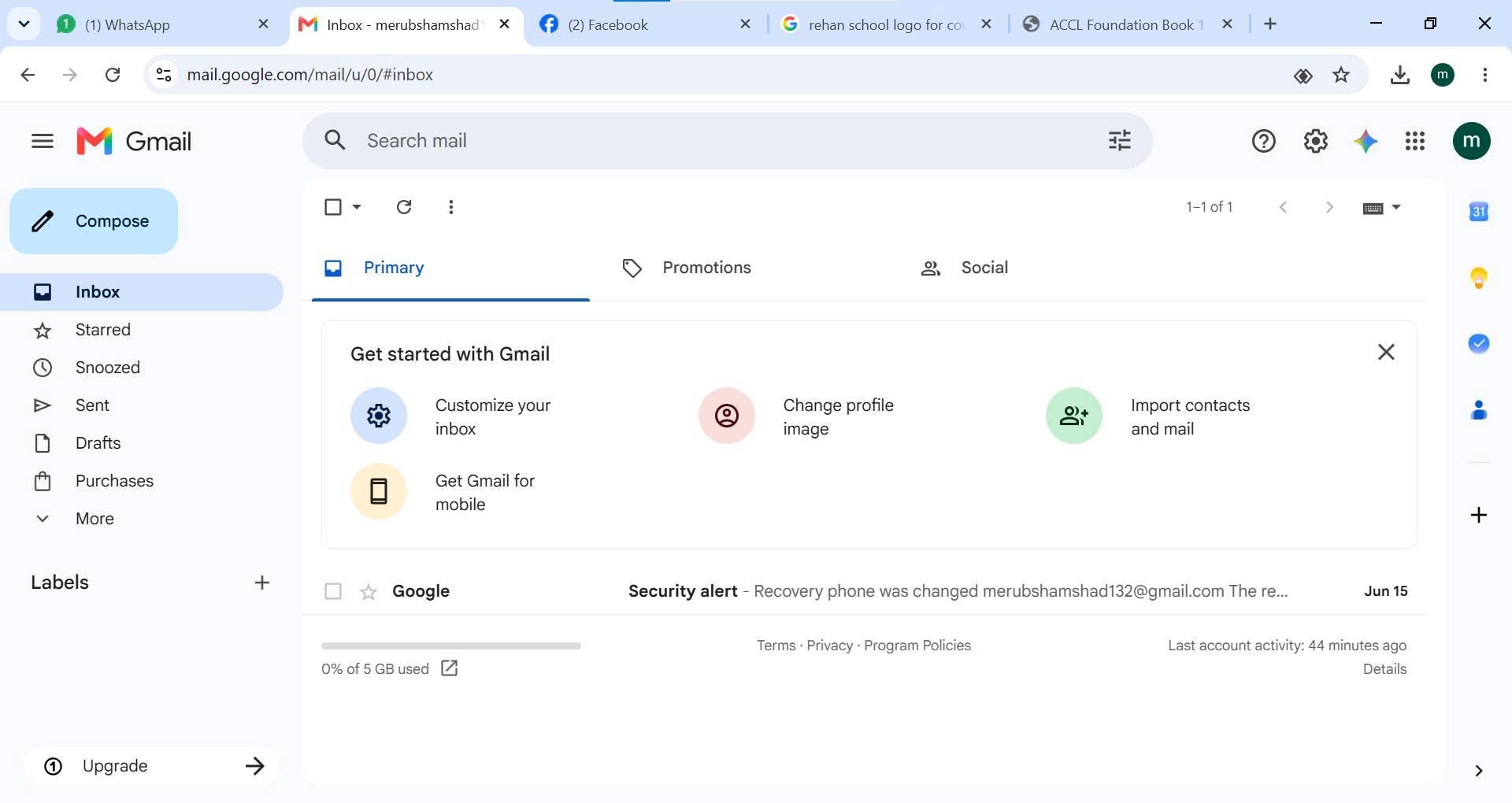
    task topic HOW TO CREATE A GMAIL ACCOUNT
    How to Create a Gmail Account
    Creating a Gmail account is quick and easy!
    Go to the Gmail sign-up page.
    Enter your first and last name.
    Choose a unique username.
    Create a strong password .
    Add your phone number for security .
    Verify your account and complete the setup.
    Start sending emails, using Google Drive, YouTube, Google Meet, and more!
    Your Gmail account is now ready to use!
    #Gmail #GoogleAccount #EmailAccount #TechTips #DigitalSkills #OnlineLearning #GmailTutorial #Technology #InternetBasics #HowTo #EmailSetup
    RSIF8 roll no 94 task no 1 task topic HOW TO CREATE A GMAIL ACCOUNT 📧✨ How to Create a Gmail Account ✨📧 Creating a Gmail account is quick and easy! 🚀 1️⃣ Go to the Gmail sign-up page. 2️⃣ Enter your first and last name. 3️⃣ Choose a unique username. 4️⃣ Create a strong password 🔒. 5️⃣ Add your phone number for security 📱. 6️⃣ Verify your account and complete the setup. ✅ 7️⃣ Start sending emails, using Google Drive, YouTube, Google Meet, and more! 🌐💡 🎉 Your Gmail account is now ready to use! #Gmail #GoogleAccount #EmailAccount #TechTips #DigitalSkills #OnlineLearning #GmailTutorial #Technology #InternetBasics #HowTo #EmailSetup 📧✨🚀
    0 Yorumlar 0 hisse senetleri 1865 Views
  • RSIF8
    Roll no 101
    task no 05
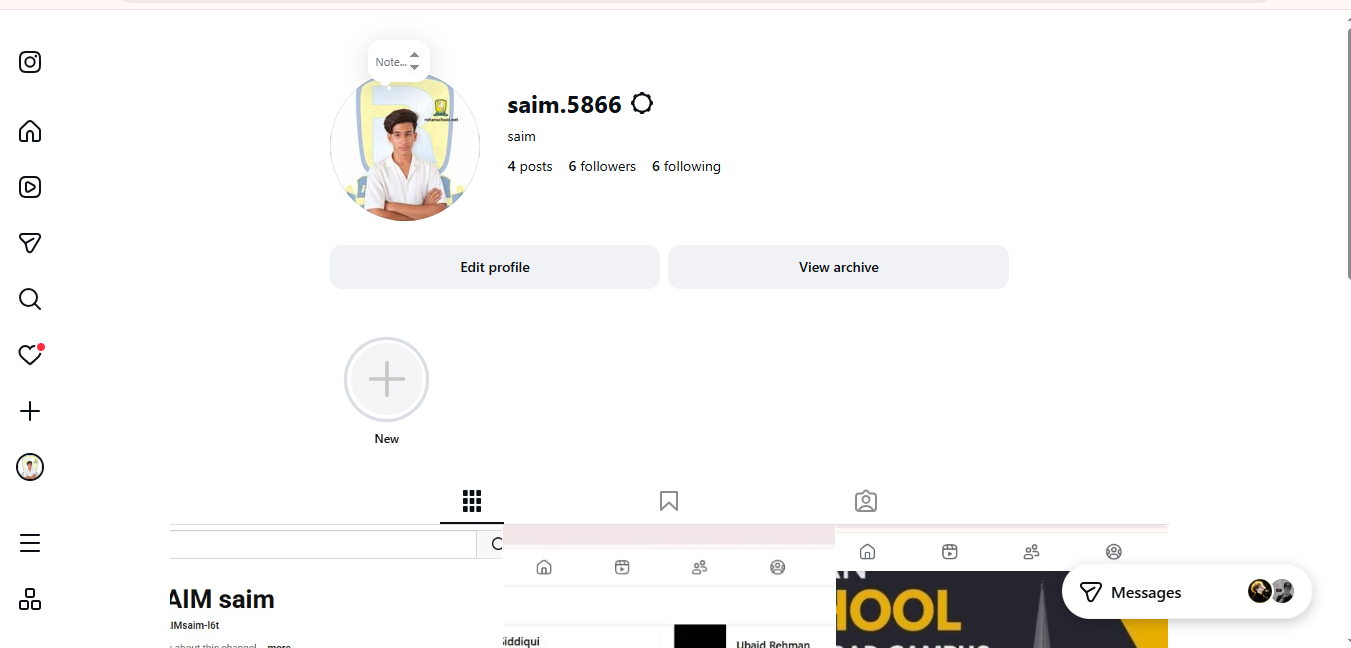
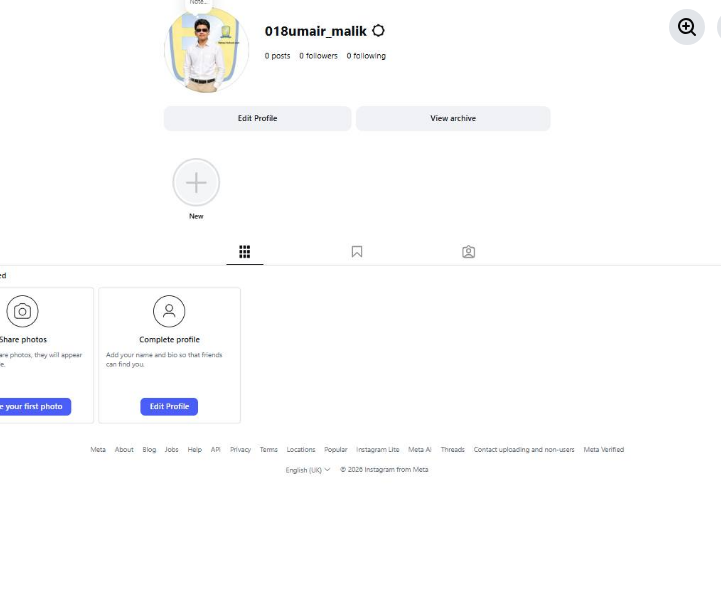
    task topic How to Create an Instagram Account?
    Ready to join Instagram and start sharing your favorite moments? This simple step-by-step guide is perfect for beginners who want to learn how to create an Instagram account and set up their profile with ease.

    From creating your account to choosing a username, adding a profile picture, finding people you know, and adjusting your privacy settings, this tutorial covers the essential basics.

    What you'll learn:
    How to get started with Instagram
    How to create your account
    How to choose a username
    How to add a profile picture
    How to find and follow accounts
    How to explore photos, videos, and Reels
    How to manage basic privacy settings
    Simple tips for new Instagram users

    Perfect for beginners! Whether you're using an Android phone, iPhone, or tablet, these simple steps will help you understand the basics of Instagram.

    Follow the complete tutorial and start exploring Instagram today!

    Enjoying the guide?
    Like
    Share
    Follow for more easy technology tutorials!

    #Instagram #InstagramAccount #CreateInstagramAccount #InstagramTutorial #InstagramGuide #InstagramTips #HowTo #StepByStep #BeginnerGuide #InstagramForBeginners #SocialMedia #SocialMediaTips #TechTips #DigitalSkills #LearnInstagram #OnlineTutorial #Technology #EasyGuide #DigitalLearning #Tutorial #NewUsers #InstagramHelp #LearnTechnology
    RSIF8 Roll no 101 task no 05 task topic How to Create an Instagram Account? Ready to join Instagram and start sharing your favorite moments? ✨📱 This simple step-by-step guide is perfect for beginners who want to learn how to create an Instagram account and set up their profile with ease. 👤💜 From creating your account to choosing a username, adding a profile picture, finding people you know, and adjusting your privacy settings, this tutorial covers the essential basics. 🔐🌟 🎯 What you'll learn: ✅ How to get started with Instagram 📲 ✅ How to create your account ✅ How to choose a username 👤 ✅ How to add a profile picture 🖼️ ✅ How to find and follow accounts 👥 ✅ How to explore photos, videos, and Reels 🎥 ✅ How to manage basic privacy settings 🔒 ✅ Simple tips for new Instagram users 💡 🌟 Perfect for beginners! Whether you're using an Android phone, iPhone, or tablet, these simple steps will help you understand the basics of Instagram. 👉 Follow the complete tutorial and start exploring Instagram today! 📸🚀 💜 Enjoying the guide? 👍 Like 🔄 Share ➕ Follow for more easy technology tutorials! #Instagram #InstagramAccount #CreateInstagramAccount #InstagramTutorial #InstagramGuide #InstagramTips #HowTo #StepByStep #BeginnerGuide #InstagramForBeginners #SocialMedia #SocialMediaTips #TechTips #DigitalSkills #LearnInstagram #OnlineTutorial #Technology #EasyGuide #DigitalLearning #Tutorial #NewUsers #InstagramHelp #LearnTechnology 📸📱💻✨🚀
    0 Yorumlar 0 hisse senetleri 3136 Views
  • RSIF8
    Roll no 101
    task no 04
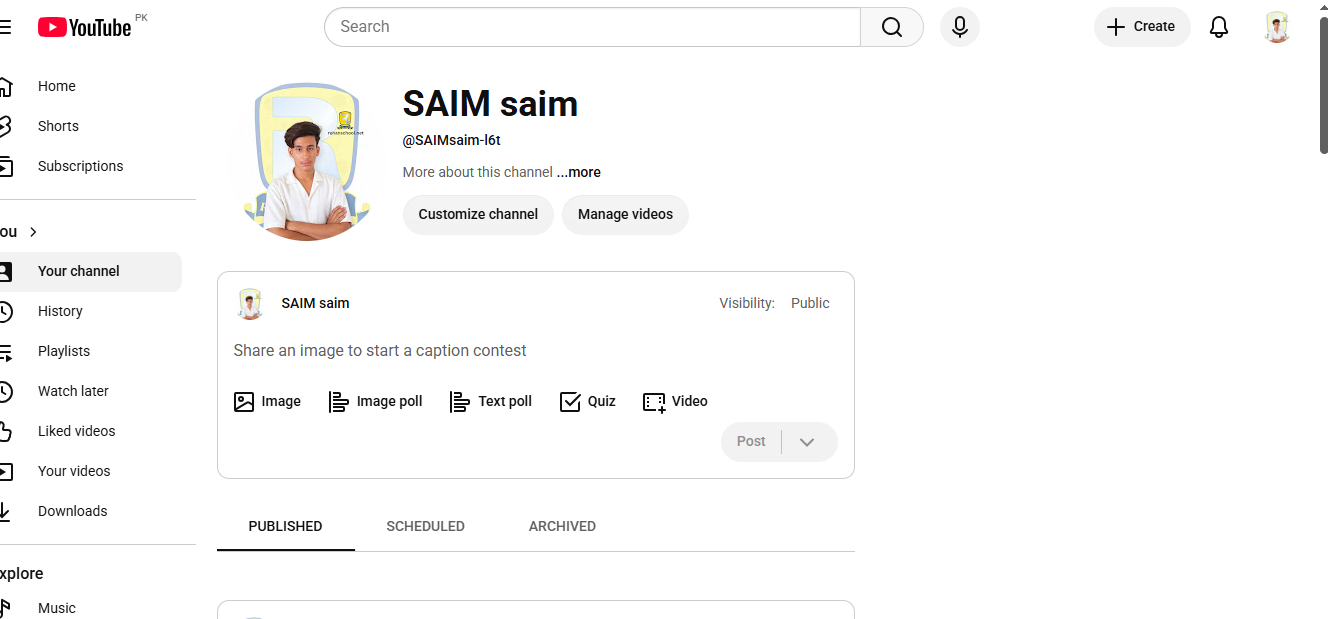
    task topic How to Create a YouTube Account?
    Ready to explore YouTube and discover amazing videos? This simple and beginner-friendly tutorial will guide you through the basics of creating and setting up a YouTube account.

    Whether you're completely new to YouTube or just want to understand how the platform works, this guide will help you get started step by step.

    In this video, you'll learn:
    How to get started with YouTube
    How to sign in using a Google Account
    How to set up your YouTube profile
    How to search for videos and channels
    How to subscribe to channels
    How to save videos for later
    How to manage basic account settings
    Helpful privacy and safety tips

    Perfect for beginners! Follow along with the tutorial and learn the essential YouTube features at your own pace.

    Start your YouTube experience today and discover content, creators, and topics you enjoy!

    Like the video
    Share your thoughts
    Follow for more simple tech tutorials
    Share this guide with someone who is new to YouTube!

    #YouTube #YouTubeAccount #CreateYouTubeAccount #YouTubeTutorial #YouTubeGuide #YouTubeTips #HowTo #StepByStep #YouTubeForBeginners #BeginnerTutorial #GoogleAccount #TechTips #Technology #DigitalSkills #LearnYouTube #OnlineTutorial #VideoTutorial #TechGuide #DigitalLearning #SocialMediaTips #EasyGuide #YouTubeHelp #Tutorial #LearnTechnology #NewToYouTube
    RSIF8 Roll no 101 task no 04 task topic How to Create a YouTube Account? Ready to explore YouTube and discover amazing videos? 🌎✨ This simple and beginner-friendly tutorial will guide you through the basics of creating and setting up a YouTube account. 📱💻 Whether you're completely new to YouTube or just want to understand how the platform works, this guide will help you get started step by step. 😊 📌 In this video, you'll learn: 🔹 How to get started with YouTube 🔹 How to sign in using a Google Account 🔐 🔹 How to set up your YouTube profile 👤 🔹 How to search for videos and channels 🔎 🔹 How to subscribe to channels 🔔 🔹 How to save videos for later ⭐ 🔹 How to manage basic account settings ⚙️ 🔹 Helpful privacy and safety tips 🔒 💡 Perfect for beginners! Follow along with the tutorial and learn the essential YouTube features at your own pace. 🎬 Start your YouTube experience today and discover content, creators, and topics you enjoy! 🌟 👍 Like the video 💬 Share your thoughts 🔔 Follow for more simple tech tutorials 📲 Share this guide with someone who is new to YouTube! #YouTube #YouTubeAccount #CreateYouTubeAccount #YouTubeTutorial #YouTubeGuide #YouTubeTips #HowTo #StepByStep #YouTubeForBeginners #BeginnerTutorial #GoogleAccount #TechTips #Technology #DigitalSkills #LearnYouTube #OnlineTutorial #VideoTutorial #TechGuide #DigitalLearning #SocialMediaTips #EasyGuide #YouTubeHelp #Tutorial #LearnTechnology #NewToYouTube 🎥📱💻✨🚀
    0 Yorumlar 0 hisse senetleri 3699 Views
  • RSIF8
    Roll no 101
    task no 03
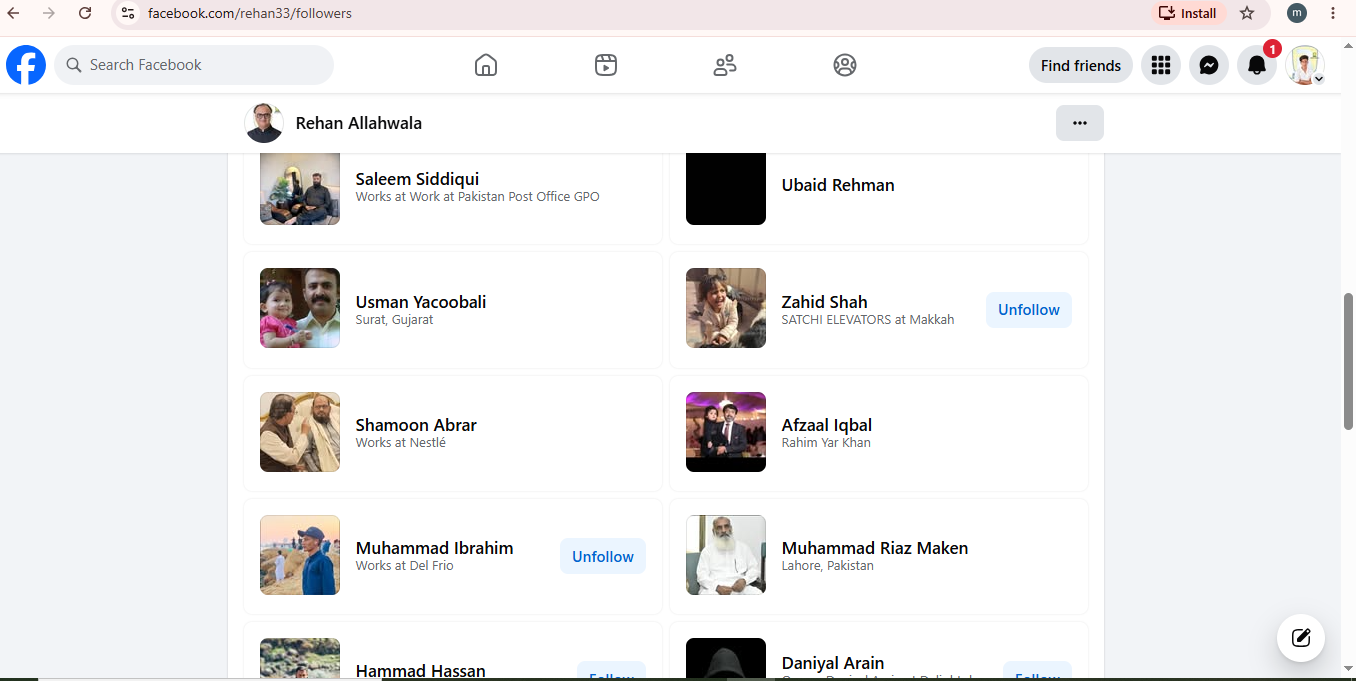
    task topic Follow Rehan Allahwala & Make 10 Mutual Friends
    Follow Rehan Allahwala & Make 10 Mutual Friends

    Want to expand your Facebook network and connect with new people? In this simple guide, learn how to follow Rehan Allahwala and build connections with 10 mutual friends.

    Discover new people, grow your network, and make meaningful connections online! Whether you're new to Facebook or looking to improve your networking skills, this easy tutorial will help you get started.

    Follow the steps and start connecting today!

    #RehanAllahwala #Facebook #FacebookTips #MutualFriends #FacebookFriends SocialMedia Networking OnlineNetworking ConnectWithPeople FacebookTutorial HowTo StepByStep TechTips DigitalSkills SocialMediaTips FacebookGuide OnlineCommunity Tutorial BeginnerGuide
    RSIF8 Roll no 101 task no 03 task topic Follow Rehan Allahwala & Make 10 Mutual Friends 🤝 Follow Rehan Allahwala & Make 10 Mutual Friends 🚀 Want to expand your Facebook network and connect with new people? 📱🌐 In this simple guide, learn how to follow Rehan Allahwala and build connections with 10 mutual friends. 👥✨ Discover new people, grow your network, and make meaningful connections online! 💡🤝 Whether you're new to Facebook or looking to improve your networking skills, this easy tutorial will help you get started. 🚀💙 👉 Follow the steps and start connecting today! 📲😊 #RehanAllahwala #Facebook #FacebookTips #MutualFriends #FacebookFriends SocialMedia Networking OnlineNetworking ConnectWithPeople FacebookTutorial HowTo StepByStep TechTips DigitalSkills SocialMediaTips FacebookGuide OnlineCommunity Tutorial BeginnerGuide 🤝📱✨
    0 Yorumlar 0 hisse senetleri 2541 Views
  • RSIF8
    Roll no 101
    tesk no 02
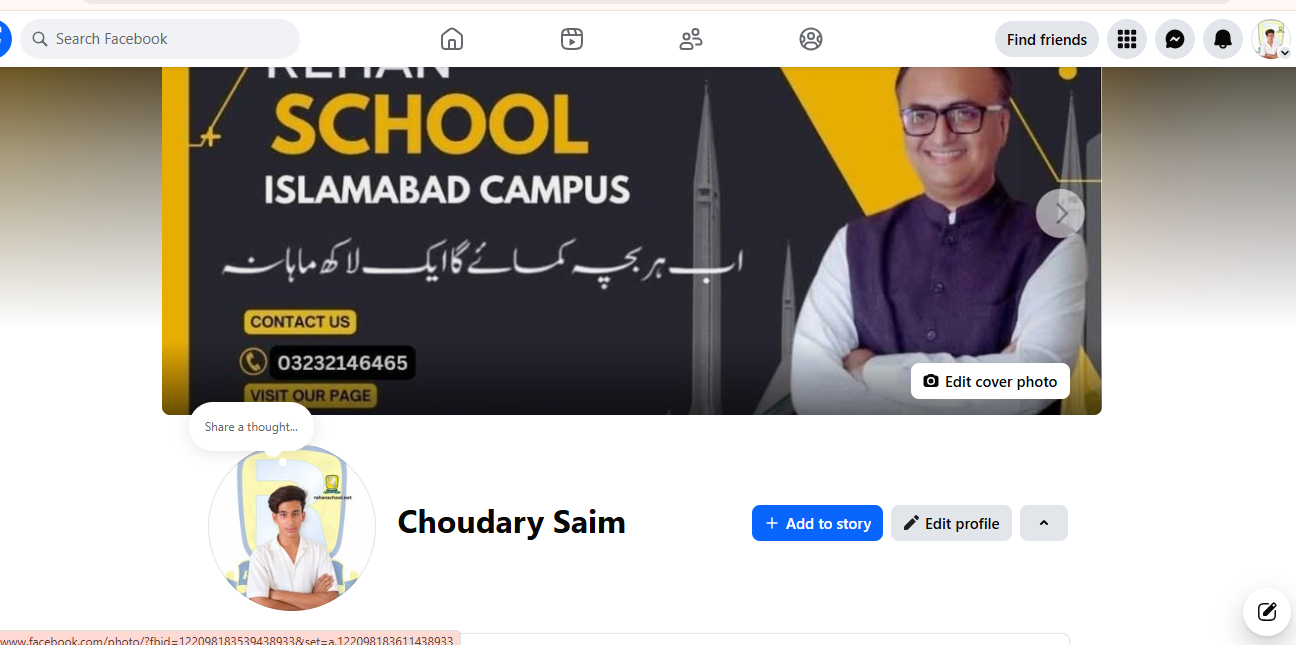
    task topic How to Make a Facebook Account and Set It Up
    Want to create your own Facebook account? In this easy beginner-friendly guide, learn how to make a Facebook account step by step, add your basic information, set up your profile, choose a profile picture , and adjust your privacy settings .

    Whether you're new to Facebook or want to set up your account properly, this tutorial makes the process simple and easy to follow!

    Follow the steps, complete your profile, and start connecting with friends and family around the world!

    #Facebook #FacebookAccount #CreateFacebookAccount #FacebookTutorial #HowTo #StepByStep #SocialMedia #TechTips #BeginnerGuide #FacebookTips #OnlineGuide #DigitalSkills #SocialMediaTips #Tutorial #EasyGuide
    RSIF8 Roll no 101 tesk no 02 task topic How to Make a Facebook Account and Set It Up Want to create your own Facebook account? 📱✨ In this easy beginner-friendly guide, learn how to make a Facebook account step by step, add your basic information, set up your profile, choose a profile picture 🖼️, and adjust your privacy settings 🔒. Whether you're new to Facebook or want to set up your account properly, this tutorial makes the process simple and easy to follow! 😊👍 👉 Follow the steps, complete your profile, and start connecting with friends and family around the world! 🌎💙 #Facebook #FacebookAccount #CreateFacebookAccount #FacebookTutorial #HowTo #StepByStep #SocialMedia #TechTips #BeginnerGuide #FacebookTips #OnlineGuide #DigitalSkills #SocialMediaTips #Tutorial #EasyGuide 📱💻✨
    0 Yorumlar 0 hisse senetleri 1802 Views
  • RSIF8
    Roll No:64
    Task No 5
    Task topic How to Create an Instagram
    Account?
    Creating an Instagram account is very easy and quick. First, download the Instagram app from the Play Store or App Store. Open the app and tap on “Create New Account.” You can sign up using your email or phone number. Then enter your full name, choose a unique username, and set a strong password. Add a profile picture and optional bio. After that, verify your account with the code sent to your email or phone. Once completed, your account is ready to use!
    Now you can follow friends, post photos , watch reels , and explore amazing content
    hashtag#Hashtags
    hashtag#Instagram hashtag#InstagramAccount hashtag#SocialMedia hashtag#CreateAccount hashtag#HowToGuide hashtag#InstagramTips hashtag#TechGuide hashtag#OnlineLearning hashtag#DigitalWorld hashtag#BeginnerGuide
    RSIF8 Roll No:64 Task No 5 Task topic How to Create an Instagram Account? Creating an Instagram account is very easy and quick. First, download the Instagram app from the Play Store or App Store. Open the app and tap on “Create New Account.” You can sign up using your email or phone number. Then enter your full name, choose a unique username, and set a strong password. Add a profile picture and optional bio. After that, verify your account with the code sent to your email or phone. Once completed, your account is ready to use! 🎉 Now you can follow friends, post photos 📸, watch reels 🎥, and explore amazing content 🌍✨ hashtag#Hashtags hashtag#Instagram hashtag#InstagramAccount hashtag#SocialMedia hashtag#CreateAccount hashtag#HowToGuide hashtag#InstagramTips hashtag#TechGuide hashtag#OnlineLearning hashtag#DigitalWorld hashtag#BeginnerGuide 📱✨
    0 Yorumlar 0 hisse senetleri 1408 Views


  • Liked by its__real___life_1122 and 5 others
    RSIF8
    roll no 101
    task no 01
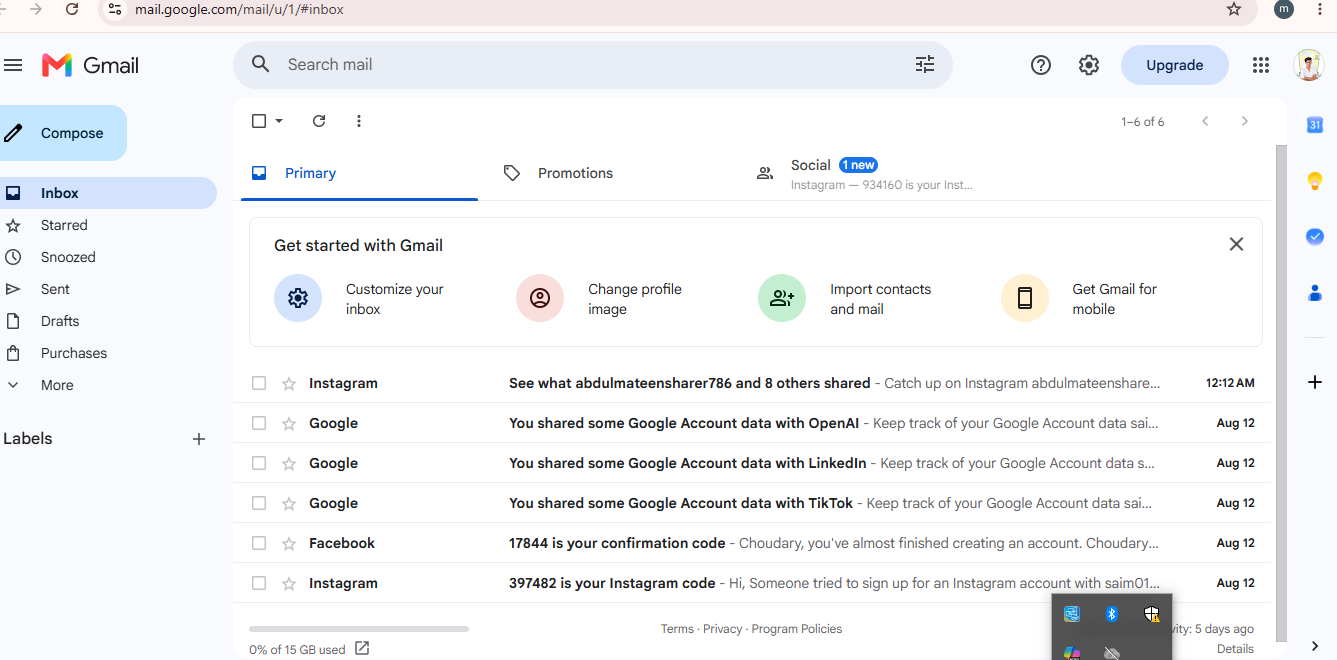
    task topic How to Create a Gmail Account?
    Creating a Gmail account is quick, easy, and completely beginner-friendly! In this tutorial, you’ll learn how to create a new Gmail account step by step, choose a strong password , add your basic information, and start sending and receiving emails.

    Whether you need Gmail for school , work , YouTube , Google Drive , or other Google services, this guide will help you get started with ease!

    Watch the full tutorial and follow each step carefully.
    Save this guide for later and share it with anyone who needs help creating a Gmail account!

    #Gmail #GmailAccount #CreateGmail #GoogleAccount #GoogleGmail #EmailTutorial #HowTo #StepByStep #TechTutorial #TechTips #BeginnerGuide #EmailTips #GoogleTips #OnlineTips #DigitalSkills #LearnTech #Tutorial #EasyGuide #ComputerTips #MobileTips
    Liked by its__real___life_1122 and 5 others RSIF8 roll no 101 task no 01 task topic How to Create a Gmail Account? Creating a Gmail account is quick, easy, and completely beginner-friendly! 😊📱 In this tutorial, you’ll learn how to create a new Gmail account step by step, choose a strong password 🔐, add your basic information, and start sending and receiving emails. 📩✨ Whether you need Gmail for school 🎓, work 💼, YouTube ▶️, Google Drive ☁️, or other Google services, this guide will help you get started with ease! 👉 Watch the full tutorial and follow each step carefully. 💡 Save this guide for later and share it with anyone who needs help creating a Gmail account! #Gmail #GmailAccount #CreateGmail #GoogleAccount #GoogleGmail #EmailTutorial #HowTo #StepByStep #TechTutorial #TechTips #BeginnerGuide #EmailTips #GoogleTips #OnlineTips #DigitalSkills #LearnTech #Tutorial #EasyGuide #ComputerTips #MobileTips 📧💻📱✨
    0 Yorumlar 0 hisse senetleri 3046 Views
Arama Sonuçları