• RSIF8
    Roll no:14
    coding no:23
    coding topic:Simple Chat Application

    **Simple Chat Application – Connecting People Through Technology**

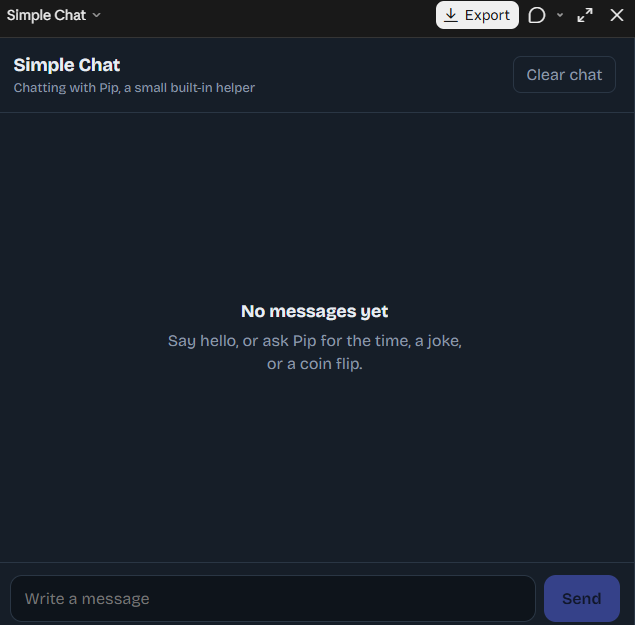
    A Simple Chat Application is a user-friendly software project designed to make communication between users easy, convenient, and efficient. In today's digital world, messaging applications have become an essential part of everyday life, allowing people to exchange information, share ideas, and stay connected regardless of distance. This project demonstrates the basic concepts of chat application development and provides an excellent opportunity to understand how digital communication systems work.

    **Project Overview**

    The Simple Chat Application focuses on creating a clean and straightforward messaging interface where users can type messages, send them, and view conversations in an organized format. The application can include essential features such as a message input field, a send button, a chat display area, timestamps, and a simple user interface. These features help make communication smooth and allow users to interact with the application without unnecessary complexity.

    **Key Features of the Application**

    **User-Friendly Interface:** A clean and organized design that makes the application easy to understand and use.

    **Message Sending:** Users can type messages and send them through the chat interface.

    **Conversation Display:** Messages appear in a structured chat window, making conversations easier to follow.

    **Simple Navigation:** Easy-to-use controls help users interact with the application efficiently.

    **Responsive Design:** With suitable implementation, the interface can adapt to different screen sizes and devices.

    **Future Improvements:** Additional features such as usernames, timestamps, message history, notifications, and real-time messaging can be added as the project develops.

    **Learning and Development**

    Developing a Simple Chat Application is a valuable learning experience for beginners in programming and software development. It helps students understand user interface design, event handling, input processing, data management, and the basic principles of communication between software components. Depending on the programming language and technologies used, the project can also introduce concepts such as client-server architecture, databases, networking, and real-time communication.

    For example, a basic version may display messages locally within one application, while an advanced version can use a backend server and communication protocols to exchange messages between multiple users. This makes the project suitable for gradual improvement, from a simple beginner-level exercise to a more advanced messaging system.

    **Why Is This Project Important?**

    A Simple Chat Application demonstrates how small software projects can solve practical communication problems. It encourages logical thinking, improves programming skills, and provides hands-on experience in building interactive applications. It can also serve as a foundation for more advanced projects, including group chats, online messaging platforms, customer support systems, and collaborative communication tools.

    **Conclusion**

    The Simple Chat Application is an excellent project for anyone interested in learning programming, application development, and digital communication. Its simple design and essential messaging features make it a useful starting point for exploring software engineering. With creativity, practice, and continuous improvement, this basic application can evolve into a more powerful communication platform.

    **Code. Connect. Communicate. Create Something Amazing!**

    #SimpleChatApplication #ChatApp #SoftwareDevelopment #Programming #CodingProject #AppDevelopment #ComputerScience #WebDevelopment #PythonProgramming #UserInterface #Technology #BeginnerProject #LearnToCode #StudentProject #TaskCompleted
    RSIF8 Roll no:14 coding no:23 coding topic:Simple Chat Application 💬 **Simple Chat Application – Connecting People Through Technology** 🌐✨ A Simple Chat Application is a user-friendly software project designed to make communication between users easy, convenient, and efficient. In today's digital world, messaging applications have become an essential part of everyday life, allowing people to exchange information, share ideas, and stay connected regardless of distance. This project demonstrates the basic concepts of chat application development and provides an excellent opportunity to understand how digital communication systems work. 💻📱 🚀 **Project Overview** The Simple Chat Application focuses on creating a clean and straightforward messaging interface where users can type messages, send them, and view conversations in an organized format. The application can include essential features such as a message input field, a send button, a chat display area, timestamps, and a simple user interface. These features help make communication smooth and allow users to interact with the application without unnecessary complexity. 💡 **Key Features of the Application** 🔹 **User-Friendly Interface:** A clean and organized design that makes the application easy to understand and use. 🔹 **Message Sending:** Users can type messages and send them through the chat interface. 🔹 **Conversation Display:** Messages appear in a structured chat window, making conversations easier to follow. 🔹 **Simple Navigation:** Easy-to-use controls help users interact with the application efficiently. 🔹 **Responsive Design:** With suitable implementation, the interface can adapt to different screen sizes and devices. 🔹 **Future Improvements:** Additional features such as usernames, timestamps, message history, notifications, and real-time messaging can be added as the project develops. 🛠️ **Learning and Development** Developing a Simple Chat Application is a valuable learning experience for beginners in programming and software development. It helps students understand user interface design, event handling, input processing, data management, and the basic principles of communication between software components. Depending on the programming language and technologies used, the project can also introduce concepts such as client-server architecture, databases, networking, and real-time communication. For example, a basic version may display messages locally within one application, while an advanced version can use a backend server and communication protocols to exchange messages between multiple users. This makes the project suitable for gradual improvement, from a simple beginner-level exercise to a more advanced messaging system. 🎯 **Why Is This Project Important?** A Simple Chat Application demonstrates how small software projects can solve practical communication problems. It encourages logical thinking, improves programming skills, and provides hands-on experience in building interactive applications. It can also serve as a foundation for more advanced projects, including group chats, online messaging platforms, customer support systems, and collaborative communication tools. 🌟 **Conclusion** The Simple Chat Application is an excellent project for anyone interested in learning programming, application development, and digital communication. Its simple design and essential messaging features make it a useful starting point for exploring software engineering. With creativity, practice, and continuous improvement, this basic application can evolve into a more powerful communication platform. 💻 **Code. Connect. Communicate. Create Something Amazing!** 💬🚀 #SimpleChatApplication #ChatApp #SoftwareDevelopment #Programming #CodingProject #AppDevelopment #ComputerScience #WebDevelopment #PythonProgramming #UserInterface #Technology #BeginnerProject #LearnToCode #StudentProject #TaskCompleted ✅
    0 Kommentare 0 Anteile 603 Ansichten
  • RSIF8
    Roll no:14
    coding task no:23
    coding topic:Expense Tracker

    **Expense Tracker – Manage Your Money Smartly!**

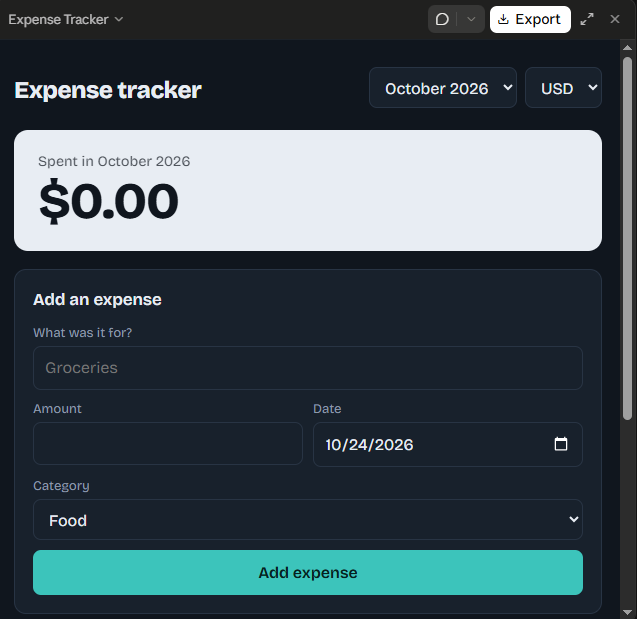
    The Expense Tracker is a simple and useful application designed to help users record, organize, and monitor their daily expenses. With this application, users can easily track their spending, manage their budgets, and understand where their money goes. It helps maintain a clear record of income and expenses, making it easier to identify spending habits and avoid unnecessary purchases. Whether you want to manage personal finances, control your daily spending, or save money for future goals, an Expense Tracker can make financial management more organized and convenient.

    **Track Your Expenses. Control Your Budget. Build Better Financial Habits!**

    #ExpenseTracker #BudgetManagement #PersonalFinance #MoneyManagement #SmartSpending #FinancialPlanning #SavingMoney #Productivity #AppDevelopment #ProjectCompleted
    RSIF8 Roll no:14 coding task no:23 coding topic:Expense Tracker 💰 **Expense Tracker – Manage Your Money Smartly!** 📊 The Expense Tracker is a simple and useful application designed to help users record, organize, and monitor their daily expenses. With this application, users can easily track their spending, manage their budgets, and understand where their money goes. 💵 It helps maintain a clear record of income and expenses, making it easier to identify spending habits and avoid unnecessary purchases. Whether you want to manage personal finances, control your daily spending, or save money for future goals, an Expense Tracker can make financial management more organized and convenient. ✨ 🎯 **Track Your Expenses. Control Your Budget. Build Better Financial Habits!** #ExpenseTracker #BudgetManagement #PersonalFinance #MoneyManagement #SmartSpending #FinancialPlanning #SavingMoney #Productivity #AppDevelopment #ProjectCompleted ✅
    0 Kommentare 0 Anteile 252 Ansichten
  • **Simple To-Do List App – Organize Your Day!**

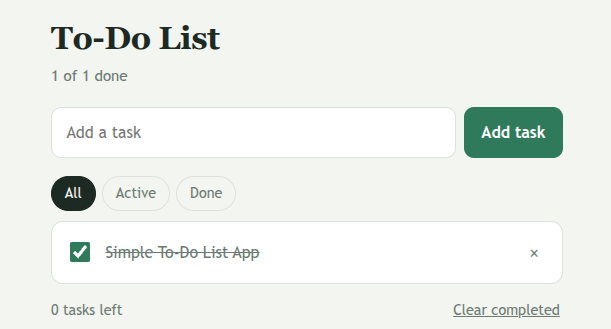
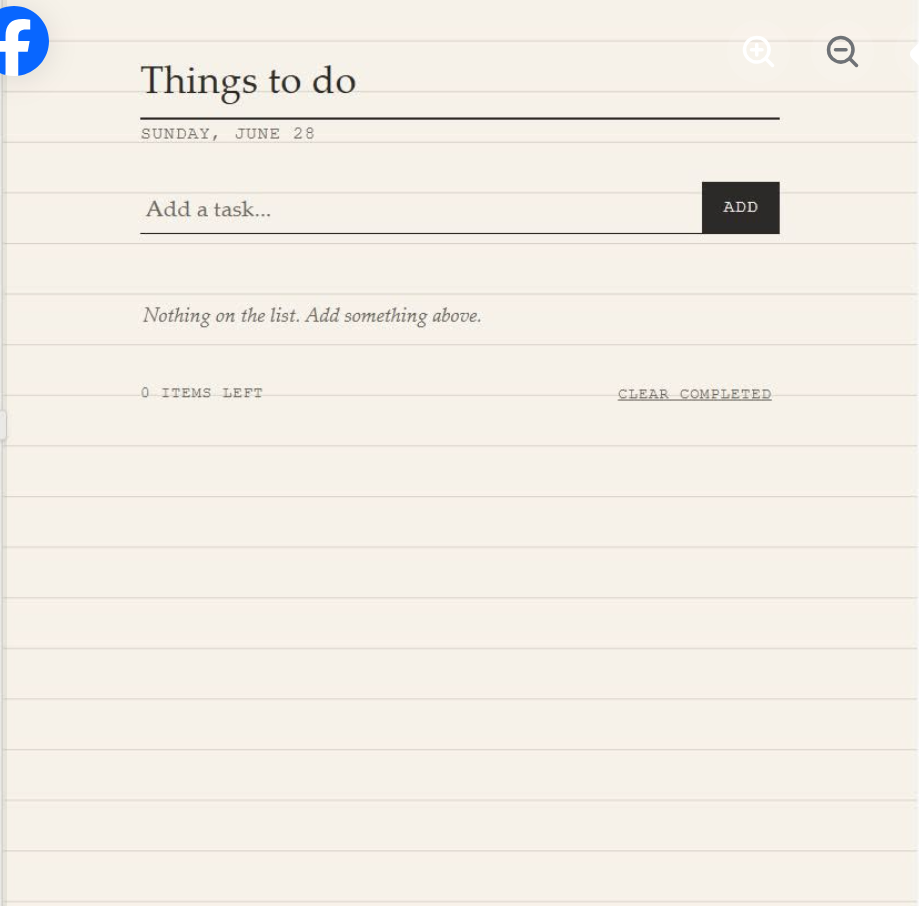
    Stay organized and manage your daily tasks with a **Simple To-Do List App!** This app helps you write down your tasks, remember important things, and keep track of your daily goals.

    Add new tasks easily
    View your daily to-do list
    Mark completed tasks
    Remove tasks you no longer need
    Manage your time and stay productive

    Whether you are a student, teacher, or busy person, this simple app can help you plan your day and complete your work on time.

    **Start small, stay organized, and achieve more every day!**

    Like, Comment, Share, and Follow for more amazing projects and useful apps!

    #ToDoListApp #Productivity #TaskManagement #DailyGoals #TimeManagement #AppDevelopment #StudentProjects #StayOrganized #LearnToCode
    📝✨ **Simple To-Do List App – Organize Your Day!** ✅ Stay organized and manage your daily tasks with a **Simple To-Do List App!** 🚀 This app helps you write down your tasks, remember important things, and keep track of your daily goals. 🎯 ✅ Add new tasks easily 📌 View your daily to-do list ✔️ Mark completed tasks 🗑️ Remove tasks you no longer need ⏰ Manage your time and stay productive Whether you are a student, teacher, or busy person, this simple app can help you plan your day and complete your work on time. 💡 🌟 **Start small, stay organized, and achieve more every day!** 👍 Like, 💬 Comment, 🔄 Share, and Follow for more amazing projects and useful apps! #ToDoListApp #Productivity #TaskManagement #DailyGoals #TimeManagement #AppDevelopment #StudentProjects #StayOrganized #LearnToCode 🚀
    0 Kommentare 0 Anteile 413 Ansichten
  • RSIF8
    Roll no 94
    Coding task no 19
    Coding task topic
    Flashcard App for Smarter Studying!
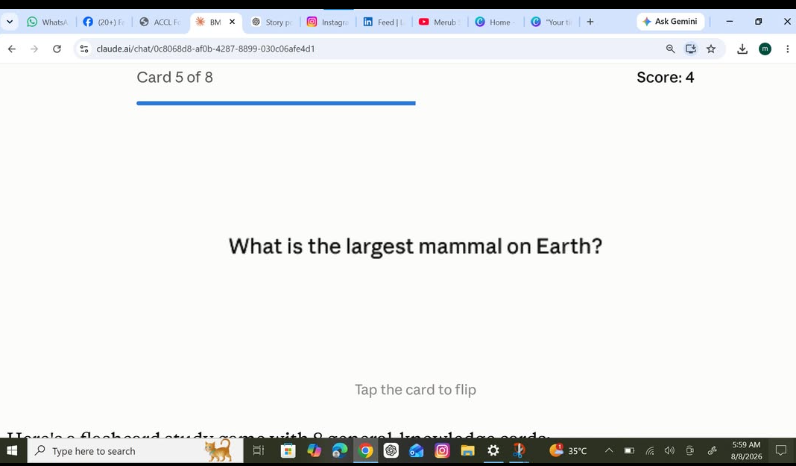
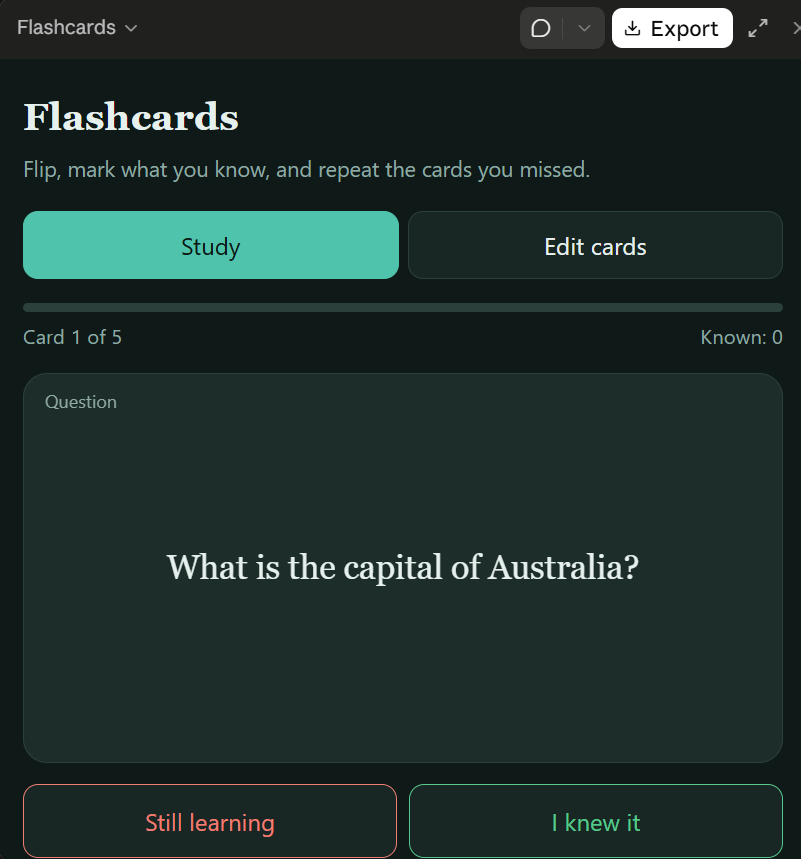
    I created a Flashcard App that helps students learn and revise topics quickly and efficiently. Users can flip flashcards to view questions and answers, making studying more interactive and engaging.
    This app is perfect for exam preparation, vocabulary building, and memorizing important concepts. With a simple and user-friendly design, learning becomes easier and more fun!
    #FlashcardApp #StudySmart #LearningMadeEasy #StudentLife #Education #EdTech #Programming #AppDevelopment #ExamPreparation #TechProjects #Coding #LearningTools
    RSIF8 Roll no 94 Coding task no 19 Coding task topic 📚✨ Flashcard App for Smarter Studying! 🎓💡 I created a Flashcard App that helps students learn and revise topics quickly and efficiently. Users can flip flashcards to view questions and answers, making studying more interactive and engaging. 🔄📝 This app is perfect for exam preparation, vocabulary building, and memorizing important concepts. With a simple and user-friendly design, learning becomes easier and more fun! 🚀📖 #FlashcardApp #StudySmart #LearningMadeEasy #StudentLife #Education #EdTech #Programming #AppDevelopment #ExamPreparation #TechProjects #Coding #LearningTools 📚💻✨🎯
    0 Kommentare 0 Anteile 873 Ansichten

  • **Roll No: 2**

    **Batch: 14**

    **Book: ACCL**

    **Task No: 149**

    # Expense Tracker — Record and Categorize Personal Expenses

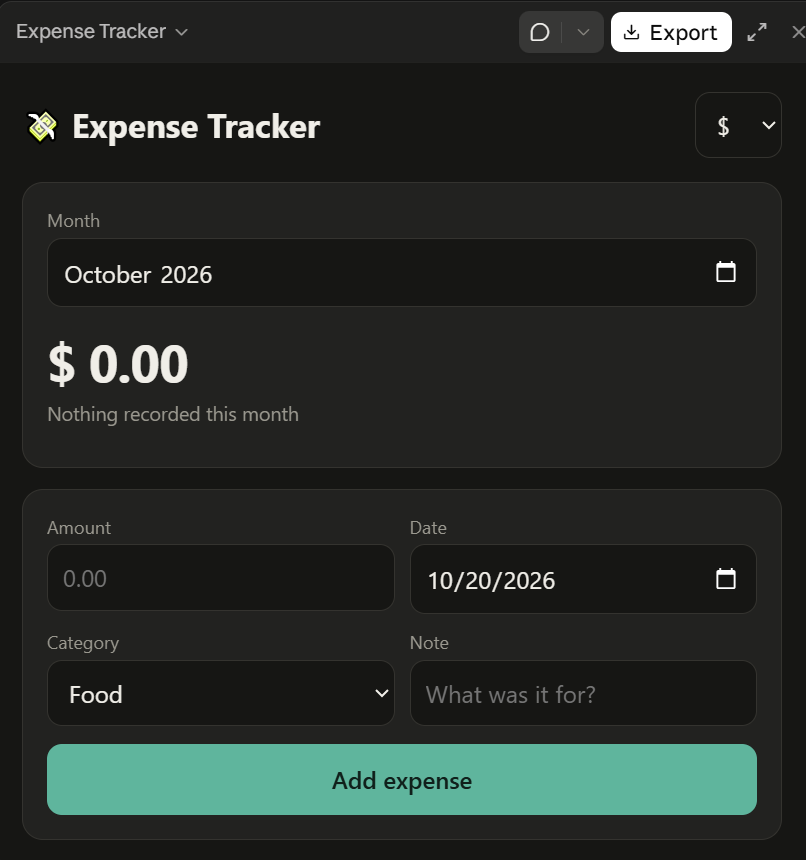
    Today’s task is to develop an **Expense Tracker application** that helps users record, organize, and monitor their personal expenses in a simple and efficient way. The application will allow users to enter expense details, including the amount, date, description, and category, such as food, transportation, education, shopping, or entertainment. Users will be able to view their recorded transactions, categorize spending, and calculate their total expenses over a selected period. The project can also include features such as editing or deleting entries, filtering expenses by category, and displaying summaries to make spending patterns easier to understand. Through this coding task, I will practice programming concepts such as user input, data storage, functions, calculations, and data organization. This project will demonstrate how technology can support financial awareness, responsible spending, and better everyday money management while strengthening my coding and problem-solving skills.

    #Batch14 #Task149 #ACCL #ExpenseTracker #CodingTask #Programming #AppDevelopment #PersonalFinance #Budgeting #MoneyManagement #DataOrganization #ProblemSolving #DigitalSkills #DailyTask
    👤 **Roll No: 2** 📚 **Batch: 14** 📖 **Book: ACCL** 🎯 **Task No: 149** # 💰 Expense Tracker — Record and Categorize Personal Expenses 📊💻 Today’s task is to develop an **Expense Tracker application** that helps users record, organize, and monitor their personal expenses in a simple and efficient way. 💡 The application will allow users to enter expense details, including the amount, date, description, and category, such as food, transportation, education, shopping, or entertainment. 🛍️ Users will be able to view their recorded transactions, categorize spending, and calculate their total expenses over a selected period. 📈 The project can also include features such as editing or deleting entries, filtering expenses by category, and displaying summaries to make spending patterns easier to understand. Through this coding task, I will practice programming concepts such as user input, data storage, functions, calculations, and data organization. 🚀 This project will demonstrate how technology can support financial awareness, responsible spending, and better everyday money management while strengthening my coding and problem-solving skills. #Batch14 #Task149 #ACCL #ExpenseTracker #CodingTask #Programming #AppDevelopment #PersonalFinance #Budgeting #MoneyManagement #DataOrganization #ProblemSolving #DigitalSkills #DailyTask
    0 Kommentare 0 Anteile 1567 Ansichten
  • RSIF8
    Roll no:14
    coding task no:13
    coding topic:**Basic Calculator with GUI
    **Basic Calculator with GUI – A Simple and User-Friendly Application**

    **Description:**

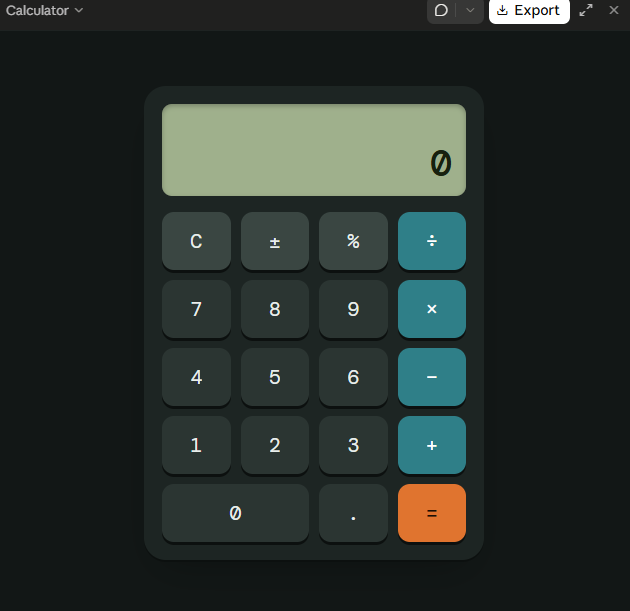
    The Basic Calculator with GUI is a beginner-friendly programming project designed to perform essential mathematical calculations through a simple, interactive, and user-friendly graphical interface. Instead of entering commands, users can perform calculations by clicking buttons, making the application easy and convenient to use.

    This project allows users to perform basic arithmetic operations, including **addition (+), subtraction (−), multiplication (×), and division (÷)**. It features a clear display screen for showing numbers and results, along with dedicated buttons for entering values, selecting operations, clearing the display, and calculating answers.

    **Key Features:**

    - **Addition:** Add two or more numbers easily.
    - **Subtraction:** Calculate the difference between numbers.
    - **Multiplication:** Multiply numbers quickly.
    - **Division:** Divide numbers and display the results.
    - **Graphical User Interface (GUI):** An interactive layout with clickable buttons.
    - **Clear Button:** Reset the display and start a new calculation.
    - **Instant Results:** Perform calculations quickly and efficiently.
    - **Error Handling:** Handle invalid calculations, such as division by zero.

    **Learning Objectives:**

    The main goal of this project is to help beginners understand the fundamentals of programming and GUI development. It introduces important concepts such as button events, user input, mathematical operators, functions, conditional statements, and displaying output on the screen.

    **Conclusion:**

    The Basic Calculator with GUI is an excellent project for anyone beginning their programming journey. It combines practical mathematical operations with an interactive design, demonstrating how code can be transformed into a useful desktop application. With further improvements, the calculator can also include percentage calculations, decimal numbers, keyboard support, and a more attractive interface.

    **Project Goal:** To create a simple, reliable, and easy-to-use calculator that makes everyday mathematical calculations faster and more convenient.

    #BasicCalculator #GUI #ProgrammingProject #BeginnerCoding #PythonProgramming #AppDevelopment #LearnToCode #ComputerScience #CodingForBeginners #SoftwareDevelopment
    RSIF8 Roll no:14 coding task no:13 coding topic:**Basic Calculator with GUI 🧮 **Basic Calculator with GUI – A Simple and User-Friendly Application** 💻 ✨ **Description:** The Basic Calculator with GUI is a beginner-friendly programming project designed to perform essential mathematical calculations through a simple, interactive, and user-friendly graphical interface. Instead of entering commands, users can perform calculations by clicking buttons, making the application easy and convenient to use. 🚀📱 This project allows users to perform basic arithmetic operations, including **addition (+), subtraction (−), multiplication (×), and division (÷)**. It features a clear display screen for showing numbers and results, along with dedicated buttons for entering values, selecting operations, clearing the display, and calculating answers. 🎯 **Key Features:** - ➕ **Addition:** Add two or more numbers easily. - ➖ **Subtraction:** Calculate the difference between numbers. - ✖️ **Multiplication:** Multiply numbers quickly. - ➗ **Division:** Divide numbers and display the results. - 🖥️ **Graphical User Interface (GUI):** An interactive layout with clickable buttons. - 🔄 **Clear Button:** Reset the display and start a new calculation. - ⚡ **Instant Results:** Perform calculations quickly and efficiently. - ⚠️ **Error Handling:** Handle invalid calculations, such as division by zero. 📚 **Learning Objectives:** The main goal of this project is to help beginners understand the fundamentals of programming and GUI development. It introduces important concepts such as button events, user input, mathematical operators, functions, conditional statements, and displaying output on the screen. 🌟 **Conclusion:** The Basic Calculator with GUI is an excellent project for anyone beginning their programming journey. It combines practical mathematical operations with an interactive design, demonstrating how code can be transformed into a useful desktop application. With further improvements, the calculator can also include percentage calculations, decimal numbers, keyboard support, and a more attractive interface. 💡 **Project Goal:** To create a simple, reliable, and easy-to-use calculator that makes everyday mathematical calculations faster and more convenient. #BasicCalculator #GUI #ProgrammingProject #BeginnerCoding #PythonProgramming #AppDevelopment #LearnToCode #ComputerScience #CodingForBeginners #SoftwareDevelopment 💻🧮🚀
    0 Kommentare 0 Anteile 1387 Ansichten
  • RSIF8
    Roll no:14
    coding task no:12
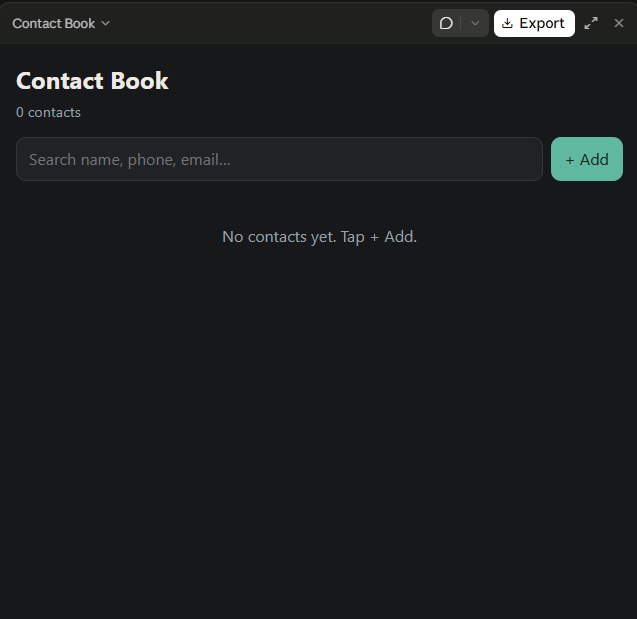
    coding task topic:Simple Contact Book (store/manage contacts)

    **Simple Contact Book – Store and Manage Contacts**

    **Description:**

    The Simple Contact Book is a useful and user-friendly application designed to store, organize, and manage contact information easily. This project allows users to save important details such as names, phone numbers, and email addresses in one convenient place. Instead of searching through a long list of contacts, users can quickly find the information they need whenever required.

    The application includes essential features such as **adding new contacts, viewing saved contacts, editing existing information, deleting unwanted contacts, and searching for specific people**. These features make contact management simple, fast, and efficient.

    The main purpose of this project is to provide a practical solution for organizing personal or professional contacts while learning the fundamentals of programming and application development. It helps beginners understand important concepts such as data storage, user input, searching, updating records, and deleting information.

    With its simple design and easy-to-use features, the Simple Contact Book is an excellent beginner-friendly programming project. It demonstrates how technology can make everyday tasks easier and more organized.

    **Key Features:**
    - Add new contacts.
    - View all saved contacts.
    - Edit contact details.
    - Delete unwanted contacts.
    - Search contacts by name or phone number.
    - Keep contact information organized.

    **Project Goal:** To develop a simple, efficient, and user-friendly application that makes storing and managing contacts quick and convenient.

    #SimpleContactBook #ProgrammingProject #ContactManager #BeginnerCoding #AppDevelopment #LearnProgramming #ComputerScience #CodingProject #Technology #StudentProject

    RSIF8 Roll no:14 coding task no:12 coding task topic:Simple Contact Book (store/manage contacts) 📱 **Simple Contact Book – Store and Manage Contacts** 📇 **Description:** The Simple Contact Book is a useful and user-friendly application designed to store, organize, and manage contact information easily. 📒✨ This project allows users to save important details such as names, phone numbers, and email addresses in one convenient place. Instead of searching through a long list of contacts, users can quickly find the information they need whenever required. The application includes essential features such as **adding new contacts, viewing saved contacts, editing existing information, deleting unwanted contacts, and searching for specific people**. 🔍📞 These features make contact management simple, fast, and efficient. The main purpose of this project is to provide a practical solution for organizing personal or professional contacts while learning the fundamentals of programming and application development. 💻🚀 It helps beginners understand important concepts such as data storage, user input, searching, updating records, and deleting information. With its simple design and easy-to-use features, the Simple Contact Book is an excellent beginner-friendly programming project. It demonstrates how technology can make everyday tasks easier and more organized. 🌟 **Key Features:** - ➕ Add new contacts. - 📋 View all saved contacts. - ✏️ Edit contact details. - 🗑️ Delete unwanted contacts. - 🔎 Search contacts by name or phone number. - 📱 Keep contact information organized. 🎯 **Project Goal:** To develop a simple, efficient, and user-friendly application that makes storing and managing contacts quick and convenient. #SimpleContactBook #ProgrammingProject #ContactManager #BeginnerCoding #AppDevelopment #LearnProgramming #ComputerScience #CodingProject #Technology #StudentProject 💻📱✨
    0 Kommentare 0 Anteile 1446 Ansichten

  • **Roll No: 2**

    **Batch: 14**

    **Book: ACCL**

    **Task No: 143**

    ## Flashcard App — Coding Task

    Today’s task is to develop a **Flashcard App** that makes learning, revision, and memorization more interactive and effective. The application will allow users to create digital flashcards with questions on one side and answers on the other, helping them review important information whenever they need it. Users will be able to reveal answers, move between cards, and organize study material for different subjects and topics. The app can also include features such as adding new cards, deleting unwanted cards, and tracking learning progress. Through this coding project, I will practice programming concepts such as variables, functions, data storage, user interaction, and conditional statements while developing my logical thinking and problem-solving skills. This task will demonstrate how technology can support education by turning ordinary revision into an organized, engaging, and convenient learning experience.

    #Batch14 #Task143 #ACCL #FlashcardApp #CodingTask #Programming #AppDevelopment #DigitalLearning #StudyTools #EducationTechnology #ProblemSolving #LearningByDoing #ComputerScience #DailyTask
    👤 **Roll No: 2** 📚 **Batch: 14** 📖 **Book: ACCL** 🎯 **Task No: 143** ## 💻 Flashcard App — Coding Task 🧠📚 Today’s task is to develop a **Flashcard App** that makes learning, revision, and memorization more interactive and effective. 💡 The application will allow users to create digital flashcards with questions on one side and answers on the other, helping them review important information whenever they need it. 🔄 Users will be able to reveal answers, move between cards, and organize study material for different subjects and topics. The app can also include features such as adding new cards, deleting unwanted cards, and tracking learning progress. 🚀 Through this coding project, I will practice programming concepts such as variables, functions, data storage, user interaction, and conditional statements while developing my logical thinking and problem-solving skills. This task will demonstrate how technology can support education by turning ordinary revision into an organized, engaging, and convenient learning experience. ✨ #Batch14 #Task143 #ACCL #FlashcardApp #CodingTask #Programming #AppDevelopment #DigitalLearning #StudyTools #EducationTechnology #ProblemSolving #LearningByDoing #ComputerScience #DailyTask
    0 Kommentare 0 Anteile 1921 Ansichten
  • Rsif8
    Roll No 30
    coding task No 6
    # Currency Converter App Using Claude.ai

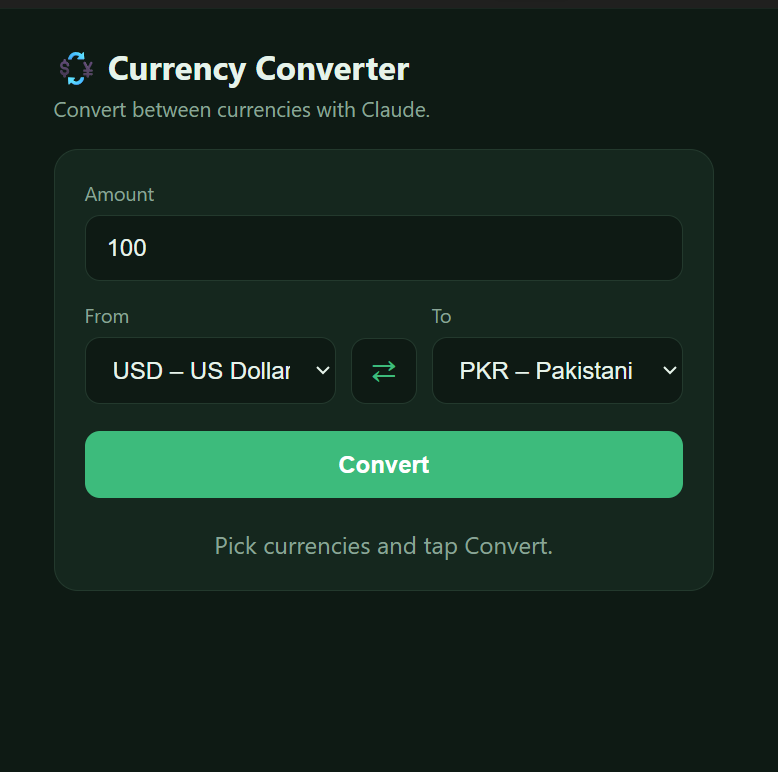
    In this project, I created a currency converter app using Claude.ai. The app allows users to convert money between different currencies, such as Pakistani Rupees (PKR), US Dollars (USD), Euros (EUR), and British Pounds (GBP).

    Users can enter an amount, select the currencies they want to convert, and view the converted amount. This project helped me understand how AI can be used to build useful applications and make currency conversion easier and faster.

    It was a great learning experience that helped me explore app development and improve my coding skills with Claude.ai.

    #ClaudeAI #CurrencyConverter #AIProjects #Coding #AppDevelopment #LearningWithAI
    Rsif8 Roll No 30 coding task No 6 # Currency Converter App Using Claude.ai 💱 In this project, I created a currency converter app using Claude.ai. The app allows users to convert money between different currencies, such as Pakistani Rupees (PKR), US Dollars (USD), Euros (EUR), and British Pounds (GBP). Users can enter an amount, select the currencies they want to convert, and view the converted amount. This project helped me understand how AI can be used to build useful applications and make currency conversion easier and faster. It was a great learning experience that helped me explore app development and improve my coding skills with Claude.ai. #ClaudeAI #CurrencyConverter #AIProjects #Coding #AppDevelopment #LearningWithAI
    0 Kommentare 0 Anteile 1175 Ansichten
  • RSIF8
    Roll no:85
    Task no:47
    Task topic: Simple To-Do List App
    A Simple To-Do List App is a helpful tool designed to keep your daily tasks organized and easy to manage. Whether you're a student, professional, or homemaker, this app allows you to create, edit, and delete tasks with just a few clicks. It helps users remember important activities and stay focused on their goals.

    The app's clean and user-friendly interface makes task management simple and enjoyable. Users can add new tasks, mark completed items, and prioritize their work efficiently. By keeping everything in one place, the app reduces stress and increases productivity in everyday life.

    A to-do list app also teaches valuable time-management skills. Breaking large goals into smaller tasks makes them easier to achieve and motivates users to complete their responsibilities on time. It encourages discipline, organization, and better planning habits.

    In today's busy world, a Simple To-Do List App is more than just a digital notebook—it's a personal productivity companion. Whether you're planning your studies, work projects, or daily chores, this app helps you stay on track and achieve more every day.

    #ToDoList #Productivity #TaskManagement #Organization #TimeManagement #AppDevelopment #StayProductive #DailyGoals #CodingLife ‍‍ #SimpleApps
    RSIF8 Roll no:85 Task no:47 Task topic: Simple To-Do List App A Simple To-Do List App is a helpful tool designed to keep your daily tasks organized and easy to manage. Whether you're a student, professional, or homemaker, this app allows you to create, edit, and delete tasks with just a few clicks. It helps users remember important activities and stay focused on their goals. The app's clean and user-friendly interface makes task management simple and enjoyable. Users can add new tasks, mark completed items, and prioritize their work efficiently. By keeping everything in one place, the app reduces stress and increases productivity in everyday life. A to-do list app also teaches valuable time-management skills. Breaking large goals into smaller tasks makes them easier to achieve and motivates users to complete their responsibilities on time. It encourages discipline, organization, and better planning habits. In today's busy world, a Simple To-Do List App is more than just a digital notebook—it's a personal productivity companion. Whether you're planning your studies, work projects, or daily chores, this app helps you stay on track and achieve more every day. ✅📱✨ #ToDoList 📝 #Productivity 🚀 #TaskManagement 📋 #Organization 🗂️ #TimeManagement ⏰ #AppDevelopment 💻 #StayProductive 🌟 #DailyGoals 🎯 #CodingLife 👨‍💻👩‍💻 #SimpleApps 📱✨
    0 Kommentare 0 Anteile 1924 Ansichten
Suchergebnis