• #rsisb
    Roll No.280
    Coding Task.9
    Foundation Level
    Basic Calculator with GUI
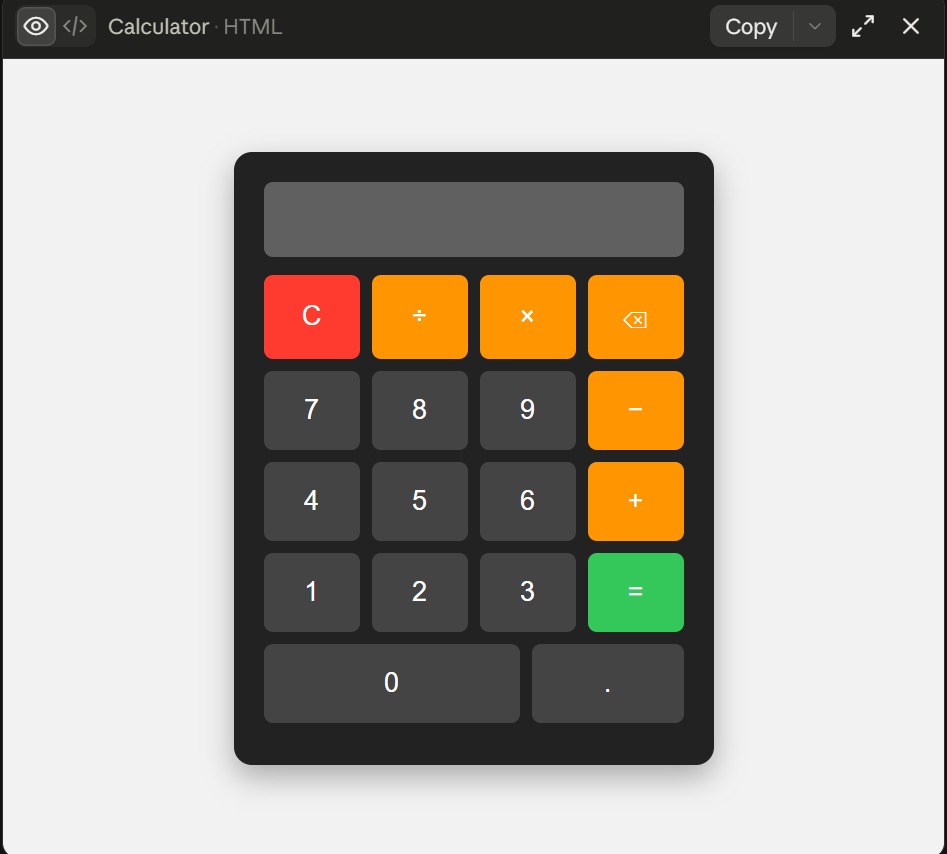
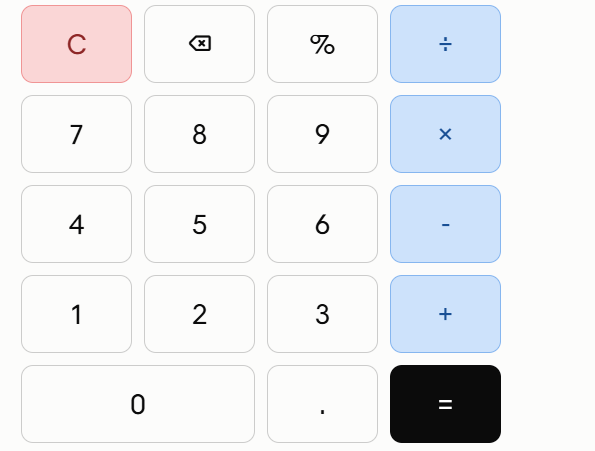
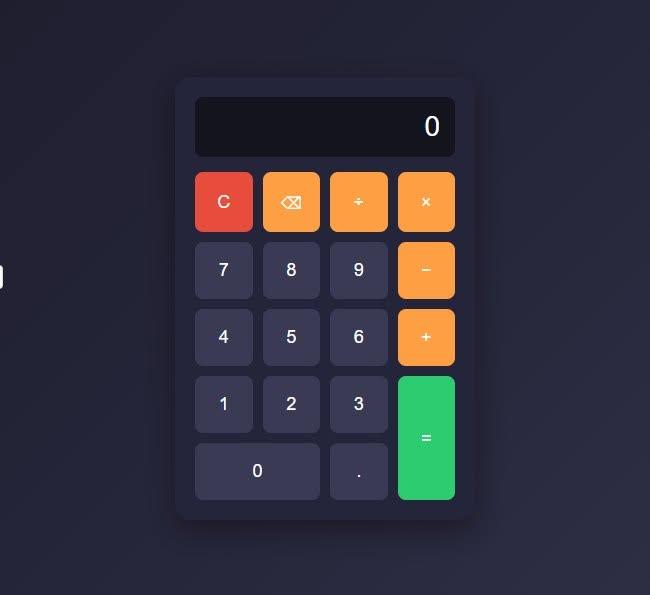
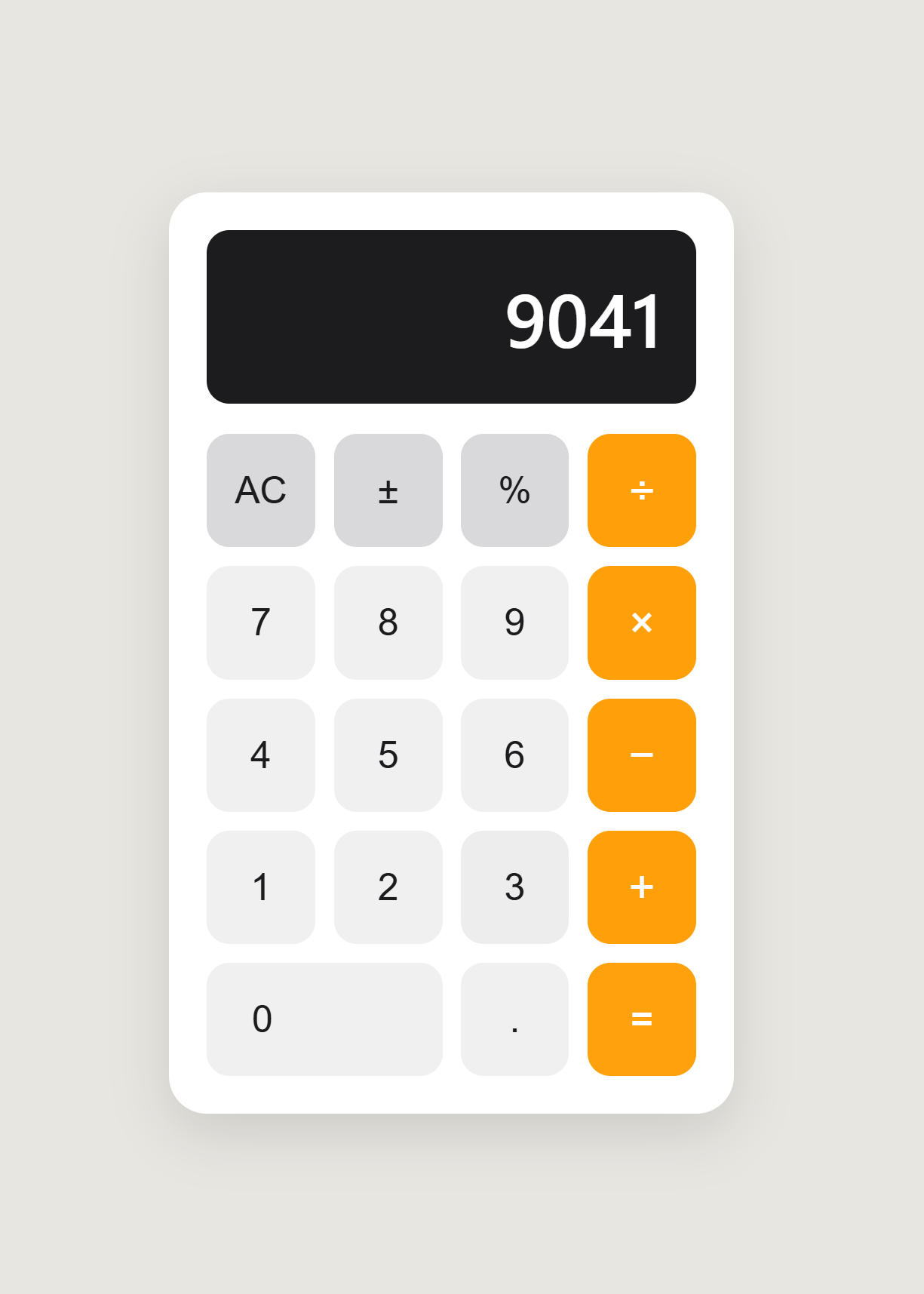
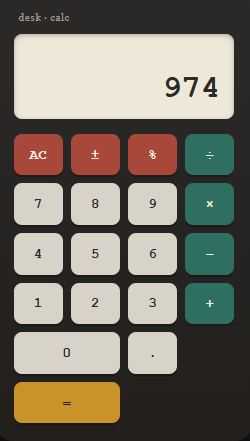
    Basic Calculator with GUI is a simple and user-friendly calculator application designed to perform essential mathematical operations with an easy-to-use graphical interface.
    Addition
    Subtraction
    Multiplication
    Division
    The clean GUI makes calculations quick, simple, and convenient for everyone. Whether you’re a student learning programming or someone who needs a basic calculator, this project demonstrates how a functional calculator can be built with a graphical user interface.
    Features:
    Simple and clean interface
    Easy-to-use buttons
    Fast calculations
    Basic arithmetic operations
    Beginner-friendly project
    #️⃣ Hashtags:
    #BasicCalculator #CalculatorApp #GUI #Programming #Coding #Python #SoftwareDevelopment #BeginnerProject #CodingProject #Math #Calculator #Tech #LearnProgramming #ComputerScience #AppDevelopment
    #rsisb Roll No.280 Coding Task.9 Foundation Level 🧮 Basic Calculator with GUI ✨ Basic Calculator with GUI is a simple and user-friendly calculator application designed to perform essential mathematical operations with an easy-to-use graphical interface. 🖥️🔢 ➕ Addition ➖ Subtraction ✖️ Multiplication ➗ Division The clean GUI makes calculations quick, simple, and convenient for everyone. 🚀 Whether you’re a student learning programming or someone who needs a basic calculator, this project demonstrates how a functional calculator can be built with a graphical user interface. 💻📚 🌟 Features: ✅ Simple and clean interface ✅ Easy-to-use buttons ✅ Fast calculations ✅ Basic arithmetic operations ✅ Beginner-friendly project #️⃣ Hashtags: #BasicCalculator #CalculatorApp #GUI #Programming #Coding #Python #SoftwareDevelopment #BeginnerProject #CodingProject #Math #Calculator #Tech #LearnProgramming #ComputerScience #AppDevelopment 🧮💻🚀
    0 Comentários 0 Compartilhamentos 791 Visualizações
  • #rsisb
    Roll no 248
    Foundation level
    Coding Task no 34
    **Basic Calculator – Simple Arithmetic Operations**

    A **Basic Calculator** is a simple and useful project designed to perform everyday arithmetic operations quickly and easily.

    This calculator can perform **addition, subtraction, multiplication, and division**. It is a great beginner-friendly coding project for learning how buttons, numbers, and mathematical operations work together.

    Building a calculator is a fun way to practice programming logic and create a useful application.

    #BasicCalculator #CalculatorApp #Arithmetic #Addition #Subtraction #Multiplication #Division #Coding #Programming #BeginnerProject #LearningToCode #CodingForBeginners #Tech #ComputerScience
    #rsisb Roll no 248 Foundation level Coding Task no 34 🧮✨ **Basic Calculator – Simple Arithmetic Operations** ✨🧮 A **Basic Calculator** is a simple and useful project designed to perform everyday arithmetic operations quickly and easily. ➕➖✖️➗ This calculator can perform **addition, subtraction, multiplication, and division**. It is a great beginner-friendly coding project for learning how buttons, numbers, and mathematical operations work together. 💻📚 Building a calculator is a fun way to practice programming logic and create a useful application. 🚀😊 #BasicCalculator #CalculatorApp #Arithmetic #Addition #Subtraction #Multiplication #Division #Coding #Programming #BeginnerProject #LearningToCode #CodingForBeginners #Tech #ComputerScience 🧮💻✨
    0 Comentários 0 Compartilhamentos 670 Visualizações
  • **Batch 14**
    **Task No. 24**
    **Book ACCl**

    Today, I successfully completed my task of **creating a Basic Calculator** that performs essential arithmetic operations such as addition, subtraction, multiplication, and division. This task gave me practical experience in understanding how calculations are processed through programming logic and how different operations can be implemented effectively. Overall, it was a valuable hands-on learning experience that strengthened my problem-solving, logical-thinking, and basic programming skills.

    **#TaskCompleted #BasicCalculator #Programming #ArithmeticOperations #ProblemSolving #LogicalThinking #CodingSkills #Learning #DigitalSkills**
    **Batch 14** **Task No. 24** **Book ACCl** 🧮 Today, I successfully completed my task of **creating a Basic Calculator** that performs essential arithmetic operations such as addition, subtraction, multiplication, and division. 💻 This task gave me practical experience in understanding how calculations are processed through programming logic and how different operations can be implemented effectively. 🚀 Overall, it was a valuable hands-on learning experience that strengthened my problem-solving, logical-thinking, and basic programming skills. ✨📚 **#TaskCompleted #BasicCalculator #Programming #ArithmeticOperations #ProblemSolving #LogicalThinking #CodingSkills #Learning #DigitalSkills**
    0 Comentários 0 Compartilhamentos 1152 Visualizações
  • #rsisb
    Roll no 248
    Foundation level
    Coding Task no 34
    **Basic Calculator – Arithmetic Operations**

    A simple and useful **Basic Calculator** designed to perform everyday arithmetic operations quickly and easily!

    This project can perform **addition, subtraction, multiplication, and division**. It is a great beginner-friendly coding project for learning how buttons, inputs, calculations, and user interfaces work together.

    Simple
    Easy to use
    Fast calculations
    Perfect for beginners
    Great coding practice

    Keep learning, keep coding, and keep building!

    #BasicCalculator #CalculatorApp #ArithmeticOperations #Coding #Programming #BeginnerCoding #LearnToCode #CodingProject #WebDevelopment #ComputerScience #Tech #PracticeCoding #StudentProject #Innovation #KeepLearning
    #rsisb Roll no 248 Foundation level Coding Task no 34 🧮✨ **Basic Calculator – Arithmetic Operations** ✨🧮 A simple and useful **Basic Calculator** designed to perform everyday arithmetic operations quickly and easily! ➕➖✖️➗ This project can perform **addition, subtraction, multiplication, and division**. It is a great beginner-friendly coding project for learning how buttons, inputs, calculations, and user interfaces work together. 💻📚 🚀 Simple 🎯 Easy to use 🧮 Fast calculations 💡 Perfect for beginners 💻 Great coding practice Keep learning, keep coding, and keep building! 🌟👨‍💻🔥 #BasicCalculator #CalculatorApp #ArithmeticOperations #Coding #Programming #BeginnerCoding #LearnToCode #CodingProject #WebDevelopment #ComputerScience #Tech #PracticeCoding #StudentProject #Innovation #KeepLearning 🚀💻🧮
    0 Comentários 0 Compartilhamentos 1335 Visualizações
  • RSIF8
    Roll No 13
    Coding task no 1
    coding task topic **Basic Calculator – Arithmetic Operations**

    A Basic Calculator is a simple and useful tool designed to perform common arithmetic operations quickly and accurately. It can be used for everyday calculations, learning mathematics, and practicing basic programming concepts.

    **Main Features:**
    Addition – Add two or more numbers
    Subtraction – Find the difference between numbers
    Multiplication – Multiply numbers easily
    Division – Divide numbers and get the result
    Clear/Reset – Clear the current calculation and start again

    This project is beginner-friendly and demonstrates how basic arithmetic operations can be implemented in a simple calculator. It is a great way to understand user input, mathematical operators, buttons, and basic programming logic.

    **Perfect for:** Students, beginners, daily calculations, and anyone learning how to build simple applications.

    #BasicCalculator #Calculator #ArithmeticOperations #Addition #Subtraction #Multiplication #Division #Programming #Coding #BeginnerProject #Math #Learning
    RSIF8 Roll No 13 Coding task no 1 coding task topic 🧮 **Basic Calculator – Arithmetic Operations** A Basic Calculator is a simple and useful tool designed to perform common arithmetic operations quickly and accurately. It can be used for everyday calculations, learning mathematics, and practicing basic programming concepts. ✨ **Main Features:** ➕ Addition – Add two or more numbers ➖ Subtraction – Find the difference between numbers ✖️ Multiplication – Multiply numbers easily ➗ Division – Divide numbers and get the result 🔄 Clear/Reset – Clear the current calculation and start again This project is beginner-friendly and demonstrates how basic arithmetic operations can be implemented in a simple calculator. It is a great way to understand user input, mathematical operators, buttons, and basic programming logic. 💡 **Perfect for:** Students, beginners, daily calculations, and anyone learning how to build simple applications. #BasicCalculator #Calculator #ArithmeticOperations #Addition #Subtraction #Multiplication #Division #Programming #Coding #BeginnerProject #Math #Learning
    0 Comentários 0 Compartilhamentos 1296 Visualizações

  • Mohsin RS F8
    coding task 5
    Roll no 13
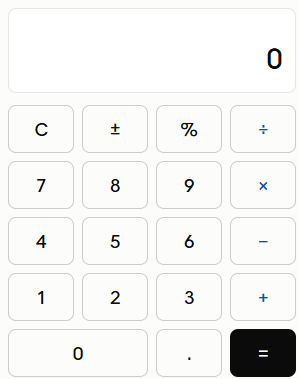
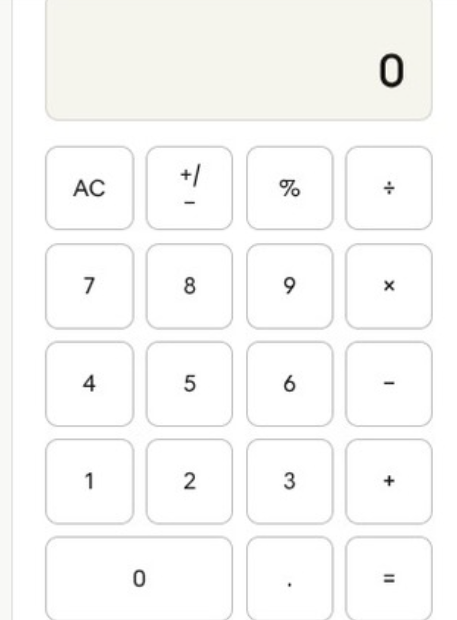
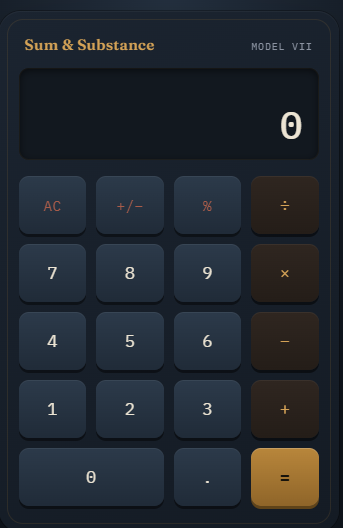
    This image presents a sleek and modern digital calculator interface designed with simplicity and ease of use in mind. The overall appearance is clean and minimalistic, featuring a soft light-gray color palette that gives it a calm and professional look. The design avoids unnecessary clutter, allowing users to focus entirely on performing calculations without distraction.

    At the top of the calculator, there is a wide display screen where numbers and results are shown. Currently, the display reads “0,” indicating that no calculations have been entered yet. The display area is spacious and clearly separated from the buttons below, making it easy to read inputs and outputs at a glance.

    Beneath the display, the calculator buttons are arranged in a well-organized grid layout. Each button is square-shaped with slightly rounded corners, creating a smooth and modern feel. The buttons are evenly spaced, which improves accuracy when tapping or clicking them. The labels on the buttons are clear and easy to read, ensuring that users can quickly identify each function.

    The top row of buttons includes functional keys such as “AC” (All Clear), which resets the calculator, the “±” button to switch between positive and negative numbers, the percentage (%) key for calculating percentages, and the division (÷) operator. These keys provide essential functions needed for everyday calculations.

    Below that, the number keys (0–9) are arranged in a familiar layout, similar to most standard calculators. Alongside the numbers, the basic arithmetic operation buttons are placed: multiplication (×), subtraction (−), addition (+), and the equals (=) button for getting results. The “0” button is larger than the others, spanning a wider space at the bottom, which is a common design choice to make it easier to press.

    There is also a decimal point (.) button, allowing users to work with decimal numbers. The thoughtful placement of all these buttons ensures that users can perform calculations quickly and efficiently without confusion.

    Overall, this calculator interface is designed to be user-friendly, visually appealing, and highly functional. Its mod
    Mohsin RS F8 🎓✨ coding task 5 Roll no 13 This image presents a sleek and modern digital calculator interface designed with simplicity and ease of use in mind. The overall appearance is clean and minimalistic, featuring a soft light-gray color palette that gives it a calm and professional look. The design avoids unnecessary clutter, allowing users to focus entirely on performing calculations without distraction. At the top of the calculator, there is a wide display screen where numbers and results are shown. Currently, the display reads “0,” indicating that no calculations have been entered yet. The display area is spacious and clearly separated from the buttons below, making it easy to read inputs and outputs at a glance. Beneath the display, the calculator buttons are arranged in a well-organized grid layout. Each button is square-shaped with slightly rounded corners, creating a smooth and modern feel. The buttons are evenly spaced, which improves accuracy when tapping or clicking them. The labels on the buttons are clear and easy to read, ensuring that users can quickly identify each function. The top row of buttons includes functional keys such as “AC” (All Clear), which resets the calculator, the “±” button to switch between positive and negative numbers, the percentage (%) key for calculating percentages, and the division (÷) operator. These keys provide essential functions needed for everyday calculations. Below that, the number keys (0–9) are arranged in a familiar layout, similar to most standard calculators. Alongside the numbers, the basic arithmetic operation buttons are placed: multiplication (×), subtraction (−), addition (+), and the equals (=) button for getting results. The “0” button is larger than the others, spanning a wider space at the bottom, which is a common design choice to make it easier to press. There is also a decimal point (.) button, allowing users to work with decimal numbers. The thoughtful placement of all these buttons ensures that users can perform calculations quickly and efficiently without confusion. Overall, this calculator interface is designed to be user-friendly, visually appealing, and highly functional. Its mod
    0 Comentários 0 Compartilhamentos 1111 Visualizações
  • RSIF8
    Roll no:14
    coding task no:1
    coding task topic:Create a Basic Calculator

    Yeh ek ready-to-use description hai jo aap Foundation Level task ke liye use kar sakte hain:

    # Create a Basic Calculator

    A Basic Calculator is a simple application that performs essential mathematical operations such as addition, subtraction, multiplication, and division. This project helps beginners understand how to take user input, process calculations, and display accurate results. By creating a basic calculator, learners improve their logical thinking and programming fundamentals while gaining hands-on experience with arithmetic operations and user interaction.

    **Learning Outcomes:**

    * Understand basic programming logic.
    * Learn to take and validate user input.
    * Perform mathematical calculations.
    * Display results in a user-friendly way.
    * Build confidence in creating simple interactive applications.

    This project is an excellent starting point for beginners who want to strengthen their coding skills and prepare for more advanced programming challenges.

    **#BasicCalculator #Programming #Coding #FoundationLevel #LearnToCode #BeginnerProject #MathOperations #TechEducation #CodingJourney #RehanSchool*
    RSIF8 Roll no:14 coding task no:1 coding task topic:Create a Basic Calculator Yeh ek ready-to-use description hai jo aap Foundation Level task ke liye use kar sakte hain: # 🧮 Create a Basic Calculator A Basic Calculator is a simple application that performs essential mathematical operations such as addition, subtraction, multiplication, and division. This project helps beginners understand how to take user input, process calculations, and display accurate results. By creating a basic calculator, learners improve their logical thinking and programming fundamentals while gaining hands-on experience with arithmetic operations and user interaction. ✨ **Learning Outcomes:** * Understand basic programming logic. * Learn to take and validate user input. * Perform mathematical calculations. * Display results in a user-friendly way. * Build confidence in creating simple interactive applications. This project is an excellent starting point for beginners who want to strengthen their coding skills and prepare for more advanced programming challenges. 📚 **#BasicCalculator #Programming #Coding #FoundationLevel #LearnToCode #BeginnerProject #MathOperations #TechEducation #CodingJourney #RehanSchool*
    0 Comentários 0 Compartilhamentos 1077 Visualizações
  • RSIF8
    Roll no:09
    Coding Task no:01
    Coding Task topic:Complete a small coding challenge Create a Basic Calculator that performs basic arithmetic
    operations like addition, subtraction, multiplication, and division.

    Basic Calculator Coding Challenge Completed!

    I created a Basic Calculator that performs the four fundamental arithmetic operations:
    Addition
    Subtraction
    Multiplication
    Division

    This project helped me practice programming concepts such as user input, variables, conditional statements, and mathematical operations. It was a great way to strengthen my coding skills and understand how calculators work behind the scenes.

    Screenshot attached below.

    #CodingChallenge #BasicCalculator #Programming #Coding #Python #LearnToCode #StudentDeveloper #TechSkills #ComputerScience #CodeNewbie
    RSIF8 Roll no:09 Coding Task no:01 Coding Task topic:Complete a small coding challenge Create a Basic Calculator that performs basic arithmetic operations like addition, subtraction, multiplication, and division. 🧮 Basic Calculator Coding Challenge Completed! 🎉 I created a Basic Calculator that performs the four fundamental arithmetic operations: ➕ Addition ➖ Subtraction ✖️ Multiplication ➗ Division This project helped me practice programming concepts such as user input, variables, conditional statements, and mathematical operations. It was a great way to strengthen my coding skills and understand how calculators work behind the scenes. 📸 Screenshot attached below. #CodingChallenge #BasicCalculator #Programming #Coding #Python #LearnToCode #StudentDeveloper #TechSkills #ComputerScience #CodeNewbie 🚀💻🧮
    0 Comentários 0 Compartilhamentos 1537 Visualizações
  • RSIF8
    Roll No: 113
    Coding Task No: 1
    Task: Basic Calculator (Arithmetic Operations)

    Basic Calculator (Arithmetic Operations)

    For my first coding task, I created a basic calculator that performs fundamental arithmetic operations.

    The calculator can perform:

    Addition
    Subtraction
    Multiplication
    Division

    The purpose of this task was to practice basic programming concepts such as taking user input, using variables, applying arithmetic operators, and displaying results.

    Through this task, I learned how programming can be used to create a simple and useful calculator for performing everyday mathematical calculations.

    This coding task helped me strengthen my understanding of basic programming logic and arithmetic operations.

    Learn • Code • Practice • Improve

    #RSIF8 #RollNo113 #CodingTask1 #BasicCalculator #Calculator #ArithmeticOperations #Addition #Subtraction #Multiplication #Division #Coding #Programming #ProgrammingBasics #Mathematics #DigitalSkills #Learning #Education #StudentProject #LearnAndCode
    RSIF8 Roll No: 113 Coding Task No: 1 Task: Basic Calculator (Arithmetic Operations) Basic Calculator (Arithmetic Operations) For my first coding task, I created a basic calculator that performs fundamental arithmetic operations. 🧮💻 The calculator can perform: ➕ Addition ➖ Subtraction ✖️ Multiplication ➗ Division The purpose of this task was to practice basic programming concepts such as taking user input, using variables, applying arithmetic operators, and displaying results. Through this task, I learned how programming can be used to create a simple and useful calculator for performing everyday mathematical calculations. 📚🧠 💡 This coding task helped me strengthen my understanding of basic programming logic and arithmetic operations. Learn • Code • Practice • Improve 🚀✨ #RSIF8 #RollNo113 #CodingTask1 #BasicCalculator #Calculator #ArithmeticOperations #Addition #Subtraction #Multiplication #Division #Coding #Programming #ProgrammingBasics #Mathematics #DigitalSkills #Learning #Education #StudentProject #LearnAndCode
    0 Comentários 0 Compartilhamentos 2401 Visualizações
  • RSIF8
    Roll NO:11
    Coding 1
    coding topic Complete a small coding challenge Create a Basic Calculator that performs basic arithmetic operations like addition, subtraction, multiplication, and division.
    Post a screenshot with a short explanation.

    Basic Calculator Coding Challenge Completed!

    I created a Basic Calculator that can perform four important arithmetic operations:

    Addition
    Subtraction
    Multiplication
    Division

    Screenshot Attached: Shows the calculator taking user input and displaying accurate results.

    Short Explanation:
    This calculator is designed to perform simple mathematical calculations. Users enter two numbers and select an operation. The program then calculates and displays the result instantly. It helps beginners understand basic programming concepts such as variables, user input, conditional statements, and arithmetic operations.

    Skills Practiced:
    User Input Handling
    Arithmetic Operations
    Conditional Statements (if/else)
    Output Display
    Problem Solving

    This project is a great way to learn the fundamentals of coding while creating a useful and interactive program.

    #CodingChallenge #Programming #BasicCalculator #LearningToCode #TechSkills #RehanSchool #FutureProgrammer #CodingJourney
    RSIF8 Roll NO:11 Coding 1 coding topic Complete a small coding challenge Create a Basic Calculator that performs basic arithmetic operations like addition, subtraction, multiplication, and division. Post a screenshot with a short explanation. 🚀✨ Basic Calculator Coding Challenge Completed! ✨🚀 💻 I created a Basic Calculator that can perform four important arithmetic operations: ➕ Addition ➖ Subtraction ✖️ Multiplication ➗ Division 📸 Screenshot Attached: Shows the calculator taking user input and displaying accurate results. 📝 Short Explanation: This calculator is designed to perform simple mathematical calculations. Users enter two numbers and select an operation. The program then calculates and displays the result instantly. It helps beginners understand basic programming concepts such as variables, user input, conditional statements, and arithmetic operations. 🌟 Skills Practiced: ✅ User Input Handling ✅ Arithmetic Operations ✅ Conditional Statements (if/else) ✅ Output Display ✅ Problem Solving 🎯 This project is a great way to learn the fundamentals of coding while creating a useful and interactive program. #CodingChallenge 💻 #Programming 🚀 #BasicCalculator ➕➖✖️➗ #LearningToCode 🌟 #TechSkills 🎯 #RehanSchool 📚 #FutureProgrammer 👨‍💻👩‍💻 #CodingJourney 🚀✨
    0 Comentários 0 Compartilhamentos 1441 Visualizações
Páginas impulsionada