• RSIF8
    Roll no 68
    Task no 81
    Task Topic; Selfie Interview

    Today, I stepped in front of the camera to share my thoughts, experiences, and learning journey through a selfie interview. Speaking about myself helped me build confidence, improve my communication skills, and express my ideas more clearly.

    Every interview is an opportunity to learn, grow, and inspire others. Thank you for watching and supporting my journey. Your encouragement means a lot!

    What is one skill you would like to improve through self-practice? Let me know in the comments!
    RSIF8 Roll no 68 Task no 81 Task Topic; Selfie Interview Today, I stepped in front of the camera to share my thoughts, experiences, and learning journey through a selfie interview. Speaking about myself helped me build confidence, improve my communication skills, and express my ideas more clearly. Every interview is an opportunity to learn, grow, and inspire others. Thank you for watching and supporting my journey. Your encouragement means a lot! πŸ’¬ What is one skill you would like to improve through self-practice? Let me know in the comments!
    0 Commenti 0 condivisioni 4 Views 2

  • RSIF8
    Roll no 68
    Task no 158
    Task topic; The Nature of Light: Waves and Particles

    Light is one of the most fascinating parts of physics. It can behave like a **wave**, showing properties such as interference and diffraction, while also behaving like **particles called photons**. This amazing dual nature of light helps us understand everything from colors and lasers to modern technologies like solar panels and cameras.
    RSIF8 Roll no 68 Task no 158 Task topic; The Nature of Light: Waves and Particles πŸŒŸπŸ”¬ Light is one of the most fascinating parts of physics. It can behave like a **wave**, showing properties such as interference and diffraction, while also behaving like **particles called photons**. This amazing dual nature of light helps us understand everything from colors and lasers to modern technologies like solar panels and cameras. πŸ’‘πŸŒˆ
    0 Commenti 0 condivisioni 338 Views
  • This video shows a screen recording/tutorial-style session using ChatGPT, with a webcam view of a young person wearing headphones.

    The video includes:

    A ChatGPT conversation about motivational quote/poster content.
    Discussion about Fiverr, website development, and social media marketing.
    A screen showing OBS Studio being used for screen recording.
    The speaker appears on camera in a small webcam window while interacting with ChatGPT.
    The overall video has a tutorial, learning, and digital-work/online-earning theme.

    Day :- 21
    foundational level
    roll no:- 006
    Talk with AI
    "Hello" – Origins of a Simple Greeting (5 min)
    This video shows a screen recording/tutorial-style session using ChatGPT, with a webcam view of a young person wearing headphones. The video includes: A ChatGPT conversation about motivational quote/poster content. Discussion about Fiverr, website development, and social media marketing. A screen showing OBS Studio being used for screen recording. The speaker appears on camera in a small webcam window while interacting with ChatGPT. The overall video has a tutorial, learning, and digital-work/online-earning theme. Day :- 21 foundational level roll no:- 006 πŸ“ž Talk with AI "Hello" – Origins of a Simple Greeting (5 min)
    0 Commenti 0 condivisioni 736 Views 16
  • This video shows a screen recording/tutorial-style session using ChatGPT, with a webcam view of a young person wearing headphones.

    The video includes:

    A ChatGPT conversation about motivational quote/poster content.
    Discussion about Fiverr, website development, and social media marketing.
    A screen showing OBS Studio being used for screen recording.
    The speaker appears on camera in a small webcam window while interacting with ChatGPT.
    The overall video has a tutorial, learning, and digital-work/online-earning theme.

    Day :- 21
    foundational level
    roll no:- 006
    Talk with AI
    "Hello" – Origins of a Simple Greeting (5 min)
    This video shows a screen recording/tutorial-style session using ChatGPT, with a webcam view of a young person wearing headphones. The video includes: A ChatGPT conversation about motivational quote/poster content. Discussion about Fiverr, website development, and social media marketing. A screen showing OBS Studio being used for screen recording. The speaker appears on camera in a small webcam window while interacting with ChatGPT. The overall video has a tutorial, learning, and digital-work/online-earning theme. Day :- 21 foundational level roll no:- 006 πŸ“ž Talk with AI "Hello" – Origins of a Simple Greeting (5 min)
    1
    0 Commenti 0 condivisioni 703 Views 22
  • RSIF8
    Roll NO:11
    Task post no : 9
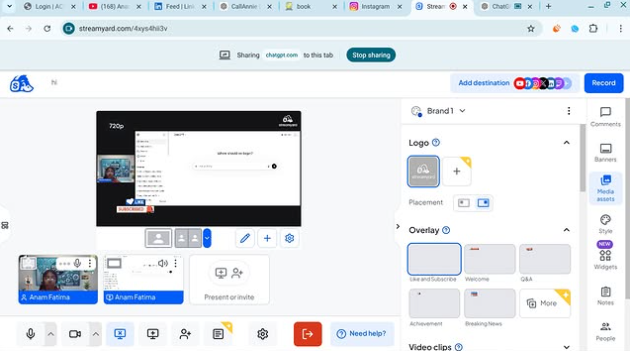
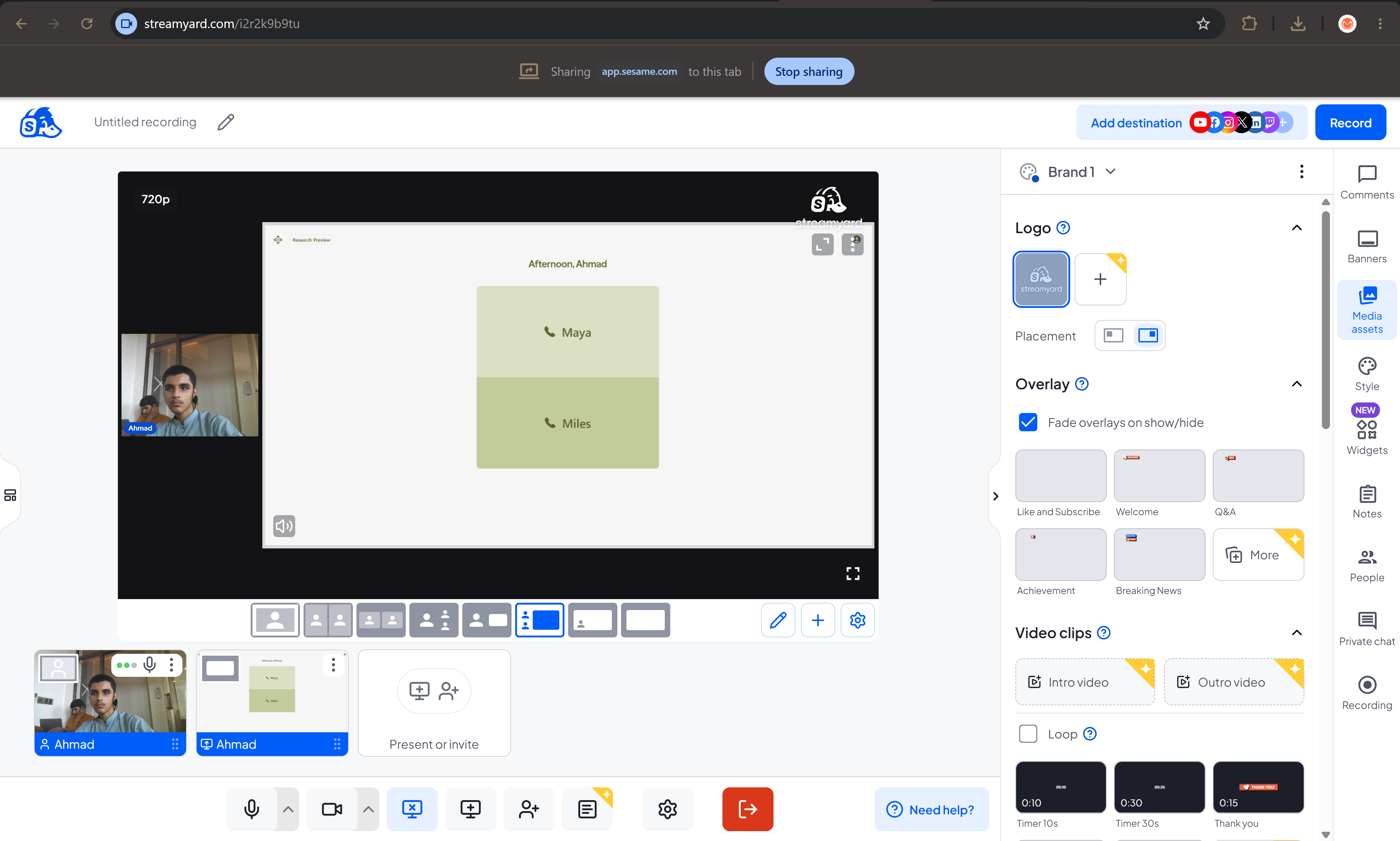
    Task topic How to use streamyard for interviews?

    How to Use StreamYard for Interviews
    Want to host online interviews like a pro? StreamYard lets you go live on YouTube, Facebook, or record professional interviews directly from your browser
    Step 1 — Open StreamYard
    Start here
    Open StreamYard Studio
    Sign up with Google / Facebook / Email
    Allow camera & microphone
    You are now ready to create your studio
    Step 2 — Create Your Interview Studio
    Click Create a Broadcast
    Choose platform (YouTube / Facebook / Record Only )
    Enter interview title
    Enter the studio
    Boom Your virtual interview room is ready!
    Step 3 — Invite Your Guest
    This is the magic part
    Click Invite Guests
    Copy the invite link
    Send it to your guest on WhatsApp or Email
    Your guest joins with one click
    Step 4 — Start the Interview
    When your guest joins
    Add them to screen
    Choose layout (side-by-side / full screen)
    Add name banners
    Click Go Live or Record
    You are now LIVE like a real TV show
    Pro Interview Features
    Show comments on screen
    Add logo & background
    Share screen for slides
    Play intro music
    Download recording after interview
    Interview Tips for Success
    Test mic & camera before going live
    Smile and look at camera
    Keep questions ready
    Keep interview 5–15 minutes
    Now you can host professional online interviews from home like a real presenter!
    RSIF8 Roll NO:11 Task post no : 9 Task topic How to use streamyard for interviews? πŸŽ€πŸ“Ί How to Use StreamYard for Interviews πŸ€©πŸŽ™οΈπŸ’» Want to host online interviews like a pro? StreamYard lets you go live on YouTube, Facebook, or record professional interviews directly from your browser πŸš€πŸŒβœ¨ β¬‡οΈπŸŒ Step 1 — Open StreamYard Start here πŸ‘‡ Open StreamYard StudioπŸš€ πŸ‘‰ Sign up with Google / Facebook / Email βœ‰οΈ πŸ‘‰ Allow camera πŸ“· & microphone 🎀 You are now ready to create your studio 🏒✨ 🎬 Step 2 — Create Your Interview Studio 1️⃣ Click Create a Broadcast πŸŽ₯ 2️⃣ Choose platform (YouTube ▢️ / Facebook πŸ‘ / Record Only 🎬) 3️⃣ Enter interview title πŸ“ 4️⃣ Enter the studio πŸ’» Boom πŸ’₯ Your virtual interview room is ready! πŸ‘©‍πŸ’»πŸ“© Step 3 — Invite Your Guest This is the magic part ✨ πŸ‘‰ Click Invite Guests πŸ”— πŸ‘‰ Copy the invite link πŸ“‹ πŸ‘‰ Send it to your guest on WhatsApp or Email πŸ“²βœ‰οΈ Your guest joins with one click 😍 πŸŽ€πŸ—£οΈ Step 4 — Start the Interview When your guest joins πŸ‘‡ βœ… Add them to screen πŸ‘₯ βœ… Choose layout (side-by-side / full screen) πŸ–₯️ βœ… Add name banners 🏷️ βœ… Click Go Live πŸ”΄ or Record 🎬 You are now LIVE like a real TV show πŸ“ΊπŸ”₯ ✨🎯 Pro Interview Features 🌟 Show comments on screen πŸ’¬ 🌟 Add logo & background πŸ–ΌοΈ 🌟 Share screen for slides πŸ“Š 🌟 Play intro music 🎡 🌟 Download recording after interview πŸ’Ύ πŸ’‘πŸ”₯ Interview Tips for Success 🎯 Test mic & camera before going live 😊 Smile and look at camera πŸ“‹ Keep questions ready ⏰ Keep interview 5–15 minutes πŸŽ‰πŸ“Ί Now you can host professional online interviews from home like a real presenter! 🎀🌍πŸ’₯
    0 Commenti 0 condivisioni 783 Views
  • **Batch 14**
    **Task No. 9**
    **Book ACCl**

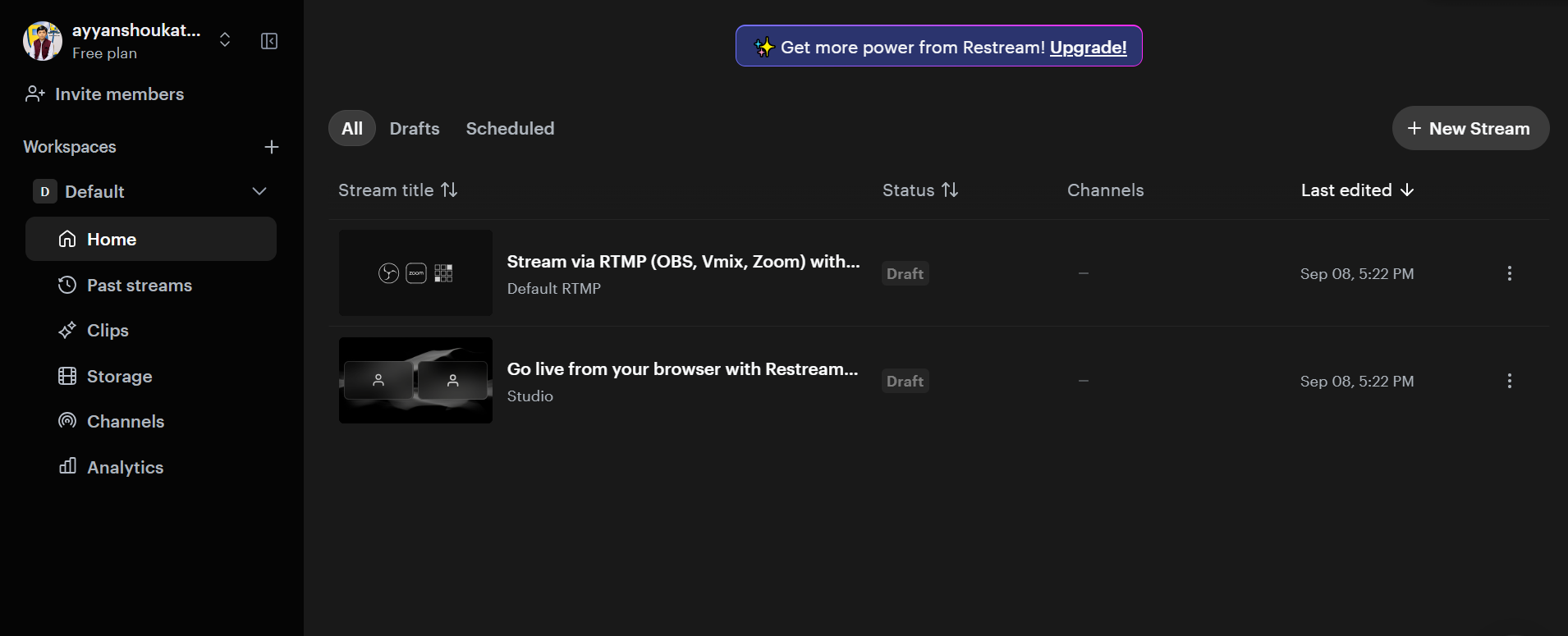
    Today, I successfully completed my task of using **Restream for interviews**. I learned how to set up an online interview, manage the live studio, and use essential features such as camera, microphone, guest invitations, and live broadcasting. This hands-on experience helped me strengthen my skills in virtual communication, live streaming, and professional online interview management.

    #TaskCompleted #Restream #OnlineInterview #LiveStreaming #VirtualCommunication #DigitalSkills #ProfessionalGrowth #Learning
    **Batch 14** **Task No. 9** **Book ACCl** Today, I successfully completed my task of using **Restream for interviews**. I learned how to set up an online interview, manage the live studio, and use essential features such as camera, microphone, guest invitations, and live broadcasting. This hands-on experience helped me strengthen my skills in virtual communication, live streaming, and professional online interview management. #TaskCompleted #Restream #OnlineInterview #LiveStreaming #VirtualCommunication #DigitalSkills #ProfessionalGrowth #Learning
    0 Commenti 0 condivisioni 1423 Views
  • RSIF8
    Roll No: 99
    Task No: 9
    Task Topic: How to use StreamYard for interviews?

    Want to host professional interviews online?

    In this easy step-by-step guide, you’ll learn **how to use StreamYard for interviews**—from setting up your studio and inviting guests to checking your camera and microphone and going live.

    StreamYard makes it easier to conduct interviews, podcasts, webinars, and live conversations without complicated setup.

    Save this post for later and share it with someone who wants to start hosting online interviews!

    #StreamYard #StreamYardTutorial #OnlineInterviews #LiveStreaming #VideoInterview #Podcasting #ContentCreation #DigitalSkills #TechTips #LiveStream #OnlineEvents #VideoContent #CreatorTips #DigitalTools #HowTo #StepByStep #TechTutorial #ContentCreator #OnlineLearning #StreamingTips
    RSIF8 Roll No: 99 Task No: 9 Task Topic: How to use StreamYard for interviews? πŸŽ™οΈ Want to host professional interviews online? In this easy step-by-step guide, you’ll learn **how to use StreamYard for interviews**—from setting up your studio and inviting guests to checking your camera and microphone and going live. πŸ’»πŸŽ₯ StreamYard makes it easier to conduct interviews, podcasts, webinars, and live conversations without complicated setup. πŸ“Œ Save this post for later and share it with someone who wants to start hosting online interviews! #StreamYard #StreamYardTutorial #OnlineInterviews #LiveStreaming #VideoInterview #Podcasting #ContentCreation #DigitalSkills #TechTips #LiveStream #OnlineEvents #VideoContent #CreatorTips #DigitalTools #HowTo #StepByStep #TechTutorial #ContentCreator #OnlineLearning #StreamingTips
    0 Commenti 0 condivisioni 2731 Views
  • RSIF8
    Roll No: 112
    Task No: 9
    Task Topic: How to Use StreamYard for Interviews?
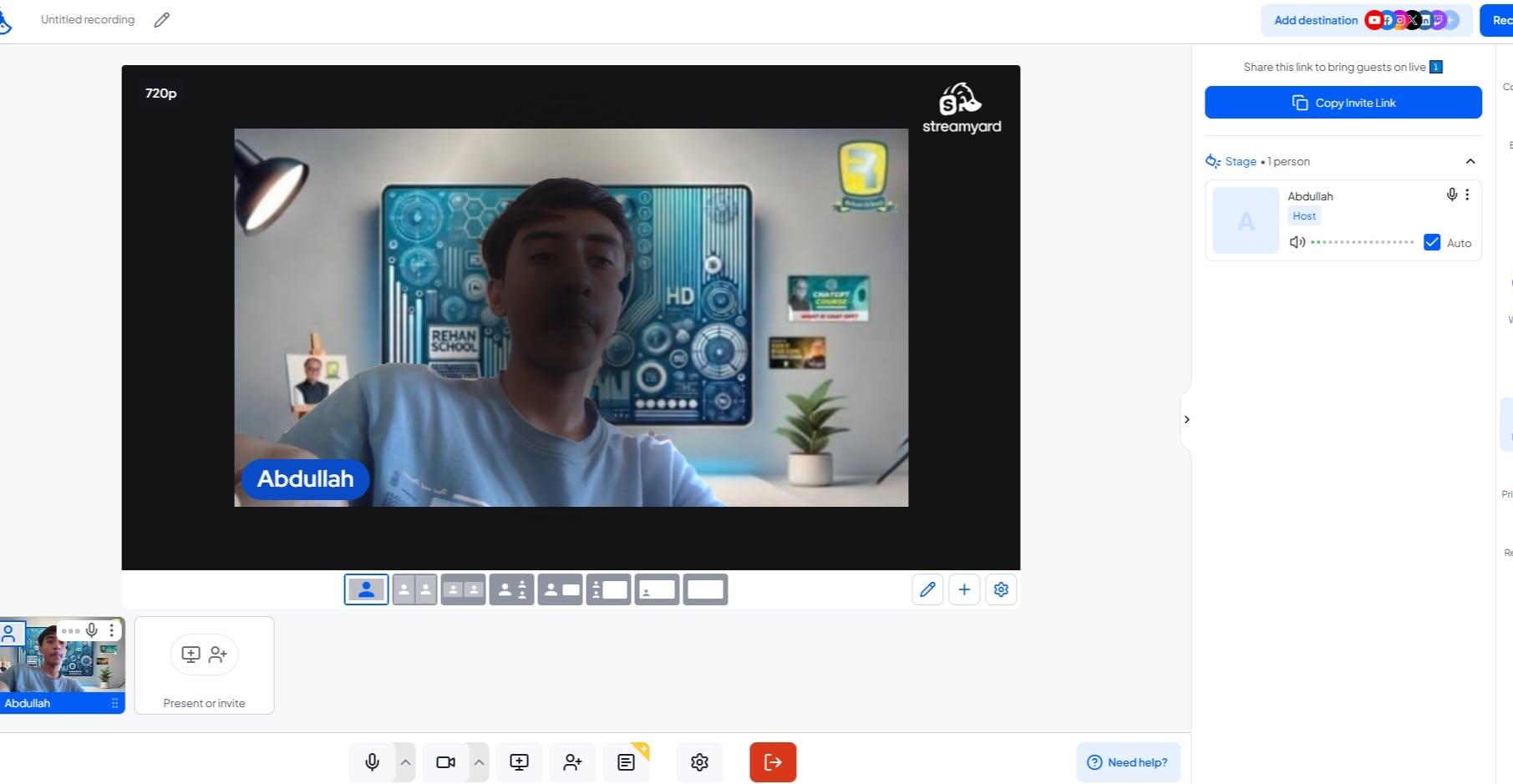
    In this video, I explain the simple steps to use StreamYard for conducting online interviews and live broadcasts.
    StreamYard is a useful platform for hosting interviews, live streams, and online conversations with guests.
    In this tutorial, you will learn how to:
    Sign up or log in to StreamYard
    Create a broadcast and choose a platform
    Add a title for your interview
    Enter the studio and allow camera and microphone access
    Invite a guest using a share link
    Click Go Live to start the interview
    End the broadcast when the interview is finished
    This activity helped me improve my digital, communication, and online presentation skills.
    Tip: Check your camera, microphone, and internet connection before going live.
    Watch the video and follow the steps!
    Learn • Connect • Interview • Improve
    #RSIF8 #RollNo113 #PostNo8 #StreamYard #OnlineInterview #LiveStreaming #DigitalSkills #DigitalLiteracy #CommunicationSkills #Technology #OnlineLearning #InterviewSkills #PresentationSkills #VirtualInterview #TechSkills #LearningJourney #StudentLife #KeepLearning
    RSIF8 Roll No: 112 Task No: 9 Task Topic: How to Use StreamYard for Interviews? In this video, I explain the simple steps to use StreamYard for conducting online interviews and live broadcasts. πŸ’»πŸŽ™οΈ StreamYard is a useful platform for hosting interviews, live streams, and online conversations with guests. πŸŒπŸ—£οΈ In this tutorial, you will learn how to: πŸ”Ή Sign up or log in to StreamYard πŸ‘€ πŸ”Ή Create a broadcast and choose a platform πŸ“‘ πŸ”Ή Add a title for your interview πŸ“ πŸ”Ή Enter the studio and allow camera and microphone access πŸŽ₯πŸŽ™οΈ πŸ”Ή Invite a guest using a share link πŸ”— πŸ”Ή Click Go Live to start the interview πŸ”΄ πŸ”Ή End the broadcast when the interview is finished βœ… This activity helped me improve my digital, communication, and online presentation skills. πŸ’»πŸ—£οΈβœ¨ πŸ’‘ Tip: Check your camera, microphone, and internet connection before going live. πŸŽ™οΈπŸ“Ά 🎬 Watch the video and follow the steps! πŸ‘‡ Learn • Connect • Interview • Improve πŸš€βœ¨ #RSIF8 #RollNo113 #PostNo8 #StreamYard #OnlineInterview #LiveStreaming #DigitalSkills #DigitalLiteracy #CommunicationSkills #Technology #OnlineLearning #InterviewSkills #PresentationSkills #VirtualInterview #TechSkills #LearningJourney #StudentLife #KeepLearning
    0 Commenti 0 condivisioni 1861 Views
  • RSIF8
    Roll No: 113
    Post No: 9
    Post Topic: How to Use StreamYard for Interviews?

    How to Use StreamYard for Interviews?

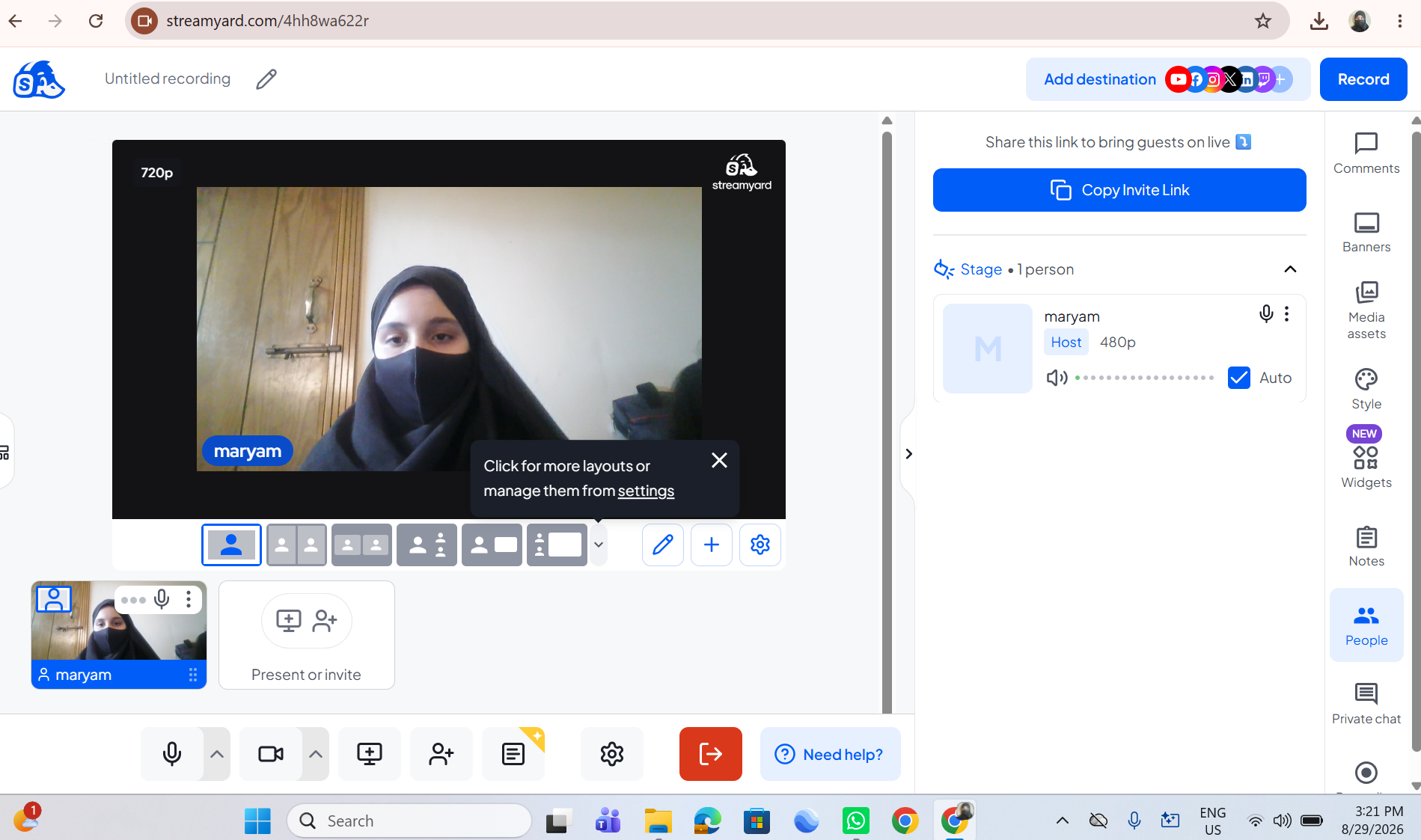
    In this video, I explain how to use StreamYard to conduct professional and engaging online interviews.

    StreamYard is a useful platform for hosting live streams, interviews, podcasts, and online conversations. It makes it easy to invite guests, manage the interview, and share the conversation with an audience.

    In this tutorial, you will learn how to:

    Open and set up StreamYard
    Create a broadcast or interview
    Invite a guest using a link
    Set up your camera and microphone
    Manage the interview screen
    Share your interview with an audience
    Use StreamYard's features for a professional interview

    This activity helped me improve my **digital communication, online interview, and content creation skills**.

    Tip: Before starting an interview, check your internet connection, microphone, camera, and background to make sure everything is ready.

    Watch the video and follow the steps!

    Learn • Connect • Interview • Create

    #RSIF8 #RollNo113 #PostNo9 #StreamYard #StreamYardTutorial #OnlineInterview #InterviewSkills #LiveStreaming #ContentCreation #DigitalSkills #DigitalLiteracy #Technology #CommunicationSkills #OnlineLearning #ComputerSkills #LearningJourney #StudentLife #TechSkills #DigitalWorld #Podcast #VirtualInterview #LiveInterview #KeepLearning #LearnAndGrow #StepByStep
    RSIF8 πŸŽ“βœ¨ Roll No: 113 🎯 Post No: 9 πŸ“ Post Topic: How to Use StreamYard for Interviews? πŸŽ₯πŸŽ™οΈ πŸŽ₯✨ How to Use StreamYard for Interviews? In this video, I explain how to use StreamYard to conduct professional and engaging online interviews. πŸ’»πŸŽ™οΈ StreamYard is a useful platform for hosting live streams, interviews, podcasts, and online conversations. It makes it easy to invite guests, manage the interview, and share the conversation with an audience. πŸŒπŸš€ In this tutorial, you will learn how to: πŸ”Ή Open and set up StreamYard πŸ’» πŸ”Ή Create a broadcast or interview πŸŽ₯ πŸ”Ή Invite a guest using a link πŸ”— πŸ”Ή Set up your camera and microphone πŸŽ™οΈ πŸ”Ή Manage the interview screen πŸ‘₯ πŸ”Ή Share your interview with an audience 🌍 πŸ”Ή Use StreamYard's features for a professional interview ✨ This activity helped me improve my **digital communication, online interview, and content creation skills**. πŸ“šπŸ’»πŸŽ€ πŸ’‘ Tip: Before starting an interview, check your internet connection, microphone, camera, and background to make sure everything is ready. 🎬 Watch the video and follow the steps! πŸ‘‡ Learn • Connect • Interview • Create πŸš€βœ¨ #RSIF8 #RollNo113 #PostNo9 #StreamYard #StreamYardTutorial #OnlineInterview #InterviewSkills #LiveStreaming #ContentCreation #DigitalSkills #DigitalLiteracy #Technology #CommunicationSkills #OnlineLearning #ComputerSkills #LearningJourney #StudentLife #TechSkills #DigitalWorld #Podcast #VirtualInterview #LiveInterview #KeepLearning #LearnAndGrow #StepByStep
    0 Commenti 0 condivisioni 2640 Views
  • #rsisb Roll No.240 Submit Course Testimonial Video Foundation Level Submit Course Testimonial Video is an activity where students create and submit a short video sharing their personal experience with the course. In the video, students can talk about what they learned, which activities they enjoyed, how the course improved their skills, and how the experience helped them grow. A testimonial video is a great way to reflect on your learning journey and explain the positive changes you experienced during the course. Students can discuss improvements in communication, confidence, English speaking, reading, writing, presentations, interviews, coding tasks, conversations, and other learning activities. This activity also helps students develop their public speaking and presentation skills. By speaking in front of a camera, students can practice expressing their thoughts clearly and confidently. Overall, the Course Testimonial Video gives students an opportunity to share their achievements, describe their learning experience, and inspire others through their personal journey. πŸŽ₯πŸ“šβœ¨ Rehan School Islamabad Campus Asma Shaheen EducationWali Irum Asim Saima Happinesswali https://www.facebook.com/share/v/1FZLmFfsXa/
    WWW.FACEBOOK.COM
    Facebook
    #rsisb Roll No.240 Submit Course Testimonial Video Foundation Level Submit Course Testimonial Video is an activity where students create and submit a short video sharing their personal experience...
    0 Commenti 0 condivisioni 1122 Views
Pagine in Evidenza